• Regeln für den Video-Bereich:

    In den Börsenbereich gehören nur Angebote die bereits den Allgemeinen Regeln entsprechen.

    Einteilung

    - Folgende Formate gehören in die angegeben Bereiche:
    - Filme: Encodierte Filme von BluRay, DVD, R5, TV, Screener sowie Telesyncs im Format DivX, XviD und x264.
    - DVD: Filme im Format DVD5, DVD9 und HD2DVD.
    - HD: Encodierte Filme mit der Auflösung 720p oder darüber von BluRay, DVD, R5, TV, Screener sowie Telesyncs im Format x264.
    - 3D: Encodierte Filme von BluRay, die in einem 3D Format vorliegen. Dies gilt auch für Dokus, Animation usw.
    - Serien: Cartoon/Zeichentrick, Anime, Tutorials, Dokumentationen, Konzerte/Musik, Sonstiges sind demnach in die entsprechenden Bereiche einzuordnen, auch wenn sie beispielsweise im High Definition-Format oder als DVD5/DVD9/HD2DVD vorliegen. Ausnahme 3D.
    - Bereich Englisch: Englische Releases gehören immer in diesen Bereich.
    - Bereich Talk: Der Bereich, in dem über die Releases diskutiert werden kann, darf, soll und erwünscht ist.


    Angebot/Beitrag erstellen

    - Ein Beitrag darf erst dann erstellt werden, wenn der Upload bei mindestens einem OCH komplett ist. Platzhalter sind untersagt.
    - Bei einem Scenerelease hat der Threadtitel ausschließlich aus dem originalen, unveränderten Releasenamen zu bestehen. Es dürfen keine Veränderungen wie z.B. Sterne, kleine Buchstaben o.ä. vorgenommen werden. Ausnahme Serienbörse:
    - Bei einem Sammelthread für eine Staffel entfällt aus dem Releasename natürlich der Name der Folge. Beispiel: Die Simpsons S21 German DVDRip XviD - ITG
    - Dementsprechend sind also u.a. verboten: Erweiterungen wie "Tipp", "empfehlenswert", "only", "reup", usw. / jegliche andere Zusatzinformation oder Ergänzung, welche nicht in obiger Beschreibung zu finden ist.

    Aufbau des Angebots und Threadtitel

    Der Titel nach folgendem Muster erstellt zu werden. <Name> [3D] [Staffel] [German] <Jahr> <Tonspur> [DL] [Auflösung] <Quelle> <Codec> - <Group>
    Beispiel: The Dark Knight German 2008 AC3 DVDRip XviD - iND
    Beispiel: The Dark Knight 2008 DTS DL BDRip x264 - iND
    Beispiel: The Dark Knight 2008 AC3 DL BDRip XviD - iND
    Beispiel: The Dark Knight German 2008 AC3 720p BluRay x264 iND
    Beispiel: The Dark Knight 2008 DTS DL 1080p BluRay x264 iND
    Beispiel: Die Simpsons S01 German AC3 DVDRip XviD iND
    Beispiel: Die Simpsons S20 German AC3 720p BluRay x264 iND
    Beispiel: Sword Art Online II Ger Sub 2014 AAC 1080p WEBRip x264 - peppermint
    Entsprechend sind also u.a. verboten: Sonderzeichen wie Klammern, Sterne, Ausrufezeichen, Unterstriche, Anführungszeichen / Erweiterungen wie "Tipp", "empfehlenswert", "only", "reup", usw. / jegliche andere Zusatzinformation oder Ergänzung, welche nicht in obiger Beschreibung zu finden ist
    Ausnahmen hiervon können in den Bereichen geregelt sein.

    Die Beiträge sollen wie folgt aufgebaut werden:
    Überschrift entspricht dem Threadtitel
    Cover
    kurze Inhaltsbeschreibung
    Format, Größe, Dauer sind gut lesbar für Downloader außerhalb des Spoilers zu vermerken
    Nfo sind immer Anzugeben und selbige immer im Spoiler in Textform.
    Sind keine Nfo vorhanden z.B. Eigenpublikationen, sind im Spoiler folgende Dateiinformationen zusätzlich anzugeben :
    Quelle
    Video (Auflösung und Bitrate)
    Ton (Sprache, Format und Bitrate der einzelnen Spuren)
    Untertitel (sofern vorhanden)
    Hosterangabe in Textform außerhalb eines Spoiler mit allen enthaltenen Hostern.
    Bei SD kann auf diese zusätzlichen Dateiinformationen verzichtet werden.

    Alle benötigten Passwörter sind, sofern vorhanden, in Textform im Angebot anzugeben.
    Spoiler im Spoiler mit Kommentaren :"Schon Bedankt?" sind unerwünscht.


    Releases

    - Sind Retail-Release verfügbar, sind alle anderen Variationen untersagt. Ausnahmen: Alle deutschen Retail-Release sind CUT, in diesem Fall sind dubbed UNCUT-Release zulässig.
    - Im Serien-Bereich gilt speziell: Wenn ein Retail vor Abschluss einer laufenden Staffel erscheint, darf diese Staffel noch zu Ende gebracht werden.62
    - Gleiche Releases sind unbedingt zusammenzufassen. Das bedeutet, es ist zwingend erforderlich, vor dem Erstellen eines Themas per Suchfunktion zu überprüfen, ob bereits ein Beitrag mit demselben Release besteht. Ist dies der Fall, ist der bereits vorhandene Beitrag zu verwenden.
    - P2P und Scene Releases dürfen nicht verändert oder gar unter einem iND Tag eingestellt werden.


    Support, Diskussionen und Suche

    - Supportanfragen sind entweder per PN oder im Bereich Talk zu stellen.
    - Diskussionen und Bewertungen sind im Talk Bereich zu führen. Fragen an die Uploader haben ausschließlich via PN zu erfolgen, und sind in den Angeboten untersagt.
    - Anfragen zu Upload-Wünschen sind nur im Bereich Suche Video erlaubt. Antworten dürfen nur auf Angebote von MyBoerse.bz verlinkt werden.


    Verbote

    - Untersagt sind mehrere Formate in einem einzigen Angebotsthread, wie beispielsweise das gleichzeitige Anbieten von DivX/XviD, 720p und 1080p in einem Thread. Pro Format, Release und Auflösung ist ein eigener Thread zu eröffnen.
    - Grundsätzlich ebenso verboten sind Dupes. Uploader haben sich an geeigneter Stelle darüber zu informieren, ob es sich bei einem Release um ein Dupe handelt.
    - Gefakte, nur teilweise lauffähige oder unvollständige Angebote sind untersagt. Dies gilt auch für eigene Publikationen, die augenscheinlich nicht selbst von z.B. einer DVD gerippt wurden. Laufende Serien, bei denen noch nicht alle Folgen verfügbar sind, dürfen erstellt und regelmäßig geupdatet werden.
    - Untersagt sind Angebote, welche nur und ausschließlich in einer anderen Sprache als deutsch oder englisch vorliegen. Ausnahmen sind VORHER mit den Moderatoren zu klären.


    Verstoß gegen die Regeln

    - Angebote oder Beiträge, die gegen die Forenregeln verstoßen, sind über den "Melden"-Button im Beitrag zu melden.
  • Bitte registriere dich zunächst um Beiträge zu verfassen und externe Links aufzurufen.


Englische Tutorials

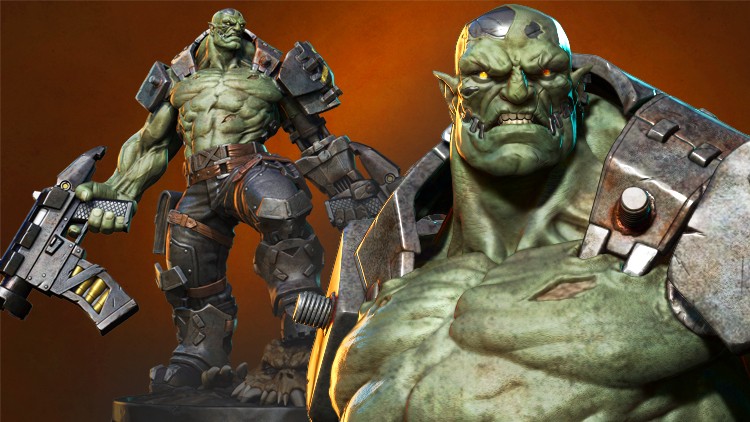
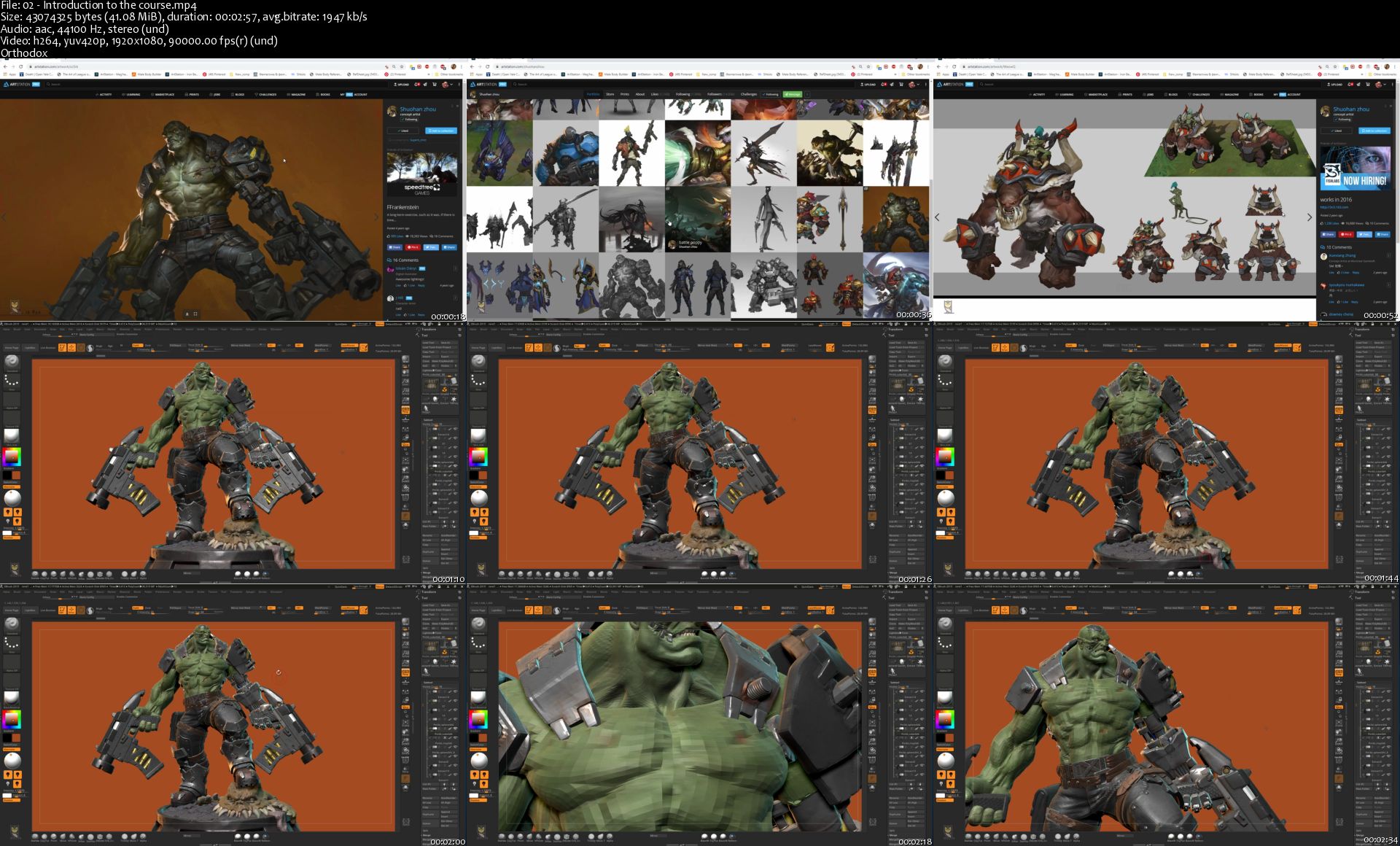
Orc Cyborg Character Creation in Zbrush
2716586-2c44-5.jpg


Orc Cyborg Character Creation in Zbrush
Video: .MP4, 1920x1080, 15 fps | Audio: AAC, 44.1 kHz, 2ch | Duration: 31h 49m
Genre: eLearning | Language: English | Size: 16.9 GB

Do you hate it when the big muscular creatures you model, don't came up the way you want them to? Do you want to learn how to make nice muscular body anatomy, mechanical parts and model great guns only in Zbrush, fast and efficient?
Then i welcome you to Nexttut education's "Orc Cyborg Character Creation in Zbrush"course.
INSTRUCTOR :
My name is Niko and I am a 3D character artist for games for about 10 years now. I have worked for numerous games and currently work for one of the world's most famous game companies - Gameloft.
GOAL OF THE COURSE :
By the end of this course, you'll be able to model nice muscular orcs with armors, guns, artificial cyborg arm and a base in Zbrush from start to finish.
YOU WILL LEARN :
Sculpting the orc head
Sculpting the orc muscular body
Refining the head and body with skin detail
Making the 3D sketch of the whole model
Making the robotic arm
Making clothes, belts and armor
Making a bulky gun
Making a base and a monster head
Poly paint the character
Posing the character
Rendering the character with passes
Composing a final render in Photoshop

We will start by spending 30 minutes to customize our workflow in Zbrush so we could work much faster and efficient. Then we will make the head of our orc where i'll explain what you should watch for, when modelling head from a concept.
Then we will make some metal parts on the head and the metal skull. After that we will make the body, again from sphere, following our concept.
After we are done with the body, we will start making 3D sketch of our model, to get the correct placement of all our accessories, clothes and armors. This is a pretty important stage, in the end of which we will have very good idea how our model will look when it's finished.
Then it will be time to start extracting belts, armors and boots.
After that we will start refining all those things that we have made, and the model will start to look pretty good. Then it will be time to do the weapon of our character, which will be a hard surface gun done entirely in Zbrush, and add it to the scene.
We will also make a base with a monster head below the orc, so he could look more grounded.
Once we are happy with the overall look of our character i will show you how to make good pose with the transpose master in Zbrush. Finally we will make the render passes in Zbrush and combine them in Photoshop, to achieve the best possible look for our model.
IDEAL STUDENTS :

I have designed this course for intermediate 3d modeling students, who wants to model beautiful looking production ready bulky and muscular characters but they struggle to get it because they don't find a tutorial which is step by step, no fast forward, no skip and coming from a production artist who is doing this for years.

The course is also for artists who wants to speed up their workflow in Zbrush and improve their skill in making muscular male anatomy, clothes, accessories, guns and a robotic arms.

WHO IS NOT THE IDEAL STUDENT :
This course is not designed for absolute Zbrush beginners, I expect you to have some sort of Zbrush experience. But intermediate Zbrush users, and even professionals could learn a lot from the techniques and workflow I show in this course.
02-Introduction-to-the-course-s.jpg


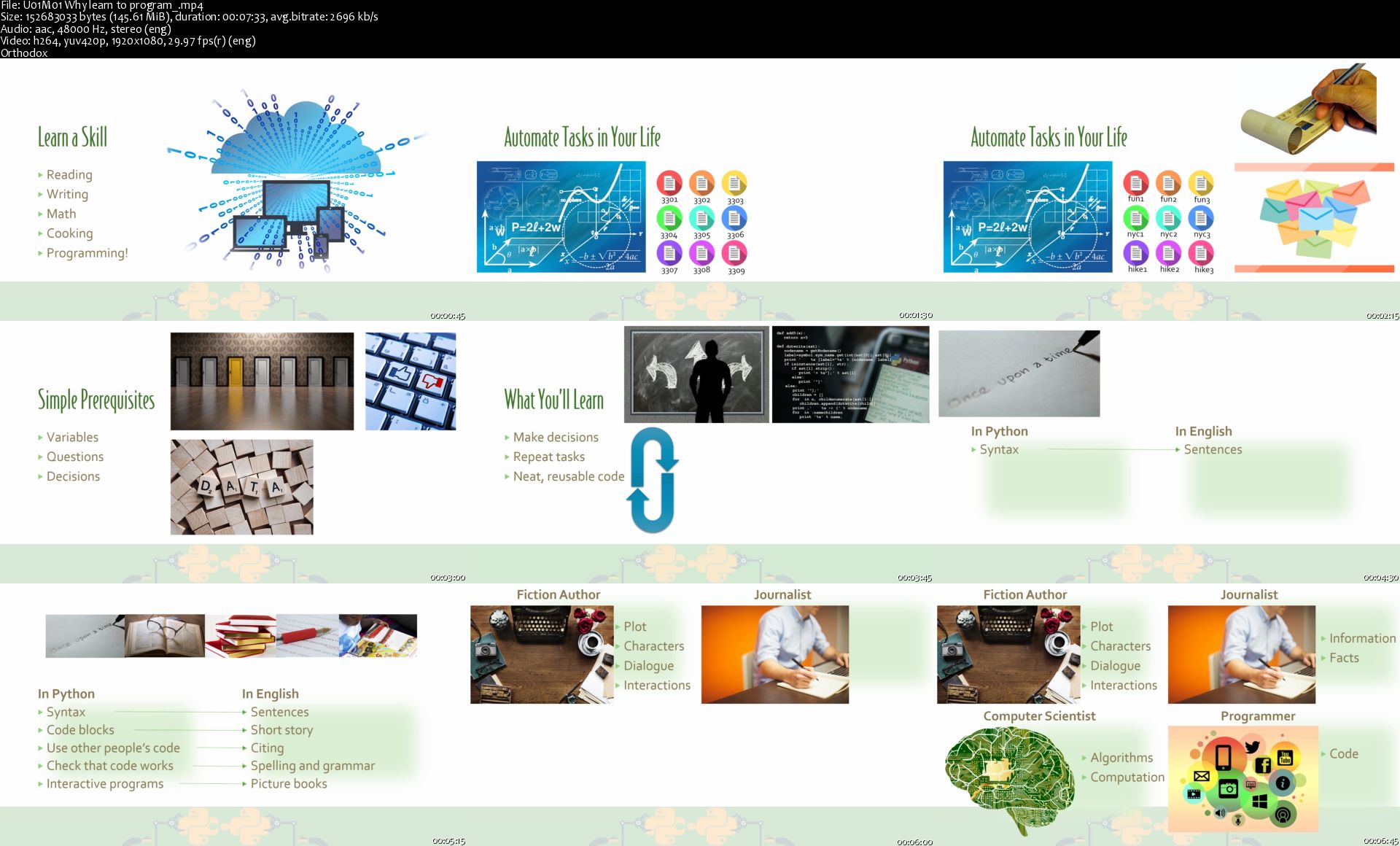
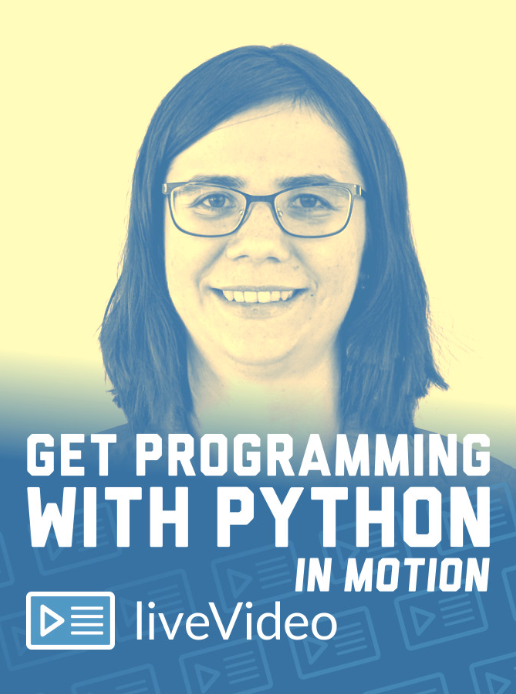
Get Programming with Python in Motion

w-MS2rfp-Td1r-Zz-G5-ID83a-JDXDnfxo-Y7zu.png


Get Programming with Python in Motion
h264, yuv420p, 1920x1080 |ENGLISH, aac, 48000 Hz, 2 channels, s16 | 6h 40 mn | 5.97 GB
Instructor: Ana Bell

Get Programming with Python in Motion is a beginner-friendly introduction to the world of writing computer programs, with the help of the easy-to-learn Python language. Expert instructor Ana Bell brings her years of teaching experience at MIT to you with practical exercises that peel back the jargon and let you discover just how great coding can be! About the subject
Programming now plays a role in almost every job. It's time to add it to your resume! Python is great for beginners, and it's also a language that grows with you. You can use Python for everything from web development to data science. This video course will get you started the easy way!
About the video

See it. Do it. Learn it! This amazing liveVideo course takes you on your first steps in the exciting world of computer programming! Packed with hands-on exercises, fun projects, and explanations that make programming a breeze to pick up, you're sure to get programming when you're done.

Don't know anything about programming? No problem! This liveVideo course is designed for people who have never written a line of computer code. Using Python, a language designed for teaching and learning how to program, you'll learn key skills that every coder needs. First, your instructor Ana Bell guides you through installing Python onto your computer. Then, you'll work through a few super-easy (and fun!) examples that teach you about how Python looks and works.

After you get started, you'll learn how to build programs that can automatically repeat actions and make decisions based on the conditions YOU set. You'll get experience with the process of program writing, and learn to combine different pieces of code so that they can work together. Finishing everything off, you'll learn ways to make your code more readable and easier to maintain in the future.

This liveVideo course works perfectly alongside Ana's book Get Programming: Learn to code with Python, each building on the other to give you a complete tour of this great language!
Prerequisites
No experience with programming is needed, this video course is for anyone!
What you will learn

Programming skills you can use in any language
Variables, expressions, and statements
Getting a program to repeat tasks and make decisions
Essential best practices for clean and easy to maintain code
How to write programs that can interact with a mouse, keyboard, and more!

About the instructor
Ana Bell is an MIT lecturer and scientist who teaches the popular course, Introduction to Computer Science and Programming Using Python. She is also the author of Manning's bestselling Get Programming: Learn to code with Python.

Homepage

U01-M01-Why-learn-to-program-s.jpg


Excel GrandMaster Edición 2020

00730ee7.jpg


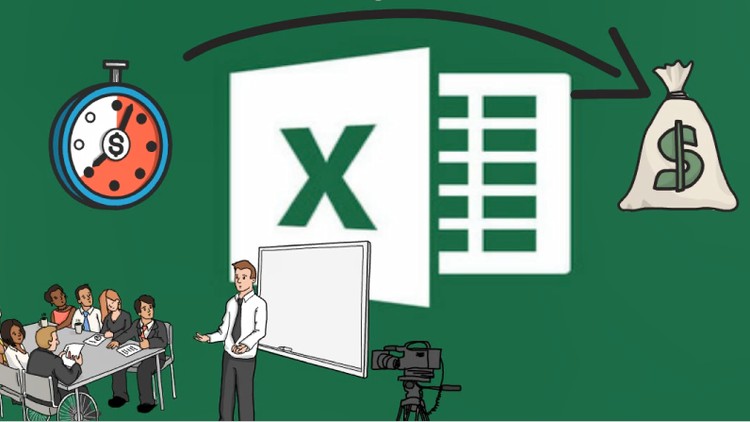
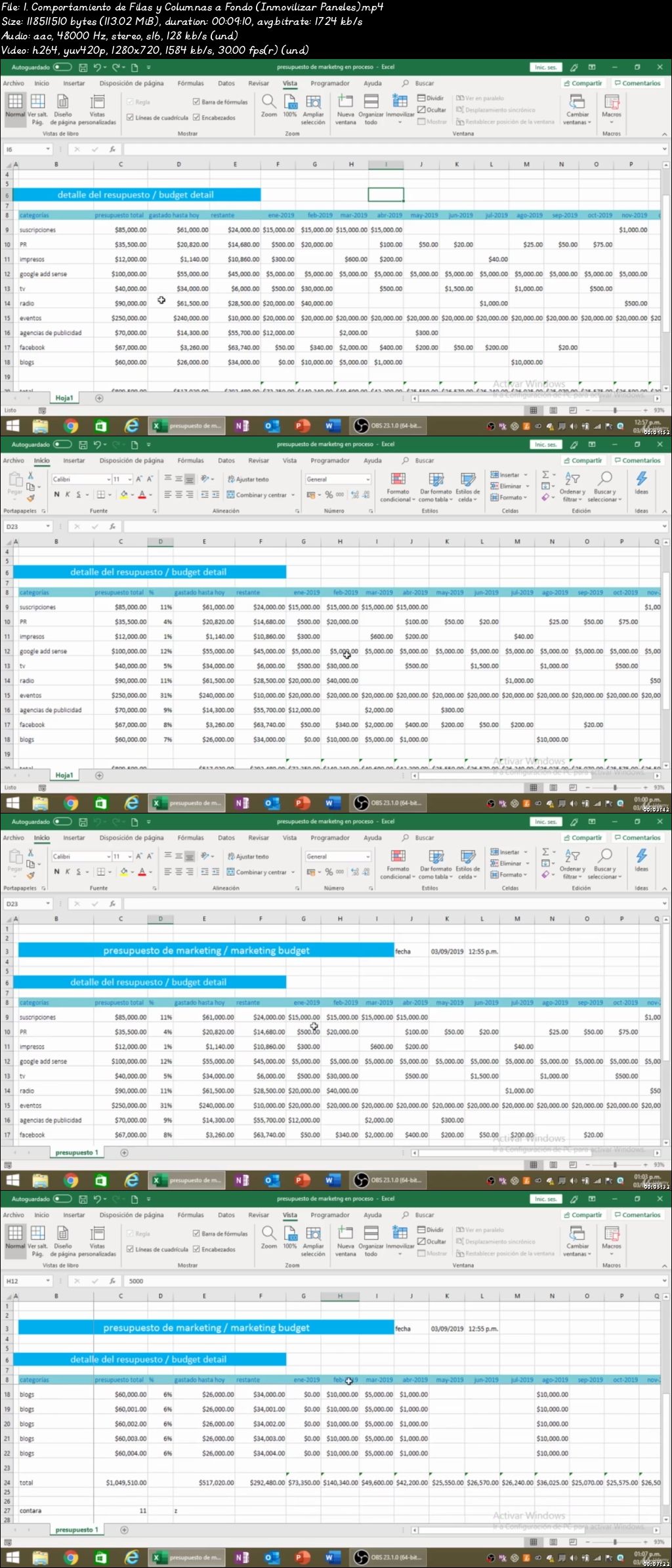
Excel GrandMaster Edición 2020
Video: .mp4 (1280x720, 30 fps(r)) | Audio: aac, 48000 Hz, 2ch | Size: 5.57 GB
Genre: eLearning Video | Duration: 110 lectures (9h 49m) | Language: Español

El Único Curso Completo desde "0" de Microsoft Excel con VideoScribe


What you'll learn

Un adecuado uso de herramientas para la creación y formato de la hoja de cálculo.
Identificar diversas funciones básicas para el desarrollo de cálculos.
Emplear herramientas de consulta y totalización en una base de datos
Identificar las herramientas para la creación y formato de un gráfico con los datos de una hoja de cálculo.
Aplicación de Filtros avanzados en una base de datos.
Consolidar información de varias hojas de cálculo.
Creación, formato y modificación de Tablas Dinámicas.
Creación, formato y modificación de Gráficos dinámicos.
Estados financieros : •Fundamentos de Excel •Estados financieros •Análisis de estados financieros
Tasas y factores utilizados en el mercado financiero: •Tasas de interés efectivas •Factores financieros
Rentabilidad y riesgo: •Activos financieros
Manejo de Funciones avanzadas: •Estadísticas •De Búsqueda •De Información •De Texto •Lógicas •Matemáticas
Herramientas de auditoría y Análisis •Auditoría de fórmulas •Creación de Escenarios •Buscar Objetivo
Power pivot
Power view
Power map
Power pivot + KPI
Protección de los elementos de libros y hojas
Creación de Formularios
Macros y VBA
UserForms

Requirements

Ganas de aprender

Description

Este Curso Completo de Microsoft Excel, está pensado analíticamente para brindarle al estudiante todos los conocimientos necesarios para lograr ser un experto en esta poderosa plataforma. Empezar somos esta cursada desde lo más básico para personas que están iniciando su proceso con la ayuda del software VideoScribe y se pueden facilitar su avance a niveles más avanzados, luego pasaremos al nivel intermedio que es una parte bastante importante, debido a que es una de las más usadas actualmente por las empresas y tiene una alta demanda en sus funciones, y finalmente llegaremos al nivel avanzado brindando herramientas maravillosas con casos prácticos y reales que serán de gran utilidad en la vida profesional. El curso está orientado a mejorar la productividad y pensado estratégicamente para automatizar las tareas y ser eficientes con el manejo del tiempo. ¡Vamos!

Who this course is for:

Cualquier persona con ganas de aprender excel

00730ee8.jpg


Diseño 3D de videojuegos con Substance Painter-Unreal Engine

00730e8b.jpg


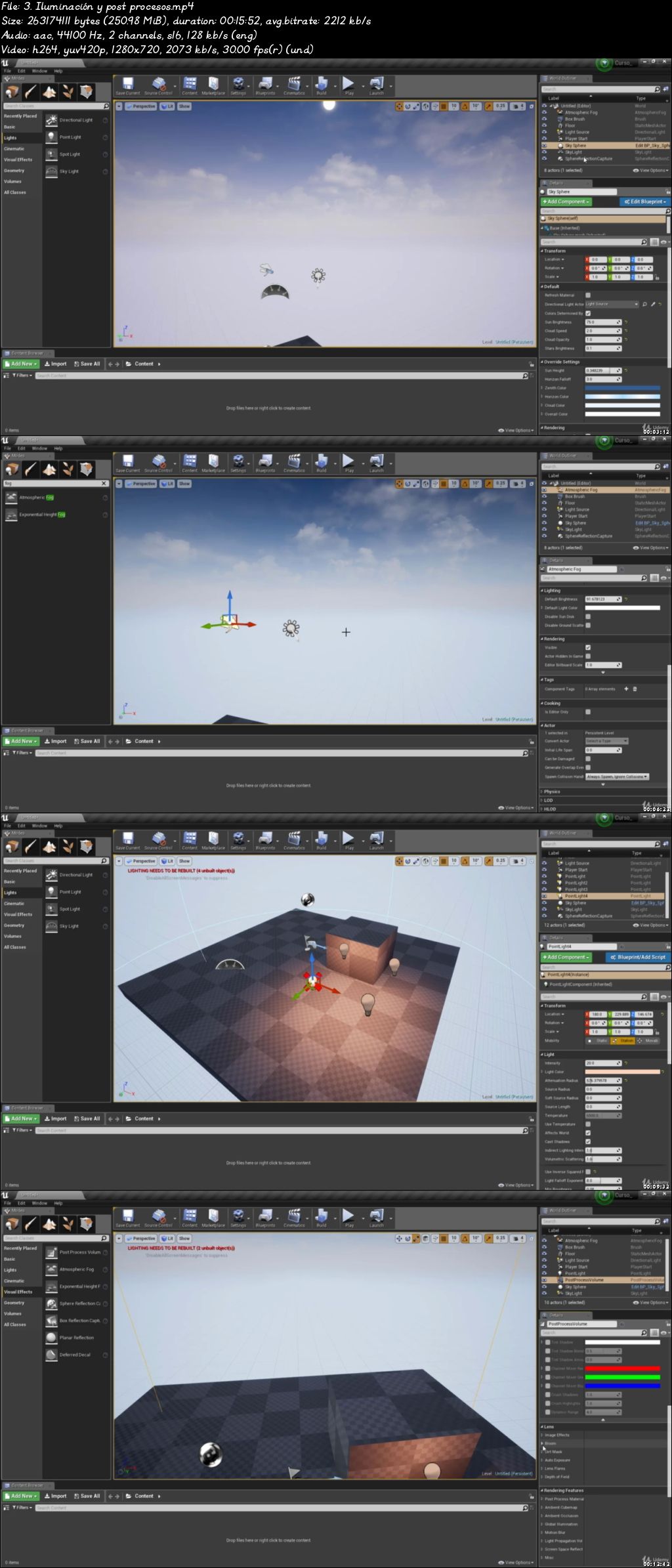
Diseño 3D de videojuegos con Substance Painter-Unreal Engine
Video: .mp4 (1280x720, 30 fps(r)) | Audio: aac, 44100 Hz, 2ch | Size: 7.4 GB
Genre: eLearning Video | Duration: 60 lectures (9h 52m) | Language: Español

Aprende a crear modelos 3D, texturizarlos y cómo añadirlos a Unreal Engine para usarlos en tus videojuegos profesionales.


What you'll learn

Sabrás utilizar 3DMax a nivel profesional y modelar cualquier objeto que te propongas
Entenderás la estructura básica de los polígonos y como trabajar con ellos.
Controlaras toda la interface y te moveras con soltura y comodidad dentro del programa, el funcionamiento estructural de 3D max y los componentes de la interface.
Podrás modelar objetos 3D en alta y baja resolución de polígonos.
Sabrás utilizar herramientas de modelado avanzadas.
Sabrás texturizar de forma profesional y aplicar las texturas a tus objetos.
Aprenderás a aplicar todo lo hecho en un motor gráfico.
Finalmente, serás capaz de crear tu propio videojuego


Requirements

No se requieren conocimientos previos de 3DMax, modelización o texturización ya que empezamos desde los inicios.
Un ordenador PC, Mac o Linux de gama media para mejor rendimiento.
Tener instalado el programa gratuito 3DMax (En el curso lo instalaremos juntos)

Description

En este curso aprenderemos desde cero todas las herramientas y técnicas necesarias para que puedas empezar a modelar y texturizar objetos en 3D haciendo uso de 3D max, el programa mas usado actualmente en la industria. Podrás dominar el programa con soltura y podrás afrontar cualquier reto que te propongas para hacer modelados profesionales.

En el curso trabajaremos aspectos del modelado 3D como por ejemplo:

Estudiaremos y configuraremos la interfaz al completo desde cero.
Aprenderemos a movernos en el espacio y modificar objetos 3D.
Estudiaremos los polígonos y las herramientas de modelado básicas.
Modelaremos varios objetos 3D para poner en práctica lo aprendido.
Profundizaremos en herramientas de modelado 3D avanzadas.
Crearemos un proyecto final de modelado y visualización de un Producto 3D.
Aprenderemos a Texturizar de manera profesional nuestros objetos en 3D
Aprenderemos a crear todas las texturas necesarias para la creación de objetos finales
Aprenderemos diseño de niveles en unreal engine
Veremos la creación de shaders para su uso en unreal engine
Aprenderemos blueprints en unreal, desde 0 hasta como crear una inteligencia artificial.

Por otra parte, aprenderás como texturizar tus objetos en 3D con Photoshop y Substance Painter, herramientas actualmente usadas por los estudios de videojuegos profesionales.

Aprenderás a:

Como cargar tus modelos y mapas para aplicarlos de forma correcta al texturizado.
Aprenderemos todas sus herramientas y como aplicarlas en el texturizado.
Como crear tus propios materiales y texturas y como aplicarlos de forma correcta al objeto.
Como exportar tus materiales y texturas para aplicarlos a un motor gráfico.

Una vez aprendido esto, aprenderemos de forma más exhaustiva la creación de materiales y shaders en Unreal engine 4 y como configurarlos para obtener un resultado optimo.

Aprenderemos a:

Como funciona el interfaz de unreal y del editor de materiales.
Aplicar las texturas creadas a materiales y configurarlos para aplicarlos a los modelos en 3D.
Shaders avanzados en Unreal engine 4.

El aumento de nivel dentro del curso será progresivo y te permitirá asimilar claramente todos los conceptos expuestos. Realizaremos practicas de modelado,texturización y creación de materiales. Tendrás acceso a todos los recursos y archivos del programa y soporte en el foro de preguntas y respuestas del mismo curso.

Who this course is for:

Todos los que quieran aprender a utilizar las herramientas de modelado y texturización a nivel profesional
Todos los que quieran empezar desde Cero a trabajar con 3DMax.
Todos los que quieran aprender conceptos y técnicas de modelado 3D con 3DMax.

00730e8d.jpg


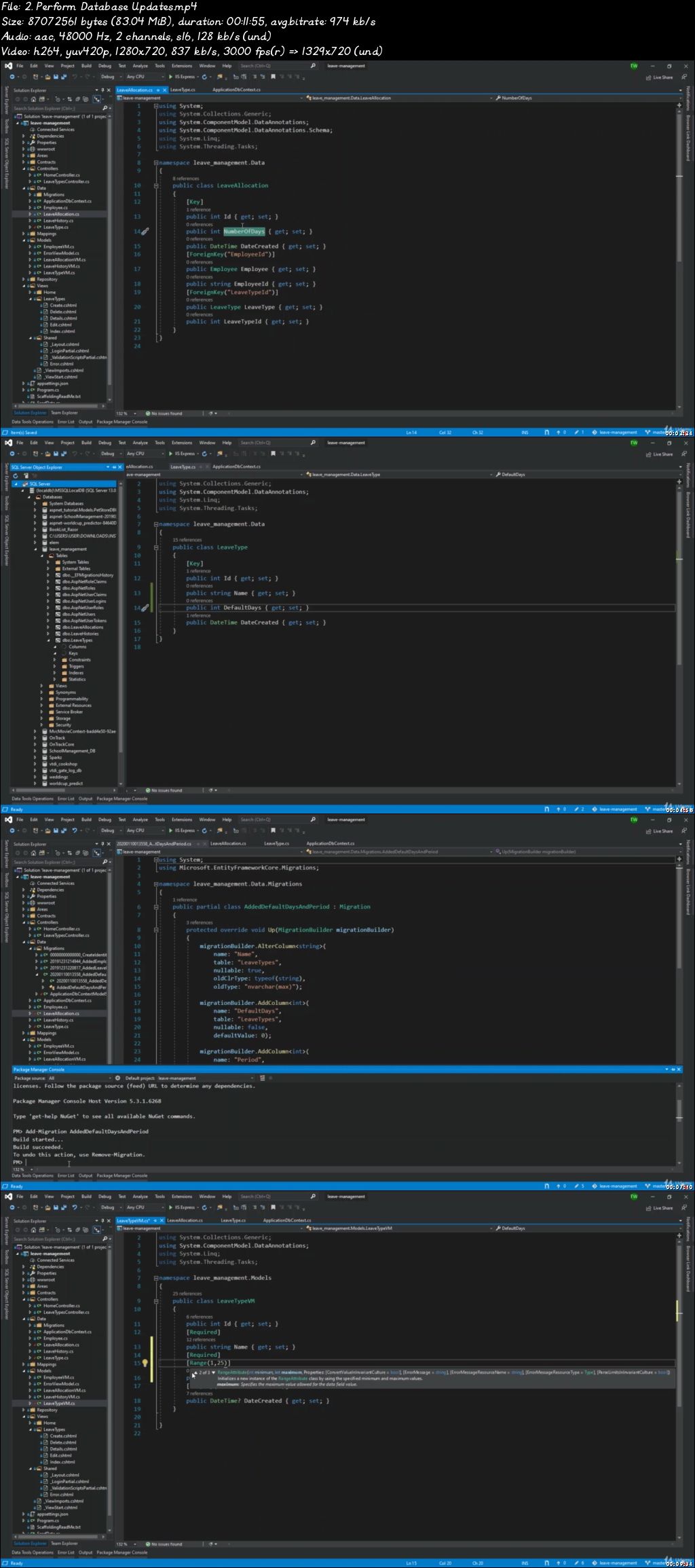
Complete ASP.Net Core 3.1 and Entity Framework Development

007311d4.jpg


Complete ASP.Net Core 3.1 and Entity Framework Development
Video: .mp4 (1280x720, 30 fps(r)) | Audio: aac, 48000 Hz, 2ch | Size: 7.18 GB
Genre: eLearning Video | Duration: 48 lectures (14h 40m) | Language: English

Learn ASP.NET Core 3.1 and Entity Framework by building a practical Employee Leave Management System.


What you'll learn

Learn C# and Visual Studio Techniques
Build Complete Data Driven ASP .Net Core 3.1 MVC Application From Scratch
Implement Authentication and Authorization functionality
Repository Pattern and Dependency Injection
Use AutoMapper and View Models
Build Database using Code First Pattern and Migrations
Interact with Database using Entity Framework Core
Use NuGet Package Manager
Manage and Track Changes using GitHub


Requirements

A computer
The Internet
A Willingness to Learn

Description

Overview

Learn how to build an Employee Leave Management System using .Net Core, Entity Framework, Code-First and the Repository Pattern. This course will show you how to use Visual Studio, Microsoft SQL Server Express and explore dynamic web development with Bootstrap and JQuery and various front-end libraries. ASP.NET Core is Microsoft's modern, cross-platform framework for building enterprise ready web applications. In this course, you will learn everything you need to know about building ASP.NET Core applications, from understanding the folder structure and files, to building a complete web application.

Why Learn .NET Core

Microsoft .NET is the platform that drives the business technology of many of the top corporations in the United States and many other countries. It is the predominant technology used to drive enterprise-scale business technology. Companies have chosen .NET because for its proven scalability, reliability, and support.

The .NET language of choice to learn is C#, as it is among the most widely used languages today. It's a general purpose programming language that can handle almost any problem, from desktop to mobile to dynamic web applications. As such, there is a high demand across the world for .NET developers in a variety of industries, so that means that more jobs are available for candidates with a foundation built upon .NET technologies.

Build A Strong Foundation in .NET Core Programming:

Build a fully data driven web application using cutting edge technology

Connect to a Database using Entity Framework Core

Repository Pattern and Dependency Injection

Understand how the MVC (Models, Views and Controllers) Pattern works

Understand C# and .Net Core Web Syntax

Understand user Authentication using ASP.NET Core Identity

Understand how to use Models, ViewModels and AutoMapper

Use Bootstrap to style and manipulate the overall layout

Manage Packages with NuGet Manager

Implement Website Layout using AdminLTE Theme

Setup GitHub for Source Control

Content and Overview

To take this course, you will need to have some knowledge of Object Oriented Programming, if not C#. Even if you do not have much exposure to the .NET development stack, this course is very beginner friendly and chock full of development tips.

This is a huge course. Over 15 hours of premium content, but smartly broken up to highlight a set of related activities based on each module in the application that is being built. We will also look at troubleshooting and debugging errors as we go along; implementing best practices; writing efficient logic and understanding why developers do things the way they do. Your knowledge will grow, step by step, throughout the course and you will be challenged to be the best you can be.

By the time you have finished the course you will have moved around in Visual Studio and examined logic and syntax errors so much, that it will be second nature for you when working in the .NET environment. This will put your new learned skills into practical use and impress your boss and coworkers.

The course is complete with working files hosted on GitHub, with the inclusion of some files to make it easier for you to replicate the code being demonstrated. You will be able to work alongside the author as you work through each lecture and will receive a verifiable certificate of completion upon finishing the course.

Clicking the Take This Course button could be the best step you could take towards quickly increasing your income and marketability! Also, remember that if you don't think the course is worth what you spent, you have a full 30 days to get a no questions asked refund!

Who this course is for:

Anyone who wants to learn Data Driven Web Development
Anyone who wants to learn .NET Web Development and Programming
Everyone

007311d5.jpg


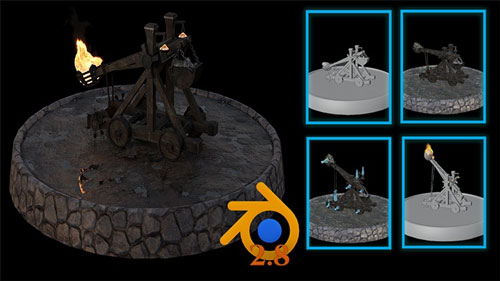
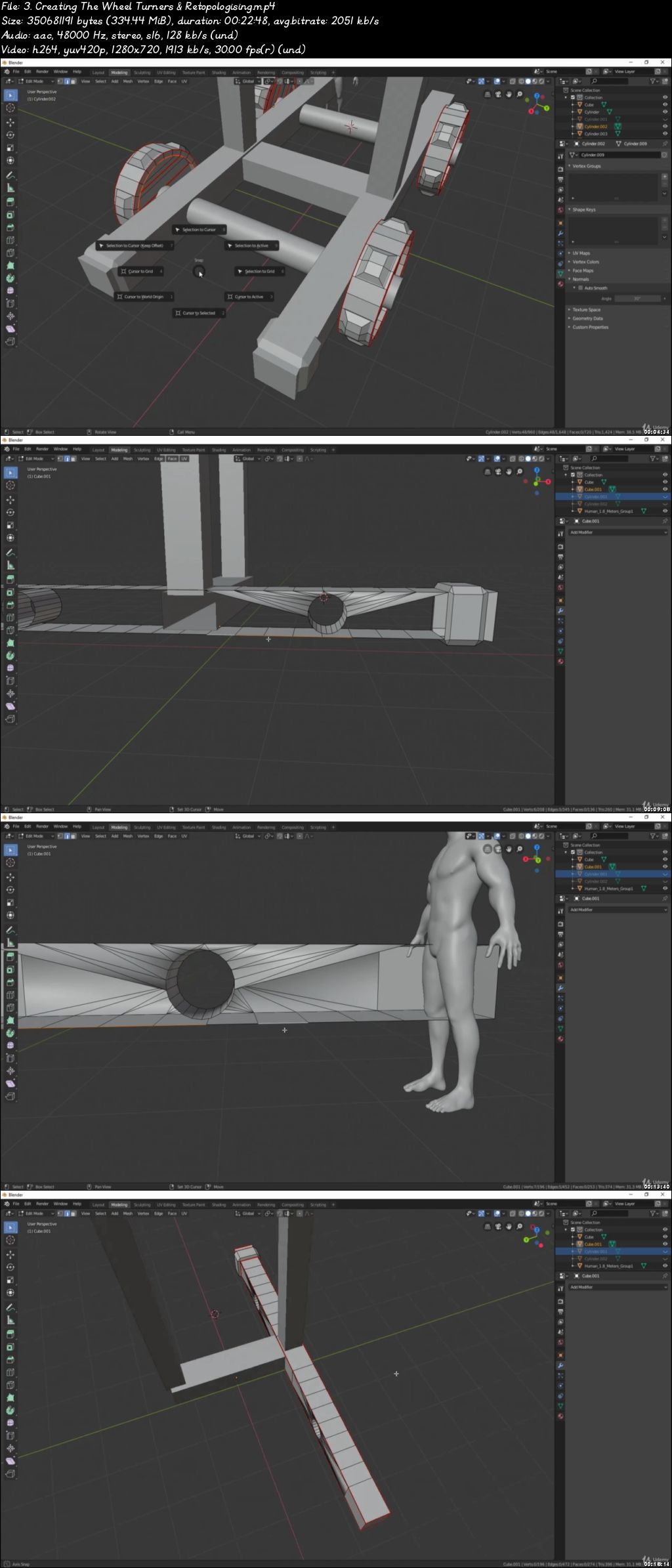
Blender 2.8 Model Texture Animation & Simulation Full Guide

00732ffb.jpg


Blender 2.8 Model Texture Animation & Simulation Full Guide
Video: .mp4 (1280x720, 30 fps(r)) | Audio: aac, 48000 Hz, 2ch | Size: 12.1 GB
Genre: eLearning Video | Duration: 35 lectures (13h 9m) | Language: English

Learn to Model Texture Animate and Simulate a Complete Medieval Catapult 3D Model From Start to Finish


What you'll learn

Following through a complete guide on creating a 3D model of a medieval catapult
Using Blender 2.8 and understand its interface
Complete guide on marking seams & texture resolutions
UV mapping and UV unwrapping your model
Applying hard- and soft-edges
Explore and have fun with texturing and material creation
creating a fire & smoke shader within Blender
create a full armature from scratch
complete guide to animate your 3D model
Thorough work through of a working fire simulation
Learn how to use the powerful Blender 2.8 video editor

Requirements

Blender 2.76 and above, Free to download Via the official Blender website
A basic working knowledge of the Blender UI

Description

Blender 2.8 Model Texture Animate & Simulate Complete Guide


Course Description


Hi and welcome to this new 3D Tudor course, 'Blender 2.8 Model Texture Animation & Simulation full Guide'. This is my most exciting course on the date. The focus of this course is to show you how to make realistic models, to a real-world scale. Enroll in this course and experience 30 hours of content, full of learning opportunities to take your 3D modeling, animation and simulations skills to the next level. By completing this course, you will walk away with a comprehensive view of how to model from the ground up, with a super-fast workflow.


Modeling

We will be creating a medieval catapult - the ultimate war-time machinery for ultimate casualty numbers. You will be familiar with those from your war simulation games, and this course will help you recreate this engineering masterpiece on your own. We will be creating a fully functioning medieval catapult, including the bolts and beams needed for everything to work in a hyper-realistic way. As this is part of my Blender 2.8 courses, we will be going through all the new shortcuts to model, texture, animate, and simulate a model. Advanced modeling techniques are included in this course.


Texturing

Texturing is perhaps the most important part of any 3D model. I will show you the most efficient and quickest ways of preparing a mesh for adding materials. We will be going over how to mark seems, how to correct texture resolutions, and how to UV unwrap. All these course components would be a course in their own right, so by enrolling, you will be able to develop your skills in a multi-faceted way. To save time on your usual trial and error process, I will show you the right and wrong way of doing this to fully prepare you and give you the skills to clean a 3D model mesh to industry standard.


Freebies

You will be glad to know that this course comes with a library of resources that you are free to download and reuse in your other projects, or in the catapult project you upload as part of this course. I created all these textures and resources using Substance Designer, all custom made, specifically for this course.


Bones

This course will show you basic to intermediate skills of animating using Blender 2.8 software. We will be completing a complete armature from scratch, and you will learn how to place bones to help you make animating feel like a breeze. Using the techniques I will teach you, you will be able to export your animations into game engines like Unreal Engine 4 (UE4) and Unity. To help you keep up with the course progress, we will break down parts of the armature creation process, and I will show you how to organize everything efficiently.


Animation

Have you ever wanted to learn how to build a full animation cycle? The learning outcomes of this course include creating a complete animation cycle in Blender 2.8. As part of animating this medieval catapult, we will be working on making it's propelling motion realistic, working hard to make each individual component move in a hyper-real way. You can apply these skills to any animations you decide to make in the future, and I would be excited to see you upload animations of other models as part of this course project. You will also be shown how to keyframe, and advanced components of this course within a course will show to create rope where the textures change as the animation rolls.


Simulation

Fire is an essential component in every medieval catapult, and this course will also show you how to simulate a boulder's flames. We will be simulating realistic fire and smoke using nothing more than Blender 2.8 to make a fully operable war machine. You will also learn how to create materials from scratch using the Blender 2.8 nodes system. We will be combining this fire simulation with your animation to create a medieval catapult model you can be proud of.


Rendering

Finally, after all the preparations for making a hyper-realistic medieval catapult model, truly worthy for a gruesome battlefield, we will be rendering the animation into a short film. You will learn how to use lighting from three high-dynamic-range images (HDRIs) - also include in this course for you to use, as a freebie. We will be setting up cameras and I will be going through different techniques to help improve the quality of your renders. Our render will be set out in the Blender 2.8 video editor.

Who this course is for:

Beginners to Blender or 3D modelling up to all levels of 3D artists

00732ffc.jpg


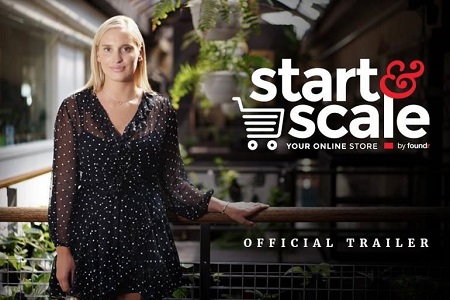
Gretta Van Riel - Start & Scale 2.0

a2643a7c43655da54280b00060b7ac42.jpg

Gretta Van Riel - Start & Scale 2.0 | 6.53 GB
START YOUR OWN ONLINE STORE TODAY!
Yes! It's your turn. Don't sit on the sidelines watching others chase and catch their dreams.
Discover the exact systems, frameworks and processes that Gretta has used to build 4x multimillion dollar ecommerce stores from scratch. Start and Scale is an online course that shows you how to start lean and get profitable fast, selling products in an online store.
Brought to you by Foundr and taught by ecommerce expert, Gretta Van Riel.

SIMPLE, STEP-BY-STEP
This is step-by-step online course (with private mastermind groups) that will take you through the whole ecommerce process from coming up with (and validating) your idea, to building an audience and launching your physical product.
If you ever wanted to start a business, stop trading your time for money and generate more income for you and your family.. Start and Scale can show you how.
This is a great business to start on the side of your 9-5, or it's something you can go all in on. It's flexible and something you can work through at your own pace.

HERE'S WHAT YOU GET WHEN YOU JOIN TODAY:
Step-By-Step Video Modules
6x modules, with over 30 videos taught by Gretta and the Foundr team. Each video is a short-sharp lesson focused on you taking action and moving forward. Released weekly so that you can keep up.
Real Action Plans - Get Started Fast
Every lesson comes with a worksheet, and an action step so that you can always keep moving forward. just fill in the blanks! We've got you covered.
Learn Anywhere, Anytime
Tablet, mobile, laptop - you can view the course online - even if you don't have wi-fi. Download it directly to your device
It's Yours for Life
Go back and review it as often as you like. You'll never feel overwhelmed.
Accountability & Encouragement
Get access to our high-level Facebook group to get the support you need to stay focused, and access timely advice and moral support if you get stuck. (You'll probably end up with a few great friends for life too).

HOmepage:

Screenshots
b1f414b1ec9b404fcfe349c6da232943.jpg


Link Download
Extract files with WinRar 5 or Latest !
 
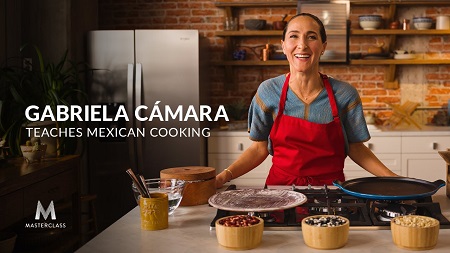
MasterClass - Gabriela Camara Teaches Mexican Cooking

ce20995172ff795eb881825fe222c1a6.jpg

Gabriela Camara Teaches Mexican Cooking - MasterClass | 2.64 GB
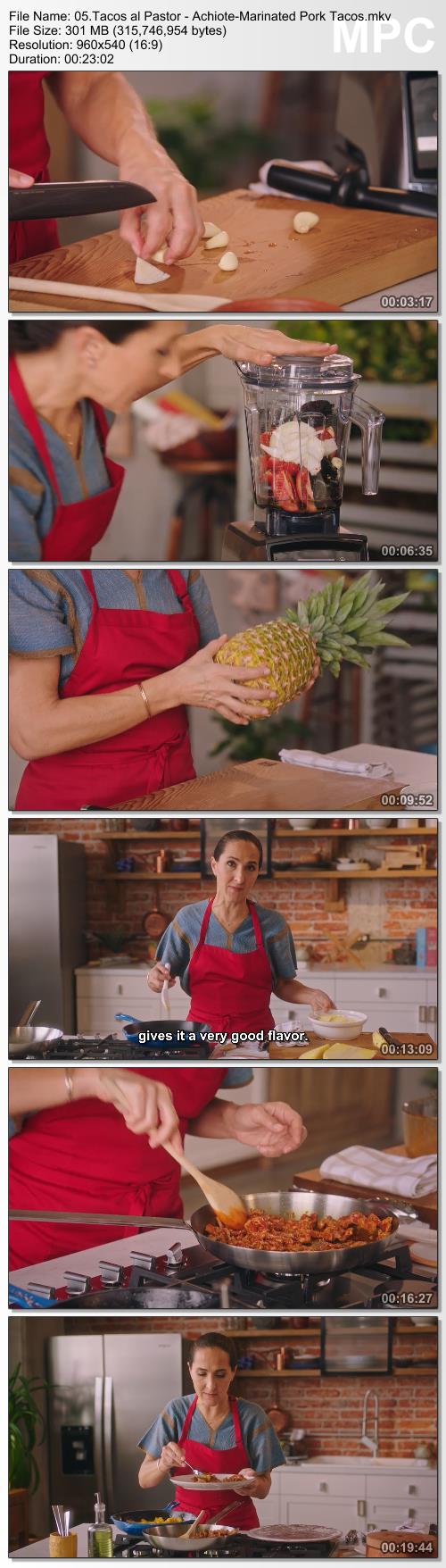
In her MasterClass, Gabriela teaches you recipes of her own design, like tuna tostadas and guava tamales, and techniques for making authentic and delicious Mexican favorites: fresh salsas, refried beans, tortillas, and tacos al pastor.

Try a contemporized recipe created by Gabriela or mix masa and make tortillas by hand to go with a traditional Mexican meal-and set the tone with a warm, welcoming environment to share your thoughtfully prepared creations, Gabriela Cámara-style.

In this online class, you'll learn about:
- Mexican culture and authentic cooking techniques
- Making masa and corn tortillas
- Mexican essentials like refried beans
- Recipes for raw, roasted, and charred salsas
- Tacos al pastor (achiote-marinated pork tacos)
- Huevos rancheros
- Cámara's signature tuna tostadas
- Golden quesadillas
- Aguachile de camarón
- The art of the details

Screenshots
54f661669cb313f69e9791e2e4374758.jpg


Link Download
Extract files with WinRar 5 or Latest !
 
Russel Brunson - One Funnel Away Challenge 2019 (Update 1)

5ff0e4199d062a1329dcbcb18ff157df.png

Russel Brunson - One Funnel Away Challenge 2019 (Update 1) | 28.94
Your Challenge Kit Will Have Everything You Need For Success During Your 30 Days.
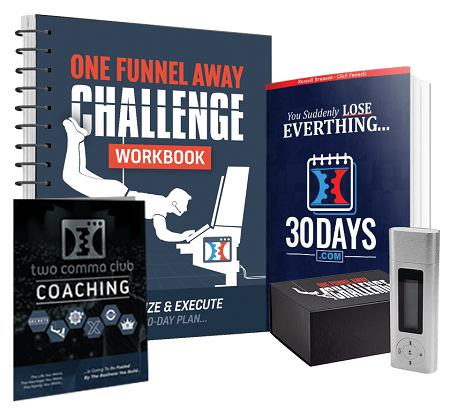
When you join the "One Funnel Away" challenge today (for just $100) I'm going to ship you a kit with the 550 page '30 Days' book, the OFA workbook, the OFA MP3 Player with pre-loaded funnel training and more!

Let me show you a glimpse of a few of the cool things that come in your challenge kit!
Bonus #1 - The "30 Days" 550 Page Hardcover Book ($97 Value)
Bonus #2 - A Physical Spiral Bound Copy Of The One Funnel Away Challenge Workbook ($97 Value)
Bonus #3 - MP3 Player With The Live Recordings Of The FIRST One Funnel Away Challenge ($297 Value)

HOmepage:

Screenshots
994272505a93a0a600ef61b9cda18a53.jpg


Link Download
Extract files with WinRar 5 or Latest !
 
How To Nail Your Niche With James Wedmore

08186acb5ddbe474c7b0b94ebf600620.jpg

James Wedmore - Nail Your Niche Masterclass | 5.49 GB
If You Don't Know Exactly What You're Known For, How Will Anyone Ever Know YOU?
Walk Away Knowing EXACTLY Who You'll Help, How You'll Help Them, & What Your First Course Will Be!

The cold hard truth is:
if you don't nail your niche and own your specialization, you will remain unknown.
And unknown keeps you broke.

Show me JUST ONE successful course creator you look up to that isn't known for something SPECIFIC - that doesn't target a very specific group.
You can't!
That's because they know what you may not have realized until right now:
When people (including your prospects) have a problem, they seek out the SPECIALIST, not the generalist. And that's because the brain, in an effort to conserve energy, makes decisions to trust those who are perceived as THE authority. The Expert. The BEST.
And NO ONE can be the BEST at everything (not me, and not you!). But anyone CAN be GREAT at one thing. yes, you too!
If you've already felt the nudge towards being a coach, teacher, or course creator, then that means you already have what it takes within you to step into that role.
In this Masterclass, I'm going to show you EXACTLY how to do that - and it starts with identifying who you help and how you help them.

HOmepage:

Screenshots
7976d22ed93268340ebf6bcf16a352d1.jpg


Link Download
Extract files with WinRar 5 or Latest !
 
Patrick Wind - Wind Ads Accelerator Program 2019

ed750e500d59eefb6093cfd1e9612225.jpg

Patrick Wind - Wind Ads Accelerator Program 2019 | 15.5 GB
Learn the exact Bid Strategies, Audiences & Ads that I have applied to over 120+ Brands which generated over €10,000,000 with their Facebook & Instagram Ads since 2012.

What you will learn:
- Understand how the Facebook & Instagram Algorithm works
- Learn the unique Full-Funnel Strategy by Patrick Wind
- How to automate your ads for higher profit
- How to optimize each step of your Full-Funnel
- How to scale your Online Sales all over Europe
- Top10 Secrets for great Instagram Story Ads
- AIDA Copy-Writing Template
- 3 Always Active Automated-Rules
- eCommere Full-Funnel Benchmarks
- #1 Secret for Thousands of real Likes, Comments & Shares
PLUS Q&A Session to ask your individual questions

HOmepage:

Screenshots
273f94590fd294ef9017bd54cd858ee2.jpg


Link Download
Extract files with WinRar 5 or Latest !
 
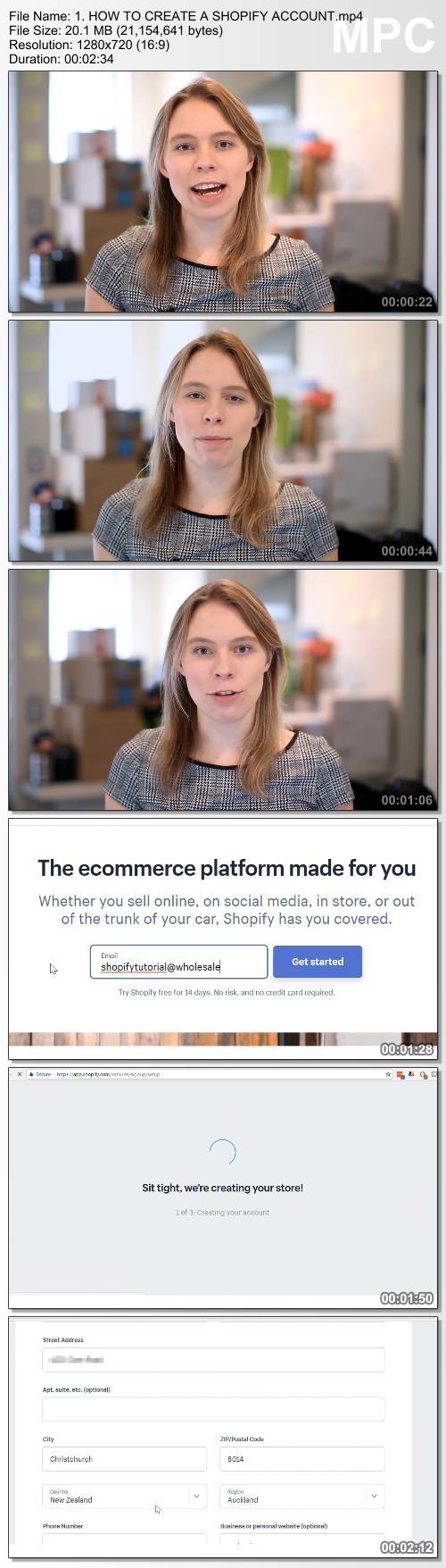
The Ecomm Clubhouse from Wholesale Ted by Sarah Chrisp

00c59a326094701bfebb83fc21888d13.jpg

The Ecomm Clubhouse from Wholesale Ted by Sarah Chrisp | 4.25 GB
LEARN HOW TO BUILD AN ONLINE STORE WITH PRINT ON DEMAND & DROPSHIPPING!
- Over 10 hours of premium video training (more than 5x the content in most $500+ programs!). Our students love the videos because unlike most courses which include hours of waffling, all of our videos are curated & packed with actionable information just like Sarah's YouTube videos.

- Learn how to sell phantom products that don't even exist yet with our extensive Print On Demand training video library.
- Learn how to find & sell hyper-viral, super-popular products with Dropshipping, even if you have a low start-up budget!
- Plus Sarah will teach you different scientifically proven sales psychology techniques to get customers to spend more MONEY!
- Most courses just repackage their YouTube videos into boring, worse powerpoint videos. Not us! Sarah goes on-camera with unique videos that expand on our channel tutorials. E.g. on the channel our SEO tutorial is 34 minutes long. In the club? It's over 2 hours long!
- Get access to tutorials not available on the Wholesale Ted YouTube channel, such as the step-by-step tutorial to creating video ads.
- Plus of course, learn Sarah's strategies for getting free traffic & customers from Google using Search Engine Optimization (SEO).
- All video lessons have English Captions! We have several members inside who don't speak English as their first language & they love the videos.

Did you know that our course has been approved by Shopify themselves? That means that they have gone through it manually & given it their stamp of approval by checking & verifying everything inside. We are an official Shopify Education Partner. Join with confidence now.
HERE IS WHAT YOU'LL LEARN ON THE INSIDE!

STEP 1: SELECT A NICHE
Follow along with Sarah's 3-Phase System for choosing a store niche. This system combines data & your personality profile to choose the right niche & type of customer to build your store around! Business is much more fun (and often easier) if you are selling things you like, so that is our focus for this section.

STEP 2: SOURCE & CHOOSE PRODUCTS TO SELL!
This is the bit that Sarah really wished she'd known about. In the past, to start an online store, you needed to buy products in-advance to resell. and hope people would buy. It was expensive & it was risky. That is why Sarah teaches 2 product sourcing methods to start your new store with that don't require this: Dropshipping & Print On Demand!

STEP 3: CREATE A STORE BY YOURSELF
Got a low start-up budget? No worries! In Step 3 you'll learn the budget-friendly way to set up a beautiful looking online store, even if you have no previous design or programming experience.

STEP 4: UPSELLING TO BIG ORDERS
Learn how to use scientifically-proven psychological tactics & marketing to get customers to BUY more and massively increase their Average Order Value (AOV).

STEP 5: HOW TO GET TRAFFIC & BUYERS TO YOUR STORE
In this step, you'll learn 2 different Facebook advertising strategies you can utilize in your store never shown on the YouTube channel. Plus, we also understand that not everyone wants to paid ads, so inside this step you'll also learn Sarah's techniques to get FREE TRAFFIC using Google & SEO (Search Engine Optimization).

STEP 6: HOW TO RUN & MANAGE YOUR STORE
YES! Customers are buying your items, woohoo! But. how do they get them?! Never fear, here you'll learn how to manage orders & ensure customers get their items. Even better: as you'll discover, once products are selling, it can become a source of semi-passive income because of some apps we installed back in Step 3!

HOmepage:

Screenshots
710eed9624cb31661ddfa888a01160e9.jpg


Link Download
Extract files with WinRar 5 or Latest !
 
Zurück
Oben Unten