• Regeln für den Video-Bereich:

    In den Börsenbereich gehören nur Angebote die bereits den Allgemeinen Regeln entsprechen.

    Einteilung

    - Folgende Formate gehören in die angegeben Bereiche:
    - Filme: Encodierte Filme von BluRay, DVD, R5, TV, Screener sowie Telesyncs im Format DivX, XviD und x264.
    - DVD: Filme im Format DVD5, DVD9 und HD2DVD.
    - HD: Encodierte Filme mit der Auflösung 720p oder darüber von BluRay, DVD, R5, TV, Screener sowie Telesyncs im Format x264.
    - 3D: Encodierte Filme von BluRay, die in einem 3D Format vorliegen. Dies gilt auch für Dokus, Animation usw.
    - Serien: Cartoon/Zeichentrick, Anime, Tutorials, Dokumentationen, Konzerte/Musik, Sonstiges sind demnach in die entsprechenden Bereiche einzuordnen, auch wenn sie beispielsweise im High Definition-Format oder als DVD5/DVD9/HD2DVD vorliegen. Ausnahme 3D.
    - Bereich Englisch: Englische Releases gehören immer in diesen Bereich.
    - Bereich Talk: Der Bereich, in dem über die Releases diskutiert werden kann, darf, soll und erwünscht ist.


    Angebot/Beitrag erstellen

    - Ein Beitrag darf erst dann erstellt werden, wenn der Upload bei mindestens einem OCH komplett ist. Platzhalter sind untersagt.
    - Bei einem Scenerelease hat der Threadtitel ausschließlich aus dem originalen, unveränderten Releasenamen zu bestehen. Es dürfen keine Veränderungen wie z.B. Sterne, kleine Buchstaben o.ä. vorgenommen werden. Ausnahme Serienbörse:
    - Bei einem Sammelthread für eine Staffel entfällt aus dem Releasename natürlich der Name der Folge. Beispiel: Die Simpsons S21 German DVDRip XviD - ITG
    - Dementsprechend sind also u.a. verboten: Erweiterungen wie "Tipp", "empfehlenswert", "only", "reup", usw. / jegliche andere Zusatzinformation oder Ergänzung, welche nicht in obiger Beschreibung zu finden ist.

    Aufbau des Angebots und Threadtitel

    Der Titel nach folgendem Muster erstellt zu werden. <Name> [3D] [Staffel] [German] <Jahr> <Tonspur> [DL] [Auflösung] <Quelle> <Codec> - <Group>
    Beispiel: The Dark Knight German 2008 AC3 DVDRip XviD - iND
    Beispiel: The Dark Knight 2008 DTS DL BDRip x264 - iND
    Beispiel: The Dark Knight 2008 AC3 DL BDRip XviD - iND
    Beispiel: The Dark Knight German 2008 AC3 720p BluRay x264 iND
    Beispiel: The Dark Knight 2008 DTS DL 1080p BluRay x264 iND
    Beispiel: Die Simpsons S01 German AC3 DVDRip XviD iND
    Beispiel: Die Simpsons S20 German AC3 720p BluRay x264 iND
    Beispiel: Sword Art Online II Ger Sub 2014 AAC 1080p WEBRip x264 - peppermint
    Entsprechend sind also u.a. verboten: Sonderzeichen wie Klammern, Sterne, Ausrufezeichen, Unterstriche, Anführungszeichen / Erweiterungen wie "Tipp", "empfehlenswert", "only", "reup", usw. / jegliche andere Zusatzinformation oder Ergänzung, welche nicht in obiger Beschreibung zu finden ist
    Ausnahmen hiervon können in den Bereichen geregelt sein.

    Die Beiträge sollen wie folgt aufgebaut werden:
    Überschrift entspricht dem Threadtitel
    Cover
    kurze Inhaltsbeschreibung
    Format, Größe, Dauer sind gut lesbar für Downloader außerhalb des Spoilers zu vermerken
    Nfo sind immer Anzugeben und selbige immer im Spoiler in Textform.
    Sind keine Nfo vorhanden z.B. Eigenpublikationen, sind im Spoiler folgende Dateiinformationen zusätzlich anzugeben :
    Quelle
    Video (Auflösung und Bitrate)
    Ton (Sprache, Format und Bitrate der einzelnen Spuren)
    Untertitel (sofern vorhanden)
    Hosterangabe in Textform außerhalb eines Spoiler mit allen enthaltenen Hostern.
    Bei SD kann auf diese zusätzlichen Dateiinformationen verzichtet werden.

    Alle benötigten Passwörter sind, sofern vorhanden, in Textform im Angebot anzugeben.
    Spoiler im Spoiler mit Kommentaren :"Schon Bedankt?" sind unerwünscht.


    Releases

    - Sind Retail-Release verfügbar, sind alle anderen Variationen untersagt. Ausnahmen: Alle deutschen Retail-Release sind CUT, in diesem Fall sind dubbed UNCUT-Release zulässig.
    - Im Serien-Bereich gilt speziell: Wenn ein Retail vor Abschluss einer laufenden Staffel erscheint, darf diese Staffel noch zu Ende gebracht werden.62
    - Gleiche Releases sind unbedingt zusammenzufassen. Das bedeutet, es ist zwingend erforderlich, vor dem Erstellen eines Themas per Suchfunktion zu überprüfen, ob bereits ein Beitrag mit demselben Release besteht. Ist dies der Fall, ist der bereits vorhandene Beitrag zu verwenden.
    - P2P und Scene Releases dürfen nicht verändert oder gar unter einem iND Tag eingestellt werden.


    Support, Diskussionen und Suche

    - Supportanfragen sind entweder per PN oder im Bereich Talk zu stellen.
    - Diskussionen und Bewertungen sind im Talk Bereich zu führen. Fragen an die Uploader haben ausschließlich via PN zu erfolgen, und sind in den Angeboten untersagt.
    - Anfragen zu Upload-Wünschen sind nur im Bereich Suche Video erlaubt. Antworten dürfen nur auf Angebote von MyBoerse.bz verlinkt werden.


    Verbote

    - Untersagt sind mehrere Formate in einem einzigen Angebotsthread, wie beispielsweise das gleichzeitige Anbieten von DivX/XviD, 720p und 1080p in einem Thread. Pro Format, Release und Auflösung ist ein eigener Thread zu eröffnen.
    - Grundsätzlich ebenso verboten sind Dupes. Uploader haben sich an geeigneter Stelle darüber zu informieren, ob es sich bei einem Release um ein Dupe handelt.
    - Gefakte, nur teilweise lauffähige oder unvollständige Angebote sind untersagt. Dies gilt auch für eigene Publikationen, die augenscheinlich nicht selbst von z.B. einer DVD gerippt wurden. Laufende Serien, bei denen noch nicht alle Folgen verfügbar sind, dürfen erstellt und regelmäßig geupdatet werden.
    - Untersagt sind Angebote, welche nur und ausschließlich in einer anderen Sprache als deutsch oder englisch vorliegen. Ausnahmen sind VORHER mit den Moderatoren zu klären.


    Verstoß gegen die Regeln

    - Angebote oder Beiträge, die gegen die Forenregeln verstoßen, sind über den "Melden"-Button im Beitrag zu melden.
  • Bitte registriere dich zunächst um Beiträge zu verfassen und externe Links aufzurufen.


Englische Tutorials

AutoCAD I The Complete Beginner Course From Autodesk Expert

2163342-53c3-3.jpg


AutoCAD I The Complete Beginner Course From Autodesk Expert
Video: .MP4, 1280x720 30 fps | Audio: AAC, 44.1 kHz, 2ch | Duration: 24:01:16
Genre: eLearning | Language: English + Subtitles | Size: 11.8 GB

Autodesk AutoCAD: Training Course Basic 2D : Expert Advice From Autodesk Certified Professional : AutoCAD 2019
What you'll learn
This AutoCAD course covers drawing setup, fundamental construction and editing tools, layer management, object properties, basic annotation with (text and dimensions), and an introduction to layouts and plotting.
Learn to Use the online Help system. Entering, canceling, and repeating commands. Line, Circle, Arc, Polygon, Rectangle, Erase, and Undo commands introduced.
Students will learn how to create and manage both mechanical and architectural style dimensions.
Starting a new drawing, saving a drawing and opening a drawing. File utilities and windows file management techniques.
Learn the Cartesian Coordinate system, methods of point entry and Dynamic input.
New concepts also include navigating a drawing with the Zoom and Pan commands, Drawing Aids, and Object Snaps.
Selection methods. (Pick, Window, Crossing, Previous, and Last).
Construction and Editing I - Erase, Move, Copy, Rotate, Offset, and Mirror.
Creating and working with Polylines.
Construction and Editing II - Trim, Extend, Fillet, and Chamfer.
Discussion on drawing set up procedures. Using basic template drawings.
Introduction to Paper Space. Creating single viewports and setting viewport scales.
Construction and Editing III - Stretch, Scale, and Lengthen. Breaking and Joining entities.
Introduction to basic inquiry procedures with the List, Dist, ID, Area, and Measuregeom commands.
Introduction to Layers and Object Propertes AutoCAD. Controlling linetypes with Ltscale and Celtscale.
Students will learn how to set and modify properties through the Properties Palette. New commands include Layer, Properties, and MatchProp.

Discussion on procedures for adding text to a drawing. Setting a style and following standards.
Students will learn techniques for creating and formatting text. Various options of the Mtext editor will be discussed in depth.
Introduction to grips and grip edit commands. Working with Polar Tracking and Polar Snap settings. Using Object snap tracking and the Align command.
Construction & Editing IV - Donuts and Spirals. Xlines and Rays. Rectangular and Polar Arrays. Point, Divide and Measure.
Dimensioning terms and commands. Introduction to dimension styles and style settings and how they control the appearance of dimensions.
Editing and fine-tuning the appearance of dimensions with Child styles, dimension edit commands (Update, Edit and Tedit), grip editing, and the Properties palette.
This AutoCAD course will lead the user through the basic 2D features of the latest versions of AutoCAD.
Students will learn how to create and manage both mechanical and architectural style dimensions.

Requirements
Complete Beginners Course - No previous experience in AutoCAD is necessary
Each Course Contains 12 separate Lessons covering basic to advanced concepts
PDF files are available in every Lesson, allowing you to follow along with the instructions throughout the lessons
PDF Files have detail instruction steps, it is recommended to read all files
Should be willing to complete AutoCAD I Course

Description
AutoCAD I The Complete Beginner Course
This AutoCAD I Complete Beginner Course is ideally suited to new users and of the software embarking on a career in computer aided design, users that may have previously used much older versions of AutoCAD software and need to refresh themselves with the program, people interested in advancing their employment opportunities and casual users that need to understand core functionality and drawing tools.
This complete beginner course will lead the user through the basic 2D features of the latest versions of AutoCAD.
This beginner AutoCAD course covers drawing setup, fundamental construction and editing tools, layer management, object properties and basic annotation (text and dimensions) and provides an introduction to layouts and plotting.
24 Hours of Project-Oriented Training
36 Practice Drawings
5 Assignments and Easy Steps You Can Follow In - This Is The Most Comprehensive AutoCAD Course Available.
Upon Successful Completion of This Course, The Students Will Have Reliably Demonstrated The Ability To:
Set up an AutoCAD drawing.
Use construction commands to create a new drawing.
Use editing commands to modify an existing drawing.
Use annotation commands to add text and notes to a drawing.
Use dimensioning commands to add dimensions to a drawing.
Set up viewports to plot a single layout, single scale drawing.
AutoCAD I The Complete Beginner Course From Autodesk Expert is structured the following way:
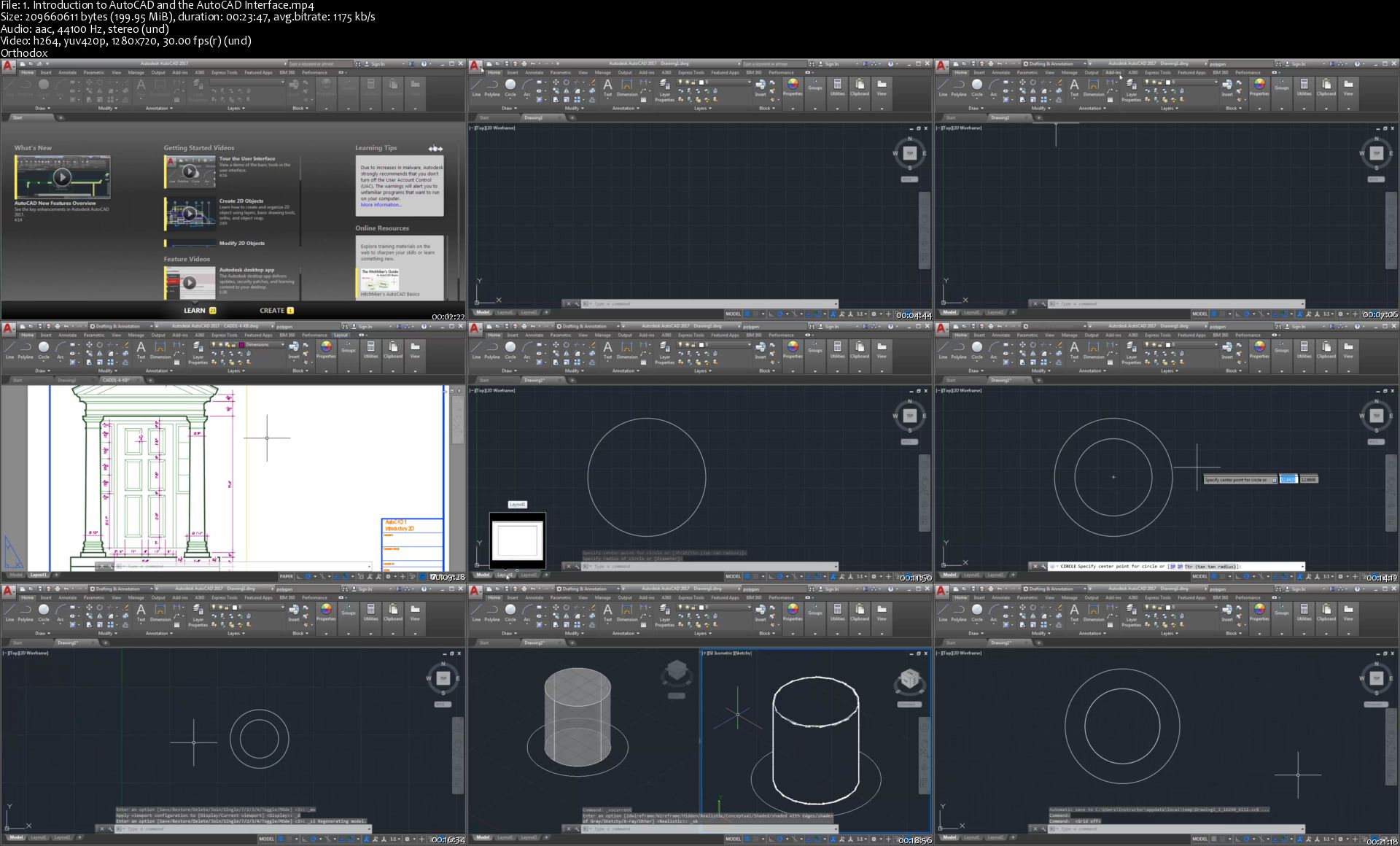
Lesson 1: Introduction to AutoCAD
Introduction to basic AutoCAD concepts and the AutoCAD interface. Using the online Help system. Entering, canceling, and repeating commands. Line, Circle, Arc, Polygon, Rectangle, Erase, and Undo commands introduced. Starting a new drawing, saving a drawing and opening a drawing. File utilities and windows file management techniques.
Lesson 2: Coordinates
Introduction to the Cartesian Coordinate system, methods of point entry and Dynamic input. New concepts also include navigating a drawing with the Zoom and Pan commands, Drawing Aids, and Object Snaps.
Lesson 3: Selection and Editing I
Introduction to basic selection methods. (Pick, Window, Crossing, Previous, and Last). Construction and Editing I - Erase, Move, Copy, Rotate, Offset, and Mirror.
Lesson 4: Polylines and Editing II
Creating and working with Polylines. Construction and Editing II - Trim, Extend, Fillet, and Chamfer.
Lesson 5: Setup, Layouts and Viewports
Discussion on drawing set up procedures. Using basic template drawings. Introduction to Paper Space. Creating single viewports and setting viewport scales.
Lesson 6: Inquiry and Editing III
Construction and Editing III - Stretch, Scale, and Lengthen. Breaking and Joining entities. Introduction to basic inquiry procedures with the List, Dist, ID, Area, and Measuregeom commands.
Lesson 7: Properties and Layers
Introduction to Layers and Object Propertes AutoCAD. Controlling linetypes with Ltscale and Celtscale. Students will learn how to set and modify properties through the Properties Palette. New commands include Layer, Properties, and MatchProp.
Lesson 8: Annotation
Discussion on procedures for adding text to a drawing. Setting a style and following standards. Students will learn techniques for creating and formatting text. Various options of the Mtext editor will be discussed in depth.
Lesson 9: Grips and Tracking
Introduction to grips and grip edit commands. Working with Polar Tracking and Polar Snap settings. Using Object snap tracking and the Align command.
Lesson 10: Points and Arrays
Construction & Editing IV - Donuts and Spirals. Xlines and Rays. Rectangular and Polar Arrays. Point, Divide and Measure.
Lesson 11: Dimension Overview
Introduction to dimensioning terms and commands. Introduction to dimension styles and style settings and how they control the appearance of dimensions. Students will learn how to create and manage both mechanical and architectural style dimensions.
Lesson 12: Dimension Editing
Editing and fine-tuning the appearance of dimensions with Child styles, dimension edit commands (Update, Edit and Tedit), grip editing, and the Properties palette.
AutoCAD is the worlds most widely used and fully featured drafting software. Autodesk software continues to go from strength to strength with the constant addition of new drafting features to aid drawing productivity and streamline drawing workflows.
AutoCAD I course will give students the foundation knowledge in the use of this powerful drafting software that is used across multiple design, architectural and engineering companies worldwide.
Building up knowledge about the essential drawing and drafting tools enables users to leave the AutoCAD training course with a confident foundation knowledge that will allow them to explore the higher functionality this software offers and give you more employment opportunities.
Webelocity Designs, is an integrated practice of architecture, engineering, designers and construction professionals personally invested in delivering creative and practical built environments that enrich communities.
Core Values
Quality
We are committed to ongoing quality improvement initiatives to ensure we deliver solutions that meet our clients' expectations of quality and value. Our dedication to project success influences everything we do and ensures our clients are satisfied, and that we enjoy mutual success.
Client Focus
We want every client to receive the best service we can provide and for them to feel we have contributed real value to their project. We want our clients to be confident in recommending our services to others.
Integrity
We strive to work ethically in all areas of our business and in our interactions with our people and everyone we meet in our communities and beyond.
#autocad course #autocad 2019 #autodesk #autocad #architecture #bim #AutoCAD I The Complete Beginner Course From Autodesk Expert #Architecture Fundamentals #Design #architectural design

Who this course is for:
Complete Beginners Course
This great course is for the students who wants to become AutoCAD Experts
Autodesk Software Users that wants to gain knowledge and skills in AutoCAD Interface
Our course is based on the "AutoCAD I Basic 2D Certificate"
We recommend to complete the Course to achieve same level of the "AutoCAD I Basic 2D Certificate"
This course is also designed for those people interested in advancing their employment opportunities.
You will learn the industry-leading computer-aided design (CAD) software, with our expert-led training
Our AutoCAD tutorials show you how to create 3D designs, share and collaborate on your layouts with colleagues and clients, and make blueprints to transition your projects from concept to construction

Homepage
1-Introduction-to-Auto-CAD-and-the-Auto-CAD-Interface-s.jpg


Packt - Angular Crash Course

0071994b.png


Angular Crash Course
.MP4, AVC, 1280x720, 30 fps | English, AAC, 2 Ch | 9h 12m | 5.2 GB
Instructor: Bharath Thippireddy

Master Angular and create a Single Page App using Angular, Node, Java, and Express in simple steps

Key Features

Explore what single-page applications (SPAs) are
Understand how Angular makes it easy to build SPAs
Get to grips with Angular while building a single-page application using Java, Node.js, and Express

What You Will Learn

Get to grips with creating Angular components
Create services and use them to make GET and POST calls
Develop REST APIs using Node.js and Express.js
Create an Angular frontend that consumes the REST APIs
Configure routing for single-page applications
Develop and use pipes to format data
Build custom directives and use them
Create a flight reservation backend API using Java and a frontend by consuming the backend API
Build a check-in app to check-in passengers

About

Angular.js is one of the most widely used single-page application development frameworks in the industry. It makes it easier than ever to create efficient and production-ready single-page applications.

In this course, you will learn how to create REST APIs using Express and Java Spring Boot. You will even use them in your Angular frontend and build full stack applications from scratch. The course will also guide you through creating Angular components. As you advance, you'll get to grips with developing and using pipes to format data effectively. The course will later take you through creating custom directives and using them. Toward the concluding sections, you'll learn how to build a check-in app to check-in passengers.

By the end of this course, you'll have explored the essential Angular features and have gained the skills you need to build robust single-page applications.

All code is placed in the following GitHub link -


More Info

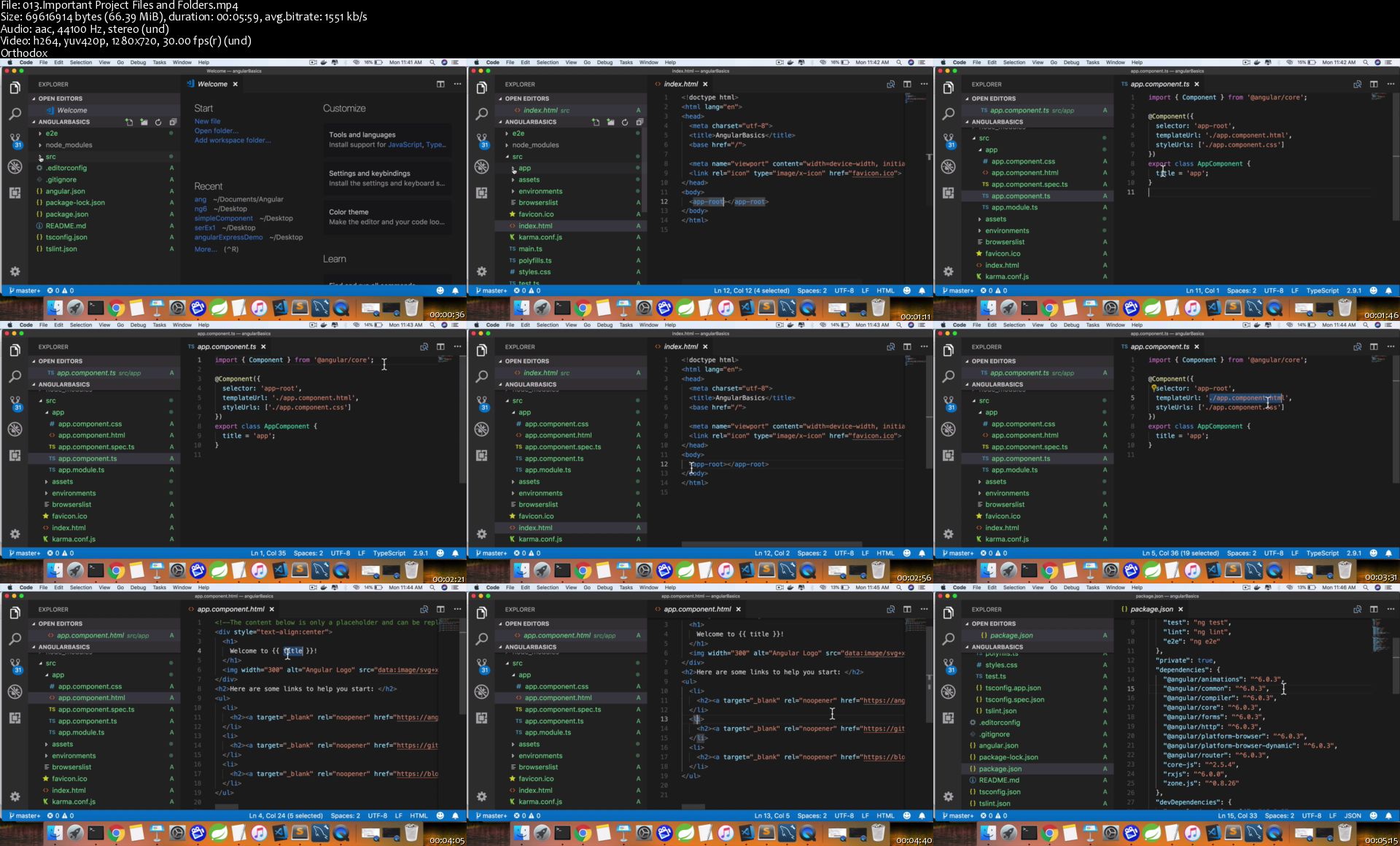
013-Important-Project-Files-and-Folders-s.jpg


TTC Video - Life in the World's Oceans [720p]

0071aee3.jpg


TTC Video - Life in the World's Oceans [720p]
Course No. 1725 | .MP4, AVC, 2500 kbps, 1280x720 | English, AAC, 128 kbps, 2 Ch | 30x32 mins | + PDF Guidebook | 18.08 GB
Lecturer: Sean K. Todd, Ph.D.

For thousands of centuries, humans lived near the ocean, wandered right up to its edge, and turned back to the relative safety of the known land. Even when we invented ships and the very bravest among us sailed out, our fears and imaginations took over. What creatures could be living in the unknowable darkness, the bottomless depths? Giant worms, microorganisms that eat metal, faceless fish, giant sea spiders? Marine life is even more otherworldly and fantastical than we ever imagined, and Life in the World's Oceans brings you face to face with these exciting creatures. From the phytoplankton that can only float at the whim of wind and currents to the gray whale that migrates 16,000 kilometers each year, you will be amazed at the variety of life in the seas and what we have only recently learned about its biology, evolution, life cycles, and adaptations.

Full Description

0071aee8.jpg


More Info

01-Water-The-Source-of-Life-s.jpg


The Complete Python Programmer Bootcamp 2020

fhmp-X19-NYk9-Uszbv-Rr-Yq-QKd-LEOqbvud-K.png


The Complete Python Programmer Bootcamp 2020
h264, yuv420p, 1280x720 |ENGLISH, aac, 48000 Hz, 2 channels, s16 | 10h 22mn | 6.1 GB
Instructor: Sabrina Elai

Learn Python. Enjoy Python. Master Python.
What you'll learn

How to program in Python
Best practices of Python 3 programming
Coding fundamentals
How to think computationally
Problem solving with Python
Create Python charts in Matplotlib
Implementing Object oriented programming (OOP)
How to create classes for the purposes of OOP
Advanced Python coding
How to work with different IDEs
How to put theory into practice with help of numerous exercises
You will also receive downloadable lectures, code, and course notes

Requirements

The course is suitable for all students. We will start from the very basics.
We will show students how to install the Anaconda package for free.
All you need is a computer, Anaconda will run on Windows, macOS or Linux

Description

Python Programmer Bootcamp 2020

This Python course is different. It will not only teach you Python, it will give you a problem solving super-power using Python code! And that will make all the difference, especially if you are pursuing a career in data science, AI, web development, big data, web testing, or programming for smart devices in Python.

The author of this course, Giles McMullen-Klein, is a British programmer who went to Oxford University and used Python for his research there. Giles is one of the best-known Python and data science vloggers on YouTube where more than 133,000 subscribers follow his videos.

There are several reasons why this course is different and why Giles could be the perfect Python teacher for you:

· Engaging, informative and fun! Giles' lectures are entertaining and will inspire you to learn Python

· Motivating ,enthusiastic and effective - Giles' passion for coding in Python and teaching the language is infectious

· Develop a thorough understanding of Python

· Carefully crafted lectures and superb quality of production (Full HD videos) + animations and callouts

· Practice, practice, practice - the course contains dozens of exercises to help you master the Python programming concepts covered in the lessons

· Giles' English accent :D

Have you always wanted to learn one of the world's most popular programming languages? If so, this is the perfect course for you. It will teach you how to program in Python and help to prepare you for coding challenges frequently posed during job interviews.

Giles' teaching style builds a connection with students. And what's more - he's there for you if you need any help. Just post any queries or questions in the course Q&A section.

In this comprehensive course, we will cover several key topics:

⁃ Why program? Why study Python?

⁃ How to install Python

⁃ Hands-on programming with strings

⁃ Print function

⁃ Variables

⁃ Conditionals

⁃ Loops

⁃ Data structures

⁃ Modules

⁃ Files

⁃ OOP

⁃ Time complexity

⁃ Big O

⁃ Stacks

⁃ Debugging

There are many exercises throughout the course, some of our favourites are:

⁃ The Sierpinski Triangle

⁃ The Towers of Hanoi

⁃ And the Computer Vision capstone project

365 Careers' team is very excited about this project. The creation of a Python course has been an ambition of ours for quite some time. but as we were not prepared to make any compromises on the quality of the course content, we needed to choose the right partner. Luckily, Giles was as excited about working with us as we were with him and together, after much hard, work we have created what we believe to be a first-class learning experience. We are confident that programming novices will benefit from Giles' authenticity combined with our visual approach to teaching which includes our much-loved graphics and animations.

To date, employees from 80 of the Fortune 100 companies have taken our courses. 600,000 students have given us an average rating of 4.5 stars. And we are confident that this is the perfect course for you if you want to become a Python programmer.

Sounds great, doesn't it? Are you ready for a life-changing adventure? If you are serious about learning Python, this is the only bootcamp you will need.

The course comes with a 30-day money-back guarantee. If you decide it wasn't for you, you will be refunded in full (+keep all the downloaded resources free of charge)!

No risk for you, so go ahead, click the "Buy now" button and start your Python programmer journey today!

Who this course is for:

Anyone who wants to learn Python, this course is suitable for beginners with no programming experience
Programmers in other languages who want to learn Python 3
Python programmers who want to learn coding best practice
Anyone who is interested in the fastest-growing and most popular programming language in 2020
People interested in a data science, web development, big data, web testing, or an AI Python programming career

Homepage

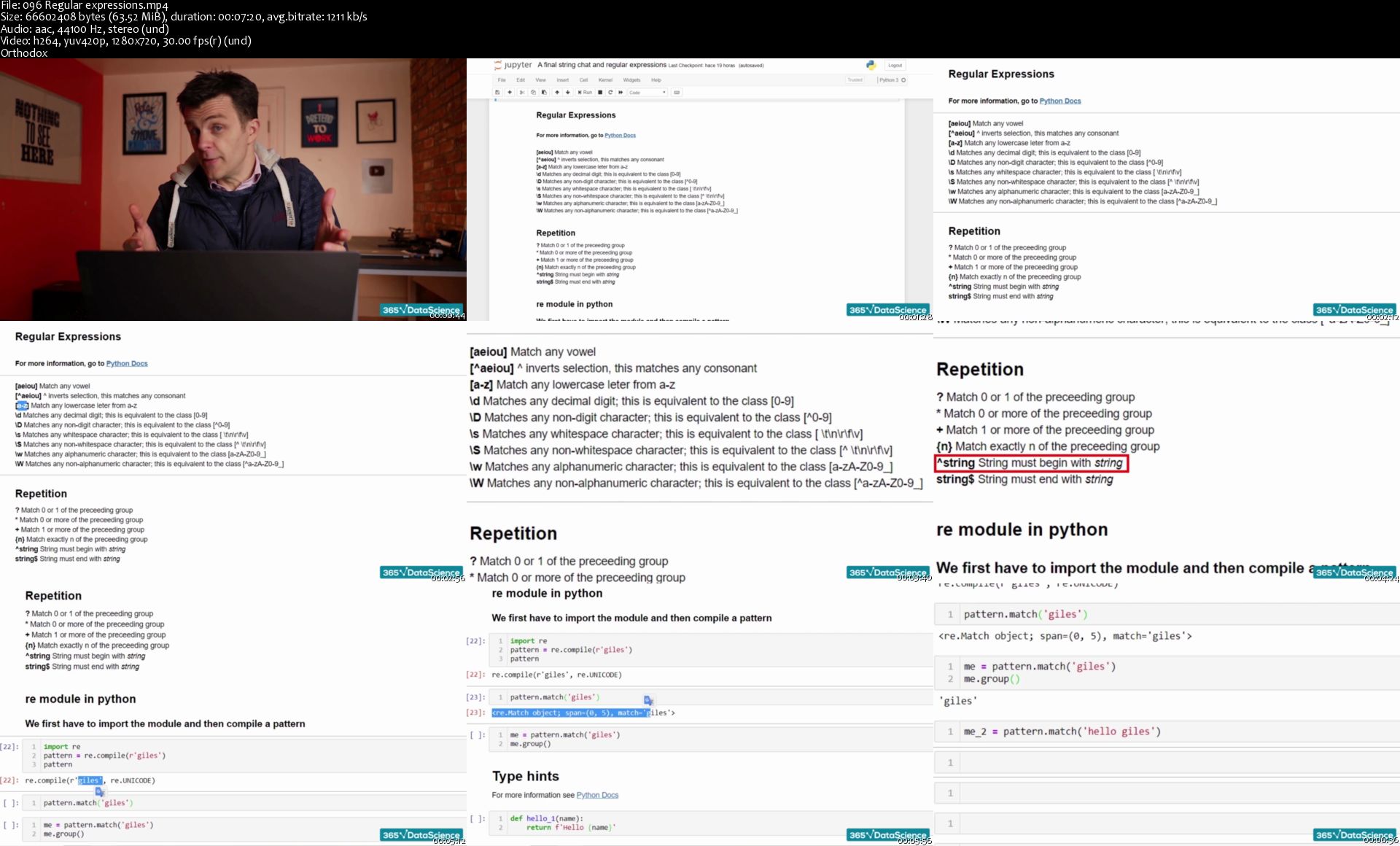
096-Regular-expressions-s.jpg


TensorFlow 2.0 Masterclass: Hands-On Deep Learning and AI

D6-Ixl9-Gsi-Ats-X6j-CLGAYdx-Zo-MGn-Voc-R2.png


TensorFlow 2.0 Masterclass: Hands-On Deep Learning and AI
h264, yuv420p, 1280x720 |ENGLISH, aac, 44100 Hz, 2 channels, s16 | 13h 55mn | 6.2 GB
Instructor: Vijay Gadhave

Work on 6 Projects, Learn Deep Learning, AI, Keras, Python, ANN, CNN, RNN, LSTM, Transfer Learning, Autoencoder, NLP !
What you'll learn

Complete Understanding of TensorFlow 2.0 from the Scratch
Artificial Neural Networks (ANNs)
Convolutional Neural Networks (CNNs)
Recurrent Neural Networks (RNNs)
Transfer Learning
Autoencoders
Natural Language Processing
Data Analysis with Numpy, Pandas and Data Visualization with Matplotlib

Requirements

Python Programming Basics
Machine Learning Basics

Description

Google has recently released TensorFlow 2.0, it has so many features that simplify the Model Development, Maintenance, Processes and Performance...

Why TensorFlow 2.0 ?

Whether you're an expert or a beginner, TensorFlow 2.0 is an end-to-end platform that makes it easy for you to build and deploy ML models

With the TensorFlow 2.0,

1) Building the Model is very Easy

2) Robust ML production anywhere

3) Powerful experimentation for research

With this course you will have the Complete Understanding of TensorFlow 2.0 from very Beginning !

List of the Projects,

Project 1: CNN for Digit Recognition

Project 2: CNN for Breast Cancer Detection

Project 3: CNN for Predicting the Bank Customer Satisfaction

Project 4: CNN for Credit Card Fraud Detection

Project 5: RNN - LSTM for IMDB Review Classification

Project 6: Google Stock Price Prediction with RNN and LSTM

Main Topics Covered in this Course,

Part 1: Introduction (Section 1)

Part 2: Artificial Neural Networks (Section 2 - Section 4)

Part 3: Convolutional Neural Networks (Section 5 - Section 11)

Part 4: Recurrent Neural Networks (Section 12 - Section 15)

Part 5: Transfer Learning

Part 6: Autoencoders

Part 7: Natural Language Processing (Section 16)

Part 8: Data Analysis with Numpy, Pandas and Data Visualization with Matplotlib (Section 17 - Section 19)

Regards,

Vijay Gadhave
Who this course is for:

Anyone who wants to start a career in the field of Data Science
Anyone Passionate about Deep Learning and Artificial Intelligence

Homepage

2-Step-2-Data-Preprocessing-s.jpg


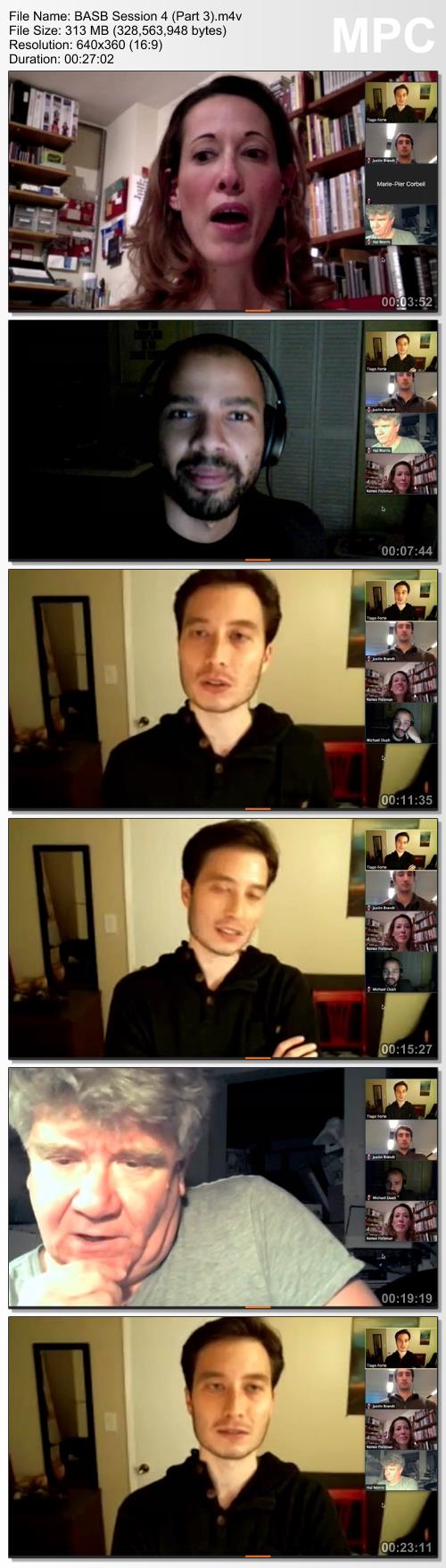
Tiago Forte - Building A Second Brain (Part 2)

00717c60.jpg


Tiago Forte - Building A Second Brain (Part 2)
WEBRip | English | MP4 + PDF Guides | 960 x 540 | AVC ~555 kbps | 25 fps
AAC | 240 Kbps | 48.0 KHz | 2 channels | ~18 hours | 6.77 GB
Genre: eLearning Video / Self-Improvement

Do you consume tons of interesting information, but feel like it's not leading to meaningful results in your life?

The Promise of the Course

In 30 days, you will learn how to capture, organize, and share your ideas and insights using digital notes, with a systematic approach and tools that you trust to support creative breakthroughs in your work

Tiago Forte is an internationally recognized speaker, productivity expert, founder of education company Forte Labs, and editor-in-chief of the Praxis blog.

Tiago has spent more than 10 years researching, developing, and teaching the practices of Idea Management to professionals from some of the world's leading organizations. His work has been featured in media outlets such as The New York Times, Harvard Business Review, Inc., The Atlantic, Quartz, and CB Insights.

Tiago's mission is to help people harness the full potential of their ideas, because he believes that enabling smart people to turn their ideas into reality is the most positive impact he can have on the world.

Course Curriculum

A unified curriculum on harnessing the full power of your ideas

Unit 1: Introduction to the Course

• What to expect: schedule, roadmap, communications, and the 3 pillars of the methodology

• Why organization and collaboration are the two missing links in most people's creative process - and how adding them in can double your creative output

• Idea Management: the new path to produce 10x results with 1/10 the effort

• The secret of Strategic Laziness: the real story of how great thinkers work

• Take an 11-point quiz to score your current note-taking skills


Unit 2: Organizing for Insight

• How to turn your digital notes into "thinking tools" that allow you to access brainpower you didn't even know you had

• Feeling unorganized? How a simple technique called PARA will enable you to organize your entire digital life in minutes

• The 8 must-haves for any digital organizing system, and how to apply them

• A little-known distinction - between micro-projects and areas of responsibility - that can completely revolutionize your productivity

• Banish Information Overload using the Magic Number 4 - a helpful constraint to preserve your working memory

• Discover the incredible power of an up-to-date Project List, with in-depth feedback and guidance on how to create one for yourself


Unit 3: Digital Cognition

• The 4 essential requirements that any good digital notes app MUST have

• How to amplify the single biggest opportunity for making new connections without spending more time or effort: Productive Randomness

• Learn how a simple principle from Information Science called "stigmergy" explains how to effectively manage information

• A new way of working using "slow burns" instead of grueling slogs - people who miss this are doomed to suffer from Information Exhaustion

• What the Feynman Method can teach us about "punching above our intellectual weight"

• Find out how the best note-takers throughout history built up their intellectual capital using compounding gains

• Transform raw material into knowledge ammunition: how to use digital notes to form a valuable body of knowledge for a side project, career advancement, or new business

• Identify your personal learning priorities using the Feynman Method, a simple exercise created by a Nobel prize-winning scientist to permanently improve your reading and learning for years to come


Unit 4: Progressive Summarization

• Have trouble finding your notes when you need them most? A counter-intuitive technique called Progressive Summarization will help you distill them down for easy retrieval

• Understand the pros and cons of organizing your notes by tag, by notebook, or by project, and the best approach based on our 10 years' of experience

• Don't have time for more research? Develop the skill of balancing compression and context to increase the return-on-investment of your note taking

• Strategic laziness over rigid rules: note-taking strategies that leverage human nature, instead of fighting it

• How to design individual notes for "glanceability" and instant recognition for your Future Self

• The amazing benefits of designing your own Personal Information Landscape

• Practice Progressive Summarization on your own notes, with feedback from instructors and peers


Unit 5: Maximizing Return-on-Attention

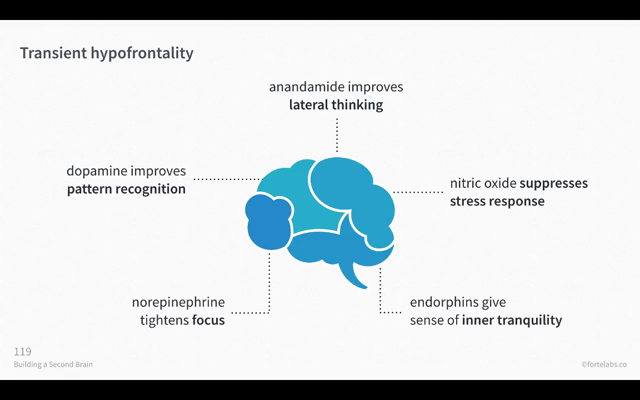
• Explore the fascinating science behind "transient hypofrontality": how to maximize the mental state of flow for higher performance, enjoyment, and learning

• Understanding how to minimize the impact of setup costs (environmental, mental, and emotional) on productivity

• How Intermediate Packets can completely transform your approach to productivity

• Become interruption-proof: placeholding, chunking, and reusability as potent sources of leverage for knowledge workers

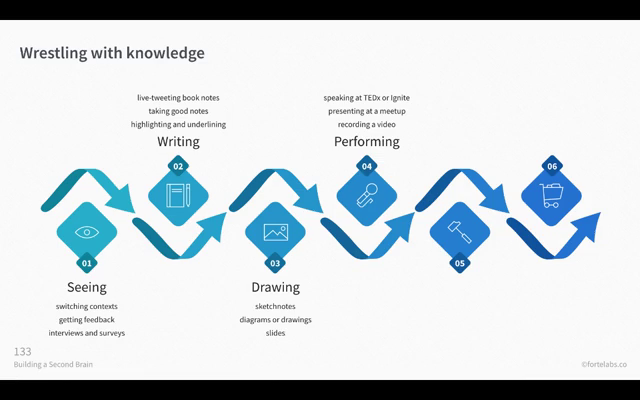
• Knowledge Artifacts: how to externalize your thinking and accelerate your learning using concrete deliverables

• Turn your notes into a new Knowledge Artifact especially designed to generate valuable, targeted feedback from your peers


Unit 6: Just-In-Time Productivity

• Learn Just-In-Time Productivity - the new, far more effective way of working that becomes possible once you have a Second Brain

• 5 ways to leverage your ideas to leapfrog your peers, skip the corporate ladder, and become a leader in your field

• Divergence and Convergence: use groundbreaking ideas from the world's top designers to escape any creative roadblock or dead-end

• Equip yourself with 16 Workflow Strategies - proven thinking tools

• Banish procrastination forever using the Archipelago of Ideas technique to instantly add structure to any creative project

• Learn a new way of adding structuring to your ideas just-in-time, to produce results quickly, efficiently, and right when they're most needed

• How to massively accelerate your learning using idea capture tools and quick feedback loops

• Select and try out 3 of the 16 Workflow Strategies on one or more of your projects or deliverables


Unit 7: Workflow Canvas

• Step-by-step walkthrough to design your very own Second Brain, customized to your needs and goals

• Get feedback on further areas for improvement, based on the exercises you completed in the course

• Explore dozens of examples, case studies, and downloadable templates to make implementing this system as easy as possible

• Complete the Workflow Canvas to choose the tools, techniques, and strategies to integrate into your own workflow


Unit 8: The Big Picture

• Information Overload? How Container vs. Stream Thinking is the mindset you need to thrive in a world of information abundance

• Understand how to cultivate situational awareness and curation as the key skills required to navigate streams of information

• Strengthen your creative confidence by borrowing principles from history's most prolific creators and artists

• Identifying and overcoming the most common limiting beliefs we encounter around productivity, thinking, and learning

• The Perspective Era - why the future of work will be dedicated to interpretation and persuasion based on your unique point of view, and what you can do to prepare

• Start with Abundance: a different take on creative output that starts with sifting through interesting ideas, instead of sitting down to a blank screen

• Harnessing the full potential of digital notes: how to integrate Idea Management into your daily routine

• The coming era of Idea Management, and how to prepare yourself to thrive within it

00719a87.png
00719a88.png

00719a89.png
00719a8a.png


Deep Learning with TensorFlow

t9u-Hr-E2-Im9o-OJj-EMl-X9y-M2z6-Yn-Ndc-B1-F.jpg


Deep Learning with TensorFlow: Applications of Deep Neural Networks to Machine Learning Tasks
Video: .MP4, 1280x720 30 fps | Audio: AAC, 48kHz, 2ch | Duration: 6h
Genre: eLearning | Language: English + Subtitles | Size: 9.98 GB

Deep Learning with TensorFlow LiveLessons is an introduction to Deep Learning that bring the revolutionary machine-learning approach to life with interactive demos from the most popular Deep Learning library, TensorFlow, and its high-level API, Keras. Essential theory is whiteboarded to provide an intuitive understanding of Deep Learning's underlying foundations, i.e., artificial neural networks. Paired with tips for overcoming common pitfalls and hands-on code run-throughs provided in Python-based Jupyter notebooks, this foundational knowledge empowers individuals with no previous understanding of neural networks to build powerful state-of-the-art Deep Learning models.

The companion materials for this LiveLesson can be found at
Skill Level

Intermediate
Learn How To

Build Deep Learning models in TensorFlow and Keras
Interpret the results of Deep Learning models
Troubleshoot and improve Deep Learning models
Understand the language and fundamentals of artificial neural networks
Build your own Deep Learning project
Who Should Take This Course

This course is perfectly suited to software engineers, data scientists, analysts, and statisticians with an interest in Deep Learning. Code examples are provided in Python, so familiarity with it or another object-oriented programming language would be helpful. Previous experience with statistics or machine learning is not necessary.
Course Requirements

Some experience with any of the following are an asset, but none are essential:

Object-oriented programming, specifically Python
Simple shell commands, e.g., in Bash
Machine learning or statistics
First-year college calculus

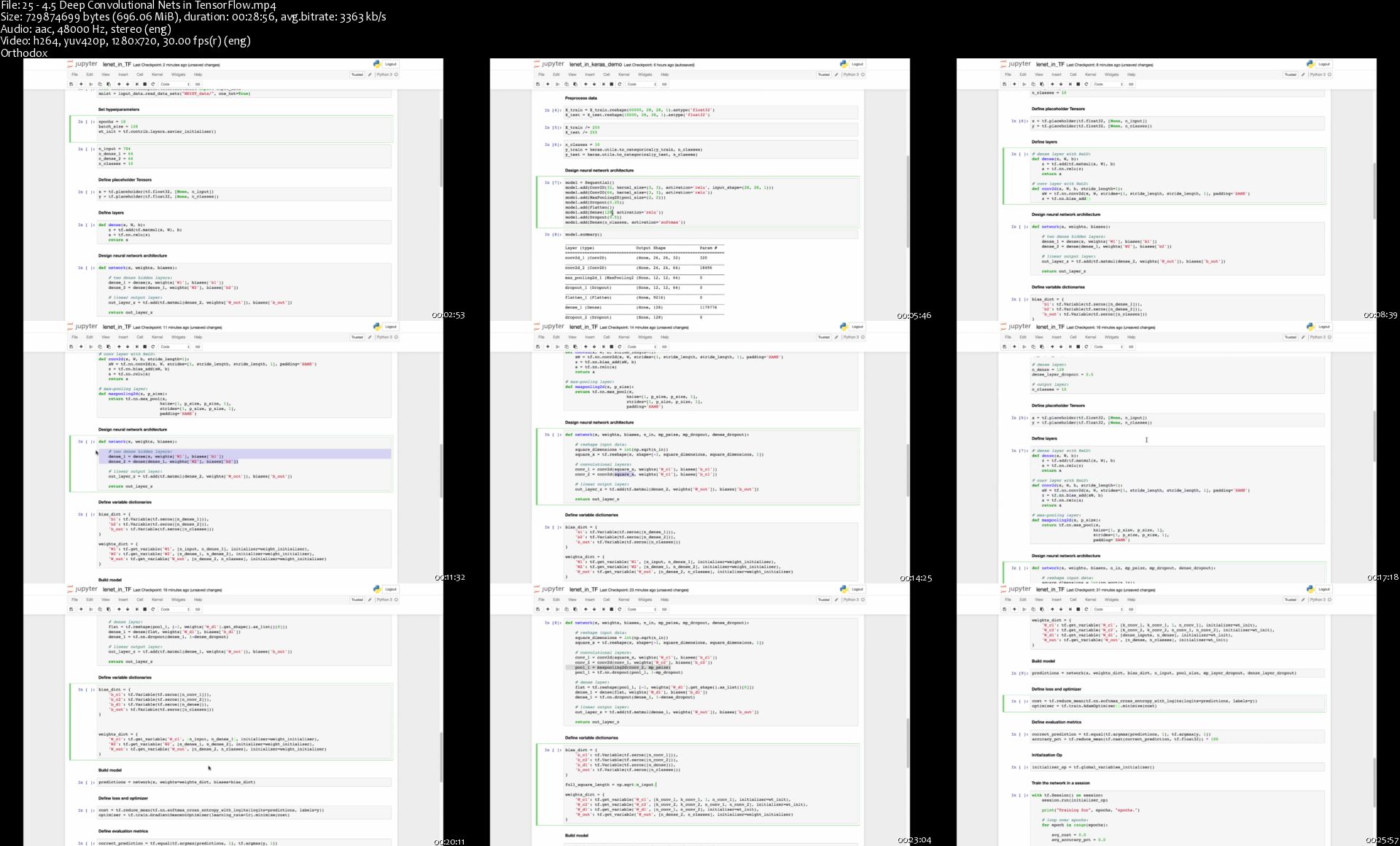
25-4-5-Deep-Convolutional-Nets-in-Tensor-Flow-s.jpg


Desarrollo Web Completo con HTML5, CSS3, JS AJAX PHP y MySQL

0-Rqi-SVOQv74-Vonxs-P9-QPd-EGf3-KMVm4-Mn.png


Desarrollo Web Completo con HTML5, CSS3, JS AJAX PHP y MySQL
Genre: eLearning | MP4 | Video: h264, 1280x720 | Audio: aac, 44100 Hz
Language: Spanish | VTT | Size: 22.1 GB | Duration: 54 hours


What you'll learn
Convertir y crear sus propios diseños en páginas web
Crear páginas web con HTML y CSS
Escribir código JavaScript y jQuery
Crear sitios web dínamicos con PHP y MYSQL
Entender como funciona JavaScript y PHP
Aplicar a un empleo de Desarrollador Web Junior
Aprende AJAX, para crear páginas web dínamicas que cargaran información sin recargar la página
Agregar pagos de PayPal a tus sitios web
Crear aplicaciones CRUD con PHP y MySQL
Crear aplicaciones seguras con PHP, Ajax y MySQL
Crear un área de administración con AdminLTE, PHP y MySQL

Requirements
No tienes que tener experiencia previa ni con HTML5 o CSS3 para comenzar, sin embargo cualquier experiencia que tengas te ayudará bastante
No es necesario tener experiencia en programación
Instalaremos un editor de Texto y Servidor local, así que se recomienda tener acceso de administrador
Este curso incluye el desarrollo de un sitio web completo que integrará HTML5, CSS3, JavaScript, jQuery, PHP y MySQL
Aprenderás JavaScript y jQuery para añadir interactividad a tu sitio web.
Es necesario contar con una conexión a internet para poder ver los videos
Description
Un curso paso a paso si deseas comenzar en el mundo de la programación Web.

En este curso aprenderás 7 Lenguajes y Tecnologías Web:

HTML5, CSS3, JavaScript, jQuery, AJAX, PHP y MySQL

Además agregarás a tus sitios las siguientes API`s, SDK`s, Frameworks, librerías y características.

AdminLTE - Crearemos un área de administración segura y atractiva.

Bootstrap - AdminLTE está construido sobre bootstrap, aprenderás lo básico del framework HTML5 y CSS3 más popular del mundo.

CRUD - Aprende a crear aplicaciones CRUD (Crear, Leer, Actualizar y Delete) con PHP, MySQL y AJAX!

PayPal - Recibiremos pagos en línea en nuestro proyecto final

Google Maps API - Para mostrar un mapa de ubicación

MailChimp - Para que los usuarios se inscriban a tu newsletter

Twitter Feed - Mostraremos los tweets de una cuenta en nuestro sitio web

Además crearemos distintos Proyectos!

Sitio Web para una conferencia de diseño donde los usuarios podrán pagar por sus entradas.
Agenda de Contactos en Ajax, PHP, MySQL y JavaScript.
UpTask - Administrador de Proyectos en Ajax, PHP, MySQL y JavaScript
Entre otros :) (están habilitados para verse gratis)
Este curso esta lleno de tips y técnicas, además de la creación de un sitio Web real con funciones muy avanzadas y un área de administración para hacer un sitio 100% dinámico.

Además de las tecnologías anteriores, crearemos galerías, formularios, validaciones, un carrito en línea con cotizador, registros a la base de datos, sistema de inicio de sesión, agregar la información dinámicamente desde la Base de Datos MySQL y mucho más!

Si no tienes experiencia previa y es tu primera vez escribiendo código para hacer una página web, debes tomar este curso, que asume nunca has escrito una sola línea de código (te mostraré desde como crear un archivo .html) hasta diseñar tu base de datos y recibir pagos por PayPal, paso a paso y sin asumir conocimiento alguno.

Si ya tienes experiencia, aprenderás de los temas más avanzados, en los que creamos un proyecto final que comenzamos a construir desde los primeros videos y que incluye estas 7 tecnologías y API`s

Además te mostraré como crear un área de administración segura, con password hasheados, loguear usuarios, sesiones y más. Así como una pequeña aplicación en VanillaJS y Ajax para guardar contactos telefónicos con PHP

En este curso aprenderás lo básico de cada tecnología y después integraremos todo junto para hacer diseños increíbles, es decir: crearemos una base sólida y luego veremos como utilizarla sin duda la que considero la mejor forma de aprender.

Hoy en día aprender programación web es uno de los empleos más demandados y con mejor paga y he preparado este curso para que una vez que finalices tengas las armas necesarias para poder encarar cualquier proyecto.

Who this course is for:
Si deseas obtener un trabajo en la industria de desarrollo web, con este curso aprenderás 7 tecnologías a la vez
Aprender Desarrollo web es un proceso de mucha práctica, así que practicaremos bastante pero lo haremos de forma divertida y con proyectos reales
Si eres una persona que aprende más elaborando proyectos del mundo real este curso es para ti

Homepage

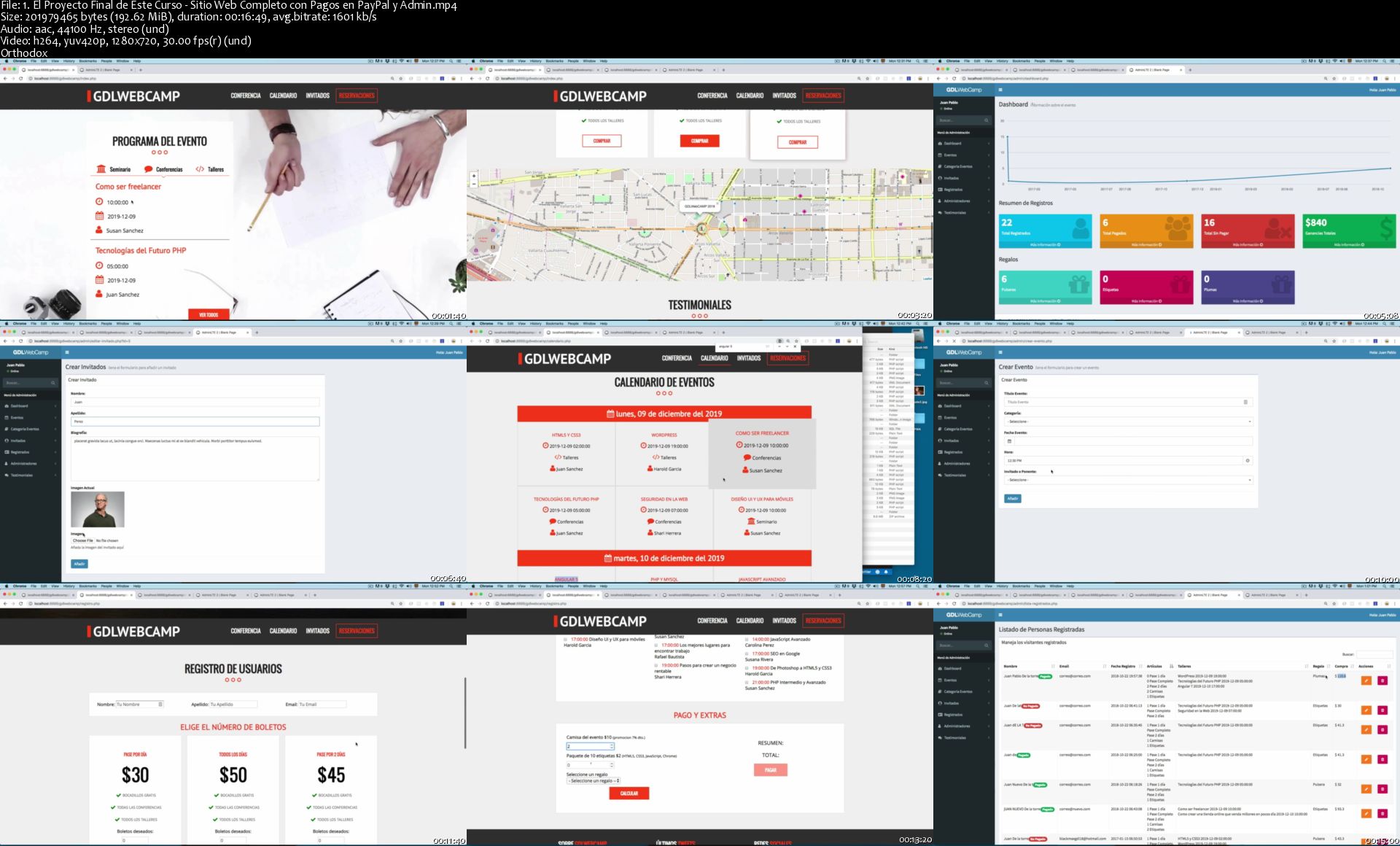
1-El-Proyecto-Final-de-Este-Curso-Sitio-Web-Completo-con-Pago.jpg


Building a Second Brain with Tiago Forte

4db93ad6045c06613d30deda72efc7c4.jpg

Tiago Forte - Building A Second Brain (Part 1) + (Part 2)
WEBRip | English | MP4 + PDF Guides | 960 x 540 | AVC ~555 kbps | 25 fps
AAC | 240 Kbps | 48.0 KHz | 2 channels | 11:24:38 | 4.06 GB + | 6.77 GB
Genre: eLearning Video / Self-Improvement​
Do you consume tons of interesting information, but feel like it's not leading to meaningful results in your life?

The Promise of the Course
In 30 days, you will learn how to capture, organize, and share your ideas and insights using digital notes, with a systematic approach and tools that you trust to support creative breakthroughs in your work
Tiago Forte is an internationally recognized speaker, productivity expert, founder of education company Forte Labs, and editor-in-chief of the Praxis blog.
Tiago has spent more than 10 years researching, developing, and teaching the practices of Idea Management to professionals from some of the world's leading organizations. His work has been featured in media outlets such as The New York Times, Harvard Business Review, Inc., The Atlantic, Quartz, and CB Insights.
Tiago's mission is to help people harness the full potential of their ideas, because he believes that enabling smart people to turn their ideas into reality is the most positive impact he can have on the world.

Course Curriculum
A unified curriculum on harnessing the full power of your ideas
Unit 1: Introduction to the Course
- What to expect: schedule, roadmap, communications, and the 3 pillars of the methodology
- Why organization and collaboration are the two missing links in most people's creative process - and how adding them in can double your creative output
- Idea Management: the new path to produce 10x results with 1/10 the effort
- The secret of Strategic Laziness: the real story of how great thinkers work
- Take an 11-point quiz to score your current note-taking skills

Unit 2: Organizing for Insight
- How to turn your digital notes into "thinking tools" that allow you to access brainpower you didn't even know you had
- Feeling unorganized? How a simple technique called PARA will enable you to organize your entire digital life in minutes
- The 8 must-haves for any digital organizing system, and how to apply them
- A little-known distinction - between micro-projects and areas of responsibility - that can completely revolutionize your productivity
- Banish Information Overload using the Magic Number 4 - a helpful constraint to preserve your working memory
- Discover the incredible power of an up-to-date Project List, with in-depth feedback and guidance on how to create one for yourself

Unit 3: Digital Cognition
- The 4 essential requirements that any good digital notes app MUST have
- How to amplify the single biggest opportunity for making new connections without spending more time or effort: Productive Randomness
- Learn how a simple principle from Information Science called "stigmergy" explains how to effectively manage information
- A new way of working using "slow burns" instead of grueling slogs - people who miss this are doomed to suffer from Information Exhaustion
- What the Feynman Method can teach us about "punching above our intellectual weight"
- Find out how the best note-takers throughout history built up their intellectual capital using compounding gains
- Transform raw material into knowledge ammunition: how to use digital notes to form a valuable body of knowledge for a side project, career advancement, or new business
- Identify your personal learning priorities using the Feynman Method, a simple exercise created by a Nobel prize-winning scientist to permanently improve your reading and learning for years to come

Unit 4: Progressive Summarization
- Have trouble finding your notes when you need them most? A counter-intuitive technique called Progressive Summarization will help you distill them down for easy retrieval
- Understand the pros and cons of organizing your notes by tag, by notebook, or by project, and the best approach based on our 10 years' of experience
- Don't have time for more research? Develop the skill of balancing compression and context to increase the return-on-investment of your note taking
- Strategic laziness over rigid rules: note-taking strategies that leverage human nature, instead of fighting it
- How to design individual notes for "glanceability" and instant recognition for your Future Self
- The amazing benefits of designing your own Personal Information Landscape
- Practice Progressive Summarization on your own notes, with feedback from instructors and peers

Unit 5: Maximizing Return-on-Attention
- Explore the fascinating science behind "transient hypofrontality": how to maximize the mental state of flow for higher performance, enjoyment, and learning
- Understanding how to minimize the impact of setup costs (environmental, mental, and emotional) on productivity
- How Intermediate Packets can completely transform your approach to productivity
- Become interruption-proof: placeholding, chunking, and reusability as potent sources of leverage for knowledge workers
- Knowledge Artifacts: how to externalize your thinking and accelerate your learning using concrete deliverables
- Turn your notes into a new Knowledge Artifact especially designed to generate valuable, targeted feedback from your peers

Unit 6: Just-In-Time Productivity
- Learn Just-In-Time Productivity - the new, far more effective way of working that becomes possible once you have a Second Brain
- 5 ways to leverage your ideas to leapfrog your peers, skip the corporate ladder, and become a leader in your field
- Divergence and Convergence: use groundbreaking ideas from the world's top designers to escape any creative roadblock or dead-end
- Equip yourself with 16 Workflow Strategies - proven thinking tools
- Banish procrastination forever using the Archipelago of Ideas technique to instantly add structure to any creative project
- Learn a new way of adding structuring to your ideas just-in-time, to produce results quickly, efficiently, and right when they're most needed
- How to massively accelerate your learning using idea capture tools and quick feedback loops
- Select and try out 3 of the 16 Workflow Strategies on one or more of your projects or deliverables

Unit 7: Workflow Canvas
- Step-by-step walkthrough to design your very own Second Brain, customized to your needs and goals
- Get feedback on further areas for improvement, based on the exercises you completed in the course
- Explore dozens of examples, case studies, and downloadable templates to make implementing this system as easy as possible
- Complete the Workflow Canvas to choose the tools, techniques, and strategies to integrate into your own workflow

Unit 8: The Big Picture
- Information Overload? How Container vs. Stream Thinking is the mindset you need to thrive in a world of information abundance
- Understand how to cultivate situational awareness and curation as the key skills required to navigate streams of information
- Strengthen your creative confidence by borrowing principles from history's most prolific creators and artists
- Identifying and overcoming the most common limiting beliefs we encounter around productivity, thinking, and learning
- The Perspective Era - why the future of work will be dedicated to interpretation and persuasion based on your unique point of view, and what you can do to prepare
- Start with Abundance: a different take on creative output that starts with sifting through interesting ideas, instead of sitting down to a blank screen
- Harnessing the full potential of digital notes: how to integrate Idea Management into your daily routine
- The coming era of Idea Management, and how to prepare yourself to thrive within it

HOmepage:

Screenshots
4b4489265722535b1607f0e1f6cd92d5.jpg


Link Download
Extract files with WinRar 5 or Latest !
 
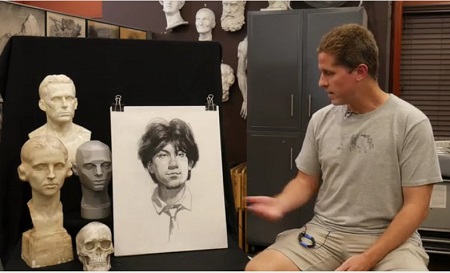
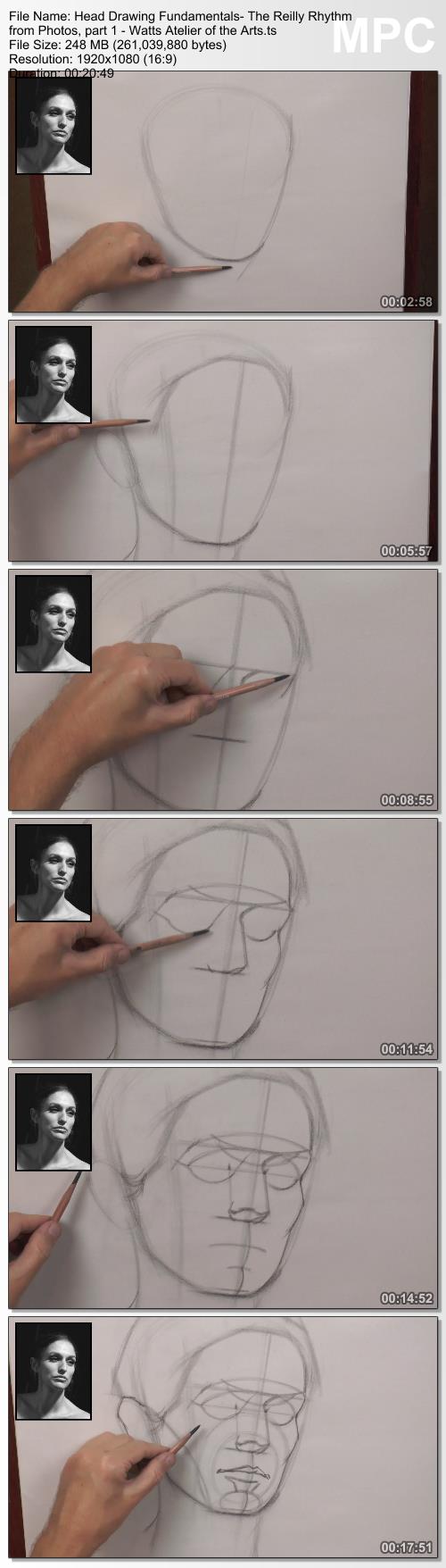
Watts Atelier - Head Drawing Fundamentals with Brian Knox

d918dd7c640442f918ee23636071a6bf.jpg

Watts Atelier - Head Drawing Fundamentals with Brian Knox | 9.6 GB
Overview
Join Brian Knox, as he breaks down and then builds up the process of constructing the human head. This course will instill a solid knowledge of the underlying structure of the human head. Using a combination of constructive and rhythmical approaches, students will learn how to first block in major forms, then break down the features and planes of the face, adding more information in a structured way, working ultimately towards a full value drawing.

Materials
- Wolf's Carbon 6B charcoal pencil
- Smooth Newsprint
- Single Edge Razor Blade
- Sanding Pad
- Kneaded Eraser

HOmepage:

Screenshots
d8af74ece9023205ade57392d442a822.jpg


Link Download
Extract files with WinRar 5 or Latest !
 
TTC Video - Food: A Cultural Culinary History

E61-BId-BRwo-T6mb-Rd-NOss-LHpj-LVU0m-Ml1.jpg


TTC Video - Food: A Cultural Culinary History
Video: .MP4, AVC, 2000 kbps, 1280x7200 | Audio: English, AAC, 192 kbps, 2 Ch | Duration: 36x30m | 17.31 GB
Course No. 9180 | Lecturer: Ken Albala, Ph.D. | + PDF Guidebook

Eating is an indispensable human activity. As a result, whether we realize it or not, the drive to obtain food has been a major catalyst across all of history, from prehistoric times to the present. Epicure Jean-Anthelme Brillat-Savarin said it best: "Gastronomy governs the whole life of man."

Full Description

u-Y5-Z4ror-VGp3-IJr-En-AVk-Fgctu5-JHNbkh.jpg


Homepage

01-Hunting-Gathering-and-Stone-Age-Cooking-s.jpg


AWS Certified Machine Learning-Specialty (ML-S)

uie-Nkm7ix-BQov-GM1ws-A48-Cciqvwoh-O8-M.jpg


AWS Certified Machine Learning-Specialty (ML-S)
Video: .MP4, 1280x720 30 fps | Audio: AAC, 44.1 kHz, 2ch | Duration: 7h
Genre: eLearning | Language: English | Size: 9.7 GB

This course covers the essentials of Machine Learning on AWS and prepares a candidate to sit for the AWS Machine Learning-Specialty (ML-S) Certification exam. Four main categories are covered: Data Engineering, EDA (Exploratory Data Analysis), Modeling, and Operations. Description This 7+ hour Complete Video Course is fully geared toward the AWS Machine Learning-Specialty (ML-S) Certification exam. The course offers a modular lesson and sublesson approach, with a mix of screencasting and headhsot treatment.
Data Engineering instruction covers the ingestion, cleaning, and maintenance of data on AWS.
Exploratory Data Analysis covers topics including data visualization, descriptive statistics, and dimension reduction and includes information on relevant AWS services.
Machine Learning Modeling covers topics including feature engineering, performance metrics, overfitting, and algorithm selection.
Operations covers deploying models, A/B testing, using AI services versus training your own model, and proper cost utilization.
The supporting code for this LiveLesson is located at
About the Instructor

Noah Gift is a lecturer and consultant at both the UC Davis Graduate School of Management MSBA program and the Graduate Data Science program, MSDS, at Northwestern. He teaches and designs graduate machine learning, AI, data science courses, and consulting on machine learning and cloud architecture for students and faculty. These responsibilities include leading a multi-cloud certification initiative for students. Noah is a Python Software Foundation Fellow, AWS Subject Matter Expert (SME) on Machine Learning, AWS Certified Solutions Architect, AWS Academy accredited instructor, Google Certified Professional Cloud Architect, and Microsoft MTA on Python. Noah has published close to 100 technical publications including two books on subjects ranging from cloud machine learning to DevOps.

Noah received an MBA from UC Davis, a M.S. in Computer Information Systems from Cal State Los Angeles, and a B.S. in Nutritional Science from Cal Poly San Luis Obispo. Currently he consults for startups and other companies on machine learning, cloud architecture, and CTO-level consulting as the founder of Pragmatic AI Labs. His most recent publications are Pragmatic AI: An introduction to Cloud-Based Machine Learning(Pearson, 2018) and Essential Machine Learning and AI with Python and Jupyter Notebook LiveLessons (Video Training).

Skill Level

Intermediate

What You Will Learn
How to perform data engineering tasks on AWS
How to use Exploratory Data Analysis (EDA) to solve machine learning problems on AWS
How to perform machine learning modeling tasks on the AWS platform
How to operationalize machine learning models and deploy them to production on the AWS platform
How to think about the AWS Machine Learning-Specialty (ML-S) Certification exam to optimize for the best outcome
Who Should Take This Course
DevOps engineers who want to understand how to operationalize ML workloads
Software engineers who want to ensure they have a mastery of machine learning terminology and practice on AWS
Machine learning engineers who want to solidify their knowledge about AWS machine learning practices
Product managers who need to understand the AWS machine learning lifecycle
Data scientists who run machine learning workloads on AWS
Course Requirements

One to two years of experience with AWS and six months using ML tools. Ideally, candidates will have already passed the AWS Cloud Practitioner certification.

09-1-7-Understand-important-ML-related-services-s.jpg


Zurück
Oben Unten