




• Regeln für den Video-Bereich:

    In den Börsenbereich gehören nur Angebote die bereits den Allgemeinen Regeln entsprechen.

    Einteilung

    - Folgende Formate gehören in die angegeben Bereiche:
    - Filme: Encodierte Filme von BluRay, DVD, R5, TV, Screener sowie Telesyncs im Format DivX, XviD und x264.
    - DVD: Filme im Format DVD5, DVD9 und HD2DVD.
    - HD: Encodierte Filme mit der Auflösung 720p oder darüber von BluRay, DVD, R5, TV, Screener sowie Telesyncs im Format x264.
    - 3D: Encodierte Filme von BluRay, die in einem 3D Format vorliegen. Dies gilt auch für Dokus, Animation usw.
    - Serien: Cartoon/Zeichentrick, Anime, Tutorials, Dokumentationen, Konzerte/Musik, Sonstiges sind demnach in die entsprechenden Bereiche einzuordnen, auch wenn sie beispielsweise im High Definition-Format oder als DVD5/DVD9/HD2DVD vorliegen. Ausnahme 3D.
    - Bereich Englisch: Englische Releases gehören immer in diesen Bereich.
    - Bereich Talk: Der Bereich, in dem über die Releases diskutiert werden kann, darf, soll und erwünscht ist.


    Angebot/Beitrag erstellen

    - Ein Beitrag darf erst dann erstellt werden, wenn der Upload bei mindestens einem OCH komplett ist. Platzhalter sind untersagt.
    - Bei einem Scenerelease hat der Threadtitel ausschließlich aus dem originalen, unveränderten Releasenamen zu bestehen. Es dürfen keine Veränderungen wie z.B. Sterne, kleine Buchstaben o.ä. vorgenommen werden. Ausnahme Serienbörse:
    - Bei einem Sammelthread für eine Staffel entfällt aus dem Releasename natürlich der Name der Folge. Beispiel: Die Simpsons S21 German DVDRip XviD - ITG
    - Dementsprechend sind also u.a. verboten: Erweiterungen wie "Tipp", "empfehlenswert", "only", "reup", usw. / jegliche andere Zusatzinformation oder Ergänzung, welche nicht in obiger Beschreibung zu finden ist.

    Aufbau des Angebots und Threadtitel

    Der Titel nach folgendem Muster erstellt zu werden. <Name> [3D] [Staffel] [German] <Jahr> <Tonspur> [DL] [Auflösung] <Quelle> <Codec> - <Group>
    Beispiel: The Dark Knight German 2008 AC3 DVDRip XviD - iND
    Beispiel: The Dark Knight 2008 DTS DL BDRip x264 - iND
    Beispiel: The Dark Knight 2008 AC3 DL BDRip XviD - iND
    Beispiel: The Dark Knight German 2008 AC3 720p BluRay x264 iND
    Beispiel: The Dark Knight 2008 DTS DL 1080p BluRay x264 iND
    Beispiel: Die Simpsons S01 German AC3 DVDRip XviD iND
    Beispiel: Die Simpsons S20 German AC3 720p BluRay x264 iND
    Beispiel: Sword Art Online II Ger Sub 2014 AAC 1080p WEBRip x264 - peppermint
    Entsprechend sind also u.a. verboten: Sonderzeichen wie Klammern, Sterne, Ausrufezeichen, Unterstriche, Anführungszeichen / Erweiterungen wie "Tipp", "empfehlenswert", "only", "reup", usw. / jegliche andere Zusatzinformation oder Ergänzung, welche nicht in obiger Beschreibung zu finden ist
    Ausnahmen hiervon können in den Bereichen geregelt sein.

    Die Beiträge sollen wie folgt aufgebaut werden:
    Überschrift entspricht dem Threadtitel
    Cover
    kurze Inhaltsbeschreibung
    Format, Größe, Dauer sind gut lesbar für Downloader außerhalb des Spoilers zu vermerken
    Nfo sind immer Anzugeben und selbige immer im Spoiler in Textform.
    Sind keine Nfo vorhanden z.B. Eigenpublikationen, sind im Spoiler folgende Dateiinformationen zusätzlich anzugeben :
    Quelle
    Video (Auflösung und Bitrate)
    Ton (Sprache, Format und Bitrate der einzelnen Spuren)
    Untertitel (sofern vorhanden)
    Hosterangabe in Textform außerhalb eines Spoiler mit allen enthaltenen Hostern.
    Bei SD kann auf diese zusätzlichen Dateiinformationen verzichtet werden.

    Alle benötigten Passwörter sind, sofern vorhanden, in Textform im Angebot anzugeben.
    Spoiler im Spoiler mit Kommentaren :"Schon Bedankt?" sind unerwünscht.


    Releases

    - Sind Retail-Release verfügbar, sind alle anderen Variationen untersagt. Ausnahmen: Alle deutschen Retail-Release sind CUT, in diesem Fall sind dubbed UNCUT-Release zulässig.
    - Im Serien-Bereich gilt speziell: Wenn ein Retail vor Abschluss einer laufenden Staffel erscheint, darf diese Staffel noch zu Ende gebracht werden.62
    - Gleiche Releases sind unbedingt zusammenzufassen. Das bedeutet, es ist zwingend erforderlich, vor dem Erstellen eines Themas per Suchfunktion zu überprüfen, ob bereits ein Beitrag mit demselben Release besteht. Ist dies der Fall, ist der bereits vorhandene Beitrag zu verwenden.
    - P2P und Scene Releases dürfen nicht verändert oder gar unter einem iND Tag eingestellt werden.


    Support, Diskussionen und Suche

    - Supportanfragen sind entweder per PN oder im Bereich Talk zu stellen.
    - Diskussionen und Bewertungen sind im Talk Bereich zu führen. Fragen an die Uploader haben ausschließlich via PN zu erfolgen, und sind in den Angeboten untersagt.
    - Anfragen zu Upload-Wünschen sind nur im Bereich Suche Video erlaubt. Antworten dürfen nur auf Angebote von MyBoerse.bz verlinkt werden.


    Verbote

    - Untersagt sind mehrere Formate in einem einzigen Angebotsthread, wie beispielsweise das gleichzeitige Anbieten von DivX/XviD, 720p und 1080p in einem Thread. Pro Format, Release und Auflösung ist ein eigener Thread zu eröffnen.
    - Grundsätzlich ebenso verboten sind Dupes. Uploader haben sich an geeigneter Stelle darüber zu informieren, ob es sich bei einem Release um ein Dupe handelt.
    - Gefakte, nur teilweise lauffähige oder unvollständige Angebote sind untersagt. Dies gilt auch für eigene Publikationen, die augenscheinlich nicht selbst von z.B. einer DVD gerippt wurden. Laufende Serien, bei denen noch nicht alle Folgen verfügbar sind, dürfen erstellt und regelmäßig geupdatet werden.
    - Untersagt sind Angebote, welche nur und ausschließlich in einer anderen Sprache als deutsch oder englisch vorliegen. Ausnahmen sind VORHER mit den Moderatoren zu klären.


    Verstoß gegen die Regeln

    - Angebote oder Beiträge, die gegen die Forenregeln verstoßen, sind über den "Melden"-Button im Beitrag zu melden.
  • Bitte registriere dich zunächst um Beiträge zu verfassen und externe Links aufzurufen.

++ Premium IPTV ++ 7000 Live Sender ++ UHD Qualität ++ Mediathek mit 18.000 Inhalten ++


VenneTV


Englische Tutorials


1811261641410092.jpg

MP4 | Video: h264, 1280x720 | Audio: AAC, 44.1 KHz, 2 Ch
Genre: eLearning | Language: English | Duration: 3.5 hours | Size: 1.47 GB
Django is simple enough for beginners, powerful enough for the pros. Use it to create amazing websites and python apps.​

What you'll learn
3.5 hours of Full HD video material divided into 15 downloadable lectures
Access to our private facebook group available to only students of this Django course
Build and publish your first Website using django python
Host your django websites on Heroku for free
How to Build Database Driven Websites With Django 2.1
How to Use Static Image Files
Create beautiful websites using Bootstrap 4.1
Requirements
You should already have a basic understanding of Python. Example - What are variables, functions etc.
A code editor of your choice - Recommended is Pycharm IDE
You won't need to buy any software - everything we are going to use will be free
Description
When I first learned Django, I was overwhelmed with the amount of information in front of me. I came from a background of basic web development. So, I had an idea about html, css etc. but had no idea how to transfer that information to building websites using Python.
I had a project in my mind and worked on that project for a couple of months. It took me a lot of try and errors to figure out what works and what doesn't work. Surprisingly the Django documentation isn't that good.
In this course, I have put in my years of experience of Django and condensed into 2 hours of practical application of Django Python for Beginners. Here is what we gonna do -
We will build your first web app in MINUTES
Watch over my shoulders, as I build a Personal Website that you can replicate
I will provide step by step instruction on what to do at every point.
At no moment you will feel that you are lost on what to do next.
You will also be given access to a private facebook group just for the students of this group, where you can talk with your fellow students, exchange information and help each other out. Even after you finish the course, this community will be there for you to grow.
Why choose me as an instructor? Why buy this course among all those other courses?
When i was a kid i saw this YouTube video on how make a folder invisible on Windows I was so fascinated with this idea. Since then my love for technology has only grown. I understand the people who are passionate about learning new things. At the end of each section we will take a quiz to check up on your skills and see if we're ready for the next section. We will create this project together from start to finish.
So, why wait? If all this sounds great to you, Press on "Take this Course" and start learning today! 100% money-back guarantee!
Who is the target audience?
Beginners who want to build their first Website using Django in 2 hours
Python developers who have a desire to create Django Web Applications
Students who want to learn about Python Web Development to build beautiful websites
Any person who wants a quick start to developing web apps using django
Do NOT take this course if you are a Django Developer with many years of experience

1811261641410093.jpg


Recommend Download Link Hight Speed | Please Say Thanks Keep Topic Live ​

 
1811141047260109.jpg

Cyber Security in 90 Minutes
MP4 | Video: AVC 1280x720 | Audio: AAC 44KHz 2ch | Duration: 1.5 Hours | Lec: 10 | 152 MB
Genre: eLearning | Language: English​

Brief about the essential cybersecurity technologies, devices, and physical security mechanisms for IT organizations
This course aims to point out the security essentials for any given IT organization. The course enables students to setup a secure base from scratch or review an existing security skeleton for their IT environments. The course targets the IT security beginners as well as professionals to enrich their knowledge about cyber security and to pursue their career in such field. The course material is based on my understanding of several IT security curricula such as SANS, CEH, etc..
The course is meant to be brief to fit security specialists, IT admins, and developers


1811141047270096.jpg


Recommend Download Link Hight Speed | Please Say Thanks Keep Topic Live ​

 

1812092235330103.jpg

Job Interview Strategies for UX Designers
MP4 | Video: AVC 1280x720 | Audio: AAC 44KHz 2ch | Duration: 45M | 880 MB
Genre: eLearning | Language: English​

UX design job interviews evaluate a candidate's creative aptitude and talent for design thinking. As a result, they often contain elements (whiteboarding exercises, portfolio reviews, and so on) that distinguish them from more traditional job interviews. In this course, learn what to expect in your next UX design job interview and how to approach each stage with confidence. Throughout the course, instructor Diane Cronenwett shares her insights as both a designer and hiring design manager, walking you through each step of the interview process. Diane explains how to prepare for each facet of your interview, from the prescreen process to the post-interview check-in with your recruiter. Plus, review common interview questions, learn about the key elements of a UX design exercise, and more.


1812092235340094.jpg


Recommend Download Link Hight Speed | Please Say Thanks Keep Topic Live ​
 

1812101815000096.jpg

Character Animation Part 2: Animating a Run Cycle
MP4 | Video: AVC 1280x720 | Audio: AAC 44KHz 2ch | Duration: 1 Hour | 1.15 GB
Genre: eLearning | Language: English​

Welcome to part two of the character animation series. In this class, we will be creating a run cycle from beginning to end using the character we created in part one.


1812101815030112.jpg


Recommend Download Link Hight Speed | Please Say Thanks Keep Topic Live ​
 
36f0289e2745563d72a61b273764e5e3.jpg

RHCE Practice Exam Questions (On Exam Version RedHat 7.0)
.MP4 | Video: h264, 1280x720 | Audio: AAC, 48 KHz, 2 Ch
Genre: eLearning | Language: English | Duration: 10 hours | Size: 3.57 GB​

RedHat Certified Engineer Exam Cerification
What you'll learn
They will know everything to pass RHCE Exam First time
Requirements
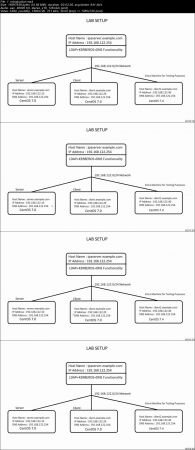
Theoretical Knowledge of RHCE Objectives is required+ LAB Set Up with four (Three are mandatory) Virtual Machines
Description
In this course, All Objectives of RHCE exam are covered according to latest exam syllabus on Red Hat official website and Tasks are explained step by step in very details, specially tasks related to user and host access for different services.
Tasks explained mimic the real RHCE exam questions but they are not real Exam questions. You will be able to Pass the RHCE exam first time if all the Objectives covered will be well understood and you practice a lot before taking the exam.
Recently Red Hat announced officially that exam will be conducted on Red Hat 7.0 version. I used Server and Client machines on CentOS 7.0 which is exactly same as Red Hat 7.0 . One extra machine client2 is used mostly for testing purposes and is on CentOS7.4 platform. With the help of this machine , differences are explained between 7.0 and 7.4 (or 7.5) from RHCE exam point of views. This will help people who used latest release for practicing and it is very important for them to know the differences before they take the exam.
I would suggest to practice on CentOS 7.0 (or Red Hat 7.0) for the exam.
Who is the target audience?
People who want to pass the RHCE Certification

2d7e9a286b9c86ce1e6542d29f3f6d58.jpg


Recommend Download Link Hight Speed | Please Say Thanks Keep Topic Live ​
 

1812052243390090.jpg

Framework 7 - Develop Hybrid Apps with Framework 7
.MP4 | Video: 1280x720, 30 fps(r) | Audio: AAC, 44100 Hz, 2ch | 1.07 GB
Duration: 2 hours | Genre: eLearning | Language: English​

Learn to develop hybrid mobile apps or web apps for iOS and Android devices using full featured HTML Framework 7.
What you'll learn
Learn and prepare a dev environment and learn how to install and configure framework 7 and use it for web development
Learn to develop hybrid mobile apps or web apps for iOS and Android devices using Framework 7
Learn Layouts, Navbars, Toolbars, Side Panels, Content Block, Preloaders etc
Requirements
Basic understanding on JavaScript programming
Knowledge of HTML5
Description
In this training, we will begin by preparing a dev environment and learning how to install and configure framework 7 and use it for web development. Framework7 is a free and open source framework for mobile HTML. It is used for developing hybrid mobile apps or web apps for iOS and Android devices. The training will include Overview, Environment, Layouts, Navbars, Toolbars, Side Panels, Content Block, Preloaders etc. There after we will be learning the following topics:
Progress Bar
List Views
Accordion
Cards
Chips
Buttons
Action Button
Forms
Tabs
Swiper Slider
Photo Browser
Autocomplete
Picker
Calendar
Refresh
Infinite Scroll
Messages
Message Bar
Notifications
Lazy Load
Who is the target audience?
Web developers
Web designers
Students
IT Professionals


1812052243400098.jpg


Recommend Download Link Hight Speed | Please Say Thanks Keep Topic Live ​
 
1811221706410108.jpg

Microsoft Excel - Become an Excel Guru
MP4 | Video: h264, 1280x720 | Audio: AAC, 48 KHz, 2 Ch
Genre: eLearning | Language: English + .VTT | Duration: 5 hours | Size: 854 MB​

Learn Pivot Tables, Formulas, Charts, Data Analysis, Dashboards, VBA, Macros & More for Excel 2010, 2013 or Excel 2016
What you'll learn
Learn the most useful functions in Excel used in business
Learn to analyse large data sets with Pivot Tables
Learn to wow your boss with great looking management dashboards
Learn how to automate away boring repetitive tasks using VBA & Macros
Access to a Professional Trainer with 12+ years of Excel Training
Get your CV/Resume ready to impress on your next job application
Requirements
This course was created with Excel 2013. However it will also work with Excel 2010, 2013 and 2016 for Windows
You'll need a basic working knowledge of Excel, including things like SUM formulas, entering data, adding sheets etc. If you're not yet at this level, check out my 'Getting Started with Excel 2013' course.
Description
Welcome to Become an Excel Guru, where you are going to learn everything you need to know to become an Excel expert. For the last ten years I've been using Excel to build advanced tools and applications in the investment banking and financial services industries. It's the most powerful tool in the Microsoft Office suite - its capabilities are incredible when you know how.
You probably already know the basics of Excel and you use it in your job on a daily basis, and you're looking to learn more about Excel - but how much more?
Excel has a huge variety of tools and functionality, from the simple - like sum and average formulas & functions - to more advanced tools like Excel pivot tables and Excel macros. But the scope of stuff to learn if you want to know EVERYTHING is enormous - for example, there are over 400 different functions you can use. Do you want to learn them all? Didn't think so (but I have included a functions cheat sheet with them all on)!
You've probably been looking at 'Intermediate Excel' or 'Advanced Excel' level courses - but who decides what constitutes those skill levels? Is it just a case of knowing what all the buttons do or is there something deeper?
From over a decade of using, developing and training Excel I've learned that actually, you don't need to know it all to be an expert.
There is a collection of different tools that I believe are most important for day to day business use, like excel functions or excel charts, and then there are a few more advanced tools which can really set you apart from the rest, like summarising data using excel pivot tables, and using automation with Excel macros and VBA.
My goal in this course is to teach you Excel to an advanced level but without confusing you and overwhelming you with information. I'm not just going to teach you what every single button does - you are going to learn the most useful - the 80/20 of Excel; and more importantly you will learn how to use it correctly. I'll make it easy for you to do it over and over again.
Here is what students said about this Excel course:
"Love the tips. Best practices quite relevant and to be kept in mind. Also there are quizzes to test your understanding of the previous lessons as well as links to the lectures for the answers that you missed. I love this course. Highly recommended!"
- Mary J. de Guzman
"This is a really great course. He started at what I would definitely consider an intermediate level--and I even learned some things during that part--and then took us well into advanced usage of Excel, as promised. Martyn was also very responsive, answering in-depth questions I had, even when they were beyond the scope of the course."
- Randy Crane
"Thoroughly enjoyed the course as it was very well paced. Bite sized yet providing clear concise detailed instructions that I could follow the activities in a separate local spreadsheet and learn by doing. Good clarity in speech and good examples help. Martyn also reverts back quickly if you have a question or suggestion."
- Kaushal Vyas
I've split the course into four key modules, which follow a logical progression from raw data to end results:
Module 1: The first module covers working with data in Excel, where you'll learn all about how to structure your data, clean it and enrich it using Excel formulas and how to use some fundamental Excel tools like adding styles and dropdown options to cells.
Module 2: The second module is data analysis in Excel, and most of this module is a deep dive on Excel pivot tables - an easy to use drag and drop data summary tool. Excel Pivot tables are a powerful way to slice and dice your data and really uncover the key trends and insights.
Module 3: This module covers presenting your analysis, with the key focus being on learning how to create great looking management reports and Excel dashboards. You don't have to be a data analysis professional to reap the benefits of this type of knowledge. Being able to present great data analysis in a succinct Excel dashboard is a skill that can really take your career to another level.
Module 4: Finally we'll cover automation in Excel using Microsoft's coding language, Excel VBA (sometimes called Excel Macros). It's not as techy as you might think, and Excel VBA is one of the easiest coding languages you can possibly learn. This module will set you on the road to being able to automate away repetitive and boring tasks you do in Excel, and can even help you create totally customized buttons and tools in your spreadsheets for your job or your clients.
I think you'll get a huge amount of value from this course and you will come away with a deep understanding of how to use Excel correctly and with ease. No more throwing the mouse across the room or banging your head against the wall - this will take you to the next level.
Who is the target audience?
This course will take your Excel skills from beginner to advanced level
This Microsoft Excel courses will take you through 4 of Microsoft Excel topics (Data, Analysis, Presentation & Automation).

1811221706420098.jpg


Recommend Download Link Hight Speed | Please Say Thanks Keep Topic Live ​
 

1812101815040110.jpg

Long Exposure, Composition, and Landscape Photography
MP4 | Video: AVC 1280x720 | Audio: AAC 44KHz 2ch | Duration: 2 Hours | Lec: 28 | 2.17 GB
Genre: eLearning | Language: English​

Your complete guide to gear, how-to's, composition, and editing. Shoot at night and with filters confidently
You want to create amazing long exposures and be able to compose images, right?
Shooting a gallery print long exposure photo isn't that hard. You just need to know the a system that works. A system the teaches you how to use your camera and the little tricks and tips nobody is talking about. Just ask Rob Warren, he is a full time and professional long exposure photographer.
This course will teach you exactly how to create amazing long exposures using Rob's complete system.
By the end of the course, you'll feel comfortable creating long exposures in the morning, afternoon, or night in any location:
Learn how to pick the right location
Learn how to get tack sharp long exposures
Learn how to use filters to get amazing images in camera (no photoshop required!)
Learn how to create movement in the water
Learn how to blur the water to make it look like dreamy fog
Learn how to compose a great shot with any camera
Learn how to post process your images in Photoshop or Lightroom
Start creating stunning and punchy long exposure images today!
The instructors Rob and Jon walk you through the entire long exposure process. Follow us in real-world demonstrations, dealing with actual environments and situations. See all of the equipment we use. See how we deal with unpredictable mother-nature while we protect valuable gear.
Make Money Selling Stunning Long Exposure Photos
You want to turn your passion into money right? You want to upgrade your camera, buy a new lens, get a new computer with your earnings. Rob is one of the few photographers doing that with long exposures, find out why and how as he pulls back the curtain to reveal his secrets.
Also, learn how to edit your photos the right way.
Each section focuses on a different type of photography situation. Each section includes lessons on how to edit the images yourself without making it look fake - there's no tricks because the images look amazing right in the camera. You can even follow along with the downloadable photo files!


1812101815070102.jpg


Recommend Download Link Hight Speed | Please Say Thanks Keep Topic Live ​
 
1811061343560090.jpg

Active Directory For Beginners. Manage Users & Groups Today
MP4 | Video: AVC 1280x720 | Audio: AAC 48KHz 2ch | Duration: 2 Hours | Lec: 14 | 227 MB
Genre: eLearning | Language: English​

Learn to control users with Active Directory on Windows Server 2012 2016 or with PowerShell. Step-by-step Instructions.
LEARN ACTIVE DIRECTORY MANAGEMENT TODAY!
Do you want to learn how to use Windows Active Directory to create profiles, groups and permissions?
Don't want to waste time on long boring courses?
Then this course is right for you!
ABOUT THE COURSE
This Active Directory course covers all you need to get started with Active Directory.
When you finish the course, you will have gained a solid understanding of Active Directory management and its capabilities.
And you will be able to manage Active Directory yourself at your job.
YOU WILL LEARN:
How to create user accounts for an enterprise network
How to control who has permission to create computer accounts
Group types
How to delegate administrative control
much much more...
WHAT IS ACTIVE DIRECTORY?
Active Directory (AD) is a Microsoft technology used to manage computers and other devices on a network. It is a primary feature of Windows Server, an operating system that runs both local and Internet-based servers.
Active Directory allows network administrators to create and manage domains, users, and objects within a network. For example, an admin can create a group of users and give them specific access privileges to certain directories on the server.
Knowing Active Directory Management is an essential skill you need, if you want to succeed as a system administrator, Help Desk Supporter, Network Administrator, IT Support Specialist or other IT related career.
1811061343570093.jpg


Recommend Download Link Hight Speed | Please Say Thanks Keep Topic Live ​

 
483b6f389d3234d088948466c25562c5.jpg

Algebra 1 - Master the Language of Math
.MP4 | Video: h264, 1280x720 | Audio: AAC, 48 KHz, 2 Ch
Genre: eLearning | Language: English + .VTT | Duration: 5 hours | Size: 1.41 GB​

Learn basic algebra techniques through short instructional videos, written materials and practice questions
What you'll learn
You'll master a range of algebra techniques
You'll use algebra to solve a range of Math problems
You'll be ready to take more advanced Math courses such as Algebra 2 and Pre-Calculus
You'll be able to use algebra in other subjects - science, economics, geography etc
Requirements
You should have elementary knowledge of numeracy and geometry
You should be keen to complete the practice questions and check your solutions
Description
Algebra is the language of Mathematics. In the same way that writing an essay requires good grammar, punctuation and spelling, solving Math problems requires good algebra. This course will help you build and practice fundamental algebra skills so that you can 1) solve a wide range of Math problems 2) go on to study more advanced Math courses
Master Key Algebra Skills to Confidently Answer a Range of Math Problems
Learn and practice key algebra techniques
Solve a wide range of algebra problems
Take Math tests with confidence
Prepare for advanced algebra and Math courses
Understanding and Practice are the keys for Algebra success. Practice it, Ace it!
Math success requires understanding and practice. By taking this course you'll gain knowledge of why techniques work as well as how to use them - this is the key to answering a wide range of Math problems. Each class features a short instructional video and written materials which you can download for future reference. Practice questions and solutions allow you to master the techniques and have been carefully designed to build up your knowledge and confidence!
This course is comprehensive. The topics you'll master are:
Number fundamentals
Exponents and radicals
Algebraic expressions
Equations and inequalities
Systems of equations
Sequences
Graphs
Functions
Basic polynomials
Trigonometry
I've designed classes based on my experience of working with countless students who have struggled with algebra. I know why these ideas can be difficult to grasp, but I've helped them master them and I can help you too!
Why this Course?
This course has been designed based on working with many students of varying abilities. Take this course and you'll build algebra skills in ways I know work. Short instructional videos and concise written materials are easy to follow and will build confidence. Practice questions reinforce learning and prepare you for your next Math test and future Math courses.
What to Expect on this Course
The course is laid out in an easy to use structure with a section for each topic and individual classes within that section. I've ordered topics to maximise your learning based on my experience of teaching them.
Each lesson delivers one key idea or technique. I start with the theory and move onto examples to show you how to answer common question types. You'll reinforce your learning through a range of practice questions with solutions.
Take this course and you'll walk away confident in your algebra skills and might actually look forward to taking your next Math test!
Who is the target audience?
This course is for students taking Algebra 1 in school and looking for additional support
This course is for anyone who needs to have good fundamental algebra skills
This course is perfect for students returning to education who have not used algebra in some time
This course is great for pre-algebra students who are keen to get a head start on algebra
This course is a must for homeschooling parents looking for support materials

049d5b8250d866d67289f4c4ab9f32dd.jpg


Recommend Download Link Hight Speed | Please Say Thanks Keep Topic Live ​
 

1811231534140085.jpg

Make Creative Drawings in 1 Hour
MP4 | Video: h264, 1280x720 | Audio: AAC, 48 KHz, 2 Ch
Genre: eLearning | Language: English + .VTT | Duration: 1 hours | Size: 331 MB
Learn B&W Drawing techniques and creative ideas​

What you'll learn
Understand the basis - all drawing elements - of visual compositions
Begin to build their own personal Drawing style
Apreciating the litle emotional things that Art has to offer
Dream
Requirements
It is useful that they know something about Art
They need to have a good heart and be dreamers
Description
This course covers a new aproach to drawing.
All the elements that drawing uses: geometrical shapes, symbols, characters, perspective lines.
If you are serious about art, you need to learn diferent ideas to improve your own artistic style. Drawing is dreaming, you need no fancy techniques. Follow your intuition when making visual compositions.
A more creative view over visual arts is much needed nowadays.
. KIND OF VIDEOS INCLUDED:
. Talking head
. Live drawing
. Drawing Descriptions
. WHAT THIS COURSE COVERS:
. Symbols/ Expressionism/ Dripping technique/ "Dreaming wrist" technique
. Characters/ Cubism/ A new way of drawing characters
. Perspective/ Surrealism/ Vanishing points/ How to suggest depht behind the characters
. BENEFITS OF THIS COURSE:
. You will create much more creative art
Who is the target audience?
"To draw is to take a line for a walk" - Paul Klee
Everyone, absolutely everyone should draw
If you have a heart of stone, PLEASE don´t take this course ! :)

1811231534140081.jpg


Recommend Download Link Hight Speed | Please Say Thanks Keep Topic Live ​
 
1811110459320088.jpg

SQL for Beginners in under 3 hours
.MP4 | Video: 1280x720, 30 fps(r) | Audio: AAC, 44100 Hz, 2ch | 1.48 GB
Duration: 3 hours | Genre: eLearning | Language: English​

Learn the basics of SQL using the freely downloadable SQL Server in less than 3 hours
What you'll learn
Write basic SQL queries
Gain knowledge about databases
Be positioned to enter into a field that could potentially earn 6-figures
Requirements
Windows Based Computer to run and install SQL Server
No knowledge of SQL or databases are required
Description
Have you ever wondered if there is a course to help you learn the basics of SQL quickly without getting bogged down in details? This is the course for you then! We cover all the basics of SQL and even take on a few advanced topics - all in less than 3 hours. Join in and you'll end up being a confident SQL user at the end!
Who is the target audience?
Beginners who are taking their first step into SQL
A little bit of experience in IT is helpful though not mandatory


1811110459330104.jpg


Recommend Download Link Hight Speed | Please Say Thanks Keep Topic Live ​
 
Zurück
Oben Unten