• Regeln für den Video-Bereich:

    In den Börsenbereich gehören nur Angebote die bereits den Allgemeinen Regeln entsprechen.

    Einteilung

    - Folgende Formate gehören in die angegeben Bereiche:
    - Filme: Encodierte Filme von BluRay, DVD, R5, TV, Screener sowie Telesyncs im Format DivX, XviD und x264.
    - DVD: Filme im Format DVD5, DVD9 und HD2DVD.
    - HD: Encodierte Filme mit der Auflösung 720p oder darüber von BluRay, DVD, R5, TV, Screener sowie Telesyncs im Format x264.
    - 3D: Encodierte Filme von BluRay, die in einem 3D Format vorliegen. Dies gilt auch für Dokus, Animation usw.
    - Serien: Cartoon/Zeichentrick, Anime, Tutorials, Dokumentationen, Konzerte/Musik, Sonstiges sind demnach in die entsprechenden Bereiche einzuordnen, auch wenn sie beispielsweise im High Definition-Format oder als DVD5/DVD9/HD2DVD vorliegen. Ausnahme 3D.
    - Bereich Englisch: Englische Releases gehören immer in diesen Bereich.
    - Bereich Talk: Der Bereich, in dem über die Releases diskutiert werden kann, darf, soll und erwünscht ist.


    Angebot/Beitrag erstellen

    - Ein Beitrag darf erst dann erstellt werden, wenn der Upload bei mindestens einem OCH komplett ist. Platzhalter sind untersagt.
    - Bei einem Scenerelease hat der Threadtitel ausschließlich aus dem originalen, unveränderten Releasenamen zu bestehen. Es dürfen keine Veränderungen wie z.B. Sterne, kleine Buchstaben o.ä. vorgenommen werden. Ausnahme Serienbörse:
    - Bei einem Sammelthread für eine Staffel entfällt aus dem Releasename natürlich der Name der Folge. Beispiel: Die Simpsons S21 German DVDRip XviD - ITG
    - Dementsprechend sind also u.a. verboten: Erweiterungen wie "Tipp", "empfehlenswert", "only", "reup", usw. / jegliche andere Zusatzinformation oder Ergänzung, welche nicht in obiger Beschreibung zu finden ist.

    Aufbau des Angebots und Threadtitel

    Der Titel nach folgendem Muster erstellt zu werden. <Name> [3D] [Staffel] [German] <Jahr> <Tonspur> [DL] [Auflösung] <Quelle> <Codec> - <Group>
    Beispiel: The Dark Knight German 2008 AC3 DVDRip XviD - iND
    Beispiel: The Dark Knight 2008 DTS DL BDRip x264 - iND
    Beispiel: The Dark Knight 2008 AC3 DL BDRip XviD - iND
    Beispiel: The Dark Knight German 2008 AC3 720p BluRay x264 iND
    Beispiel: The Dark Knight 2008 DTS DL 1080p BluRay x264 iND
    Beispiel: Die Simpsons S01 German AC3 DVDRip XviD iND
    Beispiel: Die Simpsons S20 German AC3 720p BluRay x264 iND
    Beispiel: Sword Art Online II Ger Sub 2014 AAC 1080p WEBRip x264 - peppermint
    Entsprechend sind also u.a. verboten: Sonderzeichen wie Klammern, Sterne, Ausrufezeichen, Unterstriche, Anführungszeichen / Erweiterungen wie "Tipp", "empfehlenswert", "only", "reup", usw. / jegliche andere Zusatzinformation oder Ergänzung, welche nicht in obiger Beschreibung zu finden ist
    Ausnahmen hiervon können in den Bereichen geregelt sein.

    Die Beiträge sollen wie folgt aufgebaut werden:
    Überschrift entspricht dem Threadtitel
    Cover
    kurze Inhaltsbeschreibung
    Format, Größe, Dauer sind gut lesbar für Downloader außerhalb des Spoilers zu vermerken
    Nfo sind immer Anzugeben und selbige immer im Spoiler in Textform.
    Sind keine Nfo vorhanden z.B. Eigenpublikationen, sind im Spoiler folgende Dateiinformationen zusätzlich anzugeben :
    Quelle
    Video (Auflösung und Bitrate)
    Ton (Sprache, Format und Bitrate der einzelnen Spuren)
    Untertitel (sofern vorhanden)
    Hosterangabe in Textform außerhalb eines Spoiler mit allen enthaltenen Hostern.
    Bei SD kann auf diese zusätzlichen Dateiinformationen verzichtet werden.

    Alle benötigten Passwörter sind, sofern vorhanden, in Textform im Angebot anzugeben.
    Spoiler im Spoiler mit Kommentaren :"Schon Bedankt?" sind unerwünscht.


    Releases

    - Sind Retail-Release verfügbar, sind alle anderen Variationen untersagt. Ausnahmen: Alle deutschen Retail-Release sind CUT, in diesem Fall sind dubbed UNCUT-Release zulässig.
    - Im Serien-Bereich gilt speziell: Wenn ein Retail vor Abschluss einer laufenden Staffel erscheint, darf diese Staffel noch zu Ende gebracht werden.62
    - Gleiche Releases sind unbedingt zusammenzufassen. Das bedeutet, es ist zwingend erforderlich, vor dem Erstellen eines Themas per Suchfunktion zu überprüfen, ob bereits ein Beitrag mit demselben Release besteht. Ist dies der Fall, ist der bereits vorhandene Beitrag zu verwenden.
    - P2P und Scene Releases dürfen nicht verändert oder gar unter einem iND Tag eingestellt werden.


    Support, Diskussionen und Suche

    - Supportanfragen sind entweder per PN oder im Bereich Talk zu stellen.
    - Diskussionen und Bewertungen sind im Talk Bereich zu führen. Fragen an die Uploader haben ausschließlich via PN zu erfolgen, und sind in den Angeboten untersagt.
    - Anfragen zu Upload-Wünschen sind nur im Bereich Suche Video erlaubt. Antworten dürfen nur auf Angebote von MyBoerse.bz verlinkt werden.


    Verbote

    - Untersagt sind mehrere Formate in einem einzigen Angebotsthread, wie beispielsweise das gleichzeitige Anbieten von DivX/XviD, 720p und 1080p in einem Thread. Pro Format, Release und Auflösung ist ein eigener Thread zu eröffnen.
    - Grundsätzlich ebenso verboten sind Dupes. Uploader haben sich an geeigneter Stelle darüber zu informieren, ob es sich bei einem Release um ein Dupe handelt.
    - Gefakte, nur teilweise lauffähige oder unvollständige Angebote sind untersagt. Dies gilt auch für eigene Publikationen, die augenscheinlich nicht selbst von z.B. einer DVD gerippt wurden. Laufende Serien, bei denen noch nicht alle Folgen verfügbar sind, dürfen erstellt und regelmäßig geupdatet werden.
    - Untersagt sind Angebote, welche nur und ausschließlich in einer anderen Sprache als deutsch oder englisch vorliegen. Ausnahmen sind VORHER mit den Moderatoren zu klären.


    Verstoß gegen die Regeln

    - Angebote oder Beiträge, die gegen die Forenregeln verstoßen, sind über den "Melden"-Button im Beitrag zu melden.
  • Bitte registriere dich zunächst um Beiträge zu verfassen und externe Links aufzurufen.

*** Bestes IPTV *** bester Preis *** gratis Test ***


Englische Tutorials


4ada372dc7dbedba3b7024aae1452e59.jpg

Javascript Basics - Tutorial for Beginners
.MP4 | Video: h264, 1280x720 | Audio: AAC, 48 KHz, 2 Ch
Genre: eLearning | Language: English + .VTT | Duration: 46.5 hours | Size: 27 GB

What you'll learn​

students will know what is Javascript
students will know how to add Javascript to their projects
students will know the basics of working with Javascript
students will build few simple projects using Javascript

Requirements

Basic knowledge of HTML, CSS
Computer
Text Editor
Web Browser

Description

Three fundamental languages of the web are HTML, CSS and Javascript.

Html is used for structure, CSS is used for styling and Javascript is used for functionality.

Reasons to learn Javascript

Number One - Javascript is the most popular programming language in the world.

Number Two - Javascript is de facto language of the web

Number Three - Javascript is Easy to learn

Number Four - Knowing Javascript provides great opportunity to get a job

Number Five - Javascript is Everywhere.Javascript is not web-exclusive anymore. Its on the servers (NODE.JS), cross-platform desktop-apps etc...

This step by step course is intended for everyone who wants to start working with Javascript.

We will cover what is Javascript, how to add Javascript to our projects, how to start working with Javascript and at the end we will make few simple projects. A basic knowledge of HTML, CSS would be preferred.

Who is the target audience?

Anyone who wants to start working with Javascript

1abfdbcccb75b57e93b423b4bfe6e403.jpg


Recommend Download Link Hight Speed | Please Say Thanks Keep Topic Live

 

a7349d1c3ab70f32fe8ed5983ed50e93.jpg

SEO Training 2018 Beginner To Advanced SEO Step-by-Step!
.MP4 | Video: h264, 1280x720 | Audio: AAC, 44.1 KHz, 2 Ch
Genre: eLearning | Language: English + .VTT | Duration: 9 hours | Size: 5.09 GB
Search Engine Optimization Expert: Technical SEO, Link Building SEO, Speed Optimization, SEO Audit, Wordpress SEO & More​

What you'll learn

Learn To Rank Website And Increase Traffic From Search Engine
Start your own SEO Agency Or Start Working As Freelancer
Generate more leads for your business from targeting keywords
Find Low competition, high traffic optimized long tail keyword list
Write articles and blog posts that will rank high on Google
Perform SEO Audit Like A PRO!
Learn To Optimize Websites To Improve User Experience

Requirements

Basic Computer Skills

Description

Welcome to SEO Masterclass One single course to start your SEO Journey from Beginner to Advanced Step-by-Step, This course touches each and every important aspect of SEO including all updates of 2018, whether it's,

- Basic SEO Vocabulary,
- Important SEO Industry Terms,
- Setting Up Our Own Basic Website
- Doing Keyword Research,
- Implementing Technical Factor's, Page Speed Optimization,
- Diving Into Website Indexing And Link Building Techniques,
- Hands Onto Local SEO,
- Protecting Website From Negative SEO,
- Performing SEO Audit
And Talking A Lot About Updates, Quiz, Assignments And Important Career Stuff!

This course is designed after completed over 2000+ Projects on SEO along with my team.
I take you to each and every topic in connected way so you can relate each topic and its importance, We will start with Basic SEO Vocabulary and complete on SEO Audit so basically connecting with each and every topic in sequence to one another.

Course Will Help You To,

Understand And Master Technical SEO factors.

Website Optimization To Improve Page Speed And Following SEO Guidelines.

Getting Indexed Into Search Engine.

Utilizing Free As Well As Paid tools Available In Market.

Learning Keyword Research, Webmaster Utilization, Local SEO And Lot More.

Start Building Links From Scratch.

Protecting Website Against Negative SEO.

Adding Free SSL Certificate And CDN To Our Website To Increase Website Speed And Security.

Feedbacks,

Stephen G. (Toronto, CA)
"Shubham is the best! He taught me a few things I didn't know and I have been in this business for 10+ years! Thank you, my friend and a new order will come in tonight! "

Lee S. (Hayes, GB)
"Did exactly what was promised, good communication. Very pleased. Recommended!"

Viktor Veres
"Learned nice practical aspects. Straight forward, immediate results."

Dennis VanWagner

"This was the right course at the right time for me. It was short, sweet & to the point...."

After completing this course you will be Industry Level Ready to work as Intern, Fresher or Freelancer and you will also be able to implement everything on your website itself!

Who is the target audience?

Beginner and intermediate learners.
Webmasters, Bloggers, Business Owners, Online Marketers.
Small business owners and bloggers that want to get on the first page of Google, Yahoo, and Bing.
Want New Career Path Towards SEO and increase valuable site traffic, this course is for you.

e5b409aa7e21fc47ce954bdd3f499e9a.jpg


Recommend Download Link Hight Speed | Please Say Thanks Keep Topic Live

 
9ef34f4401702d41fb26f0f6ad3070b7.jpg


Managing Employee Performance Problems
MP4 | Video: AVC 1280x720 | Audio: AAC 44KHz 2ch | Duration: 1 Hour | MB
Genre: eLearning | Language: English

Nothing matters more than having a productive, talented workforce. It's the key to accomplishing your business goals and your vision. Yet there are times when a small number of employees can undermine the success of fellow team members, departments, and company profits. That's why managing employee performance problems is a critical capability for every manager and leader. This course is designed to add knowledge, tactical actions, and communication strategies to your management toolkit, so you can proactively manage employee performance. Leadership coach JoAnn R. Corley-Schwarzkopf explains how to create coaching solutions that work, conduct difficult conversations, make hard decisions, and turn performance management into an ongoing activity at your organization.


f31343bdd6abd0e13f1eb1d114ab6ddb.jpg


Recommend Download Link Hight Speed | Please Say Thanks Keep Topic Live
 
9b6c9d0ec636dc75d245d6fb3b7ac86d.jpg


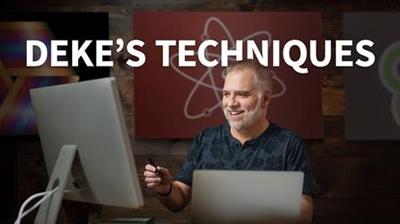
Deke's Techniques pdated 10/23/2018
.MP4, AVC, 1000 kbps, 1280x720 | English, AAC, 128 kbps, 2 Ch | 127h 35m | 46.22 GB
Instructor: Deke McClelland

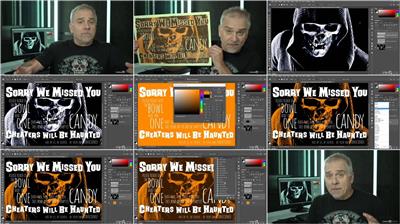
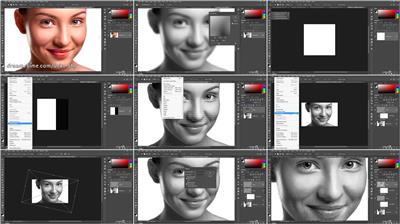
This course is a collection of short Photoshop and Illustrator projects and creative effects that can be completed in ten minutes or less. The series is taught by computer graphics guru Deke McClelland, and presented in his signature step-by-step style. The intent is to reveal how various Photoshop and Illustrator features can be combined and leveraged in real-world examples so that they can be applied to creative projects right away.

More Info


ebd0ab89cddf466c3d501f662d5b7598.jpg


ab2da3024b8e6ae324c79570bc5faabf.jpg


Recommend Download Link Hight Speed | Please Say Thanks Keep Topic Live

 
46b18ded7a63e02dd31c90870d97d0a4.jpg


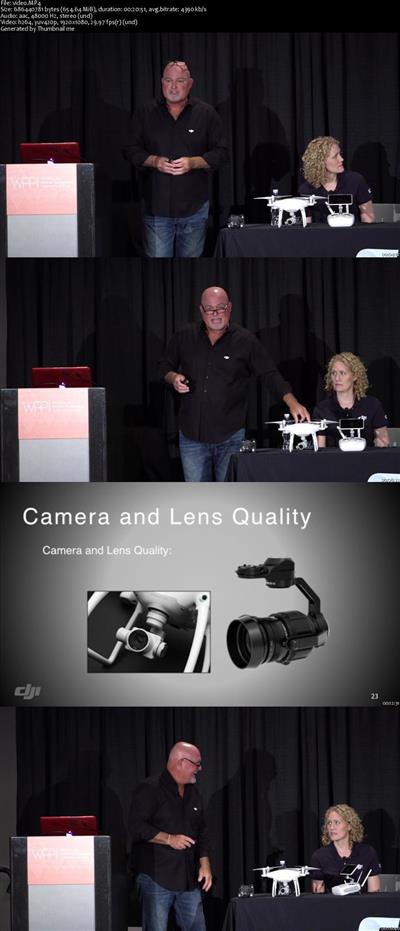
Flying Cameras are in Your Future; Are You Ready?
MP4 | Video: AVC 1280x720 | Audio: AAC 44KHz 2ch | Duration: 1.5 Hours | 2.51 GB
Genre: eLearning | Language: English

An aerial drone will soon become the next important tool that you add to your camera bag. Are you ready? Does the thought of a flying camera excite you or stress you out? Where do you begin? What are the rules? What are the possibilities?

DJI Aerial drone photography experts Randy Braun and Stacy Garlington will use non-techie language to communicate:
* an overview and brief explanation of the modern drone movement
* why drones are a dream tool for artists
* what equipment you will need, and what to avoid
* how to get started with aerial imaging - learning, safety, rules
* why you should consider adding a drone to your creative process
* tips and advice for photographing portraits and wedding images with a drone


a715cd385493352683da87853b31c62d.jpg


Recommend Download Link Hight Speed | Please Say Thanks Keep Topic Live

 
8856cce533e8f4df704e51af6d7dd6fa.jpg


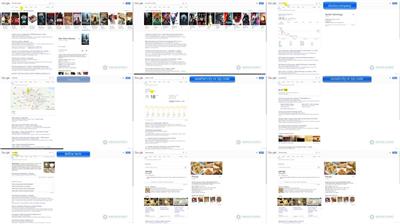
Google Searching Ninja!
.MP4, AVC, 1000 kbps, 1280x720 | English, AAC, 128 kbps, 2 Ch | 1h 40m | 539 MB
Created by Marcin Stasko

How to use google searching like a pro. Advanced searching methods and google hacking.

Konnichiwa aspiring Google Ninja!

In this course, you will be able to inquire knowledge about The Google Search Engine (GSE). You will learn how to use a specialized query, different operators to aim your perfect searching solution.

This course is created in a minimalistic way to save your priceless time but extremely compressed with knowledge.

I will also show you how GSE can be dangerous for your website if you allow Google Robots to index all your site. You will learn how to use Google for Ethical Hacking purposes. How do download almost everything in no time, how to get access to admin panel without password.

Why are we using GSE?

GSE is so famous that there is practically no competition for it. It is not surprising, because it is an excellent product. Search algorithms are currently very well developed, and in most cases, we do not have to bother to find information that interests us. However, not everyone knows the capabilities of this tool, and there are quite a lot of them. It is worth to see how to look for information on the web more effectively.

This course can be helpful for:

SEO experts
Scientists
Data diggers

R30; and all the people who are using Google for information finding to make this process more efficient.

More Info


42644e622ced07e9b13f7db9c6f497a5.jpg


Recommend Download Link Hight Speed | Please Say Thanks Keep Topic Live
 
035dc5243ac820badfec5eda59c20079.jpg


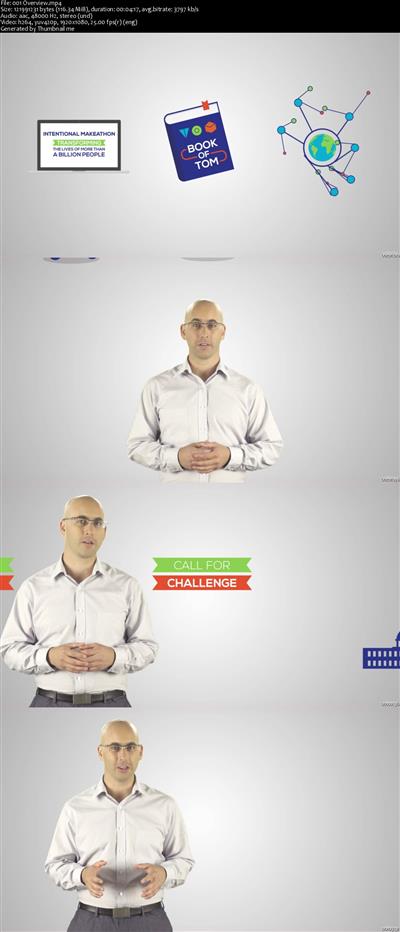
TOM:Tikkun Olam Makers - Makeathon organizers course
MP4 | Video: AVC 1280x720 | Audio: AAC 44KHz 2ch | Duration: 1 Hour | Lec: 30 | 726 MB
Genre: eLearning | Language: English

A course designed for anyone invovled in organizing a TOM Makeathon

TOM:Tikkun Olam Makers ( is a global movement of Makers committed to using new and innovative technologies for develop solutions for everyday challenges facing people with disabilities. At TOM we are empowered to work together to create open source solutions for real world problems.
This course is designed for anyone involved organizing a TOM makeathon. This course will walk you through everything you need to know to organize an event. This course will give you an overview on the different parts of TOM. It will include building a team, setting a schedule, managing the budget, fundraising, organizing preTOM, organizing TOM, organizing PostTOM and developer groups


6a411b418aba04b7f257738055b580f3.jpg


Recommend Download Link Hight Speed | Please Say Thanks Keep Topic Live
 
6f0adf87059694c089c5cc50ec41dbfc.jpg

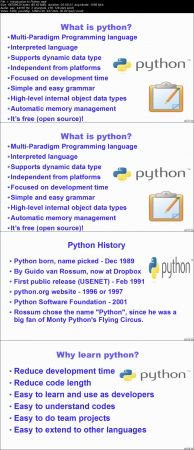
Complete Python Tutorial for Beginners
.MP4 | Video: h264, 1280x720 | Audio: AAC, 44.1 KHz, 2 Ch
Genre: eLearning | Language: English + .VTT | Duration: 12 hours | Size: 4.39 GB​

If you're ready to buckle down and learn Python programming, here's where you should start.

What you'll learn

Learn the fundamentals of Python
Object-Oriented Programming (OOP) in Python 3
Functional Programming in Python,
Understand complex topics, like decorators, Lambda, filter, reduce and map.
Python Exception Handling
Work with Python Modules, Python pip
Install Python Editors and IDEs like PyCharm, Idle, Jupyter Notebook, Spyder, Visual studio code, Terminal ..

Requirements

All you need is a PC and a working internet connection
Very basic understanding of programming
A Windows, Mac or Linux computer.

Description

Feel the real power of Python and programming! The course offers you a unique approach of learning how to code by solving real world problems. Throughout the course we will be understanding how to identify and formulate the problems, what is the key to a great app, we will learn how to efficiently adopt the problem for the computer and the most important that you will be writing a lot of code! The course is structured in a way that lectures are like labs where we study the material, do the quizzes, write programs and test them! The most important that you will be involved into work a lot in order to get the best experience!

Python is one of top 5 programming languages today. If you want to pursue a career, this language is a must for you.

This course has been created for beginners.

You will start the training from the ground up and will get to know the python language and its potential in and out.

In this Python for Beginners course, Instructor will teach you how to quickly write your first program in Python! You will also learn how to create custom modules and libraries

Take this course now online Python course and master your skill!

Who is the target audience?

Anyone who wants to code
New Programmers and Developers
Beginners
Students

ef281d5d55a54809bc3e7fc87af4ecb6.jpg


Recommend Download Link Hight Speed | Please Say Thanks Keep Topic Live

 

b1b2e30ef11c15630f74a6ca8a1541a4.jpg

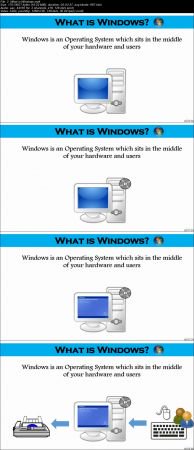
Complete Windows Server 2016 Administration Course
.MP4 | Video: h264, 1280x720 | Audio: AAC, 44.1 KHz, 2 Ch
Genre: eLearning | Language: English + .VTT | Duration: 14 hours | Size: 6.5 GB
Installation and configuration of Domain Controller, Active Directory, DNS, WebServer (IIS), Group Policy, WSUS and more​

What you'll learn

Students will be able to install, configure and manage Windows server
Create Users, Groups and OUs with Active Directory Users & Computers
Group Policy Management
Domain Controller and DNS Management
Virtual Technology Installation and Configuration
Disk Management
WSUS Server Administration
WebServer (IIS) Administration
FTP Server Installation, Configuration and Management

Requirements

Windows or MAC Computer (either one is fine)
Computer should have at least 4G RAM, 64bit processor and 100G of HD
Internet Access (required for download and installation)

Description

Windows is one of the basic operating system that every person should know if you want to get into IT. Whether you are just starting your career or moving up in your existing IT field, you always have to start with Windows and this course will teach you everything you need to know about Windows 2016 administration

In this course you will learn Windows 2016 installation, configuration, administration, troubleshooting, command line, OS tools and much more... I have also included Resume and Interview workshop that will definitely help you get your dream IT job.

In addition to the lectures there will be quizzes, homework and hand-out material just like a live classroom training

I have been teaching this exact course in a classroom environment in New York City. Please note 80% of my students who took this course got the job in Windows within months. Imagine those who take my course only to level up their career, how productive this training can be for them

Following is the list of topics I will cover in this course:

Module 1 - Understanding of Microsoft Windows

* What is Windows?

* Different Versions of Windows

* Microsoft Background and Products

* Windows Market Share - Everyday Windows

* Windows vs. Linux vs. MAC

* Quiz, Handouts and Homework

Module 2 - Setting up a Lab

* Oracle Virtual Box

* Installing Oracle Virtual Box

* Creating First Virtual Machine

* Quiz, Handouts and Homework

Module 3 - Windows Installation and Configuration

* Different Ways to Install OS

* Downloading Windows Server 2016

* Installing Windows Server 2016

* Adding Resources

* Hostname and System Information

* Windows Server GUI Overview

* Quiz, Handouts and Homework

Module 4 - System Access and File System

* Accessing Windows System

* File System and Description

* Navigating to File System

* File Types and Creation

* File Properties

* Finding Files and Directories

* File Maintenance (copy, delete, move and rename)

* Files Operations

* File Editing Short-Cut Keys

* Quiz, Handouts and Homework

Module 5 - System Administration

* User Account Management

* Elevating User Roles

* Monitor Users Activity (Task manager and command line)

* System Utilities Under Accessories

* Programs and Service Management (Control panel and services)

* System Resource Monitoring (Task Manager)

* Windows Event Logs

* System Maintenance

* Jobs and Schedules

* Windows Settings

* Server Manager Dashboard

* Installing and Uninstalling Programs

* Windows Applications (Microsoft or 3rd Party)

* Windows Short-Cut Keys (e.g. Alt+Ctl+Del etc.)

* Check System Hardware

* Quiz, Handouts and Homework

Module 6 - Advance Windows Administration

* Roles vs. Features

* Adding Roles and Features

* What is Domain Controller?

* Domain Controller and Active Directory

* Active Directory Prerequisites

* What is DNS?

* Active Directory Installation

* Active Directory "Users and Computers"

* Active Directory User Account Management

* Installing Windows Client

* Joining the Domain from Windows 7 and 10

* Active Directory "Administrative Center"

* Active Directory "Domain and Trust"

* Active Directory "Module for Windows PowerShell"

* Active Directory "Site and Services"

* Group Policy Management

* DNS Administration

* Web Server (IIS) Installation

* Quiz, Handouts and Homework

Module 7 - Windows Scripting and Command Line

* Windows Batch Scripting

* First Batch Script "Hello World"

* Script to Automate Simple Tasks

* Windows PowerShell

* Windows PowerShell Commands

* Windows PowerShell ISE (Integrated Scripting Environment)

* Windows Management Instrument (WMIC)

* Difference Between DOS and PowerShell

* Quiz, Handouts and Homework

Module 8 - Networking and System Updates

* What is NIC?

* Enable Internet on the VM

* NIC Teaming

* Network Configuration

* Windows Updates

* NTP Configuration

* File Transfer Methods

* FTP Server Installation and Configuration

* Sharing FileSystem (Samba or NFS)

* WSUS Server Installation and Configuration

* Windows Firewall

* Quiz, Handouts and Homework

Module 9 - Storage Management

* What is Computer Storage?

* Type of Computer Storage

* How to Add Disk

* Extend an Existing Disk

* Disk Cleanup and Defragmentation

* RAID

* Windows Backup and Restore

* Quiz, Handouts and Homework

Module 10 - Additional Resources (Bonus)

* What is IT?

* IT Components

* Facts about IT

* IT Management Jobs

* Resume Workshop

* Interview Workshop

* Post Resume and What to Expect

* VMWare Workstation Player Download and Installation

* Install Oracle VirtualBox on MAC

* Quiz, Handouts and Homework

Who is the target audience?

Anyone who is interested in learning basic to advance level of Windows
Anyone who wants to level up his or her career in IT
Anyone who wants to improve Windows skills

90d2ffef321b52ca9c753b48e067b7c6.jpg


Recommend Download Link Hight Speed | Please Say Thanks Keep Topic Live

 

40db6117a27ca533a015e992a5f0e07f.jpg


Machine Learning for Android App development Using ML Kit
.MP4, AVC, 580 kbps, 1920x1080 | English, AAC, 160 kbps, 2 Ch | 1h 59m | 708MB
Instructor: Yusuf Saber

Add intelligent features to your Android apps with ML Kit

It's crazy to see how Artificial Intelligence and Machine Learning are moving so fast and becoming the next big thing. The focus is on putting AI and Machine Learning into people's hands in their daily lives by bringing it to their mobile devices.

ML Kit makes it easy to apply ML techniques to your apps by bringing Google's ML technologies together in a single SDK. With ML Kit you can have features such as text recognition, face recognition, barcode scanning, image labeling, and landmark recognition at your fingertips in your apps. In this course, you are going to implement all these features in your Android applications using ML Kit.

After completing this course, you will be confident enough to build Android applications equipped with in-built Machine Learning features, providing an amazing user experience. You will be able to go into the world and create your own useful Machine Learning apps using ML Kit.

What You Will Learn

Explore how machine learning is changing the world we live in.
Configure UIs with camera settings and use them in your app.
Implement text recognition and deploy it with Firebase on the cloud.
Perform face detection by adding it to your app and trying it out!
Scan through barcodes by adding the barcode scanning feature to your app.
Identify images by image labeling and deploy them with Firebase on the cloud.
Add features such as landmark recognition to your apps to identify a specific landmark.

More Info


4ae15d1acc2ea69a27914d3cf3b890cf.jpg


Recommend Download Link Hight Speed | Please Say Thanks Keep Topic Live
 
0ca9118dbe7d2a0e1d69a655be8c6389.jpg

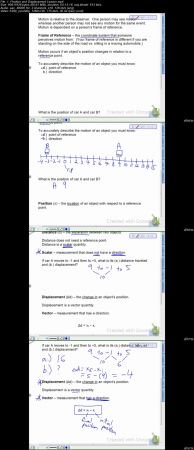
Physics - Kinematics (1-D) for High School and Intro College
.MP4 | Video: h264, 1280x720 | Audio: AAC, 48 KHz, 2 Ch
Genre: eLearning | Language: English + .VTT | Duration: 1.5 hours | Size: 630 MB

This course contains lessons that have simple and clear explanations of the topics covered in 1-Dimensional Kinematics.

What you'll learn

Have an understanding of introductory algebra-based physics.
Understand and solve problems in kinematics (one-dimensional motion).

Requirements

Be able to rearrange and solve simple algebraic equations.

Description

This course is one of a series of courses designed for algebra-based high school and intro college physics. In this course, the topics and concepts in one-dimensional kinematics will be covered.

The videos and resources will include lectures and note templates to record notes on for reference during solving problems in assignments and studying and reviewing material. The highlight of this course is very clear and simplified explanations of the concepts during the video lectures with assignments that reinforce the learning. This is a great course for any student struggling with the basic concepts of a high school or introductory college physics course or anyone interested in starting to learn about physics. This course does not cover calculus based physics, but the foundation of the physics concepts still apply to calculus based courses.

Upon completion of this course, students can continue with the other courses in this series which contain the topics covered in a traditional introductory physics course.

Who is the target audience?

People wanting easy to understand instruction in physics.
High school or introductory level college physics students.

3c7f7b76bedfdef90cce6bbb3c8c9710.jpg


Recommend Download Link Hight Speed | Please Say Thanks Keep Topic Live

 

4832e05b147153cce87b29789ebc8f67.jpg


Fusion 360 Essential Training pdated 6/15/2018
.MP4, AVC, 1000 kbps, 1280x720 | English, AAC, 128 kbps, 2 Ch | 11h 20m | 2.34 GB
Instructor: Nick Kloski

Design differently with Fusion 360. This cloud-powered tool from Autodesk-the makers of AutoCAD, Inventor, and Maya-is the key to instant 3D creativity, used for computer-aided design, manufacturing, and engineering (CAD, CAM, and CAE). This essential training gives you the expertise to use Fusion 360 to turn your ideas into ready-to-manufacture designs. Nick Kloski provides an overview of all the basic operations in Fusion 360, including sketching, extruding 3D objects from sketches, 3D modeling, sculpting, and surface modeling. He explains the functions of the software, while providing a solid foundation in the basics of effective 3D design. Learn how to plan a project; model your ideas; work with sketches, meshes, and surfaces; generate files for 3D printing; and run simulations on your designs.

Note: This course was created and produced by HoneyPoint3D. We are honored to host this training in our library.

Topics include:

What is cloud-enabled CAD?
Converting models for Fusion 360
Using Fusion 360 environments
Extruding 3D objects from sketches
Turning a sketch into a surface
Adding and subtracting objects
Creating a joint between bodies
Using the sketching, modeling, and sculpting tools
Surface modeling
Generating and downloading meshes
Converting and importing complex meshes
Inspecting a model
3D printing
Patching models
Working with simulations

More Info


d1cd362296f2d1a82865dbed6d9052ba.jpg


Recommend Download Link Hight Speed | Please Say Thanks Keep Topic Live
 
Zurück
Oben Unten