• Regeln für den Video-Bereich:

    In den Börsenbereich gehören nur Angebote die bereits den Allgemeinen Regeln entsprechen.

    Einteilung

    - Folgende Formate gehören in die angegeben Bereiche:
    - Filme: Encodierte Filme von BluRay, DVD, R5, TV, Screener sowie Telesyncs im Format DivX, XviD und x264.
    - DVD: Filme im Format DVD5, DVD9 und HD2DVD.
    - HD: Encodierte Filme mit der Auflösung 720p oder darüber von BluRay, DVD, R5, TV, Screener sowie Telesyncs im Format x264.
    - 3D: Encodierte Filme von BluRay, die in einem 3D Format vorliegen. Dies gilt auch für Dokus, Animation usw.
    - Serien: Cartoon/Zeichentrick, Anime, Tutorials, Dokumentationen, Konzerte/Musik, Sonstiges sind demnach in die entsprechenden Bereiche einzuordnen, auch wenn sie beispielsweise im High Definition-Format oder als DVD5/DVD9/HD2DVD vorliegen. Ausnahme 3D.
    - Bereich Englisch: Englische Releases gehören immer in diesen Bereich.
    - Bereich Talk: Der Bereich, in dem über die Releases diskutiert werden kann, darf, soll und erwünscht ist.


    Angebot/Beitrag erstellen

    - Ein Beitrag darf erst dann erstellt werden, wenn der Upload bei mindestens einem OCH komplett ist. Platzhalter sind untersagt.
    - Bei einem Scenerelease hat der Threadtitel ausschließlich aus dem originalen, unveränderten Releasenamen zu bestehen. Es dürfen keine Veränderungen wie z.B. Sterne, kleine Buchstaben o.ä. vorgenommen werden. Ausnahme Serienbörse:
    - Bei einem Sammelthread für eine Staffel entfällt aus dem Releasename natürlich der Name der Folge. Beispiel: Die Simpsons S21 German DVDRip XviD - ITG
    - Dementsprechend sind also u.a. verboten: Erweiterungen wie "Tipp", "empfehlenswert", "only", "reup", usw. / jegliche andere Zusatzinformation oder Ergänzung, welche nicht in obiger Beschreibung zu finden ist.

    Aufbau des Angebots und Threadtitel

    Der Titel nach folgendem Muster erstellt zu werden. <Name> [3D] [Staffel] [German] <Jahr> <Tonspur> [DL] [Auflösung] <Quelle> <Codec> - <Group>
    Beispiel: The Dark Knight German 2008 AC3 DVDRip XviD - iND
    Beispiel: The Dark Knight 2008 DTS DL BDRip x264 - iND
    Beispiel: The Dark Knight 2008 AC3 DL BDRip XviD - iND
    Beispiel: The Dark Knight German 2008 AC3 720p BluRay x264 iND
    Beispiel: The Dark Knight 2008 DTS DL 1080p BluRay x264 iND
    Beispiel: Die Simpsons S01 German AC3 DVDRip XviD iND
    Beispiel: Die Simpsons S20 German AC3 720p BluRay x264 iND
    Beispiel: Sword Art Online II Ger Sub 2014 AAC 1080p WEBRip x264 - peppermint
    Entsprechend sind also u.a. verboten: Sonderzeichen wie Klammern, Sterne, Ausrufezeichen, Unterstriche, Anführungszeichen / Erweiterungen wie "Tipp", "empfehlenswert", "only", "reup", usw. / jegliche andere Zusatzinformation oder Ergänzung, welche nicht in obiger Beschreibung zu finden ist
    Ausnahmen hiervon können in den Bereichen geregelt sein.

    Die Beiträge sollen wie folgt aufgebaut werden:
    Überschrift entspricht dem Threadtitel
    Cover
    kurze Inhaltsbeschreibung
    Format, Größe, Dauer sind gut lesbar für Downloader außerhalb des Spoilers zu vermerken
    Nfo sind immer Anzugeben und selbige immer im Spoiler in Textform.
    Sind keine Nfo vorhanden z.B. Eigenpublikationen, sind im Spoiler folgende Dateiinformationen zusätzlich anzugeben :
    Quelle
    Video (Auflösung und Bitrate)
    Ton (Sprache, Format und Bitrate der einzelnen Spuren)
    Untertitel (sofern vorhanden)
    Hosterangabe in Textform außerhalb eines Spoiler mit allen enthaltenen Hostern.
    Bei SD kann auf diese zusätzlichen Dateiinformationen verzichtet werden.

    Alle benötigten Passwörter sind, sofern vorhanden, in Textform im Angebot anzugeben.
    Spoiler im Spoiler mit Kommentaren :"Schon Bedankt?" sind unerwünscht.


    Releases

    - Sind Retail-Release verfügbar, sind alle anderen Variationen untersagt. Ausnahmen: Alle deutschen Retail-Release sind CUT, in diesem Fall sind dubbed UNCUT-Release zulässig.
    - Im Serien-Bereich gilt speziell: Wenn ein Retail vor Abschluss einer laufenden Staffel erscheint, darf diese Staffel noch zu Ende gebracht werden.62
    - Gleiche Releases sind unbedingt zusammenzufassen. Das bedeutet, es ist zwingend erforderlich, vor dem Erstellen eines Themas per Suchfunktion zu überprüfen, ob bereits ein Beitrag mit demselben Release besteht. Ist dies der Fall, ist der bereits vorhandene Beitrag zu verwenden.
    - P2P und Scene Releases dürfen nicht verändert oder gar unter einem iND Tag eingestellt werden.


    Support, Diskussionen und Suche

    - Supportanfragen sind entweder per PN oder im Bereich Talk zu stellen.
    - Diskussionen und Bewertungen sind im Talk Bereich zu führen. Fragen an die Uploader haben ausschließlich via PN zu erfolgen, und sind in den Angeboten untersagt.
    - Anfragen zu Upload-Wünschen sind nur im Bereich Suche Video erlaubt. Antworten dürfen nur auf Angebote von MyBoerse.bz verlinkt werden.


    Verbote

    - Untersagt sind mehrere Formate in einem einzigen Angebotsthread, wie beispielsweise das gleichzeitige Anbieten von DivX/XviD, 720p und 1080p in einem Thread. Pro Format, Release und Auflösung ist ein eigener Thread zu eröffnen.
    - Grundsätzlich ebenso verboten sind Dupes. Uploader haben sich an geeigneter Stelle darüber zu informieren, ob es sich bei einem Release um ein Dupe handelt.
    - Gefakte, nur teilweise lauffähige oder unvollständige Angebote sind untersagt. Dies gilt auch für eigene Publikationen, die augenscheinlich nicht selbst von z.B. einer DVD gerippt wurden. Laufende Serien, bei denen noch nicht alle Folgen verfügbar sind, dürfen erstellt und regelmäßig geupdatet werden.
    - Untersagt sind Angebote, welche nur und ausschließlich in einer anderen Sprache als deutsch oder englisch vorliegen. Ausnahmen sind VORHER mit den Moderatoren zu klären.


    Verstoß gegen die Regeln

    - Angebote oder Beiträge, die gegen die Forenregeln verstoßen, sind über den "Melden"-Button im Beitrag zu melden.
  • Bitte registriere dich zunächst um Beiträge zu verfassen und externe Links aufzurufen.

*** Bestes IPTV *** bester Preis *** gratis Test ***


Englische Tutorials


5281dab89e36e07aab6d648ba44ec413.jpg


Cryptocurrencies 101 - How to Buy Bitcoin, Ethereum & more
MP4 | Video: AVC 1280x720 | Audio: AAC 44KHz 2ch | Duration: 1 Hours | Lec: 14 | 187 MB
Genre: eLearning | Language: English

Do you understand CryptocurrenciesR30; such as Bitcoin, Ethereum, Litecoin and Ripple? Learn how to buy bitcoin and more!

Three reasons to TAKE THIS COURSE right now!

You get lifetime access to lectures, including new lectures every month (content is added constantly as updates to Cryptocurrencies and software roll out).
You can ask me questions and see me respond to every single one of them thoughtfully in the course discussions section!
What you will learn in this course is original, tested, and very detailed! Learn the Cryptocurrency strategies I implement daily.
Cryptocurrencies are exploding 3,500%, 21,500% and even 88,000% higher. Which is why historians will call this the biggest boom EVER (bigger than the DOT COM boom!) Learn how to make money and grow your wealth with Cryptocurrencies!

In this course, you will learn How to Buy Bitcoin and all the other Cryptocurrencies ! Learn how to MASTER Cryptocurrency exchanges and properly store your Cryptocurrency for safe-keeping!

You will be able to open Cryptocurrency wallets, buy Cryptocurrency on various exchanges and transfer your Cryptocurrencies from exchange to wallet. You will learn from my mistakes so you are in the driver seat to making over the 7,200% return I made my first year! Join this FREE course now to learn how to master Cryptocurrency and take advantage of this financial BOOM!

TAKE A STEP IN THE RIGHT DIRECTION WITH YOUR LIFE AND LEARN HOW CRYPTOCURRENCY CAN PROVIDE YOU WITH THE FINANCIAL FREEDOM WE ALL SEEK! ENROLL NOW!

**DISCLAIMER**: I am not a financial advisor nor am I giving financial advice. I am sharing my biased opinion based off speculation. You should not take my opinion as financial advice. You should always do your research before making any investment. You should also understand the risks of investing. This is all speculative based investing.


abfaeb13f40f1c8d14916bd5a13450cc.jpg


Recommend Download Link Hight Speed | Please Say Thanks Keep Topic Live

 
a2b6df47faea742ce15201bc9bec172f.jpg


Lightroom CC: Presets Bundle
.MP4, AVC, 200 kbps, 1280x720 | English, AAC, 160 kbps, 2 Ch | 9 mins | 68 MB
Instructor: Jan Kabili

Adding a cool new effect to your photos is easy with Lightroom presets. Presets can give you a vintage look, transform a color photo into black and white, and create beautiful, glowing portraits-in just one click. Jan Kabili shares over 80 free custom presets-effects you can't get anywhere else-and shows how to install them so they appear in Lightroom CC on your desktop and mobile devices, and how use them to achieve quick and great-looking results.

More Info


a558fc702a95a127814e0e622b4e1536.jpg


Recommend Download Link Hight Speed | Please Say Thanks Keep Topic Live

 

04f18c633e49ea4eca1f1ac8b2c2892b.jpg


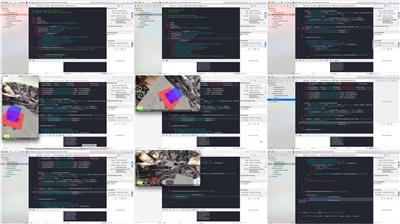
The Complete ARKit Course - Build 11 Augmented Reality Apps
.MP4, AVC, 380 kbps, 1280x720 | English, AAC, 132 kbps, 2 Ch | 9h 17m | 2.86 GB
Instructors: Rayan Slim, Rob Percival

Become an iOS Augmented Reality Developer by Building 11 High-Level AR Apps using ARKit in iOS 11 and Swift 4

This course will take you on a journey where you'll learn to build 11 High-Level AR Apps using ARKit in iOS 11 and Swift 4. ARKit allows developers to create augmented reality apps for Apple's newly launched iOS 11. This new technology opens up the door for creative people and mobile app designers to build new experiences in a brand new industry that is expected to be worth $165 billion by 2024!. This course will teach you to use textures to make cool 3D models, Display and animate 3D models in the camera view of the real world, Launch projectiles in the real world and lot more.

What You Will Learn

Use textures to make cool 3D models
Display and animate 3D models in the camera view of the real world
Use World Tracking to track your position at all times
Launch projectiles in the real world
Place 3D objects on horizontal surfaces
Drive a car on horizontal surfaces
Build an inter-dimensional portal
Detect collisions between two 3D nodes

More Info


9c26e42fa373c021ff22a61496fd48f2.jpg


a114f6e4d45785b68be89d85e9ecbfab.jpg


Recommend Download Link Hight Speed | Please Say Thanks Keep Topic Live
 

948b4dd2fa92f8005fa39cc8071f99b6.jpg

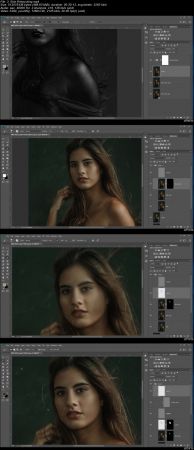
Advanced Portrait Retouching for Professionals
.MP4 | Video: h264, 1280x720 | Audio: AAC, 48 KHz, 2 Ch
Genre: eLearning | Language: English + .VTT | Duration: 1.5 hours | Size: 3.6 GB
Learn the secrets to creating art from your pictures​

.

What you'll learn

They will learn my process for editing a portrait image.

Requirements

Intermediate Level Photoshop
Basic Photography

Description

Are you frustrated with your portrait images? Do you feel like you're almost there but not quite creating the images you imagine. I have been there too and it took many years for me to finally start creating images that I was really proud of. In this class we cut through the doubt and I will show you exactly what I do to create the my images. You will want to have a basic understanding of photoshop, as well as some of your own portraits to work with. I'm really excited to take this next step with you.
Who is the target audience?

Intermediate level retouchers who want to learn new techniques.

88a2f38e87d12fedb0616c7cb7bdb383.jpg


Recommend Download Link Hight Speed | Please Say Thanks Keep Topic Live

 
4115870320ab2ef5b34c4fe7e375568e.jpg


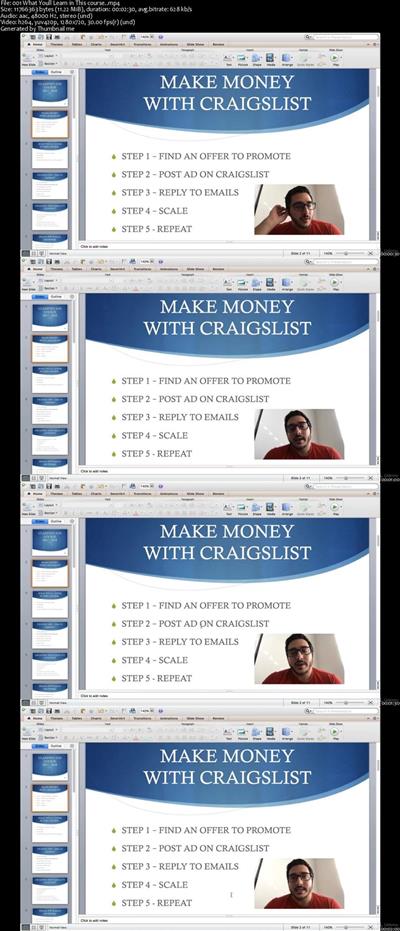
Craigslist Crash Course 2018 - How To Profit From Craigslist
MP4 | Video: AVC 1280x720 | Audio: AAC 44KHz 2ch | Duration: 1 Hours | Lec: 5 | 271 MB
Genre: eLearning | Language: English

How To Make Money With Craigslist in 2018

How To Make Money With Craigslist in 2018 - the complete course

Making money with affiliate offers and craigslist is probably the best method for beginners or people that don't want to invest a ton of money into their first online-profit-adventure.

My students are making anywhere between $30-150 / day with that same method.


8676c0552e1a7854497439fa1a13ff58.jpg


Recommend Download Link Hight Speed | Please Say Thanks Keep Topic Live

 
1810261859370098.jpg

Kevin David - Zon Ninja MasterClass 2019
.MP4 | Language English | 15.62 GB
Genre: eLearning Video / Business, Sales, Marketing / Traffic
Learn The Simple Secret That Helped me Create a Booming Internet Business Selling WEIRD Everyday Products on Amazon!
Learn Exactly How I Left My 9-5 Job Behind Me And Built a Full Scale eCommerce Business Selling Weird Everyday Products on Amazon!​

Here's What You'll Get!
- ($997 VALUE) I Will be Personally Available to Answer Your Questions and Give You the Green Light BEFORE Investing in Your First Amazon Product! - Whether you're brand new or an Amazon Veteran this course has a TON for you! With the most in-depth video walkthroughs, we don't believe in high level, we show you EXACTLY how to dominate every aspect of Amazon from A - Z!
- ($997 VALUE) I'll Show You Three Weird Methods to Find Home-Run Products With NO GUESSWORK - I will show you how to find Profitable Amazon Products with NO GUESS WORK. I will show you the ONE method that shows you real Amazon sales metrics and the fatal mistake new sellers make with Junglescout data!
- ($1,497 VALUE) I'll Show You The One PPC Trick That REVOLUTIONIZED MY AMAZON BUSINESS! - I will show you the PPC Hack I stumbled upon that completely changed my Amazon Business. I will show you how to quickly find keywords that convert, and how to optimize your PPC campaigns to get your huge sales for the lowest possible cost!
- ($997 VALUE) I'll Show You How to Sell ANY Amazon Product Using Facebook Ads and Collect Your Customers Emails While Doing It! - I will share and provide you the EXACT landing pages I use that you can copy for your own products to sell on Facebook WHILE collecting your new customers emails for subsequent product launches!
- ($997 VALUE) I'll Show You How I Use Sales Funnels to Launch Products With HUGE Momentum and How I Maintain That Momentum From the Second I Launch, Until I Have a Huge Sales and Review Lead on All of my Competitors! - I Will Give You Prebuilt Funnels That Will Catapult Your Business Into Profitability, and Show You Exactly How I Use These Funnels to Distribute Coupons, and Get a Ton of Additional Monthly Revenue All Year Round!

HOmepage:
Code:

1810270944150096.jpg


Recommend Download Link Hight Speed | Please Say Thanks Keep Topic Live

 

3bb3dbacc215c557c5db019fd5781cd1.jpg


Create an Idle Tycoon Game using Bolt & Unity - NO CODING!
.MP4 | Video: 1280x720, 30 fps(r) | Audio: AAC, 48000 Hz, 2ch | 1.36 GB
Duration: 2.5 hour | Genre: eLearning | Language: English​

Use the Powerful Visual Scripting Tool Bolt to Build a Fun Idle Tycoon Game in Unity - No Coding Required!

What you'll learn

Understand the power and flexibility of Bolt & Unity in making Games without Coding
Utilize Design Patterns to Create Increasingly Complex Games
Prototype Games Quickly Using the Bolt Visual Programming Tool & Unity
Use Super Units to Organize Your Game Architecture

Requirements

You must have Unity 3d & Bolt from the Unity Asset Store
A Basic Understanding of the Unity Editor and Development Concepts is Helpful
A Desire to make FUN Games without Writing any code

Description

Welcome to the very first Bolt Course on Udemy!!!

I'm happy to release this course and look forward to your feedback. Even if you do not choose to purchase my course I strongly encourage you to give Bolt a try. It's a great tool for beginning or experienced developers.

Why Use Bolt for Making Fun Video Games?

Developing Games can be very fun and rewarding once you know how. And with Unity & the Bolt Visual Programming asset it has never been easier to build full robust games without any programming.

I've been a business application & game developer for over 30 years. I honestly think Bolt is one of the best visual programming tools that I have worked with. In this course you too will quickly see the real power of Bolt as we almost effortlessly build a fun idle tycoon game like adVenture Capitalist. Even if you have never programmed before, this course will allow you to get started building the game in a matter of minutes.

Over the past 30 years I've developed games in a variety of platforms and languages. On Udemy alone I have successful game courses on Odoo, Python, C#, and PlayMaker. I really cannot say enough good things about Bolt.

It is easy to use and integrates nearly seamlessly with the Unity Editor.

Bolt can help you learn C#

If you are a new C# programmer who is finding the syntax of the code gets in your way I can't recommend Bolt enough. Even better, you can configure it to use real C# syntax in the visual units. I really enjoy how I can use real C# methods with the exact same arguments I would use in real C# scripts. It's like intellisense on steroids. This tight tie in with C# makes it that much easier to incorporate what you learn from Bolt into improving your C# skills.

Bolt allows you to focus on game design and achieving results rather than all the syntax of writing code. If you are an experienced C# developer you owe it to yourself to take a look at Bolt for prototyping and approaching game design from an alternative perspective.

Bolt offers a rich API so it is easy to integrate your own C# scripts with Bolt's flow graphs.

NOTE: To follow along with this course you must purchase or have already purchased Bolt from the Unity Asset Store.

Who is the target audience?

Anyone who wishes to learn how to make Video Games or Learn New Ways to Make Video Games
C# Developers who wish to get more familiar with Game Design and the API's
Beginning Developers who wish to learn how develop games and later transition to C# Development
Developers who Learn Better Visually


1810271036570091.jpeg


Recommend Download Link Hight Speed | Please Say Thanks Keep Topic Live
 
83d97251f6c36144c8c9f9bf772c51d8.jpg


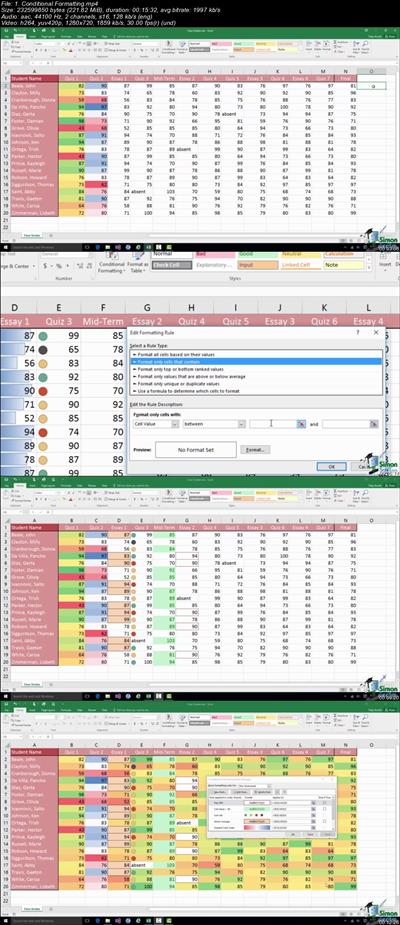
Microsoft Office 2016 Essentials: 5 Course Bundle
.MP4 | Video: 1280x720, 30 fps(r) | Audio: AAC, 44100 Hz, 2ch | 22.3 GB
Duration: 41.5 hour | Genre: eLearning | Language: English​

Learn Microsoft Office 2016 the easy way with this comprehensive, 5-course bundle. Includes Excel (basic & advanced)

What you'll learn

Discover new and improved features in Excel 2016, Word, PowerPoint & Outlook.
Excel: Learn to personalize Excel in Excel Options.
Excel: The Quick Access Toolbar.
Excel: Data entry, cell formatting, working with multiple worksheets and the Ribbon.
Excel: Backup and recover your Excel spreadsheets - never lose a file again.
Excel: AutoFill & Flash Fill.
Excel: How and when to use formulas and functions.
Excel: How to sort and filter your data
Excel: How to password protect and secure your data
Adv Excel: Discover common Excel hotkeys
Adv Excel: How to use VLOOKUP and HLOOKUP
Adv Excel: IF, COUNTIF, SUMIF and other logical functions
Adv Excel: Using named ranges
Adv Excel: The power of Dynamic Formulas and how to use them
Adv Excel: Advanced level charts and graphs
Adv Excel: Analyzing data using PivotTables, Slicers, Power Query and PivotCharts
PowerPoint: Presentation tips for an amazing presentation
PowerPoint: Format text like a pro
PowerPoint: Insert charts, graphics and pictures to add some "zing" to your presentation
PowerPoint: Wow your audience by adding animations, audio and video
PowerPoint: Time saving techniques including duplicating slides, and exporting your presentation
Word: How to control page appearance including using columns, indents, footers, borders and watermarks
Word: How to create a mail merge
Word: Printing, including on envelopes and labels
Word: How to protect your document
Word: To spell check
Word: Insert pictures and graphics in your Word document
Word: How to insert and edit tables
Outlook: To use Outlook on touchscreens
Outlook: Keyboard shortcuts to increase your productivity
Outlook: Calendar management and organization
Outlook: Maintaining contacts, address books and groups
Outlook: Messaging basics and inbox organisation
Outlook: Creating and managing tasks and rules
Outlook: How to Mail Merge

Requirements

Microsoft Office 2016 desktop version for Windows installed and ready to use on your computer.

Description

Unlock the Power Of Microsoft Office 2016 and Watch Your Productivity Soar!

BUSINESSES RUN ON MICROSOFT OFFICE. Microsoft Office remains the go-to tool for millions of office workers. This bundle will help you master the basic 4 programmes that everyone should know.

PERFECT FOR BEGINNERS AND ADVANCED USERS ALIKE. This bundle covers basic, intermediate and advanced level skills across these MS Office products. Whether you're brand new to MS Office or you've been using it for years, you'll learn plenty from this comprehensive training bundle.

MAKING SOFTWARE SIMPLE. Our approach to teaching is all about making complex software simple to use. Our expert tutors don't rush through content, instead they take the time to explain how things work in simple, plain English.

EVERYTHING IS INCLUDED. You don't get just a how to video from Simon Sez IT. Modules include downloadable practice exercises so you can put into practice what you learn straight away. If that's not enough you'll also get Certificates of Completion - proof that you've learnt those valuable Microsoft Office skills.

A GREAT GIFT IDEA. Not shopping for you? No problem, give the gift of learning with Simon Sez IT and help the ones you love succeed.

Are you regularly asking coworkers for help in Excel, PowerPoint or Word?

Are you often left wondering how a piece of analysis was conducted, what a VLOOKUP is or just how your colleague made that presentation look so good?

If that's you, it's time to do something about it.

Learning Microsoft Office has never been easier. You don't need to wait for you company to send you on a course or pay for expensive evening tuition. At Simon Sez IT we're dedicated to making software simple and doing it a price to suit any budget. That's why we put together this 5-course bundle covering the ESSENTIAL skills you need to impress in Microsoft Office.

Courses included:

Microsoft Excel (Beginner) 2016

Microsoft Excel (Advanced) 2016

Microsoft Word 2016

Microsoft PowerPoint 2016

Microsoft Outlook 2016

This 5-in-1 bundle will have you performing complex Excel functions, crunching data in PivotTables, winning hearts and minds with your impressive presentations and wowing colleagues with you email and document management.

Learn at your own pace, as this bundle is yours to keep - forever.

Who is the target audience?

Those new to using Microsoft Excel, PowerPoint, Outlook and Word 2016
Those looking to improve their existing skills in Microsoft Excel, PowerPoint, Outlook and Word 2016


4e704cdf7d6659e6de61cd1f1c56e92a.jpg


Recommend Download Link Hight Speed | Please Say Thanks Keep Topic Live

 

5ecadeea1af3ab283e57ba98e923478d.jpg

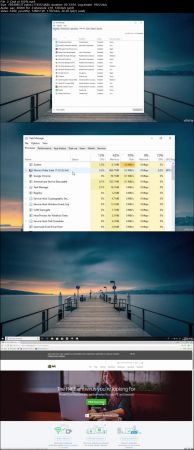
The Complete Windows 10 Computer Course: Beginner and Beyond
.MP4 | Video: h264, 1280x720 | Audio: AAC, 48 KHz, 2 Ch
Genre: eLearning | Language: English + .VTT | Duration: 2.5 hours | Size: 1.62 GB
A simple Windows 10 computer course to help you improve your computing skills and speed up your computer!​

What you'll learn

The skills to confidently diagnose issues on a Windows 10 computer; Including older operating systems, i.e. Windows 8, 7, XP, etc.
Be able to navigate and customize a Windows 10 operating system to suit it's user... YOU!
How to apply basic maintenance to a computer, things you would pay for from a tradesman, and It can all be done through the use of a mouse and keyboard.
You will have a better understanding of "more than basic" computer use and maintenance.

Requirements

If you are reading this description on a Windows 10 computer, or you have one or more, then you have everything you need to start and complete this course.
All tutorials are broken down into "bitesized" step by step instructions. All you will have to do is follow along.
Any tutorial that needs your computer to stay on while it carries out a task, I will let you know at the beginning of that tutorial to help you manage your time more effectively.

Description

Did you know...

Windows 10 is now being used by more than one billion computer users worldwide, but most user's don't know how to get the most out of this most powerful of operating systems, never mind how to carry out basic maintenance to keep everything responsive and running silky smooth!

So, in this "Windows 10 computer course", I plan on taking you on a journey and introducing you to some pretty cool areas of Windows 10, that once known, will set you apart from the rest of the pack! At it's core, this course will take you through some basic and advanced "step by step" tutorials on computer maintenance to help improve the speed of your computer; and also, how to carry out preventative maintenance to stop it happening again! But there is no need for screw drivers and other tools; Your two main tools for the course will be the keyboard and the mouse! You'll also be introduced to areas of Windows 10 that will undoubtedly improve you user experience, helping you with navigation and task management.

Generally speaking...

I was inspired to create this course after I bore witness to many computer users living with less than desirable computer performance, and it was only with my intervention that they were able to start using their computer (Some of them very expensive) with the performance it was designed to deliver; and afterwards, they would sometimes look at me as if I had just painted a masterpiece in front of there very eyes!

What you will learn in this course:

Be able to carry out maintenance to optimize a computers true processing power.

Manage programmes and applications more effectively and efficiently.

Discover new skills that will set you apart from other Windows 10 users.

Become more confident with general and advanced computer use.

And much more...

What you need to know for enrollment:

If you are reading this description on a computer that has Windows 10 or you have one or more, then you are already overly qualified! You will be able to start carrying out the exercises and procedures that I show you in this course straight away! If there is a requirement to leave your computer switched on and plugged in, while it carries out a task, I will let you know at the beginning of the tutorial, so you'll be able to manage your time while doing this course.

You will be able to take the skills taught in this "Windows 10 computer course", and apply them to all aspects of your "digital life"; Whether it be to improve your skill set for current or future employment, adding to your skills set as a self employed person, or just maintaining your own, or someone else's, computer while learning some awesome Windows 10 skills along the way!

A little more information...

All steps in this course are simplified to the bare bones to suit ALL types of enrolling students

This course can save you hundreds and even thousands of dollars! Never have to hire a professional again to sort out "silly little issues" on your computer for you! Also, save money by not having to buy a new computer to replace a perfectly good one. More money for that nice holiday!

This course can provide you with the necessary Microsoft training to quite possibly help you move into a field of Information Computer Technology and even writing code.

I hope you find what you are looking for in my course,

Kind regards

Warrick Klimaytys

Who is the target audience?

Any person with a Windows 10 computer system and aspires to be awesome ! Computing skills only need to be basic.
Individuals who would like a better understanding of how to use a computer but are not sure about how to go about finding out.
No need to plan ahead. The course is completely flexible and easy to fit around any schedule; it is also available on mobile devices.

cc0f5cecaf4ec12e366b573bf09fe153.jpg


Recommend Download Link Hight Speed | Please Say Thanks Keep Topic Live

 
7c00b064bbde00213e7adf211bcdf040.jpg

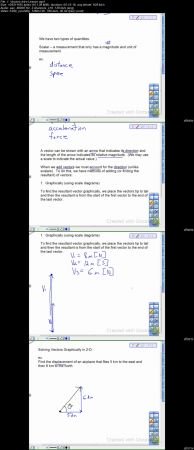
Physics - Kinematics (2-D) for High School and Intro College
.MP4 | Video: h264, 1280x720 | Audio: AAC, 48 KHz, 2 Ch
Genre: eLearning | Language: English + .VTT | Duration: 2.5 hours | Size: 1.14 GB

This course contains lessons with simple and clear explanations of Vectors, Projectiles, and Circular Motion.

What you'll learn

Have an understanding of introductory algebra-based physics.
Understand and solve problems in kinematics (two-dimensional motion); including vectors, projectile motion, and circular motion.

Requirements

Be able to use right-angle trigonometry.
Be able to rearrange simple algebraic equations.

Description

This course is one of a series of courses designed for algebra-based high school and intro college physics. In this course, the topics and concepts in two-dimensional kinematics will be covered; including vectors, projectile motion, and circular motion. The course contain video lessons with note templates, practice assignments, and assessment quizzes.

The highlight of this course is very clear and simplified explanations of the concepts during the video lessons with assignments that reinforce the learning. This is a great course for any student struggling with the basic concepts of a high school or introductory college physics course or anyone interested in starting to learn about physics. This course does not cover calculus based physics, but the foundation of the physics concepts still apply to calculus based courses.

Upon completion of this course, students can continue with the other courses in this series which contain the topics covered in a traditional introductory physics course.

Who is the target audience?

People wanting easy to understand instruction in physics.
High school or introductory level college physics students.

fb3aa10e650a8f52874ad58f360a7a69.jpg


Recommend Download Link Hight Speed | Please Say Thanks Keep Topic Live
 
f8fd59c27ced710866579d5dc18e51e8.jpg


How to Create and Embed Malware
.MP4 | Video: 1280x720, 30 fps(r) | Audio: AAC, 44100 Hz, 2ch | 714 MB
Duration: 1 hour | Genre: eLearning | Language: English
How The Hackers Create Malware to Hack Their Victim Machines,Ethical Hacking,Penetration Testing.​

How The Hackers Create Malware to Hack Their Victim Machines,Ethical Hacking,Penetration Testing.

What you'll learn

Learn embedding malware in pdf and images files
Create Payloads to Hack Different Operating systems
How to Encrypt the Payload to Avoid Detection
You will Learn about the Metasploit Framework
Secure systems from all the attacks shown
You will learn how to hack outside the network

Requirements

Basic IT knowledge
Basic Knowledge of Metasploit
A basic understanding of using operating systems

Description

welcome to the Course of

"How Hackers Creates Malware to Hack Their Victim Machines" This course is focused on the practical side of penetration testing without neglecting the theory.

In this course you will see how the black hat hackers create a backdoor in different operating systems like Windows, Linux, and Android, you will learn how to bind the payload in normal files like pdf, word, firefox addon and in original Apk files.

Next, we will see How to hack Inside and Outside the networks, and also you will learn how the hackers create an undetectable payload to hack their victim machines and lastly you will see how to Detect these threats.

Who is the target audience?

People who want to learn how hackers hack into secure systems that do not have any vulnerabilities.
People who want to learn ethical hacking.


6935fc7cc11fc9730b14eeaeeec0ffa5.jpg


Recommend Download Link Hight Speed | Please Say Thanks Keep Topic Live
 

cbf078a6182d4324402876d5cf0640ca.jpg


How to Develop a First Report in Oracle Apps R12 Technical
MP4 | Video: AVC 1280x720 | Audio: AAC 44KHz 2ch | Duration: 1.5 Hours | Lec: 17 | 151 MB
Genre: eLearning | Language: English

Step by Step Report Registration Steps in Oracle Apps R12 to Easy Navigation

Oracle Applications is a tightly-integrated family of application products that share a common look and feel. Using the menus and windows of Oracle Applications, you have access to all the functions you need to manage your business information.

Oracle Applications is highly responsive to users, supporting a multi-window graphical user interface (GUI) that provides you with full point-and-click capability. You can use your mouse or keyboard to operate graphical controls such as pull-down menus, buttons, pop lists, and check boxes. In addition, Oracle Applications offers many other features such as field-to-field validation and list of values to help you simplify data entry and maintain the integrity of the data you enter.

The best way to familiarize yourself with the common look and feel of Oracle Applications products is to log in and use the products. This chapter describes how to get started with Oracle Applications and provides you with the basic information you need to explore Oracle Applications in greater depth.

FEATURES

Learn how to use the system quickly
Oracle Applications uses familiar and easy-to-use menus so you, your staff, and your new employees can be productive after a few minutes of coaching from a colleague.

Be productive even if you are a novice user
A simple, intuitive graphical user interface (GUI) lets you use all of the power of Oracle Applications.

Increase your productivity as a power user. When you become familiar with Oracle Applications, you can use shortcuts in the graphical user interface to quickly navigate and work with multiple windows at once.
Get help when you need it
Context-sensitive online help is always available whenever you need assistance.

Secure your application data from unauthorized access
You can control access to your application data and customize the windows available for each user based on that user's level of authority.


Recommend Download Link Hight Speed | Please Say Thanks Keep Topic Live
 
Zurück
Oben Unten