• Regeln für den Video-Bereich:

    In den Börsenbereich gehören nur Angebote die bereits den Allgemeinen Regeln entsprechen.

    Einteilung

    - Folgende Formate gehören in die angegeben Bereiche:
    - Filme: Encodierte Filme von BluRay, DVD, R5, TV, Screener sowie Telesyncs im Format DivX, XviD und x264.
    - DVD: Filme im Format DVD5, DVD9 und HD2DVD.
    - HD: Encodierte Filme mit der Auflösung 720p oder darüber von BluRay, DVD, R5, TV, Screener sowie Telesyncs im Format x264.
    - 3D: Encodierte Filme von BluRay, die in einem 3D Format vorliegen. Dies gilt auch für Dokus, Animation usw.
    - Serien: Cartoon/Zeichentrick, Anime, Tutorials, Dokumentationen, Konzerte/Musik, Sonstiges sind demnach in die entsprechenden Bereiche einzuordnen, auch wenn sie beispielsweise im High Definition-Format oder als DVD5/DVD9/HD2DVD vorliegen. Ausnahme 3D.
    - Bereich Englisch: Englische Releases gehören immer in diesen Bereich.
    - Bereich Talk: Der Bereich, in dem über die Releases diskutiert werden kann, darf, soll und erwünscht ist.


    Angebot/Beitrag erstellen

    - Ein Beitrag darf erst dann erstellt werden, wenn der Upload bei mindestens einem OCH komplett ist. Platzhalter sind untersagt.
    - Bei einem Scenerelease hat der Threadtitel ausschließlich aus dem originalen, unveränderten Releasenamen zu bestehen. Es dürfen keine Veränderungen wie z.B. Sterne, kleine Buchstaben o.ä. vorgenommen werden. Ausnahme Serienbörse:
    - Bei einem Sammelthread für eine Staffel entfällt aus dem Releasename natürlich der Name der Folge. Beispiel: Die Simpsons S21 German DVDRip XviD - ITG
    - Dementsprechend sind also u.a. verboten: Erweiterungen wie "Tipp", "empfehlenswert", "only", "reup", usw. / jegliche andere Zusatzinformation oder Ergänzung, welche nicht in obiger Beschreibung zu finden ist.

    Aufbau des Angebots und Threadtitel

    Der Titel nach folgendem Muster erstellt zu werden. <Name> [3D] [Staffel] [German] <Jahr> <Tonspur> [DL] [Auflösung] <Quelle> <Codec> - <Group>
    Beispiel: The Dark Knight German 2008 AC3 DVDRip XviD - iND
    Beispiel: The Dark Knight 2008 DTS DL BDRip x264 - iND
    Beispiel: The Dark Knight 2008 AC3 DL BDRip XviD - iND
    Beispiel: The Dark Knight German 2008 AC3 720p BluRay x264 iND
    Beispiel: The Dark Knight 2008 DTS DL 1080p BluRay x264 iND
    Beispiel: Die Simpsons S01 German AC3 DVDRip XviD iND
    Beispiel: Die Simpsons S20 German AC3 720p BluRay x264 iND
    Beispiel: Sword Art Online II Ger Sub 2014 AAC 1080p WEBRip x264 - peppermint
    Entsprechend sind also u.a. verboten: Sonderzeichen wie Klammern, Sterne, Ausrufezeichen, Unterstriche, Anführungszeichen / Erweiterungen wie "Tipp", "empfehlenswert", "only", "reup", usw. / jegliche andere Zusatzinformation oder Ergänzung, welche nicht in obiger Beschreibung zu finden ist
    Ausnahmen hiervon können in den Bereichen geregelt sein.

    Die Beiträge sollen wie folgt aufgebaut werden:
    Überschrift entspricht dem Threadtitel
    Cover
    kurze Inhaltsbeschreibung
    Format, Größe, Dauer sind gut lesbar für Downloader außerhalb des Spoilers zu vermerken
    Nfo sind immer Anzugeben und selbige immer im Spoiler in Textform.
    Sind keine Nfo vorhanden z.B. Eigenpublikationen, sind im Spoiler folgende Dateiinformationen zusätzlich anzugeben :
    Quelle
    Video (Auflösung und Bitrate)
    Ton (Sprache, Format und Bitrate der einzelnen Spuren)
    Untertitel (sofern vorhanden)
    Hosterangabe in Textform außerhalb eines Spoiler mit allen enthaltenen Hostern.
    Bei SD kann auf diese zusätzlichen Dateiinformationen verzichtet werden.

    Alle benötigten Passwörter sind, sofern vorhanden, in Textform im Angebot anzugeben.
    Spoiler im Spoiler mit Kommentaren :"Schon Bedankt?" sind unerwünscht.


    Releases

    - Sind Retail-Release verfügbar, sind alle anderen Variationen untersagt. Ausnahmen: Alle deutschen Retail-Release sind CUT, in diesem Fall sind dubbed UNCUT-Release zulässig.
    - Im Serien-Bereich gilt speziell: Wenn ein Retail vor Abschluss einer laufenden Staffel erscheint, darf diese Staffel noch zu Ende gebracht werden.62
    - Gleiche Releases sind unbedingt zusammenzufassen. Das bedeutet, es ist zwingend erforderlich, vor dem Erstellen eines Themas per Suchfunktion zu überprüfen, ob bereits ein Beitrag mit demselben Release besteht. Ist dies der Fall, ist der bereits vorhandene Beitrag zu verwenden.
    - P2P und Scene Releases dürfen nicht verändert oder gar unter einem iND Tag eingestellt werden.


    Support, Diskussionen und Suche

    - Supportanfragen sind entweder per PN oder im Bereich Talk zu stellen.
    - Diskussionen und Bewertungen sind im Talk Bereich zu führen. Fragen an die Uploader haben ausschließlich via PN zu erfolgen, und sind in den Angeboten untersagt.
    - Anfragen zu Upload-Wünschen sind nur im Bereich Suche Video erlaubt. Antworten dürfen nur auf Angebote von MyBoerse.bz verlinkt werden.


    Verbote

    - Untersagt sind mehrere Formate in einem einzigen Angebotsthread, wie beispielsweise das gleichzeitige Anbieten von DivX/XviD, 720p und 1080p in einem Thread. Pro Format, Release und Auflösung ist ein eigener Thread zu eröffnen.
    - Grundsätzlich ebenso verboten sind Dupes. Uploader haben sich an geeigneter Stelle darüber zu informieren, ob es sich bei einem Release um ein Dupe handelt.
    - Gefakte, nur teilweise lauffähige oder unvollständige Angebote sind untersagt. Dies gilt auch für eigene Publikationen, die augenscheinlich nicht selbst von z.B. einer DVD gerippt wurden. Laufende Serien, bei denen noch nicht alle Folgen verfügbar sind, dürfen erstellt und regelmäßig geupdatet werden.
    - Untersagt sind Angebote, welche nur und ausschließlich in einer anderen Sprache als deutsch oder englisch vorliegen. Ausnahmen sind VORHER mit den Moderatoren zu klären.


    Verstoß gegen die Regeln

    - Angebote oder Beiträge, die gegen die Forenregeln verstoßen, sind über den "Melden"-Button im Beitrag zu melden.
  • Bitte registriere dich zunächst um Beiträge zu verfassen und externe Links aufzurufen.

++ Premium IPTV ++ 7000 Live Sender ++ UHD Qualität ++ Mediathek mit 18.000 Inhalten ++


VenneTV


Englische Tutorials

0b91c751c637a5ef7fb1181f05a42004.jpg


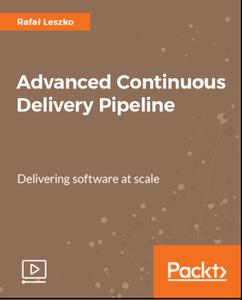
Advanced Continuous Delivery Pipeline
MP4 | Video: AVC 1280x720 | Audio: AAC 44KHz 2ch | Duration: 1.5 Hours | 262 MB
Genre: eLearning | Language: English​

The combination of Docker and Jenkins improves your Continuous Delivery pipeline using fewer resources. It also helps you scale up your builds, automate tasks, and speed up Jenkins performance with the benefits of Docker containerization.

This course explains continuous delivery pipelines in depth and improve the continuous integration and delivery process of app development. It starts with managing configuration using Ansible. Then we build a complete Continuous Delivery pipeline. Finally we present a mixture of different aspects related to the Continuous Delivery process.


1e70f06da49dc225f0aeb00243c34149.jpg


Recommend Download Link Hight Speed | Please Say Thanks Keep Topic Live ​

 
ad107b3a009a3612ca4451cad959f48c.jpg


Grow a Photography Business by Shooting Sports Photos
MP4 | Video: AVC 1280x720 | Audio: AAC 44KHz 2ch | Duration: 2 Hours | 1.47 GB
Genre: eLearning | Language: English​

I take action shots of ordinary people in my community for both pleasure and profit and I want to show you how to do the same. I've taken thousands of sports photos for teams and individuals and in this course I will share with you what I've learned over the past several years.

Action shots can be one of the most difficult types of photography, but with the knowledge I share in this course you can learn to take great photos of moving subjects.

If you have never touched a DSLR before, don't be intimidated! An entire section of this course is dedicated to teaching you the basics of operating a DSLR. After covering the basics, I'll teach you how to take advantage of the DSLR's features to capture moving subjects in a way that impress your customers.


Maybe you are not interested in taking photos for profit...just ignore the tips on selling and everything else in this course still applies. If you do want to take sports photos to sell, I'll show you how. This course covers how to find customers, how to market your services, and how to develop a pricing strategy that will produce profits.


84708be9e8a1b1939d8d7cd071c37f4c.jpg


Recommend Download Link Hight Speed | Please Say Thanks Keep Topic Live ​

 

9bb506490df2ef4a0c7565b8b25507d5.jpg


Word 2013: Templates in Depth
MP4 | Video: 720p | Duration: 1:46:19 | English | Subtitles: VTT | 258.0 MB​


If you know how to use templates, you can become much more efficient in Word. In this course, Gini Courter helps you get the most out of templates in Word 2013. She shows how to find, open, and customize the thousands of existing templates, as well as how to transform your own documents into templates you can reuse again and again. Next, explore template styling and ways of locking down certain areas of a document to keep users from editing them. Then discover how to share templates-via email, a network, and SharePoint-and dig into advanced features, including building blocks, content codes, and add-ins.

Topics include:
Opening, customizing, and saving templatesConverting an existing document to a templateBest practices for template creationStyling your templatesRestricting editing to certain areasModifying the Normal templateSharing templates via email and SharePointUsing building blocksUsing content controlsUsing field codesCreating and attaching add-ins

Recommend Download Link Hight Speed | Please Say Thanks Keep Topic Live ​
 

875cb55fad195d5ff2a48aa6c1f90456.jpg


Inkscape Essential Training
MP4 | Video: 720p | Duration: 4:58:21 | English | Subtitles: VTT | 826.3 MB​


Create great vector graphics with Inkscape, the open-source illustration software. In this Inkscape tutorial, Mike Rankin, a design professional for over 20 years, covers everything from installing the software to outputting files for print and the web. Follow along to learn how to work with vector paths; draw shapes; add colors, patterns, and gradients to drawings; transform objects by scaling, rotating, and shearing; and creating special effects with Inkscape's nondestructive filters. Members don't need any prior experience with Illustrator or other drawing apps to get the most out of this course. Just download Inkscape and start following along.

Topics include:
Downloading and installing InkscapeCreating new documentsImporting AI and EPS files in InkscapeWorking with input devices like tabletsDrawing basic shapesScaling and rotating objectsAdding fills and strokesUsing Inkscape extensionsAdding and editing textPrinting and exporting Inkscape artwork

Recommend Download Link Hight Speed | Please Say Thanks Keep Topic Live ​
 

97b70cca80b1e953068d996c200ca50f.jpg


FileMaker Pro 8.5 New Features
MP4 | Video: 540p | Duration: 1:23:39 | English | Subtitles: n/a | 108.1 MB​


Not long after the release of FileMaker Pro 8 - one of the most popular and powerful database applications for both Mac and Windows - FileMaker, Inc. brings us version 8.5. Significant features have been added in this upgrade, including the FileMaker Web Viewer, which allows the addition of a live web page within a record. The new version also includes object functions and scripts, which offer more control over functions, as well as support for Intel-based Macs. Cris Ippolite addresses each of these new features in detail. FileMaker Pro 8 Essential Training, also available in the Online Training Library™, is recommended as a companion to this title, especially for those new to the application. Exercise files accompany the training videos.

Topics include:
Using the FileMaker Web Viewer
Setting up the Web Viewer using templates
Configuring the Web Viewer setup dialog
Utilizing the List Function
Naming Objects
Using the Go to Object script step
Using the GetLayoutObjectAttribute function
Integrating Flash and FileMaker

Recommend Download Link Hight Speed | Please Say Thanks Keep Topic Live ​
 

d935348b70bb74967fc255bd7c735eb4.jpg


Windows Server 2012 Active Directory: Network Services
MP4 | Video: 720p | Duration: 12:51:03 | English | Subtitles: VTT | 5133.1 MB​


In this Windows Server 2012 course, Mike Danseglio and Rick Trader cover installation, configuration, and troubleshooting of Windows Distributed File System (DFS). Learn how to provide services and resources to the users across your organization and how to plan, install, implement, and troubleshoot DHCP. Plus, explore topics like fault tolerance, DHCP clustering, and DNS.

Recommend Download Link Hight Speed | Please Say Thanks Keep Topic Live ​
 

004b4946daa9436e669c4b5ac5580b5f.jpg


AutoCAD: Working with Dimensions
MP4 | Video: 720p | Duration: 1:04:59 | English | Subtitles: VTT | 270.8 MB​


For designs to be precisely built and manufactured, technical drawings need to show dimensions indicating measured lengths and angles, and in some cases geometric tolerances must be specified. In this AutoCAD training course, author Scott Onstott shows you how to create linear, aligned, angular, radial, diameter, continued, baseline, ordinate, and tolerance dimensions so you can precisely annotate any design. Plus, learn how to edit dimension styles, create sub-styles, temporarily override styles, control dimensional associativity, fine-tune dimension text, label features with multileaders, and much more.

Topics include:
Creating different styles of dimensions: linear, baseline, etc.Editing dimension stylesSpecifying toleranceRe-associating dimensionsEditing dimensions textLabeling with multileaders

Recommend Download Link Hight Speed | Please Say Thanks Keep Topic Live ​
 

356c5098527527a0388bcad1c197984f.jpg


Typography: Choosing and Combining Typefaces
MP4 | Video: 720p | Duration: 51:50 | English | Subtitles: VTT | 914.9 MB​


With the hundreds of thousands of typefaces that are now available, knowing which to choose and how to combine them (or not) can seem intimidating and complicated. Art director and typography expert Ina Saltz demystifies the process in this course. She'll show you how to choose the right typeface for the job, considering factors such as readability, typographic anatomy, and historical context. She'll then demonstrate how to combine your chosen fonts effectively and harmoniously, based on contrast, similarity, or mood. Finally, knowing there's always an exception to the rule, Ina explains how breaking these guidelines might make sense for your design. Watch and start learning how to simplify your selection process, while taking advantage of the powerful visual arsenal typography can provide for your designs.

Recommend Download Link Hight Speed | Please Say Thanks Keep Topic Live ​
 

ef8e608d66e25a949710479c89e479ae.jpg


Windows Phone SDK Essential Training
MP4 | Video: 720p | Duration: 4:33:55 | English | Subtitles: VTT | 804.2 MB​


Discover how to build professional apps that encompass the 17 major feature areas of Windows Phone, from XAML to multimedia to network access. In this course, author Michael Lehman details the standard hardware device configuration, teaches how to navigate the development environment, and explores the Windows Phone APIs. The course shows how to build sample applications while learning Windows Phone concepts and frameworks, including the Metro design language.

Topics include:
Downloading and installing the toolsUnderstanding the SDKDesigning the user experience (UX)Implementing commandsData binding with SilverlightExploring the Model-View-ViewModel (MVVM) patternLoading external dataCapturing data from the camera, GPS, compass, and accelerometerRecording and playing soundImplementing persistence with isolated storageLeveraging built-in tasks, choosers, and launchersExpanding the available controls using the Silverlight and Coding4Fun toolkitsCloning a Windows Phone appLearning how to publish your app

Recommend Download Link Hight Speed | Please Say Thanks Keep Topic Live ​
 

a2828477999808886d871ad6df18672b.jpg


Compressor 4.1 Essential Training
MP4 | Video: 720p | Duration: 1:12:23 | English | Subtitles: VTT | 311.6 MB​


Discover how to compress video and get it ready for publishing in Compressor, and learn about key compression concepts, from transcoding to codec types. In this course, author Jeff Greenberg explores the batch template and auto-detection features in Compressor. He also teaches you how to determine the correct compression settings for any job, including how to compress video for DVDs and Blu-ray, the iPhone, PowerPoint, and web destinations like YouTube, Facebook, and Vimeo. Plus, learn how to use the new droplets to speed up any workflow.

This course was created by RHED Pixel. We are honored to host this training in our library.

Topics include:
Understanding data ratesReviewing the compression settingsBuilding a DVDPublishing with the YouTube, Facebook, and Vimeo presetsExamining the HTTP streaming settingsPodcasting with CompressorReducing noiseAdding watermarks to your videoAutomating jobsBuilding a droplet

Recommend Download Link Hight Speed | Please Say Thanks Keep Topic Live ​
 
0b98ca47b722da5d2de81fb32345f852.jpg


JINKY ART - Lightroom+Photoshop Post Production Videos
MP4 | Video: AVC 1280x720 | Audio: AAC 44KHz 2ch | Duration: 2.5 Hours | 2.5 GB
Genre: eLearning | Language: English​

Learn how to create delightfully crafted imagery with the aid of Photoshop & Lightroom.

20 Post Processing Videos Yearly Subscription Camp by Barb Uil of JinkyArt with a further 7 videos in the hall of fame. Giving you access to 27 videos. No actions used and this is for any skill level. All you need to do is follow along to learn. Watch streaming video of 27 photographs processed in both Lightroom & Photoshop. Many topics covered :
"Color processing" .
"Vintage processing",
"Black&White",
"Skin Retouching",
"Digital Artistry, Fast Processing", and much more.


7c3de1c6f22209efe2c4bd2756f19554.jpg


Recommend Download Link Hight Speed | Please Say Thanks Keep Topic Live ​
 

c1d4593329c0146d77eaa2056c16f031.jpg


Delivering Employee Feedback
MP4 | Video: 720p | Duration: 1:07:09 | English | Subtitles: VTT | 486.0 MB​


In this course, author Todd Dewett helps you identify ways to give both positive and negative feedback to employees. Learn how to create a culture driven by meaningful feedback and deliver coaching and suggestions to help employees stretch and grow. Discover the characteristics of helpful feedback, different feedback types, structured conversations, and strategies to refocus difficult employee reactions.

Lynda.com is a PMI Registered Education Provider. This course qualifies for professional development units (PDUs). To view the activity and PDU details for this course, click here.

The PMI Registered Education Provider logo is a registered mark of the Project Management Institute, Inc.

Recommend Download Link Hight Speed | Please Say Thanks Keep Topic Live ​
 
Zurück
Oben Unten