• Regeln für den Video-Bereich:

    In den Börsenbereich gehören nur Angebote die bereits den Allgemeinen Regeln entsprechen.

    Einteilung

    - Folgende Formate gehören in die angegeben Bereiche:
    - Filme: Encodierte Filme von BluRay, DVD, R5, TV, Screener sowie Telesyncs im Format DivX, XviD und x264.
    - DVD: Filme im Format DVD5, DVD9 und HD2DVD.
    - HD: Encodierte Filme mit der Auflösung 720p oder darüber von BluRay, DVD, R5, TV, Screener sowie Telesyncs im Format x264.
    - 3D: Encodierte Filme von BluRay, die in einem 3D Format vorliegen. Dies gilt auch für Dokus, Animation usw.
    - Serien: Cartoon/Zeichentrick, Anime, Tutorials, Dokumentationen, Konzerte/Musik, Sonstiges sind demnach in die entsprechenden Bereiche einzuordnen, auch wenn sie beispielsweise im High Definition-Format oder als DVD5/DVD9/HD2DVD vorliegen. Ausnahme 3D.
    - Bereich Englisch: Englische Releases gehören immer in diesen Bereich.
    - Bereich Talk: Der Bereich, in dem über die Releases diskutiert werden kann, darf, soll und erwünscht ist.


    Angebot/Beitrag erstellen

    - Ein Beitrag darf erst dann erstellt werden, wenn der Upload bei mindestens einem OCH komplett ist. Platzhalter sind untersagt.
    - Bei einem Scenerelease hat der Threadtitel ausschließlich aus dem originalen, unveränderten Releasenamen zu bestehen. Es dürfen keine Veränderungen wie z.B. Sterne, kleine Buchstaben o.ä. vorgenommen werden. Ausnahme Serienbörse:
    - Bei einem Sammelthread für eine Staffel entfällt aus dem Releasename natürlich der Name der Folge. Beispiel: Die Simpsons S21 German DVDRip XviD - ITG
    - Dementsprechend sind also u.a. verboten: Erweiterungen wie "Tipp", "empfehlenswert", "only", "reup", usw. / jegliche andere Zusatzinformation oder Ergänzung, welche nicht in obiger Beschreibung zu finden ist.

    Aufbau des Angebots und Threadtitel

    Der Titel nach folgendem Muster erstellt zu werden. <Name> [3D] [Staffel] [German] <Jahr> <Tonspur> [DL] [Auflösung] <Quelle> <Codec> - <Group>
    Beispiel: The Dark Knight German 2008 AC3 DVDRip XviD - iND
    Beispiel: The Dark Knight 2008 DTS DL BDRip x264 - iND
    Beispiel: The Dark Knight 2008 AC3 DL BDRip XviD - iND
    Beispiel: The Dark Knight German 2008 AC3 720p BluRay x264 iND
    Beispiel: The Dark Knight 2008 DTS DL 1080p BluRay x264 iND
    Beispiel: Die Simpsons S01 German AC3 DVDRip XviD iND
    Beispiel: Die Simpsons S20 German AC3 720p BluRay x264 iND
    Beispiel: Sword Art Online II Ger Sub 2014 AAC 1080p WEBRip x264 - peppermint
    Entsprechend sind also u.a. verboten: Sonderzeichen wie Klammern, Sterne, Ausrufezeichen, Unterstriche, Anführungszeichen / Erweiterungen wie "Tipp", "empfehlenswert", "only", "reup", usw. / jegliche andere Zusatzinformation oder Ergänzung, welche nicht in obiger Beschreibung zu finden ist
    Ausnahmen hiervon können in den Bereichen geregelt sein.

    Die Beiträge sollen wie folgt aufgebaut werden:
    Überschrift entspricht dem Threadtitel
    Cover
    kurze Inhaltsbeschreibung
    Format, Größe, Dauer sind gut lesbar für Downloader außerhalb des Spoilers zu vermerken
    Nfo sind immer Anzugeben und selbige immer im Spoiler in Textform.
    Sind keine Nfo vorhanden z.B. Eigenpublikationen, sind im Spoiler folgende Dateiinformationen zusätzlich anzugeben :
    Quelle
    Video (Auflösung und Bitrate)
    Ton (Sprache, Format und Bitrate der einzelnen Spuren)
    Untertitel (sofern vorhanden)
    Hosterangabe in Textform außerhalb eines Spoiler mit allen enthaltenen Hostern.
    Bei SD kann auf diese zusätzlichen Dateiinformationen verzichtet werden.

    Alle benötigten Passwörter sind, sofern vorhanden, in Textform im Angebot anzugeben.
    Spoiler im Spoiler mit Kommentaren :"Schon Bedankt?" sind unerwünscht.


    Releases

    - Sind Retail-Release verfügbar, sind alle anderen Variationen untersagt. Ausnahmen: Alle deutschen Retail-Release sind CUT, in diesem Fall sind dubbed UNCUT-Release zulässig.
    - Im Serien-Bereich gilt speziell: Wenn ein Retail vor Abschluss einer laufenden Staffel erscheint, darf diese Staffel noch zu Ende gebracht werden.62
    - Gleiche Releases sind unbedingt zusammenzufassen. Das bedeutet, es ist zwingend erforderlich, vor dem Erstellen eines Themas per Suchfunktion zu überprüfen, ob bereits ein Beitrag mit demselben Release besteht. Ist dies der Fall, ist der bereits vorhandene Beitrag zu verwenden.
    - P2P und Scene Releases dürfen nicht verändert oder gar unter einem iND Tag eingestellt werden.


    Support, Diskussionen und Suche

    - Supportanfragen sind entweder per PN oder im Bereich Talk zu stellen.
    - Diskussionen und Bewertungen sind im Talk Bereich zu führen. Fragen an die Uploader haben ausschließlich via PN zu erfolgen, und sind in den Angeboten untersagt.
    - Anfragen zu Upload-Wünschen sind nur im Bereich Suche Video erlaubt. Antworten dürfen nur auf Angebote von MyBoerse.bz verlinkt werden.


    Verbote

    - Untersagt sind mehrere Formate in einem einzigen Angebotsthread, wie beispielsweise das gleichzeitige Anbieten von DivX/XviD, 720p und 1080p in einem Thread. Pro Format, Release und Auflösung ist ein eigener Thread zu eröffnen.
    - Grundsätzlich ebenso verboten sind Dupes. Uploader haben sich an geeigneter Stelle darüber zu informieren, ob es sich bei einem Release um ein Dupe handelt.
    - Gefakte, nur teilweise lauffähige oder unvollständige Angebote sind untersagt. Dies gilt auch für eigene Publikationen, die augenscheinlich nicht selbst von z.B. einer DVD gerippt wurden. Laufende Serien, bei denen noch nicht alle Folgen verfügbar sind, dürfen erstellt und regelmäßig geupdatet werden.
    - Untersagt sind Angebote, welche nur und ausschließlich in einer anderen Sprache als deutsch oder englisch vorliegen. Ausnahmen sind VORHER mit den Moderatoren zu klären.


    Verstoß gegen die Regeln

    - Angebote oder Beiträge, die gegen die Forenregeln verstoßen, sind über den "Melden"-Button im Beitrag zu melden.
  • Bitte registriere dich zunächst um Beiträge zu verfassen und externe Links aufzurufen.

++ Premium IPTV ++ 7000 Live Sender ++ UHD Qualität ++ Mediathek mit 18.000 Inhalten ++


VenneTV


Englische Tutorials


99d2270d770310cd85bb7311e3a574c1.jpg


Understanding Copyright: A Deeper Dive
MP4 | Video: 720p | Duration: 1:12:39 | English | Subtitles: VTT | 438.0 MB​


You've reviewed the basics of intellectual property. Now it's time for a deeper dive into copyrightâ€"your mechanism for protecting intellectual property that resides in a tangible form: books, songs, software, product designs, etc. Attorney Dana Robinson explains what constitutes copyright infringement, and how to respond when someone has infringed upon your copyright or if you receive a demand letter or cease and desist from a third party. He also explains licensing, public domain, and fair use, and reviews the process for searching for and filing copyrights. The course closes with a set of valuable copyright FAQs that address many of the most common questions about copyrighting intellectual property.

DISCLAIMER: This course is taught by an attorney and addresses US law concepts that may not apply in all countries. Neither LInkedIn nor the attorney teaching the course represents you and they are not giving legal advice. The information conveyed through this course is akin to a college or law school course; it is not intended to give legal advice, but instead to communicate basic information to help viewers understand the basics of intellectual property.

Recommend Download Link Hight Speed | Please Say Thanks Keep Topic Live ​

 

86f9918f777120a97144a9f9bddf4636.jpg


Motion Graphics Loops: 3 Analog Techniques, the Phonotrope
MP4 | Video: 720p | Duration: 1:09:17 | English | Subtitles: VTT | 372.1 MB​


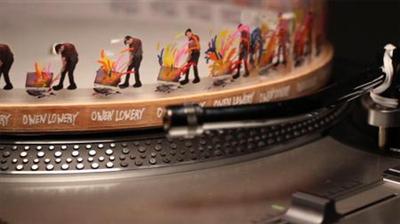
Learn how to create looping animations using analog elements that can be filmed with a camera and then refined in programs like After Effects. The "Phonotrope" technique shown in this course uses the rotations of a record player to create the illusion of motion.The Phonotrope was created by Jim Le Fevre in 2006. Owen Lowery provides instructions on creating paper animation loops by hand, then going back and forth from the computer to plan and execute a more advanced animation using After Effects and Photoshop.


You'll get hands on and color, cut, paste, and draw and, along the way, learn about the logistics of player speeds, frames, video capture, and lighting. In the final chapter, you'll get tips and inspiration for taking your Phonotrope to the next level with transparency and mixed media.

Topics include:
Introducing the PhonotropeUnderstanding frame and speed settingsExperimenting with drawing and play doughUsing Illustrator and Photoshop to plan a Phonotrope guidePreparing After Effects for a Phonotrope animationShooting, lighting, and editing animation footage

Recommend Download Link Hight Speed | Please Say Thanks Keep Topic Live ​

 

15a5e1edb97b212e3079d64cc70f4710.jpg


Web Security - Common Vulnerabilities And Their Mitigation
MP4 | Video: AVC 1920x1080 | Audio: AAC 48KHz 2ch | Duration: 8 Hours | 16.7 GB
Genre: eLearning | Language: English​

Coat your website with armor, protect yourself against the most common threats and vulnerabilities. Understand, with examples, how common security attacks work and how to mitigate them. Learn secure practices to keep your website users safe. Let's parse that. How do common security attacks work?: This course walks you through an entire range of web application security attacks, XSS, XSRF, Session Hijacking, Direct Object Reference and a whole lot more. How do we mitigate them?: Mitigating security risks is a web developer's core job. Learn by example how you can prevent script injection, use secure tokens to mitigate XSRF, manage sessions and cookies, sanitize and validate input, manage credentials safely using hashing and encryption etc. What secure practices to follow?: See what modern browsers have to offer for protection and risk mitigation, how you can limit the surface area you expose in your site.


662f069382a117fc9d4232d527839a62.jpg


Recommend Download Link Hight Speed | Please Say Thanks Keep Topic Live ​
 

5acc06dcbce10df1ebc399bc2694906b.jpg


Beginners Guide To Starting A Creative Business
MP4 | Video: AVC 1280x720 | Audio: AAC 44KHz 2ch | Duration: 1.5 Hours | Lec: 24 | 147 MB
Genre: eLearning | Language: English​

Learn how to start a business in any creative industry.

Are you in the creative industry? Are you tired of working a dead end job and would rather make a living doing what you love? Have you ever wanted to start a business around your passion, but don't know where to begin?

This course is for anyone who wants to start a business around something they are passionate about. You will learn how to take your idea from concept to a business with clear goals and and a sound business model. This course will give you the know-how you need to market your business or your brand in the new social media environment.

What you will learn in this course:

How to turn your passion into a business that makes money
How to find customers for the product or service you are providing
How to start an online business without money
How to marketing yourself and your business with the latest marketing tactics

Each section is accompanied by a task to perform, by the end of this course you will have a complete understanding of how to start and grow your business, and will have taken MASSIVE action to get started.

Today more people are becoming entrepreneurs and starting businesses around something they love, and its never too late to get started. This course will teach you everything you need to know to turn your idea into business success.


2b72f84ddaacf4a62ab34194d3a84c23.jpg


Recommend Download Link Hight Speed | Please Say Thanks Keep Topic Live ​
 

ec1b2647454c5b12e7c3aa2b478d9169.jpg


Black-and-White Darkroom: Printing Techniques
MP4 | Video: 720p | Duration: 1:44:12 | English | Subtitles: VTT | 898.1 MB​


Once you've shot and processed a few rolls of black-and-white film, the next step you can take to explore analog photography is printing that film in your own darkroom. In this course, a follow-up on his Shooting and Processing Black-and-White Film course, photographer Konrad Eek introduces the fundamentals of black-and-white darkroom printing.

First Konrad provides a tour of his own darkroom space, and introduces the key ingredients that dictate how pictures print: paper, exposure, and contrast. He checks a series of images by developing initial test prints, and then explores options for refining the images in the darkroom via cropping, burning and dodging, and adjustments to the development time. When he's finished making prints, Konrad shows how to clean up the darkroom and introduces different paper choices and resources for black-and-white film photographers to explore.

Recommend Download Link Hight Speed | Please Say Thanks Keep Topic Live ​
 

318ae59b9e56141428e15380775cb7ac.jpg


What Video Camera Should I Buy?
MP4 | Video: 720p | Duration: 50:55 | English | Subtitles: VTT | 800.0 MB​


Video cameras have come a long way. They're smaller, lighter, and shoot in higher resolutions-4K and beyond. Now more than ever, we have to make the right choice on what camera to buy or rent for the type of productions we shoot. The lighting, the locations, the size of your team, and even the computer you use for video editing can all impact the decision.

Evaluating your production workflow and the camera options out there can save you time, money, and maybe even your sanity. Camera enthusiast Erik Naso is here to help. He'll teach you how to ask the right questions and pick the right camera-balancing "the camera I should buy" with "the camera I want to buy," so you end up happy with your purchase over the long run. Learn how to figure out your budget and needs; understand the different file formats, sensors, and lenses available; and choose the right accessories for any shooting situation.

Topics include:
Understanding the camera components: sensor, lens, etc.Evaluating audio inputsTaking your type of production into accountDeciding on a budgetChoosing accessories such as tripods and gimbalsCamera codecs and media cost

Recommend Download Link Hight Speed | Please Say Thanks Keep Topic Live ​
 
42931890174c68a908760edc4b8d0a28.jpg


Free Online Synchronous Meeting Tools for Educators
MP4 | Video: AVC 1280x720 | Audio: AAC 44KHz 2ch | Duration: 37M | Lec: 7 | 105 MB
Genre: eLearning | Language: English​

Learn how to identify, navigate and utilize the right meeting tool for you!

"Free Online Synchronous Meeting Tools" will provide participants an overview of the various tools currently available to meet with individuals or groups remotely. Divided into modules, this course is comprised of lectures, weblinks and supplemental resources. Each meeting tool lecture walks participants through the set-up process, user interface, and further discusses the pros and cons of the available features.

At the end of this course, you will be familiar with Join.Me, Google Hangouts, Web Burner, and Zoom and how to incorporate each one into your daily tasks. Using synchronous meeting tools is a great way to become more efficient, gain name recognition, connect with your colleagues, and explain complex concepts. Have you ever tried to explain a complicated process via email? Or, spent hours on the phone talking about an issue, when a quick visual tour would have been simpler? The four synchronous meeting tools you will learn in this course are the answer to these problems, and the best part is - they're free!


96f25d2b94ebc28de43d35dd080e81e7.jpg


Recommend Download Link Hight Speed | Please Say Thanks Keep Topic Live ​
 
2db6f9f5b4fe450542c42713465fd55c.jpg


CompTIA MOBILITY +
MP4 | Video: AVC 1280x720 | Audio: AAC 44KHz 2ch | Duration: 3 Hours | 1.33 GB
Genre: eLearning | Language: English​

The CompTIA Mobility+ exam covers mobile device management, troubleshooting, security, and network infrastructure. It identifies IT professionals who can deploy, integrate, support and manage a mobile environment while ensuring proper security measures are maintained for devices and platforms to mitigate risks and threats.


0e6762a88d4958a7176784510f4de6dc.jpg


Recommend Download Link Hight Speed | Please Say Thanks Keep Topic Live ​
 

a383ee874cc16a19afea0d688df0595c.jpg


Avid Media Composer: Narrative Scene Editing
MP4 | Video: 720p | Duration: 2:09:55 | English | Subtitles: VTT | 5158.6 MB​


Taking a scripted project from concept to creation is one of the most exciting and rewarding processes that any editor can do-from a green novice to an experienced Hollywood ace. This course guides you through the creative decisions in editing various types of narrative scenes-from classic dialogue, to rhythmic montage, to creative flashback. You'll explore what it takes to create a great rough cut, from shot choice and composition, to performance and pacing, while editing in Avid Media Composer. Author Ashley Kennedy guides you through the scene construction process with plenty of creative and logistical lessons that are applicable to situations editors face in the real world.

Topics include:
Evaluating the goals of the projectWorking with digital scriptsUnderstanding coverage, shot composition, and camera movementEditing dialogueAdding cutaways and reaction shotsBuilding a montage sceneEditing a flashbackLaying in off-camera audioAdding effectsColor-grading a sceneReceiving feedback and refining the rough cut

Recommend Download Link Hight Speed | Please Say Thanks Keep Topic Live ​
 

18a92a3a06d5aa2449a2117c045b3491.jpg


Shooting a Photo Essay in 60 Minutes
MP4 | Video: 720p | Duration: 38:07 | English | Subtitles: VTT | 327.5 MB​


Oftentimes when you're traveling, you stumble upon a gem of a place or a person who deserves to have a story told. But you can't spend a week or even a day shooting them. You're on the road. You've got an hour to take shots that convey something of the story, and then it's back behind the wheel. Or back on to the cruise ship. Or back to your family.

In this course, photojournalist Paul Taggart rises to the challenge and shoots a photo essay in only an hour. Shooting under time pressure is a common challenge for a photojournalist, and Paul describes the kinds of planning and shooting that gets results. Learn what kinds of shots you'll need for any type of photo essay, and learn how to engage and interact with subjects who you just met and might never see again.

Recommend Download Link Hight Speed | Please Say Thanks Keep Topic Live ​
 

291e9856b76306502f2084b6a3900159.jpg


Insights on Graphic Design
MP4 | Video: 720p | Duration: 32:10 | English | Subtitles: VTT | 618.9 MB​


Sean Adams is one of the most celebrated designers of our time. He also is cofounder of the firm AdamsMorioka, a professor at the Art Center College of Design, and the national president of AIGA. In this interview, Sean shares his sources of inspiration and his advice for new designers on portfolios and breaking into the industry, and discusses the role technology and social media play in a designer's life.

Recommend Download Link Hight Speed | Please Say Thanks Keep Topic Live ​
 

ee044273a79f1b99d4798c38db1cde2d.jpg


Learning InCopy CS5
MP4 | Video: 720p | Duration: 3:08:21 | English | Subtitles: VTT | 799.5 MB​


Many Adobe InDesign users create articles in programs like Microsoft Word, then place their content into an InDesign layout, which only the designer has access to. InCopy provides a two-way street where editors and writers can edit content in InDesign while a designer simultaneously works on the design portion of the project, and the text formatting is retained in both programs. In this course, learn how to write content using InCopy, style text appropriately so that it transfers to the InDesign layout, and make content available to writers and editors from within InDesign. Author Chad Chelius also ensures you get a handle working with tables, Track Changes, graphics, and templates in InCopy.

Topics include:
Understanding the role of InCopyThe InCopy interface and workspacesWorking with InCopy documentsCreating InCopy storiesWorkflows between InCopy and InDesignUsing Track Changes and notesWorking faster with built-in toolsPrinting and exporting

Recommend Download Link Hight Speed | Please Say Thanks Keep Topic Live ​
 
Zurück
Oben Unten