




• Regeln für den Video-Bereich:

    In den Börsenbereich gehören nur Angebote die bereits den Allgemeinen Regeln entsprechen.

    Einteilung

    - Folgende Formate gehören in die angegeben Bereiche:
    - Filme: Encodierte Filme von BluRay, DVD, R5, TV, Screener sowie Telesyncs im Format DivX, XviD und x264.
    - DVD: Filme im Format DVD5, DVD9 und HD2DVD.
    - HD: Encodierte Filme mit der Auflösung 720p oder darüber von BluRay, DVD, R5, TV, Screener sowie Telesyncs im Format x264.
    - 3D: Encodierte Filme von BluRay, die in einem 3D Format vorliegen. Dies gilt auch für Dokus, Animation usw.
    - Serien: Cartoon/Zeichentrick, Anime, Tutorials, Dokumentationen, Konzerte/Musik, Sonstiges sind demnach in die entsprechenden Bereiche einzuordnen, auch wenn sie beispielsweise im High Definition-Format oder als DVD5/DVD9/HD2DVD vorliegen. Ausnahme 3D.
    - Bereich Englisch: Englische Releases gehören immer in diesen Bereich.
    - Bereich Talk: Der Bereich, in dem über die Releases diskutiert werden kann, darf, soll und erwünscht ist.


    Angebot/Beitrag erstellen

    - Ein Beitrag darf erst dann erstellt werden, wenn der Upload bei mindestens einem OCH komplett ist. Platzhalter sind untersagt.
    - Bei einem Scenerelease hat der Threadtitel ausschließlich aus dem originalen, unveränderten Releasenamen zu bestehen. Es dürfen keine Veränderungen wie z.B. Sterne, kleine Buchstaben o.ä. vorgenommen werden. Ausnahme Serienbörse:
    - Bei einem Sammelthread für eine Staffel entfällt aus dem Releasename natürlich der Name der Folge. Beispiel: Die Simpsons S21 German DVDRip XviD - ITG
    - Dementsprechend sind also u.a. verboten: Erweiterungen wie "Tipp", "empfehlenswert", "only", "reup", usw. / jegliche andere Zusatzinformation oder Ergänzung, welche nicht in obiger Beschreibung zu finden ist.

    Aufbau des Angebots und Threadtitel

    Der Titel nach folgendem Muster erstellt zu werden. <Name> [3D] [Staffel] [German] <Jahr> <Tonspur> [DL] [Auflösung] <Quelle> <Codec> - <Group>
    Beispiel: The Dark Knight German 2008 AC3 DVDRip XviD - iND
    Beispiel: The Dark Knight 2008 DTS DL BDRip x264 - iND
    Beispiel: The Dark Knight 2008 AC3 DL BDRip XviD - iND
    Beispiel: The Dark Knight German 2008 AC3 720p BluRay x264 iND
    Beispiel: The Dark Knight 2008 DTS DL 1080p BluRay x264 iND
    Beispiel: Die Simpsons S01 German AC3 DVDRip XviD iND
    Beispiel: Die Simpsons S20 German AC3 720p BluRay x264 iND
    Beispiel: Sword Art Online II Ger Sub 2014 AAC 1080p WEBRip x264 - peppermint
    Entsprechend sind also u.a. verboten: Sonderzeichen wie Klammern, Sterne, Ausrufezeichen, Unterstriche, Anführungszeichen / Erweiterungen wie "Tipp", "empfehlenswert", "only", "reup", usw. / jegliche andere Zusatzinformation oder Ergänzung, welche nicht in obiger Beschreibung zu finden ist
    Ausnahmen hiervon können in den Bereichen geregelt sein.

    Die Beiträge sollen wie folgt aufgebaut werden:
    Überschrift entspricht dem Threadtitel
    Cover
    kurze Inhaltsbeschreibung
    Format, Größe, Dauer sind gut lesbar für Downloader außerhalb des Spoilers zu vermerken
    Nfo sind immer Anzugeben und selbige immer im Spoiler in Textform.
    Sind keine Nfo vorhanden z.B. Eigenpublikationen, sind im Spoiler folgende Dateiinformationen zusätzlich anzugeben :
    Quelle
    Video (Auflösung und Bitrate)
    Ton (Sprache, Format und Bitrate der einzelnen Spuren)
    Untertitel (sofern vorhanden)
    Hosterangabe in Textform außerhalb eines Spoiler mit allen enthaltenen Hostern.
    Bei SD kann auf diese zusätzlichen Dateiinformationen verzichtet werden.

    Alle benötigten Passwörter sind, sofern vorhanden, in Textform im Angebot anzugeben.
    Spoiler im Spoiler mit Kommentaren :"Schon Bedankt?" sind unerwünscht.


    Releases

    - Sind Retail-Release verfügbar, sind alle anderen Variationen untersagt. Ausnahmen: Alle deutschen Retail-Release sind CUT, in diesem Fall sind dubbed UNCUT-Release zulässig.
    - Im Serien-Bereich gilt speziell: Wenn ein Retail vor Abschluss einer laufenden Staffel erscheint, darf diese Staffel noch zu Ende gebracht werden.62
    - Gleiche Releases sind unbedingt zusammenzufassen. Das bedeutet, es ist zwingend erforderlich, vor dem Erstellen eines Themas per Suchfunktion zu überprüfen, ob bereits ein Beitrag mit demselben Release besteht. Ist dies der Fall, ist der bereits vorhandene Beitrag zu verwenden.
    - P2P und Scene Releases dürfen nicht verändert oder gar unter einem iND Tag eingestellt werden.


    Support, Diskussionen und Suche

    - Supportanfragen sind entweder per PN oder im Bereich Talk zu stellen.
    - Diskussionen und Bewertungen sind im Talk Bereich zu führen. Fragen an die Uploader haben ausschließlich via PN zu erfolgen, und sind in den Angeboten untersagt.
    - Anfragen zu Upload-Wünschen sind nur im Bereich Suche Video erlaubt. Antworten dürfen nur auf Angebote von MyBoerse.bz verlinkt werden.


    Verbote

    - Untersagt sind mehrere Formate in einem einzigen Angebotsthread, wie beispielsweise das gleichzeitige Anbieten von DivX/XviD, 720p und 1080p in einem Thread. Pro Format, Release und Auflösung ist ein eigener Thread zu eröffnen.
    - Grundsätzlich ebenso verboten sind Dupes. Uploader haben sich an geeigneter Stelle darüber zu informieren, ob es sich bei einem Release um ein Dupe handelt.
    - Gefakte, nur teilweise lauffähige oder unvollständige Angebote sind untersagt. Dies gilt auch für eigene Publikationen, die augenscheinlich nicht selbst von z.B. einer DVD gerippt wurden. Laufende Serien, bei denen noch nicht alle Folgen verfügbar sind, dürfen erstellt und regelmäßig geupdatet werden.
    - Untersagt sind Angebote, welche nur und ausschließlich in einer anderen Sprache als deutsch oder englisch vorliegen. Ausnahmen sind VORHER mit den Moderatoren zu klären.


    Verstoß gegen die Regeln

    - Angebote oder Beiträge, die gegen die Forenregeln verstoßen, sind über den "Melden"-Button im Beitrag zu melden.
  • Bitte registriere dich zunächst um Beiträge zu verfassen und externe Links aufzurufen.

++ Premium IPTV ++ 7000 Live Sender ++ UHD Qualität ++ Mediathek mit 18.000 Inhalten ++


VenneTV


Englische Tutorials


84c39974b74668a4287ec0be6b7ae8af.jpg


EDM Production Techniques: Basslines
MP4 | Video: 720p | Duration: 1:52:43 | English | Subtitles: VTT | 573.9 MB​


Electronic dance music has exploded in popularity the last couple years. Knowing how to create dynamic EDM bass lines can make your tracks stand out. In this course, author J. Scott Giaquinta showcases his techniques for EDM basslines-the same techniques he's used on productions and remixes with such artists as Madonna, Seal, David Bowie, Paul Oakenfold, and Johnny Cash. The course focuses on creating bass lines for four different genres: dubstep, electro house, progressive/trance, and drum and bass. Scott also touches on layering, automation, and sub-basses, and finishing techniques like bussing, tape saturation, and limiters that can give your EDM tracks a distinctive sound. Note: this course features Ableton Live and Native Instruments MASSIVE, but you can follow along with these tutorials in the DAW of your choice.

Want to learn more about creating solid EDM tracks? Check out EDM Production Techniques: Drums.

Recommend Download Link Hight Speed | Please Say Thanks Keep Topic Live ​

 
81c132e6c6d3d822e4e08ab38cef415f.jpg


The Complete Crowdfunding Course for Kickstarter & Indiegogo
MP4 | Video: AVC 1280x720 | Audio: AAC 44KHz 2ch | Duration: 4 Hours | Lec: 38 | 807 MB
Genre: eLearning | Language: English​

MOST UP TO DATE - A step-by-step approach to growth hack your crowdfunding campaign. Templates & Trello board. June 2017

Do you have a great idea but need capital to make it happen?

Have you struggled to get funding for your idea?

Or wary about giving away too much equity?

Then crowdfunding might just be the right path for you.

In July 2016, we embarked on a 28-day crowdfunding campaign on Kickstarter to raise money for our online learning platform for entrepreneurs.

In just 28 days, we raised over $75,000 from 1000+ backers in return for ZERO equity.

We want to share with you how we did it and distill 3 months of research into one evening so you can successfully crowdfund your idea.

So join our founder and Computer Weekly's rising star of UK Technology, Dr Angela Yu and learn about:

How do crowdfunding sites work
How to start a snowball effect in pledges
What projects are best suited for crowdfunding
The best tools to promote your crowdfunding project
Which crowdfunding site to choose for your project
How to get press for your crowdfunding campaign
Getting featured on the crowdfunding site
Crowdfunding referral sites and are they worth it
What is the ranking algorithm to get organic traffic for your project
and much much more.

If you're thinking of doing a crowdfunding campaign or looking to raise funding for your startup then don't miss out. This is a one-time opportunity to get advice and learn all of our tips, tricks and tools.


8cf060a69e17ac90ca23efa799f2dd79.jpg


Recommend Download Link Hight Speed | Please Say Thanks Keep Topic Live ​

 

8d9e3252e4e54256ecb89e80b8e67f92.jpg


Superb jQuery Course - Become Certified jQuery Developer
MP4 | Video: AVC 1280x720 | Audio: AAC 44KHz 2ch | Duration: 1.5 Hours | Lec: 32 | 169 MB
Genre: eLearning | Language: English​

Complete jQuery Course From Beginner to Pro

What will you gain about this course?

This jQuery course is more actual coding than theory.
The only jQuery course that teaches you every detail and with awesome codes.

Welcome to Superb jQuery Course - Complete jQuery Course From Beginner to Pro

This is the best course to fulfill your dream to become jQuery Developer. I will teach you more hands-on to enhance your programming skills faster. jQuery is a powerful programming language it can be use in Web development.

With this course you can be beginner to professional in just 4 weeks.

What will you get in this course?

Download and Setup
Syntax
Events
Hide and Show
Slide and Fade
animate
Prepend and apend
CSS
Classes
Form Event
Text Validation
jQuery UI
jQuery Ajax with PHP and MYSQL
jQuery Plugins
Get this course today and be life changing careers.

The quicker you get this course the quicker gain Superb jQuery Course - Complete jQuery Course From Beginner to Pro.


770c73f91898021520e9daa6f79039a2.jpg


Recommend Download Link Hight Speed | Please Say Thanks Keep Topic Live ​
 

6ea25eabfeb33651e9437d8d632b11f1.jpg


CompTIA Security+ (SY0-501)
MP4 | Video: AVC 1280x720 | Audio: AAC 44KHz 2ch | Duration: 11.5 Hours | 20 GB
Genre: eLearning | Language: English​

CompTIA Security+ (SY0-501) Complete Video Course is an engaging self-paced video training solution that provides learners with more than 20 hours of personal training from security expert Sari Greene. Through the use of topic-focused instructional videos, you will gain an in-depth understanding of each objective in the CompTIA Security+ (SY0-501) exam as well as a deeper understanding of security foundations and principles.

CompTIA Security+ (SY0-501) Complete Video Course contains more than 20 hours of training with content divided into 7 modules, with more than 40 content-targeted content lessons. This title covers every objective in the newly updated CompTIA Security+ exam and includes screencast teaching, whiteboard explanations and deep dives, and live demos. The "Security in Action" segments then take the knowledge you've learned to the next level with the instructor creating real-world security scenarios that she walks you through and solves so you can see first-hand accounts for solving security problems.

The video lessons in this course review each exam objective, so you can use it as a complete study tool for taking the CompTIA Security+ exam.

Major sections are as follows:
Threats, Attacks and Vulnerabilities
Tools and Technologies
Architecture and Design
Identity and Access Management
Risk Management
Cryptography and PKI
Acing the Exam


4fd6c2ccacce9b025376df467815c774.jpg


Recommend Download Link Hight Speed | Please Say Thanks Keep Topic Live ​
 

ab03824dfabc4d32bc82f405c875fbe4.jpg


UX Foundations: Content Strategy
MP4 | Video: 720p | Duration: 1:24:34 | English | Subtitles: VTT | 506.2 MB​


What sets good content apart from the rest? A solid content strategy is key to delivering a compelling user experience, whether it's a small business website or an app with global reach. This course takes you through the process of analyzing and reshaping your content-not only text but also video, imagery, social interactions, and the metadata that underlies it all-so that it accurately communicates your brand and message and keeps your users coming back.

Learn the four elements of constructing meaningful content, from identifying your audience and structuring and wireframing content to developing content guidelines and measuring the success of your efforts. Author Morten Rand-Hendriksen also shows you how to develop persona spectrums to better understand your users and evaluate the needs of important stakeholders and influencers.

Topics include:
What is content?The components of content strategyIdentifying stakeholders and audienceDeveloping user persona spectrumsAuditing your contentBuilding guides, templates, and workflowsCreating the contentMeasuring success

Recommend Download Link Hight Speed | Please Say Thanks Keep Topic Live ​
 

1cb079f993246607d61d30b38ca8575d.jpg


Affinity Photo Essential Training
MP4 | Video: 720p | Duration: 3:31:52 | English | Subtitles: VTT | 890.9 MB​


Affinity Photo is a powerful photo post-processing program for the Mac platform, combining raw conversion, photo retouching and enhancement, and compositing. In this course, Steve Caplin explores all of Affinity Photo's essential features. Each tutorial helps unlock another of Affinity Photo's capabilities, from its raw conversion and editing controls to its advanced selection tools, image enhancement features, filters and special effects, and compositing features. Whether you want to change the look of a photograph, scale and crop images, or create complex photomontages, each adjustment is completely nondestructive, allowing you to retain quality and incorporate additional effects as you go. To help Photoshop users who may be considering Affinity Photo, Steve also compares and contrasts the two applications.

Topics include:
Using Affinity Photo's raw controlsApplying lens correctionRemoving chromatic aberration and fringingReducing noise and sharpening photosMaking and modifying selections in Affinity PhotoCreating layer masksMaking global adjustmentsAdjusting shadows and highlightsEnhancing colorConverting to black and whiteApplying standard and live filtersCreating photomontages in Affinity PhotoWorking with image stacksDistorting imagesExporting photos from Affinity Photo

Recommend Download Link Hight Speed | Please Say Thanks Keep Topic Live ​
 

496ce03e1678101af5e56eee7a799ed4.jpg


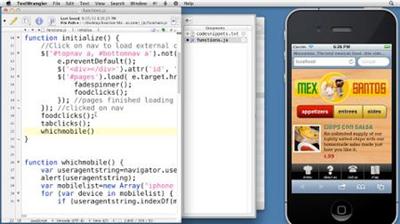
Creating an Adaptive Web Site for Multiple Screens
MP4 | Video: 540p | Duration: 3:09:21 | English | Subtitles: VTT | 520.3 MB​


This course demonstrates how to build a web site that automatically adapts its layout to various screen sizes, orientations, and resolutions. Ray Villalobos shows how designers and developers can create a single HTML document and customize its display for desktop browsers and mobile devices such as the iPhone, Android phones, and tablets. The course covers creating a basic HTML5 structure and using reset templates, and styling the site with CSS.

Topics include:
Setting up testing servers and emulatorsCreating and formatting a site templateUsing free Google fontsPreparing graphicsCreating style sheetsLoading external pages with AJAXCreating mobile tabsDetecting mobile devicesUsing JavaScript to deal with scrolling and orientation changesTesting and debugging site code

Recommend Download Link Hight Speed | Please Say Thanks Keep Topic Live ​
 

97a569c44e6d9c4e3151a63b8c2e953f.jpg


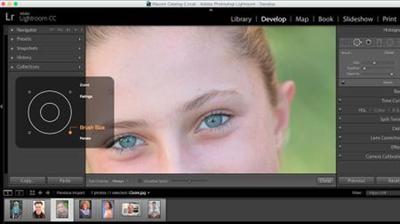
Using Wacom Tablets with Lightroom Classic CC 2015
MP4 | Video: 720p | Duration: 31:52 | English | Subtitles: VTT | 151.4 MB​


A Wacom tablet is a great addition to a photographic workflow. A pen and tablet offer more control over lighting and tonal adjustments, retouching, and even creative work like compositing. But are you getting the most out of your tools? In this course, Adobe Certified Instructor Kevin Stohlmeyer shows how to optimize your Wacom tablet for use with Lightroom Classic CC. He reviews each component of the tablet and Grip Pen and shows how to adjust preferences and customize your tablet to work best with Lightroom Classic CC. Plus, he explores how the Wacom tools extend the power of Lightroom's Adjustment Brush and healing tools, and how to get the most out of the ExpressKeys.

Topics include:
Changing the pen nibCustomizing the ExpressKeys, touch options, and moreModifying the Touch RingWorking with the Adjustment Brush and healing tools

Recommend Download Link Hight Speed | Please Say Thanks Keep Topic Live ​
 

9cd2119cc0967d808ba4c7ed7689059d.jpg


Photoshop CS5 for Video Editors
MP4 | Video: 720p | Duration: 3:37:53 | English | Subtitles: VTT | 1242.5 MB​


This unique workshop from veteran trainer Maxim Jago is specifically for video editors who want to become more comfortable working with Adobe Photoshop. Maybe you have opened Photoshop before, looked at all the panels and options, and shut it down right away. Or maybe you've learned to do the things you need to do, but without any systematic understanding of how Photoshop works. Either way, this course shows you how to make the most of what Photoshop has to offer, using language that speaks to video editors and examining features that relate to the video-editing workflow.

Topics include:
Color modes, pixel shapes, and interlacingWorking with prebuilt templatesUnderstanding layersUsing Smart ObjectsThe alpha channelWorking with video in PhotoshopUsing Photoshop documents in video editing applicationsWorking with adjustment layers, text, and layer stylesColor grading controls in PhotoshopUsing Vanishing Point and Photomerge

Recommend Download Link Hight Speed | Please Say Thanks Keep Topic Live ​
 

c286ba7cac91fa331a2c3d5f9e8c99c4.jpg


Learning Auto-Tune 8
MP4 | Video: 720p | Duration: 59:35 | English | Subtitles: VTT | 325.8 MB​


Auto-Tune is used by engineers, producers, and artists around the world for correcting pitch problems with vocals, as well as for adding creative effects. In this course, author Brian Lee White will explain the basics of getting the best tuning results from Auto-Tune 8. He'll share some of his tuning production secrets as well as some techniques (like the infamous T-Pain effect) used in pop music today.

Topics include:
Understanding pitch correctionTuning vocals with Auto mode and Solid TuneWorking in Live modeCreating and tracking pitch curves in Graphic modeControlling timingAchieving natural results with tuned vocals

Recommend Download Link Hight Speed | Please Say Thanks Keep Topic Live ​
 

74e015962ffb49ce9d81d7a5619476e7.jpg


JavaBeans Essential Training
MP4 | Video: 720p | Duration: 1:45:10 | English | Subtitles: VTT | 268.9 MB​


Although small-scale Java EE applications can be built without JavaBeans, in the large-scale Java EE world they're needed to separate business logic from presentation. Learn how to build your own JavaBeans and get developer tips for developing enterprise-level applications that are scalable, cross-compatible, and less demanding of server resources. In this course Patrick Royal covers the core concepts behind JavaBeans and explores the syntax, commands, and tools you need to know. He shows how to create session and entity objects, build server-side code, design objects to take advantage of parallel processing, and improve your code with optimization techniques and extensions. He also issues several JavaBeans programming challenges that allow you to test your knowledge along the way.

Topics include:
Building your first simple JavaBeans componentCreating simple entity beans and message-driven beansDefining a primary keyUnderstanding the life cycle of beansCreating home and component interfacesControlling concurrent access to JavaBeans objectsDebugging and optimizing JavaBeans codeEnabling security and encryptionCreating asynchronous methods

Recommend Download Link Hight Speed | Please Say Thanks Keep Topic Live ​
 

3792a2ca849026df8e33e3902fcf1a62.jpg


SharePoint: Compliance Management
MP4 | Video: 720p | Duration: 1:25:38 | English | Subtitles: VTT | 238.9 MB​


Records management is critical for any business that faces regulatory scrutiny, including healthcare and financial services. Luckily, SharePoint makes it easy to stay compliant while saving money and effort on digital records discovery and destruction. Learn how to manage records in SharePoint and become more compliant today, in this course with Tiffany Songvilay. Tiffany explains how to create a centralized repository, secure confidential files, and discover and hold records for litigation. She also covers topics such as creating an information management compliance strategy, setting up document handing rules, and automating several compliance functions.

Topics include:
Declaring immutable recordsAssigning unique permissionsAuditing recordsDestroying recordsBuilding a records centerCreating a record libraryRouting records to the records centerPutting records on holdUsing an eDiscovery site collection

Recommend Download Link Hight Speed | Please Say Thanks Keep Topic Live ​
 
Zurück
Oben Unten