Enhancing Photos with Perfectly Clear
MP4 | Video: 720p | Duration: 3:16:39 | English | Subtitles: VTT | 2443.0 MB
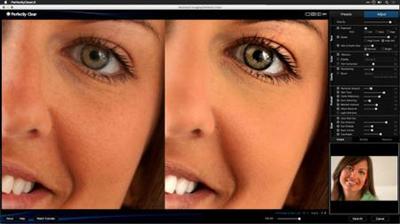
Learn how to enhance your images with Perfectly Clear. This plugin for Photoshop and Lightroom analyzes photos and makes corrections by combining image analysis and customized user settings. In this course, Rich Harrington shows how to enhance photos and fix common problems for a wide range of images using Perfectly Clear's presets and manual adjustment tools. Start watching to learn how to correct exposure, enhance color, sharpen details, retouch portraits, and develop raw files. Plus, get an inside look at the Lucid standalone apps, which harness the power of Perfectly Clear's one-click image adjustments for iOS devices and Windows and Mac computers.
Topics include:
Installing Perfectly ClearApplying Perfectly Clear in Photoshop and LightroomChoosing presetsRefining adjustments manuallyControlling exposureRestoring and removing colorSharpening imagesRemoving noiseRetouching skin, eyes, and other featuresWorking with raw filesUsing the Lucid desktop and mobile apps
Recommend Download Link Hight Speed | Please Say Thanks Keep Topic Live