• Regeln für den Video-Bereich:

    In den Börsenbereich gehören nur Angebote die bereits den Allgemeinen Regeln entsprechen.

    Einteilung

    - Folgende Formate gehören in die angegeben Bereiche:
    - Filme: Encodierte Filme von BluRay, DVD, R5, TV, Screener sowie Telesyncs im Format DivX, XviD und x264.
    - DVD: Filme im Format DVD5, DVD9 und HD2DVD.
    - HD: Encodierte Filme mit der Auflösung 720p oder darüber von BluRay, DVD, R5, TV, Screener sowie Telesyncs im Format x264.
    - 3D: Encodierte Filme von BluRay, die in einem 3D Format vorliegen. Dies gilt auch für Dokus, Animation usw.
    - Serien: Cartoon/Zeichentrick, Anime, Tutorials, Dokumentationen, Konzerte/Musik, Sonstiges sind demnach in die entsprechenden Bereiche einzuordnen, auch wenn sie beispielsweise im High Definition-Format oder als DVD5/DVD9/HD2DVD vorliegen. Ausnahme 3D.
    - Bereich Englisch: Englische Releases gehören immer in diesen Bereich.
    - Bereich Talk: Der Bereich, in dem über die Releases diskutiert werden kann, darf, soll und erwünscht ist.


    Angebot/Beitrag erstellen

    - Ein Beitrag darf erst dann erstellt werden, wenn der Upload bei mindestens einem OCH komplett ist. Platzhalter sind untersagt.
    - Bei einem Scenerelease hat der Threadtitel ausschließlich aus dem originalen, unveränderten Releasenamen zu bestehen. Es dürfen keine Veränderungen wie z.B. Sterne, kleine Buchstaben o.ä. vorgenommen werden. Ausnahme Serienbörse:
    - Bei einem Sammelthread für eine Staffel entfällt aus dem Releasename natürlich der Name der Folge. Beispiel: Die Simpsons S21 German DVDRip XviD - ITG
    - Dementsprechend sind also u.a. verboten: Erweiterungen wie "Tipp", "empfehlenswert", "only", "reup", usw. / jegliche andere Zusatzinformation oder Ergänzung, welche nicht in obiger Beschreibung zu finden ist.

    Aufbau des Angebots und Threadtitel

    Der Titel nach folgendem Muster erstellt zu werden. <Name> [3D] [Staffel] [German] <Jahr> <Tonspur> [DL] [Auflösung] <Quelle> <Codec> - <Group>
    Beispiel: The Dark Knight German 2008 AC3 DVDRip XviD - iND
    Beispiel: The Dark Knight 2008 DTS DL BDRip x264 - iND
    Beispiel: The Dark Knight 2008 AC3 DL BDRip XviD - iND
    Beispiel: The Dark Knight German 2008 AC3 720p BluRay x264 iND
    Beispiel: The Dark Knight 2008 DTS DL 1080p BluRay x264 iND
    Beispiel: Die Simpsons S01 German AC3 DVDRip XviD iND
    Beispiel: Die Simpsons S20 German AC3 720p BluRay x264 iND
    Beispiel: Sword Art Online II Ger Sub 2014 AAC 1080p WEBRip x264 - peppermint
    Entsprechend sind also u.a. verboten: Sonderzeichen wie Klammern, Sterne, Ausrufezeichen, Unterstriche, Anführungszeichen / Erweiterungen wie "Tipp", "empfehlenswert", "only", "reup", usw. / jegliche andere Zusatzinformation oder Ergänzung, welche nicht in obiger Beschreibung zu finden ist
    Ausnahmen hiervon können in den Bereichen geregelt sein.

    Die Beiträge sollen wie folgt aufgebaut werden:
    Überschrift entspricht dem Threadtitel
    Cover
    kurze Inhaltsbeschreibung
    Format, Größe, Dauer sind gut lesbar für Downloader außerhalb des Spoilers zu vermerken
    Nfo sind immer Anzugeben und selbige immer im Spoiler in Textform.
    Sind keine Nfo vorhanden z.B. Eigenpublikationen, sind im Spoiler folgende Dateiinformationen zusätzlich anzugeben :
    Quelle
    Video (Auflösung und Bitrate)
    Ton (Sprache, Format und Bitrate der einzelnen Spuren)
    Untertitel (sofern vorhanden)
    Hosterangabe in Textform außerhalb eines Spoiler mit allen enthaltenen Hostern.
    Bei SD kann auf diese zusätzlichen Dateiinformationen verzichtet werden.

    Alle benötigten Passwörter sind, sofern vorhanden, in Textform im Angebot anzugeben.
    Spoiler im Spoiler mit Kommentaren :"Schon Bedankt?" sind unerwünscht.


    Releases

    - Sind Retail-Release verfügbar, sind alle anderen Variationen untersagt. Ausnahmen: Alle deutschen Retail-Release sind CUT, in diesem Fall sind dubbed UNCUT-Release zulässig.
    - Im Serien-Bereich gilt speziell: Wenn ein Retail vor Abschluss einer laufenden Staffel erscheint, darf diese Staffel noch zu Ende gebracht werden.62
    - Gleiche Releases sind unbedingt zusammenzufassen. Das bedeutet, es ist zwingend erforderlich, vor dem Erstellen eines Themas per Suchfunktion zu überprüfen, ob bereits ein Beitrag mit demselben Release besteht. Ist dies der Fall, ist der bereits vorhandene Beitrag zu verwenden.
    - P2P und Scene Releases dürfen nicht verändert oder gar unter einem iND Tag eingestellt werden.


    Support, Diskussionen und Suche

    - Supportanfragen sind entweder per PN oder im Bereich Talk zu stellen.
    - Diskussionen und Bewertungen sind im Talk Bereich zu führen. Fragen an die Uploader haben ausschließlich via PN zu erfolgen, und sind in den Angeboten untersagt.
    - Anfragen zu Upload-Wünschen sind nur im Bereich Suche Video erlaubt. Antworten dürfen nur auf Angebote von MyBoerse.bz verlinkt werden.


    Verbote

    - Untersagt sind mehrere Formate in einem einzigen Angebotsthread, wie beispielsweise das gleichzeitige Anbieten von DivX/XviD, 720p und 1080p in einem Thread. Pro Format, Release und Auflösung ist ein eigener Thread zu eröffnen.
    - Grundsätzlich ebenso verboten sind Dupes. Uploader haben sich an geeigneter Stelle darüber zu informieren, ob es sich bei einem Release um ein Dupe handelt.
    - Gefakte, nur teilweise lauffähige oder unvollständige Angebote sind untersagt. Dies gilt auch für eigene Publikationen, die augenscheinlich nicht selbst von z.B. einer DVD gerippt wurden. Laufende Serien, bei denen noch nicht alle Folgen verfügbar sind, dürfen erstellt und regelmäßig geupdatet werden.
    - Untersagt sind Angebote, welche nur und ausschließlich in einer anderen Sprache als deutsch oder englisch vorliegen. Ausnahmen sind VORHER mit den Moderatoren zu klären.


    Verstoß gegen die Regeln

    - Angebote oder Beiträge, die gegen die Forenregeln verstoßen, sind über den "Melden"-Button im Beitrag zu melden.
  • Bitte registriere dich zunächst um Beiträge zu verfassen und externe Links aufzurufen.

++ Premium IPTV ++ 7000 Live Sender ++ UHD Qualität ++ Mediathek mit 18.000 Inhalten ++


VenneTV


Englische Tutorials


8fda2448f59172359df71baf33456d06.jpg


Content Marketing: Newsletters
MP4 | Video: 720p | Duration: 12:01 | English | Subtitles: VTT | 40.1 MB​


Long live email! While rumors of its death persist, the email newsletter is actually thriving. Customers like seeing something concrete, curated, and well written show up in their inbox. In this short course, C.C. Chapman, author of the bestselling Content Rules, covers the best practices for integrating email newsletters into your own content marketing efforts. He details the importance of growing your database, customizing the layout of emails, and keeping branding consistent. C.C. also includes tips for writing effective emails, like including calls to action and making sure email formatting is mobile friendly.
This course is part of a Learning Path approved by the American Marketing Association.

Gain the skills you need to become an AMA Professional Certified Marketer (PCM) in Digital Marketing by using the industry-leading courses and resources in the Learning Path. Take the AMA certification exam to show that you have what it takes to lead the digital transformation.

Recommend Download Link Hight Speed | Please Say Thanks Keep Topic Live ​

 

ceff2ecf7d346a641cbeedba380a8564.jpg


Lightroom 5: 4 Creating Slideshows
MP4 | Video: 720p | Duration: 56:42 | English | Subtitles: VTT | 193.6 MB​


Learn how to create slideshows of your photographs to share with family, friends, and clients with the Slideshow module in Lightroom. Tim Grey's Lightroom 5 series continues with an in-depth look at creating a basic slideshow and then adding custom text overlays, backdrops, and music cues. Plus, learn how to save your slideshow in a variety of formats, including PDF and video.

This course was created by Tim Grey. We're honored to host this training in our library. Watch more courses in this series here.

Recommend Download Link Hight Speed | Please Say Thanks Keep Topic Live ​

 

effd8ff6f861182d2bbdba83a831d58c.jpg


Lightroom Classic CC 2015 New Features
MP4 | Video: 720p | Duration: 2:25:28 | English | Subtitles: VTT | 1153.0 MB​


Stay up to date with what's new in Lightroom CC -and learn what's new in Lightroom 6. In this course, teacher and photographer Chris Orwig reviews the latest features and enhancements in this extremely popular photo-management, enhancement, and publishing program-as soon as they are released. New chapters will be added every time Adobe releases a noteworthy update. To start the course off, Chris takes a look at new features that debuted in Lightroom CC and Lightroom 6: face recognition, Photo Merge, new image enhancement tools in the Develop module, and improvements to the Slideshow and Web modules. Come here first to learn what's new in Lightroom CC.

Recommend Download Link Hight Speed | Please Say Thanks Keep Topic Live ​

 

8e166f05958b3543cda9d59128584bde.jpg


Sound Design for Motion Graphics
MP4 | Video: 720p | Duration: 2:52:28 | English | Subtitles: VTT | 839.5 MB​


Editors and motion graphics artists create visually stunning graphics; however, without a compelling sound design, their hard work can fall flat. Luckily, Adobe Audition CC offers a variety of tools to import, sculpt, and finesse your sound design while working with the motion graphics video in the timeline.

This course is based on a 30-second graphics project, which is used to demonstrate concepts ranging from sound selection and spotting to sound creation and manipulation. Along the way, author Scott Hirsch provides an in-depth look at Audition's Multitrack and Waveform Editors, as well as the process of round-tripping a project to Premiere Pro. Plus, he'll show how to create your own riveting sound effects from scratch and start building a library you can use for future projects.

Topics include:
Evaluating and spotting to pictureFinding and selecting soundsAdding sounds to the timelineWorking in the Waveform EditorUsing real-time clip and track effectsLayering soundSculpting soundBuilding a library of custom effectsMixing and exporting the mix

Recommend Download Link Hight Speed | Please Say Thanks Keep Topic Live ​

 

59f71bcacb50741afe8caaf7da554890.jpg


InDesign: Color
MP4 | Video: 720p | Duration: 2:17:41 | English | Subtitles: VTT | 535.7 MB​


Color is an essential part of design; knowing how to get exactly the color you want is a key skill for any designer. This course is your inside scoop on choosing, applying, and managing color, for print and for screen, with Adobe InDesign. Insider David Blatner provides everything designers need to know about using color in InDesign, from understanding the basic terminology to converting colors to creating and mixing your own swatches. Plus, learn how to explore more creative color possibilities using Adobe Color and InDesign's own built-in tools.

Topics include:
RGB vs. CMYKSpot colors vs. process colorsApplying colorsConverting spot colorsCreating swatchesExploring color with the Color Picker, Color Theme tool, and Adobe Color

Recommend Download Link Hight Speed | Please Say Thanks Keep Topic Live ​

 

5261de2b194c5528f307e52269a1de1b.jpg


Rhino and V-Ray: Rendering
MP4 | Video: 720p | Duration: 2:45:58 | English | Subtitles: VTT | 847.6 MB​


Before you can showcase your 3D designs, you need renders of your work that really pop. Learn how to render with Rhino and V-Ray in this course, which includes three fun sample projects: a penguin with glasses, a retro TV frame, and a funky birdhouse. First, author Dave Schultze shows how to install V-Ray and demystifies 3D concepts such as global illumination and raytrace rendering. He demonstrates techniques for rendering quickly with both Rhino's built-in rendering and V-Ray, and explains how to customize materials, enhance them with texture mapping, and add realistic surface textures using bump and displacement maps. Along the way, Dave shares insider tips and tricks on rendering, while showing how to get the right lighting for your scene, use color correction tools, and render with the V-Ray frame buffer.

Topics include:
Why use V-Ray?Installing DR SpawnerUnderstanding 3D terminologyActivating V-RayAdjusting quality settingsGet quick previews with the material overrideUnderstanding lighting typesExploring materials in the Material EditorCreating your own materialsTexture mapping materials with bitmaps and proceduralsSaving time with V-Ray presetsGetting the right size for your render with output settingsWorking with environment lightingStrategies for working with cameras and camera settingsEnsuring accurate color for your scene with color correctionRendering tips and tricks

Recommend Download Link Hight Speed | Please Say Thanks Keep Topic Live ​
 
c03af789bd83b3f98f85e04a3ba7245d.jpg


Java Programming(Methods):basics for beginners
MP4 | Video: AVC 1280x720 | Audio: AAC 44KHz 2ch | Duration: 33M | Lec: 7 | 68 MB
Genre: eLearning | Language: English​

let's learn about methods related things in java in a fast and efficient way

This course is concentrated on learning about methods in java programming language. nowadays there is very huge demand for java in software field. this is a best course to learn basic things about methods in java . learning basic things and revising topics in java is always a career added advantage to aspiring java developers and it also improves their opportunities if they revise themselves. so i strongly recommend this course to them. so,you should know java basics before enrolling for this course. this course is not for experts in this field. at the end of this course i am sure you will be able to have a basic knowledge about methods related things in java .please observe that it is a very basic level course. so,don't expect too much from this course.


b4cea30b8ae5b4f7e2f176c30cc2144d.jpg


Recommend Download Link Hight Speed | Please Say Thanks Keep Topic Live ​

 

a34c35e079856d0fe8b92ce8edaf7fa3.jpg


WordPress DIY: Small Business Website
MP4 | Video: 720p | Duration: 1:53:59 | English | Subtitles: VTT | 364.6 MB​


Want to build a website for your small business? Do it yourself (DIY) with WordPress. In this course, Morten Rand-Hendriksen shows how to create a website complete with a contact form, social sharing buttons, a booking/availability calendar, and a photo gallery. He walks through every step in the process: from site planning and finding the right plugins, to installing a new theme and customizing the appearance of your site to match your brand. Plus, get tips for prepping and sharing your site with the world.

Find more courses in this series in our WordPress DIY playlist.

Topics include:
Establishing the goals for the siteMaking a content inventoryAdding a custom menuChoosing a theme and pluginsCustomizing the front pageAdding promotionsSetting up a contact form, calendar, and social media buttonsSecuring your site and managing spam

Recommend Download Link Hight Speed | Please Say Thanks Keep Topic Live ​

 

b259bbcfe5a5d7cc5b626b2d530761f2.jpg


TTC Video - Mastering Differential Equations: The Visual Method
Course No. 1452 | .M4V, AVC, 1500 kbps, 640x480 | English, AAC, 128 kbps, 2 Ch | 24x30 mins | + PDF Guidebook | 7.74 GB
Lecturer: Robert L. Devaney, Ph.D.​

For centuries, differential equations have been the key to unlocking nature's deepest secrets. Over 300 years ago, Isaac Newton invented differential equations to understand the problem of motion, and he developed calculus in order to solve differential equations.


Since then, differential equations have been the essential tool for analyzing the process of change, whether in physics, engineering, biology, or any other field where it's important to predict how something behaves over time.

The pinnacle of a mathematics education, differential equations assume a basic knowledge of calculus, and they have traditionally required the rote memorization of a vast "cookbook" of formulas and specialized tricks needed to find explicit solutions. Even then, most problems involving differential equations had to be simplified, often in unrealistic ways; and a huge number of equations defied solution at all using these techniques.

But that was before computers revolutionized the field, extending the reach of differential equations into previously unexplored areas and allowing solutions to be approximated and displayed in easy-to-grasp computer graphics. For the first time, a method exists that can start a committed learner on the road to mastering this beautiful application of the ideas and techniques of calculus.

Mastering Differential Equations: The Visual Method takes you on this amazing mathematical journey in 24 intellectually stimulating and visually engaging half-hour lectures taught by a pioneer of the visual approach, Professor Robert L. Devaney of Boston University, coauthor of one of the most widely used textbooks on ordinary differential equations.

Differential Equations without Drudgery

A firm believer that there is no excuse for drudgery in a subject as fascinating as differential equations, Professor Devaney draws on the power of the computer to explore solutions visually. Throughout these graphics-intensive lectures, you investigate the geometric behavior of differential equations, seeing how the computer can calculate approximate solutions with as much precision as needed. And you may be surprised to learn how easily you can calculate and display approximate solutions yourself, even using nothing more than an ordinary spreadsheet. Best of all, the visual method means that unrealistic simplifications need not be applied to a problem.

Among those who will benefit from the exciting approach in Mastering Differential Equations are

college students currently enrolled in a differential equations course, who want the enriching perspective of a leader in the visual approach to the subject;
anyone who has completed calculus, is ready to take the next step, and is eager to see how the tools of calculus are applied to give startling insights into nature;
those who took differential equations in the past and would like a refresher course, especially one that shows today's revolutionary new tools for demystifying and extending the reach of the subject;
anyone who finds math exciting, is up for a challenge, and wants a new window into the elegantly simple structure at the heart of nature's most complex phenomena.

Beautiful Ideas plus Amazing Applications

Differential equations involve velocity, acceleration, growth rates, and other quantities that can be interpreted by derivatives, which are a fundamental concept of calculus. Often expressed with utmost simplicity and mathematical elegance, differential equations underlie some of nature's most intriguing phenomena:

The first and most famous differential equation is Isaac Newton's second law of motion (F = ma), which relates force, mass, and acceleration, allowing the velocity and position of an accelerating object to be determined at any point in time.
The Lorenz differential equation for modeling weather describes the behavior of the atmosphere in terms of a single fluid particle, showing how nature's inherent chaos can be modeled with surprisingly simple mathematics.
Differential equations have been used to model the catastrophic behavior of the Tacoma Narrows Bridge, which famously collapsed in 1940, and London's Millennium Bridge, which appeared headed for the same fate before it was quickly closed for modifications in 2000.
The precipitous drop in the North Atlantic haddock population can be understood as the bifurcation point in a differential equation, in which a slight change in one parameter-the harvesting rate-produces a drastic effect on population growth.

These and countless other applications illustrate the unrivaled ability of differential equations to stop time and sharpen our view into the past and future-a power that has grown enormously with advances in computer technology, as you explore in depth in this course.

A Taste of 21st-Century Mathematics

Each of the four sections of Mastering Differential Equations begins with a phenomenon that can be modeled with differential equations. As you probe deeper, fundamental ideas (the derivative, integral, and vector field) and other relevant tools from calculus are introduced, along with new mathematics, including four lectures on linear algebra and five lectures on chaos theory.

In the first section, you cover first-order differential equations, which involve only the first derivative of the missing function being sought as a solution. When possible, you solve the equations analytically, while making use of a wide range of visual tools, including slope fields, phase lines, and bifurcation diagrams. You also learn how computers use a simple algorithm to generate approximate solutions-and how these techniques can sometimes fail, often due to chaos.

In the second section, you turn to second-order differential equations-those that involve both the first and second derivatives. Using the mass-spring system from physics as a model, you learn that solutions are relatively straightforward as long as the mass-spring system is not forced. But when periodic forcing occurs, much more complicated behaviors arise.

In the third section, you focus on systems of differential equations, starting with linear systems and the techniques of linear algebra, which are pivotal for solving such problems. Then you shift to nonlinear systems, investigating competing species, oscillating chemical reactions, and the Lorenz system of weather modeling-which led to the famous "butterfly effect," one of the ideas that spawned chaos theory.

The final section goes deeper into chaos theory, introducing you to the cutting-edge field of dynamical systems, whose development has exploded, thanks to the rise of visual methods. Here you focus on iterated functions, also known as difference equations. Using the logistic population model from biology, you learn to analyze and understand the sudden appearance of chaos. Then you move onto the complex plane to graph the visually stunning chaos that emerges in such fractal forms as the Mandelbrot set, taking you into realms of cutting-edge mathematics.

The winner of many teaching honors, including the prestigious Deborah and Franklin Tepper Haimo Award for Distinguished University Teaching from the Mathematical Association of America, Professor Devaney is especially excited about the modern mathematics that he brings to this course. Just a few years ago, he notes, students studying differential equations seldom ventured beyond 18th-century mathematics. But Mastering Differential Equations guides you into the 21st century, showing how this deceptively simple tool-the differential equation-continues to give surprising and spectacular insights into both the world of mathematics and the workings of the universe.


47380f6ef1c6b2e81b64890225168f3c.jpg


More Info


7125f69d49e7380fc3dd527624db7422.jpg


5c2de91215c13b2d43be518e5ba74ce8.jpg


Recommend Download Link Hight Speed | Please Say Thanks Keep Topic Live ​
 

ab5de4b6646d7b49ef1449181b2a13ab.jpg


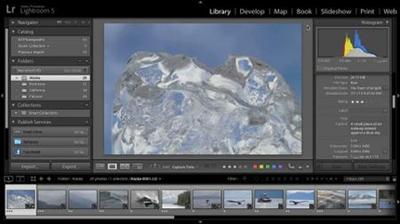
Adobe XD New Features
MP4 | Video: 720p | Duration: 33:22 | English | Subtitles: VTT | 266.9 MB​


Paul Trani, senior evangelist at Adobe, provides a high-level overview of the new features in Adobe XD (Experience Design) releasing in November 2016. This update is part of the Creative Cloud 2017 overhaul, and offers exciting enhancements such as drawing and importing improvements, new ways to work with color and text, and prototype previewing on devices. This update also pulls your favorite features from other CC applications-layers and symbols-and puts them in this dedicated tool for UX design.

Topics include:
Drawing and importing shapes and graphicsUsing the new color toolsEditing area textUsing layersCreating and editing symbolsPreviewing on a devicePreviewing in a browser and adding comments

Recommend Download Link Hight Speed | Please Say Thanks Keep Topic Live ​
 

feae8824f4c751e79aeb77fd42cda7c2.jpg


Running a Design Business: Presentation Skills
MP4 | Video: 720p | Duration: 1:04:11 | English | Subtitles: VTT | 423.3 MB​


Strong presentation skills are necessary for a good designer to be a great designer. How you present your ideas impacts how willing clients are to make meaningful emotional and financial investments in them. Let designer and Art Center College of Design professor Petrula Vrontikis help you convey your ideas with confidence and clarity. Learn to strategize, format, and time your presentation to fit your audience, craft a great message, gain credibility using research, develop visual aids, and deliver the final presentation. Throughout the course, Petrula gives you tips for staying organized and calm, connecting with your clients, and getting the approval needed to move your project forward.

Topics include:
Presenting one-on-one, to a team, or to a larger audienceChoosing a presentation formatIntroducing your design and providing contextPersuading your audienceDeveloping visual aidsCreating a great first impressionUnderstanding verbal and nonverbal cuesGetting approvalFacilitating a Q&A session

Recommend Download Link Hight Speed | Please Say Thanks Keep Topic Live ​
 
04d7f8d4b233d49b2c5c9808f31dc8c2.jpg


How to draw a realistic eye
MP4 | Video: AVC 1280x720 | Audio: AAC 44KHz 2ch | Duration: 34M | Lec: 7 | 445 MB
Genre: eLearning | Language: English
Using pencil, follow the step by step instructions to draw an eye​

In this course "How to draw a realistic eye" you will learn the skills and techniques needed to draw and eye using pencil. We will cover sketching the eye, adding tone to make it look more 3D as well as adding in the fine details to make it look more realistic. If you would like to learn more about drawing then this is the course for you. No drawing experience needed.

I suggest that you take a photograph of an eye using your phone or a camera and then have it beside you as you follow through the drawing course. You will want to check back with the photo constantly as you draw. Try and make sure it is a focussed photo and taken in good light so that you can see the details in the iris.


3c7553c8e9c4f54b98845412315409b5.jpg


Recommend Download Link Hight Speed | Please Say Thanks Keep Topic Live ​
 
Zurück
Oben Unten