• Regeln für den Video-Bereich:

    In den Börsenbereich gehören nur Angebote die bereits den Allgemeinen Regeln entsprechen.

    Einteilung

    - Folgende Formate gehören in die angegeben Bereiche:
    - Filme: Encodierte Filme von BluRay, DVD, R5, TV, Screener sowie Telesyncs im Format DivX, XviD und x264.
    - DVD: Filme im Format DVD5, DVD9 und HD2DVD.
    - HD: Encodierte Filme mit der Auflösung 720p oder darüber von BluRay, DVD, R5, TV, Screener sowie Telesyncs im Format x264.
    - 3D: Encodierte Filme von BluRay, die in einem 3D Format vorliegen. Dies gilt auch für Dokus, Animation usw.
    - Serien: Cartoon/Zeichentrick, Anime, Tutorials, Dokumentationen, Konzerte/Musik, Sonstiges sind demnach in die entsprechenden Bereiche einzuordnen, auch wenn sie beispielsweise im High Definition-Format oder als DVD5/DVD9/HD2DVD vorliegen. Ausnahme 3D.
    - Bereich Englisch: Englische Releases gehören immer in diesen Bereich.
    - Bereich Talk: Der Bereich, in dem über die Releases diskutiert werden kann, darf, soll und erwünscht ist.


    Angebot/Beitrag erstellen

    - Ein Beitrag darf erst dann erstellt werden, wenn der Upload bei mindestens einem OCH komplett ist. Platzhalter sind untersagt.
    - Bei einem Scenerelease hat der Threadtitel ausschließlich aus dem originalen, unveränderten Releasenamen zu bestehen. Es dürfen keine Veränderungen wie z.B. Sterne, kleine Buchstaben o.ä. vorgenommen werden. Ausnahme Serienbörse:
    - Bei einem Sammelthread für eine Staffel entfällt aus dem Releasename natürlich der Name der Folge. Beispiel: Die Simpsons S21 German DVDRip XviD - ITG
    - Dementsprechend sind also u.a. verboten: Erweiterungen wie "Tipp", "empfehlenswert", "only", "reup", usw. / jegliche andere Zusatzinformation oder Ergänzung, welche nicht in obiger Beschreibung zu finden ist.

    Aufbau des Angebots und Threadtitel

    Der Titel nach folgendem Muster erstellt zu werden. <Name> [3D] [Staffel] [German] <Jahr> <Tonspur> [DL] [Auflösung] <Quelle> <Codec> - <Group>
    Beispiel: The Dark Knight German 2008 AC3 DVDRip XviD - iND
    Beispiel: The Dark Knight 2008 DTS DL BDRip x264 - iND
    Beispiel: The Dark Knight 2008 AC3 DL BDRip XviD - iND
    Beispiel: The Dark Knight German 2008 AC3 720p BluRay x264 iND
    Beispiel: The Dark Knight 2008 DTS DL 1080p BluRay x264 iND
    Beispiel: Die Simpsons S01 German AC3 DVDRip XviD iND
    Beispiel: Die Simpsons S20 German AC3 720p BluRay x264 iND
    Beispiel: Sword Art Online II Ger Sub 2014 AAC 1080p WEBRip x264 - peppermint
    Entsprechend sind also u.a. verboten: Sonderzeichen wie Klammern, Sterne, Ausrufezeichen, Unterstriche, Anführungszeichen / Erweiterungen wie "Tipp", "empfehlenswert", "only", "reup", usw. / jegliche andere Zusatzinformation oder Ergänzung, welche nicht in obiger Beschreibung zu finden ist
    Ausnahmen hiervon können in den Bereichen geregelt sein.

    Die Beiträge sollen wie folgt aufgebaut werden:
    Überschrift entspricht dem Threadtitel
    Cover
    kurze Inhaltsbeschreibung
    Format, Größe, Dauer sind gut lesbar für Downloader außerhalb des Spoilers zu vermerken
    Nfo sind immer Anzugeben und selbige immer im Spoiler in Textform.
    Sind keine Nfo vorhanden z.B. Eigenpublikationen, sind im Spoiler folgende Dateiinformationen zusätzlich anzugeben :
    Quelle
    Video (Auflösung und Bitrate)
    Ton (Sprache, Format und Bitrate der einzelnen Spuren)
    Untertitel (sofern vorhanden)
    Hosterangabe in Textform außerhalb eines Spoiler mit allen enthaltenen Hostern.
    Bei SD kann auf diese zusätzlichen Dateiinformationen verzichtet werden.

    Alle benötigten Passwörter sind, sofern vorhanden, in Textform im Angebot anzugeben.
    Spoiler im Spoiler mit Kommentaren :"Schon Bedankt?" sind unerwünscht.


    Releases

    - Sind Retail-Release verfügbar, sind alle anderen Variationen untersagt. Ausnahmen: Alle deutschen Retail-Release sind CUT, in diesem Fall sind dubbed UNCUT-Release zulässig.
    - Im Serien-Bereich gilt speziell: Wenn ein Retail vor Abschluss einer laufenden Staffel erscheint, darf diese Staffel noch zu Ende gebracht werden.62
    - Gleiche Releases sind unbedingt zusammenzufassen. Das bedeutet, es ist zwingend erforderlich, vor dem Erstellen eines Themas per Suchfunktion zu überprüfen, ob bereits ein Beitrag mit demselben Release besteht. Ist dies der Fall, ist der bereits vorhandene Beitrag zu verwenden.
    - P2P und Scene Releases dürfen nicht verändert oder gar unter einem iND Tag eingestellt werden.


    Support, Diskussionen und Suche

    - Supportanfragen sind entweder per PN oder im Bereich Talk zu stellen.
    - Diskussionen und Bewertungen sind im Talk Bereich zu führen. Fragen an die Uploader haben ausschließlich via PN zu erfolgen, und sind in den Angeboten untersagt.
    - Anfragen zu Upload-Wünschen sind nur im Bereich Suche Video erlaubt. Antworten dürfen nur auf Angebote von MyBoerse.bz verlinkt werden.


    Verbote

    - Untersagt sind mehrere Formate in einem einzigen Angebotsthread, wie beispielsweise das gleichzeitige Anbieten von DivX/XviD, 720p und 1080p in einem Thread. Pro Format, Release und Auflösung ist ein eigener Thread zu eröffnen.
    - Grundsätzlich ebenso verboten sind Dupes. Uploader haben sich an geeigneter Stelle darüber zu informieren, ob es sich bei einem Release um ein Dupe handelt.
    - Gefakte, nur teilweise lauffähige oder unvollständige Angebote sind untersagt. Dies gilt auch für eigene Publikationen, die augenscheinlich nicht selbst von z.B. einer DVD gerippt wurden. Laufende Serien, bei denen noch nicht alle Folgen verfügbar sind, dürfen erstellt und regelmäßig geupdatet werden.
    - Untersagt sind Angebote, welche nur und ausschließlich in einer anderen Sprache als deutsch oder englisch vorliegen. Ausnahmen sind VORHER mit den Moderatoren zu klären.


    Verstoß gegen die Regeln

    - Angebote oder Beiträge, die gegen die Forenregeln verstoßen, sind über den "Melden"-Button im Beitrag zu melden.
  • Bitte registriere dich zunächst um Beiträge zu verfassen und externe Links aufzurufen.

++ Premium IPTV ++ 7000 Live Sender ++ UHD Qualität ++ Mediathek mit 18.000 Inhalten ++


VenneTV


Englische Tutorials


82f9cdd02fda3e62bc457d4261a75ef3.jpg


Teaching Techniques: Creating Effective Learning Assessments
MP4 | Video: 720p | Duration: 35:30 | English | Subtitles: VTT | 90.3 MB​


From the report cards we get in kindergarten to our college midterms, assessments are an inescapable part of student life; however, not all learning assessments are created equal. The best ones give valuable feedback to learners and provide a solid indication to instructors about who is learning what, what's working, and what isn't.
In this course, John-Paul Ballard-an instructional design expert who specializes in leveraging technology for the education market-shows you how to create such assessments. To begin, John-Paul provides you with an overview, explaining the three sides of learning assessments, referencing Bloom's taxonomy and Kirkpatrick's Four Levels of Evaluation. Next, learn about the different assessment formats-for example, online exams, classroom-written exams, and observational assessments-and how to choose the best format for your assessment. He also covers how to make your assessment realistic and your test environment fair. Last, he explains how to plan and design your exam and shows you, by example, how to create a rubric.

Topics include:
Establishing assessment goalsUnderstanding best practicesLearning how Bloom's taxonomy affects assessmentsComparing assessment formatsCreating observational assessmentsDelivering online examsProviding feedbackMaking your assessment realisticCreating a fair assessment environmentHandling accommodations for special needsPlanning and designing assessmentsCreating a rubric

Recommend Download Link Hight Speed | Please Say Thanks Keep Topic Live ​

 

7a63d58435125c39682dc7346d2fc4df.jpg


Print Production: Packaging
MP4 | Video: 720p | Duration: 1:47:34 | English | Subtitles: VTT | 298.2 MB​


Packaging is where engineering meets design. Learn about the basics of designing packages for everything from foodstuffs to fragrance, in ways that are practical for manufacturing and shipping, and make the products visually appealing. Author Claudia McCue reviews the types of containers real packaging engineers consider, and then concentrates on folding cartons, which can be created with the tools available to most designers: Adobe InDesign and Illustrator. Learn how to create dielines (the flattened view of your product) and add artwork and text. Then find out how to print and cut out a mockup version of your packaging, and prepare the job for professional printing. Claudia also takes you for a quick view of the factory floor, where products are packed into their final containers.

Topics include:
Deciding on the type of packageConsidering the consumer experienceReplicating an existing packageAdding flaps and fold-in tabsUsing Illustrator and InDesign for layoutCreating a dielineChecking the mockupPreparing your jobs for the printer

Recommend Download Link Hight Speed | Please Say Thanks Keep Topic Live ​

 

4b2ff1bb1143d898b170e499feb66a02.jpg


Premiere Pro CS5.5: Compositing
MP4 | Video: 720p | Duration: 2:18:29 | English | Subtitles: VTT | 989.2 MB​


Adobe Premiere Pro CS5.5 is primarily a nonlinear editing system designed for fast cutting of multiple media types, but it is also an advanced special effects and compositing tool. In this course, master editor Maxim Jago describes the tools and options available to create complex compositions using just Premiere Pro, without involving After Effects or Photoshop. Learn how to adjust opacity, use garbage mattes and track mattes, and create nested sequences, as well as how to work with chroma keys, luma keys, and the Ultra Keyer. Maxim shares all the techniques necessary to layer multiple media elements and produce advanced sequences as compositions.

Topics include:
Introducing Premiere Pro: the compositing programUnderstanding transparency and alpha channelsAdjusting opacityWorking with garbage mattesLuma keys and chroma keysThe Ultra KeyerNesting sequencesUnderstanding and using blend modesCreating track mattes

Recommend Download Link Hight Speed | Please Say Thanks Keep Topic Live ​
 

2f10d8ea1d36ce48c8ffa5133c67f118.jpg


Painter 12 Essential Training
MP4 | Video: 540p | Duration: 5:28:22 | English | Subtitles: VTT | 733.7 MB​


Join John Derry, one of the original Corel Painter authors, as he shares the creative techniques that will get beginners up and running, and shows old hands the new features that can get a creative vision out of your head and on to your canvas. The course demonstrates how to create projects, use Painter brushes and painting styles, build templates, and work with layers and channels. John also shares pointers on setting up a Wacom tablet to interface with Painter.

Topics include:
Exploring the changes in the Painter 12 interfaceCustomizing brushes and selecting painting stylesLaying out the optimal workspaceControlling color with the color palettesAdjusting brush size and stroke attributesWorking with texture-aware mediaQuick cloning with the Clone Source panelAuto-Painting with the Underpainting, Smart Stroke, and Restoration palettesPreserving transparency in layersCreating layer masksPainting with symmetryWorking with the Image HoseIntegrating Painter projects with PhotoshopTroubleshooting brushes and other issues

Recommend Download Link Hight Speed | Please Say Thanks Keep Topic Live ​
 

99bdde4063e83c78072cc29dcb6abd66.jpg


Compositing an Alien Portal in NUKE
MP4 | Video: 720p | Duration: 2:20:36 | English | Subtitles: VTT | 558.9 MB​


Practice your NUKE compositing skills while you build something truly out of this world: an alien portal. In this project, VFX compositing guru Steve Wright uses footage shot with a RED camera, a CG-rendered character, and a matte painting-assets included with the exercise files. He composites the character into the scene, and then uses camera tracking to create a solve for laying in the portal and portal rays-effects created from scratch with NUKE's Noise node. Finally, he shows how to color correct the shot and add interactive lighting effects.

Each step of the process is rich in valuable production techniques, but is best for artists who are already familiar with NUKE. For more training on the basics, see Nuke X Essential Training.

Topics include:
Compositing the alien characterCreating holdout mattesCamera trackingAnimating the portal rays3D rendering the effectsAdding interactive lightingAnimating a flashing lightFinishing a NUKE composite

Recommend Download Link Hight Speed | Please Say Thanks Keep Topic Live ​
 
2974929b0c62152fb717b836b5dc5def.jpg


Robotics Programming & Math for ****,beginners Step by Step
MP4 | Video: AVC 1280x720 | Audio: AAC 44KHz 2ch | Duration: 1 Hours | Lec: 19 | 112 MB
Genre: eLearning | Language: English​

12+ Robotics Programming & Robot Simulation activities, learn to apply Math fundamentals to draw different 2D shapes !!

This is a very basic STEM (Science Technology Engineering & Mathematics) course introducing you to the world of Robotics Programming & Mathematics.

Learn to Write Programs for the Software Robot
Simulate the Robot
Learn Maths fundamentals through Programming
Drag & Drop based software to learn programming easily
Learn to create Technology

Learn about Robotics programming and how robots are made to move and turn, using timers to wait between two different activities of a robot.

Learn the Engineering

You will learn different programming concepts like for loop, while loop, if & else statements, using variables but in an easy way.

Learn Maths

Sounds boring but you'll love the way Maths concepts are explained in the course like acute and obtuse angles, Squares, Polygons & circles.

So, Enrol for the course & Enjoy learning


8ad56c39cb81c4da5af7003b30bc0a3e.jpg


Recommend Download Link Hight Speed | Please Say Thanks Keep Topic Live ​
 

1eab0beadc50ab831ddd845ce26f7c01.jpg


AutoCAD 2011 Essential Training
MP4 | Video: 540p | Duration: 6:48:43 | English | Subtitles: VTT | 721.0 MB​


Join Jeff Bartels as he covers the most important features of this industry-standard drafting and design application in AutoCAD 2011 Essential Training. This course begins with a tour of AutoCAD's interface and the tools used to create basic shapes. It then focuses on the methods used to modify and refine geometry while emphasizing accuracy and good habits to build a solid design foundation. The course covers using layers, line types, and colors to organize a drawing file and explains how to efficiently annotate a design and prepare it for final output. Throughout the title, Jeff shares industry techniques used in production and reinforces concepts using practical examples. Exercise files are included with the course.

Topics include:
Understanding model spaceWorking in a multiple-document environmentOrganizing drawings using layersCreating basic geometryConfiguring units for architectural, civil, or metric workIncorporating blocks (symbols) into a working fileMaintaining accuracy with coordinates and snapsCreating annotations that automatically size themselvesMoving and copying elementsTransferring data between drawingsPreparing standardized layouts with title blocksSharing drawings

Recommend Download Link Hight Speed | Please Say Thanks Keep Topic Live ​
 
597d6a310af4b785555003771b1c79ba.jpg


ScreenFlow 6 Essential Training For Begginers
MP4 | Video: AVC 1280x720 | Audio: AAC 44KHz 2ch | Duration: 1 Hours | Lec: 18 | 145 MB
Genre: eLearning | Language: English​

Learn How To Screencast,Film Your Ios Device and Edit Videos

Do you want to start editing videos with ScreenFlow right away without spending hours on a tutorial?
This course is an essential training on ScreenFlow meaning that you'll only learn what you need to start editing videos as fast as possible.

We will see:

How to record your computer screen (Screencast)
How to record your IOS DEVICES screen
How to edit videos and create a montage
This course is for online trainers, YouTubers, and aspiring videos maker.

If you're someone who does a lot of tutorials on software, this course will be helpfull for you.


9d292325ca50d18305c655d439c92c89.jpg


Recommend Download Link Hight Speed | Please Say Thanks Keep Topic Live ​
 

a45d9f9665a10b67879926fb1b2a12ee.jpg


**** Photography: In Parks at Play
MP4 | Video: 720p | Duration: 40:50 | English | Subtitles: VTT | 229.0 MB​


Photographing **** can be tricky. Some **** love the camera, but many freeze up as soon as you point one at them. To take great portraits, it helps to meet the **** on their turf and on their terms. That means photographing them in environments where they get to be ****.

In this course, we join photographer Erika Thornes in a sun-dappled park for a look at the techniques she employs to shoot her beautiful, natural-light portraits. Watch as Erika engages with a little girl and adjusts her shooting approach based on what the child is doing. Erika also demonstrates tricks for dealing with high-energy ****. The course concludes with a review of the day's shoot and some post-processing tips.

Recommend Download Link Hight Speed | Please Say Thanks Keep Topic Live ​
 

e69261b45062490736373fea44a39948.jpg


Installing Windows 8 in VMware Fusion
MP4 | Video: 720p | Duration: 29:43 | English | Subtitles: VTT | 82.4 MB​


VMware Fusion allows you to run many different operating systems on your Mac, but Windows is the most popular among IT professionals and power users alike. In this short course, Doug Winnie introduces two methods for installing Windows 8 successfully in VMware Fusion: Easy Install and an advanced option that gives you more control over your virtual machine.

Recommend Download Link Hight Speed | Please Say Thanks Keep Topic Live ​
 

8263fa8d9fe1f5d2363f4c16c5958a5d.jpg


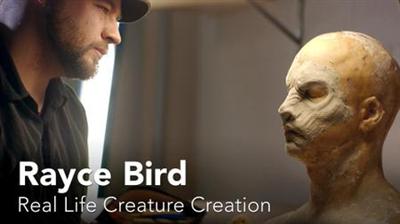
Rayce Bird: Real Life Creature Creation
MP4 | Video: 720p | Duration: 14:21 | English | Subtitles: VTT | 259.0 MB​


Rayce Bird is a special effects makeup artist, creature creator, graphic designer, tattoo artist, and winner of Face Off, the Syfy network's special effects reality competition. In this short film, we follow Rayce to his studio, where he creates his latex masks (a process involving a clay sculpture, a plaster mold, and a foam latex cast), and to Comic-Con, where he does a demo for his fans. Rayce explains his lifelong fascination with the "monstrous" and his insights on becoming a great designer, regardless of the medium.

Want to see how Rayce created the 3D model for the mask shown in the film? Watch his course, Sculpting a Creature in ZBrush and Photoshop.

Recommend Download Link Hight Speed | Please Say Thanks Keep Topic Live ​
 

e50a8313a385d32ce7ec78a5b5cd1363.jpg


Unity: Debugging Scripts
MP4 | Video: 720p | Duration: 1:04:39 | English | Subtitles: VTT | 490.1 MB​


Debug your games and apps smarter and more efficiently with Unity's powerful suite of debugging, testing, and profiling tools. Chris Byers takes an in-depth look at the Unity console, utilizing the MonoDevelop IDE for runtime debugging, and profiling applications with the Unity Profiler, and provides a brief introduction to the Unity Test Tools for unit and integration testing. Plus, get tips on mobile debugging on iOS and Android.

Topics include:
Working in the Unity consoleBrute force loggingDebugging in Scene viewHandling exceptionsRunning integration and unit testsTips for debugging on mobile platforms

Recommend Download Link Hight Speed | Please Say Thanks Keep Topic Live ​
 
Zurück
Oben Unten