Follow along with the video below to see how to install our site as a web app on your home screen.
Anmerkung: This feature currently requires accessing the site using the built-in Safari browser.
Regeln für den Video-Bereich:
In den Börsenbereich gehören nur Angebote die bereits den Allgemeinen Regeln entsprechen.
Einteilung
- Folgende Formate gehören in die angegeben Bereiche:
- Filme: Encodierte Filme von BluRay, DVD, R5, TV, Screener sowie Telesyncs im Format DivX, XviD und x264.
- DVD: Filme im Format DVD5, DVD9 und HD2DVD.
- HD: Encodierte Filme mit der Auflösung 720p oder darüber von BluRay, DVD, R5, TV, Screener sowie Telesyncs im Format x264.
- 3D: Encodierte Filme von BluRay, die in einem 3D Format vorliegen. Dies gilt auch für Dokus, Animation usw.
- Serien: Cartoon/Zeichentrick, Anime, Tutorials, Dokumentationen, Konzerte/Musik, Sonstiges sind demnach in die entsprechenden Bereiche einzuordnen, auch wenn sie beispielsweise im High Definition-Format oder als DVD5/DVD9/HD2DVD vorliegen. Ausnahme 3D.
- Bereich Englisch: Englische Releases gehören immer in diesen Bereich.
- Bereich Talk: Der Bereich, in dem über die Releases diskutiert werden kann, darf, soll und erwünscht ist.
Angebot/Beitrag erstellen
- Ein Beitrag darf erst dann erstellt werden, wenn der Upload bei mindestens einem OCH komplett ist. Platzhalter sind untersagt.
- Bei einem Scenerelease hat der Threadtitel ausschließlich aus dem originalen, unveränderten Releasenamen zu bestehen. Es dürfen keine Veränderungen wie z.B. Sterne, kleine Buchstaben o.ä. vorgenommen werden. Ausnahme Serienbörse:
- Bei einem Sammelthread für eine Staffel entfällt aus dem Releasename natürlich der Name der Folge. Beispiel: Die Simpsons S21 German DVDRip XviD - ITG
- Dementsprechend sind also u.a. verboten: Erweiterungen wie "Tipp", "empfehlenswert", "only", "reup", usw. / jegliche andere Zusatzinformation oder Ergänzung, welche nicht in obiger Beschreibung zu finden ist.
Aufbau des Angebots und Threadtitel
Der Titel nach folgendem Muster erstellt zu werden. <Name> [3D] [Staffel] [German] <Jahr> <Tonspur> [DL] [Auflösung] <Quelle> <Codec> - <Group>
Beispiel: The Dark Knight German 2008 AC3 DVDRip XviD - iND
Beispiel: The Dark Knight 2008 DTS DL BDRip x264 - iND
Beispiel: The Dark Knight 2008 AC3 DL BDRip XviD - iND
Beispiel: The Dark Knight German 2008 AC3 720p BluRay x264 iND
Beispiel: The Dark Knight 2008 DTS DL 1080p BluRay x264 iND
Beispiel: Die Simpsons S01 German AC3 DVDRip XviD iND
Beispiel: Die Simpsons S20 German AC3 720p BluRay x264 iND
Beispiel: Sword Art Online II Ger Sub 2014 AAC 1080p WEBRip x264 - peppermint
Entsprechend sind also u.a. verboten: Sonderzeichen wie Klammern, Sterne, Ausrufezeichen, Unterstriche, Anführungszeichen / Erweiterungen wie "Tipp", "empfehlenswert", "only", "reup", usw. / jegliche andere Zusatzinformation oder Ergänzung, welche nicht in obiger Beschreibung zu finden ist
Ausnahmen hiervon können in den Bereichen geregelt sein.
Die Beiträge sollen wie folgt aufgebaut werden:
Überschrift entspricht dem Threadtitel
Cover
kurze Inhaltsbeschreibung
Format, Größe, Dauer sind gut lesbar für Downloader außerhalb des Spoilers zu vermerken
Nfo sind immer Anzugeben und selbige immer im Spoiler in Textform.
Sind keine Nfo vorhanden z.B. Eigenpublikationen, sind im Spoiler folgende Dateiinformationen zusätzlich anzugeben :
Quelle
Video (Auflösung und Bitrate)
Ton (Sprache, Format und Bitrate der einzelnen Spuren)
Untertitel (sofern vorhanden)
Hosterangabe in Textform außerhalb eines Spoiler mit allen enthaltenen Hostern.
Bei SD kann auf diese zusätzlichen Dateiinformationen verzichtet werden.
Alle benötigten Passwörter sind, sofern vorhanden, in Textform im Angebot anzugeben.
Spoiler im Spoiler mit Kommentaren :"Schon Bedankt?" sind unerwünscht.
Releases
- Sind Retail-Release verfügbar, sind alle anderen Variationen untersagt. Ausnahmen: Alle deutschen Retail-Release sind CUT, in diesem Fall sind dubbed UNCUT-Release zulässig.
- Im Serien-Bereich gilt speziell: Wenn ein Retail vor Abschluss einer laufenden Staffel erscheint, darf diese Staffel noch zu Ende gebracht werden.62
- Gleiche Releases sind unbedingt zusammenzufassen. Das bedeutet, es ist zwingend erforderlich, vor dem Erstellen eines Themas per Suchfunktion zu überprüfen, ob bereits ein Beitrag mit demselben Release besteht. Ist dies der Fall, ist der bereits vorhandene Beitrag zu verwenden.
- P2P und Scene Releases dürfen nicht verändert oder gar unter einem iND Tag eingestellt werden.
Support, Diskussionen und Suche
- Supportanfragen sind entweder per PN oder im Bereich Talk zu stellen.
- Diskussionen und Bewertungen sind im Talk Bereich zu führen. Fragen an die Uploader haben ausschließlich via PN zu erfolgen, und sind in den Angeboten untersagt.
- Anfragen zu Upload-Wünschen sind nur im Bereich Suche Video erlaubt. Antworten dürfen nur auf Angebote von MyBoerse.bz verlinkt werden.
Verbote
- Untersagt sind mehrere Formate in einem einzigen Angebotsthread, wie beispielsweise das gleichzeitige Anbieten von DivX/XviD, 720p und 1080p in einem Thread. Pro Format, Release und Auflösung ist ein eigener Thread zu eröffnen.
- Grundsätzlich ebenso verboten sind Dupes. Uploader haben sich an geeigneter Stelle darüber zu informieren, ob es sich bei einem Release um ein Dupe handelt.
- Gefakte, nur teilweise lauffähige oder unvollständige Angebote sind untersagt. Dies gilt auch für eigene Publikationen, die augenscheinlich nicht selbst von z.B. einer DVD gerippt wurden. Laufende Serien, bei denen noch nicht alle Folgen verfügbar sind, dürfen erstellt und regelmäßig geupdatet werden.
- Untersagt sind Angebote, welche nur und ausschließlich in einer anderen Sprache als deutsch oder englisch vorliegen. Ausnahmen sind VORHER mit den Moderatoren zu klären.
Verstoß gegen die Regeln
- Angebote oder Beiträge, die gegen die Forenregeln verstoßen, sind über den "Melden"-Button im Beitrag zu melden.
Du verwendest einen veralteten Browser. Es ist möglich, dass diese oder andere Websites nicht korrekt angezeigt werden. Du solltest ein Upgrade durchführen oder einen alternativen Browser verwenden.
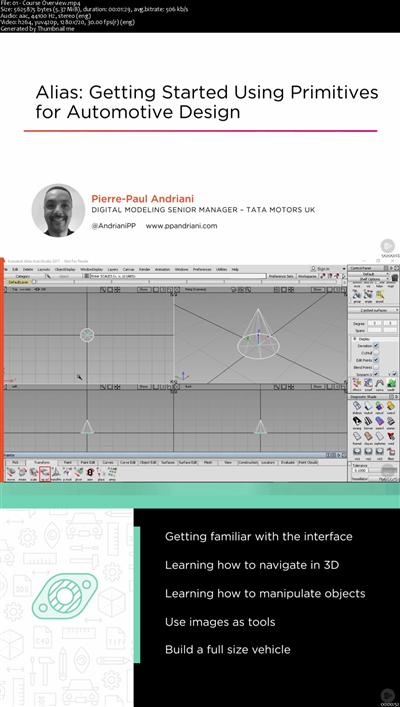
Alias: Getting Started Using Primitives for Automotive Design
MP4 | Video: AVC 1280x720 | Audio: AAC 44KHz 2ch | Duration: 46M | 227 MB Genre: eLearning | Language: English
This course will introduce you to Alias and take the mystery out of the program. You will learn the basics of object creation and manipulation.
Because of its enormous depth and scope Alias can look very intimidating at first. However, a big part of Alias' appeal is its user friendliness. In this course, Alias: Getting Started Using Primitives for Automotive Design, you will find the foundation you need to get started. First, you'll get to see the basics of object creation and manipulation in Alias. Next, you'll be up and moving around in 3D. Finally, you will create a simple full size truck using those objects and three crucial functions; layers/object lister, image planes, and marking menus. When you're finished with this course, you'll be ready to showcase your design with a simple light setup. Software required: Alias AutoStudio 2017 and Alias SurfaceStudio 2017.
Recommend Download Link Hight Speed | Please Say Thanks Keep Topic Live
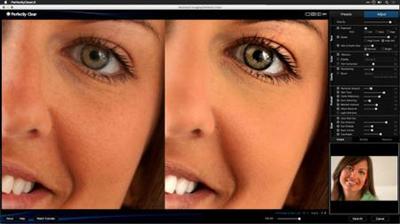
Enhancing Photos with Perfectly Clear
MP4 | Video: 720p | Duration: 3:16:39 | English | Subtitles: VTT | 2443.0 MB
Learn how to enhance your images with Perfectly Clear. This plugin for Photoshop and Lightroom analyzes photos and makes corrections by combining image analysis and customized user settings. In this course, Rich Harrington shows how to enhance photos and fix common problems for a wide range of images using Perfectly Clear's presets and manual adjustment tools. Start watching to learn how to correct exposure, enhance color, sharpen details, retouch portraits, and develop raw files. Plus, get an inside look at the Lucid standalone apps, which harness the power of Perfectly Clear's one-click image adjustments for iOS devices and Windows and Mac computers.
Topics include:
Installing Perfectly ClearApplying Perfectly Clear in Photoshop and LightroomChoosing presetsRefining adjustments manuallyControlling exposureRestoring and removing colorSharpening imagesRemoving noiseRetouching skin, eyes, and other featuresWorking with raw filesUsing the Lucid desktop and mobile apps
Recommend Download Link Hight Speed | Please Say Thanks Keep Topic Live
Insights on Illustrative Design
MP4 | Video: 720p | Duration: 31:02 | English | Subtitles: VTT | 276.3 MB
This insightful interview with Von Glitschka, covers a variety of topics, including living a creatively curious life and leveraging moments of inspiration. Learn how Von got started in design, started his own business, and handles sticky issues like piracy and plagiarism. Von also talks about the power of collaboration, the impact of the digital age on fields like illustration, and the importance of making drawing a daily habit.
Recommend Download Link Hight Speed | Please Say Thanks Keep Topic Live
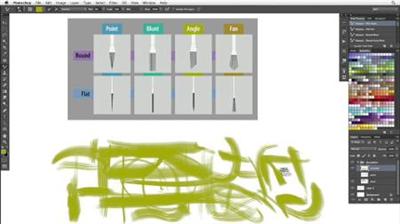
Photoshop CS6 New Features: Brushes
MP4 | Video: 720p | Duration: 1:42:38 | English | Subtitles: VTT | 491.7 MB
Join John Derry, one of the world's top experts in natural-media digital painting, as he teaches how to quickly get up to speed painting with the new brush enhancements and capabilities in Adobe Photoshop CS6, such as the Mixer Brush tool presets. These features expand the ability of Photoshop to mimic the real world with new erodible tips and airbrushes. The lessons cover adding textures to brushes, working with erodible dry media, and introduces particulate airbrushes and the Brush Projection feature. This course serves as a concise guide to what's new in Photoshop CS6 for digital painting.
This course was created and produced by John Derry. We are honored to host his tutorials in the lynda.com library.
Topics include:
Setting up the painting workspaceGetting acquainted with brush tip typesUnderstanding brush behaviorsLoading your brush with colorsManaging the tool presetsDrawing with pencils
Recommend Download Link Hight Speed | Please Say Thanks Keep Topic Live
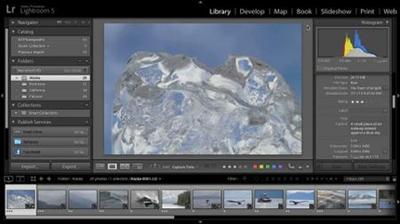
Learn how to create slideshows of your photographs to share with family, friends, and clients with the Slideshow module in Lightroom. Tim Grey's Lightroom 5 series continues with an in-depth look at creating a basic slideshow and then adding custom text overlays, backdrops, and music cues. Plus, learn how to save your slideshow in a variety of formats, including PDF and video.
This course was created by Tim Grey. We're honored to host this training in our library. Watch more courses in this series here.
Recommend Download Link Hight Speed | Please Say Thanks Keep Topic Live
Validate your routing knowledge and expertise by earning a Cisco CCNP Routing and Switching certification. In this course, Greg Sowell prepares you for the Network Principles portion of exam 300-101 ROUTE, Implementing Cisco IP Routing-a qualifying exam for the CCNP Routing and Switching certification. Greg explores some common design elements of modern enterprise networks, as well as the fundamental differences between the dynamic routing protocol types. He also walks through the basic routing process; examines some important details of TCP, UDP, and ICMP; and covers IPv6 protocols.
Recommend Download Link Hight Speed | Please Say Thanks Keep Topic Live
Final Cut Pro X v10.0.9: Commercial Editing Techniques
MP4 | Video: 720p | Duration: 1:55:24 | English | Subtitles: VTT | 925.5 MB
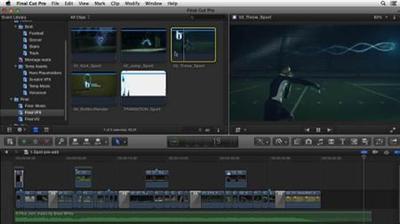
Editing a concise and captivating, effects-driven commercial spot is a challenging and exciting endeavor. Every single moment counts. In this course Ashley Kennedy walks through the process of building a great 30-second spot, from assessing preproduction materials to delivery to the client. She examines the audience for the commercial, the timing and pacing of the rough cut, transitions and effects, and the final details like color correction that make your project look professional. Along the way, Ashley encounters and resolves creative and technical problems editors often face in the real world.
Topics include:
What is commercial editing?Understanding the product's audience and intentMarking the best shotsLaying out the visual structureBuilding an audio foundationManipulating speedAdding transition effectsAdding graphics, music, and voice-overDelivering the project and receiving feedback
Recommend Download Link Hight Speed | Please Say Thanks Keep Topic Live
Unreal's shading and lighting pipeline now approaches film quality, thanks to its implementation of advanced features such as Lightmass global illumination. What more can you want from an open-source game engine? Join Tom Sirdevan as he shows how to create realistic, physically based lighting for your own games with Unreal Engine 4. He begins with a look at direct lighting (point, spot, and directional lights) and then moves into the indirect lighting domain, including skylights, global illumination, and reflection capture. Learn how the lights differ, and how to optimize their use for real-time performance with static, stationary, and dynamic game types. Chapter 3 covers deferred shading, distance fields, and dynamic skies with Blueprint. Post-process effects like bloom, lens flare, vignettes, and depth of field finish off the scene and the course.
Topics include:
Direct lightingIndirect lightingCreating a sky with BlueprintDeferred shadingDynamic sky and sun
Recommend Download Link Hight Speed | Please Say Thanks Keep Topic Live
Data Science Tips (2016)
MP4 | Video: 720p | Duration: 1:13:14 | English | Subtitles: VTT | 190.1 MB
Data science never sleeps. There is always a new tool, technique, or theory to learn in this fast-paced field. Want to stay on top of the latest trends? In this series, data science advocate and instructor Barton Poulson explores new tips designed to make data scientists better at their jobs. The tips are designed to appeal to professional practitioners of data science and business analytics, who use tools like R, jsonlite, and Shiny.
Recommend Download Link Hight Speed | Please Say Thanks Keep Topic Live
Learning G Suite Administration
MP4 | Video: 720p | Duration: 1:44:21 | English | Subtitles: VTT | 266.3 MB
G Suite (formerly known as Google Apps) is a popular cloud-based productivity platform for enterprise document management and email. But to have a great Google experience, administrators need to be able to choose and deploy the right services. This course helps you launch G Suite at your organization. Julio Appling provides an overview of the different G Suite plans and guidelines for choosing the right one. He then shows administrators how to create an account and migrate existing data (such as email, calendars, and contacts) to G Suite. Next, walk through the Admin homepage, where you create a company profile and choose services, and learn how to add and remove users, manage user privileges, and create groups. Since G Suite also works so well on mobile, Julio walks through setting up Android, iOS, and Google Chrome devices. The final chapter focuses on reports so you can understand the activity and security data Google provides.
Topics include:
Choosing a G Suite planSetting up your domainMigrating dataChoosing servicesAdding and removing users and groupsManaging user accessConfiguring iOS and Android devicesWorking with reports
Recommend Download Link Hight Speed | Please Say Thanks Keep Topic Live
Unity 4: 2D Essential Training
MP4 | Video: 720p | Duration: 4:03:13 | English | Subtitles: VTT | 702.8 MB
Many of the games hitting app stores are 2D games. Unity is the perfect engine for designing them. Why? Unity 2D has a drag-and-drop sprite importer, built-in texture atlasing, a sprite animation editor, a dedicated 2D renderer with features like layers/depth and parallax scrolling, and the open-source Box2D physics engine. (If you've played games like Angry Birds, you've seen Box2D in action!) Here Jesse Freeman shows you how to take advantage of these features and build reusable components that you can use in your own games. He'll show you how to import artwork, create and link animations, build and control a player, create formidable enemies, add obstacles, build out different levels, and accept touch and controller input from players. The last chapter shows how to publish your finished game on a variety of platforms: iOS, Android, desktop computers, and the web. Watch now and start building the next blockbuster.
Topics include:
Installing UnityCreating a new projectMaking scripts in Unity with C#Working with 2D artworkCreating animationsCreating and moving playersAdding collisionsCreating an alien enemyExtending Unity with gizmosCreating a simple tile mapSwitching between levelsPublishing your game
Recommend Download Link Hight Speed | Please Say Thanks Keep Topic Live
Formulas appear everywhere in Salesforce, from fields, to validation rules, to workflows, to Visualforce and more. This course teaches you the fundamentals of a core platform feature that is essential for every Salesforce admin and developer.
Formulas are an essential part of every Salesforce admin and developer toolkit, but one that is often learned piecemeal - leaving knowledge gaps that can result in errors and corrupted data. In this course, Formula Fundamentals in Salesforce, you'll learn the fundamentals of formulas from the ground up. First, you'll explore field and data types, operators, and of course, functions. Next, you'll find deep coverage of logical operators - perhaps the most common source of formula bugs. Finally, you'll learn more advanced concepts such as formula limits and formula testing and validation. By the end of this course, you will be able to add formulas to your Salesforce admin and developer toolkit.
Recommend Download Link Hight Speed | Please Say Thanks Keep Topic Live