




• Regeln für den Video-Bereich:

    In den Börsenbereich gehören nur Angebote die bereits den Allgemeinen Regeln entsprechen.

    Einteilung

    - Folgende Formate gehören in die angegeben Bereiche:
    - Filme: Encodierte Filme von BluRay, DVD, R5, TV, Screener sowie Telesyncs im Format DivX, XviD und x264.
    - DVD: Filme im Format DVD5, DVD9 und HD2DVD.
    - HD: Encodierte Filme mit der Auflösung 720p oder darüber von BluRay, DVD, R5, TV, Screener sowie Telesyncs im Format x264.
    - 3D: Encodierte Filme von BluRay, die in einem 3D Format vorliegen. Dies gilt auch für Dokus, Animation usw.
    - Serien: Cartoon/Zeichentrick, Anime, Tutorials, Dokumentationen, Konzerte/Musik, Sonstiges sind demnach in die entsprechenden Bereiche einzuordnen, auch wenn sie beispielsweise im High Definition-Format oder als DVD5/DVD9/HD2DVD vorliegen. Ausnahme 3D.
    - Bereich Englisch: Englische Releases gehören immer in diesen Bereich.
    - Bereich Talk: Der Bereich, in dem über die Releases diskutiert werden kann, darf, soll und erwünscht ist.


    Angebot/Beitrag erstellen

    - Ein Beitrag darf erst dann erstellt werden, wenn der Upload bei mindestens einem OCH komplett ist. Platzhalter sind untersagt.
    - Bei einem Scenerelease hat der Threadtitel ausschließlich aus dem originalen, unveränderten Releasenamen zu bestehen. Es dürfen keine Veränderungen wie z.B. Sterne, kleine Buchstaben o.ä. vorgenommen werden. Ausnahme Serienbörse:
    - Bei einem Sammelthread für eine Staffel entfällt aus dem Releasename natürlich der Name der Folge. Beispiel: Die Simpsons S21 German DVDRip XviD - ITG
    - Dementsprechend sind also u.a. verboten: Erweiterungen wie "Tipp", "empfehlenswert", "only", "reup", usw. / jegliche andere Zusatzinformation oder Ergänzung, welche nicht in obiger Beschreibung zu finden ist.

    Aufbau des Angebots und Threadtitel

    Der Titel nach folgendem Muster erstellt zu werden. <Name> [3D] [Staffel] [German] <Jahr> <Tonspur> [DL] [Auflösung] <Quelle> <Codec> - <Group>
    Beispiel: The Dark Knight German 2008 AC3 DVDRip XviD - iND
    Beispiel: The Dark Knight 2008 DTS DL BDRip x264 - iND
    Beispiel: The Dark Knight 2008 AC3 DL BDRip XviD - iND
    Beispiel: The Dark Knight German 2008 AC3 720p BluRay x264 iND
    Beispiel: The Dark Knight 2008 DTS DL 1080p BluRay x264 iND
    Beispiel: Die Simpsons S01 German AC3 DVDRip XviD iND
    Beispiel: Die Simpsons S20 German AC3 720p BluRay x264 iND
    Beispiel: Sword Art Online II Ger Sub 2014 AAC 1080p WEBRip x264 - peppermint
    Entsprechend sind also u.a. verboten: Sonderzeichen wie Klammern, Sterne, Ausrufezeichen, Unterstriche, Anführungszeichen / Erweiterungen wie "Tipp", "empfehlenswert", "only", "reup", usw. / jegliche andere Zusatzinformation oder Ergänzung, welche nicht in obiger Beschreibung zu finden ist
    Ausnahmen hiervon können in den Bereichen geregelt sein.

    Die Beiträge sollen wie folgt aufgebaut werden:
    Überschrift entspricht dem Threadtitel
    Cover
    kurze Inhaltsbeschreibung
    Format, Größe, Dauer sind gut lesbar für Downloader außerhalb des Spoilers zu vermerken
    Nfo sind immer Anzugeben und selbige immer im Spoiler in Textform.
    Sind keine Nfo vorhanden z.B. Eigenpublikationen, sind im Spoiler folgende Dateiinformationen zusätzlich anzugeben :
    Quelle
    Video (Auflösung und Bitrate)
    Ton (Sprache, Format und Bitrate der einzelnen Spuren)
    Untertitel (sofern vorhanden)
    Hosterangabe in Textform außerhalb eines Spoiler mit allen enthaltenen Hostern.
    Bei SD kann auf diese zusätzlichen Dateiinformationen verzichtet werden.

    Alle benötigten Passwörter sind, sofern vorhanden, in Textform im Angebot anzugeben.
    Spoiler im Spoiler mit Kommentaren :"Schon Bedankt?" sind unerwünscht.


    Releases

    - Sind Retail-Release verfügbar, sind alle anderen Variationen untersagt. Ausnahmen: Alle deutschen Retail-Release sind CUT, in diesem Fall sind dubbed UNCUT-Release zulässig.
    - Im Serien-Bereich gilt speziell: Wenn ein Retail vor Abschluss einer laufenden Staffel erscheint, darf diese Staffel noch zu Ende gebracht werden.62
    - Gleiche Releases sind unbedingt zusammenzufassen. Das bedeutet, es ist zwingend erforderlich, vor dem Erstellen eines Themas per Suchfunktion zu überprüfen, ob bereits ein Beitrag mit demselben Release besteht. Ist dies der Fall, ist der bereits vorhandene Beitrag zu verwenden.
    - P2P und Scene Releases dürfen nicht verändert oder gar unter einem iND Tag eingestellt werden.


    Support, Diskussionen und Suche

    - Supportanfragen sind entweder per PN oder im Bereich Talk zu stellen.
    - Diskussionen und Bewertungen sind im Talk Bereich zu führen. Fragen an die Uploader haben ausschließlich via PN zu erfolgen, und sind in den Angeboten untersagt.
    - Anfragen zu Upload-Wünschen sind nur im Bereich Suche Video erlaubt. Antworten dürfen nur auf Angebote von MyBoerse.bz verlinkt werden.


    Verbote

    - Untersagt sind mehrere Formate in einem einzigen Angebotsthread, wie beispielsweise das gleichzeitige Anbieten von DivX/XviD, 720p und 1080p in einem Thread. Pro Format, Release und Auflösung ist ein eigener Thread zu eröffnen.
    - Grundsätzlich ebenso verboten sind Dupes. Uploader haben sich an geeigneter Stelle darüber zu informieren, ob es sich bei einem Release um ein Dupe handelt.
    - Gefakte, nur teilweise lauffähige oder unvollständige Angebote sind untersagt. Dies gilt auch für eigene Publikationen, die augenscheinlich nicht selbst von z.B. einer DVD gerippt wurden. Laufende Serien, bei denen noch nicht alle Folgen verfügbar sind, dürfen erstellt und regelmäßig geupdatet werden.
    - Untersagt sind Angebote, welche nur und ausschließlich in einer anderen Sprache als deutsch oder englisch vorliegen. Ausnahmen sind VORHER mit den Moderatoren zu klären.


    Verstoß gegen die Regeln

    - Angebote oder Beiträge, die gegen die Forenregeln verstoßen, sind über den "Melden"-Button im Beitrag zu melden.
  • Bitte registriere dich zunächst um Beiträge zu verfassen und externe Links aufzurufen.

++ Premium IPTV ++ 7000 Live Sender ++ UHD Qualität ++ Mediathek mit 18.000 Inhalten ++


VenneTV


Englische Tutorials


86f9918f777120a97144a9f9bddf4636.jpg


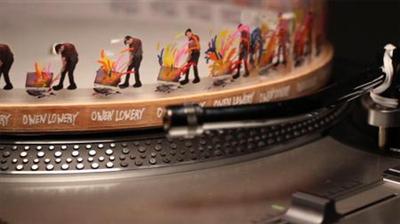
Motion Graphics Loops: 3 Analog Techniques, the Phonotrope
MP4 | Video: 720p | Duration: 1:09:17 | English | Subtitles: VTT | 372.1 MB​


Learn how to create looping animations using analog elements that can be filmed with a camera and then refined in programs like After Effects. The "Phonotrope" technique shown in this course uses the rotations of a record player to create the illusion of motion.The Phonotrope was created by Jim Le Fevre in 2006. Owen Lowery provides instructions on creating paper animation loops by hand, then going back and forth from the computer to plan and execute a more advanced animation using After Effects and Photoshop.


You'll get hands on and color, cut, paste, and draw and, along the way, learn about the logistics of player speeds, frames, video capture, and lighting. In the final chapter, you'll get tips and inspiration for taking your Phonotrope to the next level with transparency and mixed media.

Topics include:
Introducing the PhonotropeUnderstanding frame and speed settingsExperimenting with drawing and play doughUsing Illustrator and Photoshop to plan a Phonotrope guidePreparing After Effects for a Phonotrope animationShooting, lighting, and editing animation footage

Recommend Download Link Hight Speed | Please Say Thanks Keep Topic Live ​

 

6d882a5f5ef22ccc3c2e1cf70c8a7367.jpg


Game Design Careers with Brenda Romero
MP4 | Video: 720p | Duration: 54:41 | English | Subtitles: VTT | 1130.2 MB​


There isn't a time Brenda Romero doesn't remember working on games. She began tinkering on her own at age 5, and was employed full time at 15. Now she's an award-winning game designer, artist, writer, and creative director, and the longest continuously serving woman in the video game industry. In this Insights interview, we ask Brenda to look back on her career and answer the questions aspiring game designers really want to know. Do you need to code to build games? What is the impact of independent developers on traditional gaming? How does mobile affect game design?

Combining inspiration and hard-won advice, this course shows there is more than one way to approach game design and break into the industry.

Recommend Download Link Hight Speed | Please Say Thanks Keep Topic Live ​

 

1aec3909a9485465693c4e9d5a828978.jpg


Migrating from Google Apps to Office 2013
MP4 | Video: 720p | Duration: 3:40:36 | English | Subtitles: VTT | 683.9 MB​


This course will help Google Apps users transition effectively and efficiently to Microsoft Office. Author Nick Brazzi shows how to convert and migrate docs, email, spreadsheets, and other files from Google to Office, and explores the features in Word, Excel, and PowerPoint so that those familiar with Google's apps can be immediately productive on the new platform. He also covers Outlook, the Microsoft solution for managing email, calendar, and contacts, and online storage options that work well with Office, such as Dropbox.

Topics include:
Converting Google files to Office documentsGetting familiar with the Office interfaceWorking with Word: Track Changes, styles, and moreUsing formulas and functions in ExcelMaking charts and graphs in ExcelCreating presentations with PowerPointSetting up email in OutlookStoring files in the cloud

Recommend Download Link Hight Speed | Please Say Thanks Keep Topic Live ​

 

17ae863431ec132b685bd08cd87dbe99.jpg


Windows Package Management: NuGet and Chocolatey
MP4 | Video: 720p | Duration: 2:28:21 | English | Subtitles: VTT | 619.1 MB​


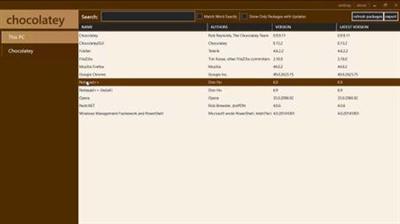
Developing software requires a collection of packages (aka libraries). Managing these packages can be a task all its own and usually requires a package manager. This course takes a look at some of the most popular tools for Windows package management: NuGet, Chocolatey, Boxstarter, and OneGet. Walt Ritscher shows how to integrate NuGet with Visual Studio 2015, the official Windows IDE, and work with NuGet packages. He also shows how to install and update Windows apps with Chocolatey, automate installs and reboots with Boxstarter, and manage all these third-party tools with OneGet (aka Windows 10 PackageManagement). Want to create custom packages not offered in any of these libraries? In the closing chapter, Walt explains how to create, publish, and install your own packages with the NuGet Packager extension.

Topics include:
What is a package manager?Installing NuGet in Visual StudioInstalling and managing packagesUpdating packagesWorking with PowerShell and NuGetFinding packages with NuGet Gallery and ASP.NET MVCUsing Package RestoreUsing the Chocolatey machine packet managerUsing Boxstarter for creating installation packagesUsing OneGet/PackageManagementCreating, publishing, and installing a custom NuGet package

Recommend Download Link Hight Speed | Please Say Thanks Keep Topic Live ​
 

2dc11e74d82554a7efd2d49f15b636ae.jpg


Creative Quick Tips
MP4 | Video: 720p | Duration: 7:01:07 | English | Subtitles: VTT | 1057.7 MB​


Join Justin Seeley in a series of five-minute, self-contained tips you can use to instantly improve your design workflow. This series covers techniques for print, digital, and web design, addressing the tools that creative professionals like you use most. Learn new ways to leverage layer styles and vector shapes in Adobe Photoshop, work more efficiently with text in Illustrator, and embed videos and tweets in WordPress posts, and much more. Check back each week for a new installment, and a new design hack.

Recommend Download Link Hight Speed | Please Say Thanks Keep Topic Live ​
 

496ce03e1678101af5e56eee7a799ed4.jpg


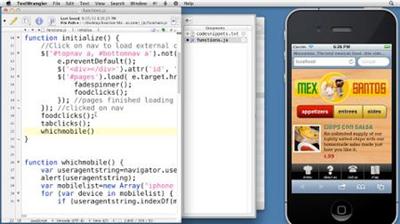
Creating an Adaptive Web Site for Multiple Screens
MP4 | Video: 540p | Duration: 3:09:21 | English | Subtitles: VTT | 520.3 MB​


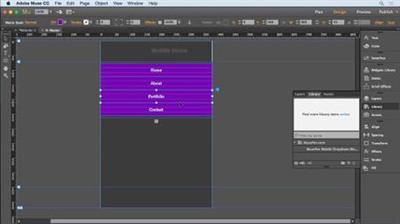
This course demonstrates how to build a web site that automatically adapts its layout to various screen sizes, orientations, and resolutions. Ray Villalobos shows how designers and developers can create a single HTML document and customize its display for desktop browsers and mobile devices such as the iPhone, Android phones, and tablets. The course covers creating a basic HTML5 structure and using reset templates, and styling the site with CSS.

Topics include:
Setting up testing servers and emulatorsCreating and formatting a site templateUsing free Google fontsPreparing graphicsCreating style sheetsLoading external pages with AJAXCreating mobile tabsDetecting mobile devicesUsing JavaScript to deal with scrolling and orientation changesTesting and debugging site code

Recommend Download Link Hight Speed | Please Say Thanks Keep Topic Live ​
 

e08d27b7f27e9d96f2bf40d7550fae7e.jpg


Public Speaking Foundations
MP4 | Video: 720p | Duration: 1:03:58 | English | Subtitles: VTT | 288.1 MB​


Develop the skills you need to prepare and deliver an outstanding speech or presentation with our public speaking training. Author Laura Bergells offers practical insights that can help presenters prepare, open, deliver, and close their speeches. Along the way, discover how to project confidence, storyboard a speech, take questions, respond with thoughtful answers, and develop the creative story that adds life to a speech.

Lynda.com is a PMI Registered Education Provider. This course qualifies for professional development units (PDUs). To view the activity and PDU details for this course, click here.

The PMI Registered Education Provider logo is a registered mark of the Project Management Institute, Inc.

Topics include:
Identifying your audienceDeveloping credibilityIntroducing an agendaExploring five strong opening techniquesDeveloping great body languageUnderstanding room dynamicsHandling questions and answersGetting feedback<br><br>The PMI Registered Education Provider logo is a registered mark of the Project Management Institute, Inc.

Recommend Download Link Hight Speed | Please Say Thanks Keep Topic Live ​
 
de7d33f71078f44ce76ca145e5b3875a.jpg


Adobe InDesign
MP4 | Video: AVC 1280x720 | Audio: AAC 44KHz 2ch | Duration: 3 Hours 20M | 1.55 GB
Genre: eLearning | Language: English​

Adobe InDesign is a layout software that takes images and text and lay them out across pages. InDesign is best used for working with multiple page documents like books, magazines, brochures, portfolios and can even be used to create business cards, letterheads, posters and flyers. Graphic designers and production artists are the primary users of this desktop publishing software. It can also be used in conjunction with other Adobe products primarily Photoshop and Illustrator. In the InDesign course, you will be instructed by a top professional in the design industry that holds the titles of 2D Animator and Adjunct Professor of Animation and Digital Art. You will first be shown how to navigate through the InDesign work area and how to create a new document and import images. You will be introduced to "master pages", an important tool in creating multi-page projects, then you move onto other tools like creating tables and packaging. This course will be also go through more advanced techniques and design methods as well as types of exports.


bfe007f89589c9c4b2611e530f7b6fca.jpg


Recommend Download Link Hight Speed | Please Say Thanks Keep Topic Live ​

 

c320445b82eccff3d2602a468e672f49.jpg


Photo Tools Weekly (2015)
MP4 | Video: 720p | Duration: 3:14:45 | English | Subtitles: VTT | 647.0 MB​


Got a few minutes? Learn a new image-editing technique. In Photo Tools Weekly, photographer and educator Jan Kabili shares tips and techniques to help you work smarter with today's most popular post-processing tools-programs like Photoshop and Lightroom, as well as third-party plugins and mobile apps such as Instagram.

Recommend Download Link Hight Speed | Please Say Thanks Keep Topic Live ​
 

ad8d4e4b0f0bb6c096dbdfc3c8edbb4a.jpg


Finale 2012 Essential Training
MP4 | Video: 540p | Duration: 6:13:33 | English | Subtitles: VTT | 730.6 MB​


Finale is the standard application used by musicians of all levels to compose, arrange, play, and print music. In this course, Rick Schmunk shows any aspiring or professional musician, composer, or arranger how to become proficient with Finale 2012. The course shows how to notate musical scores, ranging from simple lead sheets and guitar tablature parts to detailed scores, and bring them to life with instruments and share them with an audience.

Topics include:
Setting up the hardware and softwareCreating a Finale score documentImporting filesViewing and navigating documentsEntering and editing notes with the mouse, keyboard, and real or virtual instrumentsUnderstanding measuring basics and music spacingAdding lyricsNotating music on a grand staffNotating choral music with layersNotating for guitar, including tablature and Smart ShapesRecording in real timeAdding expressions and articulationsFormatting scoresPrinting scoresExporting documents

Recommend Download Link Hight Speed | Please Say Thanks Keep Topic Live ​
 

9cd2119cc0967d808ba4c7ed7689059d.jpg


Photoshop CS5 for Video Editors
MP4 | Video: 720p | Duration: 3:37:53 | English | Subtitles: VTT | 1242.5 MB​


This unique workshop from veteran trainer Maxim Jago is specifically for video editors who want to become more comfortable working with Adobe Photoshop. Maybe you have opened Photoshop before, looked at all the panels and options, and shut it down right away. Or maybe you've learned to do the things you need to do, but without any systematic understanding of how Photoshop works. Either way, this course shows you how to make the most of what Photoshop has to offer, using language that speaks to video editors and examining features that relate to the video-editing workflow.

Topics include:
Color modes, pixel shapes, and interlacingWorking with prebuilt templatesUnderstanding layersUsing Smart ObjectsThe alpha channelWorking with video in PhotoshopUsing Photoshop documents in video editing applicationsWorking with adjustment layers, text, and layer stylesColor grading controls in PhotoshopUsing Vanishing Point and Photomerge

Recommend Download Link Hight Speed | Please Say Thanks Keep Topic Live ​
 

c354af029b5c8eb5162b4f4f529f516f.jpg


Data Science Tips (2016)
MP4 | Video: 720p | Duration: 1:13:14 | English | Subtitles: VTT | 190.1 MB​


Data science never sleeps. There is always a new tool, technique, or theory to learn in this fast-paced field. Want to stay on top of the latest trends? In this series, data science advocate and instructor Barton Poulson explores new tips designed to make data scientists better at their jobs. The tips are designed to appeal to professional practitioners of data science and business analytics, who use tools like R, jsonlite, and Shiny.

Recommend Download Link Hight Speed | Please Say Thanks Keep Topic Live ​
 
Zurück
Oben Unten