
• Regeln für den Video-Bereich:

    In den Börsenbereich gehören nur Angebote die bereits den Allgemeinen Regeln entsprechen.

    Einteilung

    - Folgende Formate gehören in die angegeben Bereiche:
    - Filme: Encodierte Filme von BluRay, DVD, R5, TV, Screener sowie Telesyncs im Format DivX, XviD und x264.
    - DVD: Filme im Format DVD5, DVD9 und HD2DVD.
    - HD: Encodierte Filme mit der Auflösung 720p oder darüber von BluRay, DVD, R5, TV, Screener sowie Telesyncs im Format x264.
    - 3D: Encodierte Filme von BluRay, die in einem 3D Format vorliegen. Dies gilt auch für Dokus, Animation usw.
    - Serien: Cartoon/Zeichentrick, Anime, Tutorials, Dokumentationen, Konzerte/Musik, Sonstiges sind demnach in die entsprechenden Bereiche einzuordnen, auch wenn sie beispielsweise im High Definition-Format oder als DVD5/DVD9/HD2DVD vorliegen. Ausnahme 3D.
    - Bereich Englisch: Englische Releases gehören immer in diesen Bereich.
    - Bereich Talk: Der Bereich, in dem über die Releases diskutiert werden kann, darf, soll und erwünscht ist.


    Angebot/Beitrag erstellen

    - Ein Beitrag darf erst dann erstellt werden, wenn der Upload bei mindestens einem OCH komplett ist. Platzhalter sind untersagt.
    - Bei einem Scenerelease hat der Threadtitel ausschließlich aus dem originalen, unveränderten Releasenamen zu bestehen. Es dürfen keine Veränderungen wie z.B. Sterne, kleine Buchstaben o.ä. vorgenommen werden. Ausnahme Serienbörse:
    - Bei einem Sammelthread für eine Staffel entfällt aus dem Releasename natürlich der Name der Folge. Beispiel: Die Simpsons S21 German DVDRip XviD - ITG
    - Dementsprechend sind also u.a. verboten: Erweiterungen wie "Tipp", "empfehlenswert", "only", "reup", usw. / jegliche andere Zusatzinformation oder Ergänzung, welche nicht in obiger Beschreibung zu finden ist.

    Aufbau des Angebots und Threadtitel

    Der Titel nach folgendem Muster erstellt zu werden. <Name> [3D] [Staffel] [German] <Jahr> <Tonspur> [DL] [Auflösung] <Quelle> <Codec> - <Group>
    Beispiel: The Dark Knight German 2008 AC3 DVDRip XviD - iND
    Beispiel: The Dark Knight 2008 DTS DL BDRip x264 - iND
    Beispiel: The Dark Knight 2008 AC3 DL BDRip XviD - iND
    Beispiel: The Dark Knight German 2008 AC3 720p BluRay x264 iND
    Beispiel: The Dark Knight 2008 DTS DL 1080p BluRay x264 iND
    Beispiel: Die Simpsons S01 German AC3 DVDRip XviD iND
    Beispiel: Die Simpsons S20 German AC3 720p BluRay x264 iND
    Beispiel: Sword Art Online II Ger Sub 2014 AAC 1080p WEBRip x264 - peppermint
    Entsprechend sind also u.a. verboten: Sonderzeichen wie Klammern, Sterne, Ausrufezeichen, Unterstriche, Anführungszeichen / Erweiterungen wie "Tipp", "empfehlenswert", "only", "reup", usw. / jegliche andere Zusatzinformation oder Ergänzung, welche nicht in obiger Beschreibung zu finden ist
    Ausnahmen hiervon können in den Bereichen geregelt sein.

    Die Beiträge sollen wie folgt aufgebaut werden:
    Überschrift entspricht dem Threadtitel
    Cover
    kurze Inhaltsbeschreibung
    Format, Größe, Dauer sind gut lesbar für Downloader außerhalb des Spoilers zu vermerken
    Nfo sind immer Anzugeben und selbige immer im Spoiler in Textform.
    Sind keine Nfo vorhanden z.B. Eigenpublikationen, sind im Spoiler folgende Dateiinformationen zusätzlich anzugeben :
    Quelle
    Video (Auflösung und Bitrate)
    Ton (Sprache, Format und Bitrate der einzelnen Spuren)
    Untertitel (sofern vorhanden)
    Hosterangabe in Textform außerhalb eines Spoiler mit allen enthaltenen Hostern.
    Bei SD kann auf diese zusätzlichen Dateiinformationen verzichtet werden.

    Alle benötigten Passwörter sind, sofern vorhanden, in Textform im Angebot anzugeben.
    Spoiler im Spoiler mit Kommentaren :"Schon Bedankt?" sind unerwünscht.


    Releases

    - Sind Retail-Release verfügbar, sind alle anderen Variationen untersagt. Ausnahmen: Alle deutschen Retail-Release sind CUT, in diesem Fall sind dubbed UNCUT-Release zulässig.
    - Im Serien-Bereich gilt speziell: Wenn ein Retail vor Abschluss einer laufenden Staffel erscheint, darf diese Staffel noch zu Ende gebracht werden.62
    - Gleiche Releases sind unbedingt zusammenzufassen. Das bedeutet, es ist zwingend erforderlich, vor dem Erstellen eines Themas per Suchfunktion zu überprüfen, ob bereits ein Beitrag mit demselben Release besteht. Ist dies der Fall, ist der bereits vorhandene Beitrag zu verwenden.
    - P2P und Scene Releases dürfen nicht verändert oder gar unter einem iND Tag eingestellt werden.


    Support, Diskussionen und Suche

    - Supportanfragen sind entweder per PN oder im Bereich Talk zu stellen.
    - Diskussionen und Bewertungen sind im Talk Bereich zu führen. Fragen an die Uploader haben ausschließlich via PN zu erfolgen, und sind in den Angeboten untersagt.
    - Anfragen zu Upload-Wünschen sind nur im Bereich Suche Video erlaubt. Antworten dürfen nur auf Angebote von MyBoerse.bz verlinkt werden.


    Verbote

    - Untersagt sind mehrere Formate in einem einzigen Angebotsthread, wie beispielsweise das gleichzeitige Anbieten von DivX/XviD, 720p und 1080p in einem Thread. Pro Format, Release und Auflösung ist ein eigener Thread zu eröffnen.
    - Grundsätzlich ebenso verboten sind Dupes. Uploader haben sich an geeigneter Stelle darüber zu informieren, ob es sich bei einem Release um ein Dupe handelt.
    - Gefakte, nur teilweise lauffähige oder unvollständige Angebote sind untersagt. Dies gilt auch für eigene Publikationen, die augenscheinlich nicht selbst von z.B. einer DVD gerippt wurden. Laufende Serien, bei denen noch nicht alle Folgen verfügbar sind, dürfen erstellt und regelmäßig geupdatet werden.
    - Untersagt sind Angebote, welche nur und ausschließlich in einer anderen Sprache als deutsch oder englisch vorliegen. Ausnahmen sind VORHER mit den Moderatoren zu klären.


    Verstoß gegen die Regeln

    - Angebote oder Beiträge, die gegen die Forenregeln verstoßen, sind über den "Melden"-Button im Beitrag zu melden.
  • Bitte registriere dich zunächst um Beiträge zu verfassen und externe Links aufzurufen.

++ Premium IPTV ++ 7000 Live Sender ++ UHD Qualität ++ Mediathek mit 18.000 Inhalten ++


VenneTV


Englische Tutorials


3b0872d2ce7784f66800f370ab0201b0.jpg


Putting ITIL® into Practice: Problem Management Techniques
MP4 | Video: 720p | Duration: 1:52:32 | English | Subtitles: VTT | 292.9 MB​


Problem management is about preventing and resolving the problems underlying interruptions of IT services. A set of shared techniques can make the difference between success and failure. ITIL® mentions a set of techniques as best practice, but does not cover how to apply them. This course bridges the gap for IT pros, giving them a concise introduction to the seven problem management techniques endorsed by ITIL®, including:
BrainstormingIshikawa diagramsKepner-Tregoe root cause analysisFault tree analysisComponent failure impact analysisService outage analysisPost-implementation and major problem review
ITIL® trainer David Pultorak outlines the what, why, where, and how of each technique, and provide examples so you can practice with the goal of placing each technique into "muscle memory." He examines the 4 Ps that can contribute to or help resolve every problem-people, processes, products, and partners-and provides tips on where to go next.

Recommend Download Link Hight Speed | Please Say Thanks Keep Topic Live ​

 

b76d66fe6f7c65f798ec543e44c2d73e.jpg


Excel 2010: Tips, Tricks, and Shortcuts
MP4 | Video: 540p | Duration: 3:43:21 | English | Subtitles: VTT | 455.8 MB​


In Excel 2010 Power Shortcuts, Excel expert Dennis Taylor shares tips and shortcuts to vastly increase efficiency and get the full power out of Excel 2010. There are tips for working with the Ribbon and Quick Access toolbar, navigating workbooks and selecting cells, rapid data entry and editing, working with formulas, formatting data, working with charts, sorting data, and much more. Exercise files accompany the course.

Topics include:
Creating charts with keyboard shortcutsConverting formulas to values by draggingRepeating Undo and Redo actionsDisplaying formulas instantlyNavigating quickly through worksheets and across workbooksFormatting numeric, and date/time data in a flash with keystroke shortcutsInserting dates or times instantlyGrouping rows or columns to create collapsible regionsBuilding data-entry shortcuts with Auto-fillDisplaying unique items from large lists

Recommend Download Link Hight Speed | Please Say Thanks Keep Topic Live ​

 

d7315e033f325b219ad67e5b9829346c.jpg


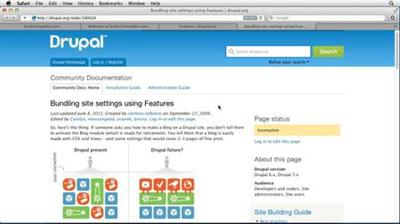
Advanced Drupal 7
MP4 | Video: 720p | Duration: 7:50:31 | English | Subtitles: VTT | 1315.8 MB​

This course teaches web site designers how to take their sites to the next level with a few advanced techniques and the free and open-source Drupal software. Author Tom Geller shows how to configure the most popular add-on modules; use *nix commands and an FTP program to manage a Drupal site on a web server; change its visual appearance using the latest graphical tools; automate and speed through common tasks with Drush; integrate with social media sites; and see how "supermodules" like Panels, Context, Rules, and Features open up new worlds of code-free development.

Drupal 7 Advanced Training was designed as a follow-up to Drupal 7 Essential Training and it also dovetails nicely with our other Drupal courses, such as Drupal 7 Reporting and Visualizing Data and Create Your First Online Store with Drupal Commerce.

Topics include:
Moving a site from the development environment to productionHosting a Drupal siteMoving databases with phpMyAdmin and Unix commandsMaking site administration more efficient with DrushBacking up site dataModerating commentsMigrating from previous versions of DrupalWorking with themesCreating variable layoutsEnabling social featuresCreating an online store with Drupal Commerce

Recommend Download Link Hight Speed | Please Say Thanks Keep Topic Live ​

 

dad2e2d5d644153e81d090651a6be9c2.jpg


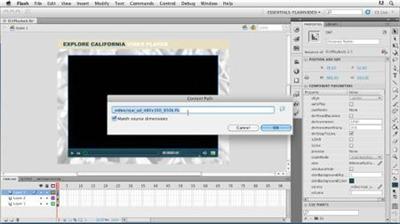
Publishing Video with the Flash Platform
MP4 | Video: 540p | Duration: 2:12:32 | English | Subtitles: VTT | 399.1 MB​


In Publishing Video with the Flash Platform, Lisa Larson-Kelley demonstrates how to build a Flash video player and publish video online, without the use of custom ActionScript code. The course guides web site developers through the video publishing process in distinct projects of increasing complexity. Each project results in a fully-functional video player, embedded into an HTML page and ready to publish online. Exercise files are included with the course.

Topics include:
Converting a video for Flash playbackUsing the Adobe Media EncoderAdding custom metadata to a videoBuilding a custom player with the FLVPlayback componentEmbedding video in a web pageAdding navigation cue pointsPublishing with Flash Media and Strobe Media PlaybackUploading files to a web server

Recommend Download Link Hight Speed | Please Say Thanks Keep Topic Live ​
 

f60ae8685bcb7e65ef9b37345e0f32b7.jpg


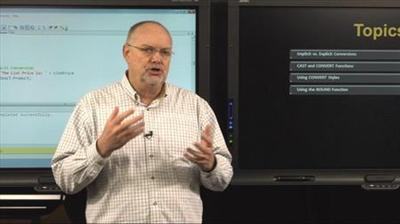
Learning Transact-SQL
MP4 | Video: 720p | Duration: 4:46:45 | English | Subtitles: VTT | 1893.8 MB​


Learn how to utilize Transact-SQL to address real business requirements and gain a solid understanding of your SQL Server database. Jeff Jones, an IT professional with over forty years of experience shows you how to use the tools available in Transact-SQL to discover the database definition, access tables, submit queries, and view the results.

Recommend Download Link Hight Speed | Please Say Thanks Keep Topic Live ​
 

137d67005bbc877f198f9e2e42cfd652.jpg


Ebooks: Distributing and Marketing
MP4 | Video: 720p | Duration: 3:16:49 | English | Subtitles: VTT | 457.5 MB​


Are you writing an ebook? Or maybe you already have an ebook file. Where do you begin? This course is your first step on the road to publishing success as you learn about ebook trends and marketing tools; publishing requirements and options; the ins and outs of distributing ebooks; and the ebook marketing basics every author should know to launch their book effectively. Author David Wogahn covers the specifics of using Amazon.com, Barnes & Noble, Apple, and Kobo for distribution and presents the important pros and cons of using aggregators such as Smashwords and BookBaby. David also provides tips on selling ebooks from your website and how to take full advantage of the special services from Amazon, the largest bookseller in the world.

Topics include:
Understanding ebook trends and how to make them work for youUsing measurement, tracking, and analysis tools just for authorsWorking with Amazon Kindle Direct Publishing, NOOK Press from Barnes & Noble, and Kobo Writing LifeBecoming an approved publisher to the iBookstoreWriting and distributing press releasesNetworking with authors and publishersAcquiring an ISBN number and copyrightPricing ebooksSelecting an aggregatorUsing Amazon servicesSelling ebooks directly

Recommend Download Link Hight Speed | Please Say Thanks Keep Topic Live ​
 

fca6668cf46b613d547e699b3fb736ea.jpg


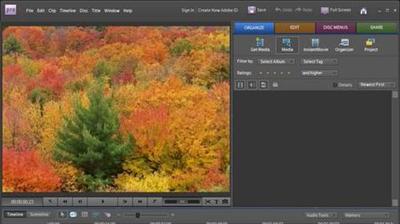
Premiere Elements 8 for Windows Essential Training
MP4 | Video: 540p | Duration: 5:06:28 | English | Subtitles: VTT | 1724.0 MB​


In Premiere Elements 8 for Windows Essential Training, instructor and videographer Jeff Sengstack shows how this application can be the only one needed to view and edit video files and share them with family and friends. Jeff shows how to start a new project, set up the workspace, and arrange clips on the Timeline for an initial video take. He teaches how to apply specialized video effects, like Motion Tracker and the Effects Mask tool, to build more than just an average family video. He also covers how to add narration, music, transitions, and titles to a final movie. Exercise files accompany the course.

Topics include:
Getting video from a DV camera, USB camera, or hard driveAdjusting timing for smooth transitions between clipsAdding text and shapes to clips with titling toolsMixing audio tracks by hand for a custom soundBuilding DVD menus with scene markersCreating a good story for the final output

Recommend Download Link Hight Speed | Please Say Thanks Keep Topic Live ​

 

442319e811fb285042280ca538df67da.jpg


Pro Tools: Editing Drums Using Beat Detective and Sound Replacer
MP4 | Video: 540p | Duration: 3:05:07 | English | Subtitles: VTT | 1275.0 MB​


Join author Brian Lee White in Pro Tools Projects: Editing Drums Using Beat Detective and Sound Replacer as he demonstrates how to fix the timing and sweeten the tone of live drum recordings using Pro Tools. This course covers many of the operational modes and common workflows in Beat Detective, including tempo mapping and quantizing multi-track drums, and a variety of drum sweetening techniques like sample triggering with SoundReplacer and virtual instruments. Exercise files are included with the course.

Topics include:
Understanding Beat DetectiveMaking selections and separating regions in Beat DetectiveExtracting and using groove templatesGenerating a tempo map with bar beat markersQuantizing multi-track drumsUsing SoundReplacer and other sample triggering plug-insCreating and using MIDI triggersReplacing drum sounds within a stereo recordingDrum sweetening tips and strategies

Recommend Download Link Hight Speed | Please Say Thanks Keep Topic Live ​
 

e5308752ced0340e36ae4d01be185179.jpg


iMovie for iPad Essential Training
MP4 | Video: 540p | Duration: 1:37:48 | English | Subtitles: VTT | 258.4 MB​


Learn how to create a polished, professional movie with easy-to-use video editing software specifically tailored for use on iOS devices. Author Garrick Chow covers capturing video, either through the built-in camera on the iPad 2 and iPhone 4 or from external sources, and demonstrates all the steps for creating, assembling, editing, and sharing the completed video. The course also details the differences between the iPhone and iPad versions of the iMovie interface, and how to transfer videos between devices with iTunes.

Topics include:
Shooting with the built-in camerasImporting footage from other sourcesAdding clips to a projectTrimming, splitting, and rotating clipsAdjusting transitions between clipsAdding stills photos and titlesAdding sound effects or background musicSharing with YouTube, Facebook, or VimeoSaving or transferring a movie with iTunes

Recommend Download Link Hight Speed | Please Say Thanks Keep Topic Live ​
 

bffe15aac2cf4c53f2f54ead753ee6ed.jpg


CompTIA A+ (220-901) Cert Prep: 6 Laptops and Mobile Devices
MP4 | Video: 720p | Duration: 1:16:17 | English | Subtitles: VTT | 625.8 MB​


Earning a CompTIA A+ certification validates you've obtained the foundational knowledge and skills needed for a career in IT. This six-course series is designed to both equip you as a technician for your role in IT support, and prepare you for taking the 220-901 exam.

The CompTIA A+ 220-901 exam is comprised of six key parts. The sixth, laptops and mobile devices, is covered by this course. Instructor Mike Meyers gives a tour of laptop devices and shows how to expand, configure, manage, and disassemble laptop components. He also reviews mobile device options and how to work with mobile connections.

Note: The six courses designed for the CompTIA A+ (220-901) exam preparation include core processing, core hardware, peripherals and building a PC, displays and printers, networking, and laptops and mobile devices.

We are now a CompTIA Content Publishing Partner. As such, we are able to offer CompTIA exam vouchers at a 10% discount. For more information on how to obtain this discount, please download these PDF instructions.

Topics include:
Selecting a laptop typeExpanding a laptopWorking with laptop portsDisassembling a laptopTroubleshooting laptop issuesManaging mobile devices and connections

Recommend Download Link Hight Speed | Please Say Thanks Keep Topic Live ​
 

e8e01b8c6dc805030387fc7e5e019d1b.jpg


Setting up a Red Hat Enterprise Linux Server
MP4 | Video: 720p | Duration: 2:46:21 | English | Subtitles: VTT | 324.8 MB​


Join the Linux revolution. More than 90% of Fortune Global 500 companies now use Red Hat products and solutions like Red Hat Enterprise Linux (RHEL)-one of the top Linux distributions. Knowing how to set up a new RHEL installation is a key skill for any Linux administration, and a key component of Red Hat Certified System Administrator (RHCSA) certification. In this course, Sandra Toner covers installing RHEL, executing basic commands, managing user accounts, and working with the file system. You'll learn to use the graphical interface, command line, and the various tools and utilities built right into Red Hat Enterprise Linux to configure, maintain, and troubleshoot your server. Plus, find out how to configure basic security settings to keep your new Linux network safe.

Topics include:
Learning the RHEL environmentPlanning and installing the networkExamining the RHEL operating systemExecuting basic commandsEditing filesCreating and managing user accountsConfiguring file systems and local storageManaging logs, software, and other systemsImplementing local RHEL security

Recommend Download Link Hight Speed | Please Say Thanks Keep Topic Live ​
 

6055ca11cda15e48ff7ce7d6b1dc5aa7.jpg


Banjo Lessons: 2 Hammer-Ons and Pull-Offs
MP4 | Video: 720p | Duration: 2:54:01 | English | Subtitles: VTT | 1492.0 MB​

Learn how to play banjo with United States Artists Friends Fellow and multi-Grammy nominee Tony Trischka. For more than 35 years, Tony has inspired and instructed countless bluegrass and acoustic musicians. Learn at your own pace from the comfort of your home, or anywhere else you can carry your instrument and your learning device. This 4-part definitive video library includes hundreds of banjo lessons and performances, plus banjo tabs, backing tracks, and other study materials. Once you've mastered the fundamentals, Part 2 teaches you how to play more carefully, with increased speed and mastery, and use hammer-ons and pull-offs to play specific note combinations in a smooth and connected way. Tony introduces some exercises to help you correct your posture and train your ear, as well as variations of popular banjo tunes such as "John Hardy" and "Down in the Valley."

Note: This course was recorded and produced by ArtistWorks. We are honored to host this training in our library.

Topics include:
Separating notesPlaying with othersUsing the capoPlaying hammer-ons and pull-offsPlaying variations on classic tunesMinding your postureTraining your earBuilding speed

Recommend Download Link Hight Speed | Please Say Thanks Keep Topic Live ​
 
Zurück
Oben Unten