• Regeln für den Video-Bereich:

    In den Börsenbereich gehören nur Angebote die bereits den Allgemeinen Regeln entsprechen.

    Einteilung

    - Folgende Formate gehören in die angegeben Bereiche:
    - Filme: Encodierte Filme von BluRay, DVD, R5, TV, Screener sowie Telesyncs im Format DivX, XviD und x264.
    - DVD: Filme im Format DVD5, DVD9 und HD2DVD.
    - HD: Encodierte Filme mit der Auflösung 720p oder darüber von BluRay, DVD, R5, TV, Screener sowie Telesyncs im Format x264.
    - 3D: Encodierte Filme von BluRay, die in einem 3D Format vorliegen. Dies gilt auch für Dokus, Animation usw.
    - Serien: Cartoon/Zeichentrick, Anime, Tutorials, Dokumentationen, Konzerte/Musik, Sonstiges sind demnach in die entsprechenden Bereiche einzuordnen, auch wenn sie beispielsweise im High Definition-Format oder als DVD5/DVD9/HD2DVD vorliegen. Ausnahme 3D.
    - Bereich Englisch: Englische Releases gehören immer in diesen Bereich.
    - Bereich Talk: Der Bereich, in dem über die Releases diskutiert werden kann, darf, soll und erwünscht ist.


    Angebot/Beitrag erstellen

    - Ein Beitrag darf erst dann erstellt werden, wenn der Upload bei mindestens einem OCH komplett ist. Platzhalter sind untersagt.
    - Bei einem Scenerelease hat der Threadtitel ausschließlich aus dem originalen, unveränderten Releasenamen zu bestehen. Es dürfen keine Veränderungen wie z.B. Sterne, kleine Buchstaben o.ä. vorgenommen werden. Ausnahme Serienbörse:
    - Bei einem Sammelthread für eine Staffel entfällt aus dem Releasename natürlich der Name der Folge. Beispiel: Die Simpsons S21 German DVDRip XviD - ITG
    - Dementsprechend sind also u.a. verboten: Erweiterungen wie "Tipp", "empfehlenswert", "only", "reup", usw. / jegliche andere Zusatzinformation oder Ergänzung, welche nicht in obiger Beschreibung zu finden ist.

    Aufbau des Angebots und Threadtitel

    Der Titel nach folgendem Muster erstellt zu werden. <Name> [3D] [Staffel] [German] <Jahr> <Tonspur> [DL] [Auflösung] <Quelle> <Codec> - <Group>
    Beispiel: The Dark Knight German 2008 AC3 DVDRip XviD - iND
    Beispiel: The Dark Knight 2008 DTS DL BDRip x264 - iND
    Beispiel: The Dark Knight 2008 AC3 DL BDRip XviD - iND
    Beispiel: The Dark Knight German 2008 AC3 720p BluRay x264 iND
    Beispiel: The Dark Knight 2008 DTS DL 1080p BluRay x264 iND
    Beispiel: Die Simpsons S01 German AC3 DVDRip XviD iND
    Beispiel: Die Simpsons S20 German AC3 720p BluRay x264 iND
    Beispiel: Sword Art Online II Ger Sub 2014 AAC 1080p WEBRip x264 - peppermint
    Entsprechend sind also u.a. verboten: Sonderzeichen wie Klammern, Sterne, Ausrufezeichen, Unterstriche, Anführungszeichen / Erweiterungen wie "Tipp", "empfehlenswert", "only", "reup", usw. / jegliche andere Zusatzinformation oder Ergänzung, welche nicht in obiger Beschreibung zu finden ist
    Ausnahmen hiervon können in den Bereichen geregelt sein.

    Die Beiträge sollen wie folgt aufgebaut werden:
    Überschrift entspricht dem Threadtitel
    Cover
    kurze Inhaltsbeschreibung
    Format, Größe, Dauer sind gut lesbar für Downloader außerhalb des Spoilers zu vermerken
    Nfo sind immer Anzugeben und selbige immer im Spoiler in Textform.
    Sind keine Nfo vorhanden z.B. Eigenpublikationen, sind im Spoiler folgende Dateiinformationen zusätzlich anzugeben :
    Quelle
    Video (Auflösung und Bitrate)
    Ton (Sprache, Format und Bitrate der einzelnen Spuren)
    Untertitel (sofern vorhanden)
    Hosterangabe in Textform außerhalb eines Spoiler mit allen enthaltenen Hostern.
    Bei SD kann auf diese zusätzlichen Dateiinformationen verzichtet werden.

    Alle benötigten Passwörter sind, sofern vorhanden, in Textform im Angebot anzugeben.
    Spoiler im Spoiler mit Kommentaren :"Schon Bedankt?" sind unerwünscht.


    Releases

    - Sind Retail-Release verfügbar, sind alle anderen Variationen untersagt. Ausnahmen: Alle deutschen Retail-Release sind CUT, in diesem Fall sind dubbed UNCUT-Release zulässig.
    - Im Serien-Bereich gilt speziell: Wenn ein Retail vor Abschluss einer laufenden Staffel erscheint, darf diese Staffel noch zu Ende gebracht werden.62
    - Gleiche Releases sind unbedingt zusammenzufassen. Das bedeutet, es ist zwingend erforderlich, vor dem Erstellen eines Themas per Suchfunktion zu überprüfen, ob bereits ein Beitrag mit demselben Release besteht. Ist dies der Fall, ist der bereits vorhandene Beitrag zu verwenden.
    - P2P und Scene Releases dürfen nicht verändert oder gar unter einem iND Tag eingestellt werden.


    Support, Diskussionen und Suche

    - Supportanfragen sind entweder per PN oder im Bereich Talk zu stellen.
    - Diskussionen und Bewertungen sind im Talk Bereich zu führen. Fragen an die Uploader haben ausschließlich via PN zu erfolgen, und sind in den Angeboten untersagt.
    - Anfragen zu Upload-Wünschen sind nur im Bereich Suche Video erlaubt. Antworten dürfen nur auf Angebote von MyBoerse.bz verlinkt werden.


    Verbote

    - Untersagt sind mehrere Formate in einem einzigen Angebotsthread, wie beispielsweise das gleichzeitige Anbieten von DivX/XviD, 720p und 1080p in einem Thread. Pro Format, Release und Auflösung ist ein eigener Thread zu eröffnen.
    - Grundsätzlich ebenso verboten sind Dupes. Uploader haben sich an geeigneter Stelle darüber zu informieren, ob es sich bei einem Release um ein Dupe handelt.
    - Gefakte, nur teilweise lauffähige oder unvollständige Angebote sind untersagt. Dies gilt auch für eigene Publikationen, die augenscheinlich nicht selbst von z.B. einer DVD gerippt wurden. Laufende Serien, bei denen noch nicht alle Folgen verfügbar sind, dürfen erstellt und regelmäßig geupdatet werden.
    - Untersagt sind Angebote, welche nur und ausschließlich in einer anderen Sprache als deutsch oder englisch vorliegen. Ausnahmen sind VORHER mit den Moderatoren zu klären.


    Verstoß gegen die Regeln

    - Angebote oder Beiträge, die gegen die Forenregeln verstoßen, sind über den "Melden"-Button im Beitrag zu melden.
  • Bitte registriere dich zunächst um Beiträge zu verfassen und externe Links aufzurufen.

++ Premium IPTV ++ 7000 Live Sender ++ UHD Qualität ++ Mediathek mit 18.000 Inhalten ++


VenneTV


Englische Tutorials


e0553d89293d0472eb5d3bd214adf582.jpg


Design the Web: Creating a Repeating Background in Photoshop
MP4 | Video: 720p | Duration: 37:39 | English | Subtitles: VTT | 173.2 MB​


Learn how to create an optimized repeating background for websites and applications with Adobe Photoshop. Design the Web

The exercise files included with this course are free to all members. Download them and get started building your own custom backdrops today.

Recommend Download Link Hight Speed | Please Say Thanks Keep Topic Live ​
 

056ddf5a8f8fa4de0b0da7268c4e5224.jpg


Home Techonomics
MP4 | Video: 720p | Duration: 1:27:22 | English | Subtitles: VTT | 812.3 MB​


Forget home economics; it's all about home techonomics. This course is for anyone who wants to make their life more productive and fun. Discover the latest and greatest in home technology by seeing how it works up close, including pros and cons and recommendations for how you use it. Every week, lynda.com authors will explore a different gadget that they've brought into their homes to make life easier or more enjoyable. Learn about wearable fitness monitors such as FitBit, music solutions such as Sonos, tips to ditching cable TV, the best ways to use Wi-Fi extenders and repeaters, and much more. Come back every Friday for a new home-tech tip, and let us know in the course feedback which devices or technologies you would like to see us explore!

Recommend Download Link Hight Speed | Please Say Thanks Keep Topic Live ​
 

4e88017750656e1772f72a4f4b56ae91.jpg


Programming Foundations: Object-Oriented Design
MP4 | Video: 720p | Duration: 3:01:16 | English | Subtitles: VTT | 920.6 MB​


Most modern programming languages, such as Java, C#, Ruby, and Python, are object-oriented languages, which help group individual bits of code into a complex and coherent application. However, object-orientation itself is not a language; it's simply a set of ideas and concepts.

Let Simon Allardice introduce you to the terms-words like abstraction, inheritance, polymorphism, subclass-and guide you through defining your requirements and identifying use cases for your program. The course also covers creating conceptual models of your program with design patterns, class and sequence diagrams, and unified modeling language (UML) tools, and then shows how to convert the diagrams into code.

Topics include:
Why use object-oriented design (OOD)?Pinpointing use cases, actors, and scenariosIdentifying class responsibilities and relationshipsCreating class diagramsUsing abstract classesWorking with inheritanceCreating advanced UML diagramsUnderstanding object-oriented design principles

Recommend Download Link Hight Speed | Please Say Thanks Keep Topic Live ​

 

18a92a3a06d5aa2449a2117c045b3491.jpg


Shooting a Photo Essay in 60 Minutes
MP4 | Video: 720p | Duration: 38:07 | English | Subtitles: VTT | 327.5 MB​


Oftentimes when you're traveling, you stumble upon a gem of a place or a person who deserves to have a story told. But you can't spend a week or even a day shooting them. You're on the road. You've got an hour to take shots that convey something of the story, and then it's back behind the wheel. Or back on to the cruise ship. Or back to your family.

In this course, photojournalist Paul Taggart rises to the challenge and shoots a photo essay in only an hour. Shooting under time pressure is a common challenge for a photojournalist, and Paul describes the kinds of planning and shooting that gets results. Learn what kinds of shots you'll need for any type of photo essay, and learn how to engage and interact with subjects who you just met and might never see again.

Recommend Download Link Hight Speed | Please Say Thanks Keep Topic Live ​

 

7c58ec654becc1ea172c3e681364fc54.jpg


After Effects Guru: Using Generator Effects
MP4 | Video: 720p | Duration: 1:53:36 | English | Subtitles: VTT | 488.1 MB​

Generator effects can be used to solve many problems when creating motion graphics and VFX projects-and to add unique creative twists you can't replicate with other After Effects tools. In this course, author Ian Robinson shows how to use generator effects to attach multiple layers, create animated glints and highlights, achieve better blended composites, and more. Follow along as he introduces a variety of next-level mograph techniques for creating interesting backgrounds, repeating graphic elements, and applying 2D and 3D type treatments, and walks through a complete map-based infographic generated with effects like Grid, Stroke, Vegas, Write-on, and Radio Waves.

Topics include:
Generating graphic backgroundsCreating graphic elements such as repeating shapes and gradientsCreating a map animationAnimating paths and typeAdding highlights to 2D and 3D textBlending composites

Recommend Download Link Hight Speed | Please Say Thanks Keep Topic Live ​

 

8abf295f849bccf6cc075c0e11f28fbd.jpg


Creating a One-Page Scrollable Website in Muse
MP4 | Video: 720p | Duration: 1:05:20 | English | Subtitles: VTT | 419.8 MB​


Learn how to take simple graphics, buttons, and text and give them depth and richness with scrollable effects in Adobe Muse. Paul Trani will help you realize the possibilities of a one-page scrollable website-an increasingly popular site style that is both simple and elegant. Paul shows you how to add scrollable motion, animation, fades, blur, and navigation elements to your site with Muse's design tools. Plus, learn how to add widgets like contact forms and maps, and then test and publish your one-page site.

Topics include:
Creating and importing graphicsPinning content to the pageAdding scroll motionControlling the rate at which items scrollAdjusting the opacity as items scrollAdding Edge Animate animations that are controlled by the page scrollAdding navigation and other linksAdding widgetsPublishing and tracking the site

Recommend Download Link Hight Speed | Please Say Thanks Keep Topic Live ​

 

eab80e237f527b14978b39d63312d638.jpg


Cocoa with Swift Essential Training
MP4 | Video: 720p | Duration: 4:00:33 | English | Subtitles: VTT | 554.0 MB​

Cocoa and Swift make a great team for building apps. Cocoa is the framework in which (Mac OSX) itself is written, and Swift is the new language that makes working with Cocoa classes and APIs easier than ever before. Here Todd Perkins walks you through the steps to creating Mac applications with this powerhouse combo. He'll take you through the basic concepts behind Cocoa, Swift, and the development environment known as Xcode, and then go straight into development. Learn how to create interface elements and connect them to code, work with bindings and key-value coding, and debug your applications and submit them to the Apple Store.

Topics include:
Creating your first Cocoa appUnderstanding the relationship between Cocoa and SwiftCreating a playgroundWorking with variables, functions, arrays, and loopsCreating basic interactions and quick connectionsBuilding custom controller classesUsing delegatesCreating and arranging interface elementsUsing data controlsDebugging and troubleshootingDistributing a Cocoa application

Recommend Download Link Hight Speed | Please Say Thanks Keep Topic Live ​

 

c2ec9b52c740ab0fa2363bf7d9e35024.jpg


Designing a Typographic Art Deco Postcard
MP4 | Video: 720p | Duration: 40:35 | English | Subtitles: VTT | 149.6 MB​


Our Type Project series takes you through typographic history, providing step-by-step directions to re-create historical type designs from scratch. Here designer Nigel French shows how to create a gorgeous postcard from the Art Deco era: one of the most influential and enduring design styles of the twentieth century. The technique combines a hand-traced framing device, built in Adobe Illustrator, with some Typekit fonts and Photoshop layer effects, resulting in a print-ready postcard worthy of sending to anyone you regard highly.

Recommend Download Link Hight Speed | Please Say Thanks Keep Topic Live ​
 

366973741360eafdc7ede85764b9019f.jpg


Communicating Across Cultures
MP4 | Video: 720p | Duration: 17:53 | English | Subtitles: VTT | 132.1 MB​


When you travel, some differences are easy to identify: the language, the food, the music. But in order to communicate effectively in a cross-cultural business setting, it's important to understand your international colleagues' underlying values, beliefs, and history. In this course, Kelley School of Business professor and executive coach Tatiana Kolovou demonstrates simple techniques to communicate well across cultures as a manager, peer, and coworker.

Recommend Download Link Hight Speed | Please Say Thanks Keep Topic Live ​

 

796c754e7fa5f8cd643695a4aa39032d.jpg


Learning Print Production (2012)
MP4 | Video: 720p | Duration: 4:26:54 | English | Subtitles: VTT | 2105.0 MB​


Join author Claudia McCue on a journey that introduces the printing process and reveals the keys to designing a document that prints as well as it looks onscreen. This course takes you on the floors of two commercial print houses (BurdgeCooper and Lithographix), to better understand the life cycle of a print job and observe printing presses in action. Along the way, discover how to better communicate with your printer, choose the correct paper, inks, colors, and fonts for your project, and how to correctly lay out your documents in Adobe Illustrator and InDesign. This course is designed to help you and your printer produce a professionally finished print job, whether it's a business card, brochure, or multipage magazine.

lynda.com thanks the BurdgeCooper and Lithographix printing companies for access to their facilities and permission to film on site. Learn more at and
Topics include:
Understanding the importance of contact proofsHandling corrections and alterationsChoosing from offset, letterpress, thermographic, or digital printing optionsUnderstanding how the inks, colors, and paper interactBuilding a document at the correct sizeFolding and trimmingChoosing fontsWorking in Illustrator with swatches, effects, and moreLaying out a document in InDesignGenerating a final PDFTroubleshooting print issuesPreflighting your print job in AcrobatSubmitting files to the printer

Recommend Download Link Hight Speed | Please Say Thanks Keep Topic Live ​

 

e6d2eed40833853cc5a85ba023154fad.jpg


Social Media Marketing: Managing Online Communities
MP4 | Video: 720p | Duration: 50:56 | English | Subtitles: VTT | 150.2 MB​


Online communities are the quickest way to find new customers and reach like-minded people. With platforms such as WordPress, Facebook, or Twitter, it's easier than ever to create an online community of your own. But it's important to know how to engage visitors in the right way. Your online audience can be your best advocates-and help you attract more fans and followers. In this course, Megan Adams explores how to turn an online audience into a true community. She walks you through strategies for the most popular social media tools, like Facebook and Twitter, and free and paid tactics for gaining followers and growing your community. Plus, get tips on creating and sharing content that keeps your audience engaged.
This course is part of a Learning Path approved by the American Marketing Association.

Gain the skills you need to become an AMA Professional Certified Marketer (PCM) in Digital Marketing by using the industry-leading courses and resources in the Learning Path. Take the AMA certification exam to show that you have what it takes to lead the digital transformation.

Topics include:
Building an online communityUsing social media to build communityCreating content to engage your audienceFinding brand advocatesMeasuring your community's growth

Recommend Download Link Hight Speed | Please Say Thanks Keep Topic Live ​

 

03df6e722651bb45e953440fbc9e4618.jpg


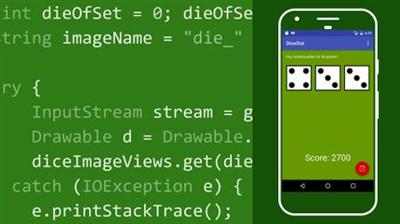
Android App Development Quick Start
MP4 | Video: 720p | Duration: 1:30:39 | English | Subtitles: VTT | 229.3 MB​

Android powers the majority of smartphones on the planet and a growing number of devices, from Android Wear on your wrist to Android Auto for your car. This course is designed to teach anyone how to make a new Android app from scratch. Learn all the basics of the platform and all the skills an Android app developer needs to be successful. Discover the tools and technologies that you will use when you create apps for Android, including Java, XML, and the Android SDK. Then find out how to make your first app-a simple dice-rolling game. Finally, dive into some experiments to tinker with and expand on your app and learn more about how Android apps work, including where to go next.

Topics include:
Installing Android StudioCoding in Java and XMLGetting a head start with starter templatesWorking with emulatorsCreating a project, variable, and toastConnecting XML widgets to codeAdding imagesAdding game logic with conditional statements and operatorsChanging the data or design

Recommend Download Link Hight Speed | Please Say Thanks Keep Topic Live ​
 
Zurück
Oben Unten