• Regeln für den Video-Bereich:

    In den Börsenbereich gehören nur Angebote die bereits den Allgemeinen Regeln entsprechen.

    Einteilung

    - Folgende Formate gehören in die angegeben Bereiche:
    - Filme: Encodierte Filme von BluRay, DVD, R5, TV, Screener sowie Telesyncs im Format DivX, XviD und x264.
    - DVD: Filme im Format DVD5, DVD9 und HD2DVD.
    - HD: Encodierte Filme mit der Auflösung 720p oder darüber von BluRay, DVD, R5, TV, Screener sowie Telesyncs im Format x264.
    - 3D: Encodierte Filme von BluRay, die in einem 3D Format vorliegen. Dies gilt auch für Dokus, Animation usw.
    - Serien: Cartoon/Zeichentrick, Anime, Tutorials, Dokumentationen, Konzerte/Musik, Sonstiges sind demnach in die entsprechenden Bereiche einzuordnen, auch wenn sie beispielsweise im High Definition-Format oder als DVD5/DVD9/HD2DVD vorliegen. Ausnahme 3D.
    - Bereich Englisch: Englische Releases gehören immer in diesen Bereich.
    - Bereich Talk: Der Bereich, in dem über die Releases diskutiert werden kann, darf, soll und erwünscht ist.


    Angebot/Beitrag erstellen

    - Ein Beitrag darf erst dann erstellt werden, wenn der Upload bei mindestens einem OCH komplett ist. Platzhalter sind untersagt.
    - Bei einem Scenerelease hat der Threadtitel ausschließlich aus dem originalen, unveränderten Releasenamen zu bestehen. Es dürfen keine Veränderungen wie z.B. Sterne, kleine Buchstaben o.ä. vorgenommen werden. Ausnahme Serienbörse:
    - Bei einem Sammelthread für eine Staffel entfällt aus dem Releasename natürlich der Name der Folge. Beispiel: Die Simpsons S21 German DVDRip XviD - ITG
    - Dementsprechend sind also u.a. verboten: Erweiterungen wie "Tipp", "empfehlenswert", "only", "reup", usw. / jegliche andere Zusatzinformation oder Ergänzung, welche nicht in obiger Beschreibung zu finden ist.

    Aufbau des Angebots und Threadtitel

    Der Titel nach folgendem Muster erstellt zu werden. <Name> [3D] [Staffel] [German] <Jahr> <Tonspur> [DL] [Auflösung] <Quelle> <Codec> - <Group>
    Beispiel: The Dark Knight German 2008 AC3 DVDRip XviD - iND
    Beispiel: The Dark Knight 2008 DTS DL BDRip x264 - iND
    Beispiel: The Dark Knight 2008 AC3 DL BDRip XviD - iND
    Beispiel: The Dark Knight German 2008 AC3 720p BluRay x264 iND
    Beispiel: The Dark Knight 2008 DTS DL 1080p BluRay x264 iND
    Beispiel: Die Simpsons S01 German AC3 DVDRip XviD iND
    Beispiel: Die Simpsons S20 German AC3 720p BluRay x264 iND
    Beispiel: Sword Art Online II Ger Sub 2014 AAC 1080p WEBRip x264 - peppermint
    Entsprechend sind also u.a. verboten: Sonderzeichen wie Klammern, Sterne, Ausrufezeichen, Unterstriche, Anführungszeichen / Erweiterungen wie "Tipp", "empfehlenswert", "only", "reup", usw. / jegliche andere Zusatzinformation oder Ergänzung, welche nicht in obiger Beschreibung zu finden ist
    Ausnahmen hiervon können in den Bereichen geregelt sein.

    Die Beiträge sollen wie folgt aufgebaut werden:
    Überschrift entspricht dem Threadtitel
    Cover
    kurze Inhaltsbeschreibung
    Format, Größe, Dauer sind gut lesbar für Downloader außerhalb des Spoilers zu vermerken
    Nfo sind immer Anzugeben und selbige immer im Spoiler in Textform.
    Sind keine Nfo vorhanden z.B. Eigenpublikationen, sind im Spoiler folgende Dateiinformationen zusätzlich anzugeben :
    Quelle
    Video (Auflösung und Bitrate)
    Ton (Sprache, Format und Bitrate der einzelnen Spuren)
    Untertitel (sofern vorhanden)
    Hosterangabe in Textform außerhalb eines Spoiler mit allen enthaltenen Hostern.
    Bei SD kann auf diese zusätzlichen Dateiinformationen verzichtet werden.

    Alle benötigten Passwörter sind, sofern vorhanden, in Textform im Angebot anzugeben.
    Spoiler im Spoiler mit Kommentaren :"Schon Bedankt?" sind unerwünscht.


    Releases

    - Sind Retail-Release verfügbar, sind alle anderen Variationen untersagt. Ausnahmen: Alle deutschen Retail-Release sind CUT, in diesem Fall sind dubbed UNCUT-Release zulässig.
    - Im Serien-Bereich gilt speziell: Wenn ein Retail vor Abschluss einer laufenden Staffel erscheint, darf diese Staffel noch zu Ende gebracht werden.62
    - Gleiche Releases sind unbedingt zusammenzufassen. Das bedeutet, es ist zwingend erforderlich, vor dem Erstellen eines Themas per Suchfunktion zu überprüfen, ob bereits ein Beitrag mit demselben Release besteht. Ist dies der Fall, ist der bereits vorhandene Beitrag zu verwenden.
    - P2P und Scene Releases dürfen nicht verändert oder gar unter einem iND Tag eingestellt werden.


    Support, Diskussionen und Suche

    - Supportanfragen sind entweder per PN oder im Bereich Talk zu stellen.
    - Diskussionen und Bewertungen sind im Talk Bereich zu führen. Fragen an die Uploader haben ausschließlich via PN zu erfolgen, und sind in den Angeboten untersagt.
    - Anfragen zu Upload-Wünschen sind nur im Bereich Suche Video erlaubt. Antworten dürfen nur auf Angebote von MyBoerse.bz verlinkt werden.


    Verbote

    - Untersagt sind mehrere Formate in einem einzigen Angebotsthread, wie beispielsweise das gleichzeitige Anbieten von DivX/XviD, 720p und 1080p in einem Thread. Pro Format, Release und Auflösung ist ein eigener Thread zu eröffnen.
    - Grundsätzlich ebenso verboten sind Dupes. Uploader haben sich an geeigneter Stelle darüber zu informieren, ob es sich bei einem Release um ein Dupe handelt.
    - Gefakte, nur teilweise lauffähige oder unvollständige Angebote sind untersagt. Dies gilt auch für eigene Publikationen, die augenscheinlich nicht selbst von z.B. einer DVD gerippt wurden. Laufende Serien, bei denen noch nicht alle Folgen verfügbar sind, dürfen erstellt und regelmäßig geupdatet werden.
    - Untersagt sind Angebote, welche nur und ausschließlich in einer anderen Sprache als deutsch oder englisch vorliegen. Ausnahmen sind VORHER mit den Moderatoren zu klären.


    Verstoß gegen die Regeln

    - Angebote oder Beiträge, die gegen die Forenregeln verstoßen, sind über den "Melden"-Button im Beitrag zu melden.
  • Bitte registriere dich zunächst um Beiträge zu verfassen und externe Links aufzurufen.

++ Premium IPTV ++ 7000 Live Sender ++ UHD Qualität ++ Mediathek mit 18.000 Inhalten ++


VenneTV


Englische Tutorials


f4dd285198459854423c9842124b76d7.jpg


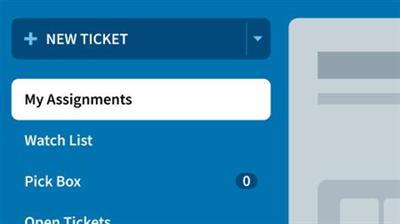
Learning Mojo Helpdesk
MP4 | Video: 720p | Duration: 1:26:58 | English | Subtitles: VTT | 183.2 MB​


Get your help desk queue under control. Mojo Helpdesk is the no frills, easy-to-use help desk software that's ideal for small- to medium-sized business. It's an affordable, hosted platform that's simple to deploy. This course will show how to set up the latest version of Mojo Helpdesk. Author Anson Alexander shows how to manage users and groups and configure the queues, notifications, and other critical settings in Mojo Helpdesk. He also shows how help tickets are submitted, routed, updated, and resolved. Want to reduce incoming requests for support? Take a look at the videos on working with the knowledge base, which can be a great resource for users who want to self serve and alleviate some help desk overhead.

Topics include:
Managing users and groups in Mojo HelpdeskCreating ticket queuesConfiguring ticket notificationsAutomating assignmentsSubmitting new ticketsResponding to ticketsTracking time on ticketsReviewing ticket reports

Recommend Download Link Hight Speed | Please Say Thanks Keep Topic Live ​

 

c849a73c4836eb4129e79fbeb4c32ccc.jpg


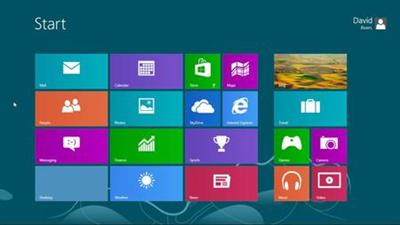
Windows 8 Essential Training
MP4 | Video: 720p | Duration: 4:57:23 | English | Subtitles: VTT | 831.7 MB​


Windows 8 is a significant departure from previous versions of the operating system, offering new mobile integration, cloud storage, and security enhancements. This course shows you all the essential features you'll need to jump-start Windows 8â€"whether you work with it closely at the office or use it casually at home. Author David Rivers discusses the migration path from older versions of Windows to Windows 8, tours the new interface, reviews the new file and folder behaviors, and introduces the most useful apps, including Calendar, Photos, and Music. He also shows how to adjust system settings like default programs and volume, and how to work with external devices and setup networks. The final chapters show you how to keep your computer even more secure with Access Control and Windows Defender, and how to troubleshoot potential issues, like reversing fatal crashes.

Topics include:
Upgrading from other Windows versionsTransferring files to Windows 8Organizing files and foldersManaging your inbox with the Mail appSending instant messages with MessagingWorking with Notepad, WordPad, and PaintControlling system sounds, volume, and accessibility optionsGetting connected to the InternetKeeping your PC secure with Windows UpdateUsing parental controls to block unwanted contentPrinting from Windows 8Fixing issues with the Problem Steps RecorderKeeping file backups with File HistoryNavigating the web with Internet Explorer 10

Recommend Download Link Hight Speed | Please Say Thanks Keep Topic Live ​

 

b424a439186a34b116447cd1e0bb89fe.jpg


Kickstarter Crowdfunding Essential Training
MP4 | Video: 720p | Duration: 1:41:15 | English | Subtitles: VTT | 360.2 MB​


Learn how to raise money for your projects by crowdfunding using Kickstarter. Richard Bliss is an expert-level Kickstarter consultant who hosts the popular Kickstarter podcast, Funding the Dream. In this course, he provides advice for inventors, entrepreneurs, and artists who want to use Kickstarter to fund their next project.

Richard outlines the importance of finding your niche and cultivating an audience before launching a Kickstarter campaign. Then he shows how to create the campaign itself, setting up a profile, establishing pledge levels, and crafting the most important elements of the crowdfunding campaign: your video, graphics, project description, title, and rewards.

You'll learn how to launch and monitor a campaign, use the Project Creator interface, interact with backers via messages and comments, and more. Finally, you'll discover how to analyze the performance of your campaign with the analytics dashboard, and generate a backer survey to stay connected with your crowd.

This course includes knowledge checks to help you self-check your understanding, a free prelaunch checklist to keep you on track, and examples from current Kickstarter campaigns that can help you reach your funding dreams.

Topics include:
Building your crowd and fan baseCreating a good Kickstarter profileAnalyzing a successful Kickstarter pageBuilding a campaign that explains your projectStaying connected to backersSetting up shipping and rewardsSetting duration and funding goalsCreating pledge levelsAdding video, text, and graphicsVerifying your identity and connecting to banksResponding to messages and comments from backersTracking Kickstarter campaigns

Recommend Download Link Hight Speed | Please Say Thanks Keep Topic Live ​
 

bc87297ca770692453182705f716cdd7.jpg


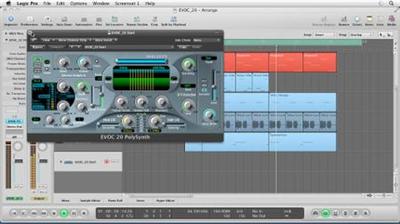
Logic Pro: Virtual Instruments
MP4 | Video: 540p | Duration: 13:07:55 | English | Subtitles: VTT | 2026.2 MB​


Join author Brian Trifon as he shows how to improve music and audio productions using virtual instruments in Logic Pro. This course tours the program's virtual instruments, including the ES2 hybrid synthesizer, Sculpture physical modeling synthesizer, EFM1 FM synthesizer, the EVOC 20 vocoder, the Ultrabeat drum synthesizer, and the EXS24 sampler, and shows how to achieve various effects with each instrument's parameters. The course also covers working with oscillators and filters, understanding signal flow, creating custom synthesizer patches, adding effects, synthesizing speech, creating a library of custom sound samples, and much more.

Virtual Instruments with Logic Pro will be updating on a monthly basis, eventually covering all the virtual instruments in the application. Look for the latest movies here and on the lynda.com blog.

Topics include:
Setting up Logic Pro for using virtual instrumentsConfiguring MIDI controllersComposing with virtual instruments envelopesTweaking the overdrive and chorusCreating movement with LFOs (Low Frequency Oscillators)Understanding FM synthesis basicsChanging the timbre and shifting the formants of the vocoderConstructing custom sampler kitsExploring the tonewheel organ, electric piano, and Ultrabeat drum synthesizer

Recommend Download Link Hight Speed | Please Say Thanks Keep Topic Live ​

 

5f726a7d8c5fb47b1f63cab99368540f.jpg


(Mac OSX) Lion Server Essential Training
MP4 | Video: 540p | Duration: 6:50:28 | English | Subtitles: VTT | 763.4 MB​


In this course, author Sean Colins shows how to configure a Lion Server installation, while highlighting its ease of use. The course gives an overview on servers: what they are, why they're necessary, and how to set them up quickly. It also covers file sharing, managing iOS devices with the new Profile Manager, and creating and sharing podcasts in Podcast Publisher, plus productivity services such as iCal, Address Book Server, and iChat Server, which keep shared calendars, contacts, and chat conversations securely in your possession.

Topics include:
Understanding installation requirementsSetting up AirPort Extreme using the AirPort Utility and server setup assistantEnabling and using AirPlayUpgrading to Lion Server from Snow Leopard ServerProperly setting SSL to protect data from thievesPreparing storage for use on a serverWiping, locking, and configuring iOS devices remotelyBacking up the serverConfiguring Lion Server as a VPN serverUnderstanding logging in and privilegesHosting an email server in an office or homeConnecting with (Mac OSX) Server MailAccessing Lion Server from client computersTroubleshooting using the command line

Recommend Download Link Hight Speed | Please Say Thanks Keep Topic Live ​
 

ebfb7ea2acaf4ede2f78e7a728d81747.jpg


Illustrator for Web Design: Core Concepts
MP4 | Video: 720p | Duration: 1:33:49 | English | Subtitles: VTT | 172.0 MB​


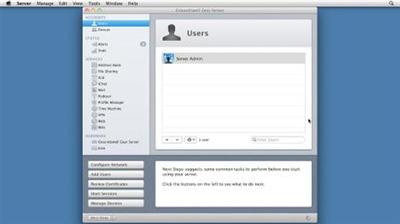
Welcome to the first installment of Illustrator CC for Web Design. This series is geared toward helping new designers-and those transitioning to digital-understand how Illustrator fits into a modern web design workflow. In this course, author Justin Seeley covers the core concepts: understanding screen size vs. resolution, setting up a functional web workspace in Illustrator, and working with web color models. He also includes a chapter on responsive design, which closes with a challenge to create your own responsive template.

Recommend Download Link Hight Speed | Please Say Thanks Keep Topic Live ​
 

34506c23a8530c0dede4e8bd7c8111e5.jpg


SPSS Statistics Essential Training
MP4 | Video: 720p | Duration: 4:57:12 | English | Subtitles: VTT | 900.3 MB​


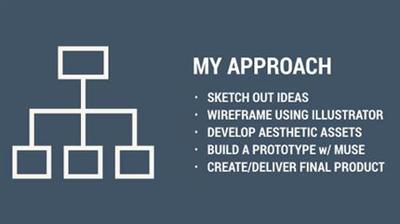
SPSS is a statistics and data analysis program for businesses, governments, research institutes, and academic organizations. In these tutorials, author Barton Poulson takes a practical, visual, and non-mathematical approach to SPSS. From importing spreadsheets to creating regression models, to exporting charts, this course covers all the basics, with an emphasis on clarity, interpretation, communicability, and application. Barton will help you:
Build charts, scatterDescriptions, and box DescriptionsCalculate descriptive statistics such as means and standard deviationsUse inferential statistics such as t-tests and chi-squaresEnter and read dataCreate new variables and crosstabulationsModel associations with correlations, contingency tables, and multiple-regression analysisFormat and export presentations to share your dataPlus, learn how to extend the power of SPSS with Python and R. This course is ideal for first-time researchers and those who want to make the most of data in their professional and academic work.

Recommend Download Link Hight Speed | Please Say Thanks Keep Topic Live ​
 

98569a76c00c3d8dcc8d52642ea30575.jpg


Chris Korn's Digital Character Design: Start to Finish
MP4 | Video: 720p | Duration: 33:52 | English | Subtitles: VTT | 638.3 MB​

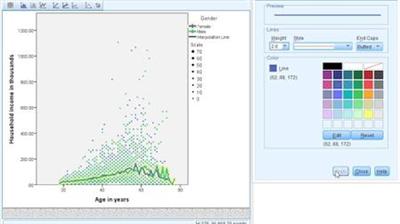
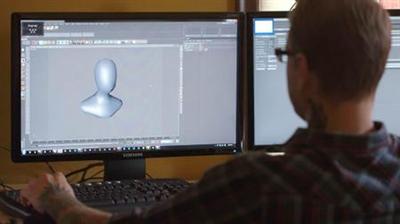
Meet Chris Korn, animator and character designer at FUSE Animation. By day he creates award-winning animations for clients like Corona and Saucony. But at night he's manufacturing monsters, indulging his childhood fixation with creatures straight out of comic books and horror movies. Watch him take a character from inspiration to fully developed figure with CINEMA 4D and Zbrush in this episode of Start to Finish. Chris describes how he catalogues reference material, blocks out the initial form, and adds color, texture, and details that bring his creatures to life.

Recommend Download Link Hight Speed | Please Say Thanks Keep Topic Live ​
 

46192ea19e79ae0df369c085aa96dc52.jpg


Adobe Animate CC New Features
MP4 | Video: 720p | Duration: 1:04:26 | English | Subtitles: VTT | 166.4 MB​

Adobe Animate CC is the focused animation software that takes all the best tools from Flash Professional and bundles them with Creative Cloud features. In this course, learn about the enhancements in the 2017 release of Adobe Animate CC with expert Joseph Labrecque. Explore the enhanced animation tooling included in this release, including Frame Picker enhancements and ease presets for classic and shape tweens. Plus, learn about interactivity enhancements, including global JavaScript declaration, the ability to include references to external JavaScript libraries, and two new properties for HTML5 Canvas video components: mute and poster.

Topics include:
Enhanced animation toolingFrame Picker enhancementsCustom ease presets for shape tweensResetting the camera positionInteractivity enhancementsGlobal JavaScript declarationIncluding external JavaScript libraries

Recommend Download Link Hight Speed | Please Say Thanks Keep Topic Live ​
 

30031d5e6eff932200228289728490a0.jpg


Mograph Techniques: Rigging a Robot Arm in Cinema 4D
MP4 | Video: 720p | Duration: 1:11:39 | English | Subtitles: VTT | 292.1 MB​


Learn to rig and animate a 3D robotic arm in CINEMA 4D. EJ Hassenfratz leads this project-based learning experience, which relies on C4D's inverse kinematics (IK) tools. First, you'll prepare the model hierarchy for animation, before adding joints and applying an IK tag that transforms your joint system into an IK chain. Then you'll animate the entire rig and use constraints tags and Xpresso data to control all the moving parts in the arm. Last, EJ shows you how to render the project and import it into After Effects for further refinement.

Topics include:
Setting up the modelCreating an IK chainAdding animation controlsConstraining position, scale, and rotationAdding depth of field and motion blur in After Effects

Recommend Download Link Hight Speed | Please Say Thanks Keep Topic Live ​

 

e9afeaf1b75a075b1bafe2199eda0baf.jpg


Excel 2013: Pivot Tables
MP4 | Video: 720p | Duration: 4:20:00 | English | Subtitles: VTT | 568.0 MB​


Join Curt Frye as he explains how to leverage PivotTables to summarize, sort, count, and chart your data in Microsoft Excel. Curt shows you how to navigate the complexity of PivotTables while taking advantage of their power. This course shows how to build PivotTables from single or multiple data sources, add calculated fields, filter your results, and format your layout to make it more readable. Plus, learn how to enhance PivotTable with macros, DAX expressions, and the PowerPivot add-in for analyzing millions of rows of data.

Topics include:
Creating a PivotTableSummarizing multiple data fieldsManaging subtotals and grand totalsGrouping PivotTable fieldsFiltering with selections, rules, slicers, and search filtersApplying PivotTable stylesFormatting cellsCreating PivotChartsEnabling PowerPivotUsing DAX operatorsVisualizing data with matrices, cards, and tilesBuilding charts and maps

Recommend Download Link Hight Speed | Please Say Thanks Keep Topic Live ​

 

c03c9ce59dd8258df9ecaea53fd60b46.jpg


Creating an Advanced Responsive Presentation in HTML5
MP4 | Video: 720p | Duration: 1:15:24 | English | Subtitles: VTT | 315.8 MB​


You've created a basic web presentation. Now what? In this course, you'll learn how to spiff up your HTML5 presentation slides with automatic playback, integrated audio and video, and more. Author Justin Putney shows how to embed a Twitter feed, place your presentation on loop, and make subtle polishes like hiding the cursor in full-screen mode and improving the timing of bullets. Justin also includes a series of challenge-and-solution pairs to test your skills.

Need more information on creating an initial web presentation? Watch the related HTML5 Projects: Creating a Responsive Presentation course.

Topics include:
Embedding a Twitter feed in an iframeCreating the code for automatic playbackUsing MediaElement.js in your presentationAdding video and audio

Recommend Download Link Hight Speed | Please Say Thanks Keep Topic Live ​
 
Zurück
Oben Unten