




• Regeln für den Video-Bereich:

    In den Börsenbereich gehören nur Angebote die bereits den Allgemeinen Regeln entsprechen.

    Einteilung

    - Folgende Formate gehören in die angegeben Bereiche:
    - Filme: Encodierte Filme von BluRay, DVD, R5, TV, Screener sowie Telesyncs im Format DivX, XviD und x264.
    - DVD: Filme im Format DVD5, DVD9 und HD2DVD.
    - HD: Encodierte Filme mit der Auflösung 720p oder darüber von BluRay, DVD, R5, TV, Screener sowie Telesyncs im Format x264.
    - 3D: Encodierte Filme von BluRay, die in einem 3D Format vorliegen. Dies gilt auch für Dokus, Animation usw.
    - Serien: Cartoon/Zeichentrick, Anime, Tutorials, Dokumentationen, Konzerte/Musik, Sonstiges sind demnach in die entsprechenden Bereiche einzuordnen, auch wenn sie beispielsweise im High Definition-Format oder als DVD5/DVD9/HD2DVD vorliegen. Ausnahme 3D.
    - Bereich Englisch: Englische Releases gehören immer in diesen Bereich.
    - Bereich Talk: Der Bereich, in dem über die Releases diskutiert werden kann, darf, soll und erwünscht ist.


    Angebot/Beitrag erstellen

    - Ein Beitrag darf erst dann erstellt werden, wenn der Upload bei mindestens einem OCH komplett ist. Platzhalter sind untersagt.
    - Bei einem Scenerelease hat der Threadtitel ausschließlich aus dem originalen, unveränderten Releasenamen zu bestehen. Es dürfen keine Veränderungen wie z.B. Sterne, kleine Buchstaben o.ä. vorgenommen werden. Ausnahme Serienbörse:
    - Bei einem Sammelthread für eine Staffel entfällt aus dem Releasename natürlich der Name der Folge. Beispiel: Die Simpsons S21 German DVDRip XviD - ITG
    - Dementsprechend sind also u.a. verboten: Erweiterungen wie "Tipp", "empfehlenswert", "only", "reup", usw. / jegliche andere Zusatzinformation oder Ergänzung, welche nicht in obiger Beschreibung zu finden ist.

    Aufbau des Angebots und Threadtitel

    Der Titel nach folgendem Muster erstellt zu werden. <Name> [3D] [Staffel] [German] <Jahr> <Tonspur> [DL] [Auflösung] <Quelle> <Codec> - <Group>
    Beispiel: The Dark Knight German 2008 AC3 DVDRip XviD - iND
    Beispiel: The Dark Knight 2008 DTS DL BDRip x264 - iND
    Beispiel: The Dark Knight 2008 AC3 DL BDRip XviD - iND
    Beispiel: The Dark Knight German 2008 AC3 720p BluRay x264 iND
    Beispiel: The Dark Knight 2008 DTS DL 1080p BluRay x264 iND
    Beispiel: Die Simpsons S01 German AC3 DVDRip XviD iND
    Beispiel: Die Simpsons S20 German AC3 720p BluRay x264 iND
    Beispiel: Sword Art Online II Ger Sub 2014 AAC 1080p WEBRip x264 - peppermint
    Entsprechend sind also u.a. verboten: Sonderzeichen wie Klammern, Sterne, Ausrufezeichen, Unterstriche, Anführungszeichen / Erweiterungen wie "Tipp", "empfehlenswert", "only", "reup", usw. / jegliche andere Zusatzinformation oder Ergänzung, welche nicht in obiger Beschreibung zu finden ist
    Ausnahmen hiervon können in den Bereichen geregelt sein.

    Die Beiträge sollen wie folgt aufgebaut werden:
    Überschrift entspricht dem Threadtitel
    Cover
    kurze Inhaltsbeschreibung
    Format, Größe, Dauer sind gut lesbar für Downloader außerhalb des Spoilers zu vermerken
    Nfo sind immer Anzugeben und selbige immer im Spoiler in Textform.
    Sind keine Nfo vorhanden z.B. Eigenpublikationen, sind im Spoiler folgende Dateiinformationen zusätzlich anzugeben :
    Quelle
    Video (Auflösung und Bitrate)
    Ton (Sprache, Format und Bitrate der einzelnen Spuren)
    Untertitel (sofern vorhanden)
    Hosterangabe in Textform außerhalb eines Spoiler mit allen enthaltenen Hostern.
    Bei SD kann auf diese zusätzlichen Dateiinformationen verzichtet werden.

    Alle benötigten Passwörter sind, sofern vorhanden, in Textform im Angebot anzugeben.
    Spoiler im Spoiler mit Kommentaren :"Schon Bedankt?" sind unerwünscht.


    Releases

    - Sind Retail-Release verfügbar, sind alle anderen Variationen untersagt. Ausnahmen: Alle deutschen Retail-Release sind CUT, in diesem Fall sind dubbed UNCUT-Release zulässig.
    - Im Serien-Bereich gilt speziell: Wenn ein Retail vor Abschluss einer laufenden Staffel erscheint, darf diese Staffel noch zu Ende gebracht werden.62
    - Gleiche Releases sind unbedingt zusammenzufassen. Das bedeutet, es ist zwingend erforderlich, vor dem Erstellen eines Themas per Suchfunktion zu überprüfen, ob bereits ein Beitrag mit demselben Release besteht. Ist dies der Fall, ist der bereits vorhandene Beitrag zu verwenden.
    - P2P und Scene Releases dürfen nicht verändert oder gar unter einem iND Tag eingestellt werden.


    Support, Diskussionen und Suche

    - Supportanfragen sind entweder per PN oder im Bereich Talk zu stellen.
    - Diskussionen und Bewertungen sind im Talk Bereich zu führen. Fragen an die Uploader haben ausschließlich via PN zu erfolgen, und sind in den Angeboten untersagt.
    - Anfragen zu Upload-Wünschen sind nur im Bereich Suche Video erlaubt. Antworten dürfen nur auf Angebote von MyBoerse.bz verlinkt werden.


    Verbote

    - Untersagt sind mehrere Formate in einem einzigen Angebotsthread, wie beispielsweise das gleichzeitige Anbieten von DivX/XviD, 720p und 1080p in einem Thread. Pro Format, Release und Auflösung ist ein eigener Thread zu eröffnen.
    - Grundsätzlich ebenso verboten sind Dupes. Uploader haben sich an geeigneter Stelle darüber zu informieren, ob es sich bei einem Release um ein Dupe handelt.
    - Gefakte, nur teilweise lauffähige oder unvollständige Angebote sind untersagt. Dies gilt auch für eigene Publikationen, die augenscheinlich nicht selbst von z.B. einer DVD gerippt wurden. Laufende Serien, bei denen noch nicht alle Folgen verfügbar sind, dürfen erstellt und regelmäßig geupdatet werden.
    - Untersagt sind Angebote, welche nur und ausschließlich in einer anderen Sprache als deutsch oder englisch vorliegen. Ausnahmen sind VORHER mit den Moderatoren zu klären.


    Verstoß gegen die Regeln

    - Angebote oder Beiträge, die gegen die Forenregeln verstoßen, sind über den "Melden"-Button im Beitrag zu melden.
  • Bitte registriere dich zunächst um Beiträge zu verfassen und externe Links aufzurufen.

++ Premium IPTV ++ 7000 Live Sender ++ UHD Qualität ++ Mediathek mit 18.000 Inhalten ++


VenneTV


Englische Tutorials


3da7f089d1c04aa7c9ede482c6db4f48.jpg


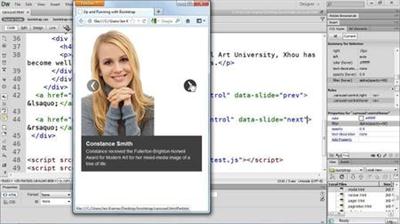
Learning Bootstrap 2
MP4 | Video: 720p | Duration: 2:38:39 | English | Subtitles: VTT | 434.4 MB​

Bootstrap is a free web development tool from Twitter that, with a little bit of CSS and JavaScript experience, makes building websites quick, intuitive, and fun. Author Jen Kramer explores its 12-column grid layout; typography and icon libraries; fully functional components like nav bars, buttons, and tabs; and much more. This course also shows how to add JavaScript extras like dropdown menus, modal windows, and photo carousels.

Topics include:
Understanding the difference between default and fluid gridsNesting with fluid gridsCreating a thumbnail galleryAdding block quotes and lists of textIncorporating images and iconsAdding breadcrumb navigation and paginationUsing tabs and pills navigationMaking the nav bar responsive with JavaScriptAdding dropdown menus to the nav bar, tabs, and pill

Recommend Download Link Hight Speed | Please Say Thanks Keep Topic Live ​

 

ee8b1957f50d9f3f0ecacbb1316eba2c.jpg


Database Clinic: Neo4J
MP4 | Video: 720p | Duration: 2:11:53 | English | Subtitles: VTT | 343.4 MB​

TheDatabase Clinicseries helps you compare and contrast different database tools by pitting experts and their databases of choice against a series of the same challenges. This installment of the series focuses on Neo4j, a native graph database that can help you manage highly connected data. This course introduces Cypher, the graph query language, and tooling for querying Neo4j using both the Neo4j Browser and the Python driver for Neo4j. Instructor William Lyon begins by providing a quick overview of Neo4j, highlighting its unique strengths and weaknesses. He then shows how to use Neo4j to handle a series of tasks, including how to model data sets as a graph, import data sets into Neo4j, and search a database. He also covers create, read, update, and delete (CRUD) operations, as well as how to perform calculations in Neo4j.

Topics include:
Strengths and weaknesses of Neo4jData modelingCreating a databaseJoining data setsModeling data for joining data setsSearching a databaseCRUD operationsPerforming calculations

Recommend Download Link Hight Speed | Please Say Thanks Keep Topic Live ​

 

8f213e0c82c0b300cdb12f1db600dc4c.jpg


Excel 2007: Introduction to Formulas and Functions
MP4 | Video: 540p | Duration: 2:26:33 | English | Subtitles: VTT | 221.8 MB​

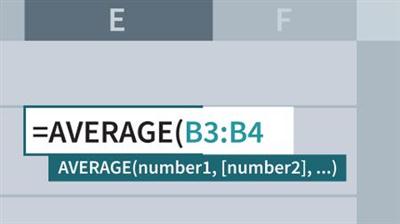
Excel 2007: Introduction to Formulas and Functions shows how to build impressive spreadsheets with the application's built-in capabilities. Excel expert and Microsoft Most Valuable Professional Curt Frye shares his vast knowledge of Excel, demonstrating how to build various arithmetic and statistical analysis formulas. Curt explains how to summarize values in sets of cells, create conditional formulas using IF and other related functions, and use validation rules to make data entry more accurate. He even teaches how to search for data within a list or table using the VLOOKUP and HLOOKUP functions. Exercise files accompany this course.

Topics include:
Copying and pasting the value results of a formulaCreating formulas to count cells that meet certain conditionsConnecting Excel to an external data sourceBuilding a two-input data tableSummarizing data using an Excel table

Recommend Download Link Hight Speed | Please Say Thanks Keep Topic Live ​

 

5d90f6a797e59bfd2e7b7fb3e53be7b1.jpg


Narrative Portraiture: Portraits of Two Texas Artists
MP4 | Video: 720p | Duration: 1:29:41 | English | Subtitles: VTT | 836.7 MB​

In the Narrative Portraiture series, photographer and teacher Chris Orwig explores how to use location and natural light to create images that tell stories about their subjects and produce a strong emotional connection.

In this installment, Chris travels to Texas to visit two artists: David Cargill, a Beaumont sculptor who works with bronze and marble, and Charles Stagg, another Beaumont sculptor but in recycled and found materials. Chris takes their portraits and spends time discussing the composition and lighting in each session.

Chris also reviews the photos he took, and discusses the gear he used and the lessons he learned while visiting with and photographing these artists.

Recommend Download Link Hight Speed | Please Say Thanks Keep Topic Live ​
 

a09cd6e6c9dbd8bc591a4f6d724cca67.jpg


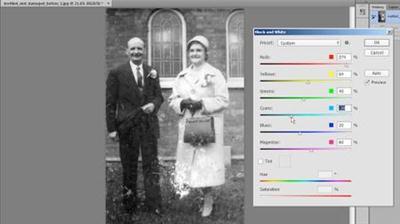
Photo Restoration: Damaged Black-and-White Images
MP4 | Video: 720p | Duration: 38:38 | English | Subtitles: VTT | 217.3 MB​

Old photos can fall victims to stains, scratches, and the ravages of time, but you can use Photoshop to restore these images to their original glory. In this course, professional retoucher Neil Rhodes shows how to give old black-and-white photos new life with image repair and restoration techniques in Photoshop. First, learn how to gauge an image's degree of damage. Then see how to fix color staining, adjust faded areas with the Shadows/Highlights adjustments, and remove dust and scratches with the Dust and Scratches filter. Discover methods for restoring cracks and spots and replacing missing sections using the Patch and Clone tools. Last, see how to add warmth and sharpness to an image and apply the finishing touches.

Recommend Download Link Hight Speed | Please Say Thanks Keep Topic Live ​

 

a47d12962e20c2a6c1e0af6a1a943f34.jpg


Interviewing Techniques
MP4 | Video: 720p | Duration: 1:02:50 | English | Subtitles: VTT | 450.1 MB​

Successful hiring means successful interviewing. Even so, many of us go about this critical business task in a rushed and inconsistent manner that can lead to undesired results: hiring the wrong candidate, or letting the best candidate go. What techniques can you employ to be sure you're interviewing effectively? In this course, expert recruiter Barbara Bruno highlights practical strategies for approaching and executing job interviews. Barbara explains how to determine the purpose of the interview, set interview expectations up front for both your candidates and the hiring manager, and ask meaningful, creative questions. She also shows how to conduct different types of interviews-including screening, general, and panel interviews-and shares when, why, and how to effectively keep in touch with candidates after the interview.

Topics include:
Determining the purpose of the interviewClarifying expectationsMaking a good first impressionAsking creative questions consistentlyWhat candidate questions revealThe basics of conducting an interviewCreating brand awareness and getting referrals

Recommend Download Link Hight Speed | Please Say Thanks Keep Topic Live ​
 

2271ba7054e463b19071321c6839ebb2.jpg


Android N First Look for Developers
MP4 | Video: 720p | Duration: 32:25 | English | Subtitles: VTT | 95.1 MB​

Android N is the next version of Google's blockbuster operating system for mobile devices. Developers can experiment with the new features and capabilities using the Android N Developer Preview and this concise quick start guide. David Gassner previews Android N highlights, such as the multi-window interface and new notification features, while guiding developers through installation of Android N and the Android Studio 2.1 Preview. He also touches on a few processes that are changing in Android N, including the new Jack and Jill compiler toolchain and programming with Java 8 syntax.

Recommend Download Link Hight Speed | Please Say Thanks Keep Topic Live ​

 

96b3a5f8bb16932f103c26e90e6ef253.jpg


D3 + React
MP4 | Video: 720p | Duration: 3:27:39 | English | 702.3 MB​

Accelerate your career now by learning how to create dynamic data visualizations with React and D3, the most cutting edge and in demand libraries in front end web development today. Engineers who understand React and D3 are in high demand. Learn React and D3 today to take advantage of the growing popularity of these libraries.

This in-person workshop covers the intricacies of building fast and reusable data visualizations with React and D3. No boring list or Todo apps here. Attendees will learn by building fun games like Space Invaders or a particle generator.

Recommend Download Link Hight Speed | Please Say Thanks Keep Topic Live ​
 

e1e2a8e53513548d92375d40d7c17f9f.jpg


Sprite Kit & Apple TV
MP4 | Video: 720p | Duration: 5:01:47 | English | 1006.7 MB​

Walk out of this workshop with your own tvOS game and the basics of SpriteKit using Swift 2.0. During this workshop we will work to build a game called SoccerPong (twist on the classic Pong game) for the Apple TV. Whether you have experience working with Swift or not this workshop will help you get your first app going. During this workshop we will also learn how to connect third party controllers to work with our app as well.

Recommend Download Link Hight Speed | Please Say Thanks Keep Topic Live ​
 

0ed68e00c45a307722707e852244f6ce.jpg


The Making of Times Square: The People
MP4 | Video: 540p | Duration: 3:18:25 | English | Subtitles: VTT | 591.3 MB​

Take a virtual journey to the bustling streets of New York in Bert Monroy: The Making of Times Square. Digital painter Bert Monroy reveals how he created the minute details that build the impressive 108,000 x 21,600 pixel, 25-foot wide photorealistic portrait of this iconic intersection.

In this installment, The People, Bert illustrates how he created the hyperrealistic portrayals of the dozens of people inhabiting his painting, many of which he drew from real-life friends and family. The course shows how to construct eyes, lips, ears, and other facial features, paint natural looking skin, add hair, apply makeup, and create fabric folds, stitching, and texture to emulate clothing. Bert shows how digital artists can recreate these effects at home, using the tools in Photoshop and Illustrator and a little imagination.

Topics include:
Creating life-like facial features, such as noses, teeth, lipsUnderstanding the structure of the mouthCreating facial contoursAdding details such as fingernailsUsing a Cintiq to create realistic hairCreating beard stubbleCreating the look of stitched denimAdding ribbing to a t-shirt

Recommend Download Link Hight Speed | Please Say Thanks Keep Topic Live ​
 

63be8e674b67d527130df68dd2c235ac.jpg


Learning How to Manage a Hosted Web Site
MP4 | Video: 720p | Duration: 1:41:25 | English | Subtitles: VTT | 191.7 MB​

Managing a Hosted Web Site shows how to set up a web site on a host's server and perform common server tasks. Working in two web hosting utilities, cPanel and Plesk, as well as in a custom control panel, author Ray Villalobos explores purchasing a domain, setting up FTP accounts, and configuring web mail. The course also explains setting up password protection, creating a MySQL database, and working with subdomains.

Topics include:
Choosing server featuresGetting a domain nameUsing an FTP clientUnderstanding link referencesSetting up webmail with forwardsProtecting user information and directoriesWorking with databasesCreating shortcuts with subdomains

Recommend Download Link Hight Speed | Please Say Thanks Keep Topic Live ​
 

a366ba2be6e3f696fb952a0497063b6c.jpg


Advanced SVG Animation
MP4 | Video: 720p | Duration: 4:23:51 | English | 560.5 MB​

When you're visiting a site, your eyes are constantly scanning the digital landscape to create a spatial map of what it's seeing. We are biologically trained to notice anything in this environment that's moving- it draws our eye. Because of this, animation has the power to guide your users, define symbols and meaning, and even reflect your branding. But it has to be done well.

In this full-day workshop, Sarah will explain in detail how you can craft delightful SVG animations and everything you need to start using them in production - both on small and large scale. We'll cover animation in general, and then dive deep into SVG, exploring all its different facets, technical issues and gotchas, performance benefits, and possibilities for accessibility. We'll talk about JavaScript Workflows, React and Vue technical implementation, and how to work with the virtual DOM.

You'll leave the workshop with a deep understanding of what's possible with SVG, and how you can add a bit of delight to your website experience. We'll cover a lot of ground, from SVG workflow to data visualization, to responsive animation to performance issues.

WHAT YOU'LL LEARN:
How to leverage powerful tools like GreenSock API, mo.js, D3, and React Motion to control and manipulate animations with ease, and when to use each tool.
How create an informative and stable animation, or even a more complex animation that is production-ready.
How to make SVG cross-browser compatible, responsive, backwards compatible, and how to optimize it properly.
The nuts and bolts of how SVG is used to create beautiful and powerful data visualizations

Recommend Download Link Hight Speed | Please Say Thanks Keep Topic Live ​
 
Zurück
Oben Unten