• Regeln für den Video-Bereich:

    In den Börsenbereich gehören nur Angebote die bereits den Allgemeinen Regeln entsprechen.

    Einteilung

    - Folgende Formate gehören in die angegeben Bereiche:
    - Filme: Encodierte Filme von BluRay, DVD, R5, TV, Screener sowie Telesyncs im Format DivX, XviD und x264.
    - DVD: Filme im Format DVD5, DVD9 und HD2DVD.
    - HD: Encodierte Filme mit der Auflösung 720p oder darüber von BluRay, DVD, R5, TV, Screener sowie Telesyncs im Format x264.
    - 3D: Encodierte Filme von BluRay, die in einem 3D Format vorliegen. Dies gilt auch für Dokus, Animation usw.
    - Serien: Cartoon/Zeichentrick, Anime, Tutorials, Dokumentationen, Konzerte/Musik, Sonstiges sind demnach in die entsprechenden Bereiche einzuordnen, auch wenn sie beispielsweise im High Definition-Format oder als DVD5/DVD9/HD2DVD vorliegen. Ausnahme 3D.
    - Bereich Englisch: Englische Releases gehören immer in diesen Bereich.
    - Bereich Talk: Der Bereich, in dem über die Releases diskutiert werden kann, darf, soll und erwünscht ist.


    Angebot/Beitrag erstellen

    - Ein Beitrag darf erst dann erstellt werden, wenn der Upload bei mindestens einem OCH komplett ist. Platzhalter sind untersagt.
    - Bei einem Scenerelease hat der Threadtitel ausschließlich aus dem originalen, unveränderten Releasenamen zu bestehen. Es dürfen keine Veränderungen wie z.B. Sterne, kleine Buchstaben o.ä. vorgenommen werden. Ausnahme Serienbörse:
    - Bei einem Sammelthread für eine Staffel entfällt aus dem Releasename natürlich der Name der Folge. Beispiel: Die Simpsons S21 German DVDRip XviD - ITG
    - Dementsprechend sind also u.a. verboten: Erweiterungen wie "Tipp", "empfehlenswert", "only", "reup", usw. / jegliche andere Zusatzinformation oder Ergänzung, welche nicht in obiger Beschreibung zu finden ist.

    Aufbau des Angebots und Threadtitel

    Der Titel nach folgendem Muster erstellt zu werden. <Name> [3D] [Staffel] [German] <Jahr> <Tonspur> [DL] [Auflösung] <Quelle> <Codec> - <Group>
    Beispiel: The Dark Knight German 2008 AC3 DVDRip XviD - iND
    Beispiel: The Dark Knight 2008 DTS DL BDRip x264 - iND
    Beispiel: The Dark Knight 2008 AC3 DL BDRip XviD - iND
    Beispiel: The Dark Knight German 2008 AC3 720p BluRay x264 iND
    Beispiel: The Dark Knight 2008 DTS DL 1080p BluRay x264 iND
    Beispiel: Die Simpsons S01 German AC3 DVDRip XviD iND
    Beispiel: Die Simpsons S20 German AC3 720p BluRay x264 iND
    Beispiel: Sword Art Online II Ger Sub 2014 AAC 1080p WEBRip x264 - peppermint
    Entsprechend sind also u.a. verboten: Sonderzeichen wie Klammern, Sterne, Ausrufezeichen, Unterstriche, Anführungszeichen / Erweiterungen wie "Tipp", "empfehlenswert", "only", "reup", usw. / jegliche andere Zusatzinformation oder Ergänzung, welche nicht in obiger Beschreibung zu finden ist
    Ausnahmen hiervon können in den Bereichen geregelt sein.

    Die Beiträge sollen wie folgt aufgebaut werden:
    Überschrift entspricht dem Threadtitel
    Cover
    kurze Inhaltsbeschreibung
    Format, Größe, Dauer sind gut lesbar für Downloader außerhalb des Spoilers zu vermerken
    Nfo sind immer Anzugeben und selbige immer im Spoiler in Textform.
    Sind keine Nfo vorhanden z.B. Eigenpublikationen, sind im Spoiler folgende Dateiinformationen zusätzlich anzugeben :
    Quelle
    Video (Auflösung und Bitrate)
    Ton (Sprache, Format und Bitrate der einzelnen Spuren)
    Untertitel (sofern vorhanden)
    Hosterangabe in Textform außerhalb eines Spoiler mit allen enthaltenen Hostern.
    Bei SD kann auf diese zusätzlichen Dateiinformationen verzichtet werden.

    Alle benötigten Passwörter sind, sofern vorhanden, in Textform im Angebot anzugeben.
    Spoiler im Spoiler mit Kommentaren :"Schon Bedankt?" sind unerwünscht.


    Releases

    - Sind Retail-Release verfügbar, sind alle anderen Variationen untersagt. Ausnahmen: Alle deutschen Retail-Release sind CUT, in diesem Fall sind dubbed UNCUT-Release zulässig.
    - Im Serien-Bereich gilt speziell: Wenn ein Retail vor Abschluss einer laufenden Staffel erscheint, darf diese Staffel noch zu Ende gebracht werden.62
    - Gleiche Releases sind unbedingt zusammenzufassen. Das bedeutet, es ist zwingend erforderlich, vor dem Erstellen eines Themas per Suchfunktion zu überprüfen, ob bereits ein Beitrag mit demselben Release besteht. Ist dies der Fall, ist der bereits vorhandene Beitrag zu verwenden.
    - P2P und Scene Releases dürfen nicht verändert oder gar unter einem iND Tag eingestellt werden.


    Support, Diskussionen und Suche

    - Supportanfragen sind entweder per PN oder im Bereich Talk zu stellen.
    - Diskussionen und Bewertungen sind im Talk Bereich zu führen. Fragen an die Uploader haben ausschließlich via PN zu erfolgen, und sind in den Angeboten untersagt.
    - Anfragen zu Upload-Wünschen sind nur im Bereich Suche Video erlaubt. Antworten dürfen nur auf Angebote von MyBoerse.bz verlinkt werden.


    Verbote

    - Untersagt sind mehrere Formate in einem einzigen Angebotsthread, wie beispielsweise das gleichzeitige Anbieten von DivX/XviD, 720p und 1080p in einem Thread. Pro Format, Release und Auflösung ist ein eigener Thread zu eröffnen.
    - Grundsätzlich ebenso verboten sind Dupes. Uploader haben sich an geeigneter Stelle darüber zu informieren, ob es sich bei einem Release um ein Dupe handelt.
    - Gefakte, nur teilweise lauffähige oder unvollständige Angebote sind untersagt. Dies gilt auch für eigene Publikationen, die augenscheinlich nicht selbst von z.B. einer DVD gerippt wurden. Laufende Serien, bei denen noch nicht alle Folgen verfügbar sind, dürfen erstellt und regelmäßig geupdatet werden.
    - Untersagt sind Angebote, welche nur und ausschließlich in einer anderen Sprache als deutsch oder englisch vorliegen. Ausnahmen sind VORHER mit den Moderatoren zu klären.


    Verstoß gegen die Regeln

    - Angebote oder Beiträge, die gegen die Forenregeln verstoßen, sind über den "Melden"-Button im Beitrag zu melden.
  • Bitte registriere dich zunächst um Beiträge zu verfassen und externe Links aufzurufen.

++ Premium IPTV ++ 7000 Live Sender ++ UHD Qualität ++ Mediathek mit 18.000 Inhalten ++


VenneTV


Englische Tutorials

7006ca2273106511a23c4323f0a0530c.jpg


Fundamentals of Accounting
MP4 | Video: AVC 1280x720 | Audio: AAC 44KHz 2ch | Duration: 3 Hours | Lec: 25 | 328 MB
Genre: eLearning | Language: English
Learn the basics of accounting in an easy to understand method​

In this course you will learn the basics of accounting. You'll learn all about financial accounting, managerial accounting and income taxes. We'll go over balance sheets, income statements, cash flow statements and much more.

This course delivers lessons and examples to build accounting skills. It guides students to learn how to read financial statements properly.

By the end of this course, you'll be able to read the three most common financial statements: the income statement, balance sheet, and statement of cash flows. Then you can apply these skills to a real-world business setting.

Demand for accounting professionals currently exceeds supply. If you're interested in increasing your financial awareness while also gaining a marketable skill, this course is for you.

Whether you're a sole proprietor looking to manage your business finances or you simply want to gain an understanding of accounting basics for career advancement or for personal use, this course will give you a solid foundation in accounting.


56dcb2d0fdf016a3b0dce4024df3d118.jpg


Recommend Download Link Hight Speed | Please Say Thanks Keep Topic Live ​

 
763da14bf2beac1265d61ff2e0f940d2.jpg


Building an Angular 1.x Ionic Application
MP4 | Video: AVC 1280x720 | Audio: AAC 44KHz 2ch | Duration: 1 Hours | 313 MB
Genre: eLearning | Language: English
Ionic allows you to build cross platform native applications using Angular. In this course we will convert the Eggly AngularJS application into an Ionic mobile application.​


8dc853774e7808eba83050a30a97385f.jpg


Recommend Download Link Hight Speed | Please Say Thanks Keep Topic Live ​

 
72312b161fef56894a5b88b0bb71f290.jpg


WordPress for Business Using the WordPress Dashboard
MP4 | Video: AVC 1280x720 | Audio: AAC 44KHz 2ch | Duration: 1 Hours | Lec: 15 | 309 MB
Genre: eLearning | Language: English
Learn how to use the WordPress Dashboard get familiar with WordPress guide​

The WordPress dashboard is the control center for your website.

This is where you can add content, edit web pages, and update your website.
Once you have your WordPress website up and running on a server you can log in to your dashboard.

Learn your way around the WordPress dashboard. The nice thing about WordPress it's always ready to lend a helping hand. It comes with a menu in the dashboard that helps you get started right away. You can click the links and start building your website content.

This course will teach you how to navigate through WordPress.

Learn how themes work. The theme is essentially the skin that contains your website, you can update it or use your existing one.
How to setup and configure your website quickly
Setting user account
How to add content to your website
Different types of WordPress Themes and sites
The difference between Posts and Pages. There are two basic types of content Posts and Pages that you can create in WordPress
Posting content is made easy with WordPress, you can add it as you would typing into a text editor or copy and paste it in directly into the editor. WordPress also provides publishing options where you can set when you want your content published.
How to publish and automate content to social media
How RSS feeds work within WordPress
All images, videos and audio files are controlled by WordPress within the Media Library. It's wonderful to have access to all these items in one place, making them easy to access and use within posts.
If you have assets that you want to use within your website, simply upload them to the media library. You can search and update content as needed.
I'm here to help you learn more about using WordPress. This course includes resources and top links.

Start creating your own website today with WordPress


08ba5d8293c002f40687e81fbdf9993f.jpg


Recommend Download Link Hight Speed | Please Say Thanks Keep Topic Live ​
 
86adcf81b289dff64ff36f0f11875a29.jpg


Entity Framework in N-Tier Applications
MP4 | Video: AVC 1280x720 | Audio: AAC 44KHz 2ch | Duration: 1 Hours | 242 MB
Genre: eLearning | Language: English​

Planning to use Entity Framework in a real-world business application? If so, then you have a steep learning curve ahead of you. Rather than connect to a database directly from a client application, where the DbContext is responsible for tracking changes to your entities, you're going to need to place your data access code in a middle-tier services layer, where entities are disconnected from the DbContext. In addition, you'll need to choose between Windows Communication Foundation and ASP.NET Web API. And you'll face a number of other technical hurdles, such as customizing code-generation templates, handling cyclical references between entities, performing asynchronous operations, and selecting an efficient wire format to optimize performance. In this session, Tony provides the know-how you need to use Entity Framework effectively in N-Tier applications that are designed for testability, scalability, and performance.


4ab2826e9ae709491408f5543971a79d.jpg


Recommend Download Link Hight Speed | Please Say Thanks Keep Topic Live ​
 
6f11c8f17f77aa6a639233e0ec09c39f.jpg


Tom Quayle - Fusion Lesson Bundle
WEBRip | English | MP4 + MP3 jam tracks + PDF Guides | 1920 x 1080 | AVC ~1818 kbps | 29.970 fps
AAC 157 Kbps 48.0 KHz | 2 channels | ~13 hours | 14.7 GB
Genre: eLearning Video / Guitar lesson

The normal price for all of this material is over $400.

The bundle includes all of the following lessons/material: -

Technique Essentials Range:-
Modern Legato Part 1
Modern Legato Part 2
Modern Legato Part 3

Practice Session Vol 1 - Modern Legato
Fusion Blues Playing:-
Tackling the I-IV Movement
Modern Licks for the Advancing Blues Player

Extras: -
Langdales Hotel 3hr 20min Masterclass Video
Funk Changes Solo - Full Transcription

Fusion Essentials Range:-
Jazz Harmony/Playing Over Changes
Soloing Over Dominant 7th Chords
Using Chromaticism in Your Playing
Diminished Scale Harmony
Creative Use of Pentatonics
Improvising with Triad Pairs
Guide to Melodic Minor
Chordal Playing & Comping
Contemporary II-V-I Lines
Improvising Using Formulas
Fusion Chordal Playing Concepts
Playing Outside Creating Tension & Release


558029da3f6263fbacc70c556a88aa9d.jpg


be8517af81bd3b37f062512c0e6c671e.jpg


ca1ba2cf1ccf448b63fd79e6c2676a4a.jpg


Recommend Download Link Hight Speed | Please Say Thanks Keep Topic Live ​
 
d06e91016d85de7dde4e1cc1b19e3e90.jpg


AutoCAD Essentials: Creating Sheet Sets
MP4 | Video: AVC 1280x720 | Audio: AAC 44KHz 2ch | Duration: 2 Hours | 382 MB
Genre: eLearning | Language: English
AutoCAD sheet sets are a great way of managing layouts of a project in an intelligent way. This course teaches you all the basics of Sheet set including the methods of making callout and label blocks, templates, and layouts from model space...​

AutoCAD sheet set is one of the best drawing management tools available within AutoCAD software. In this course, AutoCAD essentials creating sheet sets course, you will learn to make a sheet set from scratch using model space drawings and how to create the template for layouts with title blocks and fields. You will also learn to make label and callout blocks for the layouts with dynamic block properties and intelligent attribute information. You will even learn to Description multiple layouts from the sheet set. By the end of this course, you will have a solid understanding of Sheet set and related tools that will help you greatly in managing your project files effortlessly. Software required: AutoCAD 2017.


e074b6ebe2a91edc781180c923b490ba.jpg


Recommend Download Link Hight Speed | Please Say Thanks Keep Topic Live ​
 
456fa68aa79b6277e949d10ec5bf2214.jpg


Learn how to Analyse Hadoop Data using Apache Pig
MP4 | Video: 1280x720 | 46 kbps | 44 KHz | Duration: 10 Hours | 1.01 GB
Genre: eLearning | Language: English
A Comprehensive Course on Apache Pig for Everyone! Learn How to Analyse Big Data Stored in Hadoop using Pig Tool.​

In this Apache Pig course, you will learn about Pig platform and how to use it to process a large volume of data sets in a parallel way. This includes an overview of Big Data and Hadoop, what data looks like before, during and after a dataflow, what data is supported, and the different forms it can take; how Pig can transform data, and advanced topics on debugging flows, flow optimization and some enterprise-level features of Apache Pig. This course on Apache Pig shows how Pig platform provides an abstraction over the MapReduce model to make the programming easier.


59a9d770e4b2a471e157fe54b287094f.jpg


Recommend Download Link Hight Speed | Please Say Thanks Keep Topic Live ​
 
ba6f4deea3dfa348f11e21c3931d5785.jpg


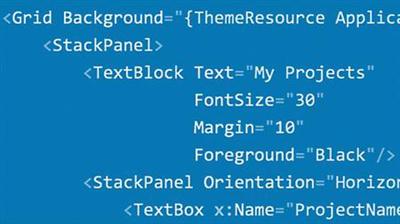
Lynda - Building Cloud Connected Universal Windows Apps
Size: 603 MB | Duration: 3h 9m | Video: AVC (.mp4) 1280x720 15&30fps | Audio: AAC 48KHz 2ch
Genre: eLearning | Level: Intermediate | Language: English
Universal Windows Platform (UWP) apps work on any device that runs Windows 10.​

Universal Windows Platform (UWP) apps work on any device that runs Windows 10. In this course, Daniel Jacobson shows you how to build a UWP app that leverages the power of the cloud. Daniel shows you how to set up and test backend services in the cloud, configure Azure services, work with essential APIs, and more. He also covers building an adaptive user interface, optimizing performance, submitting your app to the Windows Store, and publishing.


* Working with .NET for UWP app development
* Establishing application architecture
* Configuring Azure services
* Configuring the mobile app service backend
* Testing and publishing the service backend
* Using Facebook authentication
* Using XAML
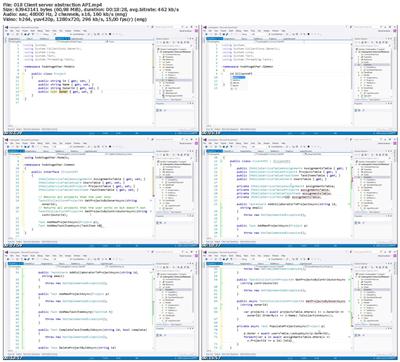
* Client server abstraction API
* Using the UWP community toolkit
* Styling app views
* Creating adaptive views
* Testing an app for multiple user accounts
* Publishing to the Windows Store
* Sideloading app packages


473ea6a5968fff34baa91a470a7b4932.jpg


Recommend Download Link Hight Speed | Please Say Thanks Keep Topic Live ​
 
ee64f8b23acdd954343ee486cacdc966.jpg


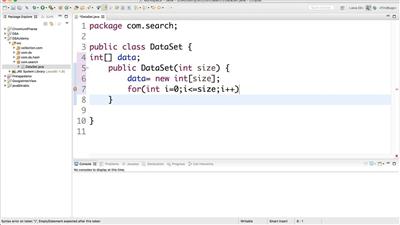
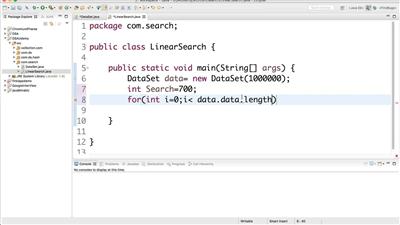
Data Structure and Algorithms Analysis - Job Interview
English | Last updated 2/2017 | mp4 | H264 1280x720 | AAC 2 ch | 9.5 hrs | 1.04 GB
eLearning | Skill level: All level
Write code that run faster, use less memory and prepare​

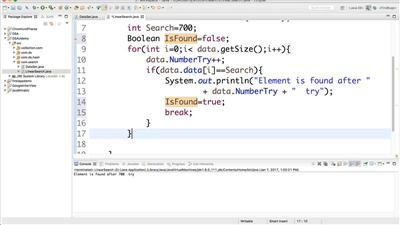
In this course you will learn how to Analysis algorithms like Sorting, Searching, and Graph algorithms. And how to reduce the code complexity from one Big-O level to another level. Furthermore, you will learn different type of Data Structure for your code. Also you will learn how to find Big-O for every data structure, and how to apply correct Data Structure to your problem in Java. By the end you will be able to write code that run faster and use low memory. You Also will learn how to analysis problems using Dynamic programming.

We will discus code complexity in Different algorithms like Sorting algorithms ( Bubble, Merge, Heap, and quick sort) , searching algorithms ( Binary search, linear search, and Interpolation), Graph algorithms( Binary tree, DFS, BFS, Nearest Neighbor and Shortest path, Dijkstra's Algorithm, and A* Algorithm). and Data Structure like Dynamic Array, Linked List, Stack, Queue, and Hash-Table

Who is the target audience?
- Studends who are interested in writing code that run faster and use less memory
- People who want to apply for job as software engineer or software developer


accde86aa50fbce4191afde574533408.jpg


ae9e610304fb763a41bd032bba3fefcd.jpg


167a70f3fc6dbb067c1e96de145be3c0.jpg


Recommend Download Link Hight Speed | Please Say Thanks Keep Topic Live ​
 
e0115f3b8229ba4a5183ef5f9ba16145.jpg


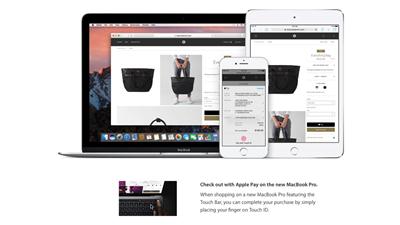
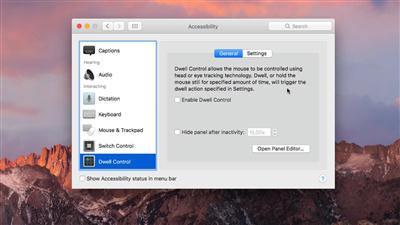
macOS Sierra - New Features & Tricks for Effective Working
English | Last updated 11/2016 | mp4 | H264 1920x1080 | AAC 2 ch | 36 min | 535 MB
eLearning | Skill level: All level
Learn all about the new features of macOS Sierra - the most intuitive operating system made by Apple​

- Learn all about the new features of macOS Sierra!
- Learn how to use the new features
- Get to know the changes that were made in macOS Sierra
- Get to know your system even better for improved productive working

In this course you will be up-to-date with the latest system made by Apple. Learn how to use these new features and get more work done. MacOS Sierra has so many features, that it gets so much more powerful from version to version. Now you can be even more productive than before, but only if you know everything about those new features.

Let macOS Sierra do the work for you and ask Siri for help! Siri can do a bunch of things for you so you only have to know what Siri is actually capable of!

It's an amazing system and with all these incredible improvements you won't ever want to go back to your old system again - or even to any Windows system at all.

Who is the target audience?
- People who want to know which new things macOS can do
- Mac and Windows users who want to get a look at these new macOS Sierra features
- Productive working due to knowing all the new features and power of macOS


2bd610483c13c4833b26eb8b40ecde1f.jpg


64ffef5a2f26299773644e37093268d0.jpg


bd43fe208f113b2ea31f5869320ac738.jpg


Recommend Download Link Hight Speed | Please Say Thanks Keep Topic Live ​
 
ba5730dcbbcbf30b9f0c79d51f5f8836.jpg


Lynda - Visual Studio 2017: First Look
Size: 1.28 GB | Duration: 1h 55m | Video: AVC (.mp4) 1280x720 30fps | Audio: AAC 48KHz 2ch
Genre: eLearning | Level: Beginner | Language: English
Explore the new features and updates available in Visual Studio 2017.​

Explore the new features and updates available in Visual Studio 2017. In this course, Walt Ritscher walks through the key new features in this release, starting with a look at the integrated development environment enhancements like new support for EditorConfig. Next, he explores debugging improvements such as Chrome debugging support, and dives into navigation and IntelliSense improvements in the code editors. Plus, Walt investigates the Docker container support for ASP. NET core projects and goes over the behavior of the Visual Studio 2017 Installer.


* Installing Visual Studio 2017
* Using debugging features
* Reviewing document navigation enhancements
* Examining IntelliSense Improvements
* Using XAML tools
* Reviewing the tooling added to support Docker containers
* Debugging without the hosting process
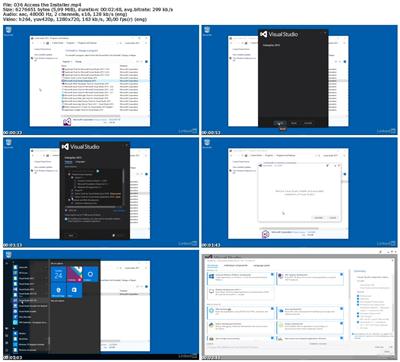
* Using the Visual Studio 2017 Installer


951f29300001a5fe719bb1331f230df1.jpg


Recommend Download Link Hight Speed | Please Say Thanks Keep Topic Live ​
 
b8a4efbaea66a2baed00ed9fc9ab9781.jpg


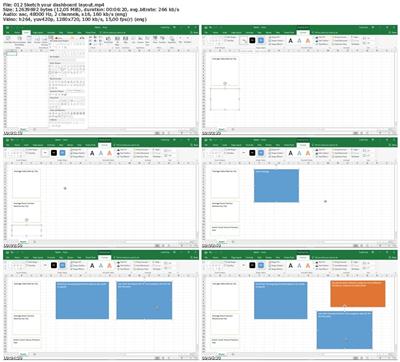
Lynda - Creating a Basic Dashboard in Excel 2016
Size: 207 MB | Duration: 1h 31m | Video: AVC (.mp4) 1280x720 15&30fps | Audio: AAC 48KHz 2ch
Genre: eLearning | Level: Beginner | Language: English
Learn easy-to-implement techniques that can help you quickly create a visual representation of your data to inform your decision making.​

Learn easy-to-implement techniques that can help you quickly create a visual representation of your data to inform your decision making. In this brief course, Curt Frye walks through the basics of creating a dashboard in Excel. Curt begins with a primer on using PivotTables-one of the most powerful data analysis tools in Excel. He also shares how to define conditional formats and summarize your data with sparklines and charts. Plus, he shows how to set up your dashboard worksheet, link data to cells and shapes, maximize your screen space by hiding rows, and modify the Excel program window to meet your needs.


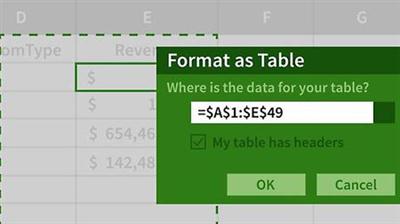
* Managing data using Excel tables
* Managing PivotTables and PivotCharts
* Summarizing table and PivotTable data
* Defining conditional formats
* Creating sparklines
* Sketching your dashboard layout
* Creating and managing cell links
* Linking cell contents to a shape
* Linking to a PivotTable cell
* Extending your dashboard using hidden rows


1551c5ff95f087d77d979f44cc76765b.jpg


Recommend Download Link Hight Speed | Please Say Thanks Keep Topic Live ​
 
Zurück
Oben Unten