• Regeln für den Video-Bereich:

    In den Börsenbereich gehören nur Angebote die bereits den Allgemeinen Regeln entsprechen.

    Einteilung

    - Folgende Formate gehören in die angegeben Bereiche:
    - Filme: Encodierte Filme von BluRay, DVD, R5, TV, Screener sowie Telesyncs im Format DivX, XviD und x264.
    - DVD: Filme im Format DVD5, DVD9 und HD2DVD.
    - HD: Encodierte Filme mit der Auflösung 720p oder darüber von BluRay, DVD, R5, TV, Screener sowie Telesyncs im Format x264.
    - 3D: Encodierte Filme von BluRay, die in einem 3D Format vorliegen. Dies gilt auch für Dokus, Animation usw.
    - Serien: Cartoon/Zeichentrick, Anime, Tutorials, Dokumentationen, Konzerte/Musik, Sonstiges sind demnach in die entsprechenden Bereiche einzuordnen, auch wenn sie beispielsweise im High Definition-Format oder als DVD5/DVD9/HD2DVD vorliegen. Ausnahme 3D.
    - Bereich Englisch: Englische Releases gehören immer in diesen Bereich.
    - Bereich Talk: Der Bereich, in dem über die Releases diskutiert werden kann, darf, soll und erwünscht ist.


    Angebot/Beitrag erstellen

    - Ein Beitrag darf erst dann erstellt werden, wenn der Upload bei mindestens einem OCH komplett ist. Platzhalter sind untersagt.
    - Bei einem Scenerelease hat der Threadtitel ausschließlich aus dem originalen, unveränderten Releasenamen zu bestehen. Es dürfen keine Veränderungen wie z.B. Sterne, kleine Buchstaben o.ä. vorgenommen werden. Ausnahme Serienbörse:
    - Bei einem Sammelthread für eine Staffel entfällt aus dem Releasename natürlich der Name der Folge. Beispiel: Die Simpsons S21 German DVDRip XviD - ITG
    - Dementsprechend sind also u.a. verboten: Erweiterungen wie "Tipp", "empfehlenswert", "only", "reup", usw. / jegliche andere Zusatzinformation oder Ergänzung, welche nicht in obiger Beschreibung zu finden ist.

    Aufbau des Angebots und Threadtitel

    Der Titel nach folgendem Muster erstellt zu werden. <Name> [3D] [Staffel] [German] <Jahr> <Tonspur> [DL] [Auflösung] <Quelle> <Codec> - <Group>
    Beispiel: The Dark Knight German 2008 AC3 DVDRip XviD - iND
    Beispiel: The Dark Knight 2008 DTS DL BDRip x264 - iND
    Beispiel: The Dark Knight 2008 AC3 DL BDRip XviD - iND
    Beispiel: The Dark Knight German 2008 AC3 720p BluRay x264 iND
    Beispiel: The Dark Knight 2008 DTS DL 1080p BluRay x264 iND
    Beispiel: Die Simpsons S01 German AC3 DVDRip XviD iND
    Beispiel: Die Simpsons S20 German AC3 720p BluRay x264 iND
    Beispiel: Sword Art Online II Ger Sub 2014 AAC 1080p WEBRip x264 - peppermint
    Entsprechend sind also u.a. verboten: Sonderzeichen wie Klammern, Sterne, Ausrufezeichen, Unterstriche, Anführungszeichen / Erweiterungen wie "Tipp", "empfehlenswert", "only", "reup", usw. / jegliche andere Zusatzinformation oder Ergänzung, welche nicht in obiger Beschreibung zu finden ist
    Ausnahmen hiervon können in den Bereichen geregelt sein.

    Die Beiträge sollen wie folgt aufgebaut werden:
    Überschrift entspricht dem Threadtitel
    Cover
    kurze Inhaltsbeschreibung
    Format, Größe, Dauer sind gut lesbar für Downloader außerhalb des Spoilers zu vermerken
    Nfo sind immer Anzugeben und selbige immer im Spoiler in Textform.
    Sind keine Nfo vorhanden z.B. Eigenpublikationen, sind im Spoiler folgende Dateiinformationen zusätzlich anzugeben :
    Quelle
    Video (Auflösung und Bitrate)
    Ton (Sprache, Format und Bitrate der einzelnen Spuren)
    Untertitel (sofern vorhanden)
    Hosterangabe in Textform außerhalb eines Spoiler mit allen enthaltenen Hostern.
    Bei SD kann auf diese zusätzlichen Dateiinformationen verzichtet werden.

    Alle benötigten Passwörter sind, sofern vorhanden, in Textform im Angebot anzugeben.
    Spoiler im Spoiler mit Kommentaren :"Schon Bedankt?" sind unerwünscht.


    Releases

    - Sind Retail-Release verfügbar, sind alle anderen Variationen untersagt. Ausnahmen: Alle deutschen Retail-Release sind CUT, in diesem Fall sind dubbed UNCUT-Release zulässig.
    - Im Serien-Bereich gilt speziell: Wenn ein Retail vor Abschluss einer laufenden Staffel erscheint, darf diese Staffel noch zu Ende gebracht werden.62
    - Gleiche Releases sind unbedingt zusammenzufassen. Das bedeutet, es ist zwingend erforderlich, vor dem Erstellen eines Themas per Suchfunktion zu überprüfen, ob bereits ein Beitrag mit demselben Release besteht. Ist dies der Fall, ist der bereits vorhandene Beitrag zu verwenden.
    - P2P und Scene Releases dürfen nicht verändert oder gar unter einem iND Tag eingestellt werden.


    Support, Diskussionen und Suche

    - Supportanfragen sind entweder per PN oder im Bereich Talk zu stellen.
    - Diskussionen und Bewertungen sind im Talk Bereich zu führen. Fragen an die Uploader haben ausschließlich via PN zu erfolgen, und sind in den Angeboten untersagt.
    - Anfragen zu Upload-Wünschen sind nur im Bereich Suche Video erlaubt. Antworten dürfen nur auf Angebote von MyBoerse.bz verlinkt werden.


    Verbote

    - Untersagt sind mehrere Formate in einem einzigen Angebotsthread, wie beispielsweise das gleichzeitige Anbieten von DivX/XviD, 720p und 1080p in einem Thread. Pro Format, Release und Auflösung ist ein eigener Thread zu eröffnen.
    - Grundsätzlich ebenso verboten sind Dupes. Uploader haben sich an geeigneter Stelle darüber zu informieren, ob es sich bei einem Release um ein Dupe handelt.
    - Gefakte, nur teilweise lauffähige oder unvollständige Angebote sind untersagt. Dies gilt auch für eigene Publikationen, die augenscheinlich nicht selbst von z.B. einer DVD gerippt wurden. Laufende Serien, bei denen noch nicht alle Folgen verfügbar sind, dürfen erstellt und regelmäßig geupdatet werden.
    - Untersagt sind Angebote, welche nur und ausschließlich in einer anderen Sprache als deutsch oder englisch vorliegen. Ausnahmen sind VORHER mit den Moderatoren zu klären.


    Verstoß gegen die Regeln

    - Angebote oder Beiträge, die gegen die Forenregeln verstoßen, sind über den "Melden"-Button im Beitrag zu melden.
  • Bitte registriere dich zunächst um Beiträge zu verfassen und externe Links aufzurufen.

++ Premium IPTV ++ 7000 Live Sender ++ UHD Qualität ++ Mediathek mit 18.000 Inhalten ++


VenneTV


Englische Tutorials

31791c1fa1f63df6182c59f39c6998cf.jpg


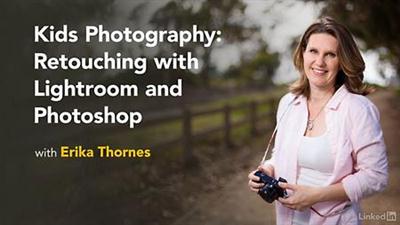
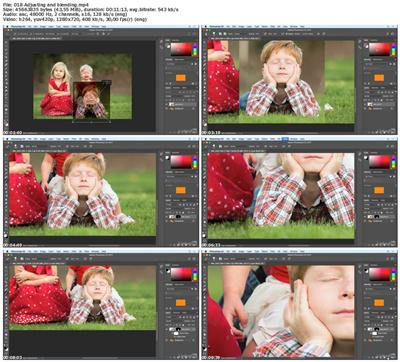
Lynda - **** Photography: Retouching with Lightroom and Photoshop
Size: 255 MB | Duration: 1h 10m | Video: AVC (.mp4) 1280x720 30fps | Audio: AAC 48KHz 2ch
Genre: eLearning | Level: Intermediate | Language: English
Photographing **** comes with a unique set of challenges.​

Photographing **** comes with a unique set of challenges. The best portrait of a kid might be a quirky shot of a kid with a funny expression-not usually what you're looking for in adult portraiture. When it comes to retouching, you're more likely to be cleaning up a runny nose than softening wrinkles. In this course, photographer Erika Thornes shows how to review a kid photo shoot to find the best shot of the bunch. Then, she dives into Lightroom and Photoshop and details a variety of retouching challenges and solutions-including cleaning up that messy nose.


* Selecting and editing the hero shot
* Making a clean edit in Lightroom
* Adjusting exposure and white balance
* Cropping images
* Working with layers and masks
* Using Photoshop to remove stray hairs, brighten eyes, and remove scabs
* Swapping faces in Photoshop


5c83cc0d771075e61aa1aa3c4dd8ef93.jpg


Recommend Download Link Hight Speed | Please Say Thanks Keep Topic Live ​

 
b40b09165ea21267b7e7822b48a30079.jpg


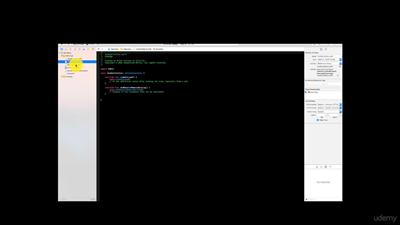
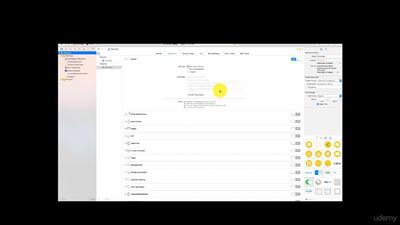
The Complete iOS 10 App Entrepreneur: Build A Tech Start-Up!
English | Last updated 3/2017 | mp4 | H264 1280x720 | AAC 2 ch | 10 hrs | 1.61 GB
eLearning | Skill level: All level
Learn App Entrepreneurship to complement iOS 10 development skills, form a Start-up & utilise Marketing & Distribution!​

If you are looking to become an iOS App entrepreneur, or make your current App start-up more professional, you may love this Udemy course!

Regardless if your a rookie or veteran by the end of this course you will be able to:
- Create a StartUp
- Enroll as an Organization with Apple Developer Program
- Monetize with AdMob
- Increase revenue with In-App Purchases
- Create Legally Binding Privacy Policies
- set-up Export Compliance
- Testing and Debugging
- Distribute Apps in 154 territories
- Get the right App Installs
- Create Digital Marketing campaigns with twitter , Facebook, AdWords, YouTube, and Apple Search Ads

*learn why to avoid creating a website for your app

Why learn from me?

I am the founder and lead iOS Developer at Adamantium Mettle, L.L.C.. Thats right I'm a real app developer who has distributed apps in the Apple App Store. I'm very familiar with the Software Development Life Cycle(SDLC). Everything I cover in the course I have gone through the process of implementing for real apps that are live in the App Store.

Two years ago I was probably a lot like you. I wanted to distribute my own apps in the App Store. I had a lot of questions with very few solutions. Since then I have distributed a number of apps while solving many problems along the way. Thats why I created this course to help other app developers like yourself tackle the many challenges of app distribution.

In addition to the real world experience above I'm a former educator with 14 years experience. I hold a Master's Degree in Education. I believe in a keep it simple approach because why make something complicated if it doesn't have to be.

The Promise:

My promise to you is that everything covered in the course will provide a real world solution to real world challenges in App Distribution. At the end of this course you will absolutely be able to distribute a real app in the app store. Please note in this course we don't actually create any apps just monetize and distribute.

Don't waste any more time or money:

Don't waste time and money on more books or searching for youtube videos. Been there and done that Take a course from an actual app developer who has distributed apps in the app store. There is not a more complete course on App Distribution anywhere.

Who is the target audience?
- An iOS App developer looking to create a professional business operation
- An entrepreneur looking to get into the App Business but doesn't know where to start!
- An iOS App developer looking to understand Business, Marketing and Distribution


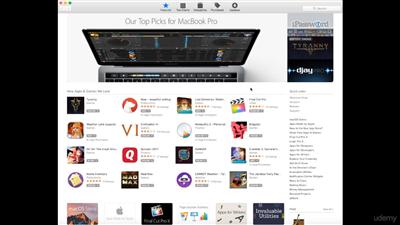
68619f2822a5ad74433139cad306434f.jpg


6797e9be237bd873694e222c6b98ff0f.jpg


e4719afa5a6ccc384c424c0bb06fdf6b.jpg


Recommend Download Link Hight Speed | Please Say Thanks Keep Topic Live ​

 
b8b0ef788fb49e8be1ada11b37c2b4b9.jpg


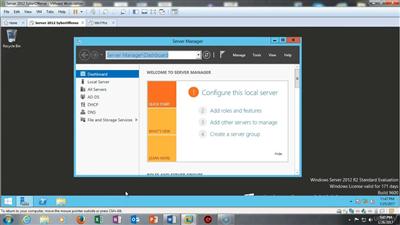
Windows Server 2012 - Complete Guide with Hands-on Training
English | Last updated 3/2017 | mp4 | H264 1280x720 | AAC 2 ch | 4.5 hrs | 921 MB
eLearning | Skill level: All level
Hands-on Training for Installation and Configuration of Microsoft Windows Server 2012 R2 and Certification Exam 70-410​

A Comprehensive Brand New Hands-on Training Course - (Launched in February 2017) - 500+ Students are Already Taking this Course

Do you want to learn how to install and configure Windows Server 2012 R2?

Do you want to start your preparation for Microsoft Windows Server 2012 Certification Exam 70-410?

If you have answered YES to above questions, then you are at the right place.

This course allows you to advance your skills of Installation and Configuration of Microsoft Windows Server 2012 R2 also helps to prepare for Microsoft Windows Server 2012 Certification Exam 70-410.

This course provides a solid hands-on experience for learning Windows Server 2012 R2 and is designed for those needing to be able to demonstrate basic day-to-day administration and configuration skills required for Windows Server 2012 R2 administering.

This course provides you more hands-on learning on how to install, maintain and configure Windows Server 2012 R2. Course is structured using short tutorial videos and hands-on labs. Students watch a short video tutorial, review the hands-on lab and then complete the lab.

Students who take and complete this course will be able to install and configure Windows Server 2012 R2 with Active Directory, DNS, DHCP, FSRM, and other roles commonly found in a Windows Server 2012 R2 domain.

The course labs consist of configuring three virtual machines to join a Windows Server 2012 R2 network, creating Windows Server 2012 R2 domain environment and installing and configuring different server roles.

Why I should take this course?
- A solid hands-on training course with lab practice
- Complete guide for how to install, configure and maintain Microsoft Windows Server 2012 R2
- Course helps to prepare for your Microsoft Windows Server 2012 Certification Exam 70-410
- You will learn to install of Windows Server 2012 R2 Standard Edition, Windows Server 2012 R2 Core, Windows 7, 8.1 or 10 - Professional or better
- You will also learn Windows Server 2012 R2 Networking, creating domain environment and installing and configuring different server roles

This is the course that could change your life.

Obtaining the Microsoft Server 2012 Certification (Exam 70-410) can help you to enhance your career opportunities and also helps to boost your income. Microsoft Server 2012 Certification is a highly-sought certification. Many positions either prefer or require Microsoft Server 2012 Certification. You can also see now a day many companies are asking for Microsoft Server 2012 Certification in their Job descriptions.

An investment in your career is an investment in yourself. Don't procrastinate. There is no time like the present to take charge of your career. Take your career to the next level by studying for and passing the Microsoft Windows Server 2012 Certification 70-410 exam!

See you inside the course...!!!

Who is the target audience?
- Those who want to advance their career as a Windows Server 2012 Administrator
- Those wanting to learn Server 2012 r2 using hands-on learning


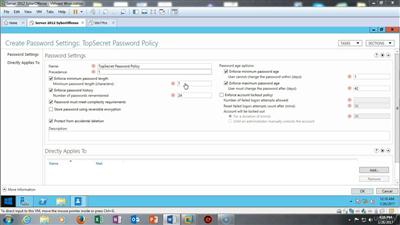
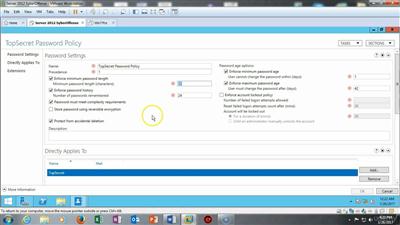
106aa6ad983efbfe6ae172f1632aaffb.jpg


0ce7a7da362bb72a62320ce74285bacc.jpg


5bcad2758beab7c2ca541b4d73da4c1a.jpg


Recommend Download Link Hight Speed | Please Say Thanks Keep Topic Live ​

 
298edcb04fb9174697da5a630b82800a.jpg


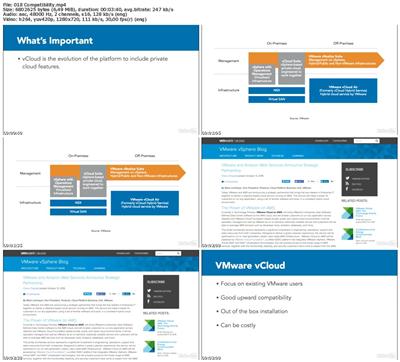
Lynda - Cloud Computing: Private Cloud Platforms
Size: 128 MB | Duration: 1h 2m | Video: AVC (.mp4) 1280x720 30fps | Audio: AAC 48KHz 2ch
Genre: eLearning | Level: Beginner | Language: English
Most leading private clouds provide similar features.​

Most leading private clouds provide similar features. So, how can you select the right solution for your organization? This course examines industry-leading private cloud platforms and compares the services offered. Learn the fundamentals of cloud computing using a private cloud, consider reasons why you might choose a private cloud solution for your business, and discover the features and services offered by several providers-from security to integration and compatibility features.


* Private cloud benefits
* Considering the costs
* Determining compatibility
* Assessing security and governance
* Reviewing OpenStack
* Reviewing Microsoft Private Cloud
* Reviewing VMware vCloud Suite
* Reviewing Apache CloudStack


3d6f767b32804237777d98723426ecf0.jpg


Recommend Download Link Hight Speed | Please Say Thanks Keep Topic Live ​

 
4dff6e375616e53d4194d64c57cc790a.jpg


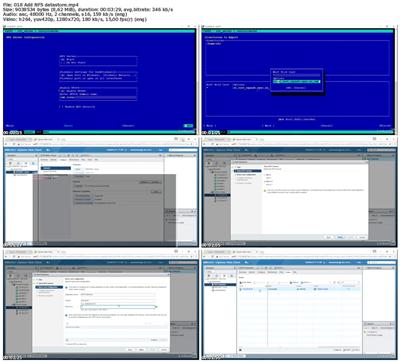
Lynda - Learning VMware vSphere 6.5
Size: 312 MB | Duration: 1h 39m | Video: AVC (.mp4) 1280x720 15&30fps | Audio: AAC 48KHz 2ch
Genre: eLearning | Level: Beginner | Language: English
Learn how to create a vSphere environment, be introduced to ESXi and vCenter, and get a tour of vSphere 6.​

Learn how to create a vSphere environment, be introduced to ESXi and vCenter, and get a tour of vSphere 6. 5 with step-by-step machine management instructions. These topics and more are explored in this course. Join Brandon Neil as he covers storage and networking basics using vSphere, the VMware virtualization suite of products. Brandon shows you how to download, install, configure, and use vSphere components. He also demonstrates how add a datastore, deploy virtual machines, migrate using vMotion, and more.


* Virtual machine benefits
* Building a lab environment with a mini PC
* Working with ESXi and vCenter Server
* Installing a control center VM
* Using the HTML5 client and the web client
* Adding an ESXi host and use Remote Console
* Configuring vSAN and storage profiles
* Adding NFS datastore
* Deploying a virtual machine from OVA
* Performing a cloning operation
* Using templates
* Performing a vMotion migration
* Working with snapshots


638bfc7ca67a183e6d9dfb62ba11e9b8.jpg


Recommend Download Link Hight Speed | Please Say Thanks Keep Topic Live ​

 
1a3085ae1670b26d2aa5818b292dc2d9.jpg


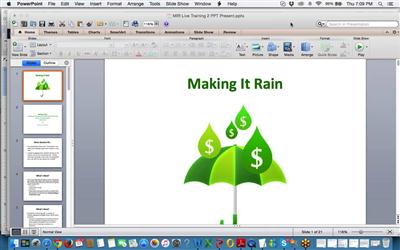
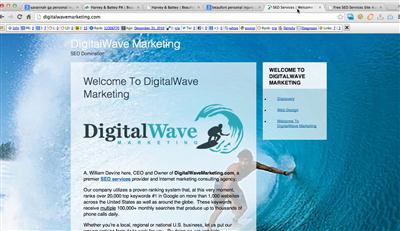
Anthony Devine - Golden Backlinks
WEBRip | English | MOV + PDF Guides | 1280 x 800 | AVC ~81.8 kbps | 25 fps
AAC | 128 Kbps | 44.1 KHz | 1 channels | 15:35:22 | 1.8 GB
Genre: eLearning Video / Business, Sales, Marketing

We these backlinks, you and/or your client can benefit from page 1 organic and/or 3-Pack rankings, increased traffic, visitors and leads, along with more potential sales and profits and much more!

And, no worries here. It doesn't take hardly any time at all to use my strategy; in fact, it only takes 10-15 minutes to start generating up to 70 do-follow links straight from Google for ANY site, all at one time, on-demand.

Stop wasting time and/or money submitting long and boring articles for backlinks, spamming press releases across the Internet, creating low-quality and time-wasting videos for YouTube, or any of other "free" backlink methods that most people hate doing because they are difficult, confusing at times and time-consuming.

With my complete step-by-step system, anyone at ANY skill level can follow for FAST Google do-follow backlinks, more traffic, higher page rankings (in both the organic search rankings and Google 3-Pack) and greater overall success, even if you have never built a single backlink to a site in your life.

This backlink strategy is completely white-hat, meaning this is exactly what Google WANTS to see, and you can use this strategy to target any niche you want. This backlink strategy also works with ANY type of business and promotion model, including: Clickbank, CPA Offers, Amazon, Local/Offline, etc. Simply follow the guide and you're well on your way.

The backlinks you're going to generate from following my blueprint are the VERY BEST of the best, long-lasting and typically permanent, providing you with powerful link juice, rankings and traffic benefits potentially for up to YEARS... all without ever having to check back on these backlinks even once.


38eb194dd7a9200b1c1a9c87d9388f51.jpg


3a488e4ecec45d013432d9f263ed2d05.jpg


a727b8905496286e06da270c598282ce.jpg


Recommend Download Link Hight Speed | Please Say Thanks Keep Topic Live ​
 
9b16d5f772548ec4dbdd85625dec3705.jpg


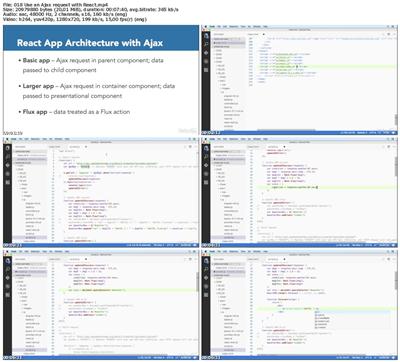
Lynda - Building Web Applications with Ajax
Size: 297 MB | Duration: 1h 31m | Video: AVC (.mp4) 1280x720 15&30fps | Audio: AAC 48KHz 2ch
Genre: eLearning | Level: Intermediate | Language: English
Ajax revolutionized web development by allowing developers to create interactive client-side applications that communicated with servers only when necessary, skipping the constant refresh cycle of earlier models.​

Ajax revolutionized web development by allowing developers to create interactive client-side applications that communicated with servers only when necessary, skipping the constant refresh cycle of earlier models. While Ajax usually makes applications run smoother, it can also introduce strange performance and resilience issues. In this course, Sasha Vodnik provides you with the details you need to create fast and reliable web applications using Ajax in the background. Sasha dives into the basics of XHR-the fundamental building block of Ajax-as well as the newer Fetch API. Plus, he explains how to write Ajax whether you're using AngularJS, React, or jQuery. Throughout the course, he shares tips for making smart code design decisions.


* Setting up your environment
* Obtaining API keys
* Working with XMLHttpRequest
* Working with the Fetch API
* Creating an Ajax request in jQuery
* Working with data returned from a jQuery Ajax request
* Creating an Ajax request in AngularJS
* Using an Ajax request with React
* Structuring Ajax requests


1bdd0198e8a694c416c2b75a04c9d918.jpg


Recommend Download Link Hight Speed | Please Say Thanks Keep Topic Live ​
 
ee7c6992c97e8dbb593a76a381e9ed52.jpg


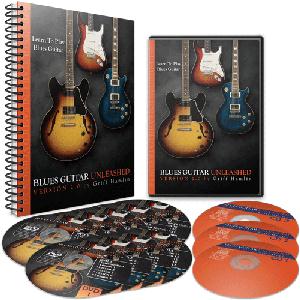
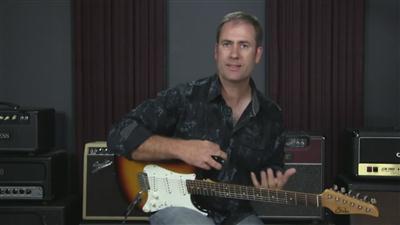
Blues Guitar Unleashed 2.0 (2017)
MP4 | AVC 1978kbps | English | 1280x720 | 30fps | 10 hours | AAC stereo 156kbps | 10.35 GB
Genre: Video Training
Learning to play blues guitar has never been so simple, or so enjoyable. This step-by-step, video instruction course contains everything you'll need to really learn the blues inside and out. These are the exact same lessons that thousands of students, many of them just like you, have used to learn how to play blues guitar. And most importantly, you'll have fun and be on your way to playing the blues from the very first lesson.​

Here are just some of the things Blues Guitar Unleashed 2.0 can do for you:

Discover how to solo effortlessly in any key, major or minor, anywhere on the guitar fretboard. No more getting lost or wondering what you're "allowed" to play. That means no more "clinkers" while you wring every last drop of emotion out of your solos without thinking. You'll be able to simply enjoy the looks on the faces of the other players as they admire your riffs.

Know when and how to play the major versus the minor blues sound. This one secret is the same thing that completely changed my own playing in a couple of hours. Once you learn this you will be able to think like your guitar heroes before you. Many times you can even just hear something they play, and you'll know exactly how to play it... even without a guitar in your hands (I've seen it happen... often!)

You'll learn how to know exactly what scales to use, in what key, and when, without any unnecessary theory. No dorians, mixolydians, or any other "Greekness" going on here (but I will tell you why don't need those modes.) This is straight-to-the-point stuff you can start using on day 1.

How to easily and quickly execute all of the necessary guitar "tricks" like hammer-ons, pull-offs, slides, and "tweedlies" (my personal favorite.) You have to be able to do these to get the real blues sounds. None of them are hard if you learn them right.

How blues chord progressions work using the 12 bar blues. With this lesson alone you could be creating your own songs within minutes, or you can use it to know what's coming up in songs you've never played before. Imagine stepping up on an open jam and not worrying about what tune they call because you know you can nail it, no matter what.

You'll learn how to setup your right and left hand fingerings to effortlessly bend the strings as far as you need to... and without all those extra "noises" when you are done with the bend (this is probably the most common question I get!) The answer is all in the right hand.

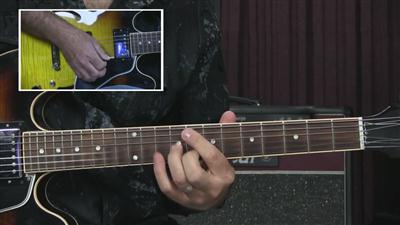
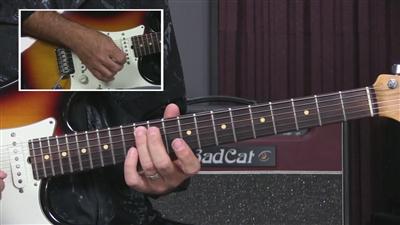
How to play literally hundreds of tried and true blues licks, in a variety of keys and styles. I walk you through them note by note, with an inset camera on my left hand so you can see exactly what I am doing as I explain it. Each one is broken down so it is easy enough to learn in one session. You could learn a new lick this afternoon and play it with your friends tonight.
You'll learn how to construct a complete solo from start to finish. I think it's so uncool to just throw a bunch of licks at you and say "have fun!" You've got to learn how to create phrases and make your guitar "talk." The complete solo examples (there are 6 of them!) in Blues Guitar Unleashed will show you how it's done, and more importantly how you can do it.

You'll learn at least 14 different "must have" blues rhythms that you can use at any jam session. Many of these are taken from popular blues songs such as "I'm Tore Down," "La Grange," "Pride and Joy," and others. Knowing these will give you the confidence to play anything you want.

You'll develop your own ability to hear exactly what is being played on a recording. Actually, you'll find that it's easy when you know what that person is probably playing. People ask me all the time if I have perfect pitch because I listen to something once and can play it. In reality, it's just because I know what to expect and you will too.

You'll see how to use the blues scale not just for soloing, but also within your rhythm playing to keep a cool groove going and embellish the chords. Playing with a band will be effortless, and any band in town will be happy to have you aboard.
You'll learn the most popular variations on the 12 bar blues, including how it applies to a minor blues. This allows you to hear more quickly what other players are doing, and also gives more options for writing your own songs.

You'll get a logical and methodical system for learning blues guitar. The book and DVDs are arranged so that you can start right from Lesson 1, page 1, and go through to the end. Every lesson builds on the lessons before it. You can go at your own pace, and you'll know you are making progress as you master each lesson.

You'll learn not just how to play a lick, but how to make it a part of your own vocabulary. You'll know how to use it in any solo, not just the one you learned it from. This is where so many courses fail, and so many students really suffer. You'll be able to wrangle every ounce of emotion out of your guitar without having to learn an encyclopedia full of licks.

You'll discover all about chord substitutions. Without a doubt this is one area that makes things a lot more fun. It's really easy when you know the 3 chord families and how they are related. No one will believe you can play so many cool chords so effortlessly. (they work for solos too...)

You'll learn all of the chord shapes and rhythm patterns you'll ever need to know. You'll be able to play 7th, 9th, 11th, 13th, major 7th, 7#9, and a slew of other great blues chords. No matter what chord comes up in a tune, you'll know the best way to play it (and I assure you it is not what your chord book would have you play!)

Blues Guitar Unleashed comes in 2 flavors... the Physical Edition comes on 9 DVDs, 3CDs, and with the 121 page printed manual (spiral bound so it lays flat for you.)

Let's Take A Look Under The Hood...

Lesson 1: This lesson covers the 2 basic 7th chord shapes used in most blues songs. The chords are easy, and you also learn a key blues rhythm to use with the example song. After just this first lesson you'll be playing blues and having fun with it.
Lesson 2: This lesson covers some additional 7th chord shapes and introduces a new blues rhythm pattern over the example song. This is also where you'll learn about the 12 bar blues form, and how to know the chords in almost any blues song instantly.
Lesson 3: Here we learn about the best 9th chords for blues music. You hear these everywhere and you probably don't even know it. Want instant cool factor? This is it.
Lesson 4: Here we talk about what I call "little chords." If you play with a group, you really need these. Best part is, you never play more than 2 or 3 notes at a time! You've probably been thinking it's a lot harder than it really is.
Lesson 5: The Blues Half-Step is one of the best "coolness factor" moves around. Playing along with this tune you'll have it down in no time.
Lesson 6: In this lesson you'll learn the rhythm and chord changes in the style of the song "I'm Tore Down." It's a staple at open jam nights, and the backing track is great fun to play over. This rhythm has been used in hundreds of blues songs over the decades.
Lesson 7: This lesson introduces you to what I call "The Stormy Slide." Remember the Allman Brothers recording of Stormy Monday? This will give you that sound. Perfect flavoring for any slow blues song.
Lesson 8: Here we get down on the jam night staples... Blues in E, Blues in A, Blues in D. With this you will fear no jam night... you'll be ready.
Lesson 9: John Lee Hooker started this rhythm and ZZ Top took it from there. Can I get a "How How How How?"
Lesson 10: Heading down Texas way this lesson gets you playing a stinging Texas shuffle to make Stevie proud. I play over this jam track all the time myself just because it's so fun. In the 2nd part of the lesson you'll discover how to put in a walking bass line to get a sound like Stevie gets in Pride & Joy.
Lesson 11: The thrill will not be gone... it will be alive and well once you learn this minor blues tune. This lesson is also where you'll really get good at combining lead elements into your rhythm playing. Remember, the only difference between the lead and the rhythm player is where they stand.
Lesson 12: Here we explore the jazzier side of blues. You'll learn more about chord substitutions, back-cycling, and some awesome little chord shapes (G7#9#5 anyone? It only takes 2 fingers). One of the other great benefits of this lesson is how it helps your ear to recognize chord sounds.
Lesson 13: Here's where we get funky. Blues music has evolved to include elements of funk, rock, and country as commonplace. Funk blues is some of the best fun you'll ever have with a band. The jam track on this one is slammin' too so if you don't have a band, don't worry, I'll provide one.
Lesson 14: The influence of Gospel music in blues can't be denied either. In this lesson we'll take your chord playing to a new level with a beautiful slow gospel blues tune remeniscent of I Ain't Got Nothin' But The Blues.
Lesson 15: Heading more in the lead direction we dig in to the first blues scale pattern (actually it is introduced back in lesson 11) and learn how it is used and moved around the fretboard.
Lesson 16: All your questions about string bending will be answered here. You'll also learn some of the most common blues bend licks that you can put to use in your own solos.
Lesson 17: Here I'll lay out all of the blues "tricks" at your fingertips. You'll learn about hammer-ons, pull-offs, "tweedlies", and how to combine them into some blues phrases that you can use in your own solos.
Lesson 18: This is where you put it all together. You'll learn a complete solo in the key of A. All of the licks are taken from previous lessons, so you really get to see how to construct a solo from the pieces you have learned.
Lesson 19: Now you'll see how to step out of the box into pattern 2 of the blues scale. This is where a lot of things open up for many people because boxes 1 and 2 are the most commonly used. You'll start to hear a lot of licks that you recognize now.
Lesson 20: Now we'll take boxes 1 and 2 and combine them together in this complete solo over the minor blues we learned in lesson 11. It is very similar to the song The Thrill Is Gone. By now you're really cooking.
Lesson 21: It's time to swing! Some blues uses straight feel, but a lot of it is a swing feel. We'll pull that swing apart and have you grooving like nobody's business. More importantly, you'll learn how triplets work and how to incorporate them in to your solos. You'll start to notice an increase in your speed as well... not from learning anything new, but because you will be better able to hear the beat and how to fit more notes in it. The problem with speed is usually in your ear, not your fingers.
Lesson 22: Solo example #3 is an uptempo blues swing in G. You'll learn a lot of good licks here and really get your swing together. You'll also get a great "comping" pattern for your rhythm playing. You'll be amazed how good you can sound with 2 notes, moving 1 fret. It's so simple and so effective.
Lesson 23: Here is where we really blow the fretboard up and you'll learn how to move the blues scale all around the guitar to any key, major or minor, without learning any new patterns or shapes.
Lesson 24: This lesson is my personal favorite. You will learn what is probably the single most important thing you can know about blues soloing. This was the "Aha!" moment I had just a few days before a gig and it changed my playing forever, as well as the playing of dozens of my students over the years. Once you learn this, you will own the blues.
Lesson 25: The "Slow Blues In G" solo example. Right here is 36 bars of pure, finely crafted blues guitar. Play this solo at your next jam session and watch the heads turn and the jaws drop. Jam along with the CD backing track and your family and friends will not believe it is really you sounding that good.
Lesson 26: We start this DVD with yet another smokin' solo. This one is a more uptempo swing feel that will keep any band groovin'. Both Lessons 25 and 26 are crafted to really illustrate the details and points that you learned in Lessons 23 and 24. You can't just hear about how to do this, you have to make it part of your personal "voice" on the guitar... and that's what these solos will do for you.
Lesson 27: In this lesson we finish up the neck with the final 3 boxes of the blues scale. There are also several licks for you to learn and add to your growing arsenal.
Lesson 28: In this solo we put everything you have learned together. One of my students used this solo in his band when they played "Sweet Home Chicago." He got cheers and applause every time with it. By the time you have learned this solo, you will be able to solo comfortably anywhere on the guitar neck in any key... period.
Lesson 29: For a little icing on the cake we talk about "chord soloing" and using portions of chords, 2 notes at a time, to get those cool double-stop sounds you hear on recordings like "Hideaway" by Freddie King and so many others.
Lesson 30: This lesson has quickly become a favorite of many of my students. I call it the "Playing On The Porch" lesson. Here we'll look at a way to play all by yourself utilizing both rhythmic and lead elements. This is one of the most traditional ways to utilize the blues "call and response" element. Many students like to learn this lesson first just because it's such a blast to play, and it's really easy to learn.
Lesson 31: This last lesson takes the "Playing On The Porch" idea a little further and adds in the "secret sauce" of the mixture of major and minor sounds. Play this one while you are sitting around home one day and your family will fell like they are getting a personal concert.

In each lesson I go over every note carefully and completely... often literally spelling out for you which string and fret to put your fingers on for the entire lick. And these DVDs are packed full of information from start to finish.


ca500926844aa4e72f821eb56f818092.jpg


92fcf470e29e2da1f1ab945037e61ad0.jpg


cf73657fbdafdb30ee00d498c1e5d560.jpg


Recommend Download Link Hight Speed | Please Say Thanks Keep Topic Live ​

 
f9887ad493be2f3dc77ac79af0bea966.jpg


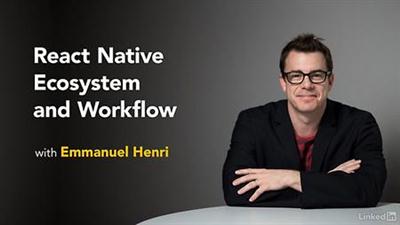
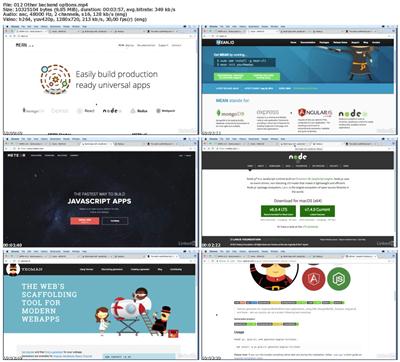
Lynda - React Native Ecosystem and Workflow
Size: 174 MB | Duration: 1h 1m | Video: AVC (.mp4) 1280x720 30fps | Audio: AAC 48KHz 2ch
Genre: eLearning | Level: Intermediate | Language: English
React Native makes it easy to develop applications and then deploy them natively to multiple mobile platforms.​

React Native makes it easy to develop applications and then deploy them natively to multiple mobile platforms. That said, building a complete app means looking beyond React Native to the different options that can help you customize your workflow. In this course, Emmanuel Henri takes you on a tour of some of the most commonly used React Native features. To begin, he shines a spotlight on some of the React Native UI libraries. Next, he reviews development resources and shows a few different backend options for your project. To wrap up, he provides an overview of the different testing and deployment options available to you.


* Exploring icons for React Native
* Using NativeBase
* Exploring the forms library for React Native
* Exploring full-stack frameworks and the Deco IDE
* Reviewing backend options for a React Native project
* Using different testing libraries
* Deploying your app to the Apple App Store and Google Play


ee4d7993ffaba9cc4472407b466486fb.jpg


Recommend Download Link Hight Speed | Please Say Thanks Keep Topic Live ​

 
d847021dda77c45836b5c91513046214.jpg


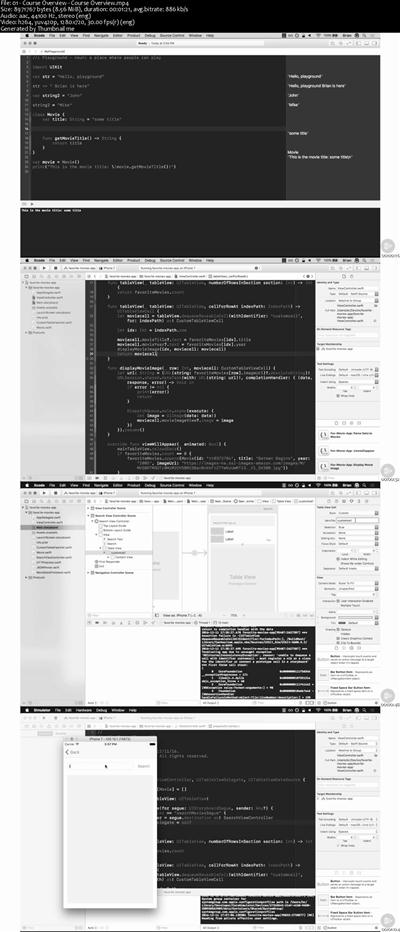
Play by Play: iOS and Swift from Scratch
MP4 | Video: AVC 1280x720 | Audio: AAC 44KHz 2ch | Duration: 1.5 Hours | 495 MB
Genre: eLearning | Language: English
Learn the fundamentals of developing with iOS using Swift and Xcode by building an app to track your favorite movies. The code to follow along with this course is available at github.com/clarkio/ios-favorite-movies.​

This Play by Play helps developers new to iOS and Swift get up and running developing mobile apps. John Papa and Brian Clark provide helpful comparisons for how Swift's unique features relate to other popular frameworks and languages. They'll build an application that allows users to list their favorite movies and search the Open Movie Database to add more favorites to their lists. This app's functionality is a great place to start if you're new to iOS and Swift. You'll learn a little of everything, from the basics of views and layouts, how to work with touch events, add segues between views, and integrate with external data and HTTP. By the end of this course, you'll be ready to expand upon this sample application as well as get started building your own apps for iOS in Swift. The code to follow along with this course is available at github.com/clarkio/ios-favorite-movies.


2470cc20023ecefcb6df8a2913172d52.jpg


Recommend Download Link Hight Speed | Please Say Thanks Keep Topic Live ​
 
2529c2e84e0d45b3e94c101bbfe4acbd.jpg


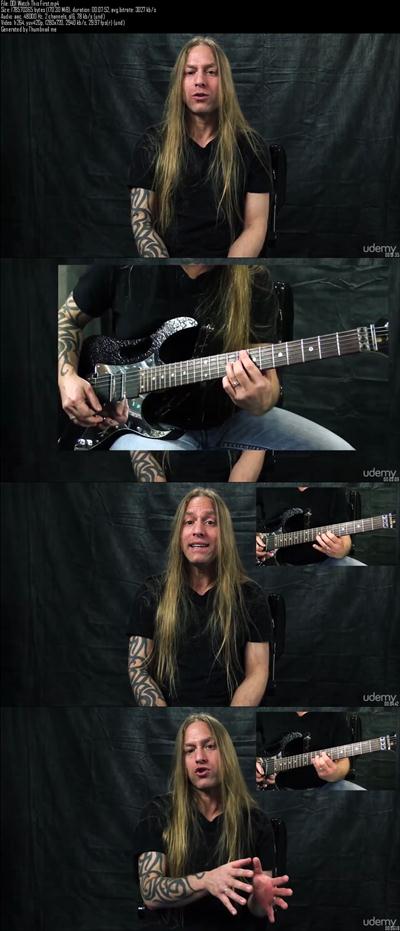
6 Must Know Tricks to Successful Solos
MP4 | Video: 1280x720 | 78 kbps | 48 KHz | Duration: 3 Hours | 3.23 GB
Genre: eLearning | Language: English
Learn To Phrase In 2 Weeks - A Practical, Fast And Easy Guide To The Essentials Of Soloing​

It's very hard to play an awesome solo without the proper 'phrasing'...

Imagine talking to someone who always spoke in the same tone, at the same pace and stopping at exactly the same spots. Would you believe anything they tell you?

Probably not right? Because they don't sound genuine or even human.

If you want your audience to feel something during your solo's, you're going to have to be believeable. To be believable your solo itself must have that extra "human element" to it.

readmore
That's where phrasing comes in.

Problem is, most people have no idea what phrasing even is or how to begin finding their own "voice" in their solos.

Most people try to "copy" the style other guitarists.

While it's great to learn from the masters, what most people end up doing is trying to become something they're not.

Not everyone can tap like Eddie Van Halen. If you try to force it, you'll only become a subpar copy...

Here's What You Can Do

Steve Stine, Professor of Modern Guitar Studies at North Dakota State University, decided to take his more than 25 years of teaching and playing guitar to make a short course aimed specifically at teaching people how to build their own explosive solos in their own style and strengths.

The outcome was this course...

6 Secrets to Successful Solos will get you building your own phrases and melodies and ultimately solos, starting from the ground up so don't worry if you've never played a solo before in your life.


d572dd7bd0a0978a6d94ca6eeb9b696b.jpg


Recommend Download Link Hight Speed | Please Say Thanks Keep Topic Live ​
 
86918b327df640855fab3ded3d564118.jpg


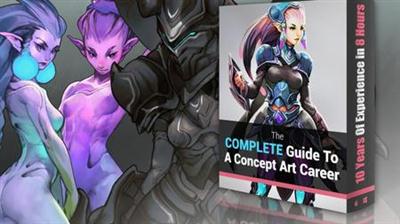
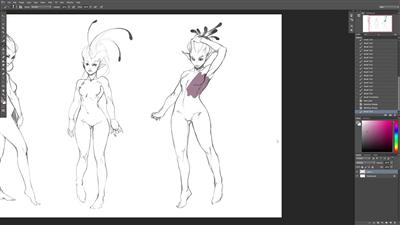
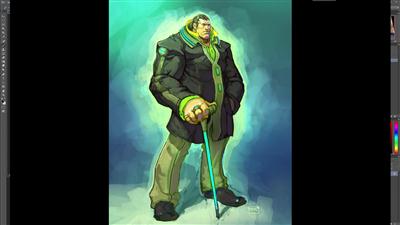
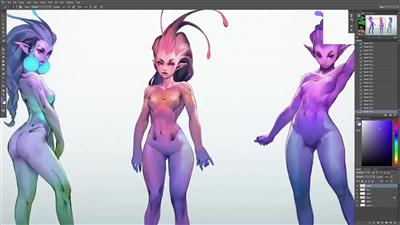
Cubebrush - Complete Guide To A Concept Art Career
WEBRip | MP4 + Project files | English | 1920 x 1080 | AVC ~534 kbps | 30 fps
AAC | 160 Kbps | 48.0 KHz | 2 channels | 07:40:25 | 2.91 GB
Genre: Video Tutorial / Photographing

Included are:

-7 Chapters
-PSDs

The goal with this tutorial was to cover everything from what the job is, to what it's like and how to actually get there.

If there was one tutorial to make art school for concept art irrelevant, that's what I wanted this one to be! I hope this will give you all the clarity/knowledge you needed to allow yourself to pursue the career you want with confidence.


6b5822c80d0a36dd01c4959c5d881059.jpg


59f1bd67533168a1b41e3044f6fe2ac7.jpg


08d84ef0c626b6db1991a7f909dc6520.jpg


Recommend Download Link Hight Speed | Please Say Thanks Keep Topic Live ​
 
Zurück
Oben Unten