




• Regeln für den Video-Bereich:

    In den Börsenbereich gehören nur Angebote die bereits den Allgemeinen Regeln entsprechen.

    Einteilung

    - Folgende Formate gehören in die angegeben Bereiche:
    - Filme: Encodierte Filme von BluRay, DVD, R5, TV, Screener sowie Telesyncs im Format DivX, XviD und x264.
    - DVD: Filme im Format DVD5, DVD9 und HD2DVD.
    - HD: Encodierte Filme mit der Auflösung 720p oder darüber von BluRay, DVD, R5, TV, Screener sowie Telesyncs im Format x264.
    - 3D: Encodierte Filme von BluRay, die in einem 3D Format vorliegen. Dies gilt auch für Dokus, Animation usw.
    - Serien: Cartoon/Zeichentrick, Anime, Tutorials, Dokumentationen, Konzerte/Musik, Sonstiges sind demnach in die entsprechenden Bereiche einzuordnen, auch wenn sie beispielsweise im High Definition-Format oder als DVD5/DVD9/HD2DVD vorliegen. Ausnahme 3D.
    - Bereich Englisch: Englische Releases gehören immer in diesen Bereich.
    - Bereich Talk: Der Bereich, in dem über die Releases diskutiert werden kann, darf, soll und erwünscht ist.


    Angebot/Beitrag erstellen

    - Ein Beitrag darf erst dann erstellt werden, wenn der Upload bei mindestens einem OCH komplett ist. Platzhalter sind untersagt.
    - Bei einem Scenerelease hat der Threadtitel ausschließlich aus dem originalen, unveränderten Releasenamen zu bestehen. Es dürfen keine Veränderungen wie z.B. Sterne, kleine Buchstaben o.ä. vorgenommen werden. Ausnahme Serienbörse:
    - Bei einem Sammelthread für eine Staffel entfällt aus dem Releasename natürlich der Name der Folge. Beispiel: Die Simpsons S21 German DVDRip XviD - ITG
    - Dementsprechend sind also u.a. verboten: Erweiterungen wie "Tipp", "empfehlenswert", "only", "reup", usw. / jegliche andere Zusatzinformation oder Ergänzung, welche nicht in obiger Beschreibung zu finden ist.

    Aufbau des Angebots und Threadtitel

    Der Titel nach folgendem Muster erstellt zu werden. <Name> [3D] [Staffel] [German] <Jahr> <Tonspur> [DL] [Auflösung] <Quelle> <Codec> - <Group>
    Beispiel: The Dark Knight German 2008 AC3 DVDRip XviD - iND
    Beispiel: The Dark Knight 2008 DTS DL BDRip x264 - iND
    Beispiel: The Dark Knight 2008 AC3 DL BDRip XviD - iND
    Beispiel: The Dark Knight German 2008 AC3 720p BluRay x264 iND
    Beispiel: The Dark Knight 2008 DTS DL 1080p BluRay x264 iND
    Beispiel: Die Simpsons S01 German AC3 DVDRip XviD iND
    Beispiel: Die Simpsons S20 German AC3 720p BluRay x264 iND
    Beispiel: Sword Art Online II Ger Sub 2014 AAC 1080p WEBRip x264 - peppermint
    Entsprechend sind also u.a. verboten: Sonderzeichen wie Klammern, Sterne, Ausrufezeichen, Unterstriche, Anführungszeichen / Erweiterungen wie "Tipp", "empfehlenswert", "only", "reup", usw. / jegliche andere Zusatzinformation oder Ergänzung, welche nicht in obiger Beschreibung zu finden ist
    Ausnahmen hiervon können in den Bereichen geregelt sein.

    Die Beiträge sollen wie folgt aufgebaut werden:
    Überschrift entspricht dem Threadtitel
    Cover
    kurze Inhaltsbeschreibung
    Format, Größe, Dauer sind gut lesbar für Downloader außerhalb des Spoilers zu vermerken
    Nfo sind immer Anzugeben und selbige immer im Spoiler in Textform.
    Sind keine Nfo vorhanden z.B. Eigenpublikationen, sind im Spoiler folgende Dateiinformationen zusätzlich anzugeben :
    Quelle
    Video (Auflösung und Bitrate)
    Ton (Sprache, Format und Bitrate der einzelnen Spuren)
    Untertitel (sofern vorhanden)
    Hosterangabe in Textform außerhalb eines Spoiler mit allen enthaltenen Hostern.
    Bei SD kann auf diese zusätzlichen Dateiinformationen verzichtet werden.

    Alle benötigten Passwörter sind, sofern vorhanden, in Textform im Angebot anzugeben.
    Spoiler im Spoiler mit Kommentaren :"Schon Bedankt?" sind unerwünscht.


    Releases

    - Sind Retail-Release verfügbar, sind alle anderen Variationen untersagt. Ausnahmen: Alle deutschen Retail-Release sind CUT, in diesem Fall sind dubbed UNCUT-Release zulässig.
    - Im Serien-Bereich gilt speziell: Wenn ein Retail vor Abschluss einer laufenden Staffel erscheint, darf diese Staffel noch zu Ende gebracht werden.62
    - Gleiche Releases sind unbedingt zusammenzufassen. Das bedeutet, es ist zwingend erforderlich, vor dem Erstellen eines Themas per Suchfunktion zu überprüfen, ob bereits ein Beitrag mit demselben Release besteht. Ist dies der Fall, ist der bereits vorhandene Beitrag zu verwenden.
    - P2P und Scene Releases dürfen nicht verändert oder gar unter einem iND Tag eingestellt werden.


    Support, Diskussionen und Suche

    - Supportanfragen sind entweder per PN oder im Bereich Talk zu stellen.
    - Diskussionen und Bewertungen sind im Talk Bereich zu führen. Fragen an die Uploader haben ausschließlich via PN zu erfolgen, und sind in den Angeboten untersagt.
    - Anfragen zu Upload-Wünschen sind nur im Bereich Suche Video erlaubt. Antworten dürfen nur auf Angebote von MyBoerse.bz verlinkt werden.


    Verbote

    - Untersagt sind mehrere Formate in einem einzigen Angebotsthread, wie beispielsweise das gleichzeitige Anbieten von DivX/XviD, 720p und 1080p in einem Thread. Pro Format, Release und Auflösung ist ein eigener Thread zu eröffnen.
    - Grundsätzlich ebenso verboten sind Dupes. Uploader haben sich an geeigneter Stelle darüber zu informieren, ob es sich bei einem Release um ein Dupe handelt.
    - Gefakte, nur teilweise lauffähige oder unvollständige Angebote sind untersagt. Dies gilt auch für eigene Publikationen, die augenscheinlich nicht selbst von z.B. einer DVD gerippt wurden. Laufende Serien, bei denen noch nicht alle Folgen verfügbar sind, dürfen erstellt und regelmäßig geupdatet werden.
    - Untersagt sind Angebote, welche nur und ausschließlich in einer anderen Sprache als deutsch oder englisch vorliegen. Ausnahmen sind VORHER mit den Moderatoren zu klären.


    Verstoß gegen die Regeln

    - Angebote oder Beiträge, die gegen die Forenregeln verstoßen, sind über den "Melden"-Button im Beitrag zu melden.
  • Bitte registriere dich zunächst um Beiträge zu verfassen und externe Links aufzurufen.

++ Premium IPTV ++ 7000 Live Sender ++ UHD Qualität ++ Mediathek mit 18.000 Inhalten ++


VenneTV


Englische Tutorials


1dcfc7ab14d4dfb525c43ba2173f9ea0.jpg

Ultimate Microsoft Excel 2016 Course - Beginner to Expert
18.5h | Video: AVC (.MP4) 1280x720 30fps | Audio: AAC 44.1KHz 2ch | 3.04GB
Genre: eLearning | Language: English​

18 Hours of Training. The Most Convenient Way to Boost Your Confidence And Learn MS Excel

What are the requirements?
Microsoft Excel 2016 desktop version for Windows installed and ready to use on your computer.
What am I going to get from this course?
Discover new and improved features in Excel 2016.
How to effectively use Excel 2016 on a touchscreen device.
How create, save, and open a workbook.
Learn how to personalize your use of Excel using Excel Options.
How to use and how to customize the Quick Access Toolbar.
omplete data entry, cell formatting, working with multiple worksheets and the "Ribbon" interface.
The basics of entering and editing data in a workbook.
Discover how to format dates and numbers.
Learn practical methods in which you can backup and recover your Excel spreadsheets.
Effectively use autofill and flashfill so you are more productive.
Discover the essentials of using fomulas and functions.
How to rename, insert, move, and reference an Excel 2016 worksheet.
Discover how to create charts and graphs
Learn practical methods to sort and filter your data
How to protect and secure your Excel data
Working with dates and times
Averages, percentiles, and LINEST functions
Calculating depreciation
Using financial functions to determine payments
Sparklines and data bars
How to import and export data to and from Excel
Create and effectively use pivot tables
How to use Excel for data analysis
Discover practical methods for financial & statistical​ Functions
Practice what you learned with included exercise files
What is the target audience?
Users of earlier versions of Excel looking to update their skills.
Those new to using Microsoft Excel 2016.
Users who have a foundation of Microsoft Excel and seeking to take advance there Excel 2016 knowledge.
If you want to refresh your memory and understanding of Excel.

Recommend Download Link Hight Speed | Please Say Thanks Keep Topic Live ​

 

5afa24d36dc26ffe87bca52346969518.jpg

2017 Affiliate Marketing + SEO Strategy - Mastery Course
1 h | Video: AVC (.MP4) 1280x720 30fps | Audio: AAC 44.1KHz 2ch | 353MB
Genre: eLearning | Language: English​

Learn how to create a fully functional affiliate marketing website and master SEO techniques to maximize your profits.

What are the requirements?
We will use Wordpress to design our niche website, but don't install it! We'll cover this in lecture 3
What am I going to get from this course?
You will create a fully functional affiliate marketing website which will have a solid SEO structure, necessary to reach a wider audience, and ultimately, to make more sales
With these basics mastered, the course will take you through Search Engine Optimization techniques, which are fundamental to master in order to rank high in the search engine (i.e. Google)
You'll learn how to remove futile Wordpress footer credits, how to create high-quality interlinks/backlinks/anchors, how to setup your Categories Page, and how to target keywords to redirect users to the products they're looking for
Target keywords organically, without appearing "spammy" to Google's algorithm. You will master the art of creating original content, which is instrumental in order to rank high in the search engine
learn how to choose the right products to add on your website, and which affiliate marketing program best fits your specific case
add "Check It Out" buttons to your products, and insert backlinks to redirect visitors to the main seller with whom we partner as affiliate marketers
What is the target audience?
The ideal student for this course is an intermediate computer user who wants to expand his/her own current marketing skills; or an entrepreneur who wants to launch a product, an online startup business of their own

Recommend Download Link Hight Speed | Please Say Thanks Keep Topic Live ​

 

d412fc7c7298035be22f6270f5cfd2d8.jpg

Lynda - Video Gear: Cameras & Lenses
Duration: 7h 1m | Video: AVC (.mp4) 1280x720 30fps | Audio: AAC 48KHz 2ch | 3.31 GB
Genre: eLearning | Level: Appropriate for all | Language: English​

What's one of the best parts about being a video professional? All the cool gear! Rich Harrington and Robbie Carman team up in Video Gear to discuss the latest and greatest equipment for video production and post. In this course, they discuss some of the most popular cameras for video production, like the Blackmagic URSA 4K, Sony Alpha a7, Olympus OM-D E-M1, and Canon 5D Mark III. They review high-end prime and zoom lenses, as well as more cost-effective options, filters, and adapters, and show how to get high-quality results from an iPhone or iPad. Learn the right camera and lens combinations to use in tight spaces and for specific scenarios like product shots and time-lapse video. Find out how to avoid lens flare, rack focus shots, and match footage from different cameras. At the end of the course, they host a wide-angle "shootout" that puts a couple lenses to the test. Both cost and quality are evaluated at every turn, so you'll never have to worry about blowing your budget or compromising production value.

Topics include:
* Deciding what camera is right for you
* Shooting with ultra-fast prime lenses
* Using lens adapters
* Shooting video with iPhones and iPads
* Using cheap lenses
* Hacking a camera with Magic Lantern firmware
* Shooting 360˚ video
* Shooting wide-angle video

Recommend Download Link Hight Speed | Please Say Thanks Keep Topic Live ​

 

a3f01d9f889a7b23dd7bb673df179747.jpg

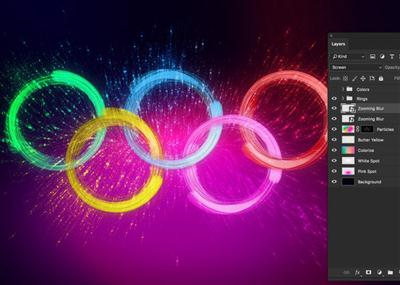
Dramatic Particle Explosion ARTWORK With Photoshop
Duration: 47m | Video: h264, yuv420p, 1280x720 30fps | Audio: aac, 44100 Hz, 2 ch | 159 MB
Genre: eLearning | Language: English​

In this new course i'll show you how to create DRAMATIC PARTICLE EXPLOSION ARTWORK With Photoshop step by step

We will cover all the following topics :
Creating intensife colorized Background
Creating Olympic Rings with Brushes & Stroke Effect
Creating Interlockation
Creating Particle Effect
Creating the Zooming Particle Effect with Path blur

Recommend Download Link Hight Speed | Please Say Thanks Keep Topic Live ​
 

4a2c8d33efb79e44518ec90783bd5edb.jpg

Lynda - After Effects Apprentice 10: Time Games
Size: 687 MB | Duration: 1h 7m | Video: AVC (.mp4) 1280x800&960x600 30fps | Audio: AAC 48KHz 2ch
Genre: eLearning | Level: Intermediate | Language: English​

Discover how to manipulate time in After Effects. Author Chris Meyer shows how to stop, slow, and speed up footage, and how to combine these techniques with nested compositions, expressions, and the Graph Editor. Along the way, he reveals several important yet somewhat hidden functions, such as the advanced composition setting that ensures predictable stop motion, the Frame Mix and Pixel Motion modes of the Frame Blending switch, and the Time Remap parameter. The After Effects Apprentice videos on lynda. com were created by Trish and Chris Meyer and are designed to be used on their own and as a companion to their book After Effects Apprentice.

Topics include:
* Smoothing out slow motion
* Creating stop motion
* Creating hold and freeze frames
* Keyframing time
* Crossfading stop motion frames
* Setting multiple playback speeds

Recommend Download Link Hight Speed | Please Say Thanks Keep Topic Live ​
 

7be2cb4918b10eb1f82e29e38a638f2a.jpg

Simply Effective Facebook Ads
MP4 | Video: AVC 1280x720 | Audio: AAC 44KHz 2ch | Duration: 37M | Lec: 5 | 61 MB
Genre: eLearning | Language: English​

Learn how to make your ads work for you rather then just be a money drain.

If you've been struggling with getting your Facebook Ads to perform, you will want to take this course. I show you how to pre-plan the ad, use your existing and untapped resources, and get tuned into the mindset of your ideal customer. Plus, I talk about scaling up and provide practical tips for how to troubleshoot an underperforming campaign.

I have four lectures and also provide the slides and a page of resources. I wanted this to be highly distilled information so you can watch it quickly and start using the information right away in your current campaigns.

We start with pre-planning your campaign, and then move into creating your audience, creating and testing your ad, and then finish up with monitoring and optimizing your campaigns. My goal is to save you money and improve your results.

Recommend Download Link Hight Speed | Please Say Thanks Keep Topic Live ​
 

863ac5dbf41d3f1b7b5479e577741a03.jpg

Cowardly Dog: ABCD of Illustrator #2 (For Beginners)
Duration: 18m | Video: h264, yuv420p, 1280x720 30fps | Audio: aac, 44100 Hz, 2 ch | 87 MB
Genre: eLearning | Language: English​

Hello all! Here I came with the second series of Cartoon Designing: ABCD of Illustrator #1 (For Beginners). Hope you all loved my first class. In this class, we are going to draw Cowardly dog in Illustrator. I believe in a fact that ANY BODY CAN DESIGN (ABCD). If you want to learn Series #1,
Interest is the key(You don't need prior experience in Illustrator.You are going to draw Cowardly dog in Illustrator from the Scratch)
Don't design to impress. DESIGN TO INSPIRE. I strongly believe in "we're here to put a dent in the universe.Why else even be here". All you need to do is hard work and practice. Publish your work and get reviews. So that you can improve yourself better. Feel free to ask doubts. I'm eagerly waiting to see your work.

Recommend Download Link Hight Speed | Please Say Thanks Keep Topic Live ​
 

ebde41c6b82165c7c6b1570f03be4d56.jpg

How To Create A Low Poly Portrait With The Pen Tool In Illustrator
Duration: 1hr 8m | Video: h264, yuv420p, 1280x720 30fps | Audio: aac, 44100 Hz, 2 ch | 371 MB
Genre: eLearning | Language: English​

Low poly style art has been really popular recently. You can see it in posters, murals, paintings...

It's definitely one of the most eye-catchy effects in the design world recently.
And one of the best things you can create using this style is a low poly portrait.
Just imagine creating a gorgeous low poly portrait from a photo of your loved one: it can be the best anniversary or Christmas gift ever!
Inside this course you will learn
how to use the pen tool to create the eyes, lips, nose and hair - all that using simple techniques and easy to follow steps
how to rapidly add colors to your artwork using one, simple trick
how to make the process of creating low poly art fast and easy
It's a concise guide to creating spectacular low poly effect portraits and the techniques shown inside this class are so universal that you can use them in your other projects.

Recommend Download Link Hight Speed | Please Say Thanks Keep Topic Live ​

 

SxjjFJq.jpg

Lynda - Managing Threads in Java
Duration: 1h 9m | Video: AVC (.mp4) 1280x720 15&30fps | Audio: AAC 48KHz 2ch | 178 MB
Genre: eLearning | Level: Intermediate | Language: English​

Threads are independent paths of code execution that run concurrently in a Java program. Your app can use threads to multitask: perform time-intensive tasks and run them in the background. This allows the application to remain responsive to users. While multithreaded programming in Java has a reputation for difficulty, most developers can untangle it with smart, designed-for-concurrency constructs that are standard with the Java platform. Join staff instructor Peggy Fisher in this course as she helps you untangle Java threads. Watch and learn how to create, manage, sync, and lock threads, and review concurrency utilities that will make multithreaded programming a lot easier.

Topics include:
* What is a thread?
* Creating threads
* Syncing threads
* Understanding concurrency
* Working with the Java locking framework

Recommend Download Link Hight Speed | Please Say Thanks Keep Topic Live ​
 

26b7335dfe04d14dc2513125a175cd0b.jpg

Lynda - Florent Groberg on Finding Your Purpose after Active Duty
Size: 2.92 GB | Duration: 2h 36m | Video: AVC (.mp4) 1280x720 24fps | Audio: AAC 48KHz 2ch
Genre: eLearning | Level: Appropriate for all | Language: English​

Take it from a hero.

* Taking initiative
* Understanding your value
* Translating your experiences
* Building your resume
* Using a mentor
* Setting realistic expectations
* Building a network
* Transitioning into a new job
* Bonus videos featuring stories of transition from veterans

Recommend Download Link Hight Speed | Please Say Thanks Keep Topic Live ​
 

cc3b054a6ea3eae2db667dbe790be961.jpg

Lynda - After Effects Apprentice 16: Creating a Medical Opening Title
Size: 1.25 GB | Duration: 3h 30m | Video: AVC (.mp4) 1280x800 30fps | Audio: AAC 48KHz 2ch
Genre: eLearning | Level: Intermediate | Language: English​

This project-oriented course leads you through the creative and technical process of building an opening title sequence from scratch in Adobe After Effects.

* Animating to music
* Arranging layers in 3D space
* Performing time stretches
* Working with 3D camera tracking
* Typesetting and animating text
* Adding effects like drop shadows and motion blur
* Creating and animating shape layers
* Building and delivering a broadcast package

Recommend Download Link Hight Speed | Please Say Thanks Keep Topic Live ​

 

c46cfa6887ac590ece82441d505bb902.jpg

Useful Tools of Excel at Intermediate Level (2016)
MP4 | Video: AVC 1280x720 | Audio: AAC 44KHz 2ch | Duration: 32M | Lec: 7 | 81 MB
Genre: eLearning | Language: English​

Get a useful knowledge for a job interview

This course contains Intermediate Level exercises. It can be very useful for those who just finished the university studies and looking for a job in the finance sector. It will require a good understanding of Excel.The following topics will be covered in this course: Shortcuts, VLookup, HLookup, Index, Index-match, SumIFs, Named Ranges and Advanced SumIFs, Custom lists.Even though students are good in Excel, almost 90% of them will not pass an Excel test in job interviews. This course will help you to learn some of the most common advanced formulas.

Recommend Download Link Hight Speed | Please Say Thanks Keep Topic Live ​
 
Zurück
Oben Unten