• Regeln für den Video-Bereich:

    In den Börsenbereich gehören nur Angebote die bereits den Allgemeinen Regeln entsprechen.

    Einteilung

    - Folgende Formate gehören in die angegeben Bereiche:
    - Filme: Encodierte Filme von BluRay, DVD, R5, TV, Screener sowie Telesyncs im Format DivX, XviD und x264.
    - DVD: Filme im Format DVD5, DVD9 und HD2DVD.
    - HD: Encodierte Filme mit der Auflösung 720p oder darüber von BluRay, DVD, R5, TV, Screener sowie Telesyncs im Format x264.
    - 3D: Encodierte Filme von BluRay, die in einem 3D Format vorliegen. Dies gilt auch für Dokus, Animation usw.
    - Serien: Cartoon/Zeichentrick, Anime, Tutorials, Dokumentationen, Konzerte/Musik, Sonstiges sind demnach in die entsprechenden Bereiche einzuordnen, auch wenn sie beispielsweise im High Definition-Format oder als DVD5/DVD9/HD2DVD vorliegen. Ausnahme 3D.
    - Bereich Englisch: Englische Releases gehören immer in diesen Bereich.
    - Bereich Talk: Der Bereich, in dem über die Releases diskutiert werden kann, darf, soll und erwünscht ist.


    Angebot/Beitrag erstellen

    - Ein Beitrag darf erst dann erstellt werden, wenn der Upload bei mindestens einem OCH komplett ist. Platzhalter sind untersagt.
    - Bei einem Scenerelease hat der Threadtitel ausschließlich aus dem originalen, unveränderten Releasenamen zu bestehen. Es dürfen keine Veränderungen wie z.B. Sterne, kleine Buchstaben o.ä. vorgenommen werden. Ausnahme Serienbörse:
    - Bei einem Sammelthread für eine Staffel entfällt aus dem Releasename natürlich der Name der Folge. Beispiel: Die Simpsons S21 German DVDRip XviD - ITG
    - Dementsprechend sind also u.a. verboten: Erweiterungen wie "Tipp", "empfehlenswert", "only", "reup", usw. / jegliche andere Zusatzinformation oder Ergänzung, welche nicht in obiger Beschreibung zu finden ist.

    Aufbau des Angebots und Threadtitel

    Der Titel nach folgendem Muster erstellt zu werden. <Name> [3D] [Staffel] [German] <Jahr> <Tonspur> [DL] [Auflösung] <Quelle> <Codec> - <Group>
    Beispiel: The Dark Knight German 2008 AC3 DVDRip XviD - iND
    Beispiel: The Dark Knight 2008 DTS DL BDRip x264 - iND
    Beispiel: The Dark Knight 2008 AC3 DL BDRip XviD - iND
    Beispiel: The Dark Knight German 2008 AC3 720p BluRay x264 iND
    Beispiel: The Dark Knight 2008 DTS DL 1080p BluRay x264 iND
    Beispiel: Die Simpsons S01 German AC3 DVDRip XviD iND
    Beispiel: Die Simpsons S20 German AC3 720p BluRay x264 iND
    Beispiel: Sword Art Online II Ger Sub 2014 AAC 1080p WEBRip x264 - peppermint
    Entsprechend sind also u.a. verboten: Sonderzeichen wie Klammern, Sterne, Ausrufezeichen, Unterstriche, Anführungszeichen / Erweiterungen wie "Tipp", "empfehlenswert", "only", "reup", usw. / jegliche andere Zusatzinformation oder Ergänzung, welche nicht in obiger Beschreibung zu finden ist
    Ausnahmen hiervon können in den Bereichen geregelt sein.

    Die Beiträge sollen wie folgt aufgebaut werden:
    Überschrift entspricht dem Threadtitel
    Cover
    kurze Inhaltsbeschreibung
    Format, Größe, Dauer sind gut lesbar für Downloader außerhalb des Spoilers zu vermerken
    Nfo sind immer Anzugeben und selbige immer im Spoiler in Textform.
    Sind keine Nfo vorhanden z.B. Eigenpublikationen, sind im Spoiler folgende Dateiinformationen zusätzlich anzugeben :
    Quelle
    Video (Auflösung und Bitrate)
    Ton (Sprache, Format und Bitrate der einzelnen Spuren)
    Untertitel (sofern vorhanden)
    Hosterangabe in Textform außerhalb eines Spoiler mit allen enthaltenen Hostern.
    Bei SD kann auf diese zusätzlichen Dateiinformationen verzichtet werden.

    Alle benötigten Passwörter sind, sofern vorhanden, in Textform im Angebot anzugeben.
    Spoiler im Spoiler mit Kommentaren :"Schon Bedankt?" sind unerwünscht.


    Releases

    - Sind Retail-Release verfügbar, sind alle anderen Variationen untersagt. Ausnahmen: Alle deutschen Retail-Release sind CUT, in diesem Fall sind dubbed UNCUT-Release zulässig.
    - Im Serien-Bereich gilt speziell: Wenn ein Retail vor Abschluss einer laufenden Staffel erscheint, darf diese Staffel noch zu Ende gebracht werden.62
    - Gleiche Releases sind unbedingt zusammenzufassen. Das bedeutet, es ist zwingend erforderlich, vor dem Erstellen eines Themas per Suchfunktion zu überprüfen, ob bereits ein Beitrag mit demselben Release besteht. Ist dies der Fall, ist der bereits vorhandene Beitrag zu verwenden.
    - P2P und Scene Releases dürfen nicht verändert oder gar unter einem iND Tag eingestellt werden.


    Support, Diskussionen und Suche

    - Supportanfragen sind entweder per PN oder im Bereich Talk zu stellen.
    - Diskussionen und Bewertungen sind im Talk Bereich zu führen. Fragen an die Uploader haben ausschließlich via PN zu erfolgen, und sind in den Angeboten untersagt.
    - Anfragen zu Upload-Wünschen sind nur im Bereich Suche Video erlaubt. Antworten dürfen nur auf Angebote von MyBoerse.bz verlinkt werden.


    Verbote

    - Untersagt sind mehrere Formate in einem einzigen Angebotsthread, wie beispielsweise das gleichzeitige Anbieten von DivX/XviD, 720p und 1080p in einem Thread. Pro Format, Release und Auflösung ist ein eigener Thread zu eröffnen.
    - Grundsätzlich ebenso verboten sind Dupes. Uploader haben sich an geeigneter Stelle darüber zu informieren, ob es sich bei einem Release um ein Dupe handelt.
    - Gefakte, nur teilweise lauffähige oder unvollständige Angebote sind untersagt. Dies gilt auch für eigene Publikationen, die augenscheinlich nicht selbst von z.B. einer DVD gerippt wurden. Laufende Serien, bei denen noch nicht alle Folgen verfügbar sind, dürfen erstellt und regelmäßig geupdatet werden.
    - Untersagt sind Angebote, welche nur und ausschließlich in einer anderen Sprache als deutsch oder englisch vorliegen. Ausnahmen sind VORHER mit den Moderatoren zu klären.


    Verstoß gegen die Regeln

    - Angebote oder Beiträge, die gegen die Forenregeln verstoßen, sind über den "Melden"-Button im Beitrag zu melden.
  • Bitte registriere dich zunächst um Beiträge zu verfassen und externe Links aufzurufen.

++ Premium IPTV ++ 7000 Live Sender ++ UHD Qualität ++ Mediathek mit 18.000 Inhalten ++


VenneTV


Englische Tutorials


9a71d9758e2258d0573c91dc97e9d098.jpg

Excel BI - Power Query 1
MP4 | Video: AVC 1280x720 | Audio: AAC 44KHz 2ch | Duration: 12M | 122 MB
Genre: eLearning | Language: English​

Power Query enhances self-service business intelligence (BI) for Excel with an intuitive and consistent experience for discovering, combining, and refining data across a wide variety of sources including relational, structured and semi-structured, OData, Web, Hadoop, Azure Marketplace, and more.

Power Query brings the power of Data to the ordinary business and the Excel user.

COURSE SUMMARY

Power Query is an Excel add-in, available in Excel 2010 Professional Plus and Excel 2013. In Excel 2016 it is known as Get and discover data. Power Query can be described as SQL for Excel users (without the need for knowing SQL). It allows uses find data from multiple sources, combine data, transform data, and make the data usable for reporting and data analytics.

LEARN HOW SET UP QUERIES TO EXTRACT DATA FROM MULTIPLE SOURCES, TRANSFORM DATA OF DIFFERENT TYPES AND LEARN HOW TO USE POWER QUERY TO AUTOMATE DAILY TASKS.

This course is broken down into 3 classes.

In this, the first class, we will start at the very basics and learn how to set up Power Query. You will also find the sample data required for the next few classes.

The second class of this course works though a case study on how an organisation can use internal data of different file types, such as Text files and Excel files, and then combine this data with External data from the web to accurately calculate the potential market size, the actual market size and the portion of the market held by the company. This case study will give you a solid working knowledge of Power Query.

In the Final Class we will look at some more advanced features of Power Query. You will be introduced to the language use, which is known as M, you will learn how to query not just files of different types but also Folders of data. You will also learn how to sort Bad Data and user Power Query to automate reoccurring tasks.

Recommend Download Link Hight Speed | Please Say Thanks Keep Topic Live ​

 

bf7281458ca03fa9fb7ef78e316a02e8.jpg

Mechanical Assets in 3ds Max Volume 1
Duration: 1h 40m| Video: h264, yuv420p, 1280x720 30fps | Audio: aac, 44100 Hz, 2 ch | 2.4 GB
Genre: eLearning | Language: English | Project Files​

In this course we will be looking on how to create a 3d asset from start to finish. We will be focusing on creating a asset that is focused on being for games by using the correct texture and optimization techniques. We will be going over on how to create a proper high poly and low poly in 3ds max and then on how to uv unwrap our low poly and prepare our scene for baking our normal and AO map. We will then export everything out of 3ds max and we will start by baking our texture maps using xnormal. We will go over the best settings in xnormal to minimize any baking errors and for the very few errors that are left we will go over on how to solve those by hand. Once all our textures are baked we will start by setting up our scene in substance painter and we will start texturing our model. In substance painter we will go over on how to use materials, fill layers, generators and other techniques to create the final texture for our asset. We will then go into Marmoset Toolbag where we will render our final model and create a nice beauty shot of it.

Recommend Download Link Hight Speed | Please Say Thanks Keep Topic Live ​

 

7cb08c02dbaf706c68e141fd5cfc06cb.jpg

Apache Spark 2.0 + Java : DO Big Data Analytics & ML
MP4 | Video: AVC 1280x720 | Audio: AAC 44KHz 2ch | Duration: 8 Hours | Lec: 59 | 980 MB
Genre: eLearning | Language: English​

Project Based, Hands-on Practices, Spark SQL, Spark Streaming, Java Setup and building real world applications

Welcome to our course. Looking to learn Apache Spark 2.0, practice end-to-end projects and take it to a job interview? You have come to the RIGHT course! This course teaches you Apache Spark 2.0 with Java, trains you in building Spark Analytics and machine learning programs and helps you practice hands-on (2K LOC code samples !) with an end-to-end real life application project. Our goal is to help you and everyone learn, so we keep our prices low and affordable.

Java is the main technology used today to build industry-grade applications and coming that with Spark gives you unlimited ability to build cutting edge applications.

Apache Spark is the hottest Big Data skill today. More and more organizations are adapting Apache Spark for building their big data processing and analytics applications and the demand for Apache Spark professionals is sky rocketing. Learning Apache Spark is a great vehicle to good jobs, better quality of work and the best remuneration packages.

The goal of this project is provide hands-on training that applies directly to real world Big Data projects. It uses the learn-train-practice-apply methodology where you

Learn solid fundamentals of the domain
See demos, train and execute solid examples
Practice hands-on and validate it with solutions provided
Apply knowledge you acquired in an end-to-end real life project
Taught by an expert in the field, you will also get prompt response to your queries and excellent support from Udemy.

Recommend Download Link Hight Speed | Please Say Thanks Keep Topic Live ​
 

a6a0c86d54bb605291f06bd59588c3bc.jpg

Introductory Course on WatchOS Apps with Swift 2 in Xcode 7
MP4 | Video: AVC 1280x720 | Audio: AAC 44KHz 2ch | Duration: 1.5 Hours | Lec: 13 | 533 MB
Genre: eLearning | Language: English​

Learn how to code with Swift 2 programming language and start making simple meaningful apps for iOS and WatchOS 2

The course covers the basics for building simple iOS and WatchOS 2 apps.

It starts with general information about Xcode and how to install it on a Mac, then moves on to the Xcode interface and explains how to build an iPhone app and two Apple Watch apps.

The course applies to beginners who want to learn the basics of Swift 2.

To be able to follow this course you need a Mac to install Xcode 7.

The content of the course is explained step by step and taught by giving real-life app examples. The course is covered almost entirely in videos, both head shots and screen recordings.

Being an introductory course, it consists of 13 Lectures, all covered in less than 2 hours of video content. It is very easy to follow and the complexity increases gradually.

It is the first of a series of Swift 2 courses; the next to follow will be comprehensive and more advanced.

The course will lay the foundations to new coders on what it takes to build iOS and WatchOS 2 apps.

Even for students who have already coded before, the course provides useful information that will prove helpful, especially in the latter stages of the course, the most beneficial being the second Apple Watch app.

Recommend Download Link Hight Speed | Please Say Thanks Keep Topic Live ​
 

e7f366689fd166c8202eed3960fb7b7e.jpg

Lynda - After Effects Apprentice 11: 3D Space
Size: 1.58 GB | Duration: 4h 34m | Video: AVC (.mp4) 1280x800&960x600 30fps | Audio: AAC 48KHz 2ch
Genre: eLearning | Level: Intermediate | Language: English​

This installment of the After Effects Apprentice series introduces 3D space in Adobe After Effects.

* Keyframing motion paths in 3D
* Managing multiple 3D views
* Auto-orienting cameras along a path
* Creating shadows
* Understanding Vanishing Point Exchange
* Importing a 3D model into Photoshop Extended
* Scaling in 3D
* OpenGL acceleration

Recommend Download Link Hight Speed | Please Say Thanks Keep Topic Live ​
 

c017713a811c30fa4f56d680fb1adb53.jpg

Learn How To Use A Time Series Forecasting Web App
MP4 | Video: AVC 1280x720 | Audio: AAC 44KHz 2ch | Duration: 2 Hours | Lec: 11 | 282 MB
Genre: eLearning | Language: English​

A guide for using a statistical web app for producing forecasts by uploading data and downloading output

This is a course to demonstrate how to use a front-end statistical web app for producing automated time series forecasts along with statistical output. Forecasting techniques are widely used across many industries for areas such as demand planning, inventory scheduling, operations management, and stock market analysis among many others. Therefore, an app provides an excellent platform for those who want to create automated optimized time series forecasts along with downloadable data and reports. This way, they can directly incorporate the data and reports into their business system without the tedious work of copy-and-paste. In this course, the student will learn:

how to use a forecasting app
how the app works
how to view the output
how to download the output
how to understand the output from a broad level
The student will be presented with demos of the app using real world data examples.

Recommend Download Link Hight Speed | Please Say Thanks Keep Topic Live ​
 

0a56625ba4ade6a985021a394e3d15fb.jpg

Lynda - After Effects Apprentice 08: Nesting and Precomposing
Size: 1.71 GB | Duration: 2h 34m | Video: AVC (.mp4) 1280x800&960x600 30fps | Audio: AAC 48KHz 2ch
Genre: eLearning | Level: Intermediate | Language: English​

Let Chris and Trish Meyer share with you two of the core secrets required to become an efficient After Effects user: understanding the render order (the internal order of operations After Effects uses when calculating masks, effects, transformation, track mattes, and layer styles) and the use of multiple compositions where a composition may be nested into one or more other comps. This makes it easier to group layers, efficiently re-use a common element to quickly accommodate client changes, pan around large composites of multiple layers, and solve render order issues. The After Effects Apprentice videos on lynda. com were created by Trish and Chris Meyer and are designed to be used on their own and as a companion to their book After Effects Apprentice.

Topics include:
Grouping layers by nesting and pre-composing
Identifying and solving render order issues
Navigating composition hierarchies
Editing a precomp while viewing the result in another composition
Preserving the frame rate of a nested composition

Recommend Download Link Hight Speed | Please Say Thanks Keep Topic Live ​
 

e012cf5fd85759de27ebaf03fa650f63.jpg

Android App Development For Beginners With FREE Software (2016)
MP4 | Video: AVC 1280x720 | Audio: AAC 44KHz 2ch | Duration: 30M | Lec: 17 | 347 MB
Genre: eLearning | Language: English​

Android App Development Basics With FREE Android Learner Software

Do you want to become an android programmer?

Are you struggling to get started with android programming?

Dont worry, You are at the right place, to learn and code your first android app.

In this course, you are going to learn what is android, and how to code your first simple app, using android. You will learn about android, and get all the resources, to code your first android app, after watching the course You will also learn about some interesting facts, about android in this course.

This course will be a great starter, for launching your android apps and games.

You are also going to get my, Android App Learning Software, - The Android Helper, which is 100% FREE with the course. I am selling this software for $47, but this is going to be completely free, if you join in this course. This software can help you in learning android, by showing you all the related FREE android courses.

Android Helper has over thousand plus courses, on various topics related to android. It can also help you in, answering your doubts and questions, you have regarding android. There is no hidden marketing, and this software is completely free for the students, who enroll to the course.

I want to help my students, who enroll to the course, and so i am providing this software, completely free for every student, who join this course.

So grab the course, and the android learning software, that is absolutely free with the course.

And whats more, - i offer 100% money back guarantee, if you are not satisfied with the course.

So what are you waiting for, - enroll to the course today, and start your journey as an android developer.

Recommend Download Link Hight Speed | Please Say Thanks Keep Topic Live ​
 

f209bd9579e9f4b86a1c65a282cf3382.jpg

iOS for Beginners - How to create your own app
2 h | Video: AVC (.MP4) 1280x720 30fps | Audio: AAC 44.1KHz 2ch | 328MB
Genre: eLearning | Language: English​

A Step-by-Step iOS for Beginners Guide in which you learn how to create your own app for iphone and ipad.

What are the requirements?
It will be great if, you have a basic knowledge in ANY programming language
Of course, you will need an Intel Mac system to install and setup the iOS development environment
What am I going to get from this course?
Learn how to setup the iOS development environment from scratch.
Learn how to install and use XCode
Learn how to use Interface Builder
Learn how to use iOS Simulator
Getting started with Objective C
Learn how to build apps for iPhone & iPad
Learn how to create apps with and without storyboard
Create a game using OpenGL
What is the target audience?
Anyone who wants to develop apps on iOS but, just doesn't know where to start.

Recommend Download Link Hight Speed | Please Say Thanks Keep Topic Live ​
 

d51f25355382d19ccbf12c52f43797ec.jpg

Learn BigData & Hadoop with Practical
MP4 | Video: AVC 1280x720 | Audio: AAC 44KHz 2ch | Duration: 4 Hours | Lec: 25 | 505 MB
Genre: eLearning | Language: English​

Learn Hadoop and BigData with real examples and architecture of Hadoop

What is Bigdata / Hadoop
- Big Data are large data sets which can't be processed using traditional data processing software.
- These data sets consist of data from different sources and are analyzed and processed for gathering valuable information.
- Big e-commerce websites use big data to gather information about customer preferences and browsing patterns to provide
viable suggestions and search results to individual customers.

What You Will Learn
You will get detailed understanding of Hadoop and Big Data.
Lectures are made with real examples, helping to understand better
Why hadoop came and what is Hadoop Ecosystem
Hadoop Architecture will be explain in details
Examples will be explained how data is saved into Hadoop
If you are developer or testers, this is your first step to enter into Hadoop/BigData domain
What are V's of BigData
Some facts about BigData
What are BigData tools available
Advantages of bigdata Analysis
Why is bigData in Huge Demand
Practical example of handling files in HDFS
Practical example of Map Reduce i.e. how Hadoop works in real
This course will make you prepare for BigData & hadoop.
This course will be covering the basis of Hadoop while covering its architecture, component and working of it.

Why This course

Course is cheap compared to other courses and just having lectures of 1 hr only

This is doesn't give introduction but detailed description and also practical hands on experience

Instructor support is avaialable for this course

Recommend Download Link Hight Speed | Please Say Thanks Keep Topic Live ​
 

18aa01015153d7661185532ef226f44c.jpg

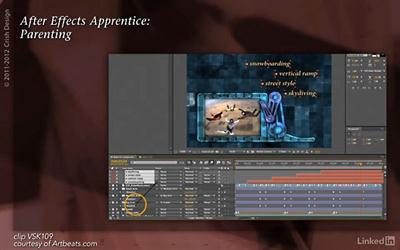
Lynda - After Effects Apprentice 07: Parenting
Size: 914 MB | Duration: 1h 41m | Video: AVC (.mp4) 1280x800&960x600 30fps | Audio: AAC 48KHz 2ch
Genre: eLearning | Level: Intermediate | Language: English​

Parenting is a way to group multiple layers within the same composition inside After Effects. In this course, Chris Meyer shows how to set up a parenting chain, discusses what makes a good parent, and demonstrates several techniques using parenting, such as creating a title animation with a minimal number of keyframes, building a geometric construct, and bringing an anthropomorphic robot arm to life. Sidebar topics include avoiding a scaling gotcha with parenting and creating abstract backgrounds using the Fractal Noise effect.

The After Effects Apprentice videos on lynda. com were created by Trish and Chris Meyer and are designed to be used on their own and as a companion to their book After Effects Apprentice. We are honored to host these tutorials in the lynda. com Online Training Library®

Topics include:
Preparing files
Making parenting connections
Arranging the frame and arm
Using null objects
Crafting anthropomorphic-style animations
Avoiding problems with non-uniform scaling
Animating Fractal Noise.

Recommend Download Link Hight Speed | Please Say Thanks Keep Topic Live ​
 

23d467df54f9b6ac7e1df61024134469.jpg

Lynda - Deploying ASP.NET Core Applications
Size: 147 MB | Duration: 0h 58m | Video: AVC (.mp4) 1280x720 15&30fps | Audio: AAC 48KHz 2ch
Genre: eLearning | Level: Intermediate | Language: English​

Learn how to deploy your cross-platform ASP. NET Core applications. With the changes to ASP. NET Core that allow apps to run across Mac, Windows, and Linux platforms, developers need to learn how to choose between their many options to deploy successfully. This course will help you deploy cross-platform apps to IIS and cloud services like Azure, as well as to Linux servers. Follow along with Nate Barbettini as he sets up a simple project and works through these different deployment scenarios. Get practical tips and insights into the pros and cons of each option and find out how Docker containers can help you streamline your ASP. NET Core deployment process.

Topics include:
* Setting up your ASP.NET project
* Setting up IIS
* Creating an IIS site and app pool
* Publishing your app with Visual Studio or the command line
* Deploying to Azure
* Deploying to Linux
* Deploying with Docker

Recommend Download Link Hight Speed | Please Say Thanks Keep Topic Live ​
 
Zurück
Oben Unten