• Regeln für den Video-Bereich:

    In den Börsenbereich gehören nur Angebote die bereits den Allgemeinen Regeln entsprechen.

    Einteilung

    - Folgende Formate gehören in die angegeben Bereiche:
    - Filme: Encodierte Filme von BluRay, DVD, R5, TV, Screener sowie Telesyncs im Format DivX, XviD und x264.
    - DVD: Filme im Format DVD5, DVD9 und HD2DVD.
    - HD: Encodierte Filme mit der Auflösung 720p oder darüber von BluRay, DVD, R5, TV, Screener sowie Telesyncs im Format x264.
    - 3D: Encodierte Filme von BluRay, die in einem 3D Format vorliegen. Dies gilt auch für Dokus, Animation usw.
    - Serien: Cartoon/Zeichentrick, Anime, Tutorials, Dokumentationen, Konzerte/Musik, Sonstiges sind demnach in die entsprechenden Bereiche einzuordnen, auch wenn sie beispielsweise im High Definition-Format oder als DVD5/DVD9/HD2DVD vorliegen. Ausnahme 3D.
    - Bereich Englisch: Englische Releases gehören immer in diesen Bereich.
    - Bereich Talk: Der Bereich, in dem über die Releases diskutiert werden kann, darf, soll und erwünscht ist.


    Angebot/Beitrag erstellen

    - Ein Beitrag darf erst dann erstellt werden, wenn der Upload bei mindestens einem OCH komplett ist. Platzhalter sind untersagt.
    - Bei einem Scenerelease hat der Threadtitel ausschließlich aus dem originalen, unveränderten Releasenamen zu bestehen. Es dürfen keine Veränderungen wie z.B. Sterne, kleine Buchstaben o.ä. vorgenommen werden. Ausnahme Serienbörse:
    - Bei einem Sammelthread für eine Staffel entfällt aus dem Releasename natürlich der Name der Folge. Beispiel: Die Simpsons S21 German DVDRip XviD - ITG
    - Dementsprechend sind also u.a. verboten: Erweiterungen wie "Tipp", "empfehlenswert", "only", "reup", usw. / jegliche andere Zusatzinformation oder Ergänzung, welche nicht in obiger Beschreibung zu finden ist.

    Aufbau des Angebots und Threadtitel

    Der Titel nach folgendem Muster erstellt zu werden. <Name> [3D] [Staffel] [German] <Jahr> <Tonspur> [DL] [Auflösung] <Quelle> <Codec> - <Group>
    Beispiel: The Dark Knight German 2008 AC3 DVDRip XviD - iND
    Beispiel: The Dark Knight 2008 DTS DL BDRip x264 - iND
    Beispiel: The Dark Knight 2008 AC3 DL BDRip XviD - iND
    Beispiel: The Dark Knight German 2008 AC3 720p BluRay x264 iND
    Beispiel: The Dark Knight 2008 DTS DL 1080p BluRay x264 iND
    Beispiel: Die Simpsons S01 German AC3 DVDRip XviD iND
    Beispiel: Die Simpsons S20 German AC3 720p BluRay x264 iND
    Beispiel: Sword Art Online II Ger Sub 2014 AAC 1080p WEBRip x264 - peppermint
    Entsprechend sind also u.a. verboten: Sonderzeichen wie Klammern, Sterne, Ausrufezeichen, Unterstriche, Anführungszeichen / Erweiterungen wie "Tipp", "empfehlenswert", "only", "reup", usw. / jegliche andere Zusatzinformation oder Ergänzung, welche nicht in obiger Beschreibung zu finden ist
    Ausnahmen hiervon können in den Bereichen geregelt sein.

    Die Beiträge sollen wie folgt aufgebaut werden:
    Überschrift entspricht dem Threadtitel
    Cover
    kurze Inhaltsbeschreibung
    Format, Größe, Dauer sind gut lesbar für Downloader außerhalb des Spoilers zu vermerken
    Nfo sind immer Anzugeben und selbige immer im Spoiler in Textform.
    Sind keine Nfo vorhanden z.B. Eigenpublikationen, sind im Spoiler folgende Dateiinformationen zusätzlich anzugeben :
    Quelle
    Video (Auflösung und Bitrate)
    Ton (Sprache, Format und Bitrate der einzelnen Spuren)
    Untertitel (sofern vorhanden)
    Hosterangabe in Textform außerhalb eines Spoiler mit allen enthaltenen Hostern.
    Bei SD kann auf diese zusätzlichen Dateiinformationen verzichtet werden.

    Alle benötigten Passwörter sind, sofern vorhanden, in Textform im Angebot anzugeben.
    Spoiler im Spoiler mit Kommentaren :"Schon Bedankt?" sind unerwünscht.


    Releases

    - Sind Retail-Release verfügbar, sind alle anderen Variationen untersagt. Ausnahmen: Alle deutschen Retail-Release sind CUT, in diesem Fall sind dubbed UNCUT-Release zulässig.
    - Im Serien-Bereich gilt speziell: Wenn ein Retail vor Abschluss einer laufenden Staffel erscheint, darf diese Staffel noch zu Ende gebracht werden.62
    - Gleiche Releases sind unbedingt zusammenzufassen. Das bedeutet, es ist zwingend erforderlich, vor dem Erstellen eines Themas per Suchfunktion zu überprüfen, ob bereits ein Beitrag mit demselben Release besteht. Ist dies der Fall, ist der bereits vorhandene Beitrag zu verwenden.
    - P2P und Scene Releases dürfen nicht verändert oder gar unter einem iND Tag eingestellt werden.


    Support, Diskussionen und Suche

    - Supportanfragen sind entweder per PN oder im Bereich Talk zu stellen.
    - Diskussionen und Bewertungen sind im Talk Bereich zu führen. Fragen an die Uploader haben ausschließlich via PN zu erfolgen, und sind in den Angeboten untersagt.
    - Anfragen zu Upload-Wünschen sind nur im Bereich Suche Video erlaubt. Antworten dürfen nur auf Angebote von MyBoerse.bz verlinkt werden.


    Verbote

    - Untersagt sind mehrere Formate in einem einzigen Angebotsthread, wie beispielsweise das gleichzeitige Anbieten von DivX/XviD, 720p und 1080p in einem Thread. Pro Format, Release und Auflösung ist ein eigener Thread zu eröffnen.
    - Grundsätzlich ebenso verboten sind Dupes. Uploader haben sich an geeigneter Stelle darüber zu informieren, ob es sich bei einem Release um ein Dupe handelt.
    - Gefakte, nur teilweise lauffähige oder unvollständige Angebote sind untersagt. Dies gilt auch für eigene Publikationen, die augenscheinlich nicht selbst von z.B. einer DVD gerippt wurden. Laufende Serien, bei denen noch nicht alle Folgen verfügbar sind, dürfen erstellt und regelmäßig geupdatet werden.
    - Untersagt sind Angebote, welche nur und ausschließlich in einer anderen Sprache als deutsch oder englisch vorliegen. Ausnahmen sind VORHER mit den Moderatoren zu klären.


    Verstoß gegen die Regeln

    - Angebote oder Beiträge, die gegen die Forenregeln verstoßen, sind über den "Melden"-Button im Beitrag zu melden.
  • Bitte registriere dich zunächst um Beiträge zu verfassen und externe Links aufzurufen.


Englische Tutorials


4abd8bdd8f6e14bf712b7a1a3e39d45f.jpg

Illustrator for Lunch™ - 10 in 10 - Ten Top Illustrator Tips in 10 Minutes
Duration: 12m | Video: h264, yuv420p, 1280x720 30fps | Audio: aac, 44100 Hz, 2 ch | 61 MB
Genre: eLearning | Language: English​

Illustrator for Lunch™ is a series of short video courses you can study in bite size pieces such as at lunchtime. In this course you'll learn Ten Awesome Illustrator tips in 10 minutes. These tips include creating and using Global Colors, using Smooth and Simplify, how to cut a shape using a path, how to make organic strokes around an object and much much more. Here is the result of applying one of the tips - creating an organic style lines around a shape:

Recommend Download Link Hight Speed | Please Say Thanks Keep Topic Live ​
 

b6a308fdd0cfc80685c516189b611934.jpg

Increase Productivity: Add a Dev Console to Your App with JavaScript
August 2016 | MP4 | Video: AVC 1280x720 | Audio: AAC 44KHz 2ch | Duration: 2.5 Hours | 384 MB
Genre: eLearning | Language: English​

Consoles can provide a faster way to code and execute site functionality. In this course, you'll learn to build a console for your web application using JavaScript.

Console applications - like those used in video games such as "Quake" or "The Elder Scrolls" - can save a lot of time for developers, allowing you to code and test site functionality in a fraction of the time it would take otherwise. In this course, you'll learn to build a reusable console that can be integrated into new or existing applications. You'll learn how to design a console control, process commands, integrate with a Node or ASP.NET server, and set up help and command history. By the end of this course, you'll have a working console application that you can add to any web application.

Recommend Download Link Hight Speed | Please Say Thanks Keep Topic Live ​
 

0368ac5000d926fb429364f7ab337c94.jpg

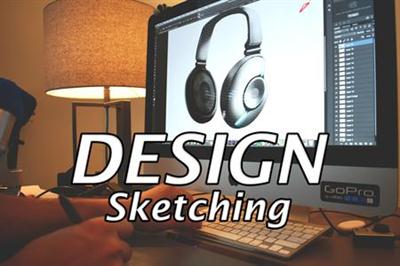
Industrial Design Sketching: Designing Headphones in Photoshop
MP4 | Video: AVC 1280x720 | Audio: AAC 44KHz 2ch | Duration: 34M | 106 MB
Genre: eLearning | Language: English​

In this class, we're gonna have some fun in Photoshop. We are going to create a design proposal for a pair of headphones by starting out with a simple black silhouette.

If you want to learn how to sketch products in Photoshop, this class is for you.

I'll walk you through each step of the process, from what resolution and DPI to use, initial silhouette, what brushes to use, how to add shading and highlighting and so much more.

Recommend Download Link Hight Speed | Please Say Thanks Keep Topic Live ​
 

f0cd1ac3d4c025058cf49f9e0ad375bd.jpg

Introduction To Forex Trading: Foundation To Be Successful
Duration: 2.5 hoursVideo: h264, yuv420p, 1280x720 | Audio: aac, 48000 Hz, 2 ch | 561 MB
Genre: eLearning, Trading | Language: English​

Set the foundation to become a Forex professional. Forex trading can be your ticket to becoming financially independent.

The Forex for short is one of the fastest paced and most exciting markets in the world. This excitement and potential has attracted many new entrants into the market.

In order to become successful, you must learn the essentials.

What are students saying:

Gives you a basic understanding of different aspects of Forex trading. Learned a lot including some things I never Knew. Enjoyed the placing the first trade. - Nick

A Big thumbs up to FXTradersClassroom for an easy to follow introduction to forex. Highly recommended for anyone who is looking to start a journey into the biggest market place in the world . well done everyone :) - Andrew

In this course we will walk you through the basics of Forex trading and give you the foundation to start your career. This course takes you from market basics to risk management. It gives short and concise lessons on all of the rudimentary Forex subjects.

Our goal here is to turn you into a Forex trader instead of a Forex follower.

Traders are not born but are made.

Through hard work and top notch education, you will be able to set yourself up for a successful new venture in the Forex market.

Our commitment is always to the student. For this reason, anytime you purchase a course from us, you will receive lifetime access to that course. In addition, you will receive unrivaled support from our team. Have a question about a concept? No problem, just contact our staff and we will get back to you as soon as we can.

Begin your new career right now!

Recommend Download Link Hight Speed | Please Say Thanks Keep Topic Live ​
 

bccba091a7045443f4bb99dc057df0bc.jpg

ISTQB - Foundation Level Certification (CTFL) Training
MP4 | Video: AVC 1280x720 | Audio: AAC 44KHz 2ch | Duration: 3.5 Hours | Lec: 46 | 385 MB
Genre: eLearning | Language: English​

ISTQB Foundation Level Preparation Course with Sample Exams to Evaluate Your Preparation Before Actual Exam

Last Updated On: 8/2016

If you are preparing for ISTQB Foundation level to become an ISTQB Certified Tester then it is good to attend this course. I have added lectures to describe all the chapter and I have also focused on sample questions for practice. I have included around 200+ sample questions in quiz and sample exam papers. Sample exams helps you to evaluate your preparation before you take up the actual certification. This will help you evaluate your readiness to take up the ISTQB Certification, as well as judge your understanding of the topics.

What is ISTQB?

The International Software Testing Qualifications Board (ISTQB) is a software testing qualification certification organisation. It was founded in Edinburgh in November 2002, ISTQB is legally registered in Belgium.The ISTQB is responsible for the international qualification scheme called "ISTQB Certified Tester". The qualifications are based on a syllabus, and there is a hierarchy of qualifications and guidelines for accreditation and examination.

ISTQB vision is
Defining and maintaining a Body of Knowledge which allows testers to be certified based on best practices, connecting the international software testing community, and encouraging research.

What is ISTQB certification?

ISTQB certification is the certification exam conducted by the International Software Testing Qualifications Board (ISTQB). ISTQB certification exams are conducted internationally
ISTQB provides 3 levels of certification:

ISTQB Foundation Level (CTFL)
ISTQB Advanced Level (CTAL)
Expert Level (CTEL)
In order to get certified, you must successfully pass the ISTQB certification exams. In order to pass the test you must acquire professional knowledge in the field of testing, and be familiar with the basics and work processes of software testing. For all three levels of certification, international working groups of ISTQB develop and maintain internationally uniform curricula and exams

What are the benefits of ISTQB certification?

Benefits of ISTQB certification for individuals:

Certification represents recognition of a particular individual's professional competence.
Prestige for the individual and a competitive advantage over non-certified individuals in the same field.
Many companies consider ISTQB certification as a plus point for employees during appraisals.
During employee recruitment, many companies prefer certified employees over non certified employees.
Benefits of ISTQB certification for Organisations:

Establishment of a professional standard for employees in the field of Software testing.
Assist the employers in making hiring decisions.
Highly trained and competent workforce for employers.

Recommend Download Link Hight Speed | Please Say Thanks Keep Topic Live ​
 

227698b04f8b9c66b278ddde6dc3ab96.jpg

Learn to Create Professional Websites from a Kid
MP4 | Video: AVC 1280x720 | Audio: AAC 44KHz 2ch | Duration: 4 Hours | Lec: 4 | 2.41 GB
Genre: eLearning | Language: English​

A whole course teaching HTML, CSS, Bootstrap, Wordpress, Canva, Python and Weebly from scratch

I have completed the following sections:

HTML (1 lecture left)
CSS (incomplete)
Bootstrap (not started)
Wordpress (not started)
Canva (not started)
Python (not started)
Weebly (all lectures complete)
Want to code like a pro? But you don't know what course is best for you, well why don't take a look at this course, where you can Learn to Build Professional Websites with a Kid and much more. And guess what, this course is only $20! And you can get more than 50% off if you sign up at rahulj .com!

Read more below to see what you can learn for only $20, you will be amazed!

*** Write a review and get some highly rated additional information. This course is continuously being updated with new videos, coding exercises and helpful books. And my aim is to turn you into an amazing programmer. ***

I will also provide bonus information with my highly rated keynote presentations teaching you how to earn money with all of your knowledge, and if you write a review i will send you a promotion code along with some extra material for you to excel in programming.

Each of these sections will be taken by a step-by-step approach, and will allow you to learn by doing, and not just by watching, therefore maximising your learning, so you can code like a pro.

My aim is to teach you:

HTML (Web Development)
CSS (Web Development)
Bootstrap (Web Development)
Wordpress (Web Development)
Canva (Free Graphic Design Software)
Python (Complex Programming, but I will make it simpler for you)
Weebly (Simple yet professional web development software)
What will you gain from this course?

By the end of this course you will learn how to code amazing websites with HTML, CSS and Bootstrap you will also learn how to build amazing websites with Wordpress. I will also show you how to get web hosting and purchase a .com domain. You will also be taught some complex code in Python which will set a beautiful platform allowing you to learn some harder things for you to be able to build professional websites and understand programming more. There is also a section, which will teach you Canva (free graphic design software), this will allow you to build amazing high resolution images for your websites in a professional, easy and free way. Lastly I will teach you weebly, which is effectively web development made easy, however in weebly there is a section where you can edit the code using HTML and CSS, and this will allow you to change things around a lot, and mix things up to make it look amazing. But if you don't really want to code you can still use weebly, just by using the simpler tools which I will show you in the course. But the best thing about this course, is that it is continuously being updated, and my aim is to teach you how to code like a pro!

What do you need?

Access to the internet
No coding knowledge
A computer / laptop / desktop
Enough storage to download software on the internet
Who is this for?

Beginner to Professional
Web Developers
Web Designers
Web Students
No coding knowledge required
This course is for anyone aged 13 and above. And is for everyone, no matter what skill level you are, this is a very simple course but the outcome is something of a professional standard. This course does not require any coding knowledge.

How long will this course take?

This course is currently over 2 hours long and consist of 26 lectures. Each lecture is explained in good detail so you will be able to make sense of everything.

Recommend Download Link Hight Speed | Please Say Thanks Keep Topic Live ​

 

0fe0461a84261ddad67390594fa0f567.jpg

Lettering Layouts: Create Beautiful Messages
Duration: 1hr 13m | Video: h264, yuv420p, 1280x720 30fps | Audio: aac, 44100 Hz, 2ch | 1.1 GB
Genre: eLearning | Language: English​

If you're an avid hand letterer, just getting your lettering groove on, or have had years of experience, chances are, you've hand to create a lettering layout a time or two.

One of the most beautiful displays of hand lettering is within quotes, simple messages and phrases. Think greeting cards, art prints, signage, web banners, and more. Because of the emotional quality a hand lettered piece is able to achieve, creating a visually effective layout strengthens the message that much more.
If you've ever struggled with which lettering styles to pair in a layout, how many of them to pair, how to integrate design elements, text weight and scale, this class has you covered.
We'll start the class by dissecting some very effective hand lettered layouts, learning why and how they communicate, and then go over a process that will strengthen all of your lettering layouts moving forward. We'll go step by step through 3 different complexities of layout and I'll talk you through everything as I go.
You'll only need a basic pen, pencil, some copy paper and tracing paper if you have it on hand. If you'd like to use some fancier utensils, I share every one I use, plus links to them if you'd like to check them out further.

Recommend Download Link Hight Speed | Please Say Thanks Keep Topic Live ​

 

6e88cc876713dcae2629d62c74173205.jpg

Lynda - Lightroom: Customizing Tips and Techniques
Duration: 1h 58m | Video: AVC (.mp4) 1280x720 15&30fps | Audio: AAC 48KHz 2ch | 818 MB
Genre: eLearning | Level: Beginner | Language: English​

Streamline your image processing workflow by taking advantage of the tips in this course on how to customize your Lightroom experience. The layout of your workspace, the sort applied to your views, the type of data displayed, the file conversion settings, and even the treatment of exports can be catered to meet your needs. In this course, Taz Tally provides expert guidance and suggestions as he takes you through configuration options that allow you to adjust your Adobe Lightroom experience to your preference. He explains the potential uses of different presets and templates, so you can decide which selections suit you. He demonstrates how to create custom views, keyword sets, synchronization options, import behaviors, file naming conventions, and more. He also shows you how to automate common tasks performed in the Develop module and during export.

Topics include:
* Customizing plates, filmstrips, and views
* Working with multiple displays
* Configuring the Library module
* Making custom metadata forms
* Using import presets
* Customizing conversion settings
* Selecting helpful Develop module options
* Automating export and output tasks

Recommend Download Link Hight Speed | Please Say Thanks Keep Topic Live ​

 

a526d338b73e01ef5917d4ed6f0c2d45.jpg

Linux Shell Course for Beginners - Lite
MP4 | Video: AVC 1280x720 | Audio: AAC 44KHz 2ch | Duration: 31M | Lec: 37 | 249 MB
Genre: eLearning | Language: English​

This course is teaches the basics of using the linux shell, and is intended as a first course in using the terminal.

This course is teaches the basics of using the linux shell, and is intended as a first course in using the terminal. This course is lite version of our main course Linux Shell Course for Beginners. In this course youll learn how to navigate the directory structure, show the contents of directories, how to understand and work with file permissions and more.

Topics include:

How to open the linux terminal
All about directories
Listing a directorys contents
Understanding file permissions
Changing permissions

Actual course will explore various aspects of the shell, such as scripting, using utilities such as grep and sed, C and Perl programming in linux, and the file structure.

I hope you join me as we explore linux together.

Recommend Download Link Hight Speed | Please Say Thanks Keep Topic Live ​

 

0cda01f9186797fc302fb0e4337a6314.jpg

Local Development Environments for Web Design
MP4 | Video: AVC 1280x720 | Audio: AAC 44KHz 2ch | Duration: 1.5 Hours | Lec: 31 | 377 MB​

Genre: eLearning | Language: English

How to install and configure a local dev environment using LAMP stacks.

If you have been building websites in HTML and are ready to move forward into using php/MySQL based applications, this course will teach you what a Local Development Environment is and how to install the top CMS software to start development of your website when you're ready.

We will go through the install and setup of MAMP (Mac), XAMPP (Mac) and WAMP (Windows). Once we have the local

Recommend Download Link Hight Speed | Please Say Thanks Keep Topic Live ​
 

81bdc58ae0713b95aecf4d9cf8434ba8.jpg

Lynda - Ethical Hacking: Enumeration
Duration: 1h 42m | Video: AVC (.mp4) 1280x720 15&30fps | Audio: AAC 48KHz 2ch | 301 MB
Genre: eLearning | Level: Intermediate | Language: English​

Ethical hacking is one of the most desired stills for any IT security professional. White hat hackers can detect, prevent, and mitigate network intrusions and data theft: a critical liability for any company that does business online or in the cloud. This course introduces to the concept of enumeration-identifying the resources on a host or network, including user names, ports and services, policies, and more. It covers protocol, process, and service enumeration on Windows and Linux, and maps to the Enumeration competency from the Certified Ethical Hacker (CEH) body of knowledge. Malcolm discusses host profiling, enumerating protocols (such as SMB, RPC, and SNMP), and enumerating the Internet, and concludes with demos of third-party tools organizations can use to mitigate risk, including SuperScan, NetScan Pro, and JXplorer. An overview of the CEH exam, blueprint, and eligibility criteria can be found at eccouncil. org/programs/certified-ethical-hacker-ceh/.

Topics include:
* What is enumeration?
* Understanding NetBIOS, SMB, SAMBA, and RPC
* Profiling hosts
* Investigating interfaces
* Enumerating SMB
* Enumerating SNMP and RPC
* Enumerating the Internet
* Working with other enumeration tools

Recommend Download Link Hight Speed | Please Say Thanks Keep Topic Live ​

 

84263fd5636af4c1ebb394d13bcce92d.jpg

Lynda - Photography 101 Training Video
Duration: 2h 10m | Video: AVC (.mp4) 1280x720 24fps | Audio: AAC 48KHz 2ch | 2.45 GB
Genre: eLearning | Level: Beginner | Language: English​

Today's cameras put an amazing amount of power in your hands, but all those buttons, dials, and settings can be pretty intimidating. In Photography 101, photographer Joseph ["PhotoJoseph"] Linaschke helps you understand what's going on inside your camera, explaining photography fundamentals like what aperture is and how shutter speed works. Learn basics such as how to hold the camera, what various modes mean and when to use them, and even how and when to use the camera's flash. There's also creative instruction to guide you toward becoming a better photographer. As you become more comfortable with your gear, you'll find that many creative possibilities open up for you and the quality of your photography improves.

Topics include:
* Adjusting aperture, shutter speed, and ISO
* Controlling autofocus
* Using buttons to change focus, metering, and shooting modes
* Carrying a camera like a pro
* Stabilizing the camera
* Working with flash
* Thinking creatively and changing your point of view
* Buying new gear

Recommend Download Link Hight Speed | Please Say Thanks Keep Topic Live ​

 
Zurück
Oben Unten