• Regeln für den Video-Bereich:

    In den Börsenbereich gehören nur Angebote die bereits den Allgemeinen Regeln entsprechen.

    Einteilung

    - Folgende Formate gehören in die angegeben Bereiche:
    - Filme: Encodierte Filme von BluRay, DVD, R5, TV, Screener sowie Telesyncs im Format DivX, XviD und x264.
    - DVD: Filme im Format DVD5, DVD9 und HD2DVD.
    - HD: Encodierte Filme mit der Auflösung 720p oder darüber von BluRay, DVD, R5, TV, Screener sowie Telesyncs im Format x264.
    - 3D: Encodierte Filme von BluRay, die in einem 3D Format vorliegen. Dies gilt auch für Dokus, Animation usw.
    - Serien: Cartoon/Zeichentrick, Anime, Tutorials, Dokumentationen, Konzerte/Musik, Sonstiges sind demnach in die entsprechenden Bereiche einzuordnen, auch wenn sie beispielsweise im High Definition-Format oder als DVD5/DVD9/HD2DVD vorliegen. Ausnahme 3D.
    - Bereich Englisch: Englische Releases gehören immer in diesen Bereich.
    - Bereich Talk: Der Bereich, in dem über die Releases diskutiert werden kann, darf, soll und erwünscht ist.


    Angebot/Beitrag erstellen

    - Ein Beitrag darf erst dann erstellt werden, wenn der Upload bei mindestens einem OCH komplett ist. Platzhalter sind untersagt.
    - Bei einem Scenerelease hat der Threadtitel ausschließlich aus dem originalen, unveränderten Releasenamen zu bestehen. Es dürfen keine Veränderungen wie z.B. Sterne, kleine Buchstaben o.ä. vorgenommen werden. Ausnahme Serienbörse:
    - Bei einem Sammelthread für eine Staffel entfällt aus dem Releasename natürlich der Name der Folge. Beispiel: Die Simpsons S21 German DVDRip XviD - ITG
    - Dementsprechend sind also u.a. verboten: Erweiterungen wie "Tipp", "empfehlenswert", "only", "reup", usw. / jegliche andere Zusatzinformation oder Ergänzung, welche nicht in obiger Beschreibung zu finden ist.

    Aufbau des Angebots und Threadtitel

    Der Titel nach folgendem Muster erstellt zu werden. <Name> [3D] [Staffel] [German] <Jahr> <Tonspur> [DL] [Auflösung] <Quelle> <Codec> - <Group>
    Beispiel: The Dark Knight German 2008 AC3 DVDRip XviD - iND
    Beispiel: The Dark Knight 2008 DTS DL BDRip x264 - iND
    Beispiel: The Dark Knight 2008 AC3 DL BDRip XviD - iND
    Beispiel: The Dark Knight German 2008 AC3 720p BluRay x264 iND
    Beispiel: The Dark Knight 2008 DTS DL 1080p BluRay x264 iND
    Beispiel: Die Simpsons S01 German AC3 DVDRip XviD iND
    Beispiel: Die Simpsons S20 German AC3 720p BluRay x264 iND
    Beispiel: Sword Art Online II Ger Sub 2014 AAC 1080p WEBRip x264 - peppermint
    Entsprechend sind also u.a. verboten: Sonderzeichen wie Klammern, Sterne, Ausrufezeichen, Unterstriche, Anführungszeichen / Erweiterungen wie "Tipp", "empfehlenswert", "only", "reup", usw. / jegliche andere Zusatzinformation oder Ergänzung, welche nicht in obiger Beschreibung zu finden ist
    Ausnahmen hiervon können in den Bereichen geregelt sein.

    Die Beiträge sollen wie folgt aufgebaut werden:
    Überschrift entspricht dem Threadtitel
    Cover
    kurze Inhaltsbeschreibung
    Format, Größe, Dauer sind gut lesbar für Downloader außerhalb des Spoilers zu vermerken
    Nfo sind immer Anzugeben und selbige immer im Spoiler in Textform.
    Sind keine Nfo vorhanden z.B. Eigenpublikationen, sind im Spoiler folgende Dateiinformationen zusätzlich anzugeben :
    Quelle
    Video (Auflösung und Bitrate)
    Ton (Sprache, Format und Bitrate der einzelnen Spuren)
    Untertitel (sofern vorhanden)
    Hosterangabe in Textform außerhalb eines Spoiler mit allen enthaltenen Hostern.
    Bei SD kann auf diese zusätzlichen Dateiinformationen verzichtet werden.

    Alle benötigten Passwörter sind, sofern vorhanden, in Textform im Angebot anzugeben.
    Spoiler im Spoiler mit Kommentaren :"Schon Bedankt?" sind unerwünscht.


    Releases

    - Sind Retail-Release verfügbar, sind alle anderen Variationen untersagt. Ausnahmen: Alle deutschen Retail-Release sind CUT, in diesem Fall sind dubbed UNCUT-Release zulässig.
    - Im Serien-Bereich gilt speziell: Wenn ein Retail vor Abschluss einer laufenden Staffel erscheint, darf diese Staffel noch zu Ende gebracht werden.62
    - Gleiche Releases sind unbedingt zusammenzufassen. Das bedeutet, es ist zwingend erforderlich, vor dem Erstellen eines Themas per Suchfunktion zu überprüfen, ob bereits ein Beitrag mit demselben Release besteht. Ist dies der Fall, ist der bereits vorhandene Beitrag zu verwenden.
    - P2P und Scene Releases dürfen nicht verändert oder gar unter einem iND Tag eingestellt werden.


    Support, Diskussionen und Suche

    - Supportanfragen sind entweder per PN oder im Bereich Talk zu stellen.
    - Diskussionen und Bewertungen sind im Talk Bereich zu führen. Fragen an die Uploader haben ausschließlich via PN zu erfolgen, und sind in den Angeboten untersagt.
    - Anfragen zu Upload-Wünschen sind nur im Bereich Suche Video erlaubt. Antworten dürfen nur auf Angebote von MyBoerse.bz verlinkt werden.


    Verbote

    - Untersagt sind mehrere Formate in einem einzigen Angebotsthread, wie beispielsweise das gleichzeitige Anbieten von DivX/XviD, 720p und 1080p in einem Thread. Pro Format, Release und Auflösung ist ein eigener Thread zu eröffnen.
    - Grundsätzlich ebenso verboten sind Dupes. Uploader haben sich an geeigneter Stelle darüber zu informieren, ob es sich bei einem Release um ein Dupe handelt.
    - Gefakte, nur teilweise lauffähige oder unvollständige Angebote sind untersagt. Dies gilt auch für eigene Publikationen, die augenscheinlich nicht selbst von z.B. einer DVD gerippt wurden. Laufende Serien, bei denen noch nicht alle Folgen verfügbar sind, dürfen erstellt und regelmäßig geupdatet werden.
    - Untersagt sind Angebote, welche nur und ausschließlich in einer anderen Sprache als deutsch oder englisch vorliegen. Ausnahmen sind VORHER mit den Moderatoren zu klären.


    Verstoß gegen die Regeln

    - Angebote oder Beiträge, die gegen die Forenregeln verstoßen, sind über den "Melden"-Button im Beitrag zu melden.
  • Bitte registriere dich zunächst um Beiträge zu verfassen und externe Links aufzurufen.


Englische Tutorials


3c34a7d740d5a8cb8225a36b53fe7c34.jpg

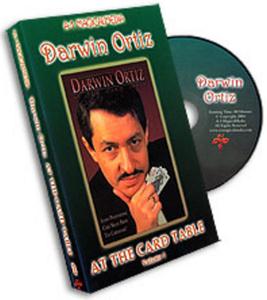
Darwin Ortiz - At The Card Table
DVDRip | English | AVI | 352 x 240 | DX50 ~830 kbps | 29.970 fps
MP3 | 56 Kbps | 22.05 KHz | 2 channels | 01:33:30 | 600 MB​

Genre: eLearning Video / Magic tricks, illusion
If you loved Darwin's recent best-selling three-volume set of videos entitled CardShark, then you are in for a real treat here. Darwin is back "at the Card Table" to perform and explain the best of the best from his book, At The Card Table. This three-volume set of videos incorporates new ideas and improvements to the book's original material, effects that Darwin has used to make a living as one of the world's foremost sleight-of-hand experts with cards.

Effects Performed and Explained:

Jumpin' Gemini
The Vegas Shuffle
Darwin's 3Card Monte
The Pinky Count
Darwin's Wildcard
Hitchcock Aces
The Dream Card
The Zarrow Shuffle

Recommend Download Link Hight Speed | Please Say Thanks Keep Topic Live ​
 

8f906a541648639a41f13b2828fca2ad.jpg

Data Mining with R: Go from Beginner to Advanced
HDRips | MP4/AVC, ~306 kb/s | 1280x720 | Duration: 12 hours | English: AAC, 76 kb/s (2 ch) | 3.79 GB
Genre: Development / Programming​

Learn to use R software for data analysis, visualization, and to perform dozens of popular data mining techniques.

This is a "hands-on" business analytics, or data analytics course teaching how to use the popular, no-cost R software to perform dozens of data mining tasks using real data and data mining cases. It teaches critical data analysis, data mining, and predictive analytics skills, including data exploration, data visualization, and data mining skills using one of the most popular business analytics software suites used in industry and government today. The course is structured as a series of dozens of demonstrations of how to perform classification and predictive data mining tasks, including building classification trees, building and training decision trees, using random forests, linear modeling, regression, generalized linear modeling, logistic regression, and many different cluster analysis techniques. The course also trains and instructs on "best practices" for using R software, teaching and demonstrating how to install R software and RStudio, the characteristics of the basic data types and structures in R, as well as how to input data into an R session from the keyboard, from user prompts, or by importing files stored on a computer's hard drive. All software, slides, data, and R scripts that are performed in the dozens of case-based demonstration video lessons are included in the course materials so students can "take them home" and apply them to their own unique data analysis and mining cases. There are also "hands-on" exercises to perform in each course section to reinforce the learning process. The target audience for the course includes undergraduate and graduate students seeking to acquire employable data analytics skills, as well as practicing predictive analytics professionals seeking to expand their repertoire of data analysis and data mining knowledge and capabilities.

Recommend Download Link Hight Speed | Please Say Thanks Keep Topic Live ​
 

c871476eb73f9bacbbd316c271844fa8.jpg

Data Science and Analytics Career Paths and Certifications
MP4 | Video: AVC 1280x720 | Audio: AAC 48KHz 2ch | Duration: 1 Hours | 132 MB
Genre: eLearning | Language: English | Skill Level: Appropriate for all​

The career opportunities in data science, big data, and analytics are growing dramatically. These are among the most sought-after jobs in the tech world today. If you're interested in changing career paths, determining the right course of study, or deciding if certification is worth your time, this course is for you.

Jungwoo Ryoo is a professor of information science and technology at Penn State. Here he reviews the history of data science and analytics, explores which markets are using big data the most, and reveals the five main skills areas: data mining, machine learning, natural language processing (NLP), statistics, and visualization. This leads to a discussion of the five biggest career opportunities, the four leading industry-recognized certifications available, and the most exciting emerging technologies. Along the way, Jungwoo discusses the importance of ethics and professional development, and provides pointers to online resources for learning more.

Topics include:
A history of data science
Why analytics is important
How data science is used in social media, climate research, and more
Data science skills
Data science certifications
The future of big data

Skill Level Appropriate for all
54m 47s
Duration

Recommend Download Link Hight Speed | Please Say Thanks Keep Topic Live ​
 

159e2a57b05c680e56ee85b9ff6a728c.jpg

Design (and Win!) Your Own Custom Enamel Mugs
Duration: 51m | Video: h264, yuv420p, 1280x720 30fps | Audio: aac, 44100 Hz, 2 ch | 426 MB
Genre: eLearning | Language: English​

This class has been in the making for over 8 months! Sort of... That's how long ago I found Emalco and knew they would be perfect to make some amazing mugs for me and potentially you! That's right, the winning student of their choosing will win 60 mugs for free! Check out the community board for all the little details

In this class I will talk a bit about creative thinking, sketching, using Adobe Illustrator's image trace and setting up your art on Emalco's template.
Many thanks to the amazing Emalco Enamelware for the amazing quality craftsman ship in making my mugs. Oh and for sponsoring this class!

Recommend Download Link Hight Speed | Please Say Thanks Keep Topic Live ​
 

88c8d0d01d2fda7a2c71f2e1c90cc72f.jpg

Elixir for Beginners
.MP4, AVC, 1000 kbps, 1280x720 | English, AAC, 64 kbps, 2 Ch | 2.5 hours | 521 MB
Instructor: Ben Emson​

A beginners guide to the Elixir language, tools and functional concepts

Do you want web sites that can easily scale to millions of users?
Or build a system to reliably handle the coming Internet of Things (IoT) future?

Perhaps you just want to learn a programming language, which will teach you the techniques for building concurrent, functional, and fault-tolerant software.

Elixir is one of the fastest growing programming languages, for all of these reasons.

Created by José Valim, one of the Ruby on Rails core team members, Elixir is built on the tried and tested Erlang Beam (Virtual Machine). With cherry picked features from other modern languages such as Clojure, Ruby and Python, etc. it's a joy to use, and makes functional programming much more accessible.

Erlang was built from the ground up, to get distributed, and fault-tolerant computing "right". Elixir inherits these qualities, and packages it up in a beautiful modern language, with excellent tooling and access to all the existing Erlang libraries.

If you want to understand how Whatsapp, with less than 60 engineers, can send double the text messages of all the Telecoms companies put together, then come and learn Elixir. It'll be fun!

What can you build with Elixir:

* Websites with Pheonix
* Microservices and APIs
* IoT devices, with the Nerves project - write and manage the client and the server
* Use all the cores on your computer
* Build concurrent event driven services, ideal for Robotics, etc.

What is this course about:

This is a beginners guide to learning the Elixir programming language. You will learn how to read and write in Elixir code, understand recursion, data immutability, and pattern matching.
This course lays the foundation for learning a functional language and gives you confidence with which to build your knowledge.
This is a beginners course in learning the basics of the language thus we do NOT go into OTP, Erlang or Macros.

Build a strong foundation in Elixir and functional programming with this tutorial for beginners.

What Elixir is and what it is good for
Types, functions and tools
Functional programming, immutable data, pattern matching and recursion
Tools, tests and documenting

What are the requirements?

You will need to be familiar with an Object Orientated (OO) language e.g. Ruby, Python, JavaScript, Java, C#, etc.
You will need to be able follow the Elixir installation guide from the Elixir web site
You should be confident in writing code in a text editor, such as Sublime Text, Notepad++, Vim or Emacs
Some command line knowledge will be helpful as you will be executing Elixir programs from the command line

What am I going to get from this course?

Over 28 lectures and 2.5 hours of content!
Understand how to read and write Elixir code
Understand the key tenets of functional programming, immutable data, pattern matching and recursion
Create your own Elixir programs
Use the appropriate tools when building Elixir programs
Think confidently in Elixir, and have detailed knowledge of the most important language primitives

Recommend Download Link Hight Speed | Please Say Thanks Keep Topic Live ​
 

f42e9570087be812ce0caf615a3a82ce.jpg

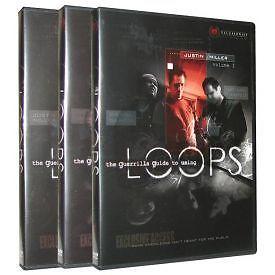
Ellusionist - Guerrilla Guide to Using Loops Vol. 1-3 (2016)
3xDVDRip | English | WMV | 640 x 480 | WMV3 ~500 kbps | 29.970 fps
WMA | 64 Kbps | 44.1 KHz | 02:09:03 | 573 MB​

Genre: eLearning Video / Magic tricks, illusion
A Loop is an unseen 'device', nearly undetectable to the eye, that you will carry with you wherever you go. It takes up no room and you will forget you even have it on. A Loop is a weapon used to shatter normal reality.

Full Overview

Loops are used by top pros like Blaine, Cyril, and Angel to create simple but powerful miracles.
"...the methods are unlike anything I have ever seen ..."
- Chris Schuh, Vancouver, BC, Canada

Before now, no visual training has been available for Loops. Enter Ellusionist's insight and trick-packed 3 DVD Guerrilla Guide.... own all three.
",,, absolutely blew me away."
- Brendon, UK

The Guerrilla Guide is taught by experts Daniel Garcia, Justin Miller, and Nathan Kranzo. These three recognized master Loop Artists in the street magic world today will teach you what you MUST KNOW about Loops in order to use them with precision, control, and heightened showmanship.
"All 3 DVDs are gems..."
- Bauer, USA

Fast List

* 16 tricks with over two hours of rare instruction
* What to do in any lighting situation
* Reduce Loop breakage by up to 90%
* Key solutions if a Loop ever breaks during a show
* Loop subtleties you never dreamed of
* Taught in detail by experts Garcia, Kranzo and Miller

In The Box

Daniel Garcia's LIFE trick was inspired by Andrew Goldenhersh's signature presentation of Robert Neale's Butterfly fold.

Robert Neale's Buttlerfly fold can be found in his book Folding Money Fooling.

Daniel Garcia's HAIR, a moving psychic/mentalism effect using LOOPS as the catalyst.

Justin Miller's shattering CLOCK BLANK OUT trick.

Nathan Kranzo's version of the HAUNTED PACK... this one will stun you.

In all, 16 killer Loop tricks performed and taught by 3 Master Loop Artists, plus untold advice, interviews, stories and intricate loop subleties.

Recommend Download Link Hight Speed | Please Say Thanks Keep Topic Live ​
 

4ecf3faab232a10c30916faa4a530be7.jpg

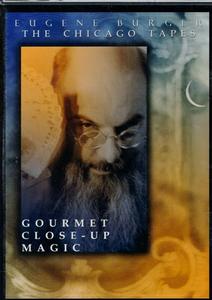
Eugene Burger - Gourmet Close-Up Magic
DVDRip | English | AVI | 640 x 464 | DX50 ~738 kbps | 29.970 fps
MP3 | 96 Kbps | 44.1 KHz | 1h 25mn | 533 MB​

Genre: eLearning Video / Magic tricks, illusion
See Eugene in action, just as if you were to visit the famous Biggs restaurant in Chicago. Watch him perform three shows: working behind the bar, seated at the dinner table and doing walk-around in the lounge. You'll see the magic that has brought him international acclaim, including his Three Card Monte, Allerton's Aspirin Box, Thought Sender, Shotglass Surprise, Voodoo... and much more!

Then spend some time with Eugene as he teaches you three of his great professional presentations with in-depth explanations. Learn his mind-blowing version of the Mullica Wallet along with David Parr's devious handling; Matt Schulien's knockout Signed Card Under the Tablecloth; and Shotglass Surprise, an unbelievable production of a glass of liquid from a folded paper bag! Eugene teaches you all the important tips and psychology for actual performance.

Finally, David Parr interviews Eugene about his experiences performing in restaurants. They discuss how to solve the awkward moment of approaching customers cold, how to handle repeat customers, dealing with tips and closing the show.

Recommend Download Link Hight Speed | Please Say Thanks Keep Topic Live ​
 

ba7c44a283c06d751e1eac0f994e5205.jpg

Every Illustrator Tool Explained: The Selection Tools
Duration: 23m | Video: h264, yuv420p, 1280x720 30fps | Audio: aac, 44100 Hz, 2 ch | 108 MB
Genre: eLearning | Language: English​

This series is thought out to be a one stop shop for all you guys who need to learn all the tools in the software to understand how Illustrator works.

So if you are looking for a source of thorough knowledge on each and every Illustrator tool and if you are familiar with my other courses, you may expect techniques that are straight to the point, ready to use and easy to follow.
You will definitely feel more comfortable with using the Illustrator tools after watching this series.
In this particular class you will learn the selection tools used in Adobe Illustrator, so if you want to learn the best practices of using
the selection tool
the direct selection tool
the group selection tool
the magic wand
and the lasso tool

Recommend Download Link Hight Speed | Please Say Thanks Keep Topic Live ​
 

b9f78c562c70fc9ded4e4a3ef344865e.jpg

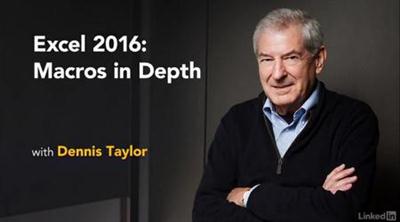
Excel 2016: Macros in Depth
MP4 | Video: AVC 1280x720 | Audio: AAC 48KHz 2ch | Duration: 3.5 Hours | 632 MB
Genre: eLearning | Language: English​

Macros can help you save enormous amounts of time, but they are uncharted territory for many Excel users. Learn how to create your own simple macros to automate repetitive tasks in Excel 2016, in this course with Excel expert Dennis Taylor. Find out how to record a macro in stages, share macros between workbooks, set up keyboard shortcuts to run macros quickly, and use Visual Basic for Applications (VBA) to code macros that can't be easily recorded. Discover how to expand macros with Do loops and If statements, and test macros step-by-step. The course wraps up with a macro project that brings together each of the elements in a real-world scenario: converting mailing list data into a database-friendly format.

Recommend Download Link Hight Speed | Please Say Thanks Keep Topic Live ​
 

89dfd0b5dfe261565a02cdd23d47fa51.jpg

Lynda - Excel for Mac 2011: Pivot Tables in Depth
Size: 263 MB | Duration: 1h 34m | Video: AVC (.mp4) 1280x720 15&30fps | Audio: AAC 48KHz 2ch
Genre: eLearning | Level: Intermediate | Language: English​

PivotTables are one of the most powerful data analysis tools in Microsoft Excel. Learn how to use PivotTables to summarize, sort, count, and chart your organization's data in Excel for Mac 2011. Author Curt Frye shows you how to navigate the complexity of PivotTables while taking advantage of their power. He shows how to build PivotTables from single or multiple data sources (including external spreadsheets and text files), add calculated fields, filter your results, and format your layout to make it more readable. Plus, learn how to share your work by printing PivotTables and saving them as PDFs.

Topics include:
* Creating a PivotTable
* Refreshing PivotTable data
* Managing totals
* Creating calculated fields
* Grouping PivotTable fields
* Sorting and filtering PivotTable data
* Printing PivotTables

Recommend Download Link Hight Speed | Please Say Thanks Keep Topic Live ​
 

b6f5e1f1f327ada66fba39f84786eb0d.jpg

Excel Tricks: Data Cleaning - Must for further data analysis (2016)
MP4 | Video: AVC 1280x720 | Audio: AAC 44KHz 2ch | Duration: 1.5 Hours | Lec: 27 | 489 MB
Genre: eLearning | Language: English​

Learn Beginner to Advanced tricks on Data Cleaning - Go To, Date correction, Replace using wildcards, Text to Columns

We get data from various sources like ERP, SAP and in different formats. In order to make it useful to analyse, we have to clean this and put them in a structured format. It's a pure time-consuming activity. In order to save time and effort on cleaning and put the structure in place, We need few important data cleaning techniques as mentioned below which are part of this course. Check the list of Topics being covered in this course on Data Cleaning in Excel:

Go To (Special) with Errors
Go To (Special) without Errors
Go To (Special) with Ctrl + Enter
Go To (Special) - Fill Intermittent Black Cells
Go To (Special) -Visible Cells vs ShortcutsText Formulas - Change Case using UPPER(), PROPER() & LOWER()
Text Formulas - Remove Leading, Trailing & excess Intermittent spaces using TRIM()
Text Formulas - Using LEN() & TRIM() together
Text Formulas - T(), N() & VALUE()
Text Formulas - REPT() for artificial Column Chart in a Cell
Text Formulas - REPT() & LEN() for adding leading zero before incomplete Cheque Nos.
Find & Replace - Using Wildcard character ( )
Find & Replace - Neutralising Wildcard characters to remove them from data
Find & Replace - Word vs. Excel
Find & Replace - Cell Format
Text to Columns - Basics (Delimited)
Text to Columns - Basics (Fixed Width) + Hidden Trick
Text to Columns - Cleaning up numbers w. trailing minus sign
Text to Columns - Cleaning up numbers w. leading DrCr text
Text to Columns - Correcting invalid Dates (DMY)
Text to Columns - Correcting invalid Dates (YMD)
Text Formulas - LEFT(), RIGHT() & SEARCH()
Text Formulas - MID() & LEN()
We have 26 videos of duration 1.5 hrs. Through practical examples, they start from the foundation and take you to the Ninja level application.

----------------------------------------------------------

Your Question - Why should I take this mini-course on Excel?

Our Response - Because we cover the following -

WHY should we use a certain formula or technique in a given situation
What are the alternative approaches to solving the same problem
Formulae and hidden tricks to truly make you a Master of Excel Data Cleaning Functions.
Example - Fill thousands of blank cells with desired value or text like 0 to do the calculation, using Go To (Special) formula Techniques.

---------------------------------------------------------Your Question - So will I learn Pivot table, Lookup & What-if Analysis?

Our Response - No. This course covers Basic to Intermediate level tips & tricks on Excel Data Cleaning like Go To Special, Find & Replace and more.

---------------------------------------------------------

"The courses are really helpful whether in terms of saving time, improving your presentation skills or getting to learn new features. The videos give you the feeling of one to one attention. Moreover, their constant attachment by emailing new tricks is highly appreciating. #thankyouteamyoda" by Arundhati Raychaudhuri, Finance Professional, India

----------------------------------------------------------

Important information before you join:

Once enrolled, you have unlimited, lifetime access to the course!
You will have instant and free access to any updates I'll add to the course.
I will give you my full support regarding any issues or suggestions related to the course.
Guided practice - over worksheets included for immediate practice
Access to all videos 24 x 7 - learn online from anywhere
A 30-day money back guarantee (we want you to be 100% satisfied)
---------------------------------------------------------

If you have read this far, next action is JOINING this course. Invest 1.5 hrs. for a benefit of lifetime Ninja status on Excel Advanced Data Cleaning functions!

Recommend Download Link Hight Speed | Please Say Thanks Keep Topic Live ​

 

2dd0ebfe71127b615ae99f99587edf62.jpg

Frontend Masters - Choosing a JavaScript Framework
5.5 hours | Video: h264, yuv420p, 1024x768 | Audio: aac, 44100 Hz, stereo | 2.03 GB
Genre: eLearning | Language: English​

Over the past year the rise of the MV* has been meteoric. It seems you cannot go more than a few sentences discussing JavaScript without mentioning Angular, Ember, Backbone or React. It also is certainly not without merit: JavaScript frameworks can greatly increase your productivity in client side code.

Brian Holt (Reddit) gives a fitting treatise to each of the four frameworks and help you understand which one is best suited to you and your next big project.

Recommend Download Link Hight Speed | Please Say Thanks Keep Topic Live ​

 
Zurück
Oben Unten