• Regeln für den Video-Bereich:

    In den Börsenbereich gehören nur Angebote die bereits den Allgemeinen Regeln entsprechen.

    Einteilung

    - Folgende Formate gehören in die angegeben Bereiche:
    - Filme: Encodierte Filme von BluRay, DVD, R5, TV, Screener sowie Telesyncs im Format DivX, XviD und x264.
    - DVD: Filme im Format DVD5, DVD9 und HD2DVD.
    - HD: Encodierte Filme mit der Auflösung 720p oder darüber von BluRay, DVD, R5, TV, Screener sowie Telesyncs im Format x264.
    - 3D: Encodierte Filme von BluRay, die in einem 3D Format vorliegen. Dies gilt auch für Dokus, Animation usw.
    - Serien: Cartoon/Zeichentrick, Anime, Tutorials, Dokumentationen, Konzerte/Musik, Sonstiges sind demnach in die entsprechenden Bereiche einzuordnen, auch wenn sie beispielsweise im High Definition-Format oder als DVD5/DVD9/HD2DVD vorliegen. Ausnahme 3D.
    - Bereich Englisch: Englische Releases gehören immer in diesen Bereich.
    - Bereich Talk: Der Bereich, in dem über die Releases diskutiert werden kann, darf, soll und erwünscht ist.


    Angebot/Beitrag erstellen

    - Ein Beitrag darf erst dann erstellt werden, wenn der Upload bei mindestens einem OCH komplett ist. Platzhalter sind untersagt.
    - Bei einem Scenerelease hat der Threadtitel ausschließlich aus dem originalen, unveränderten Releasenamen zu bestehen. Es dürfen keine Veränderungen wie z.B. Sterne, kleine Buchstaben o.ä. vorgenommen werden. Ausnahme Serienbörse:
    - Bei einem Sammelthread für eine Staffel entfällt aus dem Releasename natürlich der Name der Folge. Beispiel: Die Simpsons S21 German DVDRip XviD - ITG
    - Dementsprechend sind also u.a. verboten: Erweiterungen wie "Tipp", "empfehlenswert", "only", "reup", usw. / jegliche andere Zusatzinformation oder Ergänzung, welche nicht in obiger Beschreibung zu finden ist.

    Aufbau des Angebots und Threadtitel

    Der Titel nach folgendem Muster erstellt zu werden. <Name> [3D] [Staffel] [German] <Jahr> <Tonspur> [DL] [Auflösung] <Quelle> <Codec> - <Group>
    Beispiel: The Dark Knight German 2008 AC3 DVDRip XviD - iND
    Beispiel: The Dark Knight 2008 DTS DL BDRip x264 - iND
    Beispiel: The Dark Knight 2008 AC3 DL BDRip XviD - iND
    Beispiel: The Dark Knight German 2008 AC3 720p BluRay x264 iND
    Beispiel: The Dark Knight 2008 DTS DL 1080p BluRay x264 iND
    Beispiel: Die Simpsons S01 German AC3 DVDRip XviD iND
    Beispiel: Die Simpsons S20 German AC3 720p BluRay x264 iND
    Beispiel: Sword Art Online II Ger Sub 2014 AAC 1080p WEBRip x264 - peppermint
    Entsprechend sind also u.a. verboten: Sonderzeichen wie Klammern, Sterne, Ausrufezeichen, Unterstriche, Anführungszeichen / Erweiterungen wie "Tipp", "empfehlenswert", "only", "reup", usw. / jegliche andere Zusatzinformation oder Ergänzung, welche nicht in obiger Beschreibung zu finden ist
    Ausnahmen hiervon können in den Bereichen geregelt sein.

    Die Beiträge sollen wie folgt aufgebaut werden:
    Überschrift entspricht dem Threadtitel
    Cover
    kurze Inhaltsbeschreibung
    Format, Größe, Dauer sind gut lesbar für Downloader außerhalb des Spoilers zu vermerken
    Nfo sind immer Anzugeben und selbige immer im Spoiler in Textform.
    Sind keine Nfo vorhanden z.B. Eigenpublikationen, sind im Spoiler folgende Dateiinformationen zusätzlich anzugeben :
    Quelle
    Video (Auflösung und Bitrate)
    Ton (Sprache, Format und Bitrate der einzelnen Spuren)
    Untertitel (sofern vorhanden)
    Hosterangabe in Textform außerhalb eines Spoiler mit allen enthaltenen Hostern.
    Bei SD kann auf diese zusätzlichen Dateiinformationen verzichtet werden.

    Alle benötigten Passwörter sind, sofern vorhanden, in Textform im Angebot anzugeben.
    Spoiler im Spoiler mit Kommentaren :"Schon Bedankt?" sind unerwünscht.


    Releases

    - Sind Retail-Release verfügbar, sind alle anderen Variationen untersagt. Ausnahmen: Alle deutschen Retail-Release sind CUT, in diesem Fall sind dubbed UNCUT-Release zulässig.
    - Im Serien-Bereich gilt speziell: Wenn ein Retail vor Abschluss einer laufenden Staffel erscheint, darf diese Staffel noch zu Ende gebracht werden.62
    - Gleiche Releases sind unbedingt zusammenzufassen. Das bedeutet, es ist zwingend erforderlich, vor dem Erstellen eines Themas per Suchfunktion zu überprüfen, ob bereits ein Beitrag mit demselben Release besteht. Ist dies der Fall, ist der bereits vorhandene Beitrag zu verwenden.
    - P2P und Scene Releases dürfen nicht verändert oder gar unter einem iND Tag eingestellt werden.


    Support, Diskussionen und Suche

    - Supportanfragen sind entweder per PN oder im Bereich Talk zu stellen.
    - Diskussionen und Bewertungen sind im Talk Bereich zu führen. Fragen an die Uploader haben ausschließlich via PN zu erfolgen, und sind in den Angeboten untersagt.
    - Anfragen zu Upload-Wünschen sind nur im Bereich Suche Video erlaubt. Antworten dürfen nur auf Angebote von MyBoerse.bz verlinkt werden.


    Verbote

    - Untersagt sind mehrere Formate in einem einzigen Angebotsthread, wie beispielsweise das gleichzeitige Anbieten von DivX/XviD, 720p und 1080p in einem Thread. Pro Format, Release und Auflösung ist ein eigener Thread zu eröffnen.
    - Grundsätzlich ebenso verboten sind Dupes. Uploader haben sich an geeigneter Stelle darüber zu informieren, ob es sich bei einem Release um ein Dupe handelt.
    - Gefakte, nur teilweise lauffähige oder unvollständige Angebote sind untersagt. Dies gilt auch für eigene Publikationen, die augenscheinlich nicht selbst von z.B. einer DVD gerippt wurden. Laufende Serien, bei denen noch nicht alle Folgen verfügbar sind, dürfen erstellt und regelmäßig geupdatet werden.
    - Untersagt sind Angebote, welche nur und ausschließlich in einer anderen Sprache als deutsch oder englisch vorliegen. Ausnahmen sind VORHER mit den Moderatoren zu klären.


    Verstoß gegen die Regeln

    - Angebote oder Beiträge, die gegen die Forenregeln verstoßen, sind über den "Melden"-Button im Beitrag zu melden.
  • Bitte registriere dich zunächst um Beiträge zu verfassen und externe Links aufzurufen.


Englische Tutorials


6fceef879cea8b0b52a853841ea9cab2.jpg

Lynda - Camtasia 2 for Mac Essential Training
Size: 1.35 GB | Duration: 4h 9m | Video: AVC (.mp4) 1280x720 30fps | Audio: AAC 48KHz 2ch
Genre: eLearning | Level: Beginner | Language: English​

Camtasia is the industry-leading video capture and editing software. Learn how to get the best quality when capturing, editing, and exporting videos-including screen capture, webcam, and mobile video-with Camtasia for Mac 2. Author Chris Mattia shows how to set up a dedicated recording account, calibrate your microphone, record video, and use the features in the Camtasia Editor to trim and edit audio and video. He also looks at special editing functions such as annotations, closed captions, and effects. Plus, learn how to share your videos on sites such as Screencast. com, YouTube, and more.

Topics include:
* Creating a recording account
* Choosing and calibrating a mic
* Recording video
* Capturing video on mobile devices
* Managing mistakes
* Editing video in the timeline
* Importing media from different sources
* Adding annotations, animations, and transitions
* Applying video and audio effects (Video and Audio FX)
* Adding interactivity with Cursor and Gesture FX
* Generating captions
* Sharing Camtasia videos

Recommend Download Link Hight Speed | Please Say Thanks Keep Topic Live ​
 

3373d38a8c169dc965981aa1ac27fb96.jpg

CBDM: Certified Business Data Modeler
.MP4, AVC, 3900 kbps, 1280x720 | English, AAC, 64 kbps, 2 Ch | 16 hours | 4.98 GB
Instructors: Clive Finkelstein, Michael Cesino​

Business-Driven Data Mapping and Business Normalisation

What am I going to get from this course?

Over 29 lectures and 16.5 hours of content!
Develop data models from a business perspective based on the concepts of Business Data Modeling
Actively participate with technical data modelers, using Business Planning and other statements, in developing data maps of data entities that are related to each other though data associations.
Define data attributes in data entities using the rules and concepts of Business Normalization
Correctly apply the rules of First Business Normal Form (1BNF) - Fifth Business Normal Form (5BNF).
Carry out a formal Normalization Cross-Check on Third Business Normal Form (3BNF) entities to identify data needed for the future.
Define Fifth Business Normal Form (5BNF) entities in a data model that capture expert business knowledge.
Develop a Solution to a Real-Life Data Modeling Case Study Workshop, based on the skills learned in this course. Your solution to this workshop will comprise your CBDM Exam solution for CBDM Qualification.
Download and install a free Student edition of a Modeling Tool: Visible Advantage, which will be used to contain your solution to the CBDM Exam.
Enter your solution to the Data Modeling Case Study Workshop into Visible Advantage, that is supplied free as part of the CBDM Exam.
Email your solution in the Visible Advantage Encyclopedia to Visible Systems Corporation to assess your CBDM Exam and CBDM Qualification.
On successful qualification, receive a Certificate showing you have qualified as a Certified Business Data Modeler (CBDM)

Recommend Download Link Hight Speed | Please Say Thanks Keep Topic Live ​
 

f38c44caa02d71d4c97ea9b5302ca4a3.jpg

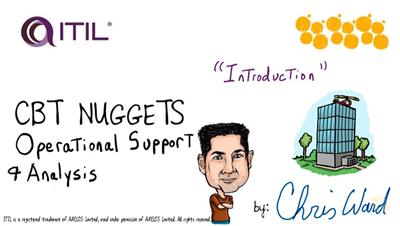
CBT Nuggets - ITIL Intermediate Capability: OSA
Duration: 08:44:37 | Video: h264, yuv420p, 1280x720 | Audio: aac, 22050 Hz, mono | 2.08 GB
Genre: eLearning | Language: English​

As one of the Capability Modules in ITIL®, Operational Support and Analysis (OSA) is one of the primary focuses for an IT service organization. The Service Desk/Help Desk is one of the prime points of contact with customers/end users, and Service Operation is where the services are delivered and supported for your company and your customers. This course helps prepare you to pass the associated Intermediate Level Exam for ITIL® - OSA.

Recommended Experience
ITIL® Foundations Certificate required
2-3 years experience in IT Support and/or ITSM development
Understanding of IT Service Management (ITSM)
Recommended Equipment
None
Related Certifications
ITIL® - Intermediate certificate (OSA)
Applies toward the credits necessary for ITIL® - Expert certification
Related Job Functions
IT Service Manager
IT Help Desk/Service Desk Manager
IT Help Desk/Service Desk Personnel
Senior Management in an IT Service based organization
Chris Ward has been a CBT Nuggets trainer since 2006 and is an ITIL® - Expert certified trainer with experience in both IT and project management. He holds several IT-based certifications including MCSE: Communications, MCSE: Server Infrastructure, and is a PMP certified project manager.

Recommend Download Link Hight Speed | Please Say Thanks Keep Topic Live ​
 

69f5e618de39ab68b19908ff7d875737.jpg

CBT Nuggets - Microsoft Excel 2016 Training Video
Duration: 06:41:51 | Video: h264, yuv420p, 1280x720 | Audio: aac, 22050 Hz, mono | 1.59 GB
Genre: eLearning | Language: English | Project Files​

This Microsoft video training with Microsoft Office trainer Simona Millham covers how to use the latest version of Microsoft's spreadsheet package, with real-world examples taken from a business environment.

This course is designed to take a user with very few spreadsheet skills right through to becoming an advanced user of Microsoft Excel 2016. Beginning with spreadsheet basics, this course quickly progresses to more advanced functionality such as number formats, data visualization, charts, lists, PivotTables, What-If Analysis, Forecasting, 3D maps, templates, forms, and more. Even competent users of Excel can expect to pick up lots of tips and tricks along the way.screenshot

Recommended Experience
Some familiarity with Microsoft Windows
Recommended Equipment
Computer running Windows 7 or later
Any edition of Microsoft Office 2016 or an Office 365 plan which includes Microsoft Office. (Note: Excel 2016 acquired through the home editions of Office 2016 or Office 365 has slightly reduced functionality. This will be highlighted during the course.)
Related Certifications
None
Related Job Functions
Any
Simona Millham has been a CBT Nuggets trainer since 2015 and holds a variety of Microsoft certifications, including Microsoft Office Master, and Microsoft Certified Professional qualifications in Licensing and Software Asset Management.

Recommend Download Link Hight Speed | Please Say Thanks Keep Topic Live ​
 

b43a20696a4aded2cc4f66de3ad086f8.jpg

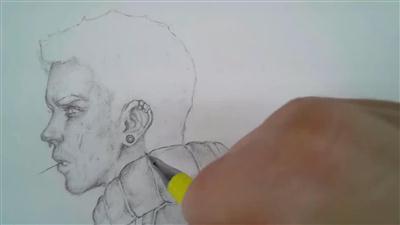
CGCookie - Important Drawing Tips
11 min | Video: h264, yuv420p, 1920x1080 | Audio: aac, 44100 Hz, 2 ch | 394 MB
Genre: eLearning | Language: English | Level: Intermediate​

If you're looking to better understand the fundamentals of art such as Value, Lighting, or Color then I would recommend following our Art Fundamental Flow. These tips go further with looking at Contrast, Size Relation and Creating a Personal Style.

The best tip above all is this: PRACTICE. You may have heard the saying, "You must first get through 10,000 crap drawings before producing anything worth while. So no matter what level you are at, it will never hurt to keep drawing and push yourself to refine your pieces. This could be within the edge control or a more balanced shading. Keep your art fresh and you will enjoy the process that much more! Also if there is a question you may have about Traditional work, let me know below. You never know if I may pick to answer one of those questions in the form of a short tutorial to add to this list!

Recommend Download Link Hight Speed | Please Say Thanks Keep Topic Live ​
 

84c7d3f0333d0de4588c2a43d96e2325.jpg

CGSociety - Abstract Effects in Houdini
8 Week | Video: h264, yuv420p, 1920x1080 | Audio: aac, 48000 Hz, 2 ch | 6.9GB
Genre: eLearning | Language: English | Project Files Included​

Houdini is a very powerful tool used to create procedural and complicated effects, offering unprecedented levels of flexibility and control which will enhance the way you work creatively.

Through out this 8 week CGWorkshop, Niels will teach you how to utilize the conventional elements of this software, how to combine them, easily and efficiently to create abstract and creative results.

The main purpose of this course is for you to experiment and have fun with this tool! Points, Particles, Voxelizing techniques, L-Systems, Mantra techniques... these are just some of the topics that you will cover.

From really abstract effects through to motion design, you will be able to see how limitless the possibilities are as you explore all the dynamic aspects that Houdini has on offer.

Recommend Download Link Hight Speed | Please Say Thanks Keep Topic Live ​
 

6a7b4a2565476fb80756a5a379cea187.jpg

Charles Floate - Building An Affiliate SEO Business (2016)
WEBRip | English | MP4 + PDF Guides | 1208 x 680 | AVC ~98 kbps | 23.976 fps
AAC | 152 Kbps | 44.1 KHz | 2 channels | ~5 hours | 669 MB​

Genre: eLearning Video / Business, Net: Advertising, Web Traffic
Before we get into the rest of this text, I just wanted to make it abundantly clear that though this page is a sales page for this course... It goes from trying to sell you something, to telling you a rather long, detailed story very quickly. Learn How I Build Affiliate Sites That Make Me Over $30,000 Per Month PROFIT I know, you've heard it all before... People saying they make $xx,xxx a month with "this one simple hack" or "4 hours work a week" but it's bullshit.

I work from home, I work upwards of 50 hours a week, and it took me MONTHS of hard work to get to where I am - It's going to take you a lot of hard work to get there too... but once you get there, you'll have real freedom.

This course is for those with real work ethic - The people who don't want to have a boss, the people who want to be able to go on vacation 12 times a year, but will work from the beach.

That's enough about the mindset you'll need for this course... Let's get into what's actually inside.

What Will I Get Out Of This Course?

I've developed a 6 stage course that'll help you go from start to finish with building an affiliate site, ranking it, growing it, making bank and eventually selling the site for upwards of 6 figures - All backed up with real sites making real money.

But If You're Making So Much Money, Why Would You Do A Course?

It's quite simple really, it's good business - If you can make a 5 figure a month income with 15 hours a week work, then it makes sense to use the other 35 hours of work-time a week to make even more, and if you can grow a community, make some money and network with great people... It's completely worth it.

Believe it or not, my affiliate empire didn't prop up over night, and I was once working my ass off in a 9 to 5 agency job building someone else's client base with little reward for yourself... I decided to give up on what was a lot of security, to chase a wild dream of building out sites to passively fund a better lifestyle - I would of made that decision in a heart beat if I knew I had a solid plan and someone to follow who'd already done it.

Still Not Convinced? Here's EXACTLY What Buying A Membership Gets You:
The Full Course. A Step-by-Step Plan to building your own affiliate empire, with a huge amount of detail, hours of videos, walls of information and weekly updates, with a full development log so you can see what's changed. The Private Facebook Mastermind. A dedicated community of Super Affiliates, Beginners, Members, Full Time SEOs. All discussing the course, joint ventures, affiliate offers and more.
LIVE, Updated Case Studies. Showcasing sites that make 4 and 5 figures per month, from how we built them to how they rank, you'll get all the info in real time. As well as live case studies of brand new sites.
5 EPIC Bonuses. BOTH of my eBooks, A 6,800 word beginners guide to making Adsense sites, an up-to-date "SEO Vendors" list with the vendors I use on my sites and a guide to getting long-term backlinks from Reddit.

Recommend Download Link Hight Speed | Please Say Thanks Keep Topic Live ​

 

1b1acd111f138f893ea7f3d0db6006f2.jpg

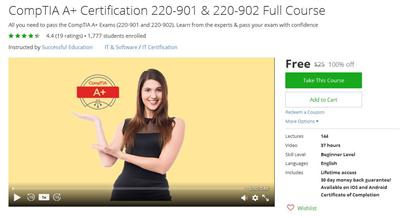
CompTIA A+ Certification 220-901 & 220-902 Full Course (2016)
MP4 | Video: AVC 1280x720 | Audio: AAC 44KHz 2ch | Duration: 37.5 Hours | Lec: 145 | 3.99 GB
Genre: eLearning | Language: English​

All you need to pass the CompTIA A+ Exams (220-901 and 220-902). Learn from the experts & pass your exam with confidence

CompTIA A+ 220-901 and 220-902 Complete Video Course is a unique video product that provides complete coverage of all CompTIA A+ objectives so you can study for and pass the exams. The training provided in this course, which includes the CompTIA A+ 220-901 and CompTIA 220-902 Complete Video Courses, provides targeted and concise training that walks you through a learning path to successfully understand and absorb all key exam concepts.

The modules in this course cover every objective in the CompTIA A+ 220-901 and 220-902 exams and can be used as your resource for learning the material needed to study for and pass both A+ exams.

Nine modules map to the main objectives of the CompTIA A+ 220-901 and 220-902 certifications. The video lessons are broken down into modules and cover the following topics:* Hardware* Networking

* Mobile Devices

* Troubleshooting* Windows Operating Systems

* Other Operating Systems and Technologies* Security* Software Troubleshooting

* Operational Procedures

Recommend Download Link Hight Speed | Please Say Thanks Keep Topic Live ​

 

d9f629bc183c11db06cdb326ffe450d5.jpg

Connect I/O- A SoftPLC
MP4 | Video: AVC 1280x720 | Audio: AAC 44KHz 2ch | Duration: 3.5 Hours | Lec: 20 | 498 MB
Genre: eLearning | Language: English​

A SoftPLC by Real Games which makes Complex Logic Simple

This course contains series of videos to learn Functions of Connect I/O. It includes 12 Lessons which will teach you "How to use Connect I/O"

Following are the topics covered in this Course:

Basic Arithmetic Functions
Making Arithmetic Expressions:
Understanding Primary Gate Functions- OR, AND & NOT
Making Customize Boolean Expressions
Set & Reset Function- SR & RS
Comparison Commands
Timers - TON & TOFF
Counters CTU, CTD & CTUD
Bit to Byte Byte to Bit- Encoding & Decoding
Triggers- Rising Edge & Falling Edge
Assign Function- MOVE Value
DAQ Interface with Connect IO & PLC
Connect I/O is a free SoftPLC which is able to communicate with different types of technologies.

It enables the creation and control of data flows between input and output points. The application can be connected to both software and hardware and will work as a bridge between them.

Engine I/O allows the exchange of data with external applications. This is how Connect I/O interfaces with other Real Games software.

ACCESSIBLE AND EXPANDABLE SOFTWARE

Use most of the IEC 61131-3 Standard function blocks with the SoftPLC included in Connect I/O.The Real Games approach to simulations is to develop an open environment which can be accessed and expanded by anyone.

The Engine I/O is a .NET Framework 2.0 assembly, which enables inter-process communication (IPC) between simulations and external technologies which can be software (MATLAB, LabVIEW...) or hardware (Arduino, PICAXE, etc.).

Recommend Download Link Hight Speed | Please Say Thanks Keep Topic Live ​

 

08b8d8f023919539c926ae8dc14cbad6.jpg

Coursera - Analyzing the Universe
HDRips | MP4/AVC, ~117 kb/s | 960x540 | Duration: ~7 hours | English: AAC, 128 kb/s (2 ch) | Subtitles: English
Size: 1.26 GB | Genre: Astronomy, Cosmology​

Science is really not about looking up facts in an encyclopedia. It is a process that extends what we know into the realm of the unexplored. This can be exciting, certainly; to be able to sneak a peek at the Universe at its strange, awesome, cosmic best. But it is very different from your run-of-the-mill standard "textbook" idea of science. Science is a social, human endeavor.

And as human beings, we crave authenticity. We have seen the trappings of society, we act as if we have mastered technology, and yet we know that something is lacking. We have succumbed to the lure of Ebay, Facebook and Amazon (at least, I know I have!), and yet we remain unsatisfied at some primal level. It's time to peel away the layers of glitzy imagery and use our machines to exploit their ultimate purpose: the capability to process large amounts of data with instructions that we provide, in order to test our ideas about how the Universe seems to behave. In short, to do Science. For the first time, it is possible for the interested student (and we are all students, especially those that have any claim to be considered "learned" , such as the instructor!) to have this experience on-line.

The subject matter for this course will be divided into two broad components which will be interwoven in an interdisciplinary fashion. The first is a general introduction to the physics and astronomy information you will need to understand basic phenomena that occur in the realm of x-ray astrophysics; the second is the presentation of authentic satellite data from various exciting types of x-ray sources, which you will analyze to better understand the working of the high-energy Universe in which we live. There are no prerequisites for this course, other than high-school mathematics (algebra and trigonometry).

I hope you will enjoy your experience in "Analyzing the Universe".

Recommend Download Link Hight Speed | Please Say Thanks Keep Topic Live ​

 

6d23247dd7c73790dd5e3ee476ca68ce.jpg

Lynda - Creating 360-Degree Panoramas and Interactive Tours
Size: 1.97 GB | Duration: 5h 46m | Video: AVC (.mp4) 1280x720 15&30fps | Audio: AAC 48KHz 2ch
Genre: eLearning | Level: Intermediate | Language: English​

Learn how to shoot and develop stunning 360-degree panoramas and interactive virtual tours. Whether you're shooting real estate or outdoor landscapes, the process starts with great raw images. Ron Pepper and Rich Harrington discuss the gear you need to get good 360-degree shots, including camera, lens, and tripod options, and share tips for shooting both standard and HDR images. Then they demonstrate post-processing techniques that use popular applications like Photoshop, Lightroom, and Photomatix Pro, and dedicated stitching software such as PTGui. Once the images are developed, you'll discover how to share interactive images and virtual tours online with services such as Roundme and Spinattic or your own web server.

Topics include:
* Uses for 360-degree images
* Creating spherical, cylindrical, and cubical projections
* Shooting 360-degree images with different types of cameras and lenses
* Choosing a tripod
* Controlling the camera remotely
* Positioning the camera on the tripod head
* Setting up the camera
* Shooting 360-degree images
* Using a helicopter or drone
* Stacking photos
* Developing panoramic images in Camera Raw and Photoshop
* Developing spherical panoramic images with Lightroom
* Processing panoramic images with PTGui and Photomatix
* Viewing and sharing interactive panoramas

Recommend Download Link Hight Speed | Please Say Thanks Keep Topic Live ​

 

f9986dc3191f1502d12ddce763df7722.jpg

Creating a Custom Typeface in Illustrator and FontForge
Duration: 2hr 4m | Video: h264, yuv420p, 1280x720 30fps | Audio: aac, 44100 Hz, 2 ch | 347 MB
Genre: eLearning | Language: English​

In this Illustrator and FontForge tutorial, we'll go through the steps of creating a custom typeface.

We'll start by defining the need for our typeface and what we want it to look like. Then we'll then begin sketching out our glyphs in Photoshop. Once we're happy with our sketches, we'll begin the transition to vector by using Illustrator.

We'll use the Pen tool to Description out the shapes of our glyphs and prepare them for a font editor. We'll then get the feel for how FontForge works by importing our vector glyphs and making adjustments. Once we are happy with the glyphs we create, we'll learn what we need to do in FontForge to export as an OpenType font.

By the end of this Illustrator and FontForge training, you'll have an understanding of what it takes to make your own slab serif and brush script.

Recommend Download Link Hight Speed | Please Say Thanks Keep Topic Live ​

 
Zurück
Oben Unten