• Regeln für den Video-Bereich:

    In den Börsenbereich gehören nur Angebote die bereits den Allgemeinen Regeln entsprechen.

    Einteilung

    - Folgende Formate gehören in die angegeben Bereiche:
    - Filme: Encodierte Filme von BluRay, DVD, R5, TV, Screener sowie Telesyncs im Format DivX, XviD und x264.
    - DVD: Filme im Format DVD5, DVD9 und HD2DVD.
    - HD: Encodierte Filme mit der Auflösung 720p oder darüber von BluRay, DVD, R5, TV, Screener sowie Telesyncs im Format x264.
    - 3D: Encodierte Filme von BluRay, die in einem 3D Format vorliegen. Dies gilt auch für Dokus, Animation usw.
    - Serien: Cartoon/Zeichentrick, Anime, Tutorials, Dokumentationen, Konzerte/Musik, Sonstiges sind demnach in die entsprechenden Bereiche einzuordnen, auch wenn sie beispielsweise im High Definition-Format oder als DVD5/DVD9/HD2DVD vorliegen. Ausnahme 3D.
    - Bereich Englisch: Englische Releases gehören immer in diesen Bereich.
    - Bereich Talk: Der Bereich, in dem über die Releases diskutiert werden kann, darf, soll und erwünscht ist.


    Angebot/Beitrag erstellen

    - Ein Beitrag darf erst dann erstellt werden, wenn der Upload bei mindestens einem OCH komplett ist. Platzhalter sind untersagt.
    - Bei einem Scenerelease hat der Threadtitel ausschließlich aus dem originalen, unveränderten Releasenamen zu bestehen. Es dürfen keine Veränderungen wie z.B. Sterne, kleine Buchstaben o.ä. vorgenommen werden. Ausnahme Serienbörse:
    - Bei einem Sammelthread für eine Staffel entfällt aus dem Releasename natürlich der Name der Folge. Beispiel: Die Simpsons S21 German DVDRip XviD - ITG
    - Dementsprechend sind also u.a. verboten: Erweiterungen wie "Tipp", "empfehlenswert", "only", "reup", usw. / jegliche andere Zusatzinformation oder Ergänzung, welche nicht in obiger Beschreibung zu finden ist.

    Aufbau des Angebots und Threadtitel

    Der Titel nach folgendem Muster erstellt zu werden. <Name> [3D] [Staffel] [German] <Jahr> <Tonspur> [DL] [Auflösung] <Quelle> <Codec> - <Group>
    Beispiel: The Dark Knight German 2008 AC3 DVDRip XviD - iND
    Beispiel: The Dark Knight 2008 DTS DL BDRip x264 - iND
    Beispiel: The Dark Knight 2008 AC3 DL BDRip XviD - iND
    Beispiel: The Dark Knight German 2008 AC3 720p BluRay x264 iND
    Beispiel: The Dark Knight 2008 DTS DL 1080p BluRay x264 iND
    Beispiel: Die Simpsons S01 German AC3 DVDRip XviD iND
    Beispiel: Die Simpsons S20 German AC3 720p BluRay x264 iND
    Beispiel: Sword Art Online II Ger Sub 2014 AAC 1080p WEBRip x264 - peppermint
    Entsprechend sind also u.a. verboten: Sonderzeichen wie Klammern, Sterne, Ausrufezeichen, Unterstriche, Anführungszeichen / Erweiterungen wie "Tipp", "empfehlenswert", "only", "reup", usw. / jegliche andere Zusatzinformation oder Ergänzung, welche nicht in obiger Beschreibung zu finden ist
    Ausnahmen hiervon können in den Bereichen geregelt sein.

    Die Beiträge sollen wie folgt aufgebaut werden:
    Überschrift entspricht dem Threadtitel
    Cover
    kurze Inhaltsbeschreibung
    Format, Größe, Dauer sind gut lesbar für Downloader außerhalb des Spoilers zu vermerken
    Nfo sind immer Anzugeben und selbige immer im Spoiler in Textform.
    Sind keine Nfo vorhanden z.B. Eigenpublikationen, sind im Spoiler folgende Dateiinformationen zusätzlich anzugeben :
    Quelle
    Video (Auflösung und Bitrate)
    Ton (Sprache, Format und Bitrate der einzelnen Spuren)
    Untertitel (sofern vorhanden)
    Hosterangabe in Textform außerhalb eines Spoiler mit allen enthaltenen Hostern.
    Bei SD kann auf diese zusätzlichen Dateiinformationen verzichtet werden.

    Alle benötigten Passwörter sind, sofern vorhanden, in Textform im Angebot anzugeben.
    Spoiler im Spoiler mit Kommentaren :"Schon Bedankt?" sind unerwünscht.


    Releases

    - Sind Retail-Release verfügbar, sind alle anderen Variationen untersagt. Ausnahmen: Alle deutschen Retail-Release sind CUT, in diesem Fall sind dubbed UNCUT-Release zulässig.
    - Im Serien-Bereich gilt speziell: Wenn ein Retail vor Abschluss einer laufenden Staffel erscheint, darf diese Staffel noch zu Ende gebracht werden.62
    - Gleiche Releases sind unbedingt zusammenzufassen. Das bedeutet, es ist zwingend erforderlich, vor dem Erstellen eines Themas per Suchfunktion zu überprüfen, ob bereits ein Beitrag mit demselben Release besteht. Ist dies der Fall, ist der bereits vorhandene Beitrag zu verwenden.
    - P2P und Scene Releases dürfen nicht verändert oder gar unter einem iND Tag eingestellt werden.


    Support, Diskussionen und Suche

    - Supportanfragen sind entweder per PN oder im Bereich Talk zu stellen.
    - Diskussionen und Bewertungen sind im Talk Bereich zu führen. Fragen an die Uploader haben ausschließlich via PN zu erfolgen, und sind in den Angeboten untersagt.
    - Anfragen zu Upload-Wünschen sind nur im Bereich Suche Video erlaubt. Antworten dürfen nur auf Angebote von MyBoerse.bz verlinkt werden.


    Verbote

    - Untersagt sind mehrere Formate in einem einzigen Angebotsthread, wie beispielsweise das gleichzeitige Anbieten von DivX/XviD, 720p und 1080p in einem Thread. Pro Format, Release und Auflösung ist ein eigener Thread zu eröffnen.
    - Grundsätzlich ebenso verboten sind Dupes. Uploader haben sich an geeigneter Stelle darüber zu informieren, ob es sich bei einem Release um ein Dupe handelt.
    - Gefakte, nur teilweise lauffähige oder unvollständige Angebote sind untersagt. Dies gilt auch für eigene Publikationen, die augenscheinlich nicht selbst von z.B. einer DVD gerippt wurden. Laufende Serien, bei denen noch nicht alle Folgen verfügbar sind, dürfen erstellt und regelmäßig geupdatet werden.
    - Untersagt sind Angebote, welche nur und ausschließlich in einer anderen Sprache als deutsch oder englisch vorliegen. Ausnahmen sind VORHER mit den Moderatoren zu klären.


    Verstoß gegen die Regeln

    - Angebote oder Beiträge, die gegen die Forenregeln verstoßen, sind über den "Melden"-Button im Beitrag zu melden.
  • Bitte registriere dich zunächst um Beiträge zu verfassen und externe Links aufzurufen.


Englische Tutorials


c0d18c4729b55f341bec07737eba9355.jpg


Coursera - Java for Android - Part 1 of 5 from Android App Development Specialization

English | Size: 890.04 MB (933,278,335 Bytes)​

Category: CBTs
Thanks for joining Java for Android, which is the first MOOC in our Android App Development Specialization. This MOOC teaches you how to program core features and classes from the Java programming language that are used in Android, which is the dominant platform for developing and deploying mobile device apps.

This MOOC covers key Java programming language features that control the flow of execution through an app (such as Java's various looping constructs and conditional statements), enable access to structured data (such as Java's built-in arrays and common classes in the Java Collections Framework, such as ArrayList and HashMap), group related operations and data into classes and interfaces (such as Java's primitive and user-defined types, fields, methods, generic parameters, and exceptions), customize the behavior of existing classes via inheritance and polymorphism (such as subclassing and overriding virtual methods). You'll apply these Java features in the context of core Android components (such as Activities and basic UI elements) by applying common tools (such as Android Studio) needed to develop Java programs and useful Android apps.

This MOOC is intended for beginners to computer programming or new to the Java programming language who want to develop apps for the Android platform. Thus there are no specific prerequisites for this MOOC. The class will primarily consist of lecture videos, which are generally between 5 and 15 minutes in length. Additional MOOC activities include short quizzes, auto-graded programming assignments, peer review assignments, and online discussions. We've organized all these topics into units that represent roughly 4-6 hours of work each each. If you choose not to follow this pace, however, you are welcome to move through the MOOC at your own pace, participating as much or as little as fits your needs.

We look forward to your participation!
Julie Johnson, Jerry Roth, Doug Schmidt, and Michael Walker

Recommend Download Link Hight Speed | Please Say Thanks Keep Topic Live ​

 

2094a2c7dd86fb91460d8c3502b6ea7e.jpg


CreativeLive - Customize Photoshop's Panels, Shortcuts and Menus with Dave Cross
English | Size: 1.3GB
Category: Tutorial​

Make Photoshop Look And Feel The Way That Works Best For You.

4ac7764f68e96ae4fb14984491d9d779.jpg


Photoshop can feel complicated and time-consuming if you don't have it set up to assist you for the way you work. Learn how to speed up your image editing work in Customize Photoshop's Panels, Shortcuts, and Menus with Dave Cross.

The two key ways to speed up your work in Photoshop are to use presets and make the Photoshop workspace look and feel the way that works best for you. You'll learn how to customize your Photoshop process by editing menus, adding keyboard shortcuts, using Photoshop's Workspace features, and creating and using all kinds of presets. You'll be working more efficiently and seamlessly in no time.
​

Recommend Download Link Hight Speed | Please Say Thanks Keep Topic Live [/center]

 

28787c40c2e9dc66fbe7a3590fe56d01.jpg


creativeLIVE - Revitalize Your Workflow with Lightroom 5
English | Size: 2.44 GB
Category: Tutorial​

Ready to drastically reduce your post-production workflow? In this 2-day workshop, Julieanne Kost, the Principal Digital Imaging Evangelist for Photoshop and Lightroom at Adobe Systems, will show you how to save time every step of the way, from importing raw images to exporting expertly enhanced photographs - and everything in between.

Julieanne will teach you how to streamline the import process, create a simple organizational structure, and edit a shoot efficiently and seamlessly. You will learn the key tools to enhance your photographs, correct color and tonal values, customize your color to black and white conversion, and even add special effects such as selective coloring, split toning, and vintage looks.

Julieanne will also demonstrate how and when to move images from Lightroom into Photoshop for further enhancements, and outline how to easily create slideshows, photo books, and templates for printing. By the end of this class, you'll understand key tools and strategies for streamlining your workflow while creating stunning images.

CAPPERS NOTE: I have capped this differently to my previous work, it uses the 720p HD stream right from CL and then transcoded to a .MKV, I think this gives a better image than capping the 480p stream and just cutting out the breaks, it also gives a substantial saving on file size, please watch and then comment.

BIO:
Julieanne Kost is Principal Digital Imaging Evangelist for Photoshop and Lightroom at Adobe Systems, founder of jkost.com, publisher of the Daily Photoshop and Lightroom Tip (blogs.adobe.com/jkost), host of "The Complete Picture" a bimonthly instructional training program featuring Lightroom and Photoshop on AdobeTV, author of "Window Seat - The Art of Digital Photography and Creative Thinking" and author of Photoshop CS6 Essential Training with Lynda.com.

Session 1 October 12, 2013
Day 1 - Pre-show
9:00 am - Importing & Organizing Images
9:45 am - Locating & Renaming Files
10:45 am - Select, Rate, & Prioritize Images
11:15 am - Color Labels & Filters
11:30 am - Custom Collections & Keywords
12:45pm - Q&A and The Develop Module
1:15 pm - Straightening & Cropping Images
1:45 pm - Enriching Color & Toning Values
2:30 pm - Using Adjustment Filters
3:00pm - Editing in Greyscale & Adding Vignettes
3:30pm - Working with Presets, Filters, & Effects
3:45 pm - Snapshots, Smart Objects & Soft Proofing
Day 1 - Wrap-Up

Session 2 October 13, 2013
Day 2 Pre-Show
9:00 am - Q's from Day 1
9:30 am - Export and Edit In
10:00 am - Export or Edit In Pt 2
11:00 am - Preparing Images for Print
11:30 am - Preparing Images for Print Pt 2
1:00 pm - Publishing Your Photography
1:45 pm - Publishing Your Photography Pt 2
2:30 pm - The Crunch Bits
3:15 pm - The Crunch Bits Pt 2
Wrap-Up

Recommend Download Link Hight Speed | Please Say Thanks Keep Topic Live ​
 

8f5bd1a8b0bbc3bfd089adb90cb361fc.jpg


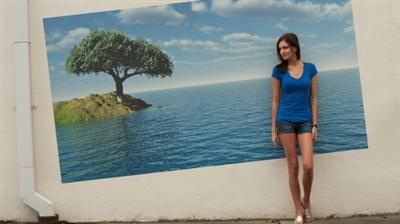
Dane Maxwell - How To Start An Automated $1,000 Per Month Business [(30MP4+ 21 PDF+ 2TXT+ 2MOV+ 2MP3+ 1M4A+ 4DOC+ 1XLSX+ 8PNG)]
English | Size: 1.81 GB (1,948,368,238 bytes)
Category: Small Business / Entrepreneurs​

Would you like the chance be part of an extremely limited test pilot program... that will help you make $1,000 per month on the side?

The last pilot program I ran was 4 years ago, and The Foundation was born from it.

This opportunity likely won't happen again for another few years.

This is a chance for you to work closely with me and get personal guidance.

If you're interested in owning a $1,000 per month business on the side, and you have 5 to 10 hours per week, this course is perfect for you.

This program starts October 8th, and runs for 60 days.

Where can your life be by December 8th just before christmas?

My good friend Nick runs this business in a box you're about to learn and earns an automatic $4,000 a month with only $50 per month in expenses. $3950 in profit.

He's a full time employee who loves his job, but wants the extra income on the side so his wife can stay at home and take care of their baby. Maybe you don't have a wife or a baby. But the point is... you can do whatever you want

Recommend Download Link Hight Speed | Please Say Thanks Keep Topic Live ​

 

f67933c9f9912cd9a5468104a334df73.jpg

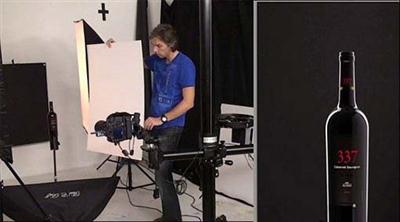
Dark Glass Bottle of Wine: Product Photography
MP4 | Video: AVC 1280x720 | Audio: AAC 44KHz 2ch | Duration: 48M | 798 MB
Genre: eLearning | Language: English​

Catalog Product Photography is a series of videos that will take you through various real-world situations of photographing products in the studio.

By working through four main scenarios you will gain a fundamental grasp of working with different lighting situations as they present themselves. These are step-by-step demonstrations that are shown in free-form mode.

This means that you will see how the process works in real life where you diagnose the problems and learn how to solve them.

You will begin with a through look at studio lighting, cameras, lenses, support, and all of the other items that will come in handy when working in the studio.

At this point, you are not required to have all of this gear, but by gaining an understanding of what is available, you will be in a better position to know what you may need for a particular shot.

Recommend Download Link Hight Speed | Please Say Thanks Keep Topic Live ​

 

f66624f157e2ecd84679a6dc674916b4.jpg

Getting Started with Docker (August 2016)
August 2016 | MP4 | Video: AVC 1280x720 | Audio: AAC 44KHz 2ch | Duration: 2 Hours | Lec: 23 | 398 MB
Genre: eLearning | Language: English​

This course will get learners quickly up to speed with the fundamentals of Docker and containers. The course includes major new features introduced in Docker 1.12, including Swarm mode, services, and stacks.

There have been some major changes to Docker that were introduced with Docker 1.12, and this course, , will help get you up to speed. You'll start with installing Docker on the most common development and production platforms - Windows and Mac laptops, Windows Server 2016, and Linux. Next, you'll get to see some fundamental concepts of containers and images, including how to perform common management tasks. You'll also spend a good deal of time covering all the new stuff introduced with Docker 1.12, including Swarm mode, services, scaling, rolling updates, stacks, and distributed application bundles. After this course, you'll be up and running with some of the game-changing improvements announced with Docker 1.12 and have a solid understanding of the fundamentals of Docker.

Recommend Download Link Hight Speed | Please Say Thanks Keep Topic Live ​
 

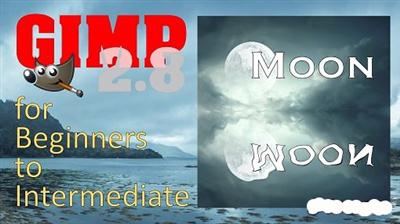
9f452120f5f308cd6d711e21fd9eaa7b.jpg

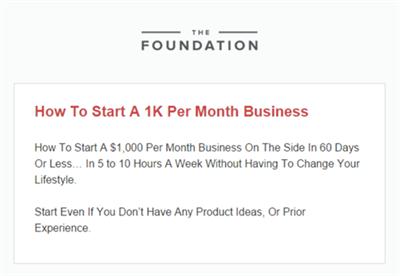
GIMP for Beginners to Intermediate: Tips and Tricks
Duration: 29m | Video: h264, yuv420p, 1280x720 30fps | Audio: aac, 44100 Hz, 2 ch | 332 MB
Genre: eLearning | Language: English​

In this class, I attempt to bridge the gap between GIMP for Beginners and Intermediate level GIMP by discussing some of the most useful advanced features you need to know. In this class we'll address the following topics:

In this class we'll address the following topics:
Circular Text
Text Along a Path
Layer Groups
Reflection and Water Effects
Clone Tool

Recommend Download Link Hight Speed | Please Say Thanks Keep Topic Live ​
 

48bc38667e51a572bfa724ba66926ba5.jpg

Grow as an Artist: Color Confidence
Duration: 34m | Video: h264, yuv420p, 1280x720 30fps | Audio: aac, 44100 Hz, 2 ch | 221 MB
Genre: eLearning | Language: English​

No more piles of ugly 'what color is THAT?' We will work through some color theory together so you feel confident in knowing how to achieve just the right color mix for your painting.

I studied color mixing for almost three years and know exactly what color I will get when mixing my paint. That knowledge allows me to concentrate on other areas of my painting practice, like composition. In this class I am going to share what I learned with you.

What You Will Learn:
About paint quality.
Which paints to use to get 'clean' color mixes.
Understand why you sometimes mix 'mud'.
How to use complimentary colors.
Warm and Cool colors and why they are important.
How to mix neutrals and grays that sparkle.
How to use value successfully.

Recommend Download Link Hight Speed | Please Say Thanks Keep Topic Live ​
 

9344ac6d7c7f4d58c470dc59b16cb1da.jpg

How to Create Stunning Logos and Effects! ~ NO Photoshop ~ AMAZING RESULTS!
Duration: 50m | Video: h264, yuv420p, 1280x720 30fps | Audio: aac, 44100 Hz, 2 ch | 139 MB
Genre: eLearning | Language: English​

n these classes I will show you Step by Step - How to Create
Stunning Logos and Effects so you can do the same with your
projects and the best part to create is all for FREE!
- Friendly reminder - To Create is All for FREE!
- Do NOT require Photoshop!
- Do NOT require Adobe Illustrator!
- It is super fast!
- No needs to hire anyone (saving you lots of $$$$)
- This method is perfect whether your a beginner or a veteran.

What can you do with this?
- Create Logos for all your websites.
- Create Banners for all your websites.
- Create Unique Images for all you websites.
- Create Special Effects for all your websites.
- Create your own unique cover images for sites like Skillshare, Facebook and other media sites.
- Plus Much - Much More! (Amazing)

Recommend Download Link Hight Speed | Please Say Thanks Keep Topic Live ​
 

b78cd5a425d27ccd42bd7d10c754ae29.jpg

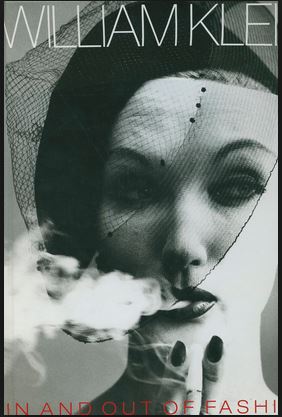
In and Out of Fashion Photography
MP4 | Video: AVC 1280x720 | Audio: AAC 44KHz 2ch | Duration: 1.5 Hours | 4.32 GB
Genre: eLearning | Language: English​

The legendary photographer William Klein has designed this fascinating book on fashion photography, with a selection of images from throughout his career, including material from his films. Though Klein claims roots in areas as diverse as painting, street photography, the tabloids, and B movies, his fashion work has been known since the fifties and sixties and has been a constant in his career.

Recommend Download Link Hight Speed | Please Say Thanks Keep Topic Live ​
 

64d7bb272a3cf9cfd12deec41c760db0.jpg


ITProTV VMware Certified Associate 6 VCA6-DCV
English | Size: 3.05 GB
Category: VMware​

The VCA6 show dives into data center virtualization fundamentals and featuring vSphere 6 as the solution. It helps the candidate of the VCA6-DCV certification by discussing and demonstrating VMWare's data center virtualization technology. The demonstrations and the discussion in each episode go into to identifying the technical requirements for managing the VMWare vSphere 6 environment. The segments focus on data center challenges and understanding what VMWare products and solutions can be used to meet those requirements.


Recommend Download Link Hight Speed | Please Say Thanks Keep Topic Live ​

 

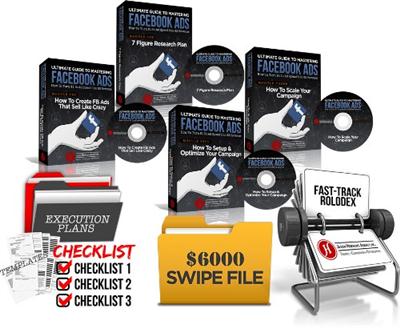
ab3d1d6d9acd942a2c46f72216b3fd55.jpg


Jason Hornung - Ultimate Guide to Mastering FB Ads [53 Videos (MP4) + 17 Audios (MP3) + 57 eBooks (PDF + XLS + GIF + HTML)]
English | Size: 2.57 GB (2,764,847,592 bytes)
Category: Sales / Marketing​

What you get:

- 7 Guru Funnel Models
- 17 Native Advertising Secrets - Facebook
- Conversion Optimization Secrets
- P.A.C.E Formula For Facebook Ads
- Retargeting Secrets
- Secret Order Of Traffic & Conversion
- Ultimate Guide To Mastering Facebook Ads


Recommend Download Link Hight Speed | Please Say Thanks Keep Topic Live ​
 
Zurück
Oben Unten