• Regeln für den Video-Bereich:

    In den Börsenbereich gehören nur Angebote die bereits den Allgemeinen Regeln entsprechen.

    Einteilung

    - Folgende Formate gehören in die angegeben Bereiche:
    - Filme: Encodierte Filme von BluRay, DVD, R5, TV, Screener sowie Telesyncs im Format DivX, XviD und x264.
    - DVD: Filme im Format DVD5, DVD9 und HD2DVD.
    - HD: Encodierte Filme mit der Auflösung 720p oder darüber von BluRay, DVD, R5, TV, Screener sowie Telesyncs im Format x264.
    - 3D: Encodierte Filme von BluRay, die in einem 3D Format vorliegen. Dies gilt auch für Dokus, Animation usw.
    - Serien: Cartoon/Zeichentrick, Anime, Tutorials, Dokumentationen, Konzerte/Musik, Sonstiges sind demnach in die entsprechenden Bereiche einzuordnen, auch wenn sie beispielsweise im High Definition-Format oder als DVD5/DVD9/HD2DVD vorliegen. Ausnahme 3D.
    - Bereich Englisch: Englische Releases gehören immer in diesen Bereich.
    - Bereich Talk: Der Bereich, in dem über die Releases diskutiert werden kann, darf, soll und erwünscht ist.


    Angebot/Beitrag erstellen

    - Ein Beitrag darf erst dann erstellt werden, wenn der Upload bei mindestens einem OCH komplett ist. Platzhalter sind untersagt.
    - Bei einem Scenerelease hat der Threadtitel ausschließlich aus dem originalen, unveränderten Releasenamen zu bestehen. Es dürfen keine Veränderungen wie z.B. Sterne, kleine Buchstaben o.ä. vorgenommen werden. Ausnahme Serienbörse:
    - Bei einem Sammelthread für eine Staffel entfällt aus dem Releasename natürlich der Name der Folge. Beispiel: Die Simpsons S21 German DVDRip XviD - ITG
    - Dementsprechend sind also u.a. verboten: Erweiterungen wie "Tipp", "empfehlenswert", "only", "reup", usw. / jegliche andere Zusatzinformation oder Ergänzung, welche nicht in obiger Beschreibung zu finden ist.

    Aufbau des Angebots und Threadtitel

    Der Titel nach folgendem Muster erstellt zu werden. <Name> [3D] [Staffel] [German] <Jahr> <Tonspur> [DL] [Auflösung] <Quelle> <Codec> - <Group>
    Beispiel: The Dark Knight German 2008 AC3 DVDRip XviD - iND
    Beispiel: The Dark Knight 2008 DTS DL BDRip x264 - iND
    Beispiel: The Dark Knight 2008 AC3 DL BDRip XviD - iND
    Beispiel: The Dark Knight German 2008 AC3 720p BluRay x264 iND
    Beispiel: The Dark Knight 2008 DTS DL 1080p BluRay x264 iND
    Beispiel: Die Simpsons S01 German AC3 DVDRip XviD iND
    Beispiel: Die Simpsons S20 German AC3 720p BluRay x264 iND
    Beispiel: Sword Art Online II Ger Sub 2014 AAC 1080p WEBRip x264 - peppermint
    Entsprechend sind also u.a. verboten: Sonderzeichen wie Klammern, Sterne, Ausrufezeichen, Unterstriche, Anführungszeichen / Erweiterungen wie "Tipp", "empfehlenswert", "only", "reup", usw. / jegliche andere Zusatzinformation oder Ergänzung, welche nicht in obiger Beschreibung zu finden ist
    Ausnahmen hiervon können in den Bereichen geregelt sein.

    Die Beiträge sollen wie folgt aufgebaut werden:
    Überschrift entspricht dem Threadtitel
    Cover
    kurze Inhaltsbeschreibung
    Format, Größe, Dauer sind gut lesbar für Downloader außerhalb des Spoilers zu vermerken
    Nfo sind immer Anzugeben und selbige immer im Spoiler in Textform.
    Sind keine Nfo vorhanden z.B. Eigenpublikationen, sind im Spoiler folgende Dateiinformationen zusätzlich anzugeben :
    Quelle
    Video (Auflösung und Bitrate)
    Ton (Sprache, Format und Bitrate der einzelnen Spuren)
    Untertitel (sofern vorhanden)
    Hosterangabe in Textform außerhalb eines Spoiler mit allen enthaltenen Hostern.
    Bei SD kann auf diese zusätzlichen Dateiinformationen verzichtet werden.

    Alle benötigten Passwörter sind, sofern vorhanden, in Textform im Angebot anzugeben.
    Spoiler im Spoiler mit Kommentaren :"Schon Bedankt?" sind unerwünscht.


    Releases

    - Sind Retail-Release verfügbar, sind alle anderen Variationen untersagt. Ausnahmen: Alle deutschen Retail-Release sind CUT, in diesem Fall sind dubbed UNCUT-Release zulässig.
    - Im Serien-Bereich gilt speziell: Wenn ein Retail vor Abschluss einer laufenden Staffel erscheint, darf diese Staffel noch zu Ende gebracht werden.62
    - Gleiche Releases sind unbedingt zusammenzufassen. Das bedeutet, es ist zwingend erforderlich, vor dem Erstellen eines Themas per Suchfunktion zu überprüfen, ob bereits ein Beitrag mit demselben Release besteht. Ist dies der Fall, ist der bereits vorhandene Beitrag zu verwenden.
    - P2P und Scene Releases dürfen nicht verändert oder gar unter einem iND Tag eingestellt werden.


    Support, Diskussionen und Suche

    - Supportanfragen sind entweder per PN oder im Bereich Talk zu stellen.
    - Diskussionen und Bewertungen sind im Talk Bereich zu führen. Fragen an die Uploader haben ausschließlich via PN zu erfolgen, und sind in den Angeboten untersagt.
    - Anfragen zu Upload-Wünschen sind nur im Bereich Suche Video erlaubt. Antworten dürfen nur auf Angebote von MyBoerse.bz verlinkt werden.


    Verbote

    - Untersagt sind mehrere Formate in einem einzigen Angebotsthread, wie beispielsweise das gleichzeitige Anbieten von DivX/XviD, 720p und 1080p in einem Thread. Pro Format, Release und Auflösung ist ein eigener Thread zu eröffnen.
    - Grundsätzlich ebenso verboten sind Dupes. Uploader haben sich an geeigneter Stelle darüber zu informieren, ob es sich bei einem Release um ein Dupe handelt.
    - Gefakte, nur teilweise lauffähige oder unvollständige Angebote sind untersagt. Dies gilt auch für eigene Publikationen, die augenscheinlich nicht selbst von z.B. einer DVD gerippt wurden. Laufende Serien, bei denen noch nicht alle Folgen verfügbar sind, dürfen erstellt und regelmäßig geupdatet werden.
    - Untersagt sind Angebote, welche nur und ausschließlich in einer anderen Sprache als deutsch oder englisch vorliegen. Ausnahmen sind VORHER mit den Moderatoren zu klären.


    Verstoß gegen die Regeln

    - Angebote oder Beiträge, die gegen die Forenregeln verstoßen, sind über den "Melden"-Button im Beitrag zu melden.
  • Bitte registriere dich zunächst um Beiträge zu verfassen und externe Links aufzurufen.


Englische Tutorials


5d45376e54109bbb01b129d7a117e64d.jpg

TutsPlus - How to Make Your Theme WooCommerce Compatible
.MP4, AVC, 1500 kbps, 1280x800 | English, AAC, 243 kbps, 2 Ch | 8 mins | 125 MB
Instructor: Rachel McCollin​

WooCommerce is the most popular eCommerce platform on the web and the most popular way of bringing eCommerce to WordPress. If you're authoring a theme for ThemeForest, you should consider WooCommerce compatibility as a way to increase sales. And if you're creating an online store, you might be surprised at how easy it is to add WooCommerce support to any third-party theme.

In this Coffee Break Course, Envato Tuts+ instructor Rachel McCollin will show you how to ensure your theme is compatible with WooCommerce. It only takes a few extra lines in a theme's functions.php file. It's easy to do, and best of all, it even works to add WooCommerce support to a third-party theme.

Recommend Download Link Hight Speed | Please Say Thanks Keep Topic Live ​
 

c434f2c3d31c40a188a891f27a260806.jpg

TutsPlus - Introducing Angular Components
.MP4, AVC, 1000 kbps, 1280x720 | English, AAC, 64 kbps, 2 Ch | 48 mins | 462 MB
Instructor: Dan Wellman​

The Angular team has updated AngularJS 1.5 with some of the new features from version 2. One of the biggest additions is support for Web Components. Web Components are a new standard that allows better architecture of web apps for reuse and encapsulation of UI elements.

In this course you'll learn about using components in Angular. You'll learn about what components are and why they're useful, and you'll take a look at when to use them and when not to. You'll follow along as Dan builds a component by refactoring a directive in an existing Angular application, and you'll also visit some additional component-related subjects to further understand how components can be used.

Recommend Download Link Hight Speed | Please Say Thanks Keep Topic Live ​
 

1b2f72fc1b15ce04376e555750c977b1.jpg

TutsPlus - Twig Template Engine for PHP
.MP4, AVC, 1000 kbps, 1280x720 | English, AAC, 64 kbps, 2 Ch | 13 mins | 133 MB
Instructor: Jeremy McPeak​

Embedding HTML in your PHP is one of the worst decisions you can make. Not only is it a pain to write, it's also a pain to maintain. If you use a fully-fledged framework like Laravel, then you don't have to worry about how HTML is generated. But if you're using bare-metal PHP, you should use a template engine.

In this Coffee Break Course, Envato Tuts+ instructor Jeremy McPeak will introduce you to Twig: a flexible, fast, and secure template engine for PHP. You'll get familiar with its easy-to-learn syntax as Jeremy shows you how to inherit templates and create content blocks.

Recommend Download Link Hight Speed | Please Say Thanks Keep Topic Live ​
 

9985857c26504a3149adc065ad8c6b50.jpg

Lynda - Up and Running with Java Applications Update 8.2016
Size: 392 MB | Duration: 2h 15m | Video: AVC (.mp4) 1280x720 15&30fps | Audio: AAC 48KHz 2ch
Genre: eLearning | Level: Beginner | Language: English​

Get an introduction to Java programming while you learn to develop Java applications for various runtime environments-desktop, web, and mobile-with Eclipse. Author Todd Perkins explains how to configure the development environment, and reviews the basic building blocks of the Java syntax: variables, functions, arrays, conditional statements, classes, and input/output. In chapters 3 and 4, he builds a user interface with the Swing framework, the GUI toolkit for Java, and connects Swing's table components to different data sources. He also covers NetBeans, an alternative IDE for working with JavaServer Pages (JSP), and publishing workflows for desktop applications (via JAR files) and Android apps built with Java.

Recommend Download Link Hight Speed | Please Say Thanks Keep Topic Live ​
 

0dcfb07776581d583de74bd1fac9ff07.jpg

Windows 10: Manage Apps
MP4 | Video: AVC 1280x720 | Audio: AAC 44KHz 2ch | Duration: 2 Hours 25M | 327 MB
Genre: eLearning | Language: English​

Windows 10 is the latest release of Microsoft's flagship desktop operating system, and more apps are being released for the platform every day. The challenge for Windows system admins and help desk professionals is to keep up with users' demands for new apps, and stay on top of frequent software updates. With Azure RemoteApp, and tools such as Hyper-V and Intune, administrators can deploy and manage apps more quickly and efficiently. In this course, James Gonzalez shows how to use Azure RemoteApp to run software such as Office 365 on multiple computers and mobile devices, use Intune for simplified mobile device management, and set up Hyper-V, Microsoft's virtualization solution for running multiple operating systems, apps, and configurations on a single PC.

Note: This course maps to the "Manage apps" domain of the Configure Windows Devices exam 70-697.

Recommend Download Link Hight Speed | Please Say Thanks Keep Topic Live ​
 

bb32a2f1d19be728438e0418a7069b71.jpg


CCIE-RS workbook completely
English | Size: 792.84 MB
Category: Cisco | others​

Incorporating more than 10 years of development history, and revised for the June 2014 CCIE Routing & Switching Version 5 blueprint, INE's CCIE Routing & Switching Workbook continues to set the standard for CCIE Routing & Switching lab preparation.

As the single most comprehensive resource in CCIE lab preparation, INE's CCIE Routing & Switching Workbook features Advanced Technology Labs to learn new technologies in a step-by-step approach, Advanced Foundation Labs to increase your speed and accuracy at core configuration tasks, Advanced Troubleshooting Labs to help you master a structured troubleshooting approach, and Full-Scale Practice Labs to simulate the CCIE Routing & Switching Lab Exam.

Recommend Download Link Hight Speed | Please Say Thanks Keep Topic Live ​
 

6a9b615966025e597afefcc9ab2c7785.jpg


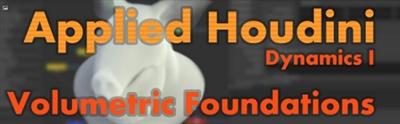
CGCircuit - Applied Houdini Dynamics Volumes 5
English | Size: 386.5MB
Category: Tutorial​

Applied Houdini is a production quality oriented series created by Steven Knipping, currently a Senior Rigid Body Destruction / FX Technical Director at Lucasfilm's Industrial Light & Magic (Star Wars: The Force Awakens, Avengers: Age of Ultron, Tomorrowland). Benefit from production proven workflows while also getting an in depth explanation of why things works they way they do. Best of all - each video is crammed with actual information and footnotes instead of gratuitous talking and dead space.


Recommend Download Link Hight Speed | Please Say Thanks Keep Topic Live ​
 

99aa88f669ceca5cb49787620b9d6e78.jpg


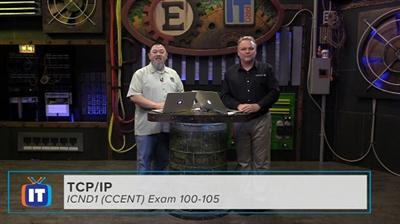
Cisco - Exam 100-105
English | Size: 6 GB
Category: Cisco​

The Accelerated ICND1 show will present fundamental networking theory and helps prepare viewers not only for the exam but working knowledge of how to configure, verify and connect Cisco equipment in a working network. This show is presented at an accelerated pace and highly focused on exam objectives to help the viewer to review the exam objectives for the 100-105 exam. It is a great way to check for exam readiness!


Recommend Download Link Hight Speed | Please Say Thanks Keep Topic Live ​
 

026bab675809262c089c5c990949d881.jpg


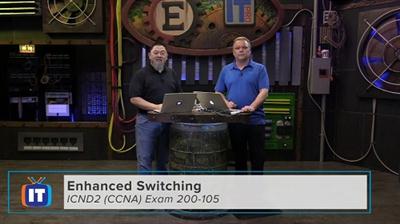
Cisco - Exam 200-105
English | Size: 4.51 GB
Category: Cisco​

This Accelerated Cisco CCNA Routing + Switching show helps candidate review their exam readiness for 200-105 exam. It's a fast paced and hard hitting review of every exam objective for latest CCNA 200-105 exam. The accelerated pace is helpful for those that are ready for the exam and give an in-depth review of each objective you may encounter for CCNA R+S. The episodes can be used as part of building a candidate's knowledge and skills in LAN switching technologies such as trunking, VLAN trunking protocol and dealing with Switching loops along with troubleshooting. IPv4 and IPv6 routing technologies in RIPng, EIGRP and OSPF are also discussed and configured helping the candidate to understand and troubleshoot configuration and routing issues. WAN technologies, infrastructure services, and infrastructure maintenance technologies are also described and configured to help the CCNA candidate not only for the exam but also for business and production use.


Recommend Download Link Hight Speed | Please Say Thanks Keep Topic Live ​
 

c2c562245265313a85996556d092eb0e.jpg

Cisco CCNA Wireless 200-355 WIFUND-PRODEV
MP4 | 1.86 GB | English | 1280 x 720 | 500 kb/s | 15.000 fps | AAC 64.0 kb/s
Genre: Training​

Cisco CCNA Wireless 200-355 WIFUND free by Onhax Dl. This Cisco video training course with Keith Barker covers the fundamentals of Wireless LANs (WLANs), including topics such as the integration of Access Points (APs), WLAN Controllers (WLCs), the implementation of WLAN security, and more.

This course will assist you in obtaining the knowledge and skills to understand and support Cisco WLANs. The skills learned also can be applied to other vendors' WLANs as well, because there are basic concepts, techniques and standards involved, which apply to Wireless Networks, regardless of vendor.

1. Course Introduction (2 min)
2. Wireless Topologies and Vocabulary (19 min)
3. Standards and Regulations (15 min)
4. RF Fundamentals (20 min)
5. SNR (5 min)
6. dBs and Watts (16 min)
7. Applying dB and mW calculations (4 min)
8. Antenna Fundamentals (13 min)
9. WLAN Frame Types (21 min)
10. WLAN Frame Flow (15 min)
11. WLAN Disrupters (8 min)
12. WLC and AP Concepts (9 min)
13. VLAN Mapped to SSIDs Concepts (14 min)
14. Switch Config for AP and WLC (7 min)
15. WLC Deployment Overview (7 min)
16. WLC Deployment Demonstration (17 min)
17. Deploy a WLAN (18 min)
18. Linking APs with WLCs (22 min)
19. AP Modes (17 min)
20. Layer 2 WLAN Roaming (19 min)
21. Layer 3 WLAN Roaming (10 min)
22. LW to Autonomous AP conversion (19 min)
23. Security Concepts Overview (11 min)
24. Implement Basic Security (9 min)
25. 802.1x and EAP Concepts (14 min)
26. Configure 802.1x and EAP (17 min)
27. WPA(2) and 802.11i Concepts (8 min)
28. Implementing 802.11i (12 min)
29. Web Authentication (17 min)
30. WLAN Troubleshooting (22 min)
31. Rogue APs (15 min)
32. WLAN Clients (11 min)
33. Frequencies and 802.11 Prototocols (10 min)
34. MIMO and 802.11n/ac (3 min)
35. Design Considerations (9 min)
36. CLI and GUI Management (8 min)
37. WLAN Deployment Options (4 min)

Recommend Download Link Hight Speed | Please Say Thanks Keep Topic Live ​
 

210356fc23228eefc3b069c649dd15f2.jpg


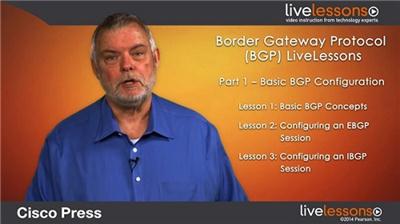
Cisco Press - Border Gateway Protocol BGP LiveLessons
English | Size:
Category: Cisco​

9+ Hours of Video Instruction

In this LiveLessons course, Jeff Doyle provides a practical introduction to Border Gateway Protocol for anyone wishing to understand the basics of BGP on Cisco Routers.

BGP LiveLessons provides a solid understanding of Border Gateway Protocol for anyone wishing to understand the basics of BGP on Cisco Routers. After introducing the fundamental concepts of inter-AS routing and the functions and attributes of Border Gateway Protocol, BGP LiveLessons goes further, offering a sophisticated exploration of BGP-based routing policies so you can access a deeper understanding of the topics. This course is perfect for networking professionals and CCIP and CCIE certification candidates, including those taking the 642-885 SPADVROUTE exam.

78fc11d6d71dd42713a097f9bbfdff4c.jpg


About the Instructor

Jeff Doyle, CCIE #1919, is president of Jeff Doyle and Associates, Inc. He specializes in IP routing protocols, MPLS, and IPv6 and has designed or assisted in the design of large-scale IP service provider networks throughout North America, Europe, and Asia. He is the author of Routing TCP/IP Volumes I and II (Cisco Press), among other books and articles.

Skill Level[/center]

Intermediate

What You Will Learn

Basic BGP concepts and autonomous systems
BGP attributes and the decision process
BGP configuration scaling, policy scaling, and topology scaling

Who Should Take This Course

Working engineers in the Enterprise space who want to expand their knowledge of the Service Provider space
CCIP and CCIE candidates seeking a first exposure to BGP
IT managers in need of a quick understanding of BGP concepts to better manage their engineering teams
Engineers familiar with BGP on other operating systems who wish to learn BGP configuration with IOS

Course Requirements

Understanding of routing concepts
Understanding of IP IGPs
Understanding of IPv4 addresses
A basic understanding of Cisco IOS usage (although not entirely necessary)

Table of Contents

Part 1-Basic BGP Configuration (1 hour 35 minutes)

Lesson 1: Basic BGP Concepts

Lesson 1.1: Basic concepts

Lesson 1.2 Autonomous systems

Lesson 2: Configuring an EBGP Peering Session

Lesson 2.1: Basic elements for establishing a simple BGP session between two peers.

Lesson 2.2: Understanding "show" commands and BGP session states

Lesson 3: Configuring an IBGP Peering Session

Lesson 3.1: Understanding a BGP session between peers in the same AS are discussed

Lesson 3.2: Using a topology with multiple routers within the same AS

Lesson 4: Configuring Multihop EBGP

Lesson 4.1: Using multihop EBGP

Lesson 5: Route Exchange over BGP

Lesson 5.1: Understanding methods for specifying prefixes to be advertised over a BGP session

Lesson 5.2: The routing information databases (RIBs) used by BGP

Lesson 6: Route Aggregation

Lesson 6.1: Methods for advertising aggregated prefixes

Part 2-BGP Policy (2 hours)

Lesson 7: Basic BGP Policy Concepts

Lesson 7.1: BGP Attributes

Lesson 7.2: The Decision

Lesson 8: Route and Prefix Filters

Lesson 8.1: Using Prefix filters

Lesson 8.2: Using Route filters

Lesson 9: AS_Path Filters

Lesson 9.1: Using AS_PATH filters and their application

Lesson 10: Route Maps

Lesson 10:1: Understanding Route Maps as a primary tool for specifying route policies and manipulating BGP path attributes.

Lesson 10:2: Understanding the basic building blocks of route maps

Lesson 11: Using the LOCAL_PREF Attribute

Lesson 11:1: Using the LOCAL-PREF attribute

Lesson 11.2: Configuring LOCAL-PREF

Lesson 12: Using the MED Attribute

Lesson 12.1: Using the MED attribute

Lesson 12.2: Configuring the MED attribute

Lesson 13: AS_PATH Prepending

Lesson 13.1: Understanding AS_PATH prepending

Lesson 13.2: Configuring an AS_PATH prepending policy

Part 3-BGP Scaling (2 hours 10 minutes)

Lesson 14: Basic BGP Scaling Concepts

Lesson 14.1: Understanding basic scaling tools

Lesson 15: Managing Policy Changes

Lesson 15.1: Using BGP session resets destabilizing BGP and the BGP route refresh message

Lesson 16: BGP Communities

Lesson 16.1: Understanding the community attribute

Lesson 16.2: Understanding configuration of policies

Lesson 17: Session and Policy Templates

Lesson 17.1: Using peer groups, configuration, and the problem with peer groups

Lesson 17.2: Session templates

Lesson 17.3: Policy templates

Lesson 18: Using Private AS Numbers

Lesson 18.1: Understanding Private AS Numbers

Lesson 19: Route Reflectors

Lesson 19.1: Introducing route reflectors

Lesson 19.2: Configuring a basic route reflection group cluster

Lesson 20: Confederations

Lesson 20.1: Introducing confederations as another tool for scaling IBGP topologies

Lesson 20.2: Configuring a simple confederation

Lesson 21: Route Dampening

Lesson 21.1: Understanding route dampening as a tool for scaling an AS

Lesson 21.2: Configuring and Example and Demonstrating the effects of the configured dampening on an unstable prefix.

Lesson 22: Mutiprotocol BGP (M-BGP)

Lesson 22.1: Introduction to M-BGP

Lesson 22.2: Configuring M-BGP

Recommend Download Link Hight Speed | Please Say Thanks Keep Topic Live ​

 

261856b6bcaa04f7f0faa360680ca807.jpg


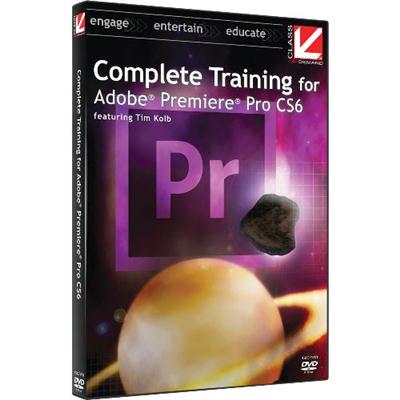
Complete Training for Adobe Premiere Pro CS6 and CC [ 2016 ]

English | Size: 4.76 GB (5,113,061,718 Bytes)​

Category: CBTs
This training will teach you everything you need to know to quickly and easily get started with Adobe Premiere Pro CS6 and Adobe Premiere Pro Creative Cloud. "Complete Training for Adobe Premiere Pro CS6 & CC" covers it all. Follow along with instructor Tim Kolb. Learn to edit like a pro regardless of past software experience! Kolb will guide you through a series of information-packed lessons.


Recommend Download Link Hight Speed | Please Say Thanks Keep Topic Live ​

 
Zurück
Oben Unten