• Regeln für den Video-Bereich:

    In den Börsenbereich gehören nur Angebote die bereits den Allgemeinen Regeln entsprechen.

    Einteilung

    - Folgende Formate gehören in die angegeben Bereiche:
    - Filme: Encodierte Filme von BluRay, DVD, R5, TV, Screener sowie Telesyncs im Format DivX, XviD und x264.
    - DVD: Filme im Format DVD5, DVD9 und HD2DVD.
    - HD: Encodierte Filme mit der Auflösung 720p oder darüber von BluRay, DVD, R5, TV, Screener sowie Telesyncs im Format x264.
    - 3D: Encodierte Filme von BluRay, die in einem 3D Format vorliegen. Dies gilt auch für Dokus, Animation usw.
    - Serien: Cartoon/Zeichentrick, Anime, Tutorials, Dokumentationen, Konzerte/Musik, Sonstiges sind demnach in die entsprechenden Bereiche einzuordnen, auch wenn sie beispielsweise im High Definition-Format oder als DVD5/DVD9/HD2DVD vorliegen. Ausnahme 3D.
    - Bereich Englisch: Englische Releases gehören immer in diesen Bereich.
    - Bereich Talk: Der Bereich, in dem über die Releases diskutiert werden kann, darf, soll und erwünscht ist.


    Angebot/Beitrag erstellen

    - Ein Beitrag darf erst dann erstellt werden, wenn der Upload bei mindestens einem OCH komplett ist. Platzhalter sind untersagt.
    - Bei einem Scenerelease hat der Threadtitel ausschließlich aus dem originalen, unveränderten Releasenamen zu bestehen. Es dürfen keine Veränderungen wie z.B. Sterne, kleine Buchstaben o.ä. vorgenommen werden. Ausnahme Serienbörse:
    - Bei einem Sammelthread für eine Staffel entfällt aus dem Releasename natürlich der Name der Folge. Beispiel: Die Simpsons S21 German DVDRip XviD - ITG
    - Dementsprechend sind also u.a. verboten: Erweiterungen wie "Tipp", "empfehlenswert", "only", "reup", usw. / jegliche andere Zusatzinformation oder Ergänzung, welche nicht in obiger Beschreibung zu finden ist.

    Aufbau des Angebots und Threadtitel

    Der Titel nach folgendem Muster erstellt zu werden. <Name> [3D] [Staffel] [German] <Jahr> <Tonspur> [DL] [Auflösung] <Quelle> <Codec> - <Group>
    Beispiel: The Dark Knight German 2008 AC3 DVDRip XviD - iND
    Beispiel: The Dark Knight 2008 DTS DL BDRip x264 - iND
    Beispiel: The Dark Knight 2008 AC3 DL BDRip XviD - iND
    Beispiel: The Dark Knight German 2008 AC3 720p BluRay x264 iND
    Beispiel: The Dark Knight 2008 DTS DL 1080p BluRay x264 iND
    Beispiel: Die Simpsons S01 German AC3 DVDRip XviD iND
    Beispiel: Die Simpsons S20 German AC3 720p BluRay x264 iND
    Beispiel: Sword Art Online II Ger Sub 2014 AAC 1080p WEBRip x264 - peppermint
    Entsprechend sind also u.a. verboten: Sonderzeichen wie Klammern, Sterne, Ausrufezeichen, Unterstriche, Anführungszeichen / Erweiterungen wie "Tipp", "empfehlenswert", "only", "reup", usw. / jegliche andere Zusatzinformation oder Ergänzung, welche nicht in obiger Beschreibung zu finden ist
    Ausnahmen hiervon können in den Bereichen geregelt sein.

    Die Beiträge sollen wie folgt aufgebaut werden:
    Überschrift entspricht dem Threadtitel
    Cover
    kurze Inhaltsbeschreibung
    Format, Größe, Dauer sind gut lesbar für Downloader außerhalb des Spoilers zu vermerken
    Nfo sind immer Anzugeben und selbige immer im Spoiler in Textform.
    Sind keine Nfo vorhanden z.B. Eigenpublikationen, sind im Spoiler folgende Dateiinformationen zusätzlich anzugeben :
    Quelle
    Video (Auflösung und Bitrate)
    Ton (Sprache, Format und Bitrate der einzelnen Spuren)
    Untertitel (sofern vorhanden)
    Hosterangabe in Textform außerhalb eines Spoiler mit allen enthaltenen Hostern.
    Bei SD kann auf diese zusätzlichen Dateiinformationen verzichtet werden.

    Alle benötigten Passwörter sind, sofern vorhanden, in Textform im Angebot anzugeben.
    Spoiler im Spoiler mit Kommentaren :"Schon Bedankt?" sind unerwünscht.


    Releases

    - Sind Retail-Release verfügbar, sind alle anderen Variationen untersagt. Ausnahmen: Alle deutschen Retail-Release sind CUT, in diesem Fall sind dubbed UNCUT-Release zulässig.
    - Im Serien-Bereich gilt speziell: Wenn ein Retail vor Abschluss einer laufenden Staffel erscheint, darf diese Staffel noch zu Ende gebracht werden.62
    - Gleiche Releases sind unbedingt zusammenzufassen. Das bedeutet, es ist zwingend erforderlich, vor dem Erstellen eines Themas per Suchfunktion zu überprüfen, ob bereits ein Beitrag mit demselben Release besteht. Ist dies der Fall, ist der bereits vorhandene Beitrag zu verwenden.
    - P2P und Scene Releases dürfen nicht verändert oder gar unter einem iND Tag eingestellt werden.


    Support, Diskussionen und Suche

    - Supportanfragen sind entweder per PN oder im Bereich Talk zu stellen.
    - Diskussionen und Bewertungen sind im Talk Bereich zu führen. Fragen an die Uploader haben ausschließlich via PN zu erfolgen, und sind in den Angeboten untersagt.
    - Anfragen zu Upload-Wünschen sind nur im Bereich Suche Video erlaubt. Antworten dürfen nur auf Angebote von MyBoerse.bz verlinkt werden.


    Verbote

    - Untersagt sind mehrere Formate in einem einzigen Angebotsthread, wie beispielsweise das gleichzeitige Anbieten von DivX/XviD, 720p und 1080p in einem Thread. Pro Format, Release und Auflösung ist ein eigener Thread zu eröffnen.
    - Grundsätzlich ebenso verboten sind Dupes. Uploader haben sich an geeigneter Stelle darüber zu informieren, ob es sich bei einem Release um ein Dupe handelt.
    - Gefakte, nur teilweise lauffähige oder unvollständige Angebote sind untersagt. Dies gilt auch für eigene Publikationen, die augenscheinlich nicht selbst von z.B. einer DVD gerippt wurden. Laufende Serien, bei denen noch nicht alle Folgen verfügbar sind, dürfen erstellt und regelmäßig geupdatet werden.
    - Untersagt sind Angebote, welche nur und ausschließlich in einer anderen Sprache als deutsch oder englisch vorliegen. Ausnahmen sind VORHER mit den Moderatoren zu klären.


    Verstoß gegen die Regeln

    - Angebote oder Beiträge, die gegen die Forenregeln verstoßen, sind über den "Melden"-Button im Beitrag zu melden.
  • Bitte registriere dich zunächst um Beiträge zu verfassen und externe Links aufzurufen.


Englische Tutorials


8db8dd00bb5121c50b21d272a43676ce.jpg

CreativeLive - Adobe Photoshop: Productivity with Dave Cross
Duration: 11 Hours Video: h264, yuv420p, 968x544 30fps | Audio: aac, 44100 Hz, 2 ch | 3.84 GB
Genre: eLearning | Language: English​

Time means money. If you can work quickly and efficiently in the competitive world of professional photography, your dream of turning your passion for photography into a lucrative business are always within reach.

Adobe® Photoshop® master Dave Cross is teaming up with creativeLIVE to teach you practical techniques that you can use every day to be more productive, giving you more time to focus on interacting with and finding new paying clients. During this 2-day course, you will learn how to use built-in automated features in Adobe® Bridge and Adobe® Photoshop® and timesavers such as Layer Comps, Adjustment Layer Presets and Tool Presets. Dave will simplify all of the Adobe® Photoshop® Actions and show you easy ways to utilize this powerful automation tool. You'll also get tips on how to take advantage of many outside the box methods in Adobe® Photoshop® that will give you additional ways to streamline your photo editing.
If you are spending too much time on laborious Adobe® Photoshop® processes, you won't want to miss this comprehensive, 2-day course with Dave Cross.

Recommend Download Link Hight Speed | Please Say Thanks Keep Topic Live ​

 

a970e036e9528c33c603eada9ad26f87.jpg

Bring Updatable Artwork from Adobe Illustrator to Adobe After Effects
Duration: 33m | Video: h264, yuv420p, 1280x720 30fps | Audio: aac, 44100 Hz, 2 ch | 278 MB
Genre: eLearning | Language: English​

In this class I will show you a workflow that brings Updatable Artwork from Adobe Illustrator to Adobe After Effects.

Preparing the Illustrator file in a certain way, allows easy animation inside After Effects of individual layers, while still retaining a link to the original Illustrator file, so that changes you make in Illustrator are updated in the linked file inside After Effects, even if those layers are already animated.

Along the way you will find some helpful tips.

This workflow is extremely helpful when you want to make your designs for your Motion Graphic inside Illustrator, and not want to design or rebuild it inside After Effects.

Recommend Download Link Hight Speed | Please Say Thanks Keep Topic Live ​

 

745f49c93200c3fb1a95fbaffa7a2f4c.jpg

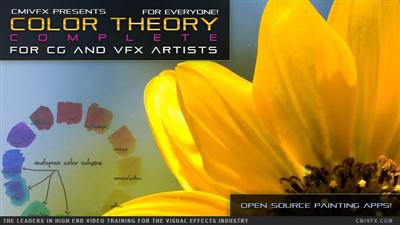
cmiVFX - Color Theory For VFX Artists
Duration: 2h 12m | Video: h264, yuv420p, 1280x720 30fps | Audio: aac, 44100 Hz, 2 ch | 3.8 GB
Genre: eLearning | Language: English | Project Files Included​

What can we say? Not all great videos are about Polygons and Curve editors. Once you've mastered the techniques in this video, it will ruin TV and movies for you forever. When you see how many TV shows and movies are using "cookie cutter" color grading on all the hit block busters, you will never be able to sit through a movie again without calling out what you have learned in this video! If you're new to the world of Computer Graphics and Visual FX, this video will become one of your most valuable resources.

It will change your life. However, if you have been working in the industry for a really long time, we challenge you to see how much you have forgotten over the years and to realize how little you have been using color theory in your work! We all need to have a refresher from time to time, so make this time yours. When it comes to maximizing efficiency, increasing quality, and setting the bar higher the ever, cmiVFX.com is the only place you ever need to go!

Recommend Download Link Hight Speed | Please Say Thanks Keep Topic Live ​
 

d372728fec825d499ad84bffaace6009.jpg

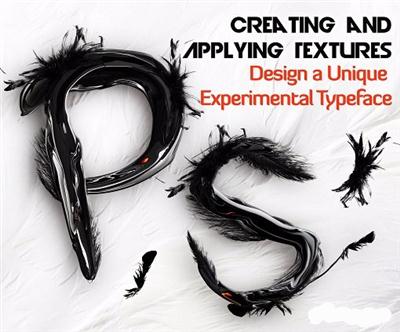
Creating and Applying Textures: Design a Unique Experimental Typeface
Duration: 24m | Video: h264, yuv420p, 1280x720 30fps | Audio: aac, 44100 Hz, 2 ch | 453 MB
Genre: eLearning | Language: English​

Creating and applying textures is a great way of making something unexpected, mixing different things together and creating experimental typefaces with vibrant personalities.

In this class, I am going to show you how to transform simple stock images into textures with the Liquify filter in Photoshop and apply them to a simple frame to create an amazing type face.
The technique I will demonstrate here is an easy and quick way of making complex and impressive visuals with a sculptural look and feel.
I will take you through the whole process step by step so you can get the exact same finished effect.

I will share with you what type of images to source for the project and will go through my own way of working with the Liquify filter to create textures in a few minutes in Photoshop.
If you want to quickly generate striking visuals and have none to very limited knowledge of Photoshop or if you want to discover how to use the Liquify filter creatively, this project is for you.

Enrol in this class and start making silky, hairy or spooky typefaces for personal use or any professional projects. You can even take a step further and sell your designs as posters, prints on t-shirts or anything else along the lines.
I am looking forward to see what you can do with this technique!

In this class you will learn:
What type of images to source; selecting the correct range of shapes and textures
What kind of font to use as a frame to apply the textures
A comprehensive range of techniques for selecting objects quickly and cutting out backgrounds in Photoshop
How to use the Liquify filter tool in Photoshop to create fabulous textures
How apply and arrange the textures to reach the desired effect
What to know before exporting for print or for web

Recommend Download Link Hight Speed | Please Say Thanks Keep Topic Live ​
 

e51f59e5afa70212024b1a0330f4720b.jpg

Designing a Patchwork Quilt in Adobe Illustrator
Duration: 31m | Video: h264, yuv420p, 1280x720 30fps | Audio: aac, 44100 Hz, 2 ch | 120 MB
Genre: eLearning | Language: English​

In this class I will walk you through how I design quilts in Adobe Illustrator. We'll look at everything from how to setup your document and workspace, to different ways to create basic quilt block shapes. You do not need any prior knowledge of Adobe Illustrator to take this class!

Recommend Download Link Hight Speed | Please Say Thanks Keep Topic Live ​
 

78056e88c8175bac90858fc627d6d7a4.jpg

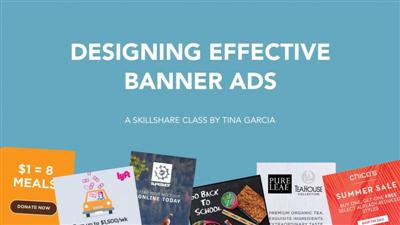
Designing Effective Banner Ads
Duration: 17m | Video: h264, yuv420p, 1280x720 30fps | Audio: aac, 44100 Hz, 2 ch | 315 MB
Genre: eLearning | Language: English​

One of the factors that make a business effective is a banner ad, creating brand awareness and helping increase the traffic on websites or blogs.

Have you ever wondered if the banner ads you've been designing are the best they could be? In this 17-minute class we'll look at the best practices of ad design: an engaging message, good use of typography and color, a strong call-to-action, and a clean design. You'll be able to apply these best practices to any type of banner ad - whether static or animated -, and to ads used for social media, websites, blogs or landing pages.

Recommend Download Link Hight Speed | Please Say Thanks Keep Topic Live ​

 

bc54565334b8e5beadb1b947b27d4c10.jpg

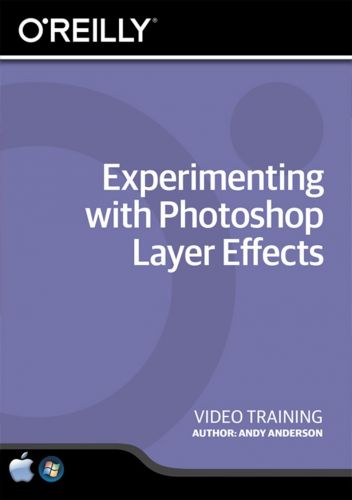
Experimenting with Photoshop Layer Effects Training Video
2016-07-26 | SKU: 02391 | .MP4, AVC, 650 kbps, 1280x720 | English, AAC, 125 kbps, 2 Ch | 2 hours | 416 MB
Instructor: Andy Anderson​

Enhance your photography, designs, and illustrations quickly and easily with layer effects. Adhering to the main Photoshop tenet of non-destructive editing, layer effects allow you to experiment and transform your designs without ever touching the "undo" button.

Andy Anderson will take you beyond the standard layer options, teaching you how to combine effects to make original custom styles that elevate your artwork. This hands-on course will equip beginners and veterans alike with the technical knowledge to unleash their creative potential.

* Learn how to apply a uniform light source with global light
* Create your own custom layer effects to use again and again
* Give your 2-D illustrations depth by adding realistic drop shadows
* Manipulate materials like sand, wood, metal, and water with bevel and emboss
* Make your images pop using color overlay and patterns

Recommend Download Link Hight Speed | Please Say Thanks Keep Topic Live ​
 

b06e06bd608f46201270c36ce62d31ed.jpg

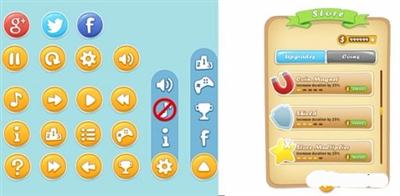
How to Create Mobile Game UI for sale
Duration: 2hr 27m | Video: h264, yuv420p, 1280x720 30fps | Audio: aac, 44100 Hz, 2 ch | 1.82 GB
Genre: eLearning | Language: English​

This course will teach you How to Create Mobile Game UI that you can sale

Recommend Download Link Hight Speed | Please Say Thanks Keep Topic Live ​
 

d86a3d368d3022ffcbd65c3999b23452.jpg

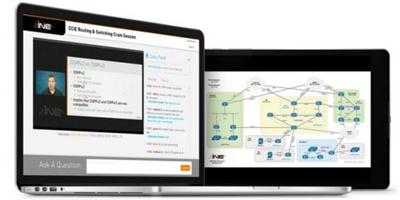
INE - CCIE Routing & Switching Graded Practice Lab #1
English | FLV | 1920 x 1080 | H264 | 30 fps | AAC 64000 Hz | 2.79 GB
Genre: Training​

INE - CCIE Routing & Switching Graded Practice Lab #1 free download here! Are you ready to take the CCIE Routing & Switching v5 Lab Exam? Put your skills to the test with INE's CCIE Routing & Switching Graded Practice Labs! These labs are proctored, graded, and reviewed by renowned instructor Dave Smith. Upon completion, attendees will become familiar with the lab exam environment and able to evaluate their level of readiness for the actual CCIE R&S v5 Lab Exam.
Day 1 of your practice lab features an live online video session beginning with an overview of the practice lab exam, including instructions on how to set up a full-scale rack using Cisco VIRL, followed by the assigning of a unique full-scale CCIE Routing & Switching v5 practice lab exam. Immediately following this introductory period, students will complete their lab exam independently through access to a virtual full scale rack, have support directly from Dave during their lab time, and then submit their results for grading. Exams must be submitted by the end of Day 1 of the practice lab.

Exams will be graded during the live session on Day 2, with scores and a step-by-step review of the exam. This live online lab exam walk-through with Dave will facilitate the opportunity to gain a deeper understanding of test results to analyze and improve performance.

Note that the CCIE R&S Graded Practice Labs are designed to be equal to, if not more difficult than, the actual CCIE Routing & Switching v5 Lab Exam. The lab's guidelines must be strictly followed in order to properly simulate the actual Routing & Switching v5 Lab Exam.

The class format is as follows:
Day 1 - Introduction to the CCIE Routing & Switching v5 Graded Practice Lab immediately followed by the Practice Lab Exam. (Including Access to Full Racks and Instructor Support.)
Day 2 - Return of Test Scores & Complete Review of Lab Exam


Recommend Download Link Hight Speed | Please Say Thanks Keep Topic Live ​
 

c5744fbaf81660a1148e67ecb2929c2a.jpg

Laser cutting Basics! Design a laser cut wood brooch!
Duration: 21m | Video: h264, yuv420p, 1280x720 30fps | Audio: aac, 44100 Hz, 2 ch | 254 MB
Genre: eLearning | Language: English​

Through adobe illustrator, learn how to design and set up your files for laser cutting. We will be using simple type to explore the basics of laser cutting capabilities, and how to set up your designs for laser cutting. Don't have a laser cutter? Don't worry! I'll let you know my favorite place to get your designs made into physical items!

Recommend Download Link Hight Speed | Please Say Thanks Keep Topic Live ​
 

2ecc1a01c3922f1475a3071891234b5e.jpg

TutsPlus - Data Handling With Python
.MP4, AVC, 1000 kbps, 1280x720 | English, AAC, 64 kbps, 2 Ch | 1.7 hours | 1019 MB
Instructor: Derek Jensen​

Python is a powerful language that is easy to learn and excels at many different types of computing. It is used to run large, well-known websites. It is used to process log files and make sense of their contents. It might even be used to create some of your favorite games!

If you followed along with Introduction to Python, you probably have a good feel for the basics, but when you look around on the internet there are more things that you still don't understand. Maybe you've been hearing about "comprehensions". Or maybe you've seen the map or filter functions used and wonder exactly what they do. What about files? How do you read from them or write to them?

If you've ever wanted to go deeper with Python, then this is the course for you. In this course, Envato Tuts+ instructor Derek Jensen will take you through some of the basics of handling data in the Python language. For starters, you'll learn about advanced use of commonly used data structures. Later on, Derek will share some pointers with you about how to get data in and out of files and even store complex data structures in them. Let's not wait any longer! Time to dive on in.

Recommend Download Link Hight Speed | Please Say Thanks Keep Topic Live ​

 

b3ee1b0a224005500b21d0e9611c0a48.jpg

TutsPlus - How to Create User Accounts With OAuth in Rails
.MP4, AVC, 1000 kbps, 1280x720 | English, AAC, 64 kbps, 2 Ch | 33 mins | 321 MB

OAuth is the most common authorization protocol in use today and is supported by popular web apps like GitHub, Google, and Facebook. With OAuth, users can log in to your site without needing to create a separate login name and password. This is convenient for your users and lowers the barrier to new signups.​

This course, from Envato Tuts+ instructor José Mota, explains how to use OAuth in a web application. Follow along as José adds an OAuth login system to an existing Rails application. You'll get a high-level view of how OAuth works, and you'll learn how to use the OmniAuth gem together with Devise to create a robust, OAuth-compliant authentication system for Ruby on Rails.

Recommend Download Link Hight Speed | Please Say Thanks Keep Topic Live ​

 
Zurück
Oben Unten