• Regeln für den Video-Bereich:

    In den Börsenbereich gehören nur Angebote die bereits den Allgemeinen Regeln entsprechen.

    Einteilung

    - Folgende Formate gehören in die angegeben Bereiche:
    - Filme: Encodierte Filme von BluRay, DVD, R5, TV, Screener sowie Telesyncs im Format DivX, XviD und x264.
    - DVD: Filme im Format DVD5, DVD9 und HD2DVD.
    - HD: Encodierte Filme mit der Auflösung 720p oder darüber von BluRay, DVD, R5, TV, Screener sowie Telesyncs im Format x264.
    - 3D: Encodierte Filme von BluRay, die in einem 3D Format vorliegen. Dies gilt auch für Dokus, Animation usw.
    - Serien: Cartoon/Zeichentrick, Anime, Tutorials, Dokumentationen, Konzerte/Musik, Sonstiges sind demnach in die entsprechenden Bereiche einzuordnen, auch wenn sie beispielsweise im High Definition-Format oder als DVD5/DVD9/HD2DVD vorliegen. Ausnahme 3D.
    - Bereich Englisch: Englische Releases gehören immer in diesen Bereich.
    - Bereich Talk: Der Bereich, in dem über die Releases diskutiert werden kann, darf, soll und erwünscht ist.


    Angebot/Beitrag erstellen

    - Ein Beitrag darf erst dann erstellt werden, wenn der Upload bei mindestens einem OCH komplett ist. Platzhalter sind untersagt.
    - Bei einem Scenerelease hat der Threadtitel ausschließlich aus dem originalen, unveränderten Releasenamen zu bestehen. Es dürfen keine Veränderungen wie z.B. Sterne, kleine Buchstaben o.ä. vorgenommen werden. Ausnahme Serienbörse:
    - Bei einem Sammelthread für eine Staffel entfällt aus dem Releasename natürlich der Name der Folge. Beispiel: Die Simpsons S21 German DVDRip XviD - ITG
    - Dementsprechend sind also u.a. verboten: Erweiterungen wie "Tipp", "empfehlenswert", "only", "reup", usw. / jegliche andere Zusatzinformation oder Ergänzung, welche nicht in obiger Beschreibung zu finden ist.

    Aufbau des Angebots und Threadtitel

    Der Titel nach folgendem Muster erstellt zu werden. <Name> [3D] [Staffel] [German] <Jahr> <Tonspur> [DL] [Auflösung] <Quelle> <Codec> - <Group>
    Beispiel: The Dark Knight German 2008 AC3 DVDRip XviD - iND
    Beispiel: The Dark Knight 2008 DTS DL BDRip x264 - iND
    Beispiel: The Dark Knight 2008 AC3 DL BDRip XviD - iND
    Beispiel: The Dark Knight German 2008 AC3 720p BluRay x264 iND
    Beispiel: The Dark Knight 2008 DTS DL 1080p BluRay x264 iND
    Beispiel: Die Simpsons S01 German AC3 DVDRip XviD iND
    Beispiel: Die Simpsons S20 German AC3 720p BluRay x264 iND
    Beispiel: Sword Art Online II Ger Sub 2014 AAC 1080p WEBRip x264 - peppermint
    Entsprechend sind also u.a. verboten: Sonderzeichen wie Klammern, Sterne, Ausrufezeichen, Unterstriche, Anführungszeichen / Erweiterungen wie "Tipp", "empfehlenswert", "only", "reup", usw. / jegliche andere Zusatzinformation oder Ergänzung, welche nicht in obiger Beschreibung zu finden ist
    Ausnahmen hiervon können in den Bereichen geregelt sein.

    Die Beiträge sollen wie folgt aufgebaut werden:
    Überschrift entspricht dem Threadtitel
    Cover
    kurze Inhaltsbeschreibung
    Format, Größe, Dauer sind gut lesbar für Downloader außerhalb des Spoilers zu vermerken
    Nfo sind immer Anzugeben und selbige immer im Spoiler in Textform.
    Sind keine Nfo vorhanden z.B. Eigenpublikationen, sind im Spoiler folgende Dateiinformationen zusätzlich anzugeben :
    Quelle
    Video (Auflösung und Bitrate)
    Ton (Sprache, Format und Bitrate der einzelnen Spuren)
    Untertitel (sofern vorhanden)
    Hosterangabe in Textform außerhalb eines Spoiler mit allen enthaltenen Hostern.
    Bei SD kann auf diese zusätzlichen Dateiinformationen verzichtet werden.

    Alle benötigten Passwörter sind, sofern vorhanden, in Textform im Angebot anzugeben.
    Spoiler im Spoiler mit Kommentaren :"Schon Bedankt?" sind unerwünscht.


    Releases

    - Sind Retail-Release verfügbar, sind alle anderen Variationen untersagt. Ausnahmen: Alle deutschen Retail-Release sind CUT, in diesem Fall sind dubbed UNCUT-Release zulässig.
    - Im Serien-Bereich gilt speziell: Wenn ein Retail vor Abschluss einer laufenden Staffel erscheint, darf diese Staffel noch zu Ende gebracht werden.62
    - Gleiche Releases sind unbedingt zusammenzufassen. Das bedeutet, es ist zwingend erforderlich, vor dem Erstellen eines Themas per Suchfunktion zu überprüfen, ob bereits ein Beitrag mit demselben Release besteht. Ist dies der Fall, ist der bereits vorhandene Beitrag zu verwenden.
    - P2P und Scene Releases dürfen nicht verändert oder gar unter einem iND Tag eingestellt werden.


    Support, Diskussionen und Suche

    - Supportanfragen sind entweder per PN oder im Bereich Talk zu stellen.
    - Diskussionen und Bewertungen sind im Talk Bereich zu führen. Fragen an die Uploader haben ausschließlich via PN zu erfolgen, und sind in den Angeboten untersagt.
    - Anfragen zu Upload-Wünschen sind nur im Bereich Suche Video erlaubt. Antworten dürfen nur auf Angebote von MyBoerse.bz verlinkt werden.


    Verbote

    - Untersagt sind mehrere Formate in einem einzigen Angebotsthread, wie beispielsweise das gleichzeitige Anbieten von DivX/XviD, 720p und 1080p in einem Thread. Pro Format, Release und Auflösung ist ein eigener Thread zu eröffnen.
    - Grundsätzlich ebenso verboten sind Dupes. Uploader haben sich an geeigneter Stelle darüber zu informieren, ob es sich bei einem Release um ein Dupe handelt.
    - Gefakte, nur teilweise lauffähige oder unvollständige Angebote sind untersagt. Dies gilt auch für eigene Publikationen, die augenscheinlich nicht selbst von z.B. einer DVD gerippt wurden. Laufende Serien, bei denen noch nicht alle Folgen verfügbar sind, dürfen erstellt und regelmäßig geupdatet werden.
    - Untersagt sind Angebote, welche nur und ausschließlich in einer anderen Sprache als deutsch oder englisch vorliegen. Ausnahmen sind VORHER mit den Moderatoren zu klären.


    Verstoß gegen die Regeln

    - Angebote oder Beiträge, die gegen die Forenregeln verstoßen, sind über den "Melden"-Button im Beitrag zu melden.
  • Bitte registriere dich zunächst um Beiträge zu verfassen und externe Links aufzurufen.


Englische Tutorials


fb256f175411d772eb5f69e3620c2991.jpg

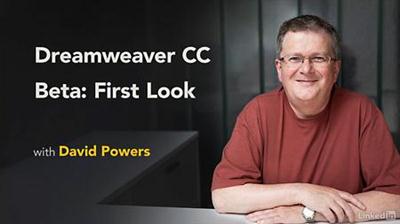
Lynda - Dreamweaver CC Beta: First Look
Size: 89 MB | Duration: 0h 33m | Video: AVC (.mp4) 1280x720 15&30fps | Audio: AAC 48KHz 2ch
Genre: eLearning | Level: Intermediate | Language: English​

Learn about the new features and interface changes in Adobe's June 2016 update to its flagship web design tool, Dreamweaver CC. Explore the new dark and light interface choices, code view improvements, and the integrated Sass and LESS workflows. Author David Powers also explores two new code editing views, Quick Edit and Quick Docs, that have been added to Dreamweaver CC as part of the Brackets code editor integration.

Recommend Download Link Hight Speed | Please Say Thanks Keep Topic Live ​
 

882c108fa0e250c12d24ed3872644e31.jpg

Filters and Creative Effects in Photoshop with Ben Willmore (Full)
Duration: 1hr 30m | Video: h264, yuv420p, 1280x720 30fps | Audio: aac, 44100 Hz, 2 ch | 1.2 GB
Genre: eLearning | Language: English​

Photoshop can do more than bring out the best in your photo-realistic images - it can be used to produce wildly imaginative images, as well. Let Ben Willmore show you how it is done in Filters and Creative Effects in Photoshop.

Ben will demonstrate how Photoshop filters can produce an unlimited number of creative effects including: painterly treatments, faux infra red, cross processing, antique treatments, double exposure effects, and more.

Recommend Download Link Hight Speed | Please Say Thanks Keep Topic Live ​
 

d0f172d7a02c06c7967f1cfa6f1929f6.jpg

First Aid: Save a life in 1 hour
HDRips | MP4/AVC, ~2000 kb/s | 960x540 | Duration: 1 hour | English: AAC, 80 kb/s (2 ch) | 799 MB
Genre: Medicine, Health​

Life saving skills taught by real paramedics - the experts in prehospital care.
Do you have the skills to save a life?

Of course you do!

Saving a life is easy, all you need to know are a few simple techniques!

Save a life in 1 hour, is a course taught by real Australian paramedics, the experts in prehospital care. By the end of this course you will know exactly how to act in a life threatening situation.

You will be taught in a simple, easy to follow manner, meaning that anyone can take part. Each section consists of a interactive video, an information pack to further your knowledge and a quick quiz to ensure solid understanding of each topic.

Emergencies happen without warning. Let us teach you how to act in any emergency situation.

Dr. Bradley Nelson - The Body Code System 2.0

DNA Interactive DVD

A Live Autopsy: Anatomy For Beginners - Body Worlds

Hippocrates Health Institute

Adults and Co-occurring Disorders

American College of Physicians (ACP) - Internal Medicine Board Review 2011

Emergency First-Aid Medical Training

Dоctors in Training 2011 USМLE Step 1

Doctors in Training 2012 USМLE Step 1

Doctors in Training 2013 USМLE Step 1

Doctors in Training 2014 USМLE Step 1

Archer USМLE Step 3 CCS Workshop

Ayurvedic Inheritance of India

Gerald Corey and Robert Haynes - Integrative Counseling

Health Activator Conference Series 2012

Health Activator Conference Series 2013

Heal and Strengthen with Reflexology and Life Lift

Healthy Life Summit 2013

Histopathology by Dr. John Minarcik

How to Kill the Disease-Causing Pathogens in Your Body

How to Operate - For MRCS Candidates and Other Surgical Trainees DVD

Hydrotherapy in Action

First Aid, CPR And AED Standard

New Dr Najeeb Lectures 2014

Наrrisons Principles of Internal Medicine, 18 ed

KISSPharm Keeping It Simple Series for the USMLE, COMLEX, NCLEX

Карlan Clаssroom Аnywhere Stеp 1

McDougall's Medicine: Fighting the Big Fat Lies with Fad-free Truth

The Starch Solution

Basic First Aid Training

Blunt Force Trauma First Aid

Gunshot Wound First Aid

Knife Wound First Aid

SketchyMedical Videos

Biofeedback Pactitioner Training

Dr. Terry Oleson - Auriculotherapy Training

Complete Human Anatomy Primal 3D Interactive Series

ADAM Interactive Anatomy 3.0

Mood Disorders: Complete Series

Basic Procedures in Shoulder Arthroscopy

Understanding Bipolar Disorder and Addiction

Understanding Obsessive Compulsive Disorder and Addiction

Preventing Relapse

Understanding Suicide and Addiction

Understanding Major Anxiety Disorders and Addiction

Treating Co-occurring Disorders

Understanding Post Traumatic Stress Disorder and Addiction

Understanding Personality Problems and Addiction

Doctors In Training - Solid Internal Medicine

Doctors In Training - Solid OB/GYN

Doctors In Training - Solid Pharmacology

Dr Najeeb - Clinical Cardiology (2016)

Taylor's Video Guide to Clinical Nursing Skills: Student Set on Enhanced DVD

Recommend Download Link Hight Speed | Please Say Thanks Keep Topic Live ​

 

d269a3ef06d328d72c4811d7b70c0aeb.jpg

Lynda - Foundations of UX: Content Strategy
Size: 511 MB | Duration: 1h 24m | Video: AVC (.mp4) 1280x720 30fps | Audio: AAC 48KHz 2ch
Genre: eLearning | Level: Appropriate for all | Language: English​

What sets good content apart from the rest? A solid content strategy is key to delivering a compelling user experience, whether it's a small business website or an app with global reach. This course takes you through the process of analyzing and reshaping your content-not only text but also video, imagery, social interactions, and the metadata that underlies it all-so that it accurately communicates your brand and message and keeps your users coming back. Learn the four elements of constructing meaningful content, from identifying your audience and structuring and wireframing content to developing content guidelines and measuring the success of your efforts. Author Morten Rand-Hendriksen also shows you how to develop persona spectrums to better understand your users and evaluate the needs of important stakeholders and influencers.

Topics include:
* What is content?
* The components of content strategy
* Identifying stakeholders and audience
* Developing user persona spectrums
* Auditing your content
* Building guides, templates, and workflows
* Creating the content
* Measuring success

Recommend Download Link Hight Speed | Please Say Thanks Keep Topic Live ​

 

de6ba6cd3a75f65485f71a8ff9912cb1.jpg

Lynda - FrameMaker 2015 Essential Training
Size: 717 MB | Duration: 3h 39m | Video: AVC (.mp4) 1280x720 15&30fps | Audio: AAC 48KHz 2ch
Genre: eLearning | Level: Beginner | Language: English​

Build elegant and easy-to-read long-form documents with Adobe's popular FrameMaker software. Join Garrick Chow as he explores the features, tools, and techniques you need to become more proficient with FrameMaker 2015. Learn how to add and format text, customize page layouts, assign master pages, and work with colors and character formats. Then discover how to use graphics in your layouts, format tables, use footnotes and cross-references, combine documents into longer books, and generate tables of contents and indexes. Garrick also shows how to add interactive features such as hyperlinks and export FrameMaker layouts to PDF and EPUB.

Topics include:
* What is FrameMaker?
* Working with pods, workspaces, guides, and templates
* Creating a custom document
* Designing and defining paragraph formats
* Formatting text
* Changing the page layout
* Creating master pages
* Styling with color and character formats
* Adding graphics
* Editing documents
* Working with tables
* Using cross-references and footnotes
* Generating books
* Working with indexes
* Using conditional text
* Adding hyperlinks
* Publishing to PDF and other document formats

Recommend Download Link Hight Speed | Please Say Thanks Keep Topic Live ​

 

62f60ace0e0d4fb5b8b322e029bceaf1.jpg

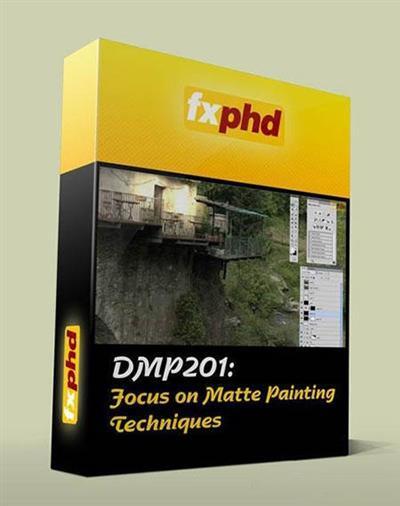
FXPHD - DMP201 Focus on Matte Painting Techniques
07:37:44 | English | 1440 x 900 | AVC ~669 kbps | 23.976 fps AAC | 132 Kbps | 44.1 KHz | 4.53 GB
Genre: eLearning | Language: English | Project files​

Ludovic Iochem returns to help fxphd build a full digital matte painting curriculum. Today, matte painters need to know a lot of various techniques. They're often involved in shots that require some 3D or 2,5D technique, and it's definitely a plus if they can manage to do all of this by themselves. But the base of the work is still the painting one which happens in Photoshop.

Recommend Download Link Hight Speed | Please Say Thanks Keep Topic Live ​

 

596b66c6e94b8cb865c0d434d60e1798.jpg

Getting Started with Illustrator CC
MP4 | Video: AVC 1280x720 | Audio: AAC 44KHz 2ch | Duration: 1.5 Hours | 161 MB
Genre: eLearning | Language: English​

Train Simple is an Adobe Authorized Training Center, This is course covers the basics of using Adobe Illustrator CC

This is course is taught by Adobe Authorized Training Center, Train Simple and is a quick start course to get you comfortable with the basics of Adobe Illustrator CC. Learn how to create documents and understand what vector graphics are. Illustrator us the industry standard vector drawing application used in print production, graphic design, and web design. This free course does not include example files.

Recommend Download Link Hight Speed | Please Say Thanks Keep Topic Live ​
 

9150c8c9471af1579b0bf29f5d8cbaf1.jpg

How To Create Eye-Popping YouTube Thumbnails Without Being A Graphic Designer
Duration: 31m | Video: h264, yuv420p, 1280x720 30fps | Audio: aac, 44100 Hz, 2 ch | 106 MB
Genre: eLearning | Language: English​

You put a lot of effort into creating YouTube videos, and the last thing you want is all of that hard work to go to waste because you weren't getting enough clicks to your video. That's what this course is all about, how to create eye-popping YouTube thumbnails without being a graphic designer, and without even using Photoshop.

After going through this course you'll have access to thousands of free stock photos to use for your YouTube thumbnails, and you'll be able to create professional looking thumbnails simply by following a few short steps with no need to hire an expensive graphic designer. If you've ever created a YouTube video, then this class is a must! Enroll today!

Recommend Download Link Hight Speed | Please Say Thanks Keep Topic Live ​

 

60659f58ac9d0b968d1f74a9a39bace0.jpg

Illustrator for Lunch - Blends and Gradients - Blends, Blend Modes, Gradients
Duration: 27m | Video: h264, yuv420p, 1280x720 30fps | Audio: aac, 44100 Hz, 2 ch | 137 MB
Genre: eLearning | Language: English​

Illustrator for Lunch™ is a series of short video courses you can study in bite size pieces such as at lunchtime. In this course you'll learn to create blends and apply gradients and blend modes to the blended elements. Here is an example of one element we will create in addition to the one on the cover image:

Recommend Download Link Hight Speed | Please Say Thanks Keep Topic Live ​

 

298bfe9d154c669bab9d8180ca5f46be.jpg

Lynda - InDesign Typography Part 2
Size: 586 MB | Duration: 2h 45m | Video: AVC (.mp4) 1280x720 15&30fps | Audio: AAC 48KHz 2ch
Genre: eLearning | Level: Intermediate | Language: English​

InDesign Typography explores the numerous type options, type-related features, and type-specific preferences of Adobe InDesign. Using practical, real-world examples, instructor and designer Nigel French explains the purpose of each feature and describes the conventions for how and when to use it. Part 2 focuses on "macro typography" or how type is arranged on a page. Nigel discusses text flow, type alignment, indents and spacing, text wrap, and lists. He also shows how to use InDesign styles, which will save time formatting text and keep your designs more consistent, robust, and easier to edit. The final chapter address hyphenation, line breaks, and other type controls; the selective use of white space; the value of grids in graphic design; and approaches for combining multiple typefaces in a single layout. To get the most from this course, make sure to watch InDesign Typography Part 1..

Topics include:
* Text flow and text threading
* Placeholders and text frames
* Type alignment
* Indents, insets, and spacing
* Bullet and numbered lists
* Text wrap
* Formatting with styles
* Hyphenation and line breaks
* Combining typefaces
* White space and grids

Recommend Download Link Hight Speed | Please Say Thanks Keep Topic Live ​

 

6c76f280a6938efd34df7489073adddc.jpg

Instagram: Take Beautiful Photos That Will Leave Your Friends Speechless! (PART 1)
Duration: 28m | Video: h264, yuv420p, 1280x720 30fps | Audio: aac, 44100 Hz, 2 ch | 183 MB
Genre: eLearning | Language: English​

Welcome to "Instagram: Take Beautiful Photos That Will Leave Your Friends Speechless". In this course you'll learn techniques for taking better photos, and acquire new editing skills.

You can take your photography skills to the next level, TODAY. More flattering selfies, amazing landscapes, and food so vivid you can almost taste it; enroll today and start upgrading your skills in my easy-to-follow course.

This course is for anyone who wants to improve their photography, and while I focus on Instagram, the techniques used don't require the use of Instagram. By the end of the course you'll have a robust set of skills to take beautiful photos of a wide variety of subjects, and skills to edit them and get that extra bit of gloss.

I'll be teaching you how to use apps to manually control your device's camera, and to get comfortable with manually adjusting shutter-speed, ISO, white-balance, and focus. After that we'll go in depth with the versatile photo-editing app "Snapseed"; You'll learn to correct exposure, tweak colours, and apply a wide variety of attractive effects.

At the end of the course we'll apply everything we've learned, and take several types of photos, including: selfies (portraits), landscapes, photos of food, and vehicles.

Recommend Download Link Hight Speed | Please Say Thanks Keep Topic Live ​

 

d99ee9c1133a1bfa639bc1d0c058d388.jpg

Intro to web & mobile app sketching: Visualize your idea with just pencil & paper
Duration: 31m | Video: h264, yuv420p, 1280x720 30fps | Audio: aac, 44100 Hz, 2 ch | 588 MB
Genre: eLearning | Language: English​

In this course we're going to take the first step in creating low fidelity wireframes - with a pen(cil) and paper. I know, I know, it sounds too simple, but you'd be surprised at how many people get stuck when it comes to figuring out what the website or app should look like or where the content should go. I've designed hundreds of mobile and web applications and this is the first step in my tried-and-true method.

We'll walk-through taking an idea, conceptualizing the requirements, and putting it to paper. The result might be rough, vague, and ugly - but here that's how we like it. Once you have your sketch, moving on to creating your prototype / mock-up will be a cinch.
Now I'll bet a solid $10 that you have access to a pen, pencil, and paper (actually in this day and age who knows, lowering the bet to $5) so go grab them and let's get going.

What you'll learn:
Understand the benefits and correct usages of prototypes
Create professional looking initial sketches of your product with just a pen(cil) and paper
Create a sitemap for outlining your product

Recommend Download Link Hight Speed | Please Say Thanks Keep Topic Live ​
 
Zurück
Oben Unten