• Regeln für den Video-Bereich:

    In den Börsenbereich gehören nur Angebote die bereits den Allgemeinen Regeln entsprechen.

    Einteilung

    - Folgende Formate gehören in die angegeben Bereiche:
    - Filme: Encodierte Filme von BluRay, DVD, R5, TV, Screener sowie Telesyncs im Format DivX, XviD und x264.
    - DVD: Filme im Format DVD5, DVD9 und HD2DVD.
    - HD: Encodierte Filme mit der Auflösung 720p oder darüber von BluRay, DVD, R5, TV, Screener sowie Telesyncs im Format x264.
    - 3D: Encodierte Filme von BluRay, die in einem 3D Format vorliegen. Dies gilt auch für Dokus, Animation usw.
    - Serien: Cartoon/Zeichentrick, Anime, Tutorials, Dokumentationen, Konzerte/Musik, Sonstiges sind demnach in die entsprechenden Bereiche einzuordnen, auch wenn sie beispielsweise im High Definition-Format oder als DVD5/DVD9/HD2DVD vorliegen. Ausnahme 3D.
    - Bereich Englisch: Englische Releases gehören immer in diesen Bereich.
    - Bereich Talk: Der Bereich, in dem über die Releases diskutiert werden kann, darf, soll und erwünscht ist.


    Angebot/Beitrag erstellen

    - Ein Beitrag darf erst dann erstellt werden, wenn der Upload bei mindestens einem OCH komplett ist. Platzhalter sind untersagt.
    - Bei einem Scenerelease hat der Threadtitel ausschließlich aus dem originalen, unveränderten Releasenamen zu bestehen. Es dürfen keine Veränderungen wie z.B. Sterne, kleine Buchstaben o.ä. vorgenommen werden. Ausnahme Serienbörse:
    - Bei einem Sammelthread für eine Staffel entfällt aus dem Releasename natürlich der Name der Folge. Beispiel: Die Simpsons S21 German DVDRip XviD - ITG
    - Dementsprechend sind also u.a. verboten: Erweiterungen wie "Tipp", "empfehlenswert", "only", "reup", usw. / jegliche andere Zusatzinformation oder Ergänzung, welche nicht in obiger Beschreibung zu finden ist.

    Aufbau des Angebots und Threadtitel

    Der Titel nach folgendem Muster erstellt zu werden. <Name> [3D] [Staffel] [German] <Jahr> <Tonspur> [DL] [Auflösung] <Quelle> <Codec> - <Group>
    Beispiel: The Dark Knight German 2008 AC3 DVDRip XviD - iND
    Beispiel: The Dark Knight 2008 DTS DL BDRip x264 - iND
    Beispiel: The Dark Knight 2008 AC3 DL BDRip XviD - iND
    Beispiel: The Dark Knight German 2008 AC3 720p BluRay x264 iND
    Beispiel: The Dark Knight 2008 DTS DL 1080p BluRay x264 iND
    Beispiel: Die Simpsons S01 German AC3 DVDRip XviD iND
    Beispiel: Die Simpsons S20 German AC3 720p BluRay x264 iND
    Beispiel: Sword Art Online II Ger Sub 2014 AAC 1080p WEBRip x264 - peppermint
    Entsprechend sind also u.a. verboten: Sonderzeichen wie Klammern, Sterne, Ausrufezeichen, Unterstriche, Anführungszeichen / Erweiterungen wie "Tipp", "empfehlenswert", "only", "reup", usw. / jegliche andere Zusatzinformation oder Ergänzung, welche nicht in obiger Beschreibung zu finden ist
    Ausnahmen hiervon können in den Bereichen geregelt sein.

    Die Beiträge sollen wie folgt aufgebaut werden:
    Überschrift entspricht dem Threadtitel
    Cover
    kurze Inhaltsbeschreibung
    Format, Größe, Dauer sind gut lesbar für Downloader außerhalb des Spoilers zu vermerken
    Nfo sind immer Anzugeben und selbige immer im Spoiler in Textform.
    Sind keine Nfo vorhanden z.B. Eigenpublikationen, sind im Spoiler folgende Dateiinformationen zusätzlich anzugeben :
    Quelle
    Video (Auflösung und Bitrate)
    Ton (Sprache, Format und Bitrate der einzelnen Spuren)
    Untertitel (sofern vorhanden)
    Hosterangabe in Textform außerhalb eines Spoiler mit allen enthaltenen Hostern.
    Bei SD kann auf diese zusätzlichen Dateiinformationen verzichtet werden.

    Alle benötigten Passwörter sind, sofern vorhanden, in Textform im Angebot anzugeben.
    Spoiler im Spoiler mit Kommentaren :"Schon Bedankt?" sind unerwünscht.


    Releases

    - Sind Retail-Release verfügbar, sind alle anderen Variationen untersagt. Ausnahmen: Alle deutschen Retail-Release sind CUT, in diesem Fall sind dubbed UNCUT-Release zulässig.
    - Im Serien-Bereich gilt speziell: Wenn ein Retail vor Abschluss einer laufenden Staffel erscheint, darf diese Staffel noch zu Ende gebracht werden.62
    - Gleiche Releases sind unbedingt zusammenzufassen. Das bedeutet, es ist zwingend erforderlich, vor dem Erstellen eines Themas per Suchfunktion zu überprüfen, ob bereits ein Beitrag mit demselben Release besteht. Ist dies der Fall, ist der bereits vorhandene Beitrag zu verwenden.
    - P2P und Scene Releases dürfen nicht verändert oder gar unter einem iND Tag eingestellt werden.


    Support, Diskussionen und Suche

    - Supportanfragen sind entweder per PN oder im Bereich Talk zu stellen.
    - Diskussionen und Bewertungen sind im Talk Bereich zu führen. Fragen an die Uploader haben ausschließlich via PN zu erfolgen, und sind in den Angeboten untersagt.
    - Anfragen zu Upload-Wünschen sind nur im Bereich Suche Video erlaubt. Antworten dürfen nur auf Angebote von MyBoerse.bz verlinkt werden.


    Verbote

    - Untersagt sind mehrere Formate in einem einzigen Angebotsthread, wie beispielsweise das gleichzeitige Anbieten von DivX/XviD, 720p und 1080p in einem Thread. Pro Format, Release und Auflösung ist ein eigener Thread zu eröffnen.
    - Grundsätzlich ebenso verboten sind Dupes. Uploader haben sich an geeigneter Stelle darüber zu informieren, ob es sich bei einem Release um ein Dupe handelt.
    - Gefakte, nur teilweise lauffähige oder unvollständige Angebote sind untersagt. Dies gilt auch für eigene Publikationen, die augenscheinlich nicht selbst von z.B. einer DVD gerippt wurden. Laufende Serien, bei denen noch nicht alle Folgen verfügbar sind, dürfen erstellt und regelmäßig geupdatet werden.
    - Untersagt sind Angebote, welche nur und ausschließlich in einer anderen Sprache als deutsch oder englisch vorliegen. Ausnahmen sind VORHER mit den Moderatoren zu klären.


    Verstoß gegen die Regeln

    - Angebote oder Beiträge, die gegen die Forenregeln verstoßen, sind über den "Melden"-Button im Beitrag zu melden.
  • Bitte registriere dich zunächst um Beiträge zu verfassen und externe Links aufzurufen.


Englische Tutorials


30cf7128b457102e04d1db5e54809547.jpg

Modern Glamour Lighting with Lou Freeman (HD Videos)
Duration: 1hr 29m | Video: h264, yuv420p, 1280x720 30fps | Audio: aac, 44100 Hz, 2 ch | 715 MB
Genre: eLearning | Language: English​

Ask any artist what they find to be the most delicate and difficult element to control in the art of photography and they'll answer without hesitation - "lighting." This is your chance to learn how to master lighting with one of the world's best! Join OBBIE and ADDIE award-winner Lou Davis for an intro to modern portrait and glamour lighting essentials.

Lou will share the methods she's learned over three decades of photographing actors, playboy models and some of the world's most recognized personalities. You'll learn all about essential equipment, how to find the perfect light in a wide variety of settings, and more.

Recommend Download Link Hight Speed | Please Say Thanks Keep Topic Live ​
 

87731900cd39b05457aae84afa5f970c.jpg

Lynda - Motion Graphics Loops 03: Analog Techniques - The Phonotrope
Size: 375 MB | Duration: 1h 9m | Video: AVC (.mp4) 1280x720 15&30fps | Audio: AAC 48KHz 2ch
Genre: eLearning | Level: Intermediate | Language: English​

Learn how to create looping animations using analog elements that can be filmed with a camera and then refined in programs like After Effects. The "phonotrope" technique shown in this course uses the rotations of a record player to create the illusion of motion. Owen Lowery provides instructions on creating paper animation loops by hand, then going back and forth from the computer to plan and execute a more advanced animation using After Effects and Photoshop. You'll get hands on and color, cut, paste, and draw and, along the way, learn about the logistics of player speeds, frames, video capture, and lighting. In the final chapter, you'll get tips and inspiration for taking your phonotrope to the next level with transparency and mixed media.

Topics include:
* Introducing the phonotrope
* Understanding frame and speed settings
* Experimenting with drawing and play dough
* Using Illustrator and Photoshop to plan a phonotrope guide
* Preparing After Effects for a phonotrope animation
* Shooting, lighting, and editing animation footage

Recommend Download Link Hight Speed | Please Say Thanks Keep Topic Live ​
 

6e50912d0a629d16f1e686f1f4377aee.jpg

Networking Mastery 2016
MP4 | Video: AVC 1280x720 | Audio: AAC 44KHz 2ch | Duration: 2 Hours | 2.07 GB
Genre: eLearning | Language: English​

How to master networking by learning the art of super connecting. Follow this blueprint to accelerate your success.

Think about a time when you got a job you really wanted. Think about a huge sale you made. Think about a big win you celebrated. What was most likely involved in those wins?

Its simple really. You probably knew somebody on the inside.

The thing that people seem to miss when it comes to sales and getting ahead, is there is an easy way and a hard way. The hard way is cold calling/emailing day after day and saying "it's a numbers game". Then there are the smart people that win big. These people network. However, they don't just network to network. They network in a strategic intentional way to connect with the right people until their sales explode.

By knowing how to properly network in a strategic way, some amazing things happen.

Over the past 5 years I've gone from having 70 of my closest friends literally walk out of a presentation about my business to being recognized as one of the most connected people in New York City.

But it hasn't always been this way. I was like everybody else.

At first I cold called. Then I thought I would be smart and go to a different networking event every night.

And still, I found myself banging my head against the wall, praying that I'd make my sales numbers every month just to pay rent.

And then one day, by accident, I met my first Super Connector. And that's when it all changed.

This one person opened my eyes to what's possible by teaching me how to:

Find extraordinary people
Capture the benefits of extreme reciprocity
Become friends with the most amazing people on earth
Create a funnel of what seem to be magical opportunities
This is course is a result of everything that I've learned. All the secret formulas and blueprints for exponentially increasing your sales, winning more business and building amazing friendships with people you never imagined could be in your life.

More specifically, you will learn:

The secret formula for connecting
What a Super Connector is and how you can become one
Strategic & intentional networking strategies
The fastest ways to expand your network of extraordinary people
How to automate and scale your efforts
Additionally, I'm going to give you:

A blueprint that you can use daily, weekly, or monthly to sky-rocket your success on demand
Programs and hacks to save you time so that you can add these skill-sets to your already busy schedule
A free report with 100 tips on connecting
Methodologies for creating events that force you to befriend other Super Connectors and influencers
Action plans to increase your sales and overall success by tomorrow
AND you'll have access to all the information in this course for life in addition to the extra material that I'll be releasing to course members over the coming weeks and months.

The sooner you try this approach, the sooner I guarantee that you'll stop wasting time, effort, energy and money. And instead, you'll start achieving your goals and living your dreams.

REMINDER: This is a risk free purchase with Udemy's 30 day money back guarantee. Just imagine what your life and business would be like if within 30 days you doubled your network, doubled your sales and took your life to the next level.

Recommend Download Link Hight Speed | Please Say Thanks Keep Topic Live ​

 

c7a48acaf65a738f1ae208b6af2c1333.jpg

Newborns: Props and Posing by Ana Brandt
Duration: 2hr 47m | Video: h264, yuv420p, 1280x720 30fps | Audio: aac, 44100 Hz, 2 ch | 1.9 GB
Genre: eLearning | Language: English​

Newborn photography is a rich experience for both photographers and new parents. In Newborns: Props and Posing, Ana Brandt will share some of her creative insights for capturing that magic with the propping and posing techniques she uses in her own successful newborn and family photography studio.

In this class Ana Brandt will share ideas for incorporating unique props into your sessions. She'll also share tips for making your own and ensuring you are using your props safely and beautifully. You'll also learn about posing with newborns, including different ways to help parents get comfortable in front of the camera while holding and posing with their newest bundle of joy.

Recommend Download Link Hight Speed | Please Say Thanks Keep Topic Live ​

 

b08a39b327347361c5f63e4f9c0030cd.jpg

Online Business: Tips for Success for All Levels
MP4 | Video: AVC 1280x720 | Audio: AAC 44KHz 2ch | Duration: 3.5 Hours | 227 MB
Genre: eLearning | Language: English​

A complete guide on how to operate your online business.

The course is all about teaching online, inside I will be teaching you on how to structure and make your course properly in order for you to make a good, strong and more understandable course online. I will be showing you 2 types of presentation 1st. Is and all the important things that you shall remember before even making your powerpoint presentation 2nd. Is the basics and important parts to remember on making your video presentation in order for it to look more presentable than ever before.
Materials include only an internet connection and a good personal computer, any types of personal computer will do.
The course is structured by video and powerpoint presentations this will help all the students to further understand the course more appropriately and easily as possible. They can also all the powerpoint presentation notes in order for them to follow the course outline properly.
You shall take this course for it will be teaching you all the things that you need to know about online teaching. This course will also help you on how you shall make your own course if you plan on making one. When enrolling you will be able to change your perspective on how to make your own course and start earning money online.
Also in this course I am going to teach you on how to market your course using social media sites such as facebook and twitter to improve your marketing strategy of getting more students online.

Recommend Download Link Hight Speed | Please Say Thanks Keep Topic Live ​

 

8f5985e8380ab4840a37378030b9e178.jpg

OptimizeMember Success - The Missing Manual Training (2016)
MP4 | Video: AVC 1280x720 | Audio: AAC 44KHz 2ch | Duration: 3 Hours | 660 MB
Genre: eLearning | Language: English​

Create your profitable membership site - step by step. OptimizePress expert shares best practice and pitfalls to avoid.

OptimizeMember is a fully functioning membership system .Giving you powerful features you need to run a membership site.

The Problem is that there are a lot of options, lots of gotchas and little training. In fact until you have created and launched a membership site you won't know what you've done wrong.

TAKE THE COURSE TODAY

For example most people don't change the default welcome email at all. As a result it mainly gets sent to customer's Junk/Spam Mail Folder. If it does arrive the instructions just lead to confuse your new member, generating support emails and headaches for you.

Create It Right First Time...

The OP2 Member Master Course takes you step by step through creating a site the right way. Watch over the shoulder as a real life product site is created. Follow along step by step.

Recommend Download Link Hight Speed | Please Say Thanks Keep Topic Live ​

 

0570194da55b866a3ab08de9a1affc21.jpg

Passive Income: How I Built a Passive Income Business Online (2016)
MP4 | Video: AVC 1280x720 | Audio: AAC 44KHz 2ch | Duration: 7 Hours | 769 MB
Genre: eLearning | Language: English​

I've been making $1,500 per month from passive income, since I started to put in place what actually works.

What I've done has really paid off and the things I've done that have worked are all outlined here in this course.

I now average $1,500+ every month in passive income per month (from several sources).

And that's not just one unique month! That's every month, month after month after month. It's on autopilot now!

In May 2014, before I started following this course, I was completely dependent on my full time job (which I was enjoying less and less). By taking the steps outlined in this course, I've fully broken my dependence on jobs and I now make $1,500 every month passively.

I know this system works and all my passive income earnings are shown in the free preview below. You can see a screenshot of my monthly passive income growth, showing all my income numbers.

Every single technique which I reveal in this course is easy to put into place and I show you how in detail.

I'm holding nothing back in this course - I reveal everything I know. I plan to continue to add things to this course as I experiment with things and learn if they work or not. This course will grow and accumulate more content as I learn more, which will all be at no extra charge to you!

Keep in mind that you're protected by Udemy's 30 day, 100% money-back guarantee!

Every minute you wait is costing you money with your online business!

Recommend Download Link Hight Speed | Please Say Thanks Keep Topic Live ​
 

16184a3576ea638e47e6538f56ca49d7.jpg

Photographing the World: Cityscape, Astrophotography, and Advanced Post-Processing
WEBRip | English | MP4 + PDF Guides + Working files | 1920 x 1080 | AVC ~2999 kbps
AAC ~317 Kbps | 48.0 KHz | 2 channels | ~15 hours | 32.82 GB​

Genre: eLearning Video / Photographing
Fstoppers.com has once again teamed up with Elia Locardi to produce a second travel tutorial titled Photographing The World: Cityscape, Astrophotography, and Advanced Post-Processing.

When compared with Elia's first Fstoppers tutorial on Landscape photography, everything in this tutorial is bigger, longer, and more advanced. With more than 15 hours of video content, this tutorial will take you around the world to 5 different countries and 7 unique cities spanning from ancient architecture all the way to some of the world's most modern cities. Join Elia as he walks you through how each image was captured on location as well as the entire post-processing techniques he uses back in the studio. From the cherished ancient temples of Cambodia to the iconic cities of Cinque Terre, Rome, Singapore, and Hong Kong, Photographing the World has something for everyone interested in improving their cityscape photography.
What's included:
15+ Hours of Video Content (1080p, 23.9fps, H.264 mpg4, over 32GB of material)
19 On Location and Studio Post-processing Lessons
Intro to the Basics of Photography
Overview of every piece of photography gear Elia uses and why
Full interview on Elia's Business practices
Full RAW files and companion software catalogs so you can follow along (PSD and CaptureONE)
10 Behind the Scenes episodes of our experiences traveling and filming this incredible project
Private Elia Facebook Group access for extended education and photo sharing

Content:
Lesson 00 - Intro To The Basics
Lesson 00b - Intro To The Basics
Lesson 01 - Italy - Manarola
Lesson 02 - Italy - Riomaggiore
Lesson 03 - Italy - Vernazza
Lesson 04 - Italy - Roman Forum
Lesson 05 - Italy - Ponte Sant Angelo
Lesson 06 - Italy - Vatican View
Lesson 07 - Cambodia - Tree Temple
Lesson 08 - Cambodia - Angkor Wat
Lesson 09 - Singapore - Skyline
Lesson 10 - Singapore - Marina Bay
Lesson 11 - Singapore - Downtown Vertigo
Lesson 12 - Business
Lesson 13 - Hong Kong - Transformers
Lesson 14 - Hong Kong - Light Trails
Lesson 15a - Hong Kong - Victoria Peak
Lesson 15b - Hong Kong - Victoria Peak
Lesson 16 - Intro To Astro Photography
Lesson 17 - New Zealand - Trees and Milky Way
Lesson 18 - New Zealand - Mt Cook Stars
Lesson 19 - New Zealand - Church Milky Way
Lesson 19b - New Zealand - Church Milky Way
Lesson 20 - New Zealand - Church Star Trails
Behind the scenes 1
Behind the scenes 2
Behind the scenes 3

Recommend Download Link Hight Speed | Please Say Thanks Keep Topic Live ​

 

9fb0dff8846747c1631e28cc717eb894.jpg

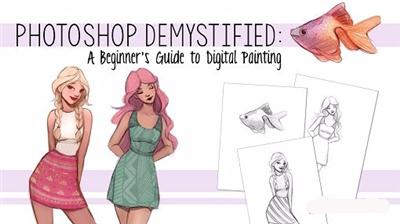
Photoshop Demystified: A Beginner's Guide to Digital Painting
Duration: 38m | Video: h264, yuv420p, 1280x720 30fps | Audio: aac, 44100 Hz, 2 ch | 488 MB
Genre: eLearning | Language: English​

If you've ever been interested in digital painting, but the thought of working in Photoshop has intimidated you, look no further! I've made this Photoshop class with the absolute beginner in mind.

Learn how to turn your traditional sketches into new digital creations. With easy to follow tutorials, you will learn how to clean up your sketch in Photoshop, how to easily add color to your illustrations, and how to apply textures and effects to your artwork.
We'll talk about digital tablets, photoshop's interface, canvases, brushes, layers, working with color, blending modes, textures, proportional helpers, channels, blur effects, sharpening effects, and more!

Recommend Download Link Hight Speed | Please Say Thanks Keep Topic Live ​

 

6a90c37c7642a70119a142b22213e437.jpg

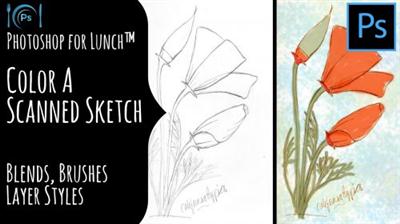
Photoshop for Lunch - Color a Scanned Sketch - Blends, Brushes, Layer Styles
MP4 | Video: AVC 1280x720 | Audio: AAC 44KHz 2ch | Duration: 22M | 100 MB
Genre: eLearning | Language: English​

Photoshop for Lunch™ is a series of short video courses you can study in bite size pieces such as at lunchtime. In this course you'll learn how to hand color a scanned sketch in Photoshop. You will see how to layer color fills and recolor your lines and how to apply a wash to the image without having to make a selection or a mask. This is the color effect we will make:

Recommend Download Link Hight Speed | Please Say Thanks Keep Topic Live ​
 

d8dda8f0f8b3faa7b0d83e2f6917e860.jpg

Photoshop Production for eLearning: Creating Lecture Slides
Duration: 42m | Video: h264, yuv420p, 1280x720 30fps | Audio: aac, 44100 Hz, 2 ch | 551 MB
Genre: eLearning | Language: English​

Do you want to create better visuals for your course? Do your slides look like something straight out of the Power Point defaults? Do you imagine your online students napping through your course? Do you simply want to create more engaging visuals?

In this course, using Photoshop, you'll learn the process to compose visually engaging, educationally sound slides. You'll understand the basics of slide design, typography and then learn a number of effects you can use to create engagement. Course visuals help determine your credibility, so, don't you want them to perform as well as possible?

With better designed visuals...
... You'll keep learners engaged for the length of your presentation.
... You'll enhance your credibility with learners.
... Your courses will have more "staying power" and not appear to be in constant revision.
... You'll forge a stronger relationship with your online learners.
... You'll reduce cognitive load and increase learners' focus on your content.
... Much, much more

This course which will take just about an hour of your time includes a great activity that will take you step-by-step through the process of creating a great slide in Photoshop. You'll also get to apply an astounding special effect.

Recommend Download Link Hight Speed | Please Say Thanks Keep Topic Live ​
 

38f6adbd099b6c98b668d96bd206c8ae.jpg

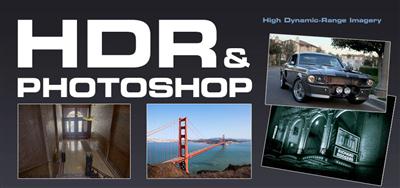
PhotoshopCAFE - HDR and Photoshop (CS5 - CC) SECOND EDITION
Duration: 3hr 55m | Video: h264, yuv420p, 960x540 30fps | Audio: aac, 44100 Hz, 2 ch | 1.18 GB
Genre: eLearning | Language: English | Extras Included​

Have you ever looked at a stunning HDR image and wondered, "how did they do that?" Wonder no more! This video will serve as your easy to follow and informative guide to the world of HDR. You will be getting results better than you dreamed of with maximum ease.

Colin explains in Plain-English all you need to get going in HDR. All new and expanded for Photoshop CS5 and Photomatix 4. When used correctly the 32 bit tools in Photoshop will enable you to create drop-dead gorgeous images with effortless ease. Learn everything from completely natural to jaw-dropping surrealistic looks. You will also learn some clever tricks that will enable you to boost the dynamic punch of Low Dynamic images. You'll be able to supercharge any image with this bag of tricks in your arsenal. HDR (High Dynamic Range) is not just a trend. It's the future of Photography. Get a jump start on the newest Photographic technology with this 4 hour indepth guide and learn why as well as how!

Recommend Download Link Hight Speed | Please Say Thanks Keep Topic Live ​

 
Zurück
Oben Unten