• Regeln für den Video-Bereich:

    In den Börsenbereich gehören nur Angebote die bereits den Allgemeinen Regeln entsprechen.

    Einteilung

    - Folgende Formate gehören in die angegeben Bereiche:
    - Filme: Encodierte Filme von BluRay, DVD, R5, TV, Screener sowie Telesyncs im Format DivX, XviD und x264.
    - DVD: Filme im Format DVD5, DVD9 und HD2DVD.
    - HD: Encodierte Filme mit der Auflösung 720p oder darüber von BluRay, DVD, R5, TV, Screener sowie Telesyncs im Format x264.
    - 3D: Encodierte Filme von BluRay, die in einem 3D Format vorliegen. Dies gilt auch für Dokus, Animation usw.
    - Serien: Cartoon/Zeichentrick, Anime, Tutorials, Dokumentationen, Konzerte/Musik, Sonstiges sind demnach in die entsprechenden Bereiche einzuordnen, auch wenn sie beispielsweise im High Definition-Format oder als DVD5/DVD9/HD2DVD vorliegen. Ausnahme 3D.
    - Bereich Englisch: Englische Releases gehören immer in diesen Bereich.
    - Bereich Talk: Der Bereich, in dem über die Releases diskutiert werden kann, darf, soll und erwünscht ist.


    Angebot/Beitrag erstellen

    - Ein Beitrag darf erst dann erstellt werden, wenn der Upload bei mindestens einem OCH komplett ist. Platzhalter sind untersagt.
    - Bei einem Scenerelease hat der Threadtitel ausschließlich aus dem originalen, unveränderten Releasenamen zu bestehen. Es dürfen keine Veränderungen wie z.B. Sterne, kleine Buchstaben o.ä. vorgenommen werden. Ausnahme Serienbörse:
    - Bei einem Sammelthread für eine Staffel entfällt aus dem Releasename natürlich der Name der Folge. Beispiel: Die Simpsons S21 German DVDRip XviD - ITG
    - Dementsprechend sind also u.a. verboten: Erweiterungen wie "Tipp", "empfehlenswert", "only", "reup", usw. / jegliche andere Zusatzinformation oder Ergänzung, welche nicht in obiger Beschreibung zu finden ist.

    Aufbau des Angebots und Threadtitel

    Der Titel nach folgendem Muster erstellt zu werden. <Name> [3D] [Staffel] [German] <Jahr> <Tonspur> [DL] [Auflösung] <Quelle> <Codec> - <Group>
    Beispiel: The Dark Knight German 2008 AC3 DVDRip XviD - iND
    Beispiel: The Dark Knight 2008 DTS DL BDRip x264 - iND
    Beispiel: The Dark Knight 2008 AC3 DL BDRip XviD - iND
    Beispiel: The Dark Knight German 2008 AC3 720p BluRay x264 iND
    Beispiel: The Dark Knight 2008 DTS DL 1080p BluRay x264 iND
    Beispiel: Die Simpsons S01 German AC3 DVDRip XviD iND
    Beispiel: Die Simpsons S20 German AC3 720p BluRay x264 iND
    Beispiel: Sword Art Online II Ger Sub 2014 AAC 1080p WEBRip x264 - peppermint
    Entsprechend sind also u.a. verboten: Sonderzeichen wie Klammern, Sterne, Ausrufezeichen, Unterstriche, Anführungszeichen / Erweiterungen wie "Tipp", "empfehlenswert", "only", "reup", usw. / jegliche andere Zusatzinformation oder Ergänzung, welche nicht in obiger Beschreibung zu finden ist
    Ausnahmen hiervon können in den Bereichen geregelt sein.

    Die Beiträge sollen wie folgt aufgebaut werden:
    Überschrift entspricht dem Threadtitel
    Cover
    kurze Inhaltsbeschreibung
    Format, Größe, Dauer sind gut lesbar für Downloader außerhalb des Spoilers zu vermerken
    Nfo sind immer Anzugeben und selbige immer im Spoiler in Textform.
    Sind keine Nfo vorhanden z.B. Eigenpublikationen, sind im Spoiler folgende Dateiinformationen zusätzlich anzugeben :
    Quelle
    Video (Auflösung und Bitrate)
    Ton (Sprache, Format und Bitrate der einzelnen Spuren)
    Untertitel (sofern vorhanden)
    Hosterangabe in Textform außerhalb eines Spoiler mit allen enthaltenen Hostern.
    Bei SD kann auf diese zusätzlichen Dateiinformationen verzichtet werden.

    Alle benötigten Passwörter sind, sofern vorhanden, in Textform im Angebot anzugeben.
    Spoiler im Spoiler mit Kommentaren :"Schon Bedankt?" sind unerwünscht.


    Releases

    - Sind Retail-Release verfügbar, sind alle anderen Variationen untersagt. Ausnahmen: Alle deutschen Retail-Release sind CUT, in diesem Fall sind dubbed UNCUT-Release zulässig.
    - Im Serien-Bereich gilt speziell: Wenn ein Retail vor Abschluss einer laufenden Staffel erscheint, darf diese Staffel noch zu Ende gebracht werden.62
    - Gleiche Releases sind unbedingt zusammenzufassen. Das bedeutet, es ist zwingend erforderlich, vor dem Erstellen eines Themas per Suchfunktion zu überprüfen, ob bereits ein Beitrag mit demselben Release besteht. Ist dies der Fall, ist der bereits vorhandene Beitrag zu verwenden.
    - P2P und Scene Releases dürfen nicht verändert oder gar unter einem iND Tag eingestellt werden.


    Support, Diskussionen und Suche

    - Supportanfragen sind entweder per PN oder im Bereich Talk zu stellen.
    - Diskussionen und Bewertungen sind im Talk Bereich zu führen. Fragen an die Uploader haben ausschließlich via PN zu erfolgen, und sind in den Angeboten untersagt.
    - Anfragen zu Upload-Wünschen sind nur im Bereich Suche Video erlaubt. Antworten dürfen nur auf Angebote von MyBoerse.bz verlinkt werden.


    Verbote

    - Untersagt sind mehrere Formate in einem einzigen Angebotsthread, wie beispielsweise das gleichzeitige Anbieten von DivX/XviD, 720p und 1080p in einem Thread. Pro Format, Release und Auflösung ist ein eigener Thread zu eröffnen.
    - Grundsätzlich ebenso verboten sind Dupes. Uploader haben sich an geeigneter Stelle darüber zu informieren, ob es sich bei einem Release um ein Dupe handelt.
    - Gefakte, nur teilweise lauffähige oder unvollständige Angebote sind untersagt. Dies gilt auch für eigene Publikationen, die augenscheinlich nicht selbst von z.B. einer DVD gerippt wurden. Laufende Serien, bei denen noch nicht alle Folgen verfügbar sind, dürfen erstellt und regelmäßig geupdatet werden.
    - Untersagt sind Angebote, welche nur und ausschließlich in einer anderen Sprache als deutsch oder englisch vorliegen. Ausnahmen sind VORHER mit den Moderatoren zu klären.


    Verstoß gegen die Regeln

    - Angebote oder Beiträge, die gegen die Forenregeln verstoßen, sind über den "Melden"-Button im Beitrag zu melden.
  • Bitte registriere dich zunächst um Beiträge zu verfassen und externe Links aufzurufen.


Englische Tutorials


54bb6d386aa1318087346c4c9f12b15e.jpg

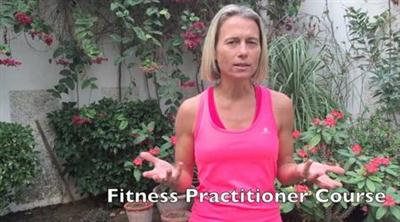
Fitness Practitioner
.MP4, AVC, 5248 kbps, 1920x1080 | English, AAC, 96 kbps, 2 Ch | 2 hours | 2.08 GB
Instructor: Dr Zsuzsanna Fajcsak​

When you want to exercise effectively and safely. This course helps you to be your own instructor

Become your own personal trainer!

This course will help you to be aquatinted with the basics how to work out in the gym and at home or outdoors safely and effectively, while having maximum fun and benefits.

You will have confidence and tools to exercise anywhere you are.

If you have been hesitant to start exercise as you don't how, this is your chance to learn step by step. You all understand what is the good form and safe executions for most effective benefits to build a fit, great shaped body and lose fat weight too.

The addition of short nutrition and hydration section will guide you on the best food choices to reach your goals.

Now its only you and your willingness needed.

What are the requirements?

SMall water bottle (2) or dumbbells 1-2kg each, fit ball, mat, or entry to a gym where there is lat pull down or rowing machine, or multi function fitness machine, a treadmill

What am I going to get from this course?

Over 37 lectures and 2 hours of content!
Confident to start exercise in the gym
Know the body enough to chose exercises
Know the muscles in general
Have enough tool to exercise at home
HAve enough confidence to motivate other to exercise

Recommend Download Link Hight Speed | Please Say Thanks Keep Topic Live ​
 

08cbe47f3ee0cde3c4996e9a0eb1cf8a.jpg

Flat Art Design for Instagram & Web
Duration: 33m | Video: h264, yuv420p, 1280x720 30fps | Audio: aac, 44100 Hz, 2 ch | 377 MB
Genre: eLearning | Language: English​

In this course you'll learn how to create basic Flat Art Design for use in social media (Instagram, Twitter, Facebook) all inside of After Effects.

Flat Art Design is a great way to execute Content Marketing strategies, Branding, helping you get your companies message to it's intended audience

Recommend Download Link Hight Speed | Please Say Thanks Keep Topic Live ​
 

5e2a0027c3481547c1c69d9d2ecc6577.jpg

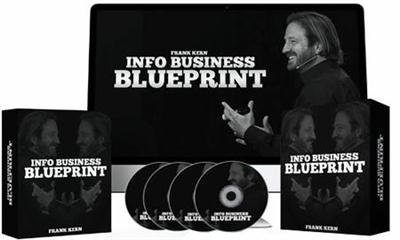
Frank Kern - Info Business Blueprint
WEBRip | English | MP4 | 1280 x 720 | AVC ~114 kbps | 14.985 fps
AAC | 66.2 Kbps | 22.05 KHz | 2 channels | ~40 hours | 4.42 GB​

Genre: eLearning Video / Small Business, Entrepreneurs
Here's How To Claim Your Share of The Multi-Billion Dollar Online Information Business. Here's What's Inside ...
Info Business Blueprint is a five week online course that's designed to help you do these four things - Find out exactly what type of Information your prospects want to buy.

- Quickly and easily create excellent Information products for them. - Use automation to turn prospects into customers repeatedly and consistently ...even if you're not there. - Get traffic from people who are already interested in what you're selling.
Here's How We'll Do It:

Week 1: Escape And Arrival
The first thing you get in week one is clarity. Here's how:
As you know, there are only five major types of Information products that people buy.
And there are only four major "selling systems" that you can use to sell them with.
So in week one, we're going to get you crystal clear on exactly what type of product you want to sell by going through SPY FOOTAGE of successful online Information businesses across multiple markets.
You'll see what people are doing in markets like health, fitness, Internet Marketing, relationship coaching, and even parenting.
We're doing this so you can get a jump start on your plan of attack ...knowing exactly what types of products your prospects are already buying so you'll be able to hit the ground running when it comes time to create them.
Once you see what your prospects are already buying, now it's time to see what marketing systems they're already buying from.
That's why we're going to use even more SPY FOOTAGE to play "secret shopper" and dissect the sales funnels of other successful Information businesses online.
Naturally, I'll take you behind the scenes of how my own business works ...and you'll also see a confidential breakdown of multiple funnels across all kinds of industries from ****** to marketing and even health.
We're doing this so you can see what's already working ...and that will give you a head start on knowing how you want to approach your marketing!
Now that we know what types of products your market is buying, and what kinds of marketing is working ...it's almost time to create your products.
But not yet. Before we do, I want to give you the HOLY GRAIL of marketing.
It's called ...
THE ESCAPE AND ARRIVAL FRAMEWORK.
This is a fast and simple process that gets right inside your prospect's head and does two things:
Finds out exactly what to put in your product so it's irresistible.
Finds out exactly what you need to say and do in order to make the sale! (This is even cooler because when you use this, every bit of your marketing actually helps the prospect out!)
This is literally the number one reason for my success ever since I stumbled over it nearly 10 years ago, and now I'm passing it on to you.
And once you use it to "reverse engineer" your prospect's mind, now it's time to create your products.
And that's exactly what we'll do in week two!

Week 2: Personalized Product Production
In week two, we do three things:
Verify that people actually want to buy your product ...before you create it (so you'll know it's likely to sell before you create it.)
Master Content Compounding so you can create your products quickly and easily.
Use Content Compounding to create the five product types.
First, let's talk about making sure they want it.
Here's the thing: Just about product I've ever created has done multiple millions in sales.
And that's across all kinds of markets. Heck, before I was a "marketing guy", I had a product that hit $100,000.00 in sales to pet owners!
Anyway, it's NOT because I'm a great marketer.
See ...I'm stacking the deck in my favor (and I want you to do the same).

Here's how:
There's a simple process I run through before creating any product, and it's called The Market Validation process.
It takes about 45 minutes and when you're done, here's what you'll know:
Are people already buying "your type of stuff?'" (Wouldn't it be nice to create a product people are already spending money on? Now you can.)
Who are they?
What traffic sources are best used to reach them?
Who else is selling similar information to them?
Where are those people getting their customers?
Who are their most responsive buyers and prospects?

Do you see what we're doing?
You're knowing exactly what to sell ...and who to sell it to ...before you ever create a thing!
And once you know where they money really is in your market, next it's time to discover CONTENT COMPOUNDING so you can create products fast.
CONTENT COMPOUNDING: Next, we'll start brainstorming ideas for your products using the HOLY GRAIL of product creation methods.
It's called CONTENT COMPOUNDING and if you want to create Information products really quickly ...without sacrificing quality ...this is for you.
Once you discover this, you'll never feel "stuck" or "overwhelmed again because this simple method is like a secret tool that "mines" your brain for the very information your prospects want ...and then turns that into a sellable product quickly.
But that's not all:
Content Compounding practically outlines your marketing campaigns for you because it almost instantly puts you in your prospects head ...knowing exactly what he needs to see and hear in order to say, "Yes! Sold!".
Now, once you know how Content Compounding works ...now it's time to use it to create exactly the type of products your market wants to buy.
As you know, there are only five main types of products that sell in the Information Business.

Here they are:
Liquidators (Inexpensive reports and e-books).
Bread And Butter (Usually an e-book with videos or audios included, slightly more expensive).
Modulated Courses (These are the types of products the "big guns" sell. They have video, audio, and pdfs that are "drip fed" to customers inside a members' area over a set period of time. Info Business Blueprint is one of these.)
Continuity. (Usually a membership site.)
Big Ticket Interactive. (These are usually expensive and always involve some sort of personal interaction between the customer and you ...or a staff member.)
Now. That's a lot of different products.
The good news is, most people only need one of them. So you just choose the type that's right for you and focus on that!
Regardless of which type you use, Content Compounding will have it ready to sell in no time.

Week 3: Passive Selling Systems
Let's talk about getting you PAID.Here's the thing.
In week two, we're going to use Content Compounding to get your products made so you can sell them.
In week three, we're going to create the automated systems that do the selling for you!
As you know, there are four main selling systems to choose from for any Information Business.
Here they are:

Linear. A great example of this is an automated product launch or an automated webinar.
Ascending. This is when you have multiple products, and you offer them to prospects from least expensive to most expensive.This model came from Direct Mail and it's very effective.
Descending. This is when you have multiple products and you start with your most expensive one first ...and if they don't take it, you start offering them your less expensive products.
Cycling. This is when you use multiple selling systems to sell the same product (or multiple products). It can be used with Ascending, Descending, or Linear.

YES. That looks like a LOT of different stuff to choose from.
But here's the thing. You only need ONE.
I'm just just giving you everything so you'll have all your options available .
(In all likelihood, you'l use the Linear system. This is what most people choose).
And to top it off, I'm also giving you:
Advanced Webinar Training. Ever wanted to sell on webinars? Now you can! You're getting my entire six-step system for using Webinars to generate sales, no matter what webinar system you use.It works with live webinars, hybrid webinars, and even automated webinars.
Product Launch Fast Start: Let's face it. Product launches are amazing. That's why I'm giving you my fast-start training on how to set up, orchestrate, and deploy a product launch. (I've never taught this before, but it's yours when you take advantage of this Grand Opening Special.)

But we're not stopping there.
I'm also giving you ...
TEMPLATES!
Yes! I'm giving you the complete framework and step-by-step templates for:
Your VSLs.
Your Actual Webinar Presentation.
Your Long Form Sales Letters.
Now - let me make something clear here.
There's no such thing (in my opinion) as some magical "fill-in-the-blanks" system for creating sales letters, VSLs, or webinars that work.
But there is a process ...and there IS a framework.
And that's what I'm giving YOU.
My personal framework for creating video sales letters, webinar pitches, and long form sales letters.
You're even getting the slides for the framework so you can watch me teach you, pull up your Framework slides, and create your pitch right there on the spot.
No more staring at a blank page wondering what to say ...no more overwhelm ...not you can follow my lead and let me walk you through it step by step.
And now that we have that done, it's time for ...

Week 4: Putting It All Together
Now it's time to take what we've build and tie it all together into a well oiled selling machine.
And I've made it super easy for you.
Here's how:
In week four, we're building your web pages.
Now, naturally I'm showing you how to do it ...but I'm also GIVING YOU THE WEB PAGES!
Here's what I mean.
As you know, the three most important web pages you need are:
Your Opt In Page (So they can give you their email address in exchange for something cool.)
Your Content Page (One example is a "thank you" page where they can whatever they opted in for.)
Your Sales Page. (This can be a Video Sales Letter or a long form sales letter.)

Now, not only am I going to show you how to create these ...I'm also just flat out giving you the templates for each one!
Take this page for example.
I built this page myself using a template I designed.
I'm (literally) giving you the exact same template I designed so you can take what's working for me and "transplant" it into your business as fast as possible.
You're getting video opt in pages, video sales pages, pages for launch videos, long form sales pages, simple opt in pages, you name it.
Every design that I'm using personally is yours ...and can be installed on a WORDPRESS SITE with a click of a button and some super-cheap software.
This way - all the "tech stuff" is reduced to just filling in the blanks on pre-tested designs that are working really, really well.
If you're weirded out by tech stuff, this will be one of the greatest discoveries of your career .
You will easily be able to create all of your pages in a day.

Week 5: Buyer Traffic
Now that you've tied everything together, it's time to get traffic.
But not just any traffic.
We want them to have two critical characteristics:
They already want (and can afford) your type of Information.
They're pre-disposed to want to buy it from YOU.
And that's exactly who we're going to be targeting in week five.

Here's how:
First, we're using Facebook ads because that's the fastest, often the cheapest, and always the most effective type of traffic we can start with.
And don't worry.
If you think your audience isn't on Facebook, they are.
During week five you'll see exactly how to find your customers ...even if you're selling something to people who would never be on Facebook!
(For example, I once created a webinar for a client and we used Facebook ads to sell ACTUAL HOUSES online. No kidding. I'm telling you - your customers are on there.)
Anyway - here's the thing:
There's all manner of ways you can get traffic from Facebook.
We're going to focus on two:
Long Form Video Ads: I call these "pre-sell" ads because they sell your prospect on buying from you ...before the prospect ever goes to your website!On average, I'm spending about $1,500 per DAY on these types of ads, and they're making me a fortune.They're laser targeted, they work, and people love them.
Article Format Ads: These are long-copy ads that are getting me an average 400% return on my advertising spend each month.This means that for every dollar I spend on them, they're bringing me four dollars back ...all in the same month!But I'm not just showing you how to do it ...I'm also giving you TEMPLATES!

For example - Long Form Video ads have a five-part framework that's easy to follow.
I give you the framework and a complete swipe file of my best ad.
Article ads have a seven part framework and I give it to you along with a swipe file that just walks you through exactly what to say.
Oh! And the ads that are working the best? They're the ones that I made with my PHONE!
No kidding.
So if you're worried about having to invest in a bunch of equipment, it's ok. You don't have to. I just use my iPhone and my laptop.

BONUSES:
Convert E-Book
How to Design Awesome Presentations
Consultant E-Book
Big Money Blueprint
The Automated System
23 Million Dollar

Recommend Download Link Hight Speed | Please Say Thanks Keep Topic Live ​

 

84a66db5039000465f63cb613a320931.jpg

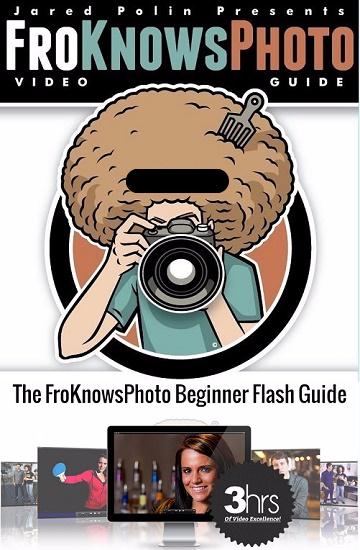
FroKnowsPhoto - Beginner Flash Guide Training Video
Duration: 3+ Hours | Video: h264, yuv420p, 1280x720 30fps | Audio: aac, 44100 Hz, 2 ch | 3.2 GB
Genre: eLearning | Language: English​

This guide will show you how easy it is to quickly understand the fundamentals of flash photography and create dynamic lighting in any situation.

You are smarter than your flash, so why let it make all the decisions for you? Your flash's Auto feature may give you okay flash results, but who is happy with just okay?

Highlights:
Learn from two professional photographers
You don't need to spend a fortune to get professional results.
No longer be afraid of your flash
Finally understand flash photography
Get Studio looking photos without the studio
See how much more "Dynamic" your portraits look with a flash
Learn the tricks of turning any location into a studio.

Recommend Download Link Hight Speed | Please Say Thanks Keep Topic Live ​

 

b688cac0705a743fa2ec97aebd8b63f0.jpg

Fusion 360 - Architectural Hardware Design
June 2016 | MP4 | Video: AVC 1280x720 | Audio: AAC 44KHz 2ch | Duration: 2 Hours | 426 MB
Genre: eLearning | Language: English​

Fusion 360 is a versatile CAD platform taking the world by storm. In this course, you will learn the skills to create architectural doorknobs in Fusion 360 and use them to create an endless number of products. Software Required: Autodesk Fusion 360.

Fusion 360 is a versatile CAD platform that's becoming more and more popular. In this course, , you're going to learn a little bit about Architectural Design and manufacturing, in addition to learning the techniques needed in Fusion 360 to design your own products. First, you'll learn about basic feature creation, starting with a standard shape door knob with some visually appealing features. Next, you'll learn about SubDivided modeling by creating an organic shape door. Finally, you'll conclude the course by learning how to share and collaborate your designs with vendors and manufacturers. When you're finished with this course, you will not only have the skills to create architectural doorknobs in Fusion 360, but also the knowledge of how to apply those skills to create a large number of products. Software Required: Autodesk Fusion 360.

Recommend Download Link Hight Speed | Please Say Thanks Keep Topic Live ​

 

a9783626ba1e72a9084344db9a2f843a.jpg

Fusion 360 for SOLIDWORKS Users
MP4 | Video: AVC 1280x720 | Audio: AAC 44KHz 2ch | Duration: 1h 46m | 348 MB
Genre: eLearning | Language: English​

Fusion 360 is a cloud based CAD system growing in popularity and functionality. This course is an introduction to Fusion 360 for people who have used SolidWorks in the past.

This course will take a look at Fusion 360 from the eyes of someone very new to the tool with long history using other 3D CAD tools, specifically SolidWorks. In this course, , you will learn how to model a basic toggle clamp with an introduction in how to create extrusion, cuts, sweeps, and revolves. First, you'll see the toggle clamp parts and how they are assembled together. Next, you'll see the creation of the linkage, lever, and end piece. Finally, you'll look at updating the toggle clamp based on some markups received after a design review. When you're finished with this course, you will have a foundational knowledge of Fusion 360 as well as an understanding of how to overcome potential pitfalls and frustrations migrating from SolidWorks. Software required: Fusion 360 2.0.1909.

Recommend Download Link Hight Speed | Please Say Thanks Keep Topic Live ​

 

cb38589457f13b1dd6f1faa69d223b37.jpg

Getting Started with a Tablet in Illustrator
MP4 | Video: AVC 1280x720 | Audio: AAC 44KHz 2ch | Duration: 1h 46m | 280 MB
Genre: eLearning | Language: English​

Learn how to begin creating beautiful, scalable artwork in Illustrator by harnessing the power of your Wacom tablet.

Have you ever wondered how artists create amazing print illustrations that you see on billboards or t-shirts? Chances are they used a drawing tablet and a vector application, such as Adobe Illustrator. In this course, , those two tools are exactly the focus. First, you will learn how to set up and configure your tablet to be used in Illustrator. Next, you will learn how to use various tools specifically with your tablet, including the brush tool, blob brush tool, and eraser. You will then learn how to create your own custom brushes while following along with two projects where you create a custom t-shirt illustration. At the end of this course, you'll have learned how to harness the huge potential that your Wacom drawing tablet has to offer, while using the immensely powerful vector graphics application, Adobe Illustrator. Software required: Adobe Illustrator CC.

Recommend Download Link Hight Speed | Please Say Thanks Keep Topic Live ​
 

f7ca5d24252e61fed2b1881d95d2374b.jpg

Getting Started with Ansible on Windows
June 2016 | MP4 | Video: AVC 1280x720 | Audio: AAC 44KHz 2ch | Duration: 1.5 Hours | 209 MB
Genre: eLearning | Language: English​

This course will show you how to use Ansible, an open source orchestration framework, to deploy configuration and features to Windows servers using automated scripts called playbooks.

In this course, , you will learn how to automate the deployment and configuration of Windows servers using Ansible, an open source orchestration framework. First, you'll learn how to write modular and reusable configuration scripts, called "playbooks." Next, you'll dig into configuring Windows features, installing applications, and provisioning local virtual machines. Finally, you'll tie it all together with Ansible Tower, a graphical web front-end to marshall all your server resources in one interface. By the end of this course, you'll be ready to use Ansible to configure your servers faster, easier, and more consisatently.

Recommend Download Link Hight Speed | Please Say Thanks Keep Topic Live ​

 

76061ec729f31546c8720dcdd3a6f436.jpg

Going Freelance: Building and Branding Your Own Success
Duration: 51m | Video: h264, yuv420p, 1280x720 30fps | Audio: aac, 44100 Hz, 2 ch | 966 MB
Genre: eLearning | Language: English​

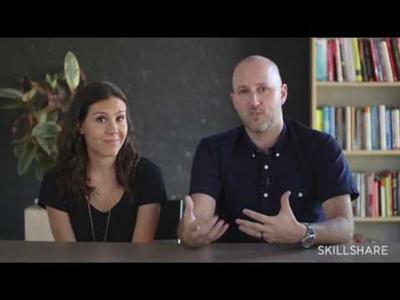
Now more than ever, we live in a freelance world. Eager to take the plunge or level up your own freelance game? Join Working Not Working's Justin Gignac and Claire Wasserman for a 50-minute dive into the essentials of going it on your own.

Each video lesson shares stories, examples, and tips to spark your thinking about ways to seek out the work you want - and draw work back to you. You'll leave inspired to:
Develop a strong body of work with a clear mission and side projects
Craft a portfolio that catches a recruiter's eye
Market yourself on social media
Pitch traditional media
Seize opportunities for authentic networking
Set yourself up for financial success

This class is meant to be an overview, laying the foundation for going freelance and all the things to consider. The goal is to empower, enlighten, educate, and arm everyone with the itch to go freelance!

Recommend Download Link Hight Speed | Please Say Thanks Keep Topic Live ​

 

7c2cd30289881a27a92af8b83ab56cdf.jpg

Google Advance Search - Search The Web As Professional
MP4 | Video: AVC 1280x720 | Audio: AAC 44KHz 2ch | Duration: 1 Hours | 257 MB
Genre: eLearning | Language: English​

Google Advance Search Will Show You How To Use Google Search Engine To Find The Very Relevant Result For Your Query

In this course you will learn so many things about Google. As we all know that Google is biggest giant Search engine and almost everyone's Homepage is Google. This course is created to give you information about Google Search Engine so you can learn more about Google Advance Search.

There are so many thing that people are not aware of it. In this course you will see so many tips and tricks that will show you how to use Google as Advance Search Engine and you will also learn the hidden tips of Google.

The course has so many things in it i.e

Google Search Settings
Difference Between Google Search and I'm feeling Lucky
Google operators
Google dorks
Google Advance Methods
Google Games
And Much More
So enroll now and take advantage of being an advance Google user.

Recommend Download Link Hight Speed | Please Say Thanks Keep Topic Live ​
 

0350bc376bb2c77d5643ea614edc3105.jpg

Great Careers Start With This MVC5 Web Dev. Course
MP4 | Video: AVC 1280x720 | Audio: AAC 44KHz 2ch | Duration: 4.5 Hours | 1.75 GB
Genre: eLearning | Language: English​

Learn the ASP .Net MVC 5 Framework with Microsoft Azure and immediately use these skills to start a great career.

Although important, there is more to merely learning a programming language and some frameworks to becoming an IT professional.

In this course, we will walk you through the skills you need to work in the exciting IT world using the ASP.net MVC framework to solve real-world business problems. Along the way we will give you advise on how best to position yourself and get that winning job and have a lifetime of job security in the IT developer field!

In this course we will work from the basics to the more intermediate topics in MVC and look at ways we can structure a simple template that you can use on future projects that is consistent with best-practices in the industry.

You should take this course if you are looking to break into IT or want to update your skills for a long-term path to job security- as the MVC framework is the most modern framework for creating web applications for businesses, and the average salary for this position in industry today is 80k- not bad for having fun!

Student should have some previous experience solving problems using a programming language or some framework experience in scripting or other related tools.

This may be the best class you have ever taken!!

We will build a complete web site and more and the source code is yours to keep:

Primary Learning objectives:
Understand modern web technologies

Understand MVC 5 Architecture

Learn fundamentals of Model View Controller pattern

CSS and HTML as it applies to use in MVC 5

Fundamentals of database creation through MVC 5

Deployment to production environments including AZURE

Recommend Download Link Hight Speed | Please Say Thanks Keep Topic Live ​
 

9b5341f23f2dfce01bf1e1b25745b094.jpg

Growth Hacking - Drive Traffic & Customers to Your Website
MP4 | Video: AVC 1280x720 | Audio: AAC 44KHz 2ch | Duration: 1Hours | 153 MB
Genre: eLearning | Language: English​

Learn what is Growth Hacking and How Famous Brands have used it, and become an amazing Growth Hacker yourself!

In this course you will learn the basic concepts, tools and examples of Growth Hacking. "Growth Hacking is a mindset more than a toolset", so be prepared to learn and change the way you think about entrepreneurship and growth.

Learn how to bring qualified traffic to your website with a non traditional methodology

Learn the main Growth Hacking techniques
Know how famous companies (Airbnb, Dropbox, Candy Crush, Paypal...) have used Growth Hacking techniques
Discover the Growth Hacking tools and metrics
Apply what you have learned to your business
Contents and Overview

This course contains over 30 lectures. It's designed for anyone who wants to learn more about Growth Hacking.

There is no prerequisites... just a good mindset: if you really want to learn, that's enough.

At the end of the course, you will understand precisely what is Growth Hacking, and you will be an amazing Growth Hacker!

Recommend Download Link Hight Speed | Please Say Thanks Keep Topic Live ​
 
Zurück
Oben Unten