• Regeln für den Video-Bereich:

    In den Börsenbereich gehören nur Angebote die bereits den Allgemeinen Regeln entsprechen.

    Einteilung

    - Folgende Formate gehören in die angegeben Bereiche:
    - Filme: Encodierte Filme von BluRay, DVD, R5, TV, Screener sowie Telesyncs im Format DivX, XviD und x264.
    - DVD: Filme im Format DVD5, DVD9 und HD2DVD.
    - HD: Encodierte Filme mit der Auflösung 720p oder darüber von BluRay, DVD, R5, TV, Screener sowie Telesyncs im Format x264.
    - 3D: Encodierte Filme von BluRay, die in einem 3D Format vorliegen. Dies gilt auch für Dokus, Animation usw.
    - Serien: Cartoon/Zeichentrick, Anime, Tutorials, Dokumentationen, Konzerte/Musik, Sonstiges sind demnach in die entsprechenden Bereiche einzuordnen, auch wenn sie beispielsweise im High Definition-Format oder als DVD5/DVD9/HD2DVD vorliegen. Ausnahme 3D.
    - Bereich Englisch: Englische Releases gehören immer in diesen Bereich.
    - Bereich Talk: Der Bereich, in dem über die Releases diskutiert werden kann, darf, soll und erwünscht ist.


    Angebot/Beitrag erstellen

    - Ein Beitrag darf erst dann erstellt werden, wenn der Upload bei mindestens einem OCH komplett ist. Platzhalter sind untersagt.
    - Bei einem Scenerelease hat der Threadtitel ausschließlich aus dem originalen, unveränderten Releasenamen zu bestehen. Es dürfen keine Veränderungen wie z.B. Sterne, kleine Buchstaben o.ä. vorgenommen werden. Ausnahme Serienbörse:
    - Bei einem Sammelthread für eine Staffel entfällt aus dem Releasename natürlich der Name der Folge. Beispiel: Die Simpsons S21 German DVDRip XviD - ITG
    - Dementsprechend sind also u.a. verboten: Erweiterungen wie "Tipp", "empfehlenswert", "only", "reup", usw. / jegliche andere Zusatzinformation oder Ergänzung, welche nicht in obiger Beschreibung zu finden ist.

    Aufbau des Angebots und Threadtitel

    Der Titel nach folgendem Muster erstellt zu werden. <Name> [3D] [Staffel] [German] <Jahr> <Tonspur> [DL] [Auflösung] <Quelle> <Codec> - <Group>
    Beispiel: The Dark Knight German 2008 AC3 DVDRip XviD - iND
    Beispiel: The Dark Knight 2008 DTS DL BDRip x264 - iND
    Beispiel: The Dark Knight 2008 AC3 DL BDRip XviD - iND
    Beispiel: The Dark Knight German 2008 AC3 720p BluRay x264 iND
    Beispiel: The Dark Knight 2008 DTS DL 1080p BluRay x264 iND
    Beispiel: Die Simpsons S01 German AC3 DVDRip XviD iND
    Beispiel: Die Simpsons S20 German AC3 720p BluRay x264 iND
    Beispiel: Sword Art Online II Ger Sub 2014 AAC 1080p WEBRip x264 - peppermint
    Entsprechend sind also u.a. verboten: Sonderzeichen wie Klammern, Sterne, Ausrufezeichen, Unterstriche, Anführungszeichen / Erweiterungen wie "Tipp", "empfehlenswert", "only", "reup", usw. / jegliche andere Zusatzinformation oder Ergänzung, welche nicht in obiger Beschreibung zu finden ist
    Ausnahmen hiervon können in den Bereichen geregelt sein.

    Die Beiträge sollen wie folgt aufgebaut werden:
    Überschrift entspricht dem Threadtitel
    Cover
    kurze Inhaltsbeschreibung
    Format, Größe, Dauer sind gut lesbar für Downloader außerhalb des Spoilers zu vermerken
    Nfo sind immer Anzugeben und selbige immer im Spoiler in Textform.
    Sind keine Nfo vorhanden z.B. Eigenpublikationen, sind im Spoiler folgende Dateiinformationen zusätzlich anzugeben :
    Quelle
    Video (Auflösung und Bitrate)
    Ton (Sprache, Format und Bitrate der einzelnen Spuren)
    Untertitel (sofern vorhanden)
    Hosterangabe in Textform außerhalb eines Spoiler mit allen enthaltenen Hostern.
    Bei SD kann auf diese zusätzlichen Dateiinformationen verzichtet werden.

    Alle benötigten Passwörter sind, sofern vorhanden, in Textform im Angebot anzugeben.
    Spoiler im Spoiler mit Kommentaren :"Schon Bedankt?" sind unerwünscht.


    Releases

    - Sind Retail-Release verfügbar, sind alle anderen Variationen untersagt. Ausnahmen: Alle deutschen Retail-Release sind CUT, in diesem Fall sind dubbed UNCUT-Release zulässig.
    - Im Serien-Bereich gilt speziell: Wenn ein Retail vor Abschluss einer laufenden Staffel erscheint, darf diese Staffel noch zu Ende gebracht werden.62
    - Gleiche Releases sind unbedingt zusammenzufassen. Das bedeutet, es ist zwingend erforderlich, vor dem Erstellen eines Themas per Suchfunktion zu überprüfen, ob bereits ein Beitrag mit demselben Release besteht. Ist dies der Fall, ist der bereits vorhandene Beitrag zu verwenden.
    - P2P und Scene Releases dürfen nicht verändert oder gar unter einem iND Tag eingestellt werden.


    Support, Diskussionen und Suche

    - Supportanfragen sind entweder per PN oder im Bereich Talk zu stellen.
    - Diskussionen und Bewertungen sind im Talk Bereich zu führen. Fragen an die Uploader haben ausschließlich via PN zu erfolgen, und sind in den Angeboten untersagt.
    - Anfragen zu Upload-Wünschen sind nur im Bereich Suche Video erlaubt. Antworten dürfen nur auf Angebote von MyBoerse.bz verlinkt werden.


    Verbote

    - Untersagt sind mehrere Formate in einem einzigen Angebotsthread, wie beispielsweise das gleichzeitige Anbieten von DivX/XviD, 720p und 1080p in einem Thread. Pro Format, Release und Auflösung ist ein eigener Thread zu eröffnen.
    - Grundsätzlich ebenso verboten sind Dupes. Uploader haben sich an geeigneter Stelle darüber zu informieren, ob es sich bei einem Release um ein Dupe handelt.
    - Gefakte, nur teilweise lauffähige oder unvollständige Angebote sind untersagt. Dies gilt auch für eigene Publikationen, die augenscheinlich nicht selbst von z.B. einer DVD gerippt wurden. Laufende Serien, bei denen noch nicht alle Folgen verfügbar sind, dürfen erstellt und regelmäßig geupdatet werden.
    - Untersagt sind Angebote, welche nur und ausschließlich in einer anderen Sprache als deutsch oder englisch vorliegen. Ausnahmen sind VORHER mit den Moderatoren zu klären.


    Verstoß gegen die Regeln

    - Angebote oder Beiträge, die gegen die Forenregeln verstoßen, sind über den "Melden"-Button im Beitrag zu melden.
  • Bitte registriere dich zunächst um Beiträge zu verfassen und externe Links aufzurufen.


Englische Tutorials


5416372455822af18d7a51fa4eb7fbbf.jpg

Build a Note-taking App With AngularJS
MP4 | Video: AVC 1280x720 | Audio: AAC 48KHz 2ch | Duration: 2.5 Hours | 1.82 GB
Genre: eLearning | Language: English​

Bring together Angular, Bootstrap, and Node as you learn to build your first Angular app. Watch us build NoteWrangler, the app we started in Staying Sharp with Angular.js that helps you create and categorize notes.

Recommend Download Link Hight Speed | Please Say Thanks Keep Topic Live ​
 

eb235853ef09b5e39f2ef2c7d43406a5.jpg

Drawing Daily Monsters: Finding Inspiration in a Drop of Ink
Duration: 47m | Video: h264, yuv420p, 1280x720 30fps | Audio: aac, 44100 Hz, 2 ch | 893 MB
Genre: eLearning | Language: English​

Explore how designer Stefan G. Bucher brings whimsy, play, and excitement into every project he touches. In this 45-minute class, you'll learn his step-by-step process for transforming spontaneous ink blots into fantastical, charming creatures-the process behind Daily Monster.com and the book it inspired, 100 Days of Monsters-as well as a range of insider insights on creativity, design confidence, and the power of stories.

This class is perfect for designers, illustrators, and everyone who loves to doodle. No prior knowledge or experience required! By the end, you'll have everything you need to dream, create, and share your own special little monster.

Recommend Download Link Hight Speed | Please Say Thanks Keep Topic Live ​
 

050c5bc14678facdcde92e4c4991dcdf.jpg

GURU LABS - Enterprise Linux Systems Administration - GL250
English | Version: GL250s-R6-H00 | PDF + Virtual Machine | 5.58 GB
Genre: eLearning | Language: English​

The GL250 is an in-depth course that explores installation, configuration and maintenance of Linux systems. The course focuses on issues universal to every workstation and server. Like all Guru Labs courses, the course material is designed to provide extensive hands-on experience. Topics include: installation and configuration; the boot process; user and group administration; filesystem administration, including quotas, FACLs, RAID and LVM; task automation; client networking; SELinux; software management; log files; troubleshooting; and more.

Current Version: P00

Prerequisites:
Students should already be comfortable working in a Linux or Unix environment. Fundamentals such as the Linux filesystem, process management, and how to edit files will not be covered in class. An understanding of network concepts, and the TCP/IP protocol suite is helpful. These skills are taught in the GL120 "Linux Fundamentals" course.

Supported Distributions:
Oracle Linux 7
Red Hat Enterprise Linux 7
SUSE Linux Enterprise 12

Recommend Download Link Hight Speed | Please Say Thanks Keep Topic Live ​
 

79eb9de781d03c2fa83f79cdce6afe1c.jpg

How to Make a Children's Book with Your Child - Fast
MP4 | Video: AVC 1280x720 | Audio: AAC 44KHz 2ch | Duration: 1 Hours | 234 MB
Genre: eLearning | Language: English​

Looking for a Fun Kid's Project? This is it! In an afternoon, you can create & publish a children's book for Amazon KDP.

I recently published a book to Amazon and it hit the best seller list in several categories. It was a great experience. My 5 year old daughter has been making her own books with her art and practicing writing out the text. She has several and they could be considered a small library of her own work. I wanted to work with her on a fun project so I took my knowledge of my recent publication and decided to combine it with her desire to create books. I suggested we work on a book together and publish it.

The entire experience has been so rewarding I decided to share the knowledge in a course so that other people can have the same experience.

Amazon has several tools to make creating a children's book easy. So easy in fact it can be done in an afternoon. I walk you through the process and show you how to publish your book with your child in a matter of hours.

Recommend Download Link Hight Speed | Please Say Thanks Keep Topic Live ​
 

10622740b4484e6deb84176840d76c78.jpg

Illustrator for Lunch - Banner and Award Badges - Appearance Panel, Masks, Warp
Duration: 42m | Video: h264, yuv420p, 1280x720 30fps | Audio: aac, 44100 Hz, 2 ch | 177 MB
Genre: eLearning | Language: English​

Illustrator for Lunch™ is a series of short video courses you can study in bite size pieces such as at lunchtime. In this course you'll learn to create a ribbon and a range of award banner border effects. You will see how to make zig zag edges, curved and scallop edges and how to use multiple appearances with a single shape. This is one of the images you will create:

Recommend Download Link Hight Speed | Please Say Thanks Keep Topic Live ​
 

dac327af0997cee233bdac132a266984.jpg

Internet Marketing : Learn about PLRs
MP4 | Video: AVC 1280x720 | Audio: AAC 44KHz 2ch | Duration: 1 Hours | 98 MB
Genre: eLearning | Language: English​

Private Label Rights software, books, and videos

In the time it takes you to read this, fortunes are being made in the trillion dollar software industry by people who struggle to program the DVD player¦

I'm not kidding " some of the richest people in the software business are NOT techies " they're just ordinary people who know what the majority of people online never knew until now¦ as a result they simply ACT SMARTLY to generate massive, passive income online by owning & marketing software that THEY DIDN'T CREATE. The big earners in this game move silently through the shadows, and quietly watch as their bank balance grows. They are the richest people you may have not heard of¦

In this course, be prepared to discover how YOU can earn a Solid 5 to 6 Figure Monthly Online Income by owning high-demand software products, without knowing a single thing about writing code or having to outsource or hire a super expensive programmer. This course will teach you some amazing things about how to start your own online software business, all while working a FT job if you still want to.

**Note: To use the same system stated in this course, you will need to sign up and pay for an outside product that I am affiliated with.

Recommend Download Link Hight Speed | Please Say Thanks Keep Topic Live ​
 

77363210cfe6610d15a5f37df10d4507.jpg

LFCS: Linux Virtualization Management
june 2016 | MP4 | Video: AVC 1280x720 | Audio: AAC 44KHz 2ch | Duration: 3.5 Hours | 250 MB
Genre: eLearning | Language: English​

This is the final course of 7 that helps prepare you for the Linux Foundation Certified Administrator exam. As the name suggests, we delve into the world of virtualization.

In today's competitive IT market, virtualization has become king and for those who can manage virtualization your future is secured. In this course, you will learn to manage virtual machines in an open source environment using Libvirt and KVM. Next, you'll learn to keep these virtual machines highly available via live migration by moving a running virtual machine from one KVM host to another. Finally, you'll learn how to create and manage lightweight system with Linux containers and Docker. When you're finished with this course, you will have the skills and knowledge needed to succeed in today's virtual IT environment. Software required: CentOS 7.x

Recommend Download Link Hight Speed | Please Say Thanks Keep Topic Live ​
 

17d9e3d8a7bbe55f233b29e176d07770.jpg

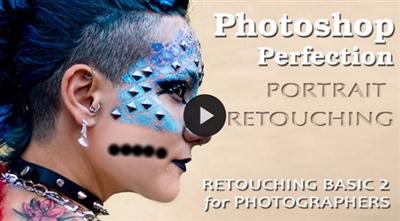
Photoshop Basic 2 - Portrait Retouching
Duration: 2hr 3m | Video: h264, yuv420p, 1280x720 30fps | Audio: aac, 44100 Hz, 2 ch | 833 MB
Genre: eLearning | Language: English​

The smallest details will make or break a portrait. Do it right, and you can make the person look great. Here, we are going to discuss problem areas, what to look for, and what you can do about it. Sometimes all it takes is a soft and subtle correction to fix the worst shot, and create the Perfect Portrait.

Some topics include:
Skin Color and Tone
3rd Party Software
Compare Healing Tools
Focus on the eyes
Fixing Teeth
Fixing Shine on Skin
Bulges
Stray Hairs

Recommend Download Link Hight Speed | Please Say Thanks Keep Topic Live ​
 

4eb420f01dc4abd10cd77338162827ca.jpg

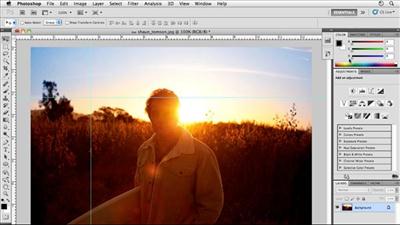
Photoshop CS5 for Photographers by Chris Orwig
Duration: 12hr 24m | Video: h264, yuv420p, 960x540 30fps | Audio: aac, 44100 Hz, 2 ch | 1.6 GB
Genre: eLearning | Language: English​

Photoshop CS5 for Photographers provides comprehensive Photoshop training targeting the needs of photographers. In this course, author Chris Orwig demonstrates the fundamental skills used to enhance digital photos, including managing and correcting color, sharpening, making selections and adjustments, retouching, and printing from Photoshop. In addition to teaching the techniques that enable photographers to refine and publish their photos, the course includes live-action segments that encourage thinking photographically and shooting with Photoshop's capabilities in mind. Exercise files are included with the course.

Topics include:
Calibrating a monitor
Setting up color and file handling preferences
Resizing images
Processing images in Camera Raw
Creating, targeting, and moving layers
Making selections and taking advantage of the Refine Edge feature
Masking and selective sharpening
Improving a photo using Content-Aware Fill and the Puppet Warp tool
Enhancing color, tone, and contrast with Levels
Improving under- and overexposure using blending
Burning and dodging techniques
Converting an image to black and white
Retouching essentials
Publishing images to the web

Recommend Download Link Hight Speed | Please Say Thanks Keep Topic Live ​

 

4b63853b48fa629bae6e6da62fdd4412.jpg

Product Management 101
MP4 | Video: AVC 1280x720 | Audio: AAC 44KHz 2ch | Duration: 2 Hours | 241 MB
Genre: eLearning | Language: English​

Learn to be an excellent product manager - from market intelligence and strategy to new product development.

Product Management 101 is an overview of the work of product management - from market intelligence and strategy to new product development. The course has been designed for product managers with 0-5 years of experience, and through a series of lectures we will share industry best practices that span the spectrum of product management work. We will follow this later with Product Management 102, which will focus on lifecycle management, i.e. managing an in-market product or service.

Recommend Download Link Hight Speed | Please Say Thanks Keep Topic Live ​

 

6943aacc11122f3f94fabcff696c31d3.jpg

Quickmigration Office 2003 to 2010 migration training
MP4 | Video: AVC 1280x720 | Audio: AAC 44KHz 2ch | Duration: 1 Hours | 148 MB
Genre: eLearning | Language: English​

Get used to the new functions and features of Office 2010.

This course will learn you the new functions and features of Office 2010.

The course includes:

What's New
MS Word
MS Outlook
MS Excel
MS Powerpoint
Learn the differences between 2003 and 2010. No more time wasting with searching for your favorite features which are relocated in Office 2010.

In this course you will learn how to use the new features in Office 2010. The difference and new features in 2010 will help you work more efficiently.

Recommend Download Link Hight Speed | Please Say Thanks Keep Topic Live ​

 
Zurück
Oben Unten