• Regeln für den Video-Bereich:

    In den Börsenbereich gehören nur Angebote die bereits den Allgemeinen Regeln entsprechen.

    Einteilung

    - Folgende Formate gehören in die angegeben Bereiche:
    - Filme: Encodierte Filme von BluRay, DVD, R5, TV, Screener sowie Telesyncs im Format DivX, XviD und x264.
    - DVD: Filme im Format DVD5, DVD9 und HD2DVD.
    - HD: Encodierte Filme mit der Auflösung 720p oder darüber von BluRay, DVD, R5, TV, Screener sowie Telesyncs im Format x264.
    - 3D: Encodierte Filme von BluRay, die in einem 3D Format vorliegen. Dies gilt auch für Dokus, Animation usw.
    - Serien: Cartoon/Zeichentrick, Anime, Tutorials, Dokumentationen, Konzerte/Musik, Sonstiges sind demnach in die entsprechenden Bereiche einzuordnen, auch wenn sie beispielsweise im High Definition-Format oder als DVD5/DVD9/HD2DVD vorliegen. Ausnahme 3D.
    - Bereich Englisch: Englische Releases gehören immer in diesen Bereich.
    - Bereich Talk: Der Bereich, in dem über die Releases diskutiert werden kann, darf, soll und erwünscht ist.


    Angebot/Beitrag erstellen

    - Ein Beitrag darf erst dann erstellt werden, wenn der Upload bei mindestens einem OCH komplett ist. Platzhalter sind untersagt.
    - Bei einem Scenerelease hat der Threadtitel ausschließlich aus dem originalen, unveränderten Releasenamen zu bestehen. Es dürfen keine Veränderungen wie z.B. Sterne, kleine Buchstaben o.ä. vorgenommen werden. Ausnahme Serienbörse:
    - Bei einem Sammelthread für eine Staffel entfällt aus dem Releasename natürlich der Name der Folge. Beispiel: Die Simpsons S21 German DVDRip XviD - ITG
    - Dementsprechend sind also u.a. verboten: Erweiterungen wie "Tipp", "empfehlenswert", "only", "reup", usw. / jegliche andere Zusatzinformation oder Ergänzung, welche nicht in obiger Beschreibung zu finden ist.

    Aufbau des Angebots und Threadtitel

    Der Titel nach folgendem Muster erstellt zu werden. <Name> [3D] [Staffel] [German] <Jahr> <Tonspur> [DL] [Auflösung] <Quelle> <Codec> - <Group>
    Beispiel: The Dark Knight German 2008 AC3 DVDRip XviD - iND
    Beispiel: The Dark Knight 2008 DTS DL BDRip x264 - iND
    Beispiel: The Dark Knight 2008 AC3 DL BDRip XviD - iND
    Beispiel: The Dark Knight German 2008 AC3 720p BluRay x264 iND
    Beispiel: The Dark Knight 2008 DTS DL 1080p BluRay x264 iND
    Beispiel: Die Simpsons S01 German AC3 DVDRip XviD iND
    Beispiel: Die Simpsons S20 German AC3 720p BluRay x264 iND
    Beispiel: Sword Art Online II Ger Sub 2014 AAC 1080p WEBRip x264 - peppermint
    Entsprechend sind also u.a. verboten: Sonderzeichen wie Klammern, Sterne, Ausrufezeichen, Unterstriche, Anführungszeichen / Erweiterungen wie "Tipp", "empfehlenswert", "only", "reup", usw. / jegliche andere Zusatzinformation oder Ergänzung, welche nicht in obiger Beschreibung zu finden ist
    Ausnahmen hiervon können in den Bereichen geregelt sein.

    Die Beiträge sollen wie folgt aufgebaut werden:
    Überschrift entspricht dem Threadtitel
    Cover
    kurze Inhaltsbeschreibung
    Format, Größe, Dauer sind gut lesbar für Downloader außerhalb des Spoilers zu vermerken
    Nfo sind immer Anzugeben und selbige immer im Spoiler in Textform.
    Sind keine Nfo vorhanden z.B. Eigenpublikationen, sind im Spoiler folgende Dateiinformationen zusätzlich anzugeben :
    Quelle
    Video (Auflösung und Bitrate)
    Ton (Sprache, Format und Bitrate der einzelnen Spuren)
    Untertitel (sofern vorhanden)
    Hosterangabe in Textform außerhalb eines Spoiler mit allen enthaltenen Hostern.
    Bei SD kann auf diese zusätzlichen Dateiinformationen verzichtet werden.

    Alle benötigten Passwörter sind, sofern vorhanden, in Textform im Angebot anzugeben.
    Spoiler im Spoiler mit Kommentaren :"Schon Bedankt?" sind unerwünscht.


    Releases

    - Sind Retail-Release verfügbar, sind alle anderen Variationen untersagt. Ausnahmen: Alle deutschen Retail-Release sind CUT, in diesem Fall sind dubbed UNCUT-Release zulässig.
    - Im Serien-Bereich gilt speziell: Wenn ein Retail vor Abschluss einer laufenden Staffel erscheint, darf diese Staffel noch zu Ende gebracht werden.62
    - Gleiche Releases sind unbedingt zusammenzufassen. Das bedeutet, es ist zwingend erforderlich, vor dem Erstellen eines Themas per Suchfunktion zu überprüfen, ob bereits ein Beitrag mit demselben Release besteht. Ist dies der Fall, ist der bereits vorhandene Beitrag zu verwenden.
    - P2P und Scene Releases dürfen nicht verändert oder gar unter einem iND Tag eingestellt werden.


    Support, Diskussionen und Suche

    - Supportanfragen sind entweder per PN oder im Bereich Talk zu stellen.
    - Diskussionen und Bewertungen sind im Talk Bereich zu führen. Fragen an die Uploader haben ausschließlich via PN zu erfolgen, und sind in den Angeboten untersagt.
    - Anfragen zu Upload-Wünschen sind nur im Bereich Suche Video erlaubt. Antworten dürfen nur auf Angebote von MyBoerse.bz verlinkt werden.


    Verbote

    - Untersagt sind mehrere Formate in einem einzigen Angebotsthread, wie beispielsweise das gleichzeitige Anbieten von DivX/XviD, 720p und 1080p in einem Thread. Pro Format, Release und Auflösung ist ein eigener Thread zu eröffnen.
    - Grundsätzlich ebenso verboten sind Dupes. Uploader haben sich an geeigneter Stelle darüber zu informieren, ob es sich bei einem Release um ein Dupe handelt.
    - Gefakte, nur teilweise lauffähige oder unvollständige Angebote sind untersagt. Dies gilt auch für eigene Publikationen, die augenscheinlich nicht selbst von z.B. einer DVD gerippt wurden. Laufende Serien, bei denen noch nicht alle Folgen verfügbar sind, dürfen erstellt und regelmäßig geupdatet werden.
    - Untersagt sind Angebote, welche nur und ausschließlich in einer anderen Sprache als deutsch oder englisch vorliegen. Ausnahmen sind VORHER mit den Moderatoren zu klären.


    Verstoß gegen die Regeln

    - Angebote oder Beiträge, die gegen die Forenregeln verstoßen, sind über den "Melden"-Button im Beitrag zu melden.
  • Bitte registriere dich zunächst um Beiträge zu verfassen und externe Links aufzurufen.


Englische Tutorials


81a0e226b05a20dc1a2f3b6c006d8331.jpg

Photographer's Post Production by Gavin Gough
Duration: 3+ Hours | Video: h264, yuv420p, 1280x720 30fps | Audio: aac, 44100 Hz, 2 ch | 1.2 GB
Genre: eLearning | Language: English | Raw files Included​

The package includes everything you will need to follow along as we process 15 original RAW files together. You can stream the video tutorials online or them to your computer or mobile device.

Learn how different Lightroom settings work together, building up a practical, real-world approach to digital post-production.
Video tutorials describe techniques suitable for Lightroom versions 4, 5, 6 and Lightroom Creative Cloud.
20 Video Tutorials (over 3 Hours training)
15 Original, High-resolution RAW files
Companion e-book with image recipes
Lightroom Catalogue

Recommend Download Link Hight Speed | Please Say Thanks Keep Topic Live ​
 

7a5f49b7a62f65e15259798313608534.jpg

Photography Marketing, Simple Effective Tips You Need For Success
MP4 | Video: AVC 1280x720 | Audio: AAC 44KHz 2ch | Duration: 2 Hours | 2.07 GB
Genre: eLearning | Language: English​

Learning the foundations of a photography business that puts a powerful and very useful skill at your fingertips. Photography businesses are one of the most fun and rewarding freelance jobs to land.

Master a simple and easy "started method" for photography marketing in this comprehensive course.

Build your first portfolio site
Get interested people to visit your site
Convert interested people to clients
Make your new clients stoked about your business
Get great reviews
Grow

Being a skilled business person and photographer (and there really aren't many of them out there) opens many doors. Freelance portrait photography and wedding photography are prime jobs for a talented photographer.

Recommend Download Link Hight Speed | Please Say Thanks Keep Topic Live ​
 

f49cde179ba981e04fb69fa06b0e32d6.jpg

Photoshop CC Basics: Mobile UI Design
june 2016 | MP4 | Video: AVC 1280x720 | Audio: AAC 44KHz 2ch | Duration: 46M | 616 MB
Genre: eLearning | Language: English​

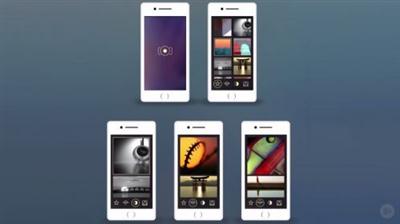
This course will teach you the basics of using Photoshop CC 2015, including new features and tools like the artboards, smart objects, and layer comps and how to integrate them to speed up your workflow.
Have you ever wanted to speed up your workflow in UI mobile design in Adobe Photoshop? If so, this course, , is the perfect course for you. In this course, you will find out how to use the newest Photoshop CC 2015 features to speed up your workflow. First, how to use the Photoshop artboards. Next, how to use and combine smart layers and layer comps to get fast results. Finally, you will learn how to prepare a client presentation. When you're finished with this Photoshop CC course, you'll not only know how to use the new features and tools to boost your design efficiency, but also to be able to adapt these powerful new tools to your other UI design projects. Software required: Adobe Photoshop CC 2015

Recommend Download Link Hight Speed | Please Say Thanks Keep Topic Live ​
 

3feae28dc0e80b16b1cd98032bb41592.jpg

Photoshop for Entrepreneurs : Design an Infographic
Duration: 38m | Video: h264, yuv420p, 1280x720 30fps | Audio: aac, 44100 Hz, 2 ch | 186 MB
Genre: eLearning | Language: English​

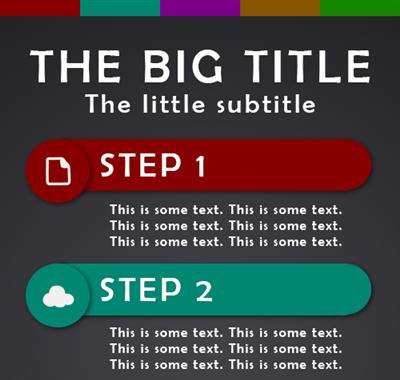
Learn how to use icons, assets, grids, and more inside of Photoshop to create infographics for social media and the internet!

Infographics are visual information that is easy to see and understand at a glance. They replace the long text form of regular information, and provide a unique and compelling way to get your ideas across. These work great on social media platforms such as Facebook and Pinterest because they provide a way for the viewer to quickly get the information and see if it's something they want to continue reading about.
In this course, I will show you how to easily create a simple common infographic that shows a step by step type of process. These infographics are wonderful to make if you need to show anyone how to do something in a particular order, such as baking a recipe or fixing a car.You will learn how to research common infographics, set up your Photoshop document, and then use grids, icons, assets, and more to create the infographic. Finally, you will be prompted to submit your image to the class for us to see!

Recommend Download Link Hight Speed | Please Say Thanks Keep Topic Live ​
 

136006e87c197911e50e8f39ad332a99.jpg

Photoshop: How to Create Caricatures from a Photos!
Duration: 15m | Video: h264, yuv420p, 1280x720 30fps | Audio: aac, 44100 Hz, 2 ch | 273 MB
Genre: eLearning | Language: English​

Photoshop CC 2015 tutorial in 2 parts showing how to create humorous caricatures from photos.

Recommend Download Link Hight Speed | Please Say Thanks Keep Topic Live ​
 

dba0a05af25f37ccd036a659052f0d5a.jpg

Lynda - Photoshop Insider Training: Rethinking the Essentials
2h 31m | Video: AVC (.mp4) 1280x720 15&30fps | Audio: AAC 48KHz 2ch | 967MB
Genre: eLearning | Intermediate | Language: English​

If you've been using Photoshop for years, you probably have various techniques and workflows committed to muscle memory. That's great, but are you taking advantage of everything Photoshop can now do? The software has evolved greatly over the last 25 years, and many people don't always understand or take the time to learn new features and work them into their routines.

This course, from Adobe's own principal product manager of digital imaging, Bryan O'Neil Hughes, is here to help. Bryan details various Photoshop features, many of them relatively new, that can help photographers and designers alike streamline their work.

Topics include:
Exploring Photoshop's evolution
Passing non-raw files to Camera Raw
Video editing in Camera Raw and Photoshop
Refining selections
Getting the most from layers
Using Photoshop's new design-oriented features like Typekit
Working "smarter" with Smart Object and Filters
Making powerful and nondestructive image adjustments
Sharpening and resizing

Recommend Download Link Hight Speed | Please Say Thanks Keep Topic Live ​
 

355882da304714a6bd20e752f6318759.jpg

PHP Database Connections to MYSQL
MP4 | Video: AVC 1280x720 | Audio: AAC 44KHz 2ch | Duration: 1.5 Hours | 280 MB
Genre: eLearning | Language: English​

Easily to follow step by step guide to using PHP and MySQL databases

One of the main reasons for using back end code is to have database interaction. When it comes to using MySQL, PHP code is perfect for providing capabilities to achieve that interaction easily.

MySQL database are used to store information for websites! Having a database is extremely useful for any website. Some websites are entirely database driven. Knowing how to make and connect databases to your web content creates a huge opportunity.

This course is taught by an instructor with over 15 years of real world experience. Having developed hundreds of web applications and websites. Using PHP and MySQL on a regular basis, let us show you how to start using MySQL and PHP together.

This course covers

How to setup localhost to use PHP and MySQL on your computer
How to access PHPmyAdmin
How to create databases
how to add tables
working with data selecting, adding, updating, deleting and more
Working with database content
All of the source code and resources used within the course are provided, so that you can get started quickly.

I am here to help you learn PHP and MySQL and ready to answer any questions you may have.

MySQL is an in demand skill.

Want to know more, what are you waiting for take the first step. Join now to start learning PHP MySQL today.

Recommend Download Link Hight Speed | Please Say Thanks Keep Topic Live ​
 

8c310051591cc1c730d16df57d43288c.jpg

Power up HTML5 with JavaScript
MP4 | Video: AVC 1280x720 | Audio: AAC 44KHz 2ch | Duration: 2 Hours | 460 MB
Genre: eLearning | Language: English​

Learn some amazing JavaScript API and HTML5 technologies Use JavaScript with HTML5 to create interactive content

This course will demonstrate and help you learn some of the technologies that are available within HTML5 and JavaScript

JavaScript API allows you to access so much information from your web page. Using new HTML5 elements along side JavaScript can really make amazing experiences for web users.

Taught by a course instructor with over 15 years of real web development experience. Having created and works on hundreds of websites and web applications, we bring years of experience to you in this course.

Learn to create JavaScript Drag and Drop
How to use Event Listeners to create interactive content
Use web storage local and session storage explained.
How geolocation works
How to use web workers
Drawing paths on Canvas
Creating animations with canvas
And a lot more.
Top resources, links and source code is included.

When you are ready lets start learning JavaScript APIs.

Recommend Download Link Hight Speed | Please Say Thanks Keep Topic Live ​
 

fb49917e04c84999455a7b7feff46491.jpg

Lynda - Recruiting Veterans
Size: 377 MB | Duration: 0h 43m | Video: AVC (.mp4) 1280x720 30fps | Audio: AAC 48KHz 2ch
Genre: eLearning | Level: Appropriate for all | Language: English​

With roughly 200,000 men and women transitioning out of the military each year, veterans are a rich source of talent to tap. Through their military training, veterans learn the importance of strong leadership and connecting jobs to mission and values. In this course, veteran recruiting expert Lida Citroën helps recruiters identify and appreciate the differences between post-9/11 veteran and civilian candidates, as well as the qualities, skills, and talents veterans offer to employers. She also addresses questions on building your company brand to be attractive to veterans. What appeals to veteran candidates and what turns them off? Where should companies spend money and resources? How do you identify the military skills you want to attract?Last, Lida discusses ways to adapt your hiring process, teams, and systems to accommodate veteran employees, emphasizing onboarding and retention of veteran candidates.

Recommend Download Link Hight Speed | Please Say Thanks Keep Topic Live ​
 

89e90aecaaec3e60775dd3a8a11fe22c.jpg

SALES: How I doubled my Personal Training sales in 30 days
MP4 | Video: AVC 1280x720 | Audio: AAC 44KHz 2ch | Duration: 2 Hours | 282 MB
Genre: eLearning | Language: English​

Learn the exact six steps I used to double my personal training clients in 30 days, using easy strategies and scripts

This course is a series of lectures and scripts covering a simple to implement six step process for turning fitness leads into paying clients. The information is presented in a straight forward, step-based manner that gives you actionable steps to implement it into your own business conversations as a ready-to-go system.

This course is appropriate for all levels, Beginner to Advanced, and intended for those who want or need help in establishing an effective method for handling the Lead to Client conversation.

At the end you will learn how to turn "selling" into "problem solving", how to Identify the core needs of fitness clients and speak to them effectively, how to target the correct market for your fitness product, and avoid wasted consultations, how to Increase your sales effectiveness by 100%, and how to communicate Value, rather than Price.

Recommend Download Link Hight Speed | Please Say Thanks Keep Topic Live ​
 

1020ed9f6fbe42fddbcdce7da212a25c.jpg

Lynda - Securing Windows 10
Size: 220 MB | Duration: 1h 38m | Video: AVC (.mp4) 1280x720 15&30fps | Audio: AAC 48KHz 2ch
Genre: eLearning | Level: Intermediate | Language: English​

Whether you are upgrading or starting afresh with a new operating system out of the box, having the peace of mind that your system will be secure is possible by taking a few necessary actions. Protecting your Windows 10 system includes updating authentication and authorization settings, reviewing encryption options, selecting an anti-virus solution, and configuring network settings. Activating native solutions or adding compatible third-party solutions can improve your system's defenses. Completing a few crucial steps and configuring settings according to your needs is the focus of this course, Securing Windows 10. In this course, Martin Guidry helps you work through each essential security step. He takes you through familiar ground, standard account setup, covering accounts, passwords, users groups, and permissions. He also takes you through unfamiliar territory, enhanced features and new products, examining BitLocker, Wi-Fi Sense, Windows Defender, and Edge, the new web browser. This course provides instructional step-by-step walkthroughs in addition to best practice discussions. Learn how to protect your computer from a network attack, apply security policies in Group Policy, use remote desktop, and more.

Topics include:
* Setting up passwords, smart cards, and biometrics
* Creating groups and assigning permissions
* Assigning permissions
* Encrypting full discs, file transfers, and networks
* Using anti-virus and anti-malware solutions
* Configuring firewall settings
* Securing remote desktop connections

Recommend Download Link Hight Speed | Please Say Thanks Keep Topic Live ​

 

c462b7197214085796e8a7e643b8b403.jpg

Lynda - Setting Up a Home Darkroom
614MB | Duration: 0h 50m | Video: AVC (.mp4) 1280x720 30fps | Audio: AAC 48KHz 2ch
Genre: eLearning | Level: Beginner | Language: English​

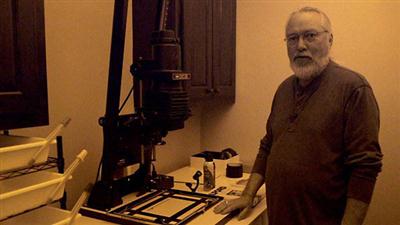
More and more photographers are discovering-or rediscovering-the pleasures of analog photography. A great first step is to shoot and process black-and-white film, then scan the results and work with the images in a computer. After you've done that, it's time for the next step: setting up your own darkroom and making black-and-white enlargements. In this course, photographer and educator Konrad Eek builds on his Shooting and Processing Black-and-White Film course to show the equipment, steps, and techniques involved in setting up a darkroom and making your own prints. From essential gear and setup considerations to processing techniques, this course is a complete introduction to the pleasures of black-and-white printing.

Recommend Download Link Hight Speed | Please Say Thanks Keep Topic Live ​

 
Zurück
Oben Unten