• Regeln für den Video-Bereich:

    In den Börsenbereich gehören nur Angebote die bereits den Allgemeinen Regeln entsprechen.

    Einteilung

    - Folgende Formate gehören in die angegeben Bereiche:
    - Filme: Encodierte Filme von BluRay, DVD, R5, TV, Screener sowie Telesyncs im Format DivX, XviD und x264.
    - DVD: Filme im Format DVD5, DVD9 und HD2DVD.
    - HD: Encodierte Filme mit der Auflösung 720p oder darüber von BluRay, DVD, R5, TV, Screener sowie Telesyncs im Format x264.
    - 3D: Encodierte Filme von BluRay, die in einem 3D Format vorliegen. Dies gilt auch für Dokus, Animation usw.
    - Serien: Cartoon/Zeichentrick, Anime, Tutorials, Dokumentationen, Konzerte/Musik, Sonstiges sind demnach in die entsprechenden Bereiche einzuordnen, auch wenn sie beispielsweise im High Definition-Format oder als DVD5/DVD9/HD2DVD vorliegen. Ausnahme 3D.
    - Bereich Englisch: Englische Releases gehören immer in diesen Bereich.
    - Bereich Talk: Der Bereich, in dem über die Releases diskutiert werden kann, darf, soll und erwünscht ist.


    Angebot/Beitrag erstellen

    - Ein Beitrag darf erst dann erstellt werden, wenn der Upload bei mindestens einem OCH komplett ist. Platzhalter sind untersagt.
    - Bei einem Scenerelease hat der Threadtitel ausschließlich aus dem originalen, unveränderten Releasenamen zu bestehen. Es dürfen keine Veränderungen wie z.B. Sterne, kleine Buchstaben o.ä. vorgenommen werden. Ausnahme Serienbörse:
    - Bei einem Sammelthread für eine Staffel entfällt aus dem Releasename natürlich der Name der Folge. Beispiel: Die Simpsons S21 German DVDRip XviD - ITG
    - Dementsprechend sind also u.a. verboten: Erweiterungen wie "Tipp", "empfehlenswert", "only", "reup", usw. / jegliche andere Zusatzinformation oder Ergänzung, welche nicht in obiger Beschreibung zu finden ist.

    Aufbau des Angebots und Threadtitel

    Der Titel nach folgendem Muster erstellt zu werden. <Name> [3D] [Staffel] [German] <Jahr> <Tonspur> [DL] [Auflösung] <Quelle> <Codec> - <Group>
    Beispiel: The Dark Knight German 2008 AC3 DVDRip XviD - iND
    Beispiel: The Dark Knight 2008 DTS DL BDRip x264 - iND
    Beispiel: The Dark Knight 2008 AC3 DL BDRip XviD - iND
    Beispiel: The Dark Knight German 2008 AC3 720p BluRay x264 iND
    Beispiel: The Dark Knight 2008 DTS DL 1080p BluRay x264 iND
    Beispiel: Die Simpsons S01 German AC3 DVDRip XviD iND
    Beispiel: Die Simpsons S20 German AC3 720p BluRay x264 iND
    Beispiel: Sword Art Online II Ger Sub 2014 AAC 1080p WEBRip x264 - peppermint
    Entsprechend sind also u.a. verboten: Sonderzeichen wie Klammern, Sterne, Ausrufezeichen, Unterstriche, Anführungszeichen / Erweiterungen wie "Tipp", "empfehlenswert", "only", "reup", usw. / jegliche andere Zusatzinformation oder Ergänzung, welche nicht in obiger Beschreibung zu finden ist
    Ausnahmen hiervon können in den Bereichen geregelt sein.

    Die Beiträge sollen wie folgt aufgebaut werden:
    Überschrift entspricht dem Threadtitel
    Cover
    kurze Inhaltsbeschreibung
    Format, Größe, Dauer sind gut lesbar für Downloader außerhalb des Spoilers zu vermerken
    Nfo sind immer Anzugeben und selbige immer im Spoiler in Textform.
    Sind keine Nfo vorhanden z.B. Eigenpublikationen, sind im Spoiler folgende Dateiinformationen zusätzlich anzugeben :
    Quelle
    Video (Auflösung und Bitrate)
    Ton (Sprache, Format und Bitrate der einzelnen Spuren)
    Untertitel (sofern vorhanden)
    Hosterangabe in Textform außerhalb eines Spoiler mit allen enthaltenen Hostern.
    Bei SD kann auf diese zusätzlichen Dateiinformationen verzichtet werden.

    Alle benötigten Passwörter sind, sofern vorhanden, in Textform im Angebot anzugeben.
    Spoiler im Spoiler mit Kommentaren :"Schon Bedankt?" sind unerwünscht.


    Releases

    - Sind Retail-Release verfügbar, sind alle anderen Variationen untersagt. Ausnahmen: Alle deutschen Retail-Release sind CUT, in diesem Fall sind dubbed UNCUT-Release zulässig.
    - Im Serien-Bereich gilt speziell: Wenn ein Retail vor Abschluss einer laufenden Staffel erscheint, darf diese Staffel noch zu Ende gebracht werden.62
    - Gleiche Releases sind unbedingt zusammenzufassen. Das bedeutet, es ist zwingend erforderlich, vor dem Erstellen eines Themas per Suchfunktion zu überprüfen, ob bereits ein Beitrag mit demselben Release besteht. Ist dies der Fall, ist der bereits vorhandene Beitrag zu verwenden.
    - P2P und Scene Releases dürfen nicht verändert oder gar unter einem iND Tag eingestellt werden.


    Support, Diskussionen und Suche

    - Supportanfragen sind entweder per PN oder im Bereich Talk zu stellen.
    - Diskussionen und Bewertungen sind im Talk Bereich zu führen. Fragen an die Uploader haben ausschließlich via PN zu erfolgen, und sind in den Angeboten untersagt.
    - Anfragen zu Upload-Wünschen sind nur im Bereich Suche Video erlaubt. Antworten dürfen nur auf Angebote von MyBoerse.bz verlinkt werden.


    Verbote

    - Untersagt sind mehrere Formate in einem einzigen Angebotsthread, wie beispielsweise das gleichzeitige Anbieten von DivX/XviD, 720p und 1080p in einem Thread. Pro Format, Release und Auflösung ist ein eigener Thread zu eröffnen.
    - Grundsätzlich ebenso verboten sind Dupes. Uploader haben sich an geeigneter Stelle darüber zu informieren, ob es sich bei einem Release um ein Dupe handelt.
    - Gefakte, nur teilweise lauffähige oder unvollständige Angebote sind untersagt. Dies gilt auch für eigene Publikationen, die augenscheinlich nicht selbst von z.B. einer DVD gerippt wurden. Laufende Serien, bei denen noch nicht alle Folgen verfügbar sind, dürfen erstellt und regelmäßig geupdatet werden.
    - Untersagt sind Angebote, welche nur und ausschließlich in einer anderen Sprache als deutsch oder englisch vorliegen. Ausnahmen sind VORHER mit den Moderatoren zu klären.


    Verstoß gegen die Regeln

    - Angebote oder Beiträge, die gegen die Forenregeln verstoßen, sind über den "Melden"-Button im Beitrag zu melden.
  • Bitte registriere dich zunächst um Beiträge zu verfassen und externe Links aufzurufen.


Englische Tutorials


7acf96514ac63a88bd14fcd653153866.jpg

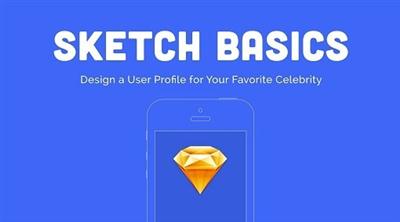
Sketch Basics: Design a User Profile
Duration: 40m | Video: h264, yuv420p, 1280x720 30fps | Audio: aac, 44100 Hz, 2 ch | 285 MB
Genre: eLearning | Language: English​

In this 45 minute class I'll teach you the fundamentals of Sketch 3, a design app for Mac, and get you comfortable with the basics of the program. You'll practice by designing a user profile screen for your favorite celebrity. This class is great for designers switching over from Adobe, or anyone already curious about learning Sketch!

Recommend Download Link Hight Speed | Please Say Thanks Keep Topic Live ​
 

695f08af7d4436e6438d031d5a8e78c9.jpg

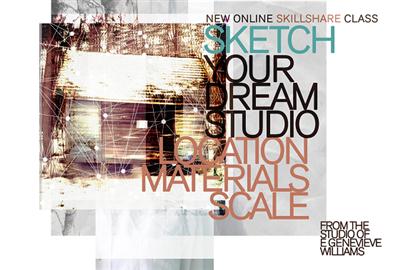
Sketch Your Dream Studio
Duration: 32m | Video: h264, yuv420p, 1280x720 30fps | Audio: aac, 44100 Hz, 2 ch | 606 MB
Genre: eLearning | Language: English​

If you dream of an inexpensive studio/home/cabin/getaway outside of the city, this class will help you make this a reality. I'll show you how I did it and help you sketch out your tree house, cabin, greenhouse, hobbit house, yurt, micro home, trailer.... whatever your home away from home may be! You will leave the course with a good idea of the dream space you want, a necessities list, and a building sketch.

I'll provide you with an introduction to the tools you need to design the studio of your dreams including site scouting, materials, prefab options, recycling, and using reclaimed materials.
My father taught me to build a cabin in the woods when I was 16. We were air dropped into our 400 acre Description of land with lake in Northern Ontario. For the next three weeks, my sister, stepmother, my father and I built a cabin with just a few tools and lumber from the property. We had a local helper, a man named "Peg Leg Mike," who actually did only have one leg. Since then I helped my father build the cabin I now live in part time. I renovated it after my father died in 2000. All the plans for the design are my own, bouncing off my father's original vision for the cabin and property.

Recommend Download Link Hight Speed | Please Say Thanks Keep Topic Live ​
 

95360002ce3356a3df78da70de83acc2.jpg

Speed Reading Simplified
MP4 | Video: AVC 1280x720 | Audio: AAC 44KHz 2ch | Duration: 1 Hours | 594 MB
Genre: eLearning | Language: English​

Learn proven speed reading methods and retain the knowledge in one hour!

Most people read consciously, which means they use 5% of their mind. What would happen if you could use 25% of your mind? Or 50%? Would you like to effortlessly increase your comprehension level five times or even ten times?

Richard taught high school math for 5 years before becoming Head Instructor for Speed Reading Toronto, Canada. He next became a certified Master Hypnotist/Relaxation. Combining the two professions, it dramatically shortened his student's learning curve for Speed Reading.

In this experiential course (Yes, you have to do the exercises and practise), Richard unlocks the secret of your mind in a gentle, effective manner that will have you whipping through memos, emails, technical manuals and, yes, even reading and enjoying your favorite books in record time!

Untrained readers use the central focus of their eyes, but not "Horizontal Peripheral Vision" as they read losing about 50% of their reading speed. In this course, we will show you a easy method to essentially doubling your reading speed, by removing this loss.

The untrained reader tends to consciously re-read lines and back-skip (subconscious rereading due to their eyes jumping around) for up to 30% of their reading.

What you will learn:

1) The importance of Hand Motion. This fundamental of Speed Reading in discouraged in schools, oddly enough. Yet you will double your speed simply because this active reading secret prevents your eyes from doing the one thing eyes like to do that slows your reading to a snail's pace. (Lecture 7)

2) How to Super-Charge your Memory. What is the point of reading faster if you forget faster. (Lecture 12)

3) Relaxation and Visualization. Stress interferes with your mind's natural brilliance. Our society is so stressful, you don't even know you are stressed out and that your mind is performing at extremely low efficiency. Do you run faster carrying a 50 pound backpack or without it? You read carrying a 50 pound 'backpack'. Time to let it go. (Lecture 16)

This course is perfect for you if you always thought there was a better way to acquire knowledge and keep it.

But, if you want my personal "insider" information - remember I've helped over 125,000 readers, just like you, dramatically increase their reading speed and retention - you need to get this course now ... right this minute.

Recommend Download Link Hight Speed | Please Say Thanks Keep Topic Live ​
 

48226b404dbf74c54cf71d880d5e34f5.jpg

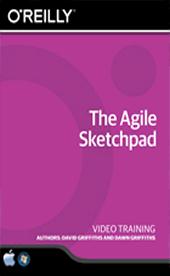
The Agile Sketchpad
English | SKU: 02349 | 2016-05-05 | mp4 | H264 1280x720 | AAC 2 ch | 2 hrs | 649 MB
eLearning​

A Practical Training Course That Teaches Real World Skills

In this project-based The Agile Sketchpad video tutorial series, you'll quickly have relevant skills for real-world applications.

Follow along with our expert instructor in this training course to get:
Concise, informative and broadcast-quality The Agile Sketchpad training videos delivered to your desktop
The ability to learn at your own pace with our intuitive, easy-to-use interface
A quick grasp of even the most complex The Agile Sketchpad subjects because they're broken into simple, easy to follow tutorial videos

Practical working files further enhance the learning process and provide a degree of retention that is unmatched by any other form of The Agile Sketchpad tutorial, online or offline... so you'll know the exact steps for your own projects.

Ever wondered what Agile development is all about? Or are you just a little hazy on the details and wished you knew more? If so, then this course is for you. You'll learn how to write great user stories, iterate through development processes, take part in stand-ups and retrospectives, pair program and much more. You won't just cover the practices, you'll go deep into why Agile matters so that you can make smarter decisions to help you deliver valuable software as soon as possible.

The Agile Sketchpad is like having an experienced Agile coach sitting next to you. Each video is an animated sketch that builds up in front of your eyes. You literally get to see how each point fits into the bigger picture. This multi-sensory learning experience is designed for the way your brain works, so you'll learn new concepts quicker.

*See what it's like to work on an Agile team.
*Discover how Agile helps you deliver value early, respond to change and manage risk.
*Master the secrets of accurate estimation.
*Learn why programming in a pair can be more effective than programming alone.
*Explore how test-driven development, continuous integration and the ten-minute build helps you deliver better software.
*Find out how Agile techniques such as Kanban can help you identify and avoid disruptions to your development process.
*See how the five key values - communication, courage, feedback, simplicity and respect - drive everything you do in an Agile project.

The Agile Sketchpad was created by Dawn and David Griffiths as a way of quickly and concisely getting key concepts into people's brains. Together, they've written many titles in the Head First series, including Head First Android Development. They both care passionately about Agile development, and have worked on Agile projects since 2004.

Recommend Download Link Hight Speed | Please Say Thanks Keep Topic Live ​

 

66550ea466a1e7654806894ea86c2d1f.jpg

Lynda - The Traveling Photographer: New York
480MB | Duration: 1h 07m | Video: AVC (.mp4) 1280x720 24fps | Audio: AAC 48KHz 2ch
Genre: eLearning | Level: Intermediate | Language: English​

Welcome to New York! In his The Traveling Photographer series, David Hobby has traveled around the world in search of photographic opportunities, cultural variety, and interesting people. In this stop he visits New York, with a unique goal: to assemble a collection of themed, iconic images. It's a great project to undertake when visiting a place, especially one that you've already photographed. Along the way, David shares his usual array of tips for getting around, finding inexpensive food and lodging, and locating interesting photographic vantage points. You'll leave the course with a cookbook of curated photo experiences that will help you take iconic pictures of the Big Apple, and-a bonus in one of the most expensive cities in the world-they're practically all free.

Topics include:
* Getting to New York
* Where to stay, where to eat
* Shooting the Empire State Building
* Finding iconic images in Grand Central Terminal
* Taking iPhone videos
* Photographing on the Staten Island Ferry

Recommend Download Link Hight Speed | Please Say Thanks Keep Topic Live ​

 

1d1fc2f53ade2a6669c928af4f00c5f3.jpg

Typographic T-Shirt Designs Using Hand Lettering: From Scratch
Duration: 19m | Video: h264, yuv420p, 1280x720 30fps | Audio: aac, 44100 Hz, 2 ch | 354 MB
Genre: eLearning | Language: English​

Welcome to my new class! This class focuses on creating typographic T-Shirt designs derived from hand-letterings. I will tell you about how you can come up with various design ideas, how you can engage and how you can create effective typogarphic designs.

You don't need to know about lettering. If you know what letters are and their form, then you are good to go. If you know how to use Adobe Illustrator, then great. If you don't know how to use it, still you can understand and practice the tools that I teach you in this class. It's also about the tools and techniques that can help you in the long run as a designer.
You can use the learnings from this class, and apply it to different typographic works. So hit enroll and jump right in!
The tools that are required is nothing special. Any pencil for sketching and a marker for inking is enough to get started. But for your ease and curosity, here are few of the tools suggested:
Markers: Sharpie.
Pencils: Mechanical or any simple pencils.
Eraser.
Scanner.
Sheet: You can use the copier paper too. For practicing anything is good.

Recommend Download Link Hight Speed | Please Say Thanks Keep Topic Live ​

 

4dfbd7594cc796530ae77ed42b4d36d8.jpg

Lynda - Using Lightroom and Photoshop Elements Together
2h 43m | Video: AVC (.mp4) 1280x720 15&30fps | Audio: AAC 48KHz 2ch | 1.27GB
Genre: eLearning | Intermediate | Language: English​

By combining Adobe Lightroom and Photoshop Elements, you can take full advantage of each program's capabilities. Use Lightroom for photo organizing, sharing, and basic image enhancement. When you need more advanced retouching and editing features, one click sends a photo from Lightroom to Photoshop Elements.

In this course, photographer and author Jan Kabili shows how to combine both programs. She begins with details on how to set up Lightroom and Photoshop Elements for maximum compatibility. The course then covers strategies for working with photos in a variety of formats (including raw), and practical scenarios for using Lightroom and Photoshop Elements together. Learn how to composite multiple photos with layers and selections, retouch portraits, and add creative effects and text to photos. Want to move to Lightroom permanently? Jan also shows how to upgrade a catalog from Elements to Lightroom.

Topics include:
Why should you use Lightroom and Elements together?
Setting up Elements as Lightroom's editor
Editing raw photos and TIFFs, PSDs, and JPEGs
Compositing
Blending bracketed exposures
Stitching panoramas
Adding creative effects, text, and graphics
Upgrading a catalog from Lightroom to Elements

Recommend Download Link Hight Speed | Please Say Thanks Keep Topic Live ​

 

2b03db0234a19500f837047e7cef462d.jpg

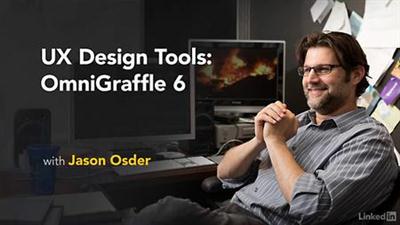
Lynda - UX Design Tools: OmniGraffle 6
Size: 417 MB | Duration: 2h 42m | Video: AVC (.mp4) 1280x720 15&30fps | Audio: AAC 48KHz 2ch
Genre: eLearning | Level: Intermediate | Language: English​

If you've spent much time designing for user experience, you've probably come to appreciate the importance of planning. Having a flexible solution that helps you create design documents as part of your workflow is essential. OmniGraffle is a UX design tool that allows you to create wireframes, sitemaps, flowcharts, and more, to help you organize your site and build an intuitive user experience. Join Jason Osder as he demonstrates how to use OmniGraffle 6. He shows you how to use basic features, like adding lines, shapes, and text, to create diagrams of page layouts, or wireframes, in addition to advanced features, like working with stencils and templates. He lets you know when he is showing a pro-version feature, like presentation mode and subgraphs, so you can adjust accordingly. Along the way, you'll learn how to improve your documentation by eliminating unnecessary elements to help readers visualize all of a site on one page. As an object-based diagramming program, OmniGraffle has features for executing UX and IA documents. Creating other documents, like use case scenarios, content maps, and models, is also covered.

Topics include:
* Setting up document files
* Aligning and distributing lines, shapes, and text
* Using canvases, templates, layers, and stencils
* Making sitemaps to organize information
* Creating wireframes to diagram page layouts
* Designing for mobile
* Building content maps and conceptual models

Recommend Download Link Hight Speed | Please Say Thanks Keep Topic Live ​
 

d385a04124318d1ac347b3b9d606da0c.jpg

Lynda - Windows 10 Networking Fundamentals
Size: 173 MB | Duration: 1h 7m | Video: AVC (.mp4) 1280x720 15&30fps | Audio: AAC 48KHz 2ch
Genre: eLearning | Level: Beginner | Language: English​

Windows 10 Networking Fundamentals

Recommend Download Link Hight Speed | Please Say Thanks Keep Topic Live ​

 

aee1d3489d2ac35906b45dc61d0759bb.jpg

AngularJS Intro - A must for ASP .Net & MVC 5 Developers
MP4 | Video: AVC 1280x720 | Audio: AAC 44KHz 2ch | Duration: 1 Hours | 304 MB
Genre: eLearning | Language: English​

A guide to creating amazing Angular applications using open-source software-GitHub repositories as a starting point.

Learning Angular.js can be a daunting task for even the season web developer. But you don't have to climb the mountain alone. In this course, I will show you an alternate way of learning a new programming language- and you will be standing on the shoulders of experts as you climb the Angular.js Mountain.

I will walk you through you through how to start a project using GitHub repositories, and show you the power of the cloud when it comes to software development. If you haven't developed this way you are missing out on the new way of writing application- and GitHub is all about "Focus on building your business, not your infrastructure."

We will analyze how an expert goes about his business (in this case Rob Conery) and give you the tips you will need to start making these repositories your own and solving business probles for you and your clients.

Recommend Download Link Hight Speed | Please Say Thanks Keep Topic Live ​

 

104e9f917925b1be38cc6bfd87fba334.jpg

Baby Photography Course - Part 1
Duration: 26m | Video: h264, yuv420p, 1280x720 30fps | Audio: aac, 44100 Hz, 2 ch | 483 MB
Genre: eLearning | Language: English​

Use your smartphone or your camera and take awesome baby photographs to wow your friends and family! This is a beginner's class. An introduction to baby photography.

Learn how to photograph a newborn baby. Learn how to create simple and safe poses.
Do you want to learn how to photograph a newborn baby? This class will teach you some fun tips and tricks to photograph newborns.
You can do this class with a DSLR camera or a phone camera.
You don't need to know how to use your camera well: Set it to AUTO! The idea is to learn about posing, a bit about lighting and creating photo sets.
This is a great course for those of you who want to photograph their baby. It's also a great course for those of you who want to try this out to see if you want to pursue baby photography.

Recommend Download Link Hight Speed | Please Say Thanks Keep Topic Live ​
 

0212bba972d85ae948865c32c260735d.jpg

Book Design for DIY Designers Part 1: Create Easy eBook Covers With Canva
Duration: 49m | Video: h264, yuv420p, 1280x720 30fps | Audio: aac, 44100 Hz, 2 ch | 277 MB
Genre: eLearning | Language: English​

Are you an online entrepreneur or blogger with fantastic content ... which nobody reads because your book design skills are alarmingly under-developed?YES! It is ok to hate nerdy and expensive software such as Photoshop, because also non-graphic designers can come up with stunning book designs that will turn more wide-eyed online heads than Kim Kardashian's blown-up behind.

This book design class for non-techy entrepreneurs teaches you step-by-step how to:
Create visually compelling covers, PDFs and eBooks
Use everyday tools such as Canva, PicMonkey and MS Word like a book design pro.
The easy-to-follow video lessons come with BEAUTIFUL & ABLE CHEAT SHEETS that provide:
detailed written instructions and
serve as "Steal This!" designexamples so that
you'll see amazing results right away!

Recommend Download Link Hight Speed | Please Say Thanks Keep Topic Live ​

 
Zurück
Oben Unten