• Regeln für den Video-Bereich:

    In den Börsenbereich gehören nur Angebote die bereits den Allgemeinen Regeln entsprechen.

    Einteilung

    - Folgende Formate gehören in die angegeben Bereiche:
    - Filme: Encodierte Filme von BluRay, DVD, R5, TV, Screener sowie Telesyncs im Format DivX, XviD und x264.
    - DVD: Filme im Format DVD5, DVD9 und HD2DVD.
    - HD: Encodierte Filme mit der Auflösung 720p oder darüber von BluRay, DVD, R5, TV, Screener sowie Telesyncs im Format x264.
    - 3D: Encodierte Filme von BluRay, die in einem 3D Format vorliegen. Dies gilt auch für Dokus, Animation usw.
    - Serien: Cartoon/Zeichentrick, Anime, Tutorials, Dokumentationen, Konzerte/Musik, Sonstiges sind demnach in die entsprechenden Bereiche einzuordnen, auch wenn sie beispielsweise im High Definition-Format oder als DVD5/DVD9/HD2DVD vorliegen. Ausnahme 3D.
    - Bereich Englisch: Englische Releases gehören immer in diesen Bereich.
    - Bereich Talk: Der Bereich, in dem über die Releases diskutiert werden kann, darf, soll und erwünscht ist.


    Angebot/Beitrag erstellen

    - Ein Beitrag darf erst dann erstellt werden, wenn der Upload bei mindestens einem OCH komplett ist. Platzhalter sind untersagt.
    - Bei einem Scenerelease hat der Threadtitel ausschließlich aus dem originalen, unveränderten Releasenamen zu bestehen. Es dürfen keine Veränderungen wie z.B. Sterne, kleine Buchstaben o.ä. vorgenommen werden. Ausnahme Serienbörse:
    - Bei einem Sammelthread für eine Staffel entfällt aus dem Releasename natürlich der Name der Folge. Beispiel: Die Simpsons S21 German DVDRip XviD - ITG
    - Dementsprechend sind also u.a. verboten: Erweiterungen wie "Tipp", "empfehlenswert", "only", "reup", usw. / jegliche andere Zusatzinformation oder Ergänzung, welche nicht in obiger Beschreibung zu finden ist.

    Aufbau des Angebots und Threadtitel

    Der Titel nach folgendem Muster erstellt zu werden. <Name> [3D] [Staffel] [German] <Jahr> <Tonspur> [DL] [Auflösung] <Quelle> <Codec> - <Group>
    Beispiel: The Dark Knight German 2008 AC3 DVDRip XviD - iND
    Beispiel: The Dark Knight 2008 DTS DL BDRip x264 - iND
    Beispiel: The Dark Knight 2008 AC3 DL BDRip XviD - iND
    Beispiel: The Dark Knight German 2008 AC3 720p BluRay x264 iND
    Beispiel: The Dark Knight 2008 DTS DL 1080p BluRay x264 iND
    Beispiel: Die Simpsons S01 German AC3 DVDRip XviD iND
    Beispiel: Die Simpsons S20 German AC3 720p BluRay x264 iND
    Beispiel: Sword Art Online II Ger Sub 2014 AAC 1080p WEBRip x264 - peppermint
    Entsprechend sind also u.a. verboten: Sonderzeichen wie Klammern, Sterne, Ausrufezeichen, Unterstriche, Anführungszeichen / Erweiterungen wie "Tipp", "empfehlenswert", "only", "reup", usw. / jegliche andere Zusatzinformation oder Ergänzung, welche nicht in obiger Beschreibung zu finden ist
    Ausnahmen hiervon können in den Bereichen geregelt sein.

    Die Beiträge sollen wie folgt aufgebaut werden:
    Überschrift entspricht dem Threadtitel
    Cover
    kurze Inhaltsbeschreibung
    Format, Größe, Dauer sind gut lesbar für Downloader außerhalb des Spoilers zu vermerken
    Nfo sind immer Anzugeben und selbige immer im Spoiler in Textform.
    Sind keine Nfo vorhanden z.B. Eigenpublikationen, sind im Spoiler folgende Dateiinformationen zusätzlich anzugeben :
    Quelle
    Video (Auflösung und Bitrate)
    Ton (Sprache, Format und Bitrate der einzelnen Spuren)
    Untertitel (sofern vorhanden)
    Hosterangabe in Textform außerhalb eines Spoiler mit allen enthaltenen Hostern.
    Bei SD kann auf diese zusätzlichen Dateiinformationen verzichtet werden.

    Alle benötigten Passwörter sind, sofern vorhanden, in Textform im Angebot anzugeben.
    Spoiler im Spoiler mit Kommentaren :"Schon Bedankt?" sind unerwünscht.


    Releases

    - Sind Retail-Release verfügbar, sind alle anderen Variationen untersagt. Ausnahmen: Alle deutschen Retail-Release sind CUT, in diesem Fall sind dubbed UNCUT-Release zulässig.
    - Im Serien-Bereich gilt speziell: Wenn ein Retail vor Abschluss einer laufenden Staffel erscheint, darf diese Staffel noch zu Ende gebracht werden.62
    - Gleiche Releases sind unbedingt zusammenzufassen. Das bedeutet, es ist zwingend erforderlich, vor dem Erstellen eines Themas per Suchfunktion zu überprüfen, ob bereits ein Beitrag mit demselben Release besteht. Ist dies der Fall, ist der bereits vorhandene Beitrag zu verwenden.
    - P2P und Scene Releases dürfen nicht verändert oder gar unter einem iND Tag eingestellt werden.


    Support, Diskussionen und Suche

    - Supportanfragen sind entweder per PN oder im Bereich Talk zu stellen.
    - Diskussionen und Bewertungen sind im Talk Bereich zu führen. Fragen an die Uploader haben ausschließlich via PN zu erfolgen, und sind in den Angeboten untersagt.
    - Anfragen zu Upload-Wünschen sind nur im Bereich Suche Video erlaubt. Antworten dürfen nur auf Angebote von MyBoerse.bz verlinkt werden.


    Verbote

    - Untersagt sind mehrere Formate in einem einzigen Angebotsthread, wie beispielsweise das gleichzeitige Anbieten von DivX/XviD, 720p und 1080p in einem Thread. Pro Format, Release und Auflösung ist ein eigener Thread zu eröffnen.
    - Grundsätzlich ebenso verboten sind Dupes. Uploader haben sich an geeigneter Stelle darüber zu informieren, ob es sich bei einem Release um ein Dupe handelt.
    - Gefakte, nur teilweise lauffähige oder unvollständige Angebote sind untersagt. Dies gilt auch für eigene Publikationen, die augenscheinlich nicht selbst von z.B. einer DVD gerippt wurden. Laufende Serien, bei denen noch nicht alle Folgen verfügbar sind, dürfen erstellt und regelmäßig geupdatet werden.
    - Untersagt sind Angebote, welche nur und ausschließlich in einer anderen Sprache als deutsch oder englisch vorliegen. Ausnahmen sind VORHER mit den Moderatoren zu klären.


    Verstoß gegen die Regeln

    - Angebote oder Beiträge, die gegen die Forenregeln verstoßen, sind über den "Melden"-Button im Beitrag zu melden.
  • Bitte registriere dich zunächst um Beiträge zu verfassen und externe Links aufzurufen.


Englische Tutorials


e91df6cf865c1337a6389b3148a477a0.jpg

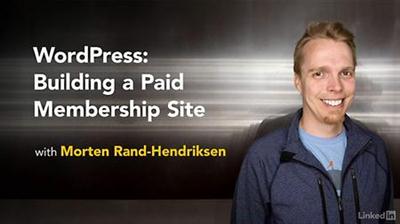
Lynda - WordPress: Building a Paid Membership Site
Size: 297 MB | Duration: 1h 49m | Video: AVC (.mp4) 1280x720 15&30fps | Audio: AAC 48KHz 2ch
Genre: eLearning | Level: Intermediate | Language: English​

Want to start making an income from your WordPress site? Try paid memberships. This course covers two great solutions for selling paid memberships with WordPress: Restrict Content Pro and iThemes Exchange Membership. They are both highly rated plugins, about equal in cost and functionality, and work right out of the box. In this course, WordPress guru Morten Rand-Hendriksen shows how to find, install, and configure Restrict Content Pro and iThemes Exchange Membership to restrict your content and accept payment from site members. He also shows how to set up discount codes and "drip content" that will keep your members coming back for more. Choose the solution you think will work for you and watch that chapter, or watch the entire course before making a decision.

Topics include:
* What is a paid membership site?
* Installing plugins
* Configuring membership management pages
* Adding payment options
* Configuring access
* Creating discount codes
* Receiving recurring payments
* Setting up drip content
* Managing members

Recommend Download Link Hight Speed | Please Say Thanks Keep Topic Live ​

 

099895bec195be891ed88702d72f2c7c.jpg

Videomaker - Making Commercials
English | mp4 | H264 1280x720 | AAC 2 ch | 38 min | 1.63 GB
eLearning​

If you want to make money with video production, producing commercials is a great way to start. Videomaker's Making Commercials walks you through the entire process. Using these methods, you can produce a great commercial your client will love, and land you more commercial production projects going forward.

Meeting the Client - The first meeting with a client is the foundation for a successful commercial. Learn to make a good impression and ask the right questions.

Forming Ideas
We teach you to distill all your information into a great concept, choose a style of advertising, and pitch the idea to the client.

Pre-Production
Your script is approved. Now learn to break it down, create a shot list and storyboard, and assemble the resources for the shoot.

Shooting
Learn everything you need to know about the logistics of shooting inside a business, how to work with the client on set and when to improvise.

Editing
Learn about the commercial editing process, including spot lengths and formats, and adding voice-overs, music and sound effects.

Revisions & Delivery
Your first cut is done. Now discover how to show the finished spot to the client, make revisions, and create deliverable formats.

Making commercials is an art form. Historically, commercials are quicker to pick up on the prevailing styles of the time, often ahead of mainstream films and television, because they need to connect with watchers fast in order to move product. Videomaker's Making Commercials teaches the fundamentals necessary to succeed within the unique world of commercial production.

Recommend Download Link Hight Speed | Please Say Thanks Keep Topic Live ​

 

9dc122dff0db1b3cbab3a3457612ebba.jpg

Mastering Lights and Shadows in Photoshop
MP4 | Video: AVC 1280x720 | Audio: AAC 44KHz 2ch | Duration: 1 Hours | 664 MB
Genre: eLearning | Language: English​

In this class we are going to go into something every photographer and retoucher needs to know, lights and shadows. You will know simple things and lights and shadows, how to set the up using simple and creative techniques with Levels and Curves. We are going to get into simple terms like working with contrasts.

Then I will guide You thought the more advanced techniques like setting up the lights on the specyfic areas or colors, using photoshop as well as camera raw.

At the end You will understand the power of channels in Lights and shadows.

This course is everything You need to know about Lights and Shadows in Photoshop. After this class You will comfortable work in Photoshop knowing creative techniques and be able to improve Your retouch or any kind of Photography!

Recommend Download Link Hight Speed | Please Say Thanks Keep Topic Live ​

 

49ce7ed80d1efe75b5d39c4b0eaf96c5.jpg

Math Made Easy - Calculus Semester 1
6xDVDRip | MKV/AVC, ~1894 kb/s | 714x480 | Duration: 6 hours | English: AAC, 48.0 KHz (2 ch) | 4.46 GB
Genre: Mathematics​

Created in partnership with Prudential Life Insurance Company, Math Made Easy Calculus series of 6 Dvds provides a comprehensive step by step review of differential calculus.

Expert and dynamic teachers present differential calculus in easy to understand lessons. Whether you need a brush up or an intensive review of differential calculus, this is the perfect tool for review and test prep. With hundreds of worked out calculus problems you'll acquire the skills and familiarity to handle the types of calculus problems found on your exams. Real life applications of calculus will keep you stimulated while colorful graphics will help you visualize abstract calculus topics.

Recommend Download Link Hight Speed | Please Say Thanks Keep Topic Live ​
 

b64c028957ea869d151bb1962b296262.jpg

Math Made Easy - Calculus Semester 2
7xDVDRip | MKV/AVC, ~2027 kb/s | 710x466 | Duration: 7 hours | English: AAC, 48.0 KHz (2 ch) | 6.03 GB
Genre: Mathematics​

Created in partnership with Prudential Life Insurance Company, Math Made Easy Calculus 11 series of 7 Dvds provides a comprehensive step by step review of integral calculus.

Expert teachers present integral calculus in easy to understand lessons. Whether you need a brush up or an intensive review of integral calculus, this is the perfect tool for review and test prep. With hundreds of worked out calculus problems you'll acquire the skills and familiarity to handle the types of calculus problems found on your exams. Real life applications of calculus will keep you stimulated while colorful graphics will help you visualize abstract calculus topics.

Recommend Download Link Hight Speed | Please Say Thanks Keep Topic Live ​

 

7eab4561da40745eba71ad7f7f4fb119.jpg

Modern Web Development with Laravel 5.2 (PHP Framework)
HDRips | MP4/AVC, ~663 kb/s | 1920x1080 | Duration: 12 hours | English: AAC, 64 kb/s (2 ch) | 6.35 GB
Genre: Development / Programming​

Prepare yourself for a career as web developer - Build two major projects in this course.
This course uses Laravel 5.2. You learned the basics but still feel like something's missing? You want to get your development skills to the next level?

Already got the basics about PHP, HTML and CSS? Still struggling to start off your career? Or maybe you're interested in broadening your skills and want to be a more confident web developer? Whatever your reasons are, this course will take your web development skills to the next level!

While knowing all the basics is absolutely necessary it also isn't enough. 8 years ago you might've been a good web developer, just coding single PHP files and spaghetti-coding them together. Nowadays that will not suffice.

Become more efficient, enjoy the fun parts!

Today's websites need to be easily scalable, offer a nice user experience, be responsive, fast, error-tolerant and obviously safe. Taking care of all this on your own will at least cost you immense amounts of time. In the worst case it will result in slow or insecure web applications - no one wants that!

Modern PHP development absolutely required you to be familiar with at least one of the major PHP frameworks out there. Being a confident developer in such a framework will instantly boost your productivity! I'm able to setup customized CMS-Applications within hours. That leaves much more time for important things like getting your business logic right and optimizing the user experience!

Recommend Download Link Hight Speed | Please Say Thanks Keep Topic Live ​

 

02ab3b20d2ac816f2fddcd889da36480.jpg

NEW! EXCEL 2016: Excel from beginner to professional
MP4 | Video: AVC 1280x720 | Audio: AAC 44KHz 2ch | Duration: 3 Hours | 797 MB
Genre: eLearning | Language: English​

Learn Excel 2016 and the most important and popular functions. Learn to use Excel like a pro with this Excel Course

By Completing this course, you will receive a verifiable Certificate of Completion.

This course has cut down on the fluff and empty space to keep it shorter, but still cover a wide range of topics. Designed for people starting out with Excel, it also covers some of the more complicated and important areas like Pivot Tables.

This Excel course is recorded completely using Excel 2016, the latest version of Excel offered in the Microsoft Office 2016 suite.

Some of the topics include (but not limited to)

Creating your first workbook
Referencing from other sheets within a book
Quick Charts
Quick Sorting
Flash Fill
Named Ranges
Excel Sheet Management (moving, colouring, creating)
Creating 3D maps using address data in a list
Popular Excel Functions like SumIf, VLookUp, Left, Right, Mid, Len and more
Power Excel functionality like nested formulas
Using slicers to quickly sort and make spreadsheets look good
A complete set of Pivot Table videos
I aim to add 4 new lectures every month to the course, and would love to have your feedback. So once you have signed up and completed the training, let me know what you would like to learn next!

Recommend Download Link Hight Speed | Please Say Thanks Keep Topic Live ​

 

ac9b184cc34f9e17eb47a4d671283b9a.jpg

Periscope: The Complete Business and Marketing Course 2016
MP4 | Video: AVC 1280x720 | Audio: AAC 44KHz 2ch | Duration: 2 Hours | 718 MB
Genre: eLearning | Language: English​

Use Periscope live streaming to attract, engage and transform viewers into fans and loyal customers!

This is a golden era for Live Video, which is changing the face of the whole Video Medium. The era of live video has just begun. You have probably heard story after story about how businesses are using live video to get new customers and converting them into sales, and think you should be too (Answer: YES! You should!).

Now, I know there is a massive elephant in the room. You are probably scared of hitting the "Start Broadcast" button! Most people are scared out of their wits to talk on video, let alone on LIVE video! I personally found it daunting at first! But once I got my first one out of the way, I found it a LOT of fun! I have been building loyal audiences on both Facebook Live and Periscope. I show you how to overcome your fears and just have fun!

In this course, I give you the confidence, ideas and structure to be able to stream live video on Periscope. I want to help you move in the right direction!

To become a student, find the blue "take this course" button or the "start free preview" button above to enroll. You risk nothing by enrolling because of the 30 day no questions asked refund policy. 98% of students do not request a refund which then just leaves your time.

You will see how I managed to get 1.2M likes on my Periscope channel and how you can use Periscope to bring your brand to life and engage the millions of current users today.

It doesn't matter what your niche is, I have you covered.

Thank you for learning more about my course and I hope that the information I share with you when you are enrolled in the course will prove valuable! Click on TAKE THIS COURSE now to get started!

Recommend Download Link Hight Speed | Please Say Thanks Keep Topic Live ​

 

e23e00d51f6ead679682f5eeb7cfc3c1.jpg

Photographing Digital Assets
MP4 | Video: AVC 1280x720 | Audio: AAC 44KHz 2ch | Duration: 1H 43M | 945 MB
Genre: eLearning | Language: English​

Natural elements like fire, smoke, and water are visually dynamic elements that add energy and interest to your digital designs. Learn how to create, photograph, and process your own natural effects in this course. Software Required: Adobe Photoshop.

Natural effects are a brilliant way to add energy to a photo or a design. Elements like fire, water, and smoke are all very familiar but often difficult to capture in a way that is useful as a digital asset. One solution is to purchase stock images, but what if you could generate these effects for yourself? In this course, Photographing Digital Assets, you'll be taught how to achieve these effects from start to finish. You will learn safe and fun techniques to create these effects in way that is controllable and easy to capture with a digital camera. Then you will learn how to best capture these effects with a basic DSLR, and finally how to process the images in Photoshop to create a library of digital assets. By the end of this course, you'll be able to create these effects for yourself and you'll stop having to pay for the same tired stock images everybody else uses-and your work will be better for it! Software Required: Adobe Photoshop.

Recommend Download Link Hight Speed | Please Say Thanks Keep Topic Live ​

 

7327da38829581e435706d671a4364ca.jpg

Photography - 5 Steps to Great Photos
MP4 | Video: AVC 1280x720 | Audio: AAC 44KHz 2ch | Duration: 2 Hours | 1.24 GB
Genre: eLearning | Language: English​

Start taking impressive photos with a simple step-by-step system

Start taking impressive photos that you will be proud to share.

Master photography fundamentals summarised into a simple, compact step-by-step system, which is easy to learn and use when you are out taking photos. It's a system that I have developed for myself, and would now like to share with you. It compresses my 10 years of learnings into 2 hours of video. It is a shortcut that will save you the time and effort I had to go through to learn what I know. It will dramatically shorten your learning curve.

Every technique is clearly explained in minutes, packed with examples from my own experience, and ready for you to practice.

I will reveal the most important elements of great photography, and typical mistakes that most people make.

As well as Udemy 30 day refund guarantee, you have my personal promise that you will be excited and inspired by what you can do with your camera.

This course is not about camera controls. It is about the artistic side of taking great images. I will have a separate course on camera controls in case you need it.

Recommend Download Link Hight Speed | Please Say Thanks Keep Topic Live ​

 

df28968fd7a8f3bb1acbe0afa2eac698.jpg

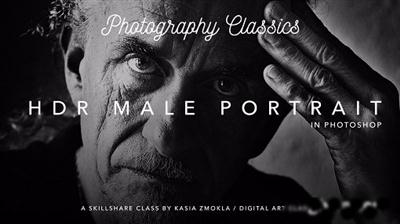
Photography Classics - HDR Male Portrait
Duration: 33m | Video: h264, yuv420p, 1280x720 30fps | Audio: aac, 44100 Hz, 2 ch | 383 MB
Genre: eLearning | Language: English]​

Give your portraits a timeless, cinematic look!

Content:
Join me in this Class to quickly master non-destructive workflow.
Learn how to take advantage of Photoshop's most poerful techniques to create a High Definition Range portrait.
Learn how to achieve striking results with Photoshop Adjustment Layers.
Follow me along and in no time start applying the techniques presented in this video to your best photos!

Recommend Download Link Hight Speed | Please Say Thanks Keep Topic Live ​

 

497752073d406030948a438780824437.jpg

Lynda - Photojournalism and Photo Essay Fundamentals
Size: 780 MB | Duration: 1h 37m | Video: AVC (.mp4) 1280x720 30fps | Audio: AAC 48KHz 2ch
Genre: eLearning | Level: Intermediate | Language: English​

Photography is a language, and while a single photo can be incredibly powerful, what's even more powerful is a series of photos that tells a story. Most people think of news media when they think of photo essays. It's true that photo essays are one of the cores of photojournalism, but they're relevant in a lot of other ways, too-to document your family, the place where you live or work, or the business that your company conducts. The key is to think of a series of photos that work together to communicate your message. In this course, photojournalist Paul Taggart outlines the fundamentals of shooting a photo essay, from thinking about your story photographically to presenting your final photo story.

Topics include:
* What is a photo essay?
* Shooting different types of photo essays
* Picking and researching a subject
* Planning and taking the shots
* Editing and sequencing images

Recommend Download Link Hight Speed | Please Say Thanks Keep Topic Live ​
 
Zurück
Oben Unten