• Regeln für den Video-Bereich:

    In den Börsenbereich gehören nur Angebote die bereits den Allgemeinen Regeln entsprechen.

    Einteilung

    - Folgende Formate gehören in die angegeben Bereiche:
    - Filme: Encodierte Filme von BluRay, DVD, R5, TV, Screener sowie Telesyncs im Format DivX, XviD und x264.
    - DVD: Filme im Format DVD5, DVD9 und HD2DVD.
    - HD: Encodierte Filme mit der Auflösung 720p oder darüber von BluRay, DVD, R5, TV, Screener sowie Telesyncs im Format x264.
    - 3D: Encodierte Filme von BluRay, die in einem 3D Format vorliegen. Dies gilt auch für Dokus, Animation usw.
    - Serien: Cartoon/Zeichentrick, Anime, Tutorials, Dokumentationen, Konzerte/Musik, Sonstiges sind demnach in die entsprechenden Bereiche einzuordnen, auch wenn sie beispielsweise im High Definition-Format oder als DVD5/DVD9/HD2DVD vorliegen. Ausnahme 3D.
    - Bereich Englisch: Englische Releases gehören immer in diesen Bereich.
    - Bereich Talk: Der Bereich, in dem über die Releases diskutiert werden kann, darf, soll und erwünscht ist.


    Angebot/Beitrag erstellen

    - Ein Beitrag darf erst dann erstellt werden, wenn der Upload bei mindestens einem OCH komplett ist. Platzhalter sind untersagt.
    - Bei einem Scenerelease hat der Threadtitel ausschließlich aus dem originalen, unveränderten Releasenamen zu bestehen. Es dürfen keine Veränderungen wie z.B. Sterne, kleine Buchstaben o.ä. vorgenommen werden. Ausnahme Serienbörse:
    - Bei einem Sammelthread für eine Staffel entfällt aus dem Releasename natürlich der Name der Folge. Beispiel: Die Simpsons S21 German DVDRip XviD - ITG
    - Dementsprechend sind also u.a. verboten: Erweiterungen wie "Tipp", "empfehlenswert", "only", "reup", usw. / jegliche andere Zusatzinformation oder Ergänzung, welche nicht in obiger Beschreibung zu finden ist.

    Aufbau des Angebots und Threadtitel

    Der Titel nach folgendem Muster erstellt zu werden. <Name> [3D] [Staffel] [German] <Jahr> <Tonspur> [DL] [Auflösung] <Quelle> <Codec> - <Group>
    Beispiel: The Dark Knight German 2008 AC3 DVDRip XviD - iND
    Beispiel: The Dark Knight 2008 DTS DL BDRip x264 - iND
    Beispiel: The Dark Knight 2008 AC3 DL BDRip XviD - iND
    Beispiel: The Dark Knight German 2008 AC3 720p BluRay x264 iND
    Beispiel: The Dark Knight 2008 DTS DL 1080p BluRay x264 iND
    Beispiel: Die Simpsons S01 German AC3 DVDRip XviD iND
    Beispiel: Die Simpsons S20 German AC3 720p BluRay x264 iND
    Beispiel: Sword Art Online II Ger Sub 2014 AAC 1080p WEBRip x264 - peppermint
    Entsprechend sind also u.a. verboten: Sonderzeichen wie Klammern, Sterne, Ausrufezeichen, Unterstriche, Anführungszeichen / Erweiterungen wie "Tipp", "empfehlenswert", "only", "reup", usw. / jegliche andere Zusatzinformation oder Ergänzung, welche nicht in obiger Beschreibung zu finden ist
    Ausnahmen hiervon können in den Bereichen geregelt sein.

    Die Beiträge sollen wie folgt aufgebaut werden:
    Überschrift entspricht dem Threadtitel
    Cover
    kurze Inhaltsbeschreibung
    Format, Größe, Dauer sind gut lesbar für Downloader außerhalb des Spoilers zu vermerken
    Nfo sind immer Anzugeben und selbige immer im Spoiler in Textform.
    Sind keine Nfo vorhanden z.B. Eigenpublikationen, sind im Spoiler folgende Dateiinformationen zusätzlich anzugeben :
    Quelle
    Video (Auflösung und Bitrate)
    Ton (Sprache, Format und Bitrate der einzelnen Spuren)
    Untertitel (sofern vorhanden)
    Hosterangabe in Textform außerhalb eines Spoiler mit allen enthaltenen Hostern.
    Bei SD kann auf diese zusätzlichen Dateiinformationen verzichtet werden.

    Alle benötigten Passwörter sind, sofern vorhanden, in Textform im Angebot anzugeben.
    Spoiler im Spoiler mit Kommentaren :"Schon Bedankt?" sind unerwünscht.


    Releases

    - Sind Retail-Release verfügbar, sind alle anderen Variationen untersagt. Ausnahmen: Alle deutschen Retail-Release sind CUT, in diesem Fall sind dubbed UNCUT-Release zulässig.
    - Im Serien-Bereich gilt speziell: Wenn ein Retail vor Abschluss einer laufenden Staffel erscheint, darf diese Staffel noch zu Ende gebracht werden.62
    - Gleiche Releases sind unbedingt zusammenzufassen. Das bedeutet, es ist zwingend erforderlich, vor dem Erstellen eines Themas per Suchfunktion zu überprüfen, ob bereits ein Beitrag mit demselben Release besteht. Ist dies der Fall, ist der bereits vorhandene Beitrag zu verwenden.
    - P2P und Scene Releases dürfen nicht verändert oder gar unter einem iND Tag eingestellt werden.


    Support, Diskussionen und Suche

    - Supportanfragen sind entweder per PN oder im Bereich Talk zu stellen.
    - Diskussionen und Bewertungen sind im Talk Bereich zu führen. Fragen an die Uploader haben ausschließlich via PN zu erfolgen, und sind in den Angeboten untersagt.
    - Anfragen zu Upload-Wünschen sind nur im Bereich Suche Video erlaubt. Antworten dürfen nur auf Angebote von MyBoerse.bz verlinkt werden.


    Verbote

    - Untersagt sind mehrere Formate in einem einzigen Angebotsthread, wie beispielsweise das gleichzeitige Anbieten von DivX/XviD, 720p und 1080p in einem Thread. Pro Format, Release und Auflösung ist ein eigener Thread zu eröffnen.
    - Grundsätzlich ebenso verboten sind Dupes. Uploader haben sich an geeigneter Stelle darüber zu informieren, ob es sich bei einem Release um ein Dupe handelt.
    - Gefakte, nur teilweise lauffähige oder unvollständige Angebote sind untersagt. Dies gilt auch für eigene Publikationen, die augenscheinlich nicht selbst von z.B. einer DVD gerippt wurden. Laufende Serien, bei denen noch nicht alle Folgen verfügbar sind, dürfen erstellt und regelmäßig geupdatet werden.
    - Untersagt sind Angebote, welche nur und ausschließlich in einer anderen Sprache als deutsch oder englisch vorliegen. Ausnahmen sind VORHER mit den Moderatoren zu klären.


    Verstoß gegen die Regeln

    - Angebote oder Beiträge, die gegen die Forenregeln verstoßen, sind über den "Melden"-Button im Beitrag zu melden.
  • Bitte registriere dich zunächst um Beiträge zu verfassen und externe Links aufzurufen.


Englische Tutorials


4f946b14cf1e36e4f1de342a8e68320f.jpg

Give Your Social Media Promotions the Spark They Need With the FREE Game Changing Adobe Spark
Duration: 1hr 15m | Video: h264, yuv420p, 1280x720 30fps | Audio: aac, 44100 Hz, 2 ch | 259 MB
Genre: eLearning | Language: English​

Consisting of three mobile apps and a browser-based web application that incorporates all three components, Adobe Spark is the only integrated web and mobile solution for creating and sharing impactful visual stories.

And unbelievably it is completely FREE!
This means that you can quickly and easily:
Create professional looking images for all of your social media channels using Adobe Spark Post
Create compelling web pages to tell your story using Adobe Spark Page
Create super effective animated videos (like this one) in minutes using Adobe Spark Video

Recommend Download Link Hight Speed | Please Say Thanks Keep Topic Live ​
 

29eb8d75400df40ab5f2b975a5ac8f70.jpg

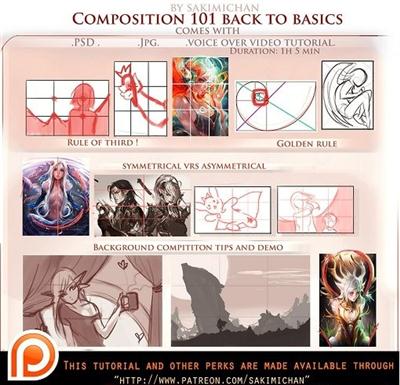
Gumroad - Composition 101 Back to Basics
Duration: 1hr 15m | Video: h264, yuv420p, 1280x720 30fps | Audio: aac, 44100 Hz, 2 ch | 261 MB
Genre: eLearning | Language: English​

This is Basics of Composition I will be talking about some of the stuff i learned in college. ( the rule of third, the golden rule, Asymmetrical and asymmetrical, and a demo on background composition and tips.

This tutorial pack comes with
High res jpgs
PSD
Voice over video tutorial (1h 5 min)

Recommend Download Link Hight Speed | Please Say Thanks Keep Topic Live ​
 

dbb9e4fb9c1173f1cd0c50d5294bf830.jpg

Hacking VS Code: Write Your First Extension for Visual Studio Code
MP4 | Video: AVC 1280x720 | Audio: AAC 44KHz 2ch | Duration: 1h 11m | 298 MB
Genre: eLearning | Language: English​

All software developers need a robust text editor, like Visual Studio Code, to modify and extend to perfectly meet their specific needs. This course will teach you how extend your text editor to help you become a better developer.

Anyone who writes code will benefit from learning to customize the cross-platform text editor Code. Visual Studio Code from Microsoft gives you lots of options, from simply adding some snippets, to writing and sharing robust extensions that add powerful new functionality. In this course, , you'll learn how to build and distribute your first extension. You'll learn to speed your development by creating snippets customized to the file type being edited. Next, you'll add your extension's command to the Code command set and take a look at how to debug an extension. Finally, you'll learn how to use the packaging tool from Microsoft to bundle up your extension, submit it to the marketplace, and then finish by taking a quick look at versioning your extension. When you're finished with this course, you will have a solid understanding of writing extensions using Visual Studio Code, giving you the ability to extend your text editor to perfectly meet your specific needs.

Recommend Download Link Hight Speed | Please Say Thanks Keep Topic Live ​
 

9ea668153cf0230fa00e48de0fa8cba4.jpg

HTML & CSS : Develop web pages in HTML & CSS
MP4 | Video: AVC 1280x720 | Audio: AAC 44KHz 2ch | Duration: 2.5 Hours | 402 MB
Genre: eLearning | Language: English​

I've divided the course into two parts, first is, HTML and the other is CSS. So we will start this course from and HTML where we will learn how to write tags and how things work in HTML web development. We will learn about major tags that we use in all the web pages. We will get to create lists, tables, text formatting, images and much more in this section of HTML.

After completing the HTML part, we will move to the CSS part which requires knowledge of HTML also. As we have already gained concepts of HTML, we can freely move to CSS. Okay, now in CSS we will start the section with an introduction part. I will teach you how to write CSS and how to embed them in your HTML document in different ways. I will teach you how to write properties; I will introduce you to the divs, ids and classes in this section. We will write all the possible major properties of CSS. I will teach you all the concepts from basic level to an intermediate level, like color codes and shorthand in margins and padding. So ultimately, you're going to learn a lot from this course. Moreover, I am here to help you and to provide you an extra support to make your learning easier.

Recommend Download Link Hight Speed | Please Say Thanks Keep Topic Live ​
 

a34eabf4c99cdbe6b789c975aeceb6d2.jpg

HTML - Learn HTML in 8 steps
MP4 | Video: AVC 1280x720 | Audio: AAC 44KHz 2ch | Duration: 1.5 Hours | 232 MB
Genre: eLearning | Language: English​

Knowledge rich guide to start your carrer in Web Development with HTML and learn how to develop static HTML pages

Do you want to learn how to create websites? Not sure where to start?

This step by step course will help you learn to code fast with an instructor that cares about his students.

In this course, we will start from basic tags, writing methodology, styling web pages, creating tables and much more. I'll explain why the code we write looks the way it does. I'll point out the simple patterns in the code, so you can learn more quickly and with more confidence.

I have structured this course in such a way that a newbie with no coding experience could learn at their pace. We will start this course with the introduction of HTML 4, then we will learn some basic tags in HTML that usually use in most of the web pages, then you have a separate section of formatting where you will learn how we format our content on web pages. After that, we will move towards list items where you will learn how to create lists and menus. Then I'll teach you how to build tables in HTML with all possible tags and attributes that we have in HTML. And the last section is on images where we will play with pictures.

This course comes with an unconditional 30-day Udemy money-backed guarantee. Try out this course for 30 days and see for yourself if my approach to learning HTML is right for you. If you're not 100% satisfied with this course, just request a full refund within 30 days - no conditions, no questions asked!

Recommend Download Link Hight Speed | Please Say Thanks Keep Topic Live ​
 

227b30637239cf0010907a8735491bb7.jpg

HTML5 course for Beginners Learn to Create websites [Project code included]
MP4 | Video: AVC 1280x720 | Audio: AAC 44KHz 2ch | Duration: 3.5 Hours | 1.07 GB
Genre: eLearning | Language: English​

Learn to make your own website from scratch everything included Easy to follow Complete guide to web design

This course is HTML5 focused, will teach you HTML5

HTML5 is the latest evolution of the standard that defines HTML. This course will teach you everything you need to know in order to create websites using HTML5. Modern web design course with New HTML5 elements, attributes, and behaviors.

Learn HTML5 which allows more diverse and powerful Web sites and applications.

All Resources, Source Files, Top Links and additional reading material is included, so that you can get started quickly creating website using HTML. I've developed hundreds of websites and I'm going to share what I have learned over the past 15 years developing websites within this course.

This is a perfect course for beginners who want learn more about HTML5.

Topics covered in this course include:

Create a default HTML5 template to use and reuse to create unlimited websites (source code included)
How to create a mockup for your website design
All about content sectioning and proper website design structure
adding a navigation bar to your web project
Inline text semantics
HTML5 elements that a new and powerful
How to add audio video and other media
Introduction to using Canvas to draw within HTML5
More options for forms that are now more mobile compatible
example contact form for your website
Interactive HTML5 elements
Progress bars and more
Tables and element attributes
We complete the course showing you how to add CSS in order to style your website creating a full 4 page website from scratch with the code discussed within the course.

Recommend Download Link Hight Speed | Please Say Thanks Keep Topic Live ​

 

5901aa457c9f80dcf4faab0511355be5.jpg

Implementing Virtual Networks for Azure Infrastructure (70-533)
MP4 | Video: AVC 1280x720 | Audio: AAC 44KHz 2ch | Duration: 3.5 Hours | 544 MB
Genre: eLearning | Language: English​

This course covers every single topic from the "Implement Virtual Networks" objective domain from Microsoft Exam 70-533, Implementing Microsoft Azure Infrastructure Solutions. This certification validates your skills at administering Microsoft Azu...

Moving from a physical network infrastructure to Microsoft Azure's software-defined networking (SDN) takes some getting used to. In this course, we gain our "sea legs" and learn how to manage Azure virtual networks, subnets, and virtual private networks (VPNs). You'll prepare to pass the "Implement Virtual Networks" objective domain from Microsoft Exam 70-533, Implementing Microsoft Azure Solutions. You'll also pick up valuable, real-world Azure administration skills that you can apply immediately to your work.

Recommend Download Link Hight Speed | Please Say Thanks Keep Topic Live ​

 

d094b60c1edc694732fe4983ff8e10c5.jpg

Inside Guide to Becoming a Roto Artist with NUKE and Silhouette
Duration: 1hr 49m | Video: h264, yuv420p, 1280x720 30fps | Audio: aac, 44100 Hz, 2 ch | 1.74 GB
Genre: eLearning | Language: English​

Rotoscopy and clean up in a project is absolutely essential and unavoidable when someone wants to become a Compositor in a VFX company. In this course, Inside Guide to Becoming a Roto Artist with NUKE and Silhouette, you will professionally learn and understand the fundamentals of rotoscopy and clean up to become a good CG artist.

You will learn how to properly rotoscope in Silhouette, which is the most used software in Rotoscopy. You will see how we can use this roto in Nuke and you will also learn how to clean up and integrate a CG element in a shot with the Nuke Camera Tracker. By the end of the course, you will have an overall understanding of rotoscopy and clean up that will help you as you move forward with your own work. Software required: Nuke and Maya.

Recommend Download Link Hight Speed | Please Say Thanks Keep Topic Live ​

 

80f510ce68051c8ede1c04f909267438.jpg

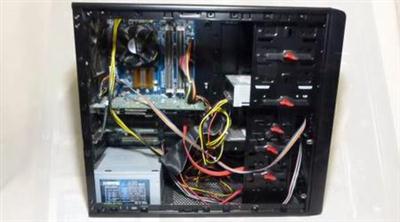
Intro to Computer Hardware: Turn Knowledge Into Big Savings
MP4 | Video: AVC 1280x720 | Audio: AAC 44KHz 2ch | Duration: 1 Hours | 462 MB
Genre: eLearning | Language: English​

Processors, GPUs, RAM, Memory, Storage, Resolution . . .
What does any of it mean?

These days, just about everything is done using a computer. With how ubiquitous this technology is, its amazing how little most people know about the very devices they're using so intimately. Even those selling these devices often don't have a clue what it is they're talking about, which can be especially dangerous to consumers and their wallets!

In this class, I'll condense and explain the details of a computer, primarily focusing on the things that computer builders (such as Dell, HP, Lenovo, etc) compete with: the computer hardware itself.

The course is intended for anyone interested in learning the basics of how a computer operates. It is designed with the novice in mind - no prior experience with the technical side of computers is needed. This class also serves as an excellent foundation for those looking to eventually tackle a professional hardware certification like the CompTIA A+.

Recommend Download Link Hight Speed | Please Say Thanks Keep Topic Live ​

 

e4dcce410521f573004a6c6ab855ee65.jpg

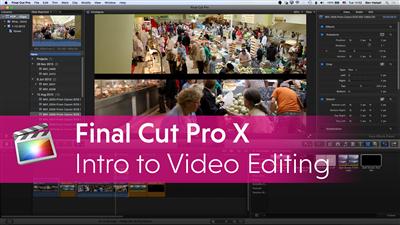
Intro to Final Cut Pro X
Duration: 1hr 30m | Video: h264, yuv420p, 1280x720 30fps | Audio: aac, 44100 Hz, 2 ch | 1.4 GB
Genre: eLearning | Language: English​

Learn everything you need to begin editing video using Final Cut Pro X.

Intro to Final Cut Pro X will get you up and running editing video in almost no time at all. Over the course of 8 video lessons, you'll be thoroughly introduced to the basic post-production workflow concepts, tools, and techniques needed to get started.

You'll spend about an hour and a half learning from two Apple-certified trainers, and end with the confidence you need - whether you're completely new to video editing, or if you're making the switch from another program.
The course is structured to flow in a way that makes sense and will set you up for success as you dive into the video editing workflow using Final Cut Pro X.
You'll get a bit of face time with Apple-certified pros Dominic DiMaria and Chad Stembridge, and you'll also get to see exactly what they're talking about... While they're talking about it! Screen captured video will allow you to follow along as well as compare your own screen so you always know where you are. In addition, all course videos are able so you can take them on the go or have more control over how you learn.

Recommend Download Link Hight Speed | Please Say Thanks Keep Topic Live ​

 

6120c91d704e3cdfa79a4a834aa27542.jpg

Intro to iOS 9 and Swift Mobile App Development
MP4 | Video: AVC 1280x720 | Audio: AAC 44KHz 2ch | Duration: 1.5 Hours | 363 MB
Genre: eLearning | Language: English​

You can easily create your own mobile App for the iPhone using Xcode 7 and Swift 2

Mobile App Development is the most lucrative and fun career today.

If you want to learn how to make iPhone Apps and bring your ideas to reality, this is the course you want to take!

We're Adolfo Olivo and Juan Villalvazo, we've been working for several years teaching and developing apps for iOS and other platforms. We'll be helping you all the way through this course.

This course will always be updated to the latest version of Xcode and the languages to develop iPhone apps. Right now we'll work with Xcode 7 and Swift 2 for the iOS 9.

We'll cover from the very basics of the language, to the most advanced topics, teaching you how to use the camera, gps, in-app purchases, and much more.

We'll be adding new content to this course, this means that you'll have more than 15 hours of content for only once price.

Join us today and start making apps today!

Recommend Download Link Hight Speed | Please Say Thanks Keep Topic Live ​

 

824dbb2a9d5202b10d2638e0497387fb.jpg

Intro to iPad Lettering
Duration: 1hr 19m | Video: h264, yuv420p, 1280x720 30fps | Audio: aac, 44100 Hz, 2 ch | 1.5 GB
Genre: eLearning | Language: English​

If you love lettering and you're on Instagram, there's a high probability you've seen more and more lettering created on an iPad lately. With the Apple Pencil becoming available, accurate stylus-to-digital lettering has never been more achievable and accessible. iPad drawing programs like Adobe Sketch and Procreate make for a dream environment where every brush or writing utensil is at your disposal. With so many options, it can be overwhelming to know where to begin.

If you're just getting started with iPad lettering and feeling a little intimidated, or you're considering it, but still sitting on the fence, this class covers all of the basics to get you started and equip you with the knowledge needed to tackle digital lettering on your terms. This class is perfect if you don't have an ipad yet and are curious to see if the investment is right for you!

Recommend Download Link Hight Speed | Please Say Thanks Keep Topic Live ​

 
Zurück
Oben Unten