• Regeln für den Video-Bereich:

    In den Börsenbereich gehören nur Angebote die bereits den Allgemeinen Regeln entsprechen.

    Einteilung

    - Folgende Formate gehören in die angegeben Bereiche:
    - Filme: Encodierte Filme von BluRay, DVD, R5, TV, Screener sowie Telesyncs im Format DivX, XviD und x264.
    - DVD: Filme im Format DVD5, DVD9 und HD2DVD.
    - HD: Encodierte Filme mit der Auflösung 720p oder darüber von BluRay, DVD, R5, TV, Screener sowie Telesyncs im Format x264.
    - 3D: Encodierte Filme von BluRay, die in einem 3D Format vorliegen. Dies gilt auch für Dokus, Animation usw.
    - Serien: Cartoon/Zeichentrick, Anime, Tutorials, Dokumentationen, Konzerte/Musik, Sonstiges sind demnach in die entsprechenden Bereiche einzuordnen, auch wenn sie beispielsweise im High Definition-Format oder als DVD5/DVD9/HD2DVD vorliegen. Ausnahme 3D.
    - Bereich Englisch: Englische Releases gehören immer in diesen Bereich.
    - Bereich Talk: Der Bereich, in dem über die Releases diskutiert werden kann, darf, soll und erwünscht ist.


    Angebot/Beitrag erstellen

    - Ein Beitrag darf erst dann erstellt werden, wenn der Upload bei mindestens einem OCH komplett ist. Platzhalter sind untersagt.
    - Bei einem Scenerelease hat der Threadtitel ausschließlich aus dem originalen, unveränderten Releasenamen zu bestehen. Es dürfen keine Veränderungen wie z.B. Sterne, kleine Buchstaben o.ä. vorgenommen werden. Ausnahme Serienbörse:
    - Bei einem Sammelthread für eine Staffel entfällt aus dem Releasename natürlich der Name der Folge. Beispiel: Die Simpsons S21 German DVDRip XviD - ITG
    - Dementsprechend sind also u.a. verboten: Erweiterungen wie "Tipp", "empfehlenswert", "only", "reup", usw. / jegliche andere Zusatzinformation oder Ergänzung, welche nicht in obiger Beschreibung zu finden ist.

    Aufbau des Angebots und Threadtitel

    Der Titel nach folgendem Muster erstellt zu werden. <Name> [3D] [Staffel] [German] <Jahr> <Tonspur> [DL] [Auflösung] <Quelle> <Codec> - <Group>
    Beispiel: The Dark Knight German 2008 AC3 DVDRip XviD - iND
    Beispiel: The Dark Knight 2008 DTS DL BDRip x264 - iND
    Beispiel: The Dark Knight 2008 AC3 DL BDRip XviD - iND
    Beispiel: The Dark Knight German 2008 AC3 720p BluRay x264 iND
    Beispiel: The Dark Knight 2008 DTS DL 1080p BluRay x264 iND
    Beispiel: Die Simpsons S01 German AC3 DVDRip XviD iND
    Beispiel: Die Simpsons S20 German AC3 720p BluRay x264 iND
    Beispiel: Sword Art Online II Ger Sub 2014 AAC 1080p WEBRip x264 - peppermint
    Entsprechend sind also u.a. verboten: Sonderzeichen wie Klammern, Sterne, Ausrufezeichen, Unterstriche, Anführungszeichen / Erweiterungen wie "Tipp", "empfehlenswert", "only", "reup", usw. / jegliche andere Zusatzinformation oder Ergänzung, welche nicht in obiger Beschreibung zu finden ist
    Ausnahmen hiervon können in den Bereichen geregelt sein.

    Die Beiträge sollen wie folgt aufgebaut werden:
    Überschrift entspricht dem Threadtitel
    Cover
    kurze Inhaltsbeschreibung
    Format, Größe, Dauer sind gut lesbar für Downloader außerhalb des Spoilers zu vermerken
    Nfo sind immer Anzugeben und selbige immer im Spoiler in Textform.
    Sind keine Nfo vorhanden z.B. Eigenpublikationen, sind im Spoiler folgende Dateiinformationen zusätzlich anzugeben :
    Quelle
    Video (Auflösung und Bitrate)
    Ton (Sprache, Format und Bitrate der einzelnen Spuren)
    Untertitel (sofern vorhanden)
    Hosterangabe in Textform außerhalb eines Spoiler mit allen enthaltenen Hostern.
    Bei SD kann auf diese zusätzlichen Dateiinformationen verzichtet werden.

    Alle benötigten Passwörter sind, sofern vorhanden, in Textform im Angebot anzugeben.
    Spoiler im Spoiler mit Kommentaren :"Schon Bedankt?" sind unerwünscht.


    Releases

    - Sind Retail-Release verfügbar, sind alle anderen Variationen untersagt. Ausnahmen: Alle deutschen Retail-Release sind CUT, in diesem Fall sind dubbed UNCUT-Release zulässig.
    - Im Serien-Bereich gilt speziell: Wenn ein Retail vor Abschluss einer laufenden Staffel erscheint, darf diese Staffel noch zu Ende gebracht werden.62
    - Gleiche Releases sind unbedingt zusammenzufassen. Das bedeutet, es ist zwingend erforderlich, vor dem Erstellen eines Themas per Suchfunktion zu überprüfen, ob bereits ein Beitrag mit demselben Release besteht. Ist dies der Fall, ist der bereits vorhandene Beitrag zu verwenden.
    - P2P und Scene Releases dürfen nicht verändert oder gar unter einem iND Tag eingestellt werden.


    Support, Diskussionen und Suche

    - Supportanfragen sind entweder per PN oder im Bereich Talk zu stellen.
    - Diskussionen und Bewertungen sind im Talk Bereich zu führen. Fragen an die Uploader haben ausschließlich via PN zu erfolgen, und sind in den Angeboten untersagt.
    - Anfragen zu Upload-Wünschen sind nur im Bereich Suche Video erlaubt. Antworten dürfen nur auf Angebote von MyBoerse.bz verlinkt werden.


    Verbote

    - Untersagt sind mehrere Formate in einem einzigen Angebotsthread, wie beispielsweise das gleichzeitige Anbieten von DivX/XviD, 720p und 1080p in einem Thread. Pro Format, Release und Auflösung ist ein eigener Thread zu eröffnen.
    - Grundsätzlich ebenso verboten sind Dupes. Uploader haben sich an geeigneter Stelle darüber zu informieren, ob es sich bei einem Release um ein Dupe handelt.
    - Gefakte, nur teilweise lauffähige oder unvollständige Angebote sind untersagt. Dies gilt auch für eigene Publikationen, die augenscheinlich nicht selbst von z.B. einer DVD gerippt wurden. Laufende Serien, bei denen noch nicht alle Folgen verfügbar sind, dürfen erstellt und regelmäßig geupdatet werden.
    - Untersagt sind Angebote, welche nur und ausschließlich in einer anderen Sprache als deutsch oder englisch vorliegen. Ausnahmen sind VORHER mit den Moderatoren zu klären.


    Verstoß gegen die Regeln

    - Angebote oder Beiträge, die gegen die Forenregeln verstoßen, sind über den "Melden"-Button im Beitrag zu melden.
  • Bitte registriere dich zunächst um Beiträge zu verfassen und externe Links aufzurufen.


Englische Tutorials


6bf823fec13ded3b74aa31d4b882d84c.jpg

Introduction To Learn T-SQL From Scratch
MP4 | Video: AVC 1280x720 | Audio: AAC 44KHz 2ch | Duration: 1 Hours | 238 MB
Genre: eLearning | Language: English​

Introduction to Learn T-SQL From Scratch will pave the way for you to learn the language for managing SQL databases

This course will pave the way for you to manage and configure SQL databases, select data to be viewed, filter data from the result set, navigate to selected data and allow the student to grasp the language to manipulate SQL Server and databases. It is designed for the student that has no knowledge of T-SQL but wants to gain the experience in a production environment. This course is the ground work for the Learn T-SQL From Scratch Full Edition. Thus the goal of this course is to provide the student with all the necessary TSQL commands the they will need to manage the database

Recommend Download Link Hight Speed | Please Say Thanks Keep Topic Live ​
 

b72032028c61f231e33c7ae9053ebef5.jpg

iOS 9 NSNotificationCenter in Swift (Not Push Notifications)
MP4 | Video: AVC 1280x720 | Audio: AAC 44KHz 2ch | Duration: 36m | 263 MB
Genre: eLearning | Language: English​

Learn NSNotificationCenter in Swift and understand the Post / Observer Model

Learn the basic concepts of Apples NSNotificationSystem with the Swift programming language for iOS 9.

Build a strong foundation in XCode 7 and Swift. This course helps you understand and implement the NSNotificationSystem framework in your own app with the latest technologies.

Swift programming language
XCocde 7
iOS 9
NSNotificationSystem framework

Professional skills and experience from an iOS Architect with over 8 years experience.

Learn the fundamentals but also tips and tricks of the experts. Learn about the NSNotificationSystem framework.

We will walk thru XCode setup and creation of a project iOS iPhone application that uses the NSNotificationSystem framework.

Content and Overview

This course explains Apples NSNotificationSystem framework systems and how it is used with iPhone application development. We explain the overall system in detail focused on developers not the marketing folks. We explain how the NSNotificationSystem framework works and how to integrated into an application with examples in Swift, Apples latest programming language for the iPhone. All examples are based on iOS 9.

Recommend Download Link Hight Speed | Please Say Thanks Keep Topic Live ​
 

bd1aaba51bd3fb2b6abd231da96a15b2.jpg

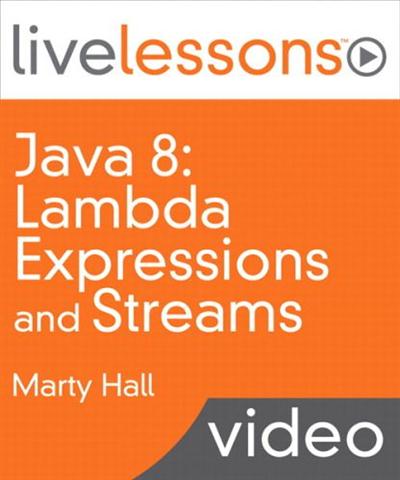
LiveLessons - Java 8 Lambda Expressions and Streams
MP4 | AVC 1200kbps | English | 1280x720 | 25fps | 3h 29mins | AAC stereo 128kbps | 1.26 GB
Genre: Video Training​

Java 8: Lambda Expressions and Streams covers the most important new features introduced in Java 8. It is presented by Marty Hall, bestselling author, world-renowned instructor, and president of the training company coreservlets.com. This LiveLesson explains the syntax and usage of Java 8 lambda expressions, shows the prebuilt functions, covers streams thoroughly, and gives examples of the types of applications to which lambdas and streams are well suited.

Lambda expressions are a way of representing œfunctions, and Java 8 introduces a number of prebuilt function building blocks as well as a set of function composition methods. Although lambda expressions are not quite real functions, they are close enough for most purposes, and have very succinct syntax that looks like anonymous functions from Scala (minus the type declarations) and are even moderately similar to JavaScript anonymous functions.
Streams are wrappers around arrays, collections, or other data sources that use lambdas pervasively. They support many convenient and high-performance operations that use lambdas, including "map", "reduce", "filter", and "forEach". They also support lazy evaluation, so if you map firstName over a Stream of Employees, filter the ones that start with "P", then choose the first, it really only maps and filters until the first match. Streams can also be made parallel automatically, so that the operations are done in parallel without having to write any explicit multithreading code.
Lambdas don't exactly turn Java into Lisp, and streams don't exactly turn Java SE into Hadoop. Nevertheless, they provide significant new capabilities to Java, and taken together, lambdas and streams result in by far the biggest change in Java programming style since at least 2004, when generics and annotations were added to the language.
Skill Level: Intermediate to advanced
Who Should Take This Course?: Experienced Java developers who need to learn about the new features introduced in Java SE 8

What You Will Learn:
* How to use the most important features of Java 8: lambda expressions and streams.
* Technologies that support lambdas: method references, lambda building blocks in the java.util.function package, effectively-final local variables, the @FunctionalInterface annotation, and higher-order functions.
* Stream methods: forEach, map, filter, reduce, etc.
* Infinite (unbounded) streams
* Parallel streams.
* Lazy evaluation and short-circuit stream operations.
* Supporting Java 8 features: interfaces with concrete methods and the Optional class.

Course Requirements

This LiveLesson assumes that you have moderate to strong Java experience. It covers only the new features of the language that are added in Java 8. However, no previous experience with functional programming is required.

Lesson 1 gets you started by explaining how to obtain and install Java 8, where to find documentation, and how to set up the major IDEs to use Java 8. It also has a quick review of two topics from the standard Java programming that we build on later: anonymous inner classes and defining classes and methods that use generic types.

Lesson 2 gives the motivation for lambda expressions and shows the various syntactical alternatives for representing lambdas. Along the way, it compares the lambda approach to pre-Java 8 approaches and to approaches from other languages. This lesson also introduces four supporting topics that are new to Java 8"effectively final local variables, the FunctionalInterface annotation, method references, and the java.util.function package.

Lesson 3 looks in more detail at the java.util.function package and shows how the interfaces there can be used as building blocks for lambdas. In particular, it explains the five most important elements of this package"Predicate, Function, Consumer, Supplier, and BinaryOperator. For each of these, it explains the syntax, but more importantly shows you how applying them can make your code shorter, simpler, easier to maintain, and more easily reused.

Lesson 4 shows the power of higher order functions: methods that return lambdas. The Lesson looks at both builtin and custom methods that do this. This lesson also gives more detail on the method references that were introduced earlier, and explains some of the tricky cases. It also discusses some of the new features of Java 8 interfaces, namely that Java 8 interfaces can have concrete method implementations, called default methods, as well as static methods.

Lesson 5 moves on to streams. It gives an overview of streams and contrasts streams with collections, shows how to build streams, and explains how to output streams into standard data structures like arrays or lists. It also covers the core stream methods, forEach, map, filter, and findFirst. This lesson also explains the lazy evaluation features of streams, so that streams are not only simpler and more powerful than standard collections, but often also have significantly higher performance.

Lesson 6 covers the remaining stream methods, most importantly the reduce operation. It also shows how stream operations can automatically be processed concurrently without requiring any explicit multithreading code. This lesson concludes with an advanced topic"infinite streams"that have no fixed number of entries, but rather create the values on the fly as they are needed.

Recommend Download Link Hight Speed | Please Say Thanks Keep Topic Live ​

 

92102625851252c327917c0753195f71.jpg

JavaScript Module Fundamentals
MP4 | Video: AVC 1280x720 | Audio: AAC 44KHz 2ch | Duration: 2h 16m | 279 MB
Genre: eLearning | Language: English​

JavaScript applications have grown increasingly complex. This course will teach you the basics of writing modular, maintainable JavaScript using popular formats, loaders, and bundlers.

At the core of building JavaScript applications is a thorough knowledge of JavaScript modules. In , you will learn all of the options available for building modular, maintainable, JavaScript applications. You will learn how to use popular module formats like AMD and CommonJS, how to create and transpile modules in the ES2015 format, and you'll also learn how to bundle modules with Browserify and Webpack. When you're finished with this course, you will have a foundational knowledge of JavaScript modules that will help you plan and implement your next client or server-side web application.

Recommend Download Link Hight Speed | Please Say Thanks Keep Topic Live ​

 

d129f7cb71523deccfce42df9f20f9b2.jpg

Learn C++ From Scratch: A Complete C++ Course For Beginners
MP4 | Video: AVC 1280x720 | Audio: AAC 44KHz 2ch | Duration: 3.5 Hours | 539 MB
Genre: eLearning | Language: English​

In this complete course students will learn object oriented programming in C++ from a complete beginner to advanced user

Welcome To Learn C++ From Scratch: A Complete C++ Course For Beginners!

Here is What You Will Learn By Enrolling In Our Complete Course!

We first begin the course with the steps involved in setting up the development environment. By ing Microsoft Visual Studio for windows and Code Blocks for Mac users. Once the environment is set up we start by writing simple c++ code. Then we gradually move along to understand what variables are in C++ and we also learn how to accept the user input in C++.

Moving along, we learn about the control structures which are used in C++ . We also learn the significance and working of different types of loops such as the for loop and the while loop. After that we learn what are functions and how we could create our own functions in C++.

After that we learn the most important concept in C++, i.e the object oriented programming this we learn what are objects, classes and member functions. We then learn some important concepts like the constructor and the different type of constructors. We then learn how inheritance works in c++. After that we move towards learning another important concept which is pointers. Finally we learn about exception handling in C++.

In This Course You Will Learn:

How to write C++ programs from scratch
Understand the C++ concepts like functions and variables
Understand the concepts of object oriented programming in C++
Learn what pointers are and how to use them
Learn how to handle exceptions in C++ programs
And So Much More!

Recommend Download Link Hight Speed | Please Say Thanks Keep Topic Live ​

 

ffe2e424f9ea2aa3e3ed2a0f68592320.jpg

Learn to Draw Digitally: Create Cute Animals
MP4 | Video: AVC 1280x720 | Audio: AAC 44KHz 2ch | Duration: 1 Hours | 409 MB
Genre: eLearning | Language: English​

A beginner's guide to drawing in Adobe illustrator. You will learn how to create cute drawings using only basic shapes. No art experience needed! We will go over some of the basic tools in Adobe Illustrator to get you started. By the end of this course, you wil be able to create cute animals using mostly basic shapes. This is a step by step class that you can follow along.

Who is this class for? Everyone! If you are just starting out in Adobe Illustrator, or you think that you cannot draw, this is the class for you. Even season artists may learn a tip or two along the way.

Class Outline:

- We will discuss basic shapes

Draw a penguin
Owl
Fox
Raccoon
Mouse
Bunny

Lastly we will discuss the class project.

Recommend Download Link Hight Speed | Please Say Thanks Keep Topic Live ​

 

507bd89d0037b746348edf03f4f00560.jpg

Lynda - Agile Instructional Design
Size: 1.08 GB | Duration: 0h 57m | Video: AVC (.mp4) 1280x720 30fps | Audio: AAC 48KHz 2ch
Genre: eLearning | Level: Intermediate | Language: English​

Many instructional design and development processes produce ineffective products, often accompanied by delayed timelines and cost overruns. Agile instructional design applies the SAM (Success Approximation Model) principles to training development, which results in meaningful and effective learning experiences that help the learner as well as meet the needs of stakeholders. In this course, Richard Sites explores how to apply an agile process to instructional design. Learn how to start savvy, document your ideas, prototype course content, build your design, and review your instruction for any missed opportunities. Dr. Sites also shows how to align your current process with SAM and become an effective leader of agile and iterative training and development projects.

Topics include:
* Using SAM to create engaging learning experiences
* Running a Savvy Start brainstorming or prototyping session
* Documenting your ideas
* Evaluating the design
* Building a design proof
* Aligning your process to SAM

Recommend Download Link Hight Speed | Please Say Thanks Keep Topic Live ​
 

0ca3a926f031adc12d82cdd46051661c.jpg

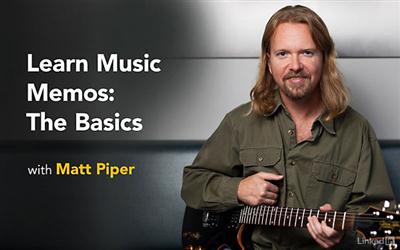
Lynda - Learn Music Memos: The Basics
Size: 195 MB | Duration: 0h 47m | Video: AVC (.mp4) 1280x720 30fps | Audio: AAC 48KHz 2ch
Genre: eLearning | Level: Beginner | Language: English​

Music Memos is a super cool tool for recording high-quality audio on your iPhone or iPad. In this course, author Matt Piper demonstrates how to effectively use Music Memos to record, arrange, edit, and share your musical ideas. He starts by covering automatic and manual recording techniques and how to review, rename, tag, and rate your musical ideas. Then he shows how to add drums and bass, trim the recordings, and add text notes, tuning, and capo positions. Finally, Matt explains how to share the musical ideas via email, iTunes, YouTube, and SoundCloud, and how to transfer the files to GarageBand or Logic Pro.

Recommend Download Link Hight Speed | Please Say Thanks Keep Topic Live ​

 

1a41709ad1748b82630b4e49bcc66372.jpg

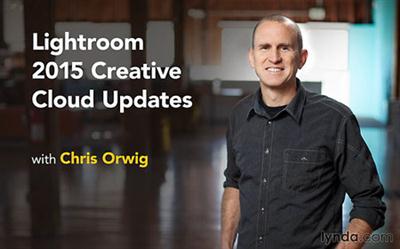
Lynda - Lightroom: 2015 Creative Cloud Updates
Size: 987 MB | Duration: 1h 48m | Video: AVC (.mp4) 1280x800 15&30fps | Audio: AAC 48KHz 2ch
Genre: eLearning | Level: Intermediate | Language: English​

Stay up to date with what's new in Lightroom CC -and learn what's new in Lightroom 6. In this course, teacher and photographer Chris Orwig reviews the latest features and enhancements in this extremely popular photo-management, enhancement, and publishing program-as soon as they are released. New chapters will be added every time Adobe releases a noteworthy update. To start the course off, Chris takes a look at new features that debuted in Lightroom CC and Lightroom 6: face recognition, Photo Merge, new image enhancement tools in the Develop module, and improvements to the Slideshow and Web modules. Come here first to learn what's new in Lightroom CC.

Recommend Download Link Hight Speed | Please Say Thanks Keep Topic Live ​

 

b06eb1755e17f737251dc56bbb3e8968.jpg

Lynda - Master Common Interview Questions
Size: 453 MB | Duration: 0h 56m | Video: AVC (.mp4) 1280x720 30fps | Audio: AAC 48KHz 2ch
Genre: eLearning | Level: Appropriate for all | Language: English​

Preparing for an interview can be daunting. Learn how to master the top 10 most common interview questions you'll encounter when looking for a new job. The tips provided in this course will help you craft authentic answers that showcase your experience and your enthusiasm for an organization. For each question, career coach Valerie Sutton explains why the interviewer is asking it and then provides you with the best response. She also provides advice for tailoring your answer to entry-level or midcareer roles. In each chapter, we provide role-playing scenarios to illustrate the questions-and answers-in action.

Topics include:
* Tell me about your strengths
* Tell me about your weaknesses
* Why are you interested in our company?
* Why did you leave your previous company?
* Tell me how you handled a difficult situation
* What questions do you have?

Recommend Download Link Hight Speed | Please Say Thanks Keep Topic Live ​

 

d9631bdadfb49e6e5577043edb3da919.jpg

Lynda - UX Design Tools: InVision
Size: 329 MB | Duration: 0h 56m | Video: AVC (.mp4) 1280x720 15&30fps | Audio: AAC 48KHz 2ch
Genre: eLearning | Level: Intermediate | Language: English​

InVision is a powerful UX design and collaboration platform that helps companies of all sizes create better and faster together. Dennis Field is InVision's worldwide evangelist and training expert. In this course, he reviews how to set up a free InVision account, build basic prototypes and boards, get feedback, and collaborate on designs through various mediums, like share links, LiveShare, and the InVision mobile app. Plus, learn how to get your Photoshop and Sketch designs into InVision using InVision Sync.

Topics include:
* Creating your InVision account
* Adding linked screens, overlays, and transitions to prototypes
* Creating and customizing a board
* Sharing prototypes and boards
* Collaborating and commenting
* Integrating with Photoshop and Sketch
* Using the InVision mobile app

Recommend Download Link Hight Speed | Please Say Thanks Keep Topic Live ​
 

13e18f103bf5a84bc115fbf0325fa22e.jpg

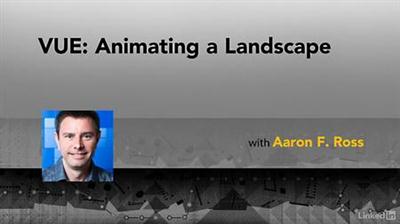
Lynda - VUE: Animating a Landscape
Size: 751 MB | Duration: 2h 3m | Video: AVC (.mp4) 1280x720 30fps | Audio: AAC 48KHz 2ch
Genre: eLearning | Level: Intermediate | Language: English​

Rendering a photorealistic animated digital landscape is possible with VUE, a powerful application for creating computer-generated, natural environments needed for visual effects, animation, architectural visualization, and illustration. In this course, Aaron F. Ross demonstrates the VUE workflow for digital nature, including interoperability with other 3D programs, terrain sculpting, populating the scene with plants, daylighting and atmospheres, complex material functions, keyframe animation, and production rendering. Realistic skies and lighting are achieved with the VUE photometric spectral atmosphere model. This course covers adding animation to plants, water, and clouds with procedural wind effects. Aaron also shows how to create camera movement by employing the Timeline's intuitive tools, including animation and curve editing. Rendering many animation frames poses challenges not experienced with still image rendering, and so the course concludes with key strategies for optimizing the balance between image quality and rendering time.

Topics include:
* Laying out the scene
* Importing and sculpting models
* Adding water, plants and clouds
* Directing sunlight and atmosphere
* Customizing exposure and tone mapping
* Building procedural materials
* Working in the Function Graph
* Automatic and manual keyframing
* Editing splines in the Animation Graph
* Adding wind
* Keyframing the atmosphere
* Optimizing render settings for animation

Recommend Download Link Hight Speed | Please Say Thanks Keep Topic Live ​
 
Zurück
Oben Unten