• Regeln für den Video-Bereich:

    In den Börsenbereich gehören nur Angebote die bereits den Allgemeinen Regeln entsprechen.

    Einteilung

    - Folgende Formate gehören in die angegeben Bereiche:
    - Filme: Encodierte Filme von BluRay, DVD, R5, TV, Screener sowie Telesyncs im Format DivX, XviD und x264.
    - DVD: Filme im Format DVD5, DVD9 und HD2DVD.
    - HD: Encodierte Filme mit der Auflösung 720p oder darüber von BluRay, DVD, R5, TV, Screener sowie Telesyncs im Format x264.
    - 3D: Encodierte Filme von BluRay, die in einem 3D Format vorliegen. Dies gilt auch für Dokus, Animation usw.
    - Serien: Cartoon/Zeichentrick, Anime, Tutorials, Dokumentationen, Konzerte/Musik, Sonstiges sind demnach in die entsprechenden Bereiche einzuordnen, auch wenn sie beispielsweise im High Definition-Format oder als DVD5/DVD9/HD2DVD vorliegen. Ausnahme 3D.
    - Bereich Englisch: Englische Releases gehören immer in diesen Bereich.
    - Bereich Talk: Der Bereich, in dem über die Releases diskutiert werden kann, darf, soll und erwünscht ist.


    Angebot/Beitrag erstellen

    - Ein Beitrag darf erst dann erstellt werden, wenn der Upload bei mindestens einem OCH komplett ist. Platzhalter sind untersagt.
    - Bei einem Scenerelease hat der Threadtitel ausschließlich aus dem originalen, unveränderten Releasenamen zu bestehen. Es dürfen keine Veränderungen wie z.B. Sterne, kleine Buchstaben o.ä. vorgenommen werden. Ausnahme Serienbörse:
    - Bei einem Sammelthread für eine Staffel entfällt aus dem Releasename natürlich der Name der Folge. Beispiel: Die Simpsons S21 German DVDRip XviD - ITG
    - Dementsprechend sind also u.a. verboten: Erweiterungen wie "Tipp", "empfehlenswert", "only", "reup", usw. / jegliche andere Zusatzinformation oder Ergänzung, welche nicht in obiger Beschreibung zu finden ist.

    Aufbau des Angebots und Threadtitel

    Der Titel nach folgendem Muster erstellt zu werden. <Name> [3D] [Staffel] [German] <Jahr> <Tonspur> [DL] [Auflösung] <Quelle> <Codec> - <Group>
    Beispiel: The Dark Knight German 2008 AC3 DVDRip XviD - iND
    Beispiel: The Dark Knight 2008 DTS DL BDRip x264 - iND
    Beispiel: The Dark Knight 2008 AC3 DL BDRip XviD - iND
    Beispiel: The Dark Knight German 2008 AC3 720p BluRay x264 iND
    Beispiel: The Dark Knight 2008 DTS DL 1080p BluRay x264 iND
    Beispiel: Die Simpsons S01 German AC3 DVDRip XviD iND
    Beispiel: Die Simpsons S20 German AC3 720p BluRay x264 iND
    Beispiel: Sword Art Online II Ger Sub 2014 AAC 1080p WEBRip x264 - peppermint
    Entsprechend sind also u.a. verboten: Sonderzeichen wie Klammern, Sterne, Ausrufezeichen, Unterstriche, Anführungszeichen / Erweiterungen wie "Tipp", "empfehlenswert", "only", "reup", usw. / jegliche andere Zusatzinformation oder Ergänzung, welche nicht in obiger Beschreibung zu finden ist
    Ausnahmen hiervon können in den Bereichen geregelt sein.

    Die Beiträge sollen wie folgt aufgebaut werden:
    Überschrift entspricht dem Threadtitel
    Cover
    kurze Inhaltsbeschreibung
    Format, Größe, Dauer sind gut lesbar für Downloader außerhalb des Spoilers zu vermerken
    Nfo sind immer Anzugeben und selbige immer im Spoiler in Textform.
    Sind keine Nfo vorhanden z.B. Eigenpublikationen, sind im Spoiler folgende Dateiinformationen zusätzlich anzugeben :
    Quelle
    Video (Auflösung und Bitrate)
    Ton (Sprache, Format und Bitrate der einzelnen Spuren)
    Untertitel (sofern vorhanden)
    Hosterangabe in Textform außerhalb eines Spoiler mit allen enthaltenen Hostern.
    Bei SD kann auf diese zusätzlichen Dateiinformationen verzichtet werden.

    Alle benötigten Passwörter sind, sofern vorhanden, in Textform im Angebot anzugeben.
    Spoiler im Spoiler mit Kommentaren :"Schon Bedankt?" sind unerwünscht.


    Releases

    - Sind Retail-Release verfügbar, sind alle anderen Variationen untersagt. Ausnahmen: Alle deutschen Retail-Release sind CUT, in diesem Fall sind dubbed UNCUT-Release zulässig.
    - Im Serien-Bereich gilt speziell: Wenn ein Retail vor Abschluss einer laufenden Staffel erscheint, darf diese Staffel noch zu Ende gebracht werden.62
    - Gleiche Releases sind unbedingt zusammenzufassen. Das bedeutet, es ist zwingend erforderlich, vor dem Erstellen eines Themas per Suchfunktion zu überprüfen, ob bereits ein Beitrag mit demselben Release besteht. Ist dies der Fall, ist der bereits vorhandene Beitrag zu verwenden.
    - P2P und Scene Releases dürfen nicht verändert oder gar unter einem iND Tag eingestellt werden.


    Support, Diskussionen und Suche

    - Supportanfragen sind entweder per PN oder im Bereich Talk zu stellen.
    - Diskussionen und Bewertungen sind im Talk Bereich zu führen. Fragen an die Uploader haben ausschließlich via PN zu erfolgen, und sind in den Angeboten untersagt.
    - Anfragen zu Upload-Wünschen sind nur im Bereich Suche Video erlaubt. Antworten dürfen nur auf Angebote von MyBoerse.bz verlinkt werden.


    Verbote

    - Untersagt sind mehrere Formate in einem einzigen Angebotsthread, wie beispielsweise das gleichzeitige Anbieten von DivX/XviD, 720p und 1080p in einem Thread. Pro Format, Release und Auflösung ist ein eigener Thread zu eröffnen.
    - Grundsätzlich ebenso verboten sind Dupes. Uploader haben sich an geeigneter Stelle darüber zu informieren, ob es sich bei einem Release um ein Dupe handelt.
    - Gefakte, nur teilweise lauffähige oder unvollständige Angebote sind untersagt. Dies gilt auch für eigene Publikationen, die augenscheinlich nicht selbst von z.B. einer DVD gerippt wurden. Laufende Serien, bei denen noch nicht alle Folgen verfügbar sind, dürfen erstellt und regelmäßig geupdatet werden.
    - Untersagt sind Angebote, welche nur und ausschließlich in einer anderen Sprache als deutsch oder englisch vorliegen. Ausnahmen sind VORHER mit den Moderatoren zu klären.


    Verstoß gegen die Regeln

    - Angebote oder Beiträge, die gegen die Forenregeln verstoßen, sind über den "Melden"-Button im Beitrag zu melden.
  • Bitte registriere dich zunächst um Beiträge zu verfassen und externe Links aufzurufen.


Englische Tutorials


7088b628b81bd98eaccb5b6fa933bcfe.jpg

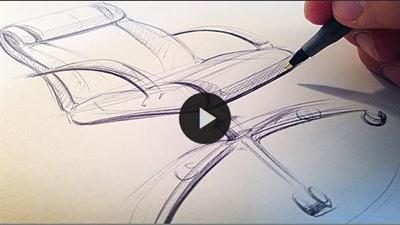
Design Sketching Simplified: The Cloud Sketching Technique
MP4 | Video: AVC 1280x720 | Audio: AAC 44KHz 2ch | Duration: 20M | 370 MB
Genre: eLearning | Language: English​

In this straight to the point class you will learn how to sketch a specific object, in this case an office chair, using a technique I call "Cloud sketching".

We will start by taking an existing image of a chair, break it down into its fundamental geometries by blurring our vision and looking at the product a bit differently.

Once we have our proportions down on paper, we'll go into adding line weight and shading to make the sketch pop and give it depth.

The Cloud Sketching technique can be applied when sketching any type of product.

This class is for you who want to learn how to sketch products using a simple, unconventional technique.

I use this technique on a daily basis in my role as an industrial designer.

Thank you for your interest in my class.

Grab a pen and a piece of paper and let's get started!

Recommend Download Link Hight Speed | Please Say Thanks Keep Topic Live ​

 

603e07241ef3827bd44407f5d40c2fa3.jpg

Displaying Data with Table Views in Swift 2
HDRips | MP4/AVC, ~217 kb/s | 1280x720 | Duration: 4 hours | English: AAC, 81 kb/s (2 ch) | 476 MB
Genre: Development / Programming​

One of most common user interface elements used in iOS apps are table views. Table views are flexible components that allow us to display data in a hierarchical manner. In this course, we're going to use a table view, in conjunction with our knowledge of networking to build an app that finds restaurants around us. To do so, we'll learn about the basic structure and usage of a table view, how to write intermediate networking code, how to implement location and much more.

Recommend Download Link Hight Speed | Please Say Thanks Keep Topic Live ​

 

cd9e1ab759951b89c803838c4e55a37b.jpg

Videomaker - Documentary Production: Equipment & Crew
English | mp4 | H264 1280x720 | AAC 2 ch | 34 min | 1.47 GB
eLearning​

Choosing a Camera
We look at quality optics, battery technology, inputs and outputs, recording media, and controls to help you find the best camera for your needs.

Choosing Audio Gear
Youll learn about mic features such as pickup pattern, frequency response, wireless capabilities and design, and how to assemble a great audio kit.

Choosing Lighting Gear
A look at lighting technology and gear. Learn about fixture designs and lamp types along with the best equipment for blocking, diffusing and reflecting light.

Essential Accessories
Tripods, sleds, dollies and arm and vest systems are just a few of the stabilizing gear you might use. Learn about the differences as well as the essential grip gear for any shoot.

Finding Crews
To find the perfect team for your project, we explore considerations to choosing members, how to determine crew size and sources for finding the right individuals for your needs.

Working With Crews
You'll learn tips on holding useful production meetings with your crew, and tips on transporting and feeding crew- members to assure a happy and productive team.

Recommend Download Link Hight Speed | Please Say Thanks Keep Topic Live ​
 

0ea0fd0b5ba7679a941a08efdc3c8831.jpg

Eclipse IDE for Beginners: Increase Your Java Productivity
MP4 | Video: AVC 1280x720 | Audio: AAC 44KHz 2ch | Duration: 1 Hours | 210 MB
Genre: eLearning | Language: English​

This course delivers the step-by-step guidance to help you master the core topics and techniques with Eclipse.

This course provides an excellent introduction to the Eclipse IDE Development tool. This course is aimed at developers who want to quickly get up to speed with developing applications with Eclipse.

The course covers how to install Eclipse and customize Eclipse for your environment. You also learn how to create Java applications in the Eclipse which includes using the debugger.

The course shows you how to make use of a number of Eclipse productivity techniques such as navigating the source code, generating source code and creating unit tests. The course wraps by showing you how to import and export projects.

By the end of the course, you will have covered the major features of Eclipse and you can immediately apply them on your Java project.

Who Is This Course Suitable For?

Java developers: beginner, intermediate or advanced
Note: This course assumes you have some knowledge of Java.

You Will Learn How To

Install the Eclipse IDE on their own computer
Create a Java application with Eclipse
Customize the Eclipse user interface
Generate Java Source Code using Eclipse Wizards
Refactor and Debug Java Source Code
Run JUnit Tests
Import and Export Projects
Add External JAR files to your Eclipse Project

Recommend Download Link Hight Speed | Please Say Thanks Keep Topic Live ​

 

00d10040fe6657cba708c3dfe1a14f97.jpg

Entrepreneurship Success Mindset
.MP4, AVC, 1000 kbps, 1280x720 | English, AAC, 64 kbps, 2 Ch | 1 hour | 194 MB
Instructor: Kenz A.Soliman​

A complete newbie friendly introduction to Entrepreneurship, how it works and how you can profit from it. I make sure

Do you wanna know what it takes to become an Entrepreneur?

Have you seen others just naming themselves Entrepreneurs but never told you how they did that?

wanna learn the basic steps to Entrepreneurship success one by one?

you must know that no one becomes a successful Entrepreneur without the right mindset which is what you are going to learn in this short but to the point course

Learn all what it takes for your mind to think and act like an Entrepreneur and get started on the right foot with your Entrepreneurship journey.

What am I going to get from this course?

Over 12 lectures and 1 hour of content!
The basics of how to set your mind to become successful as an Entrepreneur

Recommend Download Link Hight Speed | Please Say Thanks Keep Topic Live ​

 

f7cc1aa5bdb3c0d494ab5abb34c3129e.jpg

Ethical Hacking: Cryptography
MP4 | Video: AVC 1280x720 | Audio: AAC 44KHz 2ch | Duration: 1 Hours | 93 MB
Genre: eLearning | Language: English​

Learn the fundamentals of cryptography and its requirements, how to support secure protocols, and how to operate cryptographic systems. This course is part of the

Recommend Download Link Hight Speed | Please Say Thanks Keep Topic Live ​

 

f3b871f14b2dca25c69d229b28ec59f6.jpg

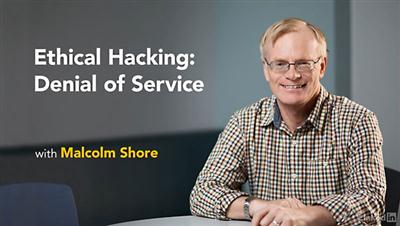
Lynda - Ethical Hacking: Denial of Service
Size: 210 MB | Duration: 1h 27m | Video: AVC (.mp4) 1280x720 15&30fps | Audio: AAC 48KHz 2ch
Genre: eLearning | Level: Intermediate | Language: English​

Ethical hacking involves testing to see if an organization's network is vulnerable to outside threats. Denial-of-service (DoS) attacks are one of the biggest threats out there. Being able to mitigate DoS attacks is one of the most desired skills for any IT security professional-and a key topic on the Certified Ethical Hacker exam. Watch this course to learn what exactly a DoS attack is and the types of techniques hackers use to cripple wired and wireless networks, applications, and services on the infrastructure, such as FTP and SIP. Learn how attackers are using botnet-driven distributed DoS (DDoS) attacks to overwhelm defenses. Author and IT security expert Malcolm Shore also explores the rising threat of ransomware like CryptoLocker, and mitigation techniques for detecting and defeating DoS attacks. Note: Our Ethical Hacking series will map to the 18 parts of the EC-Council's certification exam. This course maps to the 09 Denial of Service domain.

Recommend Download Link Hight Speed | Please Say Thanks Keep Topic Live ​
 

f85d96008bce9d29f05acb93e42c9cd9.jpg

Excel Essentials: Level 1 Basics - Master Excel Step-By-Step
MP4 | Video: AVC 1280x720 | Audio: AAC 44KHz 2ch | Duration: 4 Hours | 755 MB
Genre: eLearning | Language: English​

Great news! I have added a new bonus section to this course "Student Questions Answered"!

In this section you will find custom made tutorials to answer YOUR specific questions! Just drop a message in the discussion board, and if I can't answer it in a simple message, I'll make a video just for you!

What other students are saying:

Amazing Customer Service and Support! - David Keegan
Great Course - Terry Wells
Excel Made Easy - Great Class!!! - George Peters
Extremely helpful course - Jonathan Balmforth
Fantastic Course - Lee Johnson
Exactly what I was looking for! - Nickie
Brilliant Course - Samantha Thorne
THE course for beginners - Beatrice

Recommend Download Link Hight Speed | Please Say Thanks Keep Topic Live ​
 

d5bc85d56c0e8a72bb1fb2396d12b12c.jpg

Excel Pivot Tabellen in weniger als 1 Stunde meistern
MP4 | Video: AVC 1280x720 | Audio: AAC 44KHz 2ch | Duration: 41m | 220 MB
Genre: eLearning | Language: German​

Der ideale Schnelleinstieg. Am Ende kannst du Pivot Tabellen sicher bedienen und deine Daten selbständig auswerten.

Dieser Excel Pivot- Tabellen Kurs erklärt die wichtigsten Funktionalitäten von Pivot-Tabellen und versetzt dich in weniger als einer Stunde in die Lage große Datenmengen bequem und schnell auszuwerten. Mit Pivot-Tabellen und Pivot-Charts kannst Du in Windeseile Erkenntnisse und Einsichten in deine Daten gewinnen und diese in ansprechende Dashboards und Berichte umwandeln.

Für diesen Kurs sind keine Vorkenntnisse bezüglich Pivot-Tabellen erforderlich und richtet sich an Personen die große Datenmengen selbstständig auswerten möchten.

Zusätzlich zu dem Kurs gibt es weiteres BONUS Material wie z.B. alle deutschsprachigen Excel Tastenkürzel übersichtlich aufgelistet um bei der Arbeit mit Excel möglichst viel Zeit einzusparen.

Pivot-Tabellen sind ein essentieller Teil von Excel. Wenn Du sie beherrscht wirst du viel effizienter mit Excel arbeiten können und Aufgaben viel schneller erledigen können. Das fällt auf und führt zu besseren Jobperspektiven und Aufstiegschancen.

Wissen was du im Bereich Excel erwirbst bleibt dir ein Leben lang erhalten und lässt sich in den vielen Berufen gewinnbringend einsetzen.

Du erhältst einen lebenslangen Zugriff auf die Videos und hast die Möglichkeit hier auch direkt im Q&A Bereich des Kurses Fragen zu stellen.

Ich bin mir sicher, dass dir der Kurs gefallen wird. Falls Du aber nicht 100% zufrieden bist, gibts das Geld natürlich zurück. Du kannst also ganz beruhigt in deine professionelle Weiterentwicklung investieren. Umso früher Du dich mit Excel Pivot Tabellen auskennst desto besser, also zögere nicht und klicke auf žDiesen Kurs belegenœ

Recommend Download Link Hight Speed | Please Say Thanks Keep Topic Live ​

 

eeb2459b8603f409b91870b1373de077.jpg

Faster Calculation Using Math Tricks And Vedic Sutras
MP4 | Video: AVC 1280x720 | Audio: AAC 44KHz 2ch | Duration: 1.5 Hours | 176 MB
Genre: eLearning | Language: English​

"Learn Mathematical Tricks and Vedic Sutras, Learn to remember the formulas without by heart "

Course about how calculate faster and save time in basic mathematical operations, how to remember the formulas without by heart, learn different vedic methods for faster calculation
Target audience: Middle School and High School students, Students who are preparing for Competitive exams, Parents and teachers who want to learn vedic methods
Course includes : pre-fundamentals , Base and Complements , Different methods of addition and subtraction, Different Multiplication tricks, Special multiplications, Division Tricks, Short cuts for Square and square root , Cube and Cube root , How to remember formulas without by heart and many other short tricks for different topics

Take this Course to learn Vedic Sutras , to become expert in calculations, to learn how to remember the formulas without by heart

Recommend Download Link Hight Speed | Please Say Thanks Keep Topic Live ​
 

2fb5f7ed2839790b82b7a91d07d0b9c5.jpg

Get Better at Perspective Drawing: Basic Project 01
Duration: 28m | Video: h264, yuv420p, 1280x720 30fps | Audio: aac, 44100 Hz, 2 ch | 380 MB
Genre: eLearning | Language: English​

As a follow up to my class, "Get Better at Perspective Drawing: Beginning with the Basics", I've created a step-by-step project where we build a complete perspective drawing from plan to final render - plus learn a new technique called 'projection' that isn't covered in the "Basics" class.

In order for us to get 'better' at anything, we need to practice it. To encourage practice with perspective drawing, I walk you through how construct a haphazard stack of perfect cubes oriented in one point perspective.
It's short, it's enlightening, and it's free! What's holding you back from understanding, controlling, and using perspective better?

Software used: Affinity Designer

Recommend Download Link Hight Speed | Please Say Thanks Keep Topic Live ​

 

8192c45e5073a1f8a0b6abb1665b8daf.jpg

Getting Started With Software Testing Context and Basics
MP4 | Video: AVC 1280x720 | Audio: AAC 44KHz 2ch | Duration: 2 Hours | 228 MB
Genre: eLearning | Language: English​

Get the grip of the context and need of learning in software testing basics from some of worst technology failures.

Think about some of worst failures like Titanic and Challenger. Think about software glitches that caused failures of Ariane 5, banking, air traffic, missiles etc. It is important to understand why it happened and how such things can impact us and cause havoc and immense loss and damage. How it can be prevented by us in future to achieve successful endeavors. Given this, build the context for us for further learning and innovation. As software is getting in each every walk of our life and all human endeavors, it becomes so critical that they do not fail and perform well. This course will help build the context for further learning in software testing. Based on this context and software testing basics, you can get started with another next course, "Software Testing Course", from me at Udemy.

This course is for around one and half hours and has 7 video lectures on software testing basics. You can complete this course in one go or take one lecture per day and can complete learning the software testing basics within a week. If you have any queries while you are covering different lectures, then, do feel free to write them to me through the 'questions' section and I will periodically answer back. Get started with the software testing basics today.

Recommend Download Link Hight Speed | Please Say Thanks Keep Topic Live ​

 
Zurück
Oben Unten