• Regeln für den Video-Bereich:

    In den Börsenbereich gehören nur Angebote die bereits den Allgemeinen Regeln entsprechen.

    Einteilung

    - Folgende Formate gehören in die angegeben Bereiche:
    - Filme: Encodierte Filme von BluRay, DVD, R5, TV, Screener sowie Telesyncs im Format DivX, XviD und x264.
    - DVD: Filme im Format DVD5, DVD9 und HD2DVD.
    - HD: Encodierte Filme mit der Auflösung 720p oder darüber von BluRay, DVD, R5, TV, Screener sowie Telesyncs im Format x264.
    - 3D: Encodierte Filme von BluRay, die in einem 3D Format vorliegen. Dies gilt auch für Dokus, Animation usw.
    - Serien: Cartoon/Zeichentrick, Anime, Tutorials, Dokumentationen, Konzerte/Musik, Sonstiges sind demnach in die entsprechenden Bereiche einzuordnen, auch wenn sie beispielsweise im High Definition-Format oder als DVD5/DVD9/HD2DVD vorliegen. Ausnahme 3D.
    - Bereich Englisch: Englische Releases gehören immer in diesen Bereich.
    - Bereich Talk: Der Bereich, in dem über die Releases diskutiert werden kann, darf, soll und erwünscht ist.


    Angebot/Beitrag erstellen

    - Ein Beitrag darf erst dann erstellt werden, wenn der Upload bei mindestens einem OCH komplett ist. Platzhalter sind untersagt.
    - Bei einem Scenerelease hat der Threadtitel ausschließlich aus dem originalen, unveränderten Releasenamen zu bestehen. Es dürfen keine Veränderungen wie z.B. Sterne, kleine Buchstaben o.ä. vorgenommen werden. Ausnahme Serienbörse:
    - Bei einem Sammelthread für eine Staffel entfällt aus dem Releasename natürlich der Name der Folge. Beispiel: Die Simpsons S21 German DVDRip XviD - ITG
    - Dementsprechend sind also u.a. verboten: Erweiterungen wie "Tipp", "empfehlenswert", "only", "reup", usw. / jegliche andere Zusatzinformation oder Ergänzung, welche nicht in obiger Beschreibung zu finden ist.

    Aufbau des Angebots und Threadtitel

    Der Titel nach folgendem Muster erstellt zu werden. <Name> [3D] [Staffel] [German] <Jahr> <Tonspur> [DL] [Auflösung] <Quelle> <Codec> - <Group>
    Beispiel: The Dark Knight German 2008 AC3 DVDRip XviD - iND
    Beispiel: The Dark Knight 2008 DTS DL BDRip x264 - iND
    Beispiel: The Dark Knight 2008 AC3 DL BDRip XviD - iND
    Beispiel: The Dark Knight German 2008 AC3 720p BluRay x264 iND
    Beispiel: The Dark Knight 2008 DTS DL 1080p BluRay x264 iND
    Beispiel: Die Simpsons S01 German AC3 DVDRip XviD iND
    Beispiel: Die Simpsons S20 German AC3 720p BluRay x264 iND
    Beispiel: Sword Art Online II Ger Sub 2014 AAC 1080p WEBRip x264 - peppermint
    Entsprechend sind also u.a. verboten: Sonderzeichen wie Klammern, Sterne, Ausrufezeichen, Unterstriche, Anführungszeichen / Erweiterungen wie "Tipp", "empfehlenswert", "only", "reup", usw. / jegliche andere Zusatzinformation oder Ergänzung, welche nicht in obiger Beschreibung zu finden ist
    Ausnahmen hiervon können in den Bereichen geregelt sein.

    Die Beiträge sollen wie folgt aufgebaut werden:
    Überschrift entspricht dem Threadtitel
    Cover
    kurze Inhaltsbeschreibung
    Format, Größe, Dauer sind gut lesbar für Downloader außerhalb des Spoilers zu vermerken
    Nfo sind immer Anzugeben und selbige immer im Spoiler in Textform.
    Sind keine Nfo vorhanden z.B. Eigenpublikationen, sind im Spoiler folgende Dateiinformationen zusätzlich anzugeben :
    Quelle
    Video (Auflösung und Bitrate)
    Ton (Sprache, Format und Bitrate der einzelnen Spuren)
    Untertitel (sofern vorhanden)
    Hosterangabe in Textform außerhalb eines Spoiler mit allen enthaltenen Hostern.
    Bei SD kann auf diese zusätzlichen Dateiinformationen verzichtet werden.

    Alle benötigten Passwörter sind, sofern vorhanden, in Textform im Angebot anzugeben.
    Spoiler im Spoiler mit Kommentaren :"Schon Bedankt?" sind unerwünscht.


    Releases

    - Sind Retail-Release verfügbar, sind alle anderen Variationen untersagt. Ausnahmen: Alle deutschen Retail-Release sind CUT, in diesem Fall sind dubbed UNCUT-Release zulässig.
    - Im Serien-Bereich gilt speziell: Wenn ein Retail vor Abschluss einer laufenden Staffel erscheint, darf diese Staffel noch zu Ende gebracht werden.62
    - Gleiche Releases sind unbedingt zusammenzufassen. Das bedeutet, es ist zwingend erforderlich, vor dem Erstellen eines Themas per Suchfunktion zu überprüfen, ob bereits ein Beitrag mit demselben Release besteht. Ist dies der Fall, ist der bereits vorhandene Beitrag zu verwenden.
    - P2P und Scene Releases dürfen nicht verändert oder gar unter einem iND Tag eingestellt werden.


    Support, Diskussionen und Suche

    - Supportanfragen sind entweder per PN oder im Bereich Talk zu stellen.
    - Diskussionen und Bewertungen sind im Talk Bereich zu führen. Fragen an die Uploader haben ausschließlich via PN zu erfolgen, und sind in den Angeboten untersagt.
    - Anfragen zu Upload-Wünschen sind nur im Bereich Suche Video erlaubt. Antworten dürfen nur auf Angebote von MyBoerse.bz verlinkt werden.


    Verbote

    - Untersagt sind mehrere Formate in einem einzigen Angebotsthread, wie beispielsweise das gleichzeitige Anbieten von DivX/XviD, 720p und 1080p in einem Thread. Pro Format, Release und Auflösung ist ein eigener Thread zu eröffnen.
    - Grundsätzlich ebenso verboten sind Dupes. Uploader haben sich an geeigneter Stelle darüber zu informieren, ob es sich bei einem Release um ein Dupe handelt.
    - Gefakte, nur teilweise lauffähige oder unvollständige Angebote sind untersagt. Dies gilt auch für eigene Publikationen, die augenscheinlich nicht selbst von z.B. einer DVD gerippt wurden. Laufende Serien, bei denen noch nicht alle Folgen verfügbar sind, dürfen erstellt und regelmäßig geupdatet werden.
    - Untersagt sind Angebote, welche nur und ausschließlich in einer anderen Sprache als deutsch oder englisch vorliegen. Ausnahmen sind VORHER mit den Moderatoren zu klären.


    Verstoß gegen die Regeln

    - Angebote oder Beiträge, die gegen die Forenregeln verstoßen, sind über den "Melden"-Button im Beitrag zu melden.
  • Bitte registriere dich zunächst um Beiträge zu verfassen und externe Links aufzurufen.


Englische Tutorials


c1307b69cc78520d7110203334e786b3.jpg

Beginners Guide YouTube Video Marketing Techniques
MP4 | Video: AVC 1280x720 | Audio: AAC 44KHz 2ch | Duration: 2 Hours | 639 MB
Genre: eLearning | Language: English​

Learn to create effective YouTube Marketing Strategies, which will help you grow and optimize your channel

I firmly believe in teaching people how to create strategy that works for them, and not only teaching some basic ideas that may or may not work. Every channel is different, every video is different so your strategy needs to be customized for your needs and what you are delivering!!!!

The YouTube algorithm is MASSIVE, and takes thousands of factors in consideration when ranking and featuring content. We show you the difference between featured videos and search and different way that you might be getting traffic. We help you understand the reasons behind WHY you should focus in certain areas more than others.

In this course we will be showing you stats from our channels, discussing what works and why. Also showing you some advanced techniques, providing tips and tweaks to help optimize your YouTube Content.

This is the latest and most advanced YouTube Course, where we help teach you to create Video Marketing Strategies and how to better work with content you have. Using your analytic's you should be able to read the data, and create data driven decisions to improve your YouTube channel.

There are many tips on the internet we discuss what works and why. We also debunk common myths for video marketing on YouTube.

The best thing about YouTube is you don't need a big budget, its easy to get started and even easy to make extra income. Creating a regular content plan, having a good video strategy and working inline with what YouTube wants will lead to success over time.

Learn to get more subscribers and most importantly viewer retention, what it is, how to use your own analytic's to improve performance. What to look for in the stats that will lead you to make better decisions and have greater success.

Recommend Download Link Hight Speed | Please Say Thanks Keep Topic Live ​

 

e2223d985751627d543062c49fb4e249.jpg

Branch Accounts - A Complete Analysis
MP4 | Video: AVC 1280x720 | Audio: AAC 44KHz 2ch | Duration: 5 Hours | 726 MB
Genre: eLearning | Language: English​

Prepare yourself for CA / CMA / CS / B.Com Courses on Branch Accounts

Welcome to this course .

If you are a student of Bachelor of Commerce or Chartered Accountancy IPCC or CMA or CS, you will encounter this topic and some times, gives nightmare to the students. Don't worry. This course will take you through the concept of Branch Accounts in the following pattern:

a) Detailed Explanation of Theory and Concepts behind Branch Accounts.

b) Problem Solving on each and every concepts.

By taking this course, you will understand

i) What are Branches and Branch Accounts?

ii) What are the types of Branches?

iii) What are dependent Branches?

iv) What are the features of Dependent Branches?

v) How Accounting is done in respect of Dependent Branches?

vi) What are the different Accounting Methods followed for Dependent Branches?

vii) What are Independent Branches and its Accounting Procedures?

viii) What are Foreign Branches and its related Accounting Procedures?

This course is structured in self paced learning style.

Take this course and gain complete understanding of Branch Accounting Concepts.

Recommend Download Link Hight Speed | Please Say Thanks Keep Topic Live ​

 

f70012334c477d103786ae85b3383ba8.jpg

Branding for Business: How To Build Outstanding Brand?
MP4 | Video: AVC 1280x720 | Audio: AAC 44KHz 2ch | Duration: 2 Hours | 2.45 GB
Genre: eLearning | Language: English​

Branding Insights: Learn Top Proven Techniques To Build Physical Product Brand & Stand Out From The Crowd.

Let's make it clear from the beginning: this course is NOT a secret shortcut or recipe to build successful brand. They just don't exist and those who say that, simple lie. Period.

So, I am not another marketing "guru" teaching you how to build 6 figures business in a record time. I might even disappoint you, but I haven't reached 6 figures by myself. However, by this time, I've significantly contributed to reach 7 figures by others companies working as a brand consultant - check out my PORTFOLIO (lecture No. 3, 30) and my story in bio section below.

I created this course to show you, that it is POSSIBLE to build a successful physical product brand without having big budget (still need money though) and I will prove that by showing you how it's done based on real life case studies. However, again, rather than ready solution, you're supposed to get the right mindset, find an inspiration and learn TOP strategies & techniques, that will help you to grow your brand.

I don't want to bore you with long marketing messages so simply watch the promo & free preview videos and decide whether this course meets your specific needs. I'm happy to have you on board and enjoy our branding journey together!

P.S. Ohh, did I forget to mention, that I offer ONE FREE personal advice for all of my students? ;-)

Recommend Download Link Hight Speed | Please Say Thanks Keep Topic Live ​

 

083d14604b7277b6cf48a6a4cb65e327.jpg

Lynda - Build a Raspberry Pi Media Server
Duration: 0h 48m | Video: AVC (.mp4) 1280x720 15&30fps | Audio: AAC 48KHz 2ch | 162 MB
Genre: eLearning | Level: Intermediate | Language: English​

The most popular use of Raspberry Pi is for custom media servers. All you need is a Pi that has access to your entertainment system and a copy of OSMC, an open-source media center "built for the people, by the people. " In these tutorials, Brad Wheeler shows how to , install, and configure OSMC to run on Raspberry Pi and set it up to play content from local and remote sources, as well as third-party services like YouTube. He also shows how to control your media server using a USB keyboard, the Chorus web UI, or an infrared (IR) remote and an IR sensor connected to your Raspberry Pi's GPIO. Note: These instructions work with the Raspberry Pi 1, 2, and 3 models. OSMC does not support Netflix, Hulu, or HBO Go.

Note: These instructions work with the Raspberry Pi 1, 2, and 3 models. OSMC does not support Netflix, Hulu, or HBO Go.

Topics include:
Installing and configuring OSMC
Backing up OSMC settings
Playing local content
Streaming remote and third-party content
Controlling OSMC
Using an IR remote

Recommend Download Link Hight Speed | Please Say Thanks Keep Topic Live ​
 

dcb7fd283aeafad4581a2c415ffaf797.jpg

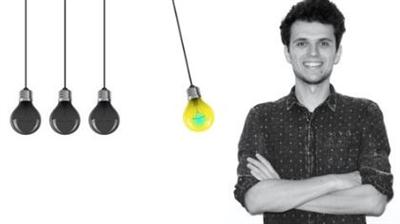
Build your cash generation system using your own brain cells
.MP4, AVC, 1000 kbps, 1280x720 | English, AAC, 64 kbps, 2 Ch | 1.5 hours | 197 MB
Instructor: Tendai Mabikacheche​

You have all the right brain cells to awaken your financial Einstein. Let me show you how

Create your very own self-developed cash generation system block by block that will see you on the milky-pathway to increased cashflow and income from day 1 using your own intelligence AKA brain cells - yes you can be your very own Einstein!

This course is not you if you are someone who lacks ambition and not interested in creating additional streams of income leading to flowing, rather ever ever-simmering-pots-full of cashflow.

My course will take you through building your very own cash generation system [think about this more like building your own lego pieces together into a massive lego city] whether you are going down providing a product or service route. But basically has to be anything lego-liciously and authentically you!

I'll show you how to create your very own mark and develop a 5 step system. At the end of my hand holding exercise you will be clicking start on your VERY OWN cash generation machine.

Also if you are keen to see the link with the brain and eyeballs ( and other facinating guey stuff).... this course is for you.

What am I going to get from this course?

Over 21 lectures and 1.5 hours of content!
learn how to tap into your very own financial Einstein
create your very own cash generation system to automate your cashflow
use your own intelligence to create your own self created genius product or service which sells itself

Recommend Download Link Hight Speed | Please Say Thanks Keep Topic Live ​
 

06955379e651b142a88aca31a2717891.jpg

Camera Confidence Media Training: Be Better On Camera
.MP4, AVC, 1000 kbps, 1280x720 | English, AAC, 64 kbps, 2 Ch | 2 hours | 1.9 GB
Instructor: Phil Ebiner, Christian Hartnett​

Feel more confident on camera! Great for reporters, YouTubers, Udemy teachers, interviewees, journalists, video creators

Be better on camera with more confidence, authority, and comfort!

Do you get nervous when speaking on camera?

Do you wish you felt more confident and had a better on camera presence?
Are you trying to be on television, a YouTube vlogger, or an online teacher?
Do you have to be on camera for an interview, and need quick media training?

If you answered yes to any of those questions, this is the perfect course for you. Camera Confidence, will help you feel more confident, speak more clearly, and have an overall better on camera presence no matter what kind of video you are a part of.

Learn from a television professional!

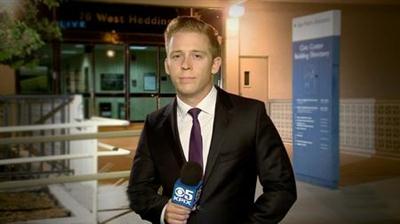
Christian Hartnett is a multimedia journalist with over a decade of on camera experience. He has a bachelor of arts in broadcast journalism and was recently the youngest field reporter for CBS San Francisco. He's learned many tips and tricks over the years that have helped him be successful. He's also made a lot of mistakes and struggled to be confident on camera, just like you.

Course Overview:

Start off with daily routines that help you speak better
Learn the basics of on camera preparation
Be more passionate and ready for your topics with research, outlining, and scripting,
Practice speaking on camera and get our helpful feedback to improve
Use your body (voice, breathing, face, eyes, mouth, hands, arms, legs) to be more comfortable on camera
Learn specific techniques to be better for TV appearances, YouTube vlogs, and online courses

What am I going to get from this course?

Over 54 lectures and 2 hours of content!
be more confident on camera
speak clearly and with comfort on camera
enjoy being on camera
understand the basics of being on camera as a TV reporter, anchor, journalist
create better YouTube videos & online courses

Recommend Download Link Hight Speed | Please Say Thanks Keep Topic Live ​

 

7ae9570e15e1abea2f9c37a589a0cfcb.jpg

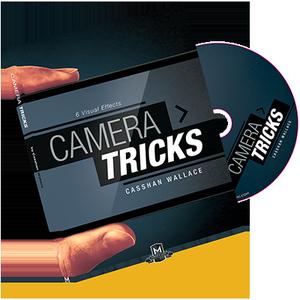
Casshan Wallace - Camera Tricks
.AVI, XviD, 1163 kbps, 640x480 | English, MP3, 128 kbps, 2 Ch | 2.7 hours | 1.49 GB
Genre: Magic Tricks​

Casshan Wallace immediately found worldwide attention with his rubber band effect Melting Point. With acclaim and buzz surrounding his YouTube and Social Media followers, the most common statement about Casshan's magic is: "That has to be a camera trick".

Well, we're excited to say that they are not! They're very real and you can do can start performing them in minutes.

From borrowed everyday objects, like cell phones, rings, money, coins to card effects, Casshan has created a workers trove of magic in this packed DVD. So, be prepared for your spectators to accuse you of using CGI, because the visuals are striking & downright unreal looking.

Trick list

- C/M: A card is signed and folded and visually changes into a dollar. The inside of a wallet reveals that the signed card switched places with the dollar.
- Spectictacular: A *borrowed* ring visually penetrates a Tic-Tac box.
- Change For Good: Four quarters are held in the magician's hand and visually change into a dollar. See it to believe it.
- Fresher Transformation: A deck of cards visually changes into a real pack of gum. No better way to freshen up your deck.
- Boxin' It Up: A deck of cards is placed into the box by melting through the bottom of it. Great opener.
- True Link: Two paper clips impossibly link by simply pressing their ends together.
- (Bonus) Nest of Tech: A signed coin or borrowed ring inexplicably changes into a phone battery. The magician's phone is taken apart to reveal the signed coin or borrowed ring switched places with the battery.

Get ready, because you'll be doing magic that looks like CGI within hours of buying this DVD.

Recommend Download Link Hight Speed | Please Say Thanks Keep Topic Live ​
 

12df5b3ee7bb7ca15e011c5badb16906.jpg

CCNA Security and CCNP Security 2016 All-in-one With Baldev
MP4 | Video: AVC 1280x720 | Audio: AAC 44KHz 2ch | Duration: 72.5 Hours | 11.6 GB
Genre: eLearning | Language: English​

CCNA Security and CCNP Security 2016 All-in-one With Baldev

A single point to learn Cisco Security Technologies from CCNA Security to CCNP Security and much more..

This single course include CCNA Security & CCNP Security Five Exams

CCNP Security 300-206 SENSS (Implementing Cisco Edge Network Security Solutions)
CCNP Security 300-209 SIMOS (Implementing Cisco Secure Mobility Solutions)
CCNP Security 300-208 SISAS (Implementing Cisco Secure Access Solutions)
CCNP Security 300-207 SITCS (Implementing Cisco Threat Control Solutions)
CCNA Security 210-260 IINSv3 (Implementing Cisco Network Security)
CCNP Security 300-206 SENSS Module Contents in brief: (100 Plus Videos)

Firewall Introduction
Implementation of Routing on Cisco ASA
Implementation of NAT & Access-list on Cisco ASA
Implementation of Virtual Private Network on Cisco ASA
Implementation of Advance Firewall Features of Cisco ASA
Updated Contents of Cisco ASA OS 9.x Features
CCNP Security 300-209 SIMOS Module Contents in brief: (100 Plus Videos)

Implementation of Site-Site VPN
Implementation of Remote Access VPN
Implementation of Secure Socket Layer VPN
Implementation of Dynamic Multipoint VPN
Implementation of Group Encrypted Transport VPN
Implementation of Flex VPN
Implementation of VPN With Microsoft Server 2016
CCNP Security 300-208 SISAS Module Contents in brief: (Update in Progress)

Microsoft Server 2008 Installation on VMware Workstation
Active Directory Installation on Microsoft Server 2008
Certificate Authority Installation on Microsoft Server 2008
Cisco ISE Installation on VMware Workstation
Cisco ISE and AD Snapshot in VMware
Cisco ISE Backup
Cisco ISE Restore
Cisco ISE Patch Installation
Cisco ISE Patch Rollback
Cisco ISE Up-gradation
Cisco ISE Lab Initial Configuration
CCNP Security 300-207 SITCS (Coming Soon)

CCNA Security 210-260 IINSv3 (Coming Soon)

Hi Friends,

You can start from lesson 1 to lesson last. At the end, you will realize that I know CCNA Security and CCNP Security as well as CCIE Security concepts, and one more thing I am doing work on remaining concepts. It will take some time till then complete these lesson before you finish I will update another.

Contents and Overview

Including 72+ hours Videos Training and 264 lectures. All 264 lectures and Book are able.

This course covers necessary Cisco CCNP Security Training and Security Technologies concepts in simple words.

Upon completion students will be able to configure implement & T-shoot the Cisco ASA/PIX firewall & security technologies like Routing, NAT, CTP, IPv6, Object-Group, VPN and Advance Firewall Features like Transparent Firewall, Security Context, Failover, Clustering, Cisco IOS VPNs like Site-Site, Remote Access, SSL, DMVPN, GETVPN, Flex VPN, Cisco ISE Installtion, deployment in real environment & lab environment.

Recommend Download Link Hight Speed | Please Say Thanks Keep Topic Live ​
 

1a2b2ac6e02dd5afa66c72e36272d226.jpg

Confidence: How To Think, Feel, And Be Unstoppable
.MP4, AVC, 1000 kbps, 1280x720 | English, AAC, 64 kbps, 2 Ch | 2.5 hours | 1 GB
Instructor: Derek Franklin​

Develop the ability to break through your fears, stand out in life, and get what you want.

Do you say these things to yourself:

I KNOW I have value to add to the world, I just don't have the confidence to put myself 'out there.'
I wish I didn't feel so unbelievably anxious and uncomfortable in social situations - it's so frustrating and I know others talk about me when I'm not around!
Why do I feel like I'm stuck in a rut, not really doing much in life other than what's 'comfortable', which makes me feel like I'm wasting my life away?
I've got to get up and speak in front of others for my job - I wish I didn't dread it so much that it makes me sick!
How can I be attractive to others if I don't feel good about myself?
How can I develop the confidence I need in life to do amazing things?

If these are the kinds of conversations you have in your head, you're going to love this course!

Not only does it provide practical solutions to all these challenges (and many others), but the course is delivered to you in a energetic, simple, and fun way (check out the preview videos).

So...what makes this course so unique?

My relentless focus on delivering high-quality content within the course - It comes with a workbook!
The high value of the ideas
The unique and engaging way lessons are presented
How practical and usable the ideas are that I teach you
The transformation you'll see in yourself
The transformation others will see in you

This course is for you if you:

Want to quickly become a more confident person with a strong sense of personal power
Have very little time to watch boring, complicated lessons
Tired of ideas that are really nothing more then weak, boring cliche's that are largely worthless nonsense ('be yourself', 'let go of your fear', etc.)
Enjoy video training over book-learnin'
Want actionable, practical strategies and tools that you can use right now - today
Think visual guides for the course content is cool and useful for reference later
Like having some fun while you learn

What am I going to get from this course?

Over 29 lectures and 2.5 hours of content!
Contribute your unique knowledge, skills, and talents to the world
Get more of what you want
Experience more fun and freedom
Become more attractive to others
Have a greater influence on others
Feel more positive emotions like joy, happiness, and satisfaction
Become a force for making your dreams a reality
Destroy stress and take control of what happens in your life
Become a positive role model for your ****, co-workers, or tribe
Believe in your ability to be a force for change and influence

Recommend Download Link Hight Speed | Please Say Thanks Keep Topic Live ​

 

935c083dc7f7a3fdf16c8d2384e92666.jpg

Create Your Own Adobe PDF eBooks Using just Microsoft Word
MP4 | Video: AVC 1280x720 | Audio: AAC 44KHz 2ch | Duration: 1 Hours | 165 MB
Genre: eLearning | Language: English​

This course will teach you exactly how to create your own Adobe PDF Documents using just Microsift Office Word applicati

Welcome to this course that will teach you how to create your own eBooks from scratch using just the Microsoft Word application

Have you ever thought about creating your own eBook?

Did you even know that you can use just Microsoft Word to not only write, but also format & layout your eBook ready for distribution (be that via a website or kindle)?

Have you not heard??.......eBooks are all the rage nowadays - they are seen as an essential part of any online business sales / marketing strategy.

This step-by-step course will take you through everything that you need to know to be able to create your own Adobe PDF eBooks from complete scratch the right way.

Here is a bit about what you will learn

You ill be shown...

The correct elements that you should absolutely include in any eBook that you create, and also the correct order of these elements
How to correctly format your eBook
How to add a table of contents that automatically updates as page numbers change. Also one that is clickable so that your readers can instantly click to jump to any particular page that interest them.
How to add great looking headers & footers to every page
How to convert your MS Word document in to an eBook the correct way
We are going to have a lot of fun on this course and you are going to learn a really important skill.

I am super confident that you will love it, but if not, you are covered by the Udemy no quibble money back guarantee - so you really have absolutely nothing to lose!

Jump in now and I will see you on the inside!

Recommend Download Link Hight Speed | Please Say Thanks Keep Topic Live ​

 

bc4ac3fb73c85769db134e1dbd1f0602.jpg

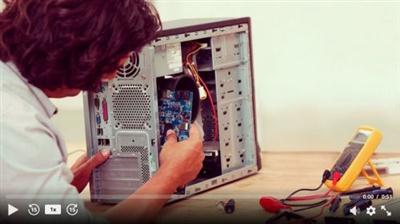
Design & Build Your Own Personal Computer
MP4 | Video: AVC 1280x720 | Audio: AAC 44KHz 2ch | Duration: 3 Hours | 2.87 GB
Genre: eLearning | Language: English​

Thank you for taking the time to view this course on how to build your own personal computer! I have been building my own computers for nearly 10 years now, and it is both a valuable skill & extremely fun to do! Understanding the inner-workings of a computer will help you troubleshoot problems, build superior custom PC's, save money selecting your own components, and elevate your technical skills!

If you work in an office or some other administrative job, chances are you spend most of your day using a computer. In fact, computers are typically the most used piece of equipment in both our personal & business lives. I have worked in corporations where administrators were often at the mercy of the IT department, because people in general know very little about how computers actually work. So, learn how to build your very own personal computer today, and level up your technical skills!

Recommend Download Link Hight Speed | Please Say Thanks Keep Topic Live ​
 

ab68a1848ad33d8647ff3789e5d4ed8c.jpg

Design & Stop Motion with SNASK
MP4 | Video: AVC 1280x720 | Audio: AAC 44KHz 2ch | Duration: 1 Hours | 500 MB
Genre: eLearning | Language: English​

Learn design as well as stop motion in this course by the irreverent creative agency, SNASK. This humorous TV-show-like series will guide you through branding, packaging, creating typography, and best practices for creating a stop motion animation.

This course, , is a series by the irreverent creative agency, SNASK. The series has been transformed into a TV-show where they mix wisdom and humor, all dressed in colorful themes. You'll start with Ms. Foil showing how SNASK worked to make an investment banker's brand appear fresh, fun, and appealing while staying true to the mother brand of Nordea Markets. Ms. Foil will also share with you the secrets of creating a package design that stands out among competitors, how to prepare for and work with a photographer, as well as her tips and tricks on creating the perfect typeface for your client. Then, the Stop Motion Dragon will show you the equipment you'll need to create a stop motion and how to set it up, and it will guide you through the entire creation process in Dragonframe. By the end of your stop motion journey, you'll be able to see the best practices put into action with Robot Steve. Make sure you have your learning glasses on-it's a lot to take in!

Recommend Download Link Hight Speed | Please Say Thanks Keep Topic Live ​
 
Zurück
Oben Unten