• Regeln für den Video-Bereich:

    In den Börsenbereich gehören nur Angebote die bereits den Allgemeinen Regeln entsprechen.

    Einteilung

    - Folgende Formate gehören in die angegeben Bereiche:
    - Filme: Encodierte Filme von BluRay, DVD, R5, TV, Screener sowie Telesyncs im Format DivX, XviD und x264.
    - DVD: Filme im Format DVD5, DVD9 und HD2DVD.
    - HD: Encodierte Filme mit der Auflösung 720p oder darüber von BluRay, DVD, R5, TV, Screener sowie Telesyncs im Format x264.
    - 3D: Encodierte Filme von BluRay, die in einem 3D Format vorliegen. Dies gilt auch für Dokus, Animation usw.
    - Serien: Cartoon/Zeichentrick, Anime, Tutorials, Dokumentationen, Konzerte/Musik, Sonstiges sind demnach in die entsprechenden Bereiche einzuordnen, auch wenn sie beispielsweise im High Definition-Format oder als DVD5/DVD9/HD2DVD vorliegen. Ausnahme 3D.
    - Bereich Englisch: Englische Releases gehören immer in diesen Bereich.
    - Bereich Talk: Der Bereich, in dem über die Releases diskutiert werden kann, darf, soll und erwünscht ist.


    Angebot/Beitrag erstellen

    - Ein Beitrag darf erst dann erstellt werden, wenn der Upload bei mindestens einem OCH komplett ist. Platzhalter sind untersagt.
    - Bei einem Scenerelease hat der Threadtitel ausschließlich aus dem originalen, unveränderten Releasenamen zu bestehen. Es dürfen keine Veränderungen wie z.B. Sterne, kleine Buchstaben o.ä. vorgenommen werden. Ausnahme Serienbörse:
    - Bei einem Sammelthread für eine Staffel entfällt aus dem Releasename natürlich der Name der Folge. Beispiel: Die Simpsons S21 German DVDRip XviD - ITG
    - Dementsprechend sind also u.a. verboten: Erweiterungen wie "Tipp", "empfehlenswert", "only", "reup", usw. / jegliche andere Zusatzinformation oder Ergänzung, welche nicht in obiger Beschreibung zu finden ist.

    Aufbau des Angebots und Threadtitel

    Der Titel nach folgendem Muster erstellt zu werden. <Name> [3D] [Staffel] [German] <Jahr> <Tonspur> [DL] [Auflösung] <Quelle> <Codec> - <Group>
    Beispiel: The Dark Knight German 2008 AC3 DVDRip XviD - iND
    Beispiel: The Dark Knight 2008 DTS DL BDRip x264 - iND
    Beispiel: The Dark Knight 2008 AC3 DL BDRip XviD - iND
    Beispiel: The Dark Knight German 2008 AC3 720p BluRay x264 iND
    Beispiel: The Dark Knight 2008 DTS DL 1080p BluRay x264 iND
    Beispiel: Die Simpsons S01 German AC3 DVDRip XviD iND
    Beispiel: Die Simpsons S20 German AC3 720p BluRay x264 iND
    Beispiel: Sword Art Online II Ger Sub 2014 AAC 1080p WEBRip x264 - peppermint
    Entsprechend sind also u.a. verboten: Sonderzeichen wie Klammern, Sterne, Ausrufezeichen, Unterstriche, Anführungszeichen / Erweiterungen wie "Tipp", "empfehlenswert", "only", "reup", usw. / jegliche andere Zusatzinformation oder Ergänzung, welche nicht in obiger Beschreibung zu finden ist
    Ausnahmen hiervon können in den Bereichen geregelt sein.

    Die Beiträge sollen wie folgt aufgebaut werden:
    Überschrift entspricht dem Threadtitel
    Cover
    kurze Inhaltsbeschreibung
    Format, Größe, Dauer sind gut lesbar für Downloader außerhalb des Spoilers zu vermerken
    Nfo sind immer Anzugeben und selbige immer im Spoiler in Textform.
    Sind keine Nfo vorhanden z.B. Eigenpublikationen, sind im Spoiler folgende Dateiinformationen zusätzlich anzugeben :
    Quelle
    Video (Auflösung und Bitrate)
    Ton (Sprache, Format und Bitrate der einzelnen Spuren)
    Untertitel (sofern vorhanden)
    Hosterangabe in Textform außerhalb eines Spoiler mit allen enthaltenen Hostern.
    Bei SD kann auf diese zusätzlichen Dateiinformationen verzichtet werden.

    Alle benötigten Passwörter sind, sofern vorhanden, in Textform im Angebot anzugeben.
    Spoiler im Spoiler mit Kommentaren :"Schon Bedankt?" sind unerwünscht.


    Releases

    - Sind Retail-Release verfügbar, sind alle anderen Variationen untersagt. Ausnahmen: Alle deutschen Retail-Release sind CUT, in diesem Fall sind dubbed UNCUT-Release zulässig.
    - Im Serien-Bereich gilt speziell: Wenn ein Retail vor Abschluss einer laufenden Staffel erscheint, darf diese Staffel noch zu Ende gebracht werden.62
    - Gleiche Releases sind unbedingt zusammenzufassen. Das bedeutet, es ist zwingend erforderlich, vor dem Erstellen eines Themas per Suchfunktion zu überprüfen, ob bereits ein Beitrag mit demselben Release besteht. Ist dies der Fall, ist der bereits vorhandene Beitrag zu verwenden.
    - P2P und Scene Releases dürfen nicht verändert oder gar unter einem iND Tag eingestellt werden.


    Support, Diskussionen und Suche

    - Supportanfragen sind entweder per PN oder im Bereich Talk zu stellen.
    - Diskussionen und Bewertungen sind im Talk Bereich zu führen. Fragen an die Uploader haben ausschließlich via PN zu erfolgen, und sind in den Angeboten untersagt.
    - Anfragen zu Upload-Wünschen sind nur im Bereich Suche Video erlaubt. Antworten dürfen nur auf Angebote von MyBoerse.bz verlinkt werden.


    Verbote

    - Untersagt sind mehrere Formate in einem einzigen Angebotsthread, wie beispielsweise das gleichzeitige Anbieten von DivX/XviD, 720p und 1080p in einem Thread. Pro Format, Release und Auflösung ist ein eigener Thread zu eröffnen.
    - Grundsätzlich ebenso verboten sind Dupes. Uploader haben sich an geeigneter Stelle darüber zu informieren, ob es sich bei einem Release um ein Dupe handelt.
    - Gefakte, nur teilweise lauffähige oder unvollständige Angebote sind untersagt. Dies gilt auch für eigene Publikationen, die augenscheinlich nicht selbst von z.B. einer DVD gerippt wurden. Laufende Serien, bei denen noch nicht alle Folgen verfügbar sind, dürfen erstellt und regelmäßig geupdatet werden.
    - Untersagt sind Angebote, welche nur und ausschließlich in einer anderen Sprache als deutsch oder englisch vorliegen. Ausnahmen sind VORHER mit den Moderatoren zu klären.


    Verstoß gegen die Regeln

    - Angebote oder Beiträge, die gegen die Forenregeln verstoßen, sind über den "Melden"-Button im Beitrag zu melden.
  • Bitte registriere dich zunächst um Beiträge zu verfassen und externe Links aufzurufen.


Englische Tutorials


96720d8b4454de36af38645f9eaf7f18.jpg

KelbyOne - Landscape Photography: Post-Processing in Camera Raw
Duration: 1hr 35m | Video: h264, yuv420p, 1920x1080 30fps | Audio: aac, 44100 Hz, 2 ch | 889 MB
Genre: eLearning | Language: English​

Learn how to harness your software to process your landscape photos the way you felt in your heart when you took the photo. Join Moose Peterson as he shares his favorite techniques, tips, and ways of thinking, to help you get the most out of your post processing workflow.

Using primarily Photoshop and Camera Raw, with the occasional trip through Nik plug-ins, Moose helps you understand the connection between your camera, your software, and light, so that you are in control from the moment the shutter clicks to when you move software sliders later on. From bringing out the best in dramatic skies to making black and white photos with impact, Moose focuses on both the technical and the inspirational components you need to address to not only make your photos look great, but to infuse them with passion and romance. By the end of the class you'll be thinking more about how you capture photos with your post processing workflow in mind.

Recommend Download Link Hight Speed | Please Say Thanks Keep Topic Live ​
 

2cad594e2f64283080aaf06218ca7cb6.jpg

Udemy - Learn and Understand NodeJS (2016)
MP4 | AVC 314kbps | English | 1280x720 | 15fps | 13 hours | AAC stereo 61kbps | 2.22
Genre: eLearning | Language: English​

Dive deep under the hood of NodeJS. Learn V8, Express, the MEAN stack, core Javascript concepts, and more. NodeJS is a rapidy growing web server technology, and Node developers are among the highest paid in the industry. Knowing NodeJS well will get you a job or improve your current one by enabling you to build high quality, robust web applications. In this course you will gain a deep understanding of Node, learn how NodeJS works under the hood, and how that knowledge helps you avoid common pitfalls and drastically improve your ability to debug problems.

In this course we'll look at how the C++ written V8 Javascript engine works and how NodeJS uses it to expand the abilities of Javascript. You'll learn how to structure your code for reuse and to be easier to understand, manage, and expand using modules and understand how modules really work.

You'll learn how asynchronous code works in Node and the Node event loop, as well as how to use the event emitter, streams, buffers, pipes, and work with files. We'll see how that leads to building a web server in Node.

We'll dive into web sites, web apps and APIs with Express and learn how Express can save us time as Node developers.

You'll also gain an understanding of npm, connecting to databases, and the MEAN stack!

During it all you'll gain a deep understanding of the Javascript concepts and other computer science concepts that power Node.

NodeJS doesn't have to be hard to learn. The biggest mistake most coding tutorials make is expecting someone to learn simply by imitating others' code. Real world situations are never exactly like the tutorial.

I believe the best way to learn is to understand how a tool works and what it does for you, look at examples, and then try it yourself. That's how this course is built, with the goal to help you both learn and understand NodeJS.

Note: In this course you'll also get able source code. You will often be provided with 'starter' code, giving you the base for you to start writing your code, and 'finished' code to compare your code to.

Grasp how NodeJS works under the hood
Understand the Javascript and technical concepts behind NodeJS
Structure a Node application in modules
Understand and use the Event Emitter
Understand Buffers, Streams, and Pipes
Build a Web Server in Node and understand how it really works
Use npm and manage node packages
Build a web application and API more easily using Express
Connect to a SQL or Mongo database in Node
Understand how the MEAN stack works
Be the coder that explains NodeJS to everyone else because you understand it better than anyone else

Recommend Download Link Hight Speed | Please Say Thanks Keep Topic Live ​
 

182e0a792b91d064d4bc5a3a14c0481b.jpg

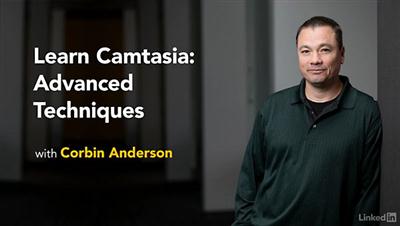
Lynda - Learn Camtasia: Advanced Techniques
Size: 1015 MB | Duration: 3h 9m | Video: AVC (.mp4) 1280x720 15&30fps | Audio: AAC 48KHz 2ch
Genre: eLearning | Level: Advanced | Language: English​

Learn the advanced features of Camtasia, the powerful screen capture software, while discovering the best practices for creating professional quality instructional videos. This course covers the newest features of Camtasia 8 and advanced techniques for each stage of the digital storytelling process: capturing, editing, and sharing video. Learn how to fix audio issues, add visual effects, key green-screen footage, add closed captioning, and export video for a variety of screen sizes. Plus, find out how to use the new Camtasia-compatible mobile app, Fuse, to capture video on your smartphone. Throughout the course, author Corbin Anderson contextualizes the features to show common industry uses as well as new ways to use screen capture for creating accessible elearning.

Recommend Download Link Hight Speed | Please Say Thanks Keep Topic Live ​
 

ba88e6a49abb8ef40b1ff26f88c44b3d.jpg

Learning Autodesk AutoCAD 2017 Training Video
SKU: 02359 | .MP4, AVC, 1000 kbps, 1280x720 | English, AAC, 64 kbps, 2 Ch | 10.5 hours | 2.81 GB
Genre: eLearning | Language: English | Project Files Included​

In this Learning AutoCAD 2017 training course, expert author Brian Benton will teach you everything you need to know to be able to create 2D drawings using the latest version of AutoCAD. This course is designed for the absolute beginner, meaning no previous experience with AutoCAD is required.

You will start by learning about the new features in AutoCAD 2017, then jump into learning the basic operations of AutoCAD. From there, Brian will teach you about the drawing and drafting tools and the editing tools. This video tutorial also covers utilities, precision tools, and how to use layers in AutoCAD. You will also learn about annotations, blocks, and model and paper space. Finally, you will learn about Descriptionting and how to publish and export your file.

Once you have completed this computer based training course, you will have learned everything you need to know to create your own 2D drawings in AutoCAD. Working files are included, allowing you to follow along with the author throughout the lessons.

Recommend Download Link Hight Speed | Please Say Thanks Keep Topic Live ​
 

f86fc2b6ce6b223fc37566e9267235ea.jpg

Lynda - Critical Thinking
Duration: 1h 6m | Video: AVC (.mp4) 1280x720 30fps | Audio: AAC 48KHz 2ch | 1.25 GB
Genre: eLearning | Level: Appropriate for all | Language: English​

Critical thinking is the ability to think reflectively and independently in order to make thoughtful decisions. By focusing on root-cause issues, critical thinking helps you avoid future problems that can result from your actions. In this course, leadership trainer and expert Mike Figliuolo outlines a series of techniques to help you develop your critical thinking skills. He reveals how to define the problem you're trying to solve and then provides a number of critical thinking tools, such as blowing up the business, asking the 5 whys, asking the 7 so whats, using the 80/20 rule, and more. He also provides guidance on how to develop this skill across your whole team.

Recommend Download Link Hight Speed | Please Say Thanks Keep Topic Live ​
 

12f1c90aafd9764cd11e3642f2acfe01.jpg

Photography Classics - Artistic B&W Conversion - Edit 2 of 7
Duration: 16m | Video: h264, yuv420p, 1280x720 30fps | Audio: aac, 44100 Hz, 2 ch | 231 MB
Genre: eLearning | Language: English​

Edit 2 of 7: "Dramatic Black and White Photography in the Digital Age - Master black and white fine art photography techniques with Photoshop."

Master powerful Photoshop black & white conversion techniques, create stunning porfolio, amaze your clients with trendy & timeless vintage black and white images! If you want to learn how to create digital black and white imagery that you can sell with great profit on image stocks like Shutterstock, Istock or Alamy - take this class!

You will be working in "non-destructive" way with Adjustment Layers to massively speed up the editing work;
You will master the most effective and flexible Photoshop tool in terms of photo editing - The Curves Tool
You will learn how to blend multiple adjustments in a seamless way in one image with help of masking techniques
You will achieve stunning results with your images and develop your artistic skills

So say "goodbye" to flat, washed-out photos and learn how in no time achieve dramatic results and amaze your friends, family and clients.
Start enjoying your work with the most effective and powerful Photoshop techniques now!

Recommend Download Link Hight Speed | Please Say Thanks Keep Topic Live ​
 

f8df19648f216833f82ba1f9b2f71028.jpg

Photoshop for Entrepreneurs: Design a Product Mock-Up
MP4 | Video: AVC 1280x720 | Audio: AAC 44KHz 2ch | Duration: 29M | 864 MB
Genre: eLearning | Language: English​

Design Your Own Product Mock-Up in 15 Minutes

Design your own product mock-up using the templates that I pull directly from the Creative Cloud database or any number of free templates on the web.

Create a stunning product mock=up of your own ebook, software box, bottle, or whatever else you can come up with!

Post your image to the project section of this course to complete the project. Have fun!

Recommend Download Link Hight Speed | Please Say Thanks Keep Topic Live ​
 

db03bcc5efea48d89ff7d38cfb0fba8d.jpg

Photoshop-Dodge & Burn Master Class
MP4 | Video: AVC 1280x720 | Audio: AAC 44KHz 2ch | Duration: 1 Hours | 299 MB
Genre: eLearning | Language: English​

A-Z guide to Dodge & Burn Techniques in Adobe Photoshop which Professionals to Amateurs use

Welcome to the course Dodge & Burn Master Class in Adobe Photoshop!

DO YOU FEEL THAT YOUR IMAGES SPECIALLY PORTRAIT & LANDSCAPE IMAGES LACKS DEPTH AND DRAMA ?

DO YOU SEE IMAGES OF FASHION MODELS AND WONDER HOW THEIR MAKEUP OR FACE HAS LOTS OF DEPTH AND DETAILS?

DO YOU WANT TO GIVE YOUR PORTRAIT AND LANDSCAPE IMAGES A NEW LIFE?

THEN YOU ARE AT THE RIGHT PLACE!

THE ANSWER TO ALL OF THE ABOVE QUESTIONS IS USING DODGE AND BURN TECHNIQUES IN ADOBE PHOTOSHOP WHILE POST PROCESSING THE IMAGES!

This course teaches you a Complete Tool & Techniques for Dodging and Burning Images in Adobe Photoshop for giving them Extra Life, Depth & Details.

There are lots of way to Dodge & Burn in Adobe Photoshop but certain Popular Techniques are there which are being used on Regular Basis by Professionals & Amateurs.

In this course you will be learning All those Popular Techniques of Dodging and Burning in Adobe Photoshop.

This course is Divided into Two Main Sections!

In 1st Section, you will Learn:-

SLOW BUT MOST EFFECTIVE WAY OF DODGING AND BURNING IN ADOBE PHOTOSHOP

Destructive Techniques of Dodging and Burning in Adobe Photoshop
Semi Non-Destructive Techniques of Dodging and Burning in Adobe Photoshop
Non-Destructive Techniques of Dodging and Burning in Adobe Photoshop
in the 2nd Section, You will Learn:-

FASTEST WAY OF DODGING AND BURNING IN ADOBE PHOTOSHOP

Less Effective Fast & Non-Destructive Techniques of Dodging and Burning in Adobe Photoshop
Dodging and Burning with Curves Adjustment Layers in Adobe Photoshop
Dodging and Burning with Levels Adjustment Layers in Adobe Photoshop
Dodging and Burning with Brush Tool & Curves Adjustment Layers in Adobe Photoshop
THIS COURSE COMES WITH 30 DAYS MONEY BACK GUARANTEE!

WHICH GIVES YOU ZERO RISK TRYING THIS COURSE!

SO GO AHEAD AND JOIN THIS COURSE & I WILL SEE YOU INSIDE THE COURSE!

Recommend Download Link Hight Speed | Please Say Thanks Keep Topic Live ​
 

cffd7455167851f39751e0824d97799d.jpg

Python: Extract, Manipulate and Analyze Data with 5 Projects
MP4 | Video: AVC 1280x720 | Audio: AAC 44KHz 2ch | Duration: 6.5 Hours | 1.15 GB
Genre: eLearning | Language: English​

Learn how to extract, manipulate and analyze data using Python

Does your profession require you to deal with large data on a regular basis?

Do you wish you could be better at dealing with those numbers?

This course brings about a solution for you by teaching you how to manipulate and analyse the data in the most basic language, Python.

This course doesnt only seek to teach you about data analysis but also helps you learn how to apply it in real-life situations. Apart from detailed programs on learning the basics of Python and the art of data analysis using Python, the course provides you with five projects that are real-life case studies.

Starting with the basics of Python, learn how to analyse big data, visualise them, and become an entry-level data analyst.
______________________________________________________________________

Here is an outline of what we'll cover through the entire course:

Preparing your environment and software installation
Logical and looping constructs
Dealing with functions
Modules and packages
Dealing with file I/O in Python
Working on different data types such as CSV, JSON, RDBMS, and Excel
Dealing with non-relational database management systems
Dealing with web-related data
Data analysis and visualisation using DataNitro
______________________________________________________________________

Real-Life Project Work was done with Python:

Once we've got a grip of Python and data analysis, it'd be great if we could get some hands-on experience by trying out what we've learned, right? So here are some projects that we'll work on:

Project: Data management system using RDBMS
Problem statement: A company XYZ sales deals in solar products and they sell their products all across a country to their customers. So far they have been storing their data in an Excel file. But since their growth has exceeded and in sync with the sales, they need a concrete data management system with an organised data structure
Project: Store data from a CSV file to RDBMS.
Problem statement: Take Yahoo finance data in the CSV format and store the data into an RDBMS.
·Project: Dealing with Web Data
Problem statement: Dmoz is a website, which is an open directory for various websites regarding different categories. We can go to the sports section and get related websites. However, websites keep getting added. So, we need to create a web scraper that automatically fetches all the links in the particular category and stores the data in a CSV format on the file system.
Project: Data Analysis and Visualization
Problem statement: UIDAI (Unique Identification Authority of India) is an Indian authority responsible for creating biometric data-based identification cards for the Indian citizens. They provide data based on state, gender, and rejection and acceptance of the identification cards in the form of a CSV file. We need to create a helpful visualisation to explore which state, age range, or gender got how much percentage of cards rejected or accepted.
Project: DataNitro
Problem statement: Yahoo finance hosts financial data for different companies. We need to implement a solution that can get finance data of different companies and make charts based on the fetched data. We also take you through DataNitro
t lets you run any Python script or library - right in your spreadsheet. I'm in love with this tool :) [Disclosure - I'm not their affiliate and make no money from their sales]

Recommend Download Link Hight Speed | Please Say Thanks Keep Topic Live ​

 

df034f237b8a97acbc3ff1709aee539b.jpg

Scripting In Scrivener
MP4 | Video: AVC 1280x720 | Audio: AAC 44KHz 2ch | Duration: 2 Hours | 554 MB
Genre: eLearning | Language: English​

How to Write, Plan and Structure Great Film and Video Scripts with Scrivener

Scripting In Scrivener shows you how to use the outstandingly good and powerful writing software Scrivener to outline, plan, structure and write film and video scripts effectively and easily.

The course starts by taking you through the essential components of Scrivener, with a focus on how to use the ones most targeted at structured writing.

Everything in the course is based on personal experience and usage of Scrivener over several years as a documentary film director. The challenge in documentary film is bringing many disparate elements together into a coherent and powerful narrative story. Scrivener excels at helping the process of organising each stage of the writing process, while getting out of the way when required.

In the course, I show you exactly how I do it with my films, using real examples, and exercises to make sure you've understood each key stage and concept. Along the way, I teach insights I've gained in film scripting and writing and show you exactly how Scrivener works best for me through screencast videos of the Scrivener interface.

Though principally aimed at those writing film and video scripts, anyone writing pieces involving different Description lines and character elements or complex pieces can benefit from taking this course.

Recommend Download Link Hight Speed | Please Say Thanks Keep Topic Live ​

 

da0162fb4e59fcf4da14ef6216efbe31.jpg

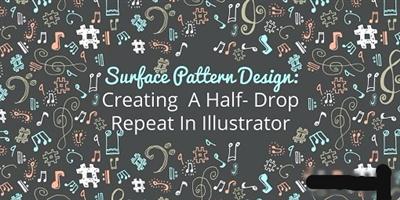
Surface Pattern Design: Half-Drop Repeat in Illustrator
Duration: 39m | Video: h264, yuv420p, 1280x720 30fps | Audio: aac, 44100 Hz, 2 ch | 506 MB
Genre: eLearning | Language: English​

In this class you will learn how to turn your drawings into vectors, create a color palette, and finally how to create a half-drop repeat. At the end of the class I share how I use a template to show my patterns on Instagram. I've included three Instagram templates for you to use as well. This class is great for anyone that is new to illustrator or someone that already knows the basics.

Recommend Download Link Hight Speed | Please Say Thanks Keep Topic Live ​

 

161d21439df740c3a6089445bfbebe28.jpg

Teamtreehouse - Introduction to Auto Layout in iOS
Video: h264, yuv420p, 1280x720 | Audio: aac, 48000 Hz, 2 ch | 300 MB
Genre: eLearning | Language: English | Level: Intermediate​

Auto Layout is the primary mechanism for laying and positioning views in iOS. In this course we're going to cover the basics of Auto Layout and learn how to adapt our apps to different device sizes and orientations. Auto Layout is used for much more than simple layouts though and we'll look at how we can resize elements based on their content and language as well.

What you'll learn
- Constraints
- Intrinsic content size
- Size classes

Recommend Download Link Hight Speed | Please Say Thanks Keep Topic Live ​

 
Zurück
Oben Unten