• Regeln für den Video-Bereich:

    In den Börsenbereich gehören nur Angebote die bereits den Allgemeinen Regeln entsprechen.

    Einteilung

    - Folgende Formate gehören in die angegeben Bereiche:
    - Filme: Encodierte Filme von BluRay, DVD, R5, TV, Screener sowie Telesyncs im Format DivX, XviD und x264.
    - DVD: Filme im Format DVD5, DVD9 und HD2DVD.
    - HD: Encodierte Filme mit der Auflösung 720p oder darüber von BluRay, DVD, R5, TV, Screener sowie Telesyncs im Format x264.
    - 3D: Encodierte Filme von BluRay, die in einem 3D Format vorliegen. Dies gilt auch für Dokus, Animation usw.
    - Serien: Cartoon/Zeichentrick, Anime, Tutorials, Dokumentationen, Konzerte/Musik, Sonstiges sind demnach in die entsprechenden Bereiche einzuordnen, auch wenn sie beispielsweise im High Definition-Format oder als DVD5/DVD9/HD2DVD vorliegen. Ausnahme 3D.
    - Bereich Englisch: Englische Releases gehören immer in diesen Bereich.
    - Bereich Talk: Der Bereich, in dem über die Releases diskutiert werden kann, darf, soll und erwünscht ist.


    Angebot/Beitrag erstellen

    - Ein Beitrag darf erst dann erstellt werden, wenn der Upload bei mindestens einem OCH komplett ist. Platzhalter sind untersagt.
    - Bei einem Scenerelease hat der Threadtitel ausschließlich aus dem originalen, unveränderten Releasenamen zu bestehen. Es dürfen keine Veränderungen wie z.B. Sterne, kleine Buchstaben o.ä. vorgenommen werden. Ausnahme Serienbörse:
    - Bei einem Sammelthread für eine Staffel entfällt aus dem Releasename natürlich der Name der Folge. Beispiel: Die Simpsons S21 German DVDRip XviD - ITG
    - Dementsprechend sind also u.a. verboten: Erweiterungen wie "Tipp", "empfehlenswert", "only", "reup", usw. / jegliche andere Zusatzinformation oder Ergänzung, welche nicht in obiger Beschreibung zu finden ist.

    Aufbau des Angebots und Threadtitel

    Der Titel nach folgendem Muster erstellt zu werden. <Name> [3D] [Staffel] [German] <Jahr> <Tonspur> [DL] [Auflösung] <Quelle> <Codec> - <Group>
    Beispiel: The Dark Knight German 2008 AC3 DVDRip XviD - iND
    Beispiel: The Dark Knight 2008 DTS DL BDRip x264 - iND
    Beispiel: The Dark Knight 2008 AC3 DL BDRip XviD - iND
    Beispiel: The Dark Knight German 2008 AC3 720p BluRay x264 iND
    Beispiel: The Dark Knight 2008 DTS DL 1080p BluRay x264 iND
    Beispiel: Die Simpsons S01 German AC3 DVDRip XviD iND
    Beispiel: Die Simpsons S20 German AC3 720p BluRay x264 iND
    Beispiel: Sword Art Online II Ger Sub 2014 AAC 1080p WEBRip x264 - peppermint
    Entsprechend sind also u.a. verboten: Sonderzeichen wie Klammern, Sterne, Ausrufezeichen, Unterstriche, Anführungszeichen / Erweiterungen wie "Tipp", "empfehlenswert", "only", "reup", usw. / jegliche andere Zusatzinformation oder Ergänzung, welche nicht in obiger Beschreibung zu finden ist
    Ausnahmen hiervon können in den Bereichen geregelt sein.

    Die Beiträge sollen wie folgt aufgebaut werden:
    Überschrift entspricht dem Threadtitel
    Cover
    kurze Inhaltsbeschreibung
    Format, Größe, Dauer sind gut lesbar für Downloader außerhalb des Spoilers zu vermerken
    Nfo sind immer Anzugeben und selbige immer im Spoiler in Textform.
    Sind keine Nfo vorhanden z.B. Eigenpublikationen, sind im Spoiler folgende Dateiinformationen zusätzlich anzugeben :
    Quelle
    Video (Auflösung und Bitrate)
    Ton (Sprache, Format und Bitrate der einzelnen Spuren)
    Untertitel (sofern vorhanden)
    Hosterangabe in Textform außerhalb eines Spoiler mit allen enthaltenen Hostern.
    Bei SD kann auf diese zusätzlichen Dateiinformationen verzichtet werden.

    Alle benötigten Passwörter sind, sofern vorhanden, in Textform im Angebot anzugeben.
    Spoiler im Spoiler mit Kommentaren :"Schon Bedankt?" sind unerwünscht.


    Releases

    - Sind Retail-Release verfügbar, sind alle anderen Variationen untersagt. Ausnahmen: Alle deutschen Retail-Release sind CUT, in diesem Fall sind dubbed UNCUT-Release zulässig.
    - Im Serien-Bereich gilt speziell: Wenn ein Retail vor Abschluss einer laufenden Staffel erscheint, darf diese Staffel noch zu Ende gebracht werden.62
    - Gleiche Releases sind unbedingt zusammenzufassen. Das bedeutet, es ist zwingend erforderlich, vor dem Erstellen eines Themas per Suchfunktion zu überprüfen, ob bereits ein Beitrag mit demselben Release besteht. Ist dies der Fall, ist der bereits vorhandene Beitrag zu verwenden.
    - P2P und Scene Releases dürfen nicht verändert oder gar unter einem iND Tag eingestellt werden.


    Support, Diskussionen und Suche

    - Supportanfragen sind entweder per PN oder im Bereich Talk zu stellen.
    - Diskussionen und Bewertungen sind im Talk Bereich zu führen. Fragen an die Uploader haben ausschließlich via PN zu erfolgen, und sind in den Angeboten untersagt.
    - Anfragen zu Upload-Wünschen sind nur im Bereich Suche Video erlaubt. Antworten dürfen nur auf Angebote von MyBoerse.bz verlinkt werden.


    Verbote

    - Untersagt sind mehrere Formate in einem einzigen Angebotsthread, wie beispielsweise das gleichzeitige Anbieten von DivX/XviD, 720p und 1080p in einem Thread. Pro Format, Release und Auflösung ist ein eigener Thread zu eröffnen.
    - Grundsätzlich ebenso verboten sind Dupes. Uploader haben sich an geeigneter Stelle darüber zu informieren, ob es sich bei einem Release um ein Dupe handelt.
    - Gefakte, nur teilweise lauffähige oder unvollständige Angebote sind untersagt. Dies gilt auch für eigene Publikationen, die augenscheinlich nicht selbst von z.B. einer DVD gerippt wurden. Laufende Serien, bei denen noch nicht alle Folgen verfügbar sind, dürfen erstellt und regelmäßig geupdatet werden.
    - Untersagt sind Angebote, welche nur und ausschließlich in einer anderen Sprache als deutsch oder englisch vorliegen. Ausnahmen sind VORHER mit den Moderatoren zu klären.


    Verstoß gegen die Regeln

    - Angebote oder Beiträge, die gegen die Forenregeln verstoßen, sind über den "Melden"-Button im Beitrag zu melden.
  • Bitte registriere dich zunächst um Beiträge zu verfassen und externe Links aufzurufen.


Englische Tutorials


376fdf7f3b3d69182878c2a3acfdc2a2.jpg

CGcookie - Modeling Video Game Assets in Blender
1 hr 30 min | Video: h264, yuv420p, 1920x1080 | Audio: aac, 44100 Hz, 2 ch | 3.26 GB
Genre: eLearning | Language: English | Level: Intermediate​

Are you ready to start creating your own game objects? Then this is the course for you. Through this second course in the Game Asset Creation learning flow you will learn how to create both low and high resolution objects in Blender, which will later be used for generating normal maps, capturing all the intricate detail while keeping an optimized model.

In this course you'll learn how to:
- Work with concept art and references in Blender's viewport
- Create quick prototype objects for pipeline testing and level development
- Work with real-world scale to ensure your model imports at the right size
- Sculpt high resolution detail with Blender's Dynamic Topology
- Retopologize the high-resolution sculpts to create an optimized, low poly mesh.

Recommend Download Link Hight Speed | Please Say Thanks Keep Topic Live ​

 

1f32a85327d9b9f0fb006fea9b247978.jpg

Chess Strategies: Learn Tricky Tactical Chess Maneuvers
MP4 | Video: AVC 1280x720 | Audio: AAC 44KHz 2ch | Duration: 2 Hours | 247 MB
Genre: eLearning | Language: English​

Chess Tactics With Live Chess Examples From Real Games. Learn How To Attack And How To Defend - Improve Your Skills!

This course covers tricky chess motifs such as Stalemate, Material Restriction, Pawn Promotion, Intermediate Move, Tempo Gain and Destroying Pawn Cover. I will demonstrate not only the concept of these tactical chess maneuvers but also the logic behind finding these moves in your own chess games.

This course is broken down into 6 sections (one for each motif). In each section you will find 3-4 tutorials analyzing different chess puzzles (the difficulty of the positions analyzed in these puzzles increases as you go along). Also each section contains an analysis of a game played between two chess grand masters to demonstrate how effective these tactical manoeuvres can be. In the last section I teach you how to combine a few tactical motifs in one line.

And finally I prepared quizzes for you to practice at the end of each section.

With this course you also get:

unlimited lifetime access at no extra costs
all future additional lectures, game examples
never any questions asked full 30 day money-back-in-full guarantee

Recommend Download Link Hight Speed | Please Say Thanks Keep Topic Live ​

 

52a93496bb7298688658636f98cb5d77.jpg

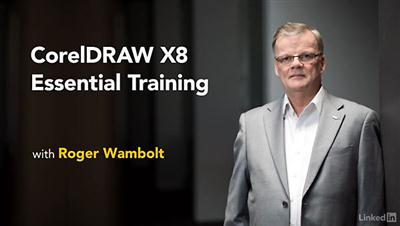
Lynda - CorelDRAW X8 Essential Training
Duration: 3h 39m | Video: AVC (.mp4) 1280x720 15&30fps | Audio: AAC 48KHz 2ch | 928 MB
Genre: eLearning | Level: Beginner | Language: English​

CorelDRAW X8 is a powerful graphics application 27 years in the making. This course covers the essential tools and techniques that designers and digital artists need to use CorelDRAW with confidence. Roger Wambolt, senior product trainer at Corel, eases in with an exploration of the interface and touches on the major players in the toolbox: the Pick, Shape, Crop, Curve, and Interactive tools. Then, once you know how to draw simple lines and shapes, he shows how to group, copy, and adjust objects on your document page. Plus, learn about working with text, using the new Font Manager and the extensive library of fonts in CorelDRAW, adding and editing images, automating tasks with scripts and macros, creating color palettes, and preparing your CorelDRAW projects for print. Roger closes with some tips on customizing the CorelDRAW interface to be more productive and create your designs in fewer steps.

Recommend Download Link Hight Speed | Please Say Thanks Keep Topic Live ​

 

98c09d7696f127cbdd7cd02265480859.jpg

Creating Advanced Shapes in Illustrator
Duration: 1hr 17m | Video: h264, yuv420p, 1280x720 30fps | Audio: aac, 44100 Hz, 2 ch | 357MB
Genre: eLearning | Language: English​

In this collection of lessons we will focus on creating advanced shapes in Illustrator using both the pathfinder panel and shape builder tool. We'll get started by breaking down Illustrator's pathfinder panel and learn how we can use both it's shape modes and pathfinders to create a variety of effects on our vector shapes.

While exploring both shape modes and pathfinders, we'll learn destructive and non-destructive workflows for using both. From there we'll shift our focus to the new shape builder tool in Illustrator CS5 and learn how it compliments the pathfinder panel. Next, we'll take what we've learned and apply it to a logo. We'll use both sets of tools to create custom shapes to incorporate into our logo. After completing this course, you will have a good understanding of workflows that implement all of these powerful tools.

Recommend Download Link Hight Speed | Please Say Thanks Keep Topic Live ​
 

9f03217dc8f959658c8d943e1698c3b0.jpg

English Grammar (Everything about English Verbs)
MP4 | Video: AVC 1280x720 | Audio: AAC 44KHz 2ch | Duration: 3.5 Hours | 863 MB
Genre: eLearning | Language: English​

Learn using English verbs correctly , get ready for your English exams, or help your children with their English study!

English has four skills: listening, speaking, reading, and writing. However, you can't be good at these skills if you are not good at grammar !

Learn How to Use Verbs in English Correctly with this Course for Non-Native English Speakers.

Learn how to use verb tenses in English correctly.
Learn how to use modal verbs correctly.
Learn how to make questions correctly.
Learn how to change sentences into negative correctly.
Learn how to use and form the passive voice correctly.
Learn how to use gerunds and infinitives correctly.
Learn how to use phrasal verbs correctly.

A Course Overview:

In this course, you're going to learn about the 12 "Verb Tenses" in English. Each video is a very detailed one. You'll learn about the verb from of each tense. You will also learn how to use negative and questions in each tense.

Moreover, you'll learn about "Modal Verbs" and their different functions in English.

You will also find a fully detailed lesson about forming "Questions and Negative".

You will learn how to use the "Passive Voice" to make your writing looks professional. I will teach you how to form the verb in the passive voice in a very easy way!

You will also learn about the "Gerunds and Infinitives" and their uses in English.

Finally, you will learn about phrasal verbs and how to use them to sound like a native English speaker!

You will find many resources with each lecture to practice what you learn.

Don't forget that there will be live hangout every now and then to discuss your questions live!!

Recommend Download Link Hight Speed | Please Say Thanks Keep Topic Live ​
 

89002f982357f09c94cbfec3b5a42350.jpg

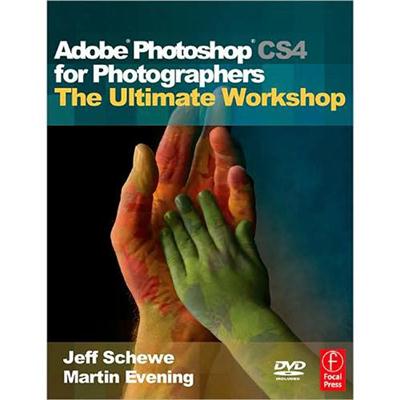
Focal Press - Adobe Photoshop CS4 for Photographers
Duration: 2hr 5m | Video: h264, yuv420p, 1024x768 30fps | Audio: aac, 44100 Hz, 2 ch | 1.9 GB
Genre: eLearning | Language: English​

Martin Evening's Adobe Photoshop for Photographers titles have become classic reference sources for photographers at all skill levels. Whether you are an accomplished user or just starting out, the Adobe Photoshop CS4 for Photographers book contains a wealth of practical advice, hints and tips to help you achieve professional-looking results.

The accompanying DVD contains a Photoshop for Photographers Help Guide. This is supplied in a web browser format that you can either run from the DVD or copy to your computer hard disk for off-line viewing. The Help Guide contains a complete guide to all the tools and panels in Photoshop as well as other items in the program. It is like having an off-line manual with which to learn more about what each Photoshop tool and palette does. The guide also provides 120 minutes of movie tutorials, which compliment some of the step-by-step examples that were shown in the book. The disk also has over 100 demo images, plus supplementary PDF chapters on Digital Capture, Sharpening scanned images, Color management and Photoshop shortcuts, plus demo versions of PhotoKit plug-ins for Adobe Photoshop CS4 in Mac and PC formats.

Content:

01. The New Photoshop CS4 Interface 11:52
02. Camera Raw Basic adjustments 19:02
03. Camera Raw sharpening 16:45
04. Camera Raw localized adjustments 8:55
05. Adjustments and Masks panels 11:13
06. Content-aware scaling 9:28
07. Color Range masking 7:40
08. Depth of field blending 4:36
09. Creating panoramas with Photomerge 10:18
10. Black and white adjustments 12:03
11. Preparing images for print 13:09

Recommend Download Link Hight Speed | Please Say Thanks Keep Topic Live ​

 

eb87be24a8315078ada0e9899eeed50b.jpg

Get the high result with TOEFL IBT Preparation Guide!
MP4 | Video: AVC 1280x720 | Audio: AAC 44KHz 2ch | Duration: 1.5 Hours | 1.05 GB
Genre: eLearning | Language: English​

TOEFL IBT test Practice Guide: Speaking, Reading, Writing and Listening.

The course is aimed to help you practice for TOEFL IBT. Preparation for TOEFL test is very important and I can provide you with my experience in getting 107/120 points for TOEFL.

TOEFL Preparation course is separated in 5 sections, 4 of which are as in actual TOEFL test. Each section shows you the question types and small hints to improve your answering. Also, each section provides my 5 to 6 tips generally to score higher.

I show you the materials I have used for listening, reading, writing and speaking as well. If you need some practical advice, please sign up! I look forward to seeing you inside the course.

Recommend Download Link Hight Speed | Please Say Thanks Keep Topic Live ​
 

1f3974f3e838975a2f33be339faa3849.jpg

Lynda - How to Analyze Sales Competitors
Duration: 0h 33m | Video: AVC (.mp4) 1280x720 30fps | Audio: AAC 48KHz 2ch | 223 MB
Genre: eLearning | Level: Appropriate for all | Language: English​

There is more to keeping an eye on your competitors than just knowing their products and features. What is their messaging like? What value are they adding? What are their unique differentiators? In this course, Jeff Bloomfield helps you analyze your sales competition. It starts with understanding your buyer's point of view, and then being honest when making comparisons. Jeff shows how tools like LinkedIn and Google Alerts can help you stay up to date on your competition's personnel and product updates, and how you can take advantage of the webinars, presentations, and other resources presented by your competition. Last, while competitor information is critical, it's ultimately more important for you to remember the value that your company brings. Jeff closes by explaining how you can best sell your company's products and services: by not getting too distracted by the competition.

Recommend Download Link Hight Speed | Please Say Thanks Keep Topic Live ​

 

144b76abbb563ea1a1718d3252b97333.jpg

Introduction to Autodesk Fusion 360 Training
Duration: 4h | Video: h264, yuv420p, 1280x720 30fps | Audio: aac, 44100 Hz, 2 ch | 850MB GB
Genre: eLearning | Language: English | Project Files Included​

The creators of a new type of urban bike, the makers of a sustainable lighting solution, and a bunch of **** in the Bronx who invented a scooter mounted cell phone charger. These are some of the design types who use Autodesk Fusion 360, a cloud-based industrial and mechanical 3D design tool, to realize their visions.

Fusion 360 was developed for small start-up companies who want a more advanced solution than Autodesk 123D, but don't need or cannot invest in a more sophisticated modeling product like Autodesk Inventor or SolidWorks. Render your 3D know-how from rank beginner to confident practitioner in this intro course from Autodesk expert Mike Thomas.

* Learn to create "smart" 3D models using Autodesk Fusion 360

* Understand installation, subscription, and the interface

* Master the differences between solids, surfaces, and sculpting

* Explore the materials library and how to change the appearance of a 3D model

* Practice building 3D parametric bodies and sculpting freeform models

* Understand bodies, components, joints, and how to create assemblies of parts

* Learn how to share your files in the cloud, collaborate with a team, and export to a 3D printer

Mike Thomas actively contributes to Florida-based Design & Motion blog where they share their knowledge and expertise on a wide range of technological and industry happenings. He spent the first twelve years of his career as an Application Specialist for Autodesk and currently works as a Technical Services Manager for PMP, an industrial equipment manufacturer. He is a graduate of the Saskatchewan Institute of Applied Science and Technology.

Recommend Download Link Hight Speed | Please Say Thanks Keep Topic Live ​

 

73eda1b6ddd684d84a3956ec6b3d8773.jpg

iPhone Selfie Portrait Photography For Social Media
MP4 | Video: AVC 1280x720 | Audio: AAC 44KHz 2ch | Duration: 1.5 Hours | 1.43 GB
Genre: eLearning | Language: English​

Mobile Photography - Use your mobile phone to create selfie images for your social media profile

iPhone Selfie Portrait Photography

Have you ever wanted to know how to take a high quality selfie portrait on your iPhone?

Have you ever wanted a nice profile picture for your social media sites or for websites like ****** websites?

What if you could do that with just a couple of simple pieces of equipment?

What if you could learn how to pose and light yourself, just using simple window light and create compelling portraits?

And what if you could edit those portraits and create that œdslr, professional camera look with free software on your iPhone?

If you would like to learn all of the above, then this course is for you!

Topics Covered In This Course

Equipment - we will show you what equipment you need - on a budget - to take good selfies
Camera - we will help you to understand the limitations of your iPhone camera and how you can overcome them
Off Set Lighting - we will show you how to light a male subject the best way
Front Lit Lighting - we will show you how to light a female subject in the best way
Setting The Exposure - we will share simple techniques so that your images are always exposed well
Posing The Face - we will show you simple commercial photographer tricks to help you pose your face to its optimum
Editing A Male Portrait - we will show you how to edit a mail portrait
Editing A Female Portrait - you will learn how to edit a female portrait
Friend And Family Portraits:
In addition to all of that, you will also learn the basics of portrait photography, so you will be able to take beautiful images of your friends and family.

Recommend Download Link Hight Speed | Please Say Thanks Keep Topic Live ​
 

57fba6f5d94260a9873eef90929eb1ed.jpg

javascript Complete for Beginners with WebApps step by step
MP4 | Video: AVC 1280x720 | Audio: AAC 44KHz 2ch | Duration: 3 Hours | 472 MB
Genre: eLearning | Language: English​

javascript is very powerful programming client side language that added a life into modern websites and hardware equipments . it is the Essential language that modern developers need to know. That's why i have created this Amazing elite class course where you will use these technologies to create actual projects and will learn their usage in real world.Truly knowing javascript will get you a job, and enable you to build quality web and server applications.

This course is for Absolute Beginners OR Web Designers ( who dont know anything about JS) or Students who never created a single project in javascript. This course will teach you the core knowledge you need to deeply understand what javascript is, learn how javascript works, and how to implement it in your web from scratch

We will start from ground level, and we will move towards tip of The Mount Everest i mean some real time Projects. In this course we will look at everything from scratch

Recommend Download Link Hight Speed | Please Say Thanks Keep Topic Live ​
 

8da74cac51b987af789f11945e46bb4e.jpg

Jenkins: Learn continuous integration with Jenkins
MP4 | Video: AVC 1280x720 | Audio: AAC 44KHz 2ch | Duration: 2 Hours | 555 MB
Genre: eLearning | Language: English​

Jenkins: Learn sought after skills with rising demand. Earn $120K+ /year!! Streamline software builds with Jenkins.

Today the technology sector is experiencing a boom throughout the world. There are hundreds of startups launching every day. In order to move fast - these startups need people who are skilled at automating as much as possible. Mostly progressive startups - favor implementing completely automated DevOps pipelines from the get go. They realize that these practices of continuous integration (CI) and DevOps will yield tremendous benefits regarding speed and agility. The demand for these skills has been steadily rising over the last few years.

Jenkins is an award-winning open source toolset which enables us to build very sophisticated automated build pipelines very quickly. It has extensive community support which has augmented the core functionality of Jenkins by building and sharing hundreds of very useful plugins. Implementing continuous integration with Jenkins can help us immensely in reducing the risk within our software development lifecycle. It catches us bugs early and increases the quality of our software products. This, in turn, reduces the overall cost to develop innovative software in any environment - startups and enterprise alike.

The demand for professionals who have experience with these tools has been growing steadily over the last few years. The salaries and consulting rates for these skills have also been rising and are only bound to go up as the demand for these skills remains steady or increases. Professionals with Jenkins experience can demand as much as $120K as their yearly compensation and these jobs pay more than majority of the jobs posted on US job boards.

In this course we will:

Learn about CI and why it is important
Learn about Jenkins
Build an automated CI pipeline with Jenkins
Learn how to version control and manage relational database schema
Run the CI pipeline to maintain build artifacts
Learn how to configure, secure and extend Jenkins
Learn how to configure automated build notifications

Recommend Download Link Hight Speed | Please Say Thanks Keep Topic Live ​
 
Zurück
Oben Unten