• Regeln für den Video-Bereich:

    In den Börsenbereich gehören nur Angebote die bereits den Allgemeinen Regeln entsprechen.

    Einteilung

    - Folgende Formate gehören in die angegeben Bereiche:
    - Filme: Encodierte Filme von BluRay, DVD, R5, TV, Screener sowie Telesyncs im Format DivX, XviD und x264.
    - DVD: Filme im Format DVD5, DVD9 und HD2DVD.
    - HD: Encodierte Filme mit der Auflösung 720p oder darüber von BluRay, DVD, R5, TV, Screener sowie Telesyncs im Format x264.
    - 3D: Encodierte Filme von BluRay, die in einem 3D Format vorliegen. Dies gilt auch für Dokus, Animation usw.
    - Serien: Cartoon/Zeichentrick, Anime, Tutorials, Dokumentationen, Konzerte/Musik, Sonstiges sind demnach in die entsprechenden Bereiche einzuordnen, auch wenn sie beispielsweise im High Definition-Format oder als DVD5/DVD9/HD2DVD vorliegen. Ausnahme 3D.
    - Bereich Englisch: Englische Releases gehören immer in diesen Bereich.
    - Bereich Talk: Der Bereich, in dem über die Releases diskutiert werden kann, darf, soll und erwünscht ist.


    Angebot/Beitrag erstellen

    - Ein Beitrag darf erst dann erstellt werden, wenn der Upload bei mindestens einem OCH komplett ist. Platzhalter sind untersagt.
    - Bei einem Scenerelease hat der Threadtitel ausschließlich aus dem originalen, unveränderten Releasenamen zu bestehen. Es dürfen keine Veränderungen wie z.B. Sterne, kleine Buchstaben o.ä. vorgenommen werden. Ausnahme Serienbörse:
    - Bei einem Sammelthread für eine Staffel entfällt aus dem Releasename natürlich der Name der Folge. Beispiel: Die Simpsons S21 German DVDRip XviD - ITG
    - Dementsprechend sind also u.a. verboten: Erweiterungen wie "Tipp", "empfehlenswert", "only", "reup", usw. / jegliche andere Zusatzinformation oder Ergänzung, welche nicht in obiger Beschreibung zu finden ist.

    Aufbau des Angebots und Threadtitel

    Der Titel nach folgendem Muster erstellt zu werden. <Name> [3D] [Staffel] [German] <Jahr> <Tonspur> [DL] [Auflösung] <Quelle> <Codec> - <Group>
    Beispiel: The Dark Knight German 2008 AC3 DVDRip XviD - iND
    Beispiel: The Dark Knight 2008 DTS DL BDRip x264 - iND
    Beispiel: The Dark Knight 2008 AC3 DL BDRip XviD - iND
    Beispiel: The Dark Knight German 2008 AC3 720p BluRay x264 iND
    Beispiel: The Dark Knight 2008 DTS DL 1080p BluRay x264 iND
    Beispiel: Die Simpsons S01 German AC3 DVDRip XviD iND
    Beispiel: Die Simpsons S20 German AC3 720p BluRay x264 iND
    Beispiel: Sword Art Online II Ger Sub 2014 AAC 1080p WEBRip x264 - peppermint
    Entsprechend sind also u.a. verboten: Sonderzeichen wie Klammern, Sterne, Ausrufezeichen, Unterstriche, Anführungszeichen / Erweiterungen wie "Tipp", "empfehlenswert", "only", "reup", usw. / jegliche andere Zusatzinformation oder Ergänzung, welche nicht in obiger Beschreibung zu finden ist
    Ausnahmen hiervon können in den Bereichen geregelt sein.

    Die Beiträge sollen wie folgt aufgebaut werden:
    Überschrift entspricht dem Threadtitel
    Cover
    kurze Inhaltsbeschreibung
    Format, Größe, Dauer sind gut lesbar für Downloader außerhalb des Spoilers zu vermerken
    Nfo sind immer Anzugeben und selbige immer im Spoiler in Textform.
    Sind keine Nfo vorhanden z.B. Eigenpublikationen, sind im Spoiler folgende Dateiinformationen zusätzlich anzugeben :
    Quelle
    Video (Auflösung und Bitrate)
    Ton (Sprache, Format und Bitrate der einzelnen Spuren)
    Untertitel (sofern vorhanden)
    Hosterangabe in Textform außerhalb eines Spoiler mit allen enthaltenen Hostern.
    Bei SD kann auf diese zusätzlichen Dateiinformationen verzichtet werden.

    Alle benötigten Passwörter sind, sofern vorhanden, in Textform im Angebot anzugeben.
    Spoiler im Spoiler mit Kommentaren :"Schon Bedankt?" sind unerwünscht.


    Releases

    - Sind Retail-Release verfügbar, sind alle anderen Variationen untersagt. Ausnahmen: Alle deutschen Retail-Release sind CUT, in diesem Fall sind dubbed UNCUT-Release zulässig.
    - Im Serien-Bereich gilt speziell: Wenn ein Retail vor Abschluss einer laufenden Staffel erscheint, darf diese Staffel noch zu Ende gebracht werden.62
    - Gleiche Releases sind unbedingt zusammenzufassen. Das bedeutet, es ist zwingend erforderlich, vor dem Erstellen eines Themas per Suchfunktion zu überprüfen, ob bereits ein Beitrag mit demselben Release besteht. Ist dies der Fall, ist der bereits vorhandene Beitrag zu verwenden.
    - P2P und Scene Releases dürfen nicht verändert oder gar unter einem iND Tag eingestellt werden.


    Support, Diskussionen und Suche

    - Supportanfragen sind entweder per PN oder im Bereich Talk zu stellen.
    - Diskussionen und Bewertungen sind im Talk Bereich zu führen. Fragen an die Uploader haben ausschließlich via PN zu erfolgen, und sind in den Angeboten untersagt.
    - Anfragen zu Upload-Wünschen sind nur im Bereich Suche Video erlaubt. Antworten dürfen nur auf Angebote von MyBoerse.bz verlinkt werden.


    Verbote

    - Untersagt sind mehrere Formate in einem einzigen Angebotsthread, wie beispielsweise das gleichzeitige Anbieten von DivX/XviD, 720p und 1080p in einem Thread. Pro Format, Release und Auflösung ist ein eigener Thread zu eröffnen.
    - Grundsätzlich ebenso verboten sind Dupes. Uploader haben sich an geeigneter Stelle darüber zu informieren, ob es sich bei einem Release um ein Dupe handelt.
    - Gefakte, nur teilweise lauffähige oder unvollständige Angebote sind untersagt. Dies gilt auch für eigene Publikationen, die augenscheinlich nicht selbst von z.B. einer DVD gerippt wurden. Laufende Serien, bei denen noch nicht alle Folgen verfügbar sind, dürfen erstellt und regelmäßig geupdatet werden.
    - Untersagt sind Angebote, welche nur und ausschließlich in einer anderen Sprache als deutsch oder englisch vorliegen. Ausnahmen sind VORHER mit den Moderatoren zu klären.


    Verstoß gegen die Regeln

    - Angebote oder Beiträge, die gegen die Forenregeln verstoßen, sind über den "Melden"-Button im Beitrag zu melden.
  • Bitte registriere dich zunächst um Beiträge zu verfassen und externe Links aufzurufen.


Englische Tutorials


569913ffedf78f937699c3e4b20b6a0c.jpg

Browser Testing with Internet Explorer and Virtualbox
MP4 | Video: AVC 1280x720 | Audio: AAC 48KHz 2ch | Duration: 43M | 108 MB
Genre: eLearning | Language: English​


You can increase the cross-browser compatibility of your website and test against many versions of Internet Explorer by using VirtualBox. The VirtualBox application allows you to use virtual machines and emulate different operating systems, without needing to invest in additional hardware or expensive software. This solution allows you to perform browser testing on multiple combinations of operating systems and browser versions to ensure your web designs look solid on all of the key browsers, IE included.

In this course, Brian Wood explains the how to use VirtualBox and modern.ie to set up virtual machines you can use to perform browser testing. He walks you through each step of the setup process so you can become familiar with these tools and starting using them for browser testing.

Recommend Download Link Hight Speed | Please Say Thanks Keep Topic Live ​
 

481fd0016f08b34dd72a07050f57729a.jpg

Build Responsive Real World Websites with HTML5 and CSS3 (Update 2016)
11h 30mins | MP4 | AVC 491kbps | English | 1280x720 | 29.97fps | AAC stereo 65kbps | 4.55 GB
Genre: eLearning | Language: English​


The easiest way to learn modern web design, HTML5 and CSS3 step-by-step from scratch. Design AND code a huge project. Are you looking for the easiest and fastest way to learn how to build your own beautiful websites with HTML5 and CSS3? And how to even make them responsive? Have you taken other HTML and CSS courses, but still wonder how to code a real world website? Then this is exactly the course you are looking for! With the right guidance, HTML, CSS and responsive web design are super easy. Everyone can learn it!

*** Course completely up-to-date for April 2016 ***

That's why I created this course for you: I will teach you step-by-step how to both design and code your own websites using the latest web technologies HTML5, CSS3 and even some jQuery.

So why is this course so unique and popular? This course is completely project-based! Together we will build a beautiful and responsive landing page for a fictional company that I made up just for this course. This huge project will teach you all the real-world web design and development skills to build real-world websites.

But there is even more! In this course, you will not just learn how to code, but the entire process of building and launching a website. This includes planing, designing, coding, optimizing, and so much more.

At the end of the course, you will have a complete, ready-to-launch website that looks great on any computer, tablet and smartphone. You get the entire code and all the images and graphical assets that I designed especially for the course as a free .

This is what you will learn:

* Easy-to-follow and hands-on web development with HTML5, CSS3 and some jQuery.

* The proven 7 real-world steps from complete scratch to a fully functional and optimized website.

* Simple-to-use web design guidelines and tips to make your website stand out from the crowd.

* How to get and use amazing images, fonts and icons to make your website shine - all for free.

* Responsive web design: learn how to create websites that work beautifully on all screen sizes - a must-have skill in today's mobile world.

* How to use jQuery for super cool effects like animations, scroll effects and "sticky" navigation.

* How to optimize your website for good speed performance and for search engines (SEO).

* How to launch your website for the world to see it.

At the end of the course, you will have such a deep understanding of how HTML5 and CSS3 work together, that you will be able to build any website you can imagine from complete scratch.

So, who is this course for? This course is perfect for complete beginners: there is absolutely no coding experience required. This course is also perfect for you if you know some HTML and CSS, but struggle to put together a good-looking website. Or maybe you're a web designer and want to expand your skill set into HTML5 and CSS3? This course is perfect for you, too!

If you enrol in this course right now, you get:

* Lifetime access to my HD quality training videos with free updates. No monthly subscription. Learn at your own pace, whenever you want.

* All lectures are able to make your learning experience even better.

* able code and design assets for the entire project. You can keep this code as a starting point for your own projects!

* Access to a very active community where I will personally answer all your questions. I will never leave you hanging!

* Free access to my e-book "Best Resources for Web Design and Development with HTML5 & CSS3".

Sounds great? Then start learning today by clicking the "Take This Course" button right now, and join me in the only HTML and CSS course that you will ever need!

What am I going to get from this course?

* Real-world skills to build real-world websites: professional, beautiful and truly responsive websites
* A huge project that will teach you everything you need to know to get started with HTML5 and CSS3
* The proven 7 real-world steps from complete scratch to a fully functional and optimized website
* Simple-to-use web design guidelines and tips to make your website stand out from the crowd
* Learn super cool jQuery effects like animations, scroll effects and "sticky" navigation
* able lectures, code and design assets for the entire project
* Access to a very active community where I will personally answer all your questions
* Get my e-book "Best Resources for Web Design and Development with HTML5 & CSS3" for free

Recommend Download Link Hight Speed | Please Say Thanks Keep Topic Live ​

 

958fc4e88183c5179f86e9232f5d3250.jpg

Python Course - Learn Python Programming, MongoDB, Django...
Duration: 18 Hours | Video: h264, yuv420p, 1280x720 30fps | Audio: aac, 44100 Hz, 2 ch | 1.5 GB
Genre: eLearning | Language: English​


Python tutorial and the use of Python with popular technologies (MongoDB, Django, SQLite, Tkinter, XML, PIL, wxPython..)

This course covers the basics of Python programming language and introduces how to use Python with the technologies introduced in this course.

Very importantly, this course does not only cover the basics of Python, but also introduces how to use Python for several tasks including graphical user interface, web, database, cloud computing etc. So, you will see where to start for other technologies and you will enjoy to see the result.
You don't need to be developer to take this course. The use of Python will make your computations or the development of the tools which you need to implement quite fast and easy.

Main topics to be introduced in this course as follows:
1- Basics of Python Programming Language
2- Object Oriented Programming, Inheritance, Garbage Collection
3- File Processing
4- Python with SQLite
5- Python for XML Related Tasks
6- HTML, CSS
7- Django
8- Cloud Computing & MongoDB
9- Tkinter
10- How To Use Python For Other Technologies, such as PIL and wxPython

What will I learn?

The basics of Python programming language by examples.
Object-oriented programming concept (OOP).
Classes, objects, inheritance, garbage collection.
Basic introduction on MongoDB which will help you start coding for Big Data databases and cloud computing.
Simplified introduction on how to start with Django.
Basic web languages (HTML, CSS)
Introduction to image processing with Python and PIL.
Introduction to code for graphical user interface with Python, Tkinter and wxPython.
Basic introduction for XML and how to use Python for XML related tasks.
Introduction for how to use Python for file processing.
Introduction to SQLite.

Recommend Download Link Hight Speed | Please Say Thanks Keep Topic Live ​

 

082948830e200076d67fe3f3bc393d80.jpg

QuarkXPress 2016 Essential Training
MP4 | Video: AVC 1280x720 | Audio: AAC 45KHz 2ch | Duration: 5 Hours 44M | 1.17 GB
Genre: eLearning | Language: English​


QuarkXPress is one of the original page layout applications. The most recent version, 2016, is a powerful and compelling alternative to popular competitors like Adobe InDesign. This course will teach you the essential skills you need to use QuarkXPress for professional publishing projects, both print and digital.

Mike Rankin covers the interface and preferences, and the basics of working with documents, master pages, layers, and items (the design elements of a QuarkXPress layout). He then goes over how to import text, format it, and control alignment, leading, and spacing around paragraph and text boxes. There are chapters dedicated to tables, images, and interactivity, as well as the output and publishing options in QuarkXPress, including EPUB and HTML5. Focus on just the topics you need to complete your next layout, or watch the entire course to master the desktop publishing workflow.

Recommend Download Link Hight Speed | Please Say Thanks Keep Topic Live ​

 

075147556b5cdef008b2b5d9d3589259.jpg

The Art of Color: Using Color in Your Design Work
Duration: 40m | Video: h264, yuv420p, 1280x720 30fps | Audio: aac, 44100 Hz, 2 ch | 714 MB
Genre: eLearning | Language: English​


This 40 minute class will look at color and how to effectively use color palettes in your work. Whether you are a designer, illustrator, artist or stylist you'll have a new appreciation for color at the end of this class.

We will look at color theory and color psychology before moving on to creative ways of finding color palettes to work for you. There will also be an Adobe Illustrator tutorial on working with color swatches.

Recommend Download Link Hight Speed | Please Say Thanks Keep Topic Live ​

 

37ba6b7e3f0fb2b3986b37adc9d07a48.jpg

Using Vray RT in Production Rendering
MP4 | Video: AVC 1280x720 | Audio: AAC 48KHz 2ch | Duration: 3H 32M | 992 MB
Genre: eLearning | Language: English​


Find out how to use V-Ray RT as a bona fide production renderer in 3ds Max, even in a compositing-based pipeline. V-Ray RT has caught up to the standard production renderer in Max, with an engine that can take advantage of CPU and GPU processing; it's no longer just a tool for quick preview renders. This course shows how to set up V-Ray RT as an ActiveShade renderer and start adding geometry and cameras, creating animations, applying materials and lighting, and adjusting render settings for a professional-looking, efficient render in 3ds Max. Brian Bradley teaches all these techniques as he progresses through a mini-project, concluding with a brief chapter on compositing your final render in After Effects. The examples help show how V-Ray RT can be put to use in a simplified real-world production scenario, where speed and flexibility are equally important.

Recommend Download Link Hight Speed | Please Say Thanks Keep Topic Live ​

 

29de0c9b15e9012736d0eb6140a0f589.jpg

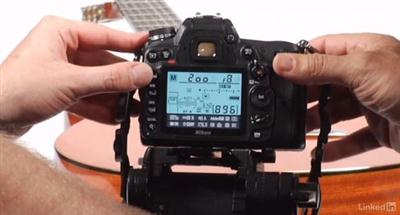
DSLR Video Tips: Technical Knowledge
MP4 | Video: AVC 1280x720 | Audio: AAC 48KHz 2ch | Duration: 4h 7m | 1.90 GB
Genre: eLearning | Language: English​


Do you want to become more proficient with DSLR video? Knowing the technical side can make it easier to set up gear, be more creative, and get your shot right on the very first take. These tips provide answers to the most common questions videographers encounter when shooting with DSLR cameras. Learn how frame size and frame rate, aspect ratio, codecs, cropping and compression, and the "exposure triangle" (aperture, shutter speed, and ISO) affect the look of your footage. DSLR Video Tips hosts Rich Harrington and Robbie Carman also help you troubleshoot common problems with video: when shots are too dark, too jittery, or impacted by rolling shutter and moir. Plus, get tips on effective data management and setting up multicamera shoots for more complex productions.

Recommend Download Link Hight Speed | Please Say Thanks Keep Topic Live ​

 

62cfd61f909e74fb8db27dd3b0599f76.jpg

Fundamentals of Photoshop: Drawing, Layers, Masks, and Selections (Photoshop II)
Duration: 1hr 4m | Video: h264, yuv420p, 1280x720 30fps | Audio: aac, 44100 Hz, 2 ch | 456 MB
Genre: eLearning | Language: English​


Welcome to the second class in this five-part series of Photoshop classes. Throughout this series we'll cover everything you need to know to become a Photoshop pro. Knowing how to use Photoshop is an incredibly useful skill and is commonly used by anyone from photographers to graphic designers and illustrators. It is such a robust program that can be extremely overwhelming. I'll do my best to make you feel comfortable while I teach you the ins and outs.

What You'll Learn
In this class (Photoshop II) you'll learn advanced features working with layers and masks. I'll teach you some truly amazing things that you can do by adding effects and adjustments to those layers. Then it's on to masks, one of Photoshop's most impressive features. Topics covered in this class include:
Adjust and Style Layers. There are so many wonderful things that you can do with layers and we'll touch on some of the best ways to make your composition look awesome. We'll take a look at layer styles and adjustment layers. We'll also learn some other handy things like locking layers and flattening them.
Masks. Layer masks are probably the coolest and one of the most amazing things about Photoshop. I'll cover exactly what layer masks are, how they work, and why you want to use them. They're an advanced feature that is actually easy to learn. You'll be glad you did.
Selection Tools. We'll learn the difference between the regular old selection tool and the direct silection tool. I'll show you how to adjust images and shapes with these exciting tools.
Transform Tool for Shapes and Images. You can do a lot with the transform feature in Photoshop. Manipulating shapes and layers has never been more fun. We'll go over how to tranfsorm objects and enhance your work through resizing various elements.
Cropping. I'll show you guys how to use the crop tool and resize your canvas. If you've ever created a canvas in Photoshop and then changed your mind about the size, the cropping feature will be perfect for you.

Recommend Download Link Hight Speed | Please Say Thanks Keep Topic Live ​

 

d74c0173b414131fba63da5bad04c98e.jpg

Guitar Lab - 50 Eclectic Blues - Guitar Licks You Must Know (2016)
MP4+MP3+PDF | AVC 973kbps | English | 864x468 | 29.97fps | 3h 16mins | AAC stereo 128kbps | 1.86 GB
Genre: eLearning | Language: English​


Webster tells us "eclectic" means selecting the best from various doctrines, methods and styles. Gus from My Big Fat Greek Wedding, would tell you "the word eclectic come from the Greek word 'eklektikos' which is mean choose the best." Jeff McErlain would freely admit that he skipped his etymology classes to catch any and all blues artists playing in town but we can tell you that he certainly went to school cherry-picking this killer collection of eclectic blues licks.

Mix up a bit of T Bone Walker with Mike Stern, blend some Robben Ford with Jeff Beck, fuse Eric Clapton and Jimi Hendrix with Eric Johnson and David Grissom, spice heavily with the likes of Muddy Waters, Allman Brothers, Michael Landau and Roy Buchanan - Voila! Eclectic blues.

McErlain has dedicated the better part of his life to exploring and analyzing all styles of the blues and fortunately for we students of the blues, he's also the consummate instructor. Author of several TrueFire blues and blues-rock course, McErlain presents yet another fiery collection of tasty blues lines, rhythms, phrasings and artist-inspired lickage.

You'll learn how to apply techniques and bluesy moves for comping, tri-tones, hybrid picking, hammers, pull-offs, sixths and thirds, chromatics, diminished lines, intervallic lines, major-minor pentatonic phrases, double and triple-stops, open-string phrases, half and full bends, muting, scratches and all of the other requisite tools and tricks of the contemporary blues trade.

50 Eclectic Blues Licks You MUST Know has it all and much more; these 50 interactive video lessons will majorly round out and spice up your blues bag. Dig in!

Lessons include:
Tri-Tones
Hybrid Picking
Hammer-Ons
Sixths
Double/Triple Stops
Half/Full Bends
Muting
Diminished Lines
Pentatonic Phrases
and More!

Recommend Download Link Hight Speed | Please Say Thanks Keep Topic Live ​
 

74a1124bde32006addcf1c0256487875.jpg

Introducing Chaos: Creative Image Transfer Techniques for Photographs and Designs
Duration: 29m | Video: h264, yuv420p, 1280x720 30fps | Audio: aac, 44100 Hz, 2 ch | 551 MB
Genre: eLearning | Language: English​


Explore how artist and photographer David Miller uses 3 different image transfer techniques to create unusual and one-of-a-kind imagery on a variety of surfaces. In this class, you'll also see step-by-step how to prepare images before printing, learn about the kinds of surfaces transfers can take place on, and discuss the benefits of using such unique methods of presentation. At the end students will complete 3 projects and share their before/ after imagery.

Recommend Download Link Hight Speed | Please Say Thanks Keep Topic Live ​

 

e1eea370788b77154724669c5ddd5f38.jpg

PowerShell Desired State Configuration Essential Training
MP4 | Video: AVC 1280x720 | Audio: AAC 48KHz 2ch | Duration: 2h 10m | 282 MB
Genre: eLearning | Language: English​


Learn the essentials of PowerShell Desired State Configuration. DSC is a new IT management platform built on Windows PowerShell that enables administrators to define the desired state of their systems through declarative configuration documents, and manage configuration data on an ongoing basis.

Current IT pros will need to understand DSC as they move into managing Microsoft's next wave of server and cloud products that will leverage this important technology. In this course, Matt Hester shows how to write configuration documents, work with DSC resources, and apply configurations to systems via both push and pull modes. Plus, he shows how to troubleshoot DSC and use DSC in non-Windows environments like Linux.

Recommend Download Link Hight Speed | Please Say Thanks Keep Topic Live ​
 

7375e081c0fd294a5ee0fc9ec031458f.jpg

Animation in Photoshop: Create an Inspiration Motion Graphics
Duration: 1hr 13m | Video: h264, yuv420p, 1280x720 30fps | Audio: aac, 44100 Hz, 2 ch | 265 MB
Genre: eLearning | Language: English​


In this class you will create a motion graphics video, shows Steve Jobs words appear in a unique way thats catch the eye, using only Adobe Photoshop.

You will be amazed when you see how many options that Adobe Photoshop is giving you to do an animation, you can even replace Adobe After Effects as I did.

Create an amazing kinetic typography and make words come to life.

Recommend Download Link Hight Speed | Please Say Thanks Keep Topic Live ​
 
Zurück
Oben Unten