• Regeln für den Video-Bereich:

    In den Börsenbereich gehören nur Angebote die bereits den Allgemeinen Regeln entsprechen.

    Einteilung

    - Folgende Formate gehören in die angegeben Bereiche:
    - Filme: Encodierte Filme von BluRay, DVD, R5, TV, Screener sowie Telesyncs im Format DivX, XviD und x264.
    - DVD: Filme im Format DVD5, DVD9 und HD2DVD.
    - HD: Encodierte Filme mit der Auflösung 720p oder darüber von BluRay, DVD, R5, TV, Screener sowie Telesyncs im Format x264.
    - 3D: Encodierte Filme von BluRay, die in einem 3D Format vorliegen. Dies gilt auch für Dokus, Animation usw.
    - Serien: Cartoon/Zeichentrick, Anime, Tutorials, Dokumentationen, Konzerte/Musik, Sonstiges sind demnach in die entsprechenden Bereiche einzuordnen, auch wenn sie beispielsweise im High Definition-Format oder als DVD5/DVD9/HD2DVD vorliegen. Ausnahme 3D.
    - Bereich Englisch: Englische Releases gehören immer in diesen Bereich.
    - Bereich Talk: Der Bereich, in dem über die Releases diskutiert werden kann, darf, soll und erwünscht ist.


    Angebot/Beitrag erstellen

    - Ein Beitrag darf erst dann erstellt werden, wenn der Upload bei mindestens einem OCH komplett ist. Platzhalter sind untersagt.
    - Bei einem Scenerelease hat der Threadtitel ausschließlich aus dem originalen, unveränderten Releasenamen zu bestehen. Es dürfen keine Veränderungen wie z.B. Sterne, kleine Buchstaben o.ä. vorgenommen werden. Ausnahme Serienbörse:
    - Bei einem Sammelthread für eine Staffel entfällt aus dem Releasename natürlich der Name der Folge. Beispiel: Die Simpsons S21 German DVDRip XviD - ITG
    - Dementsprechend sind also u.a. verboten: Erweiterungen wie "Tipp", "empfehlenswert", "only", "reup", usw. / jegliche andere Zusatzinformation oder Ergänzung, welche nicht in obiger Beschreibung zu finden ist.

    Aufbau des Angebots und Threadtitel

    Der Titel nach folgendem Muster erstellt zu werden. <Name> [3D] [Staffel] [German] <Jahr> <Tonspur> [DL] [Auflösung] <Quelle> <Codec> - <Group>
    Beispiel: The Dark Knight German 2008 AC3 DVDRip XviD - iND
    Beispiel: The Dark Knight 2008 DTS DL BDRip x264 - iND
    Beispiel: The Dark Knight 2008 AC3 DL BDRip XviD - iND
    Beispiel: The Dark Knight German 2008 AC3 720p BluRay x264 iND
    Beispiel: The Dark Knight 2008 DTS DL 1080p BluRay x264 iND
    Beispiel: Die Simpsons S01 German AC3 DVDRip XviD iND
    Beispiel: Die Simpsons S20 German AC3 720p BluRay x264 iND
    Beispiel: Sword Art Online II Ger Sub 2014 AAC 1080p WEBRip x264 - peppermint
    Entsprechend sind also u.a. verboten: Sonderzeichen wie Klammern, Sterne, Ausrufezeichen, Unterstriche, Anführungszeichen / Erweiterungen wie "Tipp", "empfehlenswert", "only", "reup", usw. / jegliche andere Zusatzinformation oder Ergänzung, welche nicht in obiger Beschreibung zu finden ist
    Ausnahmen hiervon können in den Bereichen geregelt sein.

    Die Beiträge sollen wie folgt aufgebaut werden:
    Überschrift entspricht dem Threadtitel
    Cover
    kurze Inhaltsbeschreibung
    Format, Größe, Dauer sind gut lesbar für Downloader außerhalb des Spoilers zu vermerken
    Nfo sind immer Anzugeben und selbige immer im Spoiler in Textform.
    Sind keine Nfo vorhanden z.B. Eigenpublikationen, sind im Spoiler folgende Dateiinformationen zusätzlich anzugeben :
    Quelle
    Video (Auflösung und Bitrate)
    Ton (Sprache, Format und Bitrate der einzelnen Spuren)
    Untertitel (sofern vorhanden)
    Hosterangabe in Textform außerhalb eines Spoiler mit allen enthaltenen Hostern.
    Bei SD kann auf diese zusätzlichen Dateiinformationen verzichtet werden.

    Alle benötigten Passwörter sind, sofern vorhanden, in Textform im Angebot anzugeben.
    Spoiler im Spoiler mit Kommentaren :"Schon Bedankt?" sind unerwünscht.


    Releases

    - Sind Retail-Release verfügbar, sind alle anderen Variationen untersagt. Ausnahmen: Alle deutschen Retail-Release sind CUT, in diesem Fall sind dubbed UNCUT-Release zulässig.
    - Im Serien-Bereich gilt speziell: Wenn ein Retail vor Abschluss einer laufenden Staffel erscheint, darf diese Staffel noch zu Ende gebracht werden.62
    - Gleiche Releases sind unbedingt zusammenzufassen. Das bedeutet, es ist zwingend erforderlich, vor dem Erstellen eines Themas per Suchfunktion zu überprüfen, ob bereits ein Beitrag mit demselben Release besteht. Ist dies der Fall, ist der bereits vorhandene Beitrag zu verwenden.
    - P2P und Scene Releases dürfen nicht verändert oder gar unter einem iND Tag eingestellt werden.


    Support, Diskussionen und Suche

    - Supportanfragen sind entweder per PN oder im Bereich Talk zu stellen.
    - Diskussionen und Bewertungen sind im Talk Bereich zu führen. Fragen an die Uploader haben ausschließlich via PN zu erfolgen, und sind in den Angeboten untersagt.
    - Anfragen zu Upload-Wünschen sind nur im Bereich Suche Video erlaubt. Antworten dürfen nur auf Angebote von MyBoerse.bz verlinkt werden.


    Verbote

    - Untersagt sind mehrere Formate in einem einzigen Angebotsthread, wie beispielsweise das gleichzeitige Anbieten von DivX/XviD, 720p und 1080p in einem Thread. Pro Format, Release und Auflösung ist ein eigener Thread zu eröffnen.
    - Grundsätzlich ebenso verboten sind Dupes. Uploader haben sich an geeigneter Stelle darüber zu informieren, ob es sich bei einem Release um ein Dupe handelt.
    - Gefakte, nur teilweise lauffähige oder unvollständige Angebote sind untersagt. Dies gilt auch für eigene Publikationen, die augenscheinlich nicht selbst von z.B. einer DVD gerippt wurden. Laufende Serien, bei denen noch nicht alle Folgen verfügbar sind, dürfen erstellt und regelmäßig geupdatet werden.
    - Untersagt sind Angebote, welche nur und ausschließlich in einer anderen Sprache als deutsch oder englisch vorliegen. Ausnahmen sind VORHER mit den Moderatoren zu klären.


    Verstoß gegen die Regeln

    - Angebote oder Beiträge, die gegen die Forenregeln verstoßen, sind über den "Melden"-Button im Beitrag zu melden.
  • Bitte registriere dich zunächst um Beiträge zu verfassen und externe Links aufzurufen.


Englische Tutorials


27d9179a49f513e7a8d0b42fbf289314.jpg

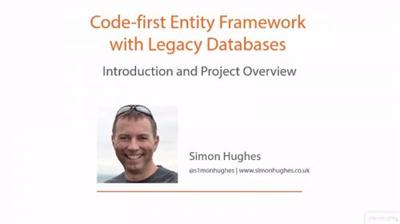
Code-first Entity Framework with Legacy Databases
MP4 | 2016 | Video: AVC 1280x720 | Audio: AAC 44KHz 2ch | Duration: 3 Hours | 943 MB
Genre: eLearning | Language: English​

Most code generators are inflexible, but with the Entity-Framework Reverse POCO Generator, you can create code exactly how you want it. You'll learn how to reverse-engineer a legacy or current SQL Server database into Code-first Entity-Framework c...

With EDMX support fading away, it's even more important to use code-first as EF7 approaches. Most generators are rigid and don't provide you any flexibility in how the code is to be generated. But in this course, Code-first Entity Framework with Legacy Databases, we will be using the "Entity-Framework Reverse POCO Generator", a free visual studio tool, available at This generator has been designed from the ground up to be customizable, and produce the code you would have done if you hand-coded it yourself. This course will show you what each of the various settings has on the generated code, and you'll also learn how to create separate data and model projects, as well as create repositories, unit tests and integration tests. By the end of this course, you will be able to flexibly generate code that meets your needs.

Recommend Download Link Hight Speed | Please Say Thanks Keep Topic Live ​
 

09e523a3ac6d05b0beebd345e7b955a7.jpg

Commercial Beauty Retouching with Julia Kuzmenko McKim
Duration: 1hr 30m | Video: h264, yuv420p, 1280x720 30fps | Audio: aac, 44100 Hz, 2 ch | 1.3 GB
Genre: eLearning | Language: English​


Beautiful photographs are used to sell hair and skin care products, cosmetics, makeup, jewelry, and so much more. Learn about the concepts and techniques that are used to create polished, ad-ready beauty images in Commercial Beauty Retouching with Julia Kuzmenko McKim.

It requires vision, skill, practice, and patience to create flawless perfection. In Commercial Beauty Retouching, you'll learn the theory behind the the techniques and get helpful tips that will take your skin and makeup retouching to the next level.

Recommend Download Link Hight Speed | Please Say Thanks Keep Topic Live ​
 

094941d897ea5e64a44a844bcaa2a4a5.jpg

Concept Design: Unleash Your Creativity in Photoshop
Duration: 1hr 14m | Video: h264, yuv420p, 1280x720 30fps | Audio: aac, 44100 Hz, 2 ch | 718 MB
Genre: eLearning | Language: English​


In this course, I want to show you a new way of exploring shapes and concept designs using Photoshop. I'd like you to remove all rules and regulations about design and let your creativity flow free. In this class, we are going to give the blank canvas a purpose without holding anything back.

This course is for you who want to develop your concept art skills and learn how to think creatively.

What will I learn in this course?
You will learn how to tackle a blank canvas. I know this can be intimitading, not knowing where to start. You will learn how to explore shapes using silhouettes, shading & rendering with basic bruses, adding highlights, rendering and visualizing light such as LEDs and glowing surfaces and much more.
You will also learn the 3 tricks I use on most of my sketches as a final touch to make them look crisp like they're popping out of the screen.

Recommend Download Link Hight Speed | Please Say Thanks Keep Topic Live ​
 

a5e155c018829893f147cc346887bfb9.jpg

Cost Accounting Standard Costing Techniques (for Prof. exam)
MP4 | Video: AVC 1280x720 | Audio: AAC 44KHz 2ch | Duration: 1 Hours | 224 MB
Genre: eLearning | Language: English​


Learn Theory and Practice of Standard Costing Techniques through series of explanations and case studies.

Welcome to Cost Accounting Standard Costing Techniques.

This course is only for Costing, Accounting and Finance Students and Professionals.

In this course, you will be able to understand

a) What is Standard Costing

b) Why Standard Costing

c) Setting up of Standard Cost

d) Material Quantity Standards

e) Labour Time Standards

f) Overheads Time / Quantity Standards

g) Problems faced while setting physical standards

h) Types of Standards (covering Ideal Standards, Normal Standards, Basic Standards and Current Standards)

i) Need for Standard Costs

j) The Process of Standard Costing

k) Types of Variances (covers Controllable and Un-controllable Variances, Favourable and Adverse Variance)

l) Classification of Variance.

followed by Case Studies.

Standard Costing is a method of Costing, which measure the performance or an activity by comparing actual cost with standard cost, analyse the variance and reporting of variances for investigation and appropriate action.

This course is structured in self paced learning style.

Video lectures are used for presenting the course content.

This is an academic oriented course to equip you for the examinations.

This course will go deep in to the concepts followed by case studies.

Take this course, if you want to gain control on the topic Standard Costing.

Recommend Download Link Hight Speed | Please Say Thanks Keep Topic Live ​
 

d952427eab0c8981bfbbca23ab32403d.jpg

Create Stunning Black & White Images with Nik Silver Effects Pro 2
Duration: 1hr 19m | Video: h264, yuv420p, 1280x720 30fps | Audio: aac, 44100 Hz, 2 ch | 848 MB
Genre: eLearning | Language: English​


This course will teach you how to convert your color images to black and white and make them look fantastic.

You will learn to:
Make exposure adjustments
Contrast adjustments
Use presets
Save presets
Import/Export presets
How to create your own B&W recipe from scratch
How to emulate the look of different types of film
How to add film grain
How to add borders
Basically to create a stunning B&W image.

Recommend Download Link Hight Speed | Please Say Thanks Keep Topic Live ​
 

62791cb1df54876b78c5632291608789.jpg

Creating a Marketing Growth System
MP4 | Video: AVC 1280x720 | Audio: AAC 48KHz 2ch | Duration: 42M | 340 MB
Genre: eLearning | Language: English​


Welcome to How to Create a Growth Marketing System. I'm John Jantsch, the author of Duct Tape Marketing, and I've been working with small business owners for over 28 years now, and I've found that this topic of marketing is one that still confounds them. Now growth seems like a pretty noble idea for just about any business. In fact, it is the objective, the single greatest objective for most businesses. But is it growth for growth's sake? Is it, how do I pick the idea of the week to try to hack together some growth? Well, I'd like to suggest that growth and momentum comes by operating a very systematic, repeatable, predictable approach to growth, and that's what we're going to cover in this course.

Recommend Download Link Hight Speed | Please Say Thanks Keep Topic Live ​
 

0f7caac1a473a85a150b1dc87373598d.jpg

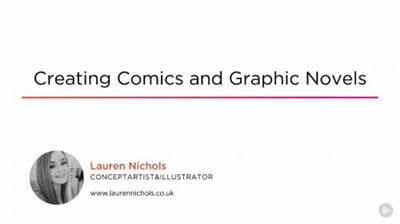
Creating Comics and Graphic Novels
MP4 | 2016 | Video: AVC 1280x720 | Audio: AAC 44KHz 2ch | Duration: 2h 30m | 683 MB
Genre: eLearning | Language: English​

Ever dreamed of bringing your stories to life in your very own graphic novel? This course will teach you the fundamentals of creating a graphic novel or comic, including planning, camera, color, panel composition, and more. Software required: Phot...

Maybe you read comic books as a kid and are curious about how they're made, or maybe it's always been an ambition of yours to bring your own novel to life visually. No matter where you're coming from, this course, Creating Comics and Graphic Novels, will be an introduction that can either kick off your creative process or aid in one you've already started. This course is catered for artists who want to be efficiently and effectively introduced to the art of creating comics and telling a story through sequential art. You'll start with learning how to develop a style and how it should correlate to the story you tell, to the dynamics of panel layout and using your space effectively. You'll also cover fonts, color palettes, negative and positive space, and finally, pacing and comedic timing. By the end of this course, you will have all the skills you need to create a high-quality and truly special work of art-your very own comic or graphic novel. Software required: Photoshop CC.

Recommend Download Link Hight Speed | Please Say Thanks Keep Topic Live ​
 

b1c0612a62a3279f75d0916b7e6072c4.jpg

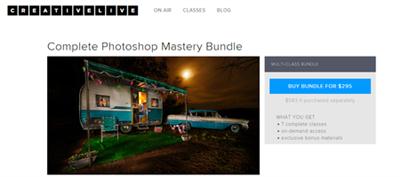
CreativeLive - Complete Photoshop Mastery Bundle
WEBRip | English | FLV | 854 x 480 | AVC ~933 kbps | AAC ~64 Kbps | 44.1 KHz | 2 channels | ~70 hours | 24.38 GB
Genre: eLearning Video / Adobe Photoshop, Photographing​

Photoshop Mastery is about more than learning how to do things

... it's about actually understanding how Photoshop works. It's the difference between just going through the motions and true understanding. You'll be empowered to take full control over Photo
Included classes:

Photoshop Mastery: Advanced Masking
Learn the skills necessary to isolate anything in your image by creating a complex selection! In this one day class, Ben Willmore will show you how to apply adjustments to limited areas. Learn techniques for removing the background of fuzzy, furry, or hairy subjects like people and pets-even if it's a white cat on a white background! Remove the background from trees, lift fire from its background, and remove the background on glass and other transparent objects. Remove the background on items based on brightness or color, and learn to quickly and easily isolate skin tones.

Photoshop Mastery: Fundamentals
An expert's view of the basics designed to get anyone ready to become a Photoshop pro. Imagine learning the absolute essentials from someone who has used Photoshop for well over 20 years, is in the Photoshop Hall of Fame and has taught way over 100,000 Photoshop users. We'll start off by simplifying Photoshop's interface to make it less overwhelming and then jump in and learn the absolute essentials. This course will cover everything one needs to know in order to be truly effective with the program.

* Simplifying the Interface * Browsing your images with Bridge * Understanding Resolution * Which File Formats to use * Essential Tonal Adjustments * Essential Color Adjustments * Isolating areas with selections * The fundamentals of layers * Troubleshooting Techniques * Workflow Overview

Photoshop Mastery: Color & Tone
Become an adjustment master by learning how Photoshop thinks about color and tonality. You'll go way beyond the basics and learn how to use the most powerful, precise and versatile adjustments. You'll also see how all of Photoshop's adjustment options relate to one another so that you'll be able to easily pick the best tool for the job at hand. * Scanning Line Art (pure black and white graphics like your signature) * Optimizing Grayscale Images * Professional Color Correction Techniques * Matching the color between multiple images * Getting the most out of adjustment layers * Color Manipulation Techniques * Sharpening Strategies

Photoshop Mastery: Retouching and Collage
Learn how to retouch any image, whether it be the simplest problem or the most complex and seemingly impossible task. Understand the difference between all the retouching tools and then learn how to supplement them with other Photoshop features. See how multiple images can be combined into a seamless composite that is much more than the sum of its parts.

Learn the difference between all the retouching tools and when to use each one
See how the Clone Source panel can help with difficult retouching jobs
Rid your images of telephone poles, power lines and pedestrians, even if they overlap complex backgrounds like trees
Discover how Layer Masks, Blending Sliders and Vector Masks are best implemented
Learn how Smart Objects can allow you to make almost infinite changes to your design without having to rework your image

Photoshop Mastery: Creative Explorations
Explore the creative side of Photoshop. Take a walk down the filter menu and learn what's lurking in the not-so-obvious filters like Displacement Maps and Lighting Effects. See how the simple text and shape tools can be taken to the next level by incorporating layer styles, clipping masks and more.

Learn which filters have a special relationship with Photoshop's Blending Modes, which allows for unexpectedly creative results
See how puppet warping and layer masks will allow you to make a single layer look as if it's intertwined around another layer
Start to use Photoshop's 3D features to add dimension to otherwise flat imagery
Create animated slide shows that better keep your viewer's attention
Add texture to your images to give them more personality

Photoshop Mastery: Image Ambulance
Learn how a Photoshop Hall of Famer and 20-year Photoshop veteran would tackle the most difficult problem images that *you* submit! Techniques will include: * Removing dust and scratches * Extreme color correction techniques * Retouching in Perspective * Tonal Rescue Techniques * General Repair and Restoration Techniques * Unifying skin tone and color * Eye and Teeth Tweaking * Red Eye Removal * Removing Lens Flare and glasses glare

Photoshop Mastery: Ultimate Mastery
Throughout this series, we've covered many huge topics (retouching, adjustments, collage, etc.). In this final installment, we fill in the gaps between big thoughts with the more subtle concepts that are essential to taking full control of Photoshop. This is the stuff you rarely see taught, but true experts use on a daily basis. I'll start by revealing a bunch of hidden and hard to find features that you probably don't know exist because you have to type odd keyboard shortcuts or go through other loopholes to find them. I'll then show you how far you can push your adjustments before they start to lower the quality of the image. We'll do that by popping the hood in Photoshop to reveal how those adjustments may be harming the underlying integrity of your image.

I'll then show you how to manipulate Photoshop's features to get them to do things they were not designed to do. This way, you can extend Photoshop further than even the programmers envisioned. I'll also talk about many of the little features that never get covered in classes but are overly useful. Finally, we'll dive into a few geeky features that are not for the faint of heart like variables, apply image and calculations.

Whether you're still fairly new to Photoshop or you're an advanced user, there is sure to be techniques in this class you will want to add to your mental toolbox.

Recommend Download Link Hight Speed | Please Say Thanks Keep Topic Live ​

 

ad18ea8a4e8e5a7063bec69561ab398d.jpg

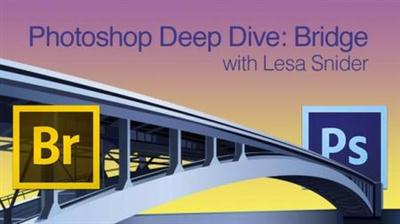
CreativeLive - Photoshop Deep Dive: Bridge
WEBRip | English | MOV | 1280 x 720 | AVC ~700 kbps | AAC ~117 Kbps | 48.0 KHz | 2 channels | 05:10:26 | 2.33 GB
Genre: eLearning Video / Adobe Photoshop, Photographing​

Get your file structure whipped into shape by learning Bridge with Lesa Snider! This Deep Dive takes you into the organizational functions of Bridge so you can get your files into order. Filter and rate your images, keyword and rename files, make batch changes, and more! If you have Photoshop, you have Bridge, and now you'll know how to use it.

00:04:39
Watch
00:13:31
Introduction
00:34:21
Browsing, Favorites, and the Path Bar
00:15:06
General Q&A
00:11:42
The Search Field
00:47:00
Finding Files and Using Metadata
00:19:59
Collections
00:10:42
Using Bridge with Other Creative Suite Apps
00:13:32
Renaming Files
00:31:27
Creating PDFs
00:16:49
Importing Photos
00:06:19
Review Mode
00:22:43
Selecting and Filtering Images
00:12:33
Slideshows and Stacks
00:09:13
Using Bridge with Camera RAW
00:11:37
Exporting
00:24:31
Building Web Galleries
00:04:35
Wrap-Up

Recommend Download Link Hight Speed | Please Say Thanks Keep Topic Live ​

 

c408b745abd8dfe688f6a43babf5448e.jpg

Design 101: Presentations
MP4 | Video: AVC 1280x720 | Audio: AAC 48KHz 2ch | Duration: 1 Hours | 267 MB
Genre: eLearning | Language: English​


Learn the basic rules for achieving a balanced, professional, attractive, and compelling presentation, in Design 101. John McWade covers design essentials in way that won't get you bogged down in the details or feel overwhelmed. This course is perfect for people new to design and nondesigners tasked with putting together a presentation"those who just don't know how to make a design stand out or how to go beyond the templates in PowerPoint or Keynote. John offers expert advice on typography, color, consistency, using images, keeping it simple, and more.

Good presentations take time and thought. Design is too important to leave to a computer! Use these techniques to make personalized, thoughtful presentations that both educate and inspire.

Recommend Download Link Hight Speed | Please Say Thanks Keep Topic Live ​

 

7188970be7ac4819246260b960b7c4af.jpg

Design Repeat Patterns in Photoshop and use them to Enhance your Images!
Duration: 1hr 1m | Video: h264, yuv420p, 1280x720 30fps | Audio: aac, 44100 Hz, 2 ch | 781 MB
Genre: eLearning | Language: English​


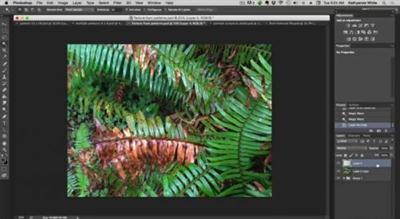
Using Photoshop I will teach you how to create patterns from your images. This is a fast-simple technique. My step by step instructions will have you creating patterns in no time.

Along with learning basic repeat pattern creation I will show you how to add your patterns to your Photoshop Pattern Palette and introduce techniques to use your patterns and individualize your digital images.
Learn to add interesting dimension to your images by splashing texture here and there. I will show you a few quick ways to work patterns back into your images. You won't even know they are there.

Recommend Download Link Hight Speed | Please Say Thanks Keep Topic Live ​

 

9d382cb51ce3a063975e27df76d6160f.jpg

Digital Design Basics: Create Posters, Advertising, and Merchandise For Your Band
Duration: 1hr 14m | Video: h264, yuv420p, 1280x720 30fps | Audio: aac, 44100 Hz, 2 ch | 1.1 GB
Genre: eLearning | Language: English​


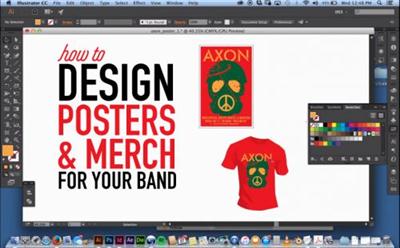
This class is geared towards musicians with some knowledge of how Adobe illustrator works and designers interested in learning how to create a poster and then extend that image to additional advertising mediums. In this class I'll walk you through the process of creating art for a poster and then repurposing that art for print advertising, web banners, T shirts, and CD covers.

Recommend Download Link Hight Speed | Please Say Thanks Keep Topic Live ​

 
Zurück
Oben Unten