• Regeln für den Video-Bereich:

    In den Börsenbereich gehören nur Angebote die bereits den Allgemeinen Regeln entsprechen.

    Einteilung

    - Folgende Formate gehören in die angegeben Bereiche:
    - Filme: Encodierte Filme von BluRay, DVD, R5, TV, Screener sowie Telesyncs im Format DivX, XviD und x264.
    - DVD: Filme im Format DVD5, DVD9 und HD2DVD.
    - HD: Encodierte Filme mit der Auflösung 720p oder darüber von BluRay, DVD, R5, TV, Screener sowie Telesyncs im Format x264.
    - 3D: Encodierte Filme von BluRay, die in einem 3D Format vorliegen. Dies gilt auch für Dokus, Animation usw.
    - Serien: Cartoon/Zeichentrick, Anime, Tutorials, Dokumentationen, Konzerte/Musik, Sonstiges sind demnach in die entsprechenden Bereiche einzuordnen, auch wenn sie beispielsweise im High Definition-Format oder als DVD5/DVD9/HD2DVD vorliegen. Ausnahme 3D.
    - Bereich Englisch: Englische Releases gehören immer in diesen Bereich.
    - Bereich Talk: Der Bereich, in dem über die Releases diskutiert werden kann, darf, soll und erwünscht ist.


    Angebot/Beitrag erstellen

    - Ein Beitrag darf erst dann erstellt werden, wenn der Upload bei mindestens einem OCH komplett ist. Platzhalter sind untersagt.
    - Bei einem Scenerelease hat der Threadtitel ausschließlich aus dem originalen, unveränderten Releasenamen zu bestehen. Es dürfen keine Veränderungen wie z.B. Sterne, kleine Buchstaben o.ä. vorgenommen werden. Ausnahme Serienbörse:
    - Bei einem Sammelthread für eine Staffel entfällt aus dem Releasename natürlich der Name der Folge. Beispiel: Die Simpsons S21 German DVDRip XviD - ITG
    - Dementsprechend sind also u.a. verboten: Erweiterungen wie "Tipp", "empfehlenswert", "only", "reup", usw. / jegliche andere Zusatzinformation oder Ergänzung, welche nicht in obiger Beschreibung zu finden ist.

    Aufbau des Angebots und Threadtitel

    Der Titel nach folgendem Muster erstellt zu werden. <Name> [3D] [Staffel] [German] <Jahr> <Tonspur> [DL] [Auflösung] <Quelle> <Codec> - <Group>
    Beispiel: The Dark Knight German 2008 AC3 DVDRip XviD - iND
    Beispiel: The Dark Knight 2008 DTS DL BDRip x264 - iND
    Beispiel: The Dark Knight 2008 AC3 DL BDRip XviD - iND
    Beispiel: The Dark Knight German 2008 AC3 720p BluRay x264 iND
    Beispiel: The Dark Knight 2008 DTS DL 1080p BluRay x264 iND
    Beispiel: Die Simpsons S01 German AC3 DVDRip XviD iND
    Beispiel: Die Simpsons S20 German AC3 720p BluRay x264 iND
    Beispiel: Sword Art Online II Ger Sub 2014 AAC 1080p WEBRip x264 - peppermint
    Entsprechend sind also u.a. verboten: Sonderzeichen wie Klammern, Sterne, Ausrufezeichen, Unterstriche, Anführungszeichen / Erweiterungen wie "Tipp", "empfehlenswert", "only", "reup", usw. / jegliche andere Zusatzinformation oder Ergänzung, welche nicht in obiger Beschreibung zu finden ist
    Ausnahmen hiervon können in den Bereichen geregelt sein.

    Die Beiträge sollen wie folgt aufgebaut werden:
    Überschrift entspricht dem Threadtitel
    Cover
    kurze Inhaltsbeschreibung
    Format, Größe, Dauer sind gut lesbar für Downloader außerhalb des Spoilers zu vermerken
    Nfo sind immer Anzugeben und selbige immer im Spoiler in Textform.
    Sind keine Nfo vorhanden z.B. Eigenpublikationen, sind im Spoiler folgende Dateiinformationen zusätzlich anzugeben :
    Quelle
    Video (Auflösung und Bitrate)
    Ton (Sprache, Format und Bitrate der einzelnen Spuren)
    Untertitel (sofern vorhanden)
    Hosterangabe in Textform außerhalb eines Spoiler mit allen enthaltenen Hostern.
    Bei SD kann auf diese zusätzlichen Dateiinformationen verzichtet werden.

    Alle benötigten Passwörter sind, sofern vorhanden, in Textform im Angebot anzugeben.
    Spoiler im Spoiler mit Kommentaren :"Schon Bedankt?" sind unerwünscht.


    Releases

    - Sind Retail-Release verfügbar, sind alle anderen Variationen untersagt. Ausnahmen: Alle deutschen Retail-Release sind CUT, in diesem Fall sind dubbed UNCUT-Release zulässig.
    - Im Serien-Bereich gilt speziell: Wenn ein Retail vor Abschluss einer laufenden Staffel erscheint, darf diese Staffel noch zu Ende gebracht werden.62
    - Gleiche Releases sind unbedingt zusammenzufassen. Das bedeutet, es ist zwingend erforderlich, vor dem Erstellen eines Themas per Suchfunktion zu überprüfen, ob bereits ein Beitrag mit demselben Release besteht. Ist dies der Fall, ist der bereits vorhandene Beitrag zu verwenden.
    - P2P und Scene Releases dürfen nicht verändert oder gar unter einem iND Tag eingestellt werden.


    Support, Diskussionen und Suche

    - Supportanfragen sind entweder per PN oder im Bereich Talk zu stellen.
    - Diskussionen und Bewertungen sind im Talk Bereich zu führen. Fragen an die Uploader haben ausschließlich via PN zu erfolgen, und sind in den Angeboten untersagt.
    - Anfragen zu Upload-Wünschen sind nur im Bereich Suche Video erlaubt. Antworten dürfen nur auf Angebote von MyBoerse.bz verlinkt werden.


    Verbote

    - Untersagt sind mehrere Formate in einem einzigen Angebotsthread, wie beispielsweise das gleichzeitige Anbieten von DivX/XviD, 720p und 1080p in einem Thread. Pro Format, Release und Auflösung ist ein eigener Thread zu eröffnen.
    - Grundsätzlich ebenso verboten sind Dupes. Uploader haben sich an geeigneter Stelle darüber zu informieren, ob es sich bei einem Release um ein Dupe handelt.
    - Gefakte, nur teilweise lauffähige oder unvollständige Angebote sind untersagt. Dies gilt auch für eigene Publikationen, die augenscheinlich nicht selbst von z.B. einer DVD gerippt wurden. Laufende Serien, bei denen noch nicht alle Folgen verfügbar sind, dürfen erstellt und regelmäßig geupdatet werden.
    - Untersagt sind Angebote, welche nur und ausschließlich in einer anderen Sprache als deutsch oder englisch vorliegen. Ausnahmen sind VORHER mit den Moderatoren zu klären.


    Verstoß gegen die Regeln

    - Angebote oder Beiträge, die gegen die Forenregeln verstoßen, sind über den "Melden"-Button im Beitrag zu melden.
  • Bitte registriere dich zunächst um Beiträge zu verfassen und externe Links aufzurufen.


Englische Tutorials


e19718de385a91d1b2bc58b576f747a9.jpg

JUnit Tutorial for Beginners - Learn Java Unit Testing
MP4 | Video: AVC 1280x720 | Audio: AAC 44KHz 2ch | Duration: 1.5 Hours | 427 MB
Genre: eLearning | Language: English​


JUnit tutorial for Beginners with examples

JUnit is a unit testing framework for the Java programming language.

JUnit has been important in the development of test-driven development, and is one of a family of unit testing frameworks which is collectively known as xUnit Frameworks.

In this Beginners Tutorial on JUnit, you will learn how to

Create a new project for JUnit Tests
Create, Run & Debug JUnit Tests
Write Good Unit Tests
Use assert methods
Use basic JUnit Annotations - @Test, @Before, @After, @AfterClass, @BeforeClass, @Suite
Test Performance and Exceptions in Unit Tests
Write Parameterized Tests
Adhere to JUnit Best Practices
Use Eclipse to write and run JUnit Tests

Recommend Download Link Hight Speed | Please Say Thanks Keep Topic Live ​
 

7048fd1efc6e3512d8836c9faa4f95a9.jpg

**** Photography: Newborns
MP4 | Video: AVC 1280x720 | Audio: AAC 48KHz 2ch | Duration: 30M | 260 MB
Genre: eLearning | Language: English​


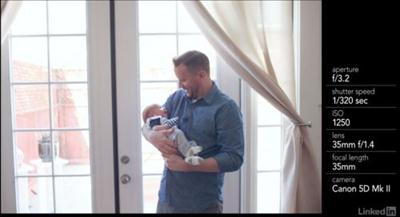
New parents want photographs of their **** every step of the way"including all their first moments. Family photographer Lauren Enright shows how to plan, scout, and shoot beautiful photographs of new families. Learn techniques for taking portraits that capture a newborn's personality, and find out how to use backdrops in different areas of the home, capture spontaneous moments, and create your own DIY-backdrops for studio-like portraits.

Note: Lauren brings a portable studio setup to supplement the more casual lifestyle shots, but you can use these tips to capture great newborn photos with any camera and good natural light.

Recommend Download Link Hight Speed | Please Say Thanks Keep Topic Live ​
 

ee34e01c582b37ad74ba2506fee0f49d.jpg

Leadership and Communication Skills for Software Engineers
MP4 | Video: AVC 1280x720 | Audio: AAC 44KHz 2ch | Duration: 4h 49m | 509 MB
Genre: eLearning | Language: English​

Want to immediately make an impact on your leadership and communication capabilities? Whether you are a software engineer or a team leader, this course will help you be effective at teamwork as well as leading and managing people.

Leading and managing even a small team is no easy task, especially when you're a software engineer that's used to technical assignments. It takes great communication (written and verbal) and leadership. This course, Leadership and Communication Skills for Software Engineers, will teach you these two skills. First, you'll go over communication techniques that are essential for meeting with your internal/external customers, interviewing them, making presentations, and so much more. Next, you'll learn how to grow and cultivate a team of software engineers, interview candidates, hire, determine training needs, and develop the processes and standards for the team. Finally, you'll determine just how to lead, motivate, and manage your new team towards the business goals identified in your customer meetings and your manager's expectations. By the end of this course, you will be able to apply your leadership and communication skills, methods, tools and techniques to support your activities and responsibilities of a team leader.

Recommend Download Link Hight Speed | Please Say Thanks Keep Topic Live ​
 

c675be1fc35c83fa3a619d416de7201c.jpg

Learn Facebook: The Basics
MP4 | Video: AVC 1280x720 | Audio: AAC 48KHz 2ch | Duration: 2 Hours | 338 MB
Genre: eLearning | Language: English​


My name is Jess Stratton, and welcome to this course. I'll walk you through setting up a new account and adding friends. I'll show you how to post status updates, tag friends, and upload photos to Facebook. I'll walk you through creating Events, learning about Groups, Pages, and Apps. I'll then walk you through all your privacy and security settings, including reporting and blocking users. Finally, I'll show you how to use Facebook on a mobile app including the Messenger app, so you can chat live with your friends on the go.

We have a lot to cover, so let's get started.

Recommend Download Link Hight Speed | Please Say Thanks Keep Topic Live ​
 

505ae7845ece99738e14b56196f5b593.jpg

Learning of Physics with basic concepts - Complete course
MP4 | Video: AVC 1280x720 | Audio: AAC 44KHz 2ch | Duration: 4.5 Hours | 505 MB
Genre: eLearning | Language: English​

Course covers everything that student want to learn about basic concepts of Physics

Welcome to the course on "Learning of Physics with basic concepts"

"Physics is the branch of science concerned with the properties of matter and energy and the relationships between them. It is based on mathematics and traditionally includes mechanics, optics, electricity and magnetism,acoustics, and heat.

Modern physics, based on quantum theory, includes atomic, nuclear, particle, and solid-state studies. It can also embrace applied fields such as geophysics and meteorology".

Physics is an experimental science and the scientific method emphasizes the need of accurate measurement of various measurable features of different phenomena or of man made objects.

The study of Physics involves investigating such things as the laws of motion, the structure of space and time, the nature and type of forces that hold different materials together, the interaction between different particles, the interaction of electromagnetic radiation with matter and so on.

You will gain the knowledge that you need for your academic and professional development and to learn that how Physics is involved in our professional, educational and daily life.

I hope that this course will enhance your appreciation for the study of physics and it's aspects in our world.

Diagrams are attached to explore the aspects briefly. Tables with symbols and SI units are also inserted to understand the units easily.

Course is subdivided into several parts like lectures to explain the aspects completely.

After studying this course students will be able to understand the important things about Physics in detail. Students will also get material to enhance their knowledge in Physics.

So! We will cover

Measurements and Physical Quantities
Significant figures
Precision and Accuracy
Numerical problems related from measurements
Basic concepts of Vectors and Equilibrium
Vector addition by rectangular Components
Torque and Equilibrium of Torque
Numerical problems with solutions related from vectors and equilibrium
Motion and Force
Velocity-Time graph
Newton's laws of motion
Law of conservation of Momentum
Application to Ballistic missiles
Numerical Problems with solutions related from motion and force
Work and energy
Power and types of energy
Numerical problems with solutions related from work and energy
Circular motion
Angular Acceleration
Centripetal Force
Law of Conservation of Angular Momentum
Newton's and Einstein's views of Gravitation
Numerical problems with solutions related from Circular motion

Recommend Download Link Hight Speed | Please Say Thanks Keep Topic Live ​

 

f85223faf7ec01d319fbd51ae2f6d110.jpg

LiveLessons - CompTIA A+ 220-902
HDRips | MP4/AVC, ~459 kb/s | 1024x768 | Duration: ~20 hours | English: AAC, 128 kb/s (2 ch) | 11.5 GB
Genre: Development / Programming / Security​

CompTIA A+ 220-901 and 220-902 Complete Video Course Library is a unique video product that provides complete coverage of all CompTIA A+ objectives so you can study for and pass the exams.

The training provided in this library edition, which includes the CompTIA A+ 220-901 and CompTIA 220-902 Complete Video Courses, provides targeted and concise hands-on training that walks you through a learning path to successfully understand and absorb all key exam concepts. The modules in this course cover every objective in the CompTIA A+ 220-901 and 220-902 exams and can be used as your sole resource for learning the material needed to study for and pass both A+ exams. You can also use this as a supplement to other A+ training.

Nine modules map to the main objectives of the CompTIA A+ 220-901 and 220-902 certifications. These modules contain hundreds of lessons totaling more than 40 hours of hands-on demonstrations, live training, animations, and video screencasting. The videos also include the author building a computer live on camera, so you can see first-hand how to accomplish key tasks. He also includes hands-on configuration labs; laptop, smartphone, and device hardware labs; and live-action troubleshooting labs in addition to hands-on networking, OS and UI demos, real-world troubleshooting methods, and security concepts and hands-on solutions.

The title includes
* More than 40 hours of complete video training.
* Practice quizzes for each module (with 200 questions). These questions come with remediation.
* More than 30 performance-based simulations to help you practice what you learn and give you the experience you need to excel on the performance-based exam questions.
* More than 40 interactive hands-on exercises to help you retain knowledge.

The video lessons are broken down into four modules and cover the following topics:
* Hardware
* Networking
* Mobile Devices
* Troubleshooting
* Windows Operating Systems
* Other Operating Systems and Technologies
* Security
* Software Troubleshooting
* Operational Procedures

Recommend Download Link Hight Speed | Please Say Thanks Keep Topic Live ​

 

b0cc5ed95fbd79c3c620050992bc8de8.jpg

Make the Most of Instagram: Build Your Brand
Duration: 26m | Video: h264, yuv420p, 1280x720 30fps | Audio: aac, 44100 Hz, 2 ch | 494 MB
Genre: eLearning | Language: English​


Did you know there are more than 300 million Instagram accounts? Learn how to stand out with this 30-min class from Instagram star Gareth Pon. With tactical lessons on perfecting your profile picture and bio, achieving consistent feel in your photos, and effectively cross-posting to outside platforms, this class is ideal for photographers, social media managers, and everyone who wants to grow their brand on Instagram. Plus, the online class gallery is an amazing opportunity to share photos and exchange feedback on your artistic and branding choices.

Recommend Download Link Hight Speed | Please Say Thanks Keep Topic Live ​

 

ab49b6221bf9587c0d02b6d8d607fa23.jpg

Make Your Web Design Beautiful with pure CSS Animations (No javascript!)
Duration: 29m | Video: h264, yuv420p, 1280x720 30fps | Audio: aac, 44100 Hz, 2 ch | 245 MB
Genre: eLearning | Language: English​


Web Animations are a wonderful way to direct a user's attention through a website and improve their overall experience. In this class, we're going to learn how to make beautiful web animations using pure CSS.

Recommend Download Link Hight Speed | Please Say Thanks Keep Topic Live ​

 

4b92a21973065351164e2b735ce489d0.jpg

Modern Studio Portrait Photography - Learn Popular Studio Lighting Techniques For Portraits
Duration: 1hr 11m | Video: h264, yuv420p, 1280x720 30fps | Audio: aac, 44100 Hz, 2 ch | 875 MB
Genre: eLearning | Language: English​


Studio photography is simply all about modifiers and lighting patterns. Once you have learned some simple techniques you will be surprised what images you can produce.

In this course we will use a virtual studio with rendered images to show you the lighting styles that the top studio photographers are using.
Floorplans for each lighting set-up will be available as a PDF in the project section so you can replicate the lighting patterns.

Take this course to learn the secrets of studio photography and have fun creating your own studio images!

Recommend Download Link Hight Speed | Please Say Thanks Keep Topic Live ​

 

7aebae0f7526976b40ec1c423f20cb67.jpg

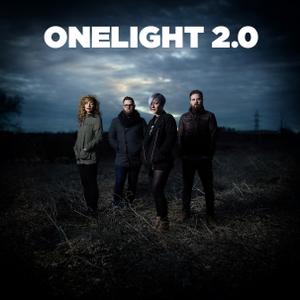
OneLight 2.0 Workshop with Zack Arias
WEBRip | English | MP4 | 1920 x 1080 | AVC ~4995 kbps | AAC ~318 Kbps | 44.1 KHz | 2 channels | ~7 hours | 16.98 GB
Genre: eLearning Video / Photographing​

This video is designed for those who are intimidated by flash and don't know where to start. I'll walk you through all the parts and pieces you need to get that flash off camera.

Then I'll walk you through how you expose properly for that off camera flash. I spend a lot of time talking about lighting modifiers and how to use them. You'll then follow along on three shoots to bring all of the gear and exposure variables together.

Recommend Download Link Hight Speed | Please Say Thanks Keep Topic Live ​

 

2da3d2bbe818f5b30976a12d8048f487.jpg

Optimizing Images for the Web in Photoshop
Duration: 40m | Video: h264, yuv420p, 1280x720 30fps | Audio: aac, 44100 Hz, 2 ch | 260 MB
Genre: eLearning | Language: English​


We'll begin this training by learning about a couple of ways that we can scale an image in Photoshop and discuss how this can affect file size and quality.

From here we'll spend the remainder of our time working in the Save for Web Dialogue in Photoshop optimizing images to be saved as Jpeg, GIF and PNG file formats. Along the way we'll discuss how we can make a compromise between quality and file size as we explore the Save for Web Dialogue and some of it's settings.

These lessons will help you gain some incite into the different file types when optimizing images for use on the web and allow you to choose the appropriate optimization for your own images.

Recommend Download Link Hight Speed | Please Say Thanks Keep Topic Live ​

 

488b83fc143f797727333f512cdcfac3.jpg

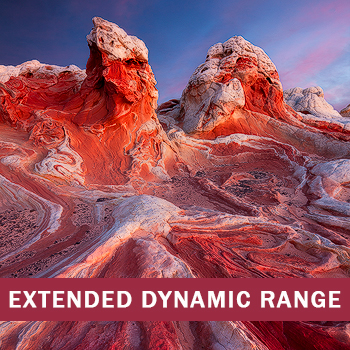
OutdoorExposure Photography - Developing For Extended Dynamic Range 2nd Edition (Full)
Duration: 6+ Hours | Video: h264, yuv420p, 1440x900 30fps | Audio: aac, 44100 Hz, 2 ch | 1.84 GB
Genre: eLearning | Language: English | Project files Included​


The 2nd edition of Developing for Extended Dynamic Range provides instruction in a variety of techniques for working with contrast balance in single exposures as well as multiple exposure blending. Evaluating dynamic range. If, when and how to bracket exposures.

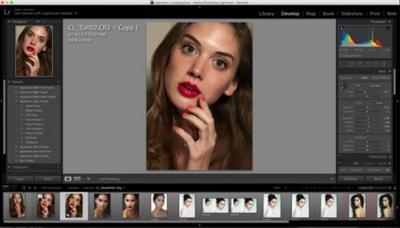
Raw adjustments and Photoshop adjustments for better dynamic range balance in single exposures. High dynamic range 32bit processing using Lightroom and Photoshop Advanced exposure blending techniques in Photoshop using selections and masks: Simple, complex, forests, water, nighttime cityscape, architectural interiors, trees against sky. TKActions Panel is used to demonstrate how luminosity selections and luminosity masks can be used for tonal adjustments and complex exposure blending.

Topics:
Evaluating dynamic range
If, when and how to bracket exposures
Raw adjustments and Photoshop adjustments for better dynamic range balance in single exposures
High dynamic range 32bit processing using Lightroom and Photoshop
Advanced exposure blending techniques in Photoshop using selections and masks: Simple, complex, forests, water, nighttime cityscape, architectural interiors, trees against sky
TKActions Panel is used to demonstrate how luminosity selections and luminosity masks can be used for tonal adjustments and complex exposure blending

The series includes:
36 video chapters
Over 6 hours of instruction
1440x900 HD resolution
Practice images

Recommend Download Link Hight Speed | Please Say Thanks Keep Topic Live ​

 
Zurück
Oben Unten