• Regeln für den Video-Bereich:

    In den Börsenbereich gehören nur Angebote die bereits den Allgemeinen Regeln entsprechen.

    Einteilung

    - Folgende Formate gehören in die angegeben Bereiche:
    - Filme: Encodierte Filme von BluRay, DVD, R5, TV, Screener sowie Telesyncs im Format DivX, XviD und x264.
    - DVD: Filme im Format DVD5, DVD9 und HD2DVD.
    - HD: Encodierte Filme mit der Auflösung 720p oder darüber von BluRay, DVD, R5, TV, Screener sowie Telesyncs im Format x264.
    - 3D: Encodierte Filme von BluRay, die in einem 3D Format vorliegen. Dies gilt auch für Dokus, Animation usw.
    - Serien: Cartoon/Zeichentrick, Anime, Tutorials, Dokumentationen, Konzerte/Musik, Sonstiges sind demnach in die entsprechenden Bereiche einzuordnen, auch wenn sie beispielsweise im High Definition-Format oder als DVD5/DVD9/HD2DVD vorliegen. Ausnahme 3D.
    - Bereich Englisch: Englische Releases gehören immer in diesen Bereich.
    - Bereich Talk: Der Bereich, in dem über die Releases diskutiert werden kann, darf, soll und erwünscht ist.


    Angebot/Beitrag erstellen

    - Ein Beitrag darf erst dann erstellt werden, wenn der Upload bei mindestens einem OCH komplett ist. Platzhalter sind untersagt.
    - Bei einem Scenerelease hat der Threadtitel ausschließlich aus dem originalen, unveränderten Releasenamen zu bestehen. Es dürfen keine Veränderungen wie z.B. Sterne, kleine Buchstaben o.ä. vorgenommen werden. Ausnahme Serienbörse:
    - Bei einem Sammelthread für eine Staffel entfällt aus dem Releasename natürlich der Name der Folge. Beispiel: Die Simpsons S21 German DVDRip XviD - ITG
    - Dementsprechend sind also u.a. verboten: Erweiterungen wie "Tipp", "empfehlenswert", "only", "reup", usw. / jegliche andere Zusatzinformation oder Ergänzung, welche nicht in obiger Beschreibung zu finden ist.

    Aufbau des Angebots und Threadtitel

    Der Titel nach folgendem Muster erstellt zu werden. <Name> [3D] [Staffel] [German] <Jahr> <Tonspur> [DL] [Auflösung] <Quelle> <Codec> - <Group>
    Beispiel: The Dark Knight German 2008 AC3 DVDRip XviD - iND
    Beispiel: The Dark Knight 2008 DTS DL BDRip x264 - iND
    Beispiel: The Dark Knight 2008 AC3 DL BDRip XviD - iND
    Beispiel: The Dark Knight German 2008 AC3 720p BluRay x264 iND
    Beispiel: The Dark Knight 2008 DTS DL 1080p BluRay x264 iND
    Beispiel: Die Simpsons S01 German AC3 DVDRip XviD iND
    Beispiel: Die Simpsons S20 German AC3 720p BluRay x264 iND
    Beispiel: Sword Art Online II Ger Sub 2014 AAC 1080p WEBRip x264 - peppermint
    Entsprechend sind also u.a. verboten: Sonderzeichen wie Klammern, Sterne, Ausrufezeichen, Unterstriche, Anführungszeichen / Erweiterungen wie "Tipp", "empfehlenswert", "only", "reup", usw. / jegliche andere Zusatzinformation oder Ergänzung, welche nicht in obiger Beschreibung zu finden ist
    Ausnahmen hiervon können in den Bereichen geregelt sein.

    Die Beiträge sollen wie folgt aufgebaut werden:
    Überschrift entspricht dem Threadtitel
    Cover
    kurze Inhaltsbeschreibung
    Format, Größe, Dauer sind gut lesbar für Downloader außerhalb des Spoilers zu vermerken
    Nfo sind immer Anzugeben und selbige immer im Spoiler in Textform.
    Sind keine Nfo vorhanden z.B. Eigenpublikationen, sind im Spoiler folgende Dateiinformationen zusätzlich anzugeben :
    Quelle
    Video (Auflösung und Bitrate)
    Ton (Sprache, Format und Bitrate der einzelnen Spuren)
    Untertitel (sofern vorhanden)
    Hosterangabe in Textform außerhalb eines Spoiler mit allen enthaltenen Hostern.
    Bei SD kann auf diese zusätzlichen Dateiinformationen verzichtet werden.

    Alle benötigten Passwörter sind, sofern vorhanden, in Textform im Angebot anzugeben.
    Spoiler im Spoiler mit Kommentaren :"Schon Bedankt?" sind unerwünscht.


    Releases

    - Sind Retail-Release verfügbar, sind alle anderen Variationen untersagt. Ausnahmen: Alle deutschen Retail-Release sind CUT, in diesem Fall sind dubbed UNCUT-Release zulässig.
    - Im Serien-Bereich gilt speziell: Wenn ein Retail vor Abschluss einer laufenden Staffel erscheint, darf diese Staffel noch zu Ende gebracht werden.62
    - Gleiche Releases sind unbedingt zusammenzufassen. Das bedeutet, es ist zwingend erforderlich, vor dem Erstellen eines Themas per Suchfunktion zu überprüfen, ob bereits ein Beitrag mit demselben Release besteht. Ist dies der Fall, ist der bereits vorhandene Beitrag zu verwenden.
    - P2P und Scene Releases dürfen nicht verändert oder gar unter einem iND Tag eingestellt werden.


    Support, Diskussionen und Suche

    - Supportanfragen sind entweder per PN oder im Bereich Talk zu stellen.
    - Diskussionen und Bewertungen sind im Talk Bereich zu führen. Fragen an die Uploader haben ausschließlich via PN zu erfolgen, und sind in den Angeboten untersagt.
    - Anfragen zu Upload-Wünschen sind nur im Bereich Suche Video erlaubt. Antworten dürfen nur auf Angebote von MyBoerse.bz verlinkt werden.


    Verbote

    - Untersagt sind mehrere Formate in einem einzigen Angebotsthread, wie beispielsweise das gleichzeitige Anbieten von DivX/XviD, 720p und 1080p in einem Thread. Pro Format, Release und Auflösung ist ein eigener Thread zu eröffnen.
    - Grundsätzlich ebenso verboten sind Dupes. Uploader haben sich an geeigneter Stelle darüber zu informieren, ob es sich bei einem Release um ein Dupe handelt.
    - Gefakte, nur teilweise lauffähige oder unvollständige Angebote sind untersagt. Dies gilt auch für eigene Publikationen, die augenscheinlich nicht selbst von z.B. einer DVD gerippt wurden. Laufende Serien, bei denen noch nicht alle Folgen verfügbar sind, dürfen erstellt und regelmäßig geupdatet werden.
    - Untersagt sind Angebote, welche nur und ausschließlich in einer anderen Sprache als deutsch oder englisch vorliegen. Ausnahmen sind VORHER mit den Moderatoren zu klären.


    Verstoß gegen die Regeln

    - Angebote oder Beiträge, die gegen die Forenregeln verstoßen, sind über den "Melden"-Button im Beitrag zu melden.
  • Bitte registriere dich zunächst um Beiträge zu verfassen und externe Links aufzurufen.


Englische Tutorials


73f6c974d400462a6228b712622c558f.jpg

Illustrator for Lunch - Neon Effect - Appearances, Graphic Styles, Fonts
Duration: 23m | Video: h264, yuv420p, 1280x720 30fps | Audio: aac, 44100 Hz, 2 ch | 584 MB
Genre: eLearning | Language: English​


Illustrator for Lunch™ is a series of short video courses you can study in bite size pieces such as at lunchtime. In this course you'll learn to create a neon effect as multiple elements in the Appearance panel and how to save it to reuse later on. You will also learn how to recolor the neon effect easily and how to pull apart a font to apply a neon effect to it. This is an example of what you will be learning:

Recommend Download Link Hight Speed | Please Say Thanks Keep Topic Live ​
 

6ff75929f66882f9de10986f90ccb71a.jpg

iMovie 10.1.1 Essential Training
MP4 | Video: AVC 1280x720 | Audio: AAC 48KHz 2ch | Duration: 3 Hours 20M | 678 MB
Genre: eLearning | Language: English​


iMovie is the video editor of choice for many Mac users. It's an inexpensive app that offers the basic tools you need to make a great family film, wedding video, or YouTube clip. But iMovie also includes features you see in more high-end applications, such as transitions, image stabilization, and even green-screen effects. Fully revised to reflect the latest iMovie interface, this course walks beginning and intermediate users through the process of creating high-quality videos with iMovie. First, learn how to get your footage into iMovie, from a camera or your hard drive, and navigate around the interface. Staff author Garrick Chow then provides an overview of the entire editing process-fine-tuning clips, adjusting color, adding titles and music, transitioning from one clip to the next, creating slo-mo video, and more. At the end of the course, he shows how to export your movies to share with the world.

Recommend Download Link Hight Speed | Please Say Thanks Keep Topic Live ​
 

a5657c43232d173523e234f267f3023e.jpg

Learn C++ coding through interactive console applications
MP4 | Video: AVC 1280x720 | Audio: AAC 44KHz 2ch | Duration: 5.5 Hours | 1.18 GB
Genre: eLearning | Language: English​


Beginner programmers can learn C++ programming basics by making interactive console applications like quiz games

In this course you will learn most of the elementary and core concepts in
programming, through the creation of interactive C++ console applications.

In this course, we will cover many fundamental programming concepts like as including libraries, variables and types, expressions, conditional statements, logic flow and control, loops, arrays and more.

All lectures have at least 1 example that allows you to practice these concepts. I've included many example programs, programmed in a procedural style, throughout the course.

These all lead up to the final few lectures where we create a large final project that brings many of these concepts together: a fully functional 2 player Tic Tac Toe console application, with replaying and scoring.

Topics which are covered:

Creating console applications
Input and output
Variables and types
Scope
Boolean expressions
If and else statements
Switch statements
For loops
While loops
Do-while loops
Arrays
Multidimensional arrays
Interconnected usage of all these things
Concrete examples: Guess the number game, continuous calculator, 2 player Tic Tac Toe, online account system simulator, etc.

Recommend Download Link Hight Speed | Please Say Thanks Keep Topic Live ​
 

be6b2cc815ccf15850804cf3714998f6.jpg

Learn Wordpress 4 from Scratch : Create Awesome Websites
Duration: 1hr 56m | Video: h264, yuv420p, 1280x720 30fps | Audio: aac, 44100 Hz, 2 ch | 416 MB
Genre: eLearning | Language: English​


This course on latest Wordpress Release Version 4.2.4 is developed keeping in mind the people who have no prior knowledge of Web Development and so this course helps you understand the Wordpress Basics in great details so that you can create websites using Wordpress with ease without writing any code.

This course is different from other courses as it not only teaches you basics but also helps you in creating your first responsive website for your business or for your personal blog.
This course covers everything from very basics so that you can practice along the lectures.

Recommend Download Link Hight Speed | Please Say Thanks Keep Topic Live ​
 

173a34ad1f52a76dc23a025a49b006d1.jpg

LinuxCBT SHELL Edition
English | mp4 | H264 1358x766 | AAC 2 ch | 8 hrs 8 min | 1.29 GB
eLearning​

Course Objective
Shell Scripting

Course Objective
Shell Scripting

Anonymize Logs
- Locate target logs for processing
- Identify sensitive data
- Write script to anonymize sensitive data
- Work with Logs and Scripts in anonymized mode

Process N Logs
- Discuss limitiations of default invocation
- Force N number of CLI arguments
- Confirm CLI arguments
- Ensure existence of supplied input file(s)
- Test input logic

Storage Check
- Extend script to handle new functions
- Calculate available storage
- Ensure storage can support generated output
- Test supplied input against available storage
- Debug as needed

Fixed-Length Records
- Create script to check input field lengths
- Use Regular Expressions to check input
- Except non-standard records
- Process records
- Identify mismatches
- Integrate fixed-length checks into main script
- Test and debug where applicable

Multiple Spaces | Tab Delimiter
- Retrofit script to process variable whitespace input
- Use SED to parse input stream
- Test variable input streams against Awk && SED
- Debug as needed

Apache Timestamp Conversion
- Examine default log entries
- Compare with ISO standard and MySQL support
- SHELL-test timestamp conversions using: Awk
- Alter script to transform timestamp to numeric ISO standard
- Rearrange time values to match ISO standard
- Confirm conversions

Apache Log Stats
- Use Apache Logs as Database
- Ascertain: Total Bytes
- Summarize Largest Requests
- Average Bytes across Requests
- Top 5 Largest Requests
- Most Frequent Status Codes
- Top IPs

CSV Output | MySQL Import
- Retrofit anonymize script to yield CSV
- Enclose all fields with double quotes
- Generate output (CSV) and confirm
- Import CSV data into MySQL
- Test efficacy

Free Memory & Swap
- Define reusable stub
- Integrate with existing processes
- Vary thresholds
- Execute and evalute

Get Data from Instances
- Write script to ascertain remote node's network details
- Create stub script to parallelize calls via: parallel-ssh
- Test parallelization on targets
- Log data
- Cron script
- Extend script to yield: Memory && storage details
- Confirm results

Find Files of Interest
- Stub 'find' to locate files of interest
- Vary input and searches
- Evaluate

Identify Common Bottlenecks
- Identify helper utilities
- Parse output to expose interesting metrics
- Summarize metrics

TCP States | Apache Stats
- Grab TCP states from targets
- Summarize output
- Ascertain Apache Stats across instances
- Evaluate results

Recommend Download Link Hight Speed | Please Say Thanks Keep Topic Live ​
 

51ad5c1da301f0809982a5dc98d2cff4.jpg

Make an Easy Promo Video in 1 Hour: iMovie Spotlight
English | 2015 | mp4 | H264 1280x720 | AAC 2 ch | 1 hr | 369 MB
eLearning, Business, Media | Skill level: Beginner level​

Create easy, effective promo videos for your books, courses, or projects even with limited time, money, or video skills

Create easy, effective promo videos for your books, courses, or projects even with limited time, money, or video skills

Special New Course Launch Price: $19 until November 13.

Are you ready to create a quick and easy yet effective promotional video for your course, book, or project in just under an hour?

This course is for those interested in making quick & painless promo videos even if you have little time, money, or video skills.

This step-by-step, clear, and easy to follow course will show you how to use a little old humble iMovie trailer template to create a quick and dirty, yet emotional and persuasive promo video to spark interest and excitement in whatever it is you are selling.

We'll talk about how to best plan and write your video so it works hard for you while you are off doing other things, so it can effectively promote you, your work, and your brand.

I created this course while I myself was creating a promotional video for my new "Give Your Website Wordpress Website a Makeover: Divi Theme Spotlight" course. You'll see the exact process I used to plan, create, and launch my promo video as an actual case study.

This course is for complete beginners who have no special video or technical skills as well as for people who DO have video skills but find themselves pressed for time and would like a simple way to get a decent promo movie up online in a pinch.

I'm a tenured Associate Professor of Digital Media and the Program Director of Film & Digital Media at The American University of Rome and a practicing award-winning multimedia artist.

I have over 15 years of experience teaching students all over the world using my tried and true custom approach (turning complex information into something simple, memorable, easy-to-understand in as short amount of time as possible) to ensure that you get the most important, relevant, and useful information that can be applied immediately to your art, work, and everyday life.

New bonus lectures and resources will continue to be added and timely design advice will be provided in the discussion forum. I love to help and always respond to inquiries and discussions ASAP.

Please Note: All students who enroll in this course also will receive periodic free and discounted access to my other top-rated current and upcoming courses.

You have a 30-day, 100% money-back guarantee with no questions asked so you have nothing to lose. I make myself available so you will have access to me if you have questions or need specific feedback along the way.

Empower yourself now by enrolling in this easy to follow course and join our growing learning community! Click the "Take This Course" button in the upper right corner and let's get started creating your beautiful promo video that will pack an emotional punch today.

What are the requirements?
- Students should ideally have a copy of iMovie (for the MAC), though no special knowledge or skills are required to take this course

What am I going to get from this course?
- Over 18 lectures and 52 mins of content!
- Create a quick and dirty but powerful promotional video or trailer in 1 hour or less
- Gain access to a full array of royalty free and public domain still image and video resources that can be used for your own unique projects
- Navigate iMovie and how to avoid common roadblocks when using their built-in trailer templates
- Craft a winning promo video that communicates energy, enthusiasm, and inspires the viewer to take action

What is the target audience?
- This course is great for online instructors, authors, and others who need a persuasive promotional video that requires little time, technical skill, and budget to create
- Perfectionists and video connoisseurs who would be insulted using a mere plug and play template should probably NOT take this course. This class is about making something decent when you are insanely busy and don't have the time or money to fuss over a video production that could take hours, days, weeks, or longer to craft.

Recommend Download Link Hight Speed | Please Say Thanks Keep Topic Live ​

 

5fd6b9496decc3a72d79df04f51e7859.jpg

Making Videos and Films Using our Smartphones
Duration: 1hr 20m | Video: h264, yuv420p, 1280x720 30fps | Audio: aac, 44100 Hz, 2 ch | 2.15 GB
Genre: eLearning | Language: English]​


This class is designed for everyone who loves to create stories and capture their favourite moments through videos and films. The class is also useful for entrepreneurs and craftsmen who want to showcase their brands and services through videos and films, sharing through social media platforms like Instagram, Youtube and Facebook to captivate their audience.

In this class we shoot, edit, and publish a polished short film to Youtube using Adobe Premiere Clip, and colour-grade the footage with Capture CC - all on our smartphones.
The class introduces:
The simple workflow for exchanging photos and videos between our smartphones and desktop computers using Adobe Creative Cloud
How to edit the videos and photos saved on our hard disks using Adobe Premiere Clip on our smartphones to create a promotional teaser
How to export the film sequence from our smartphones to Adobe Premiere Pro (a professional film editing software) on our desktop. Using Adobe Premiere Pro, we learn to adjust the footage with the professional grading tools
Tips and tricks used by professionals to synchronize footage to its soundtrack
Various export and publishing options, such as the best resolution and video formats for different outputs (Youtube, Facebook, broadcast TV, etc) and the ideal format for client review
How to understand cinematography and how to craft the mood and style for a short film

Recommend Download Link Hight Speed | Please Say Thanks Keep Topic Live ​

 

b752ff9d705aabe779332605054db90b.jpg

Marya in Paris by Ivan Gorokhov - Photography Tutorial
Duration: 12m | Video: h264, yuv420p, 1920x1080 30fps | Audio: aac, 44100 Hz, 2 ch | 543 MB
Genre: eLearning | Language: English | Raw file Included​


PHOTOSHOP TUTORIALS

FULL PHOTO TUTORIAL SET IN IVAN GOROKHOV STYLE, RETOUCH OF THE SKIN AND DIFFERENT TYPES OF COLOR CORRECTION.
6 VIDEO LESSONS
IT WILL BE VERY EASY FOR U TO MAKE A REAL GOOD
WITHOUT SPENDING TO MUCH TIME ON PROCESSING PICTURES !
YOUR PHOTO WILL BE VERY ATMOSPHERE!
YOU WILL SAVE YOUR TIME FOR PROCESSING
PROCESSING WILL ACTUALLY BE AN AUTOMATICAL THING FOR YOU!

Recommend Download Link Hight Speed | Please Say Thanks Keep Topic Live ​

 

f3156b89ed8bdac143034963276c06a1.jpg

Mobile App Design from scratch with Sketch 3 - Part 1 (UX Research)
MP4 | Video: AVC 1280x720 | Audio: AAC 44KHz 2ch | Duration: 43M | 1.25 GB
Genre: eLearning | Language: English​


The key to creating a succesful app is to make something that people want and that works. And this is what design is really all about. That's why this course is not just about creating a pretty app, it's about designing a product that makes sense to people and happens to be beautiful.

In this 3 hour class we'll teach you a complete design workflow that will allow you turn your idea into a fully designed and engaging mobile app using Sketch 3.

This course is taught with an example. Each lesson represents a step in the design process that will be applied to the app we will be building so that you have a clear comprehension of every design principles that will be discussed.

The course is divided into 3 parts, make sure you subscribe to all of them :

In Part 1, we'll focus on UX Research techniques that will allow us to make sure we'll be designing an engaging app, something that really works and makes sense.

Recommend Download Link Hight Speed | Please Say Thanks Keep Topic Live ​

 

f01071f923706f2a42684d7b4f7bcc9d.jpg

Nature Crafts and Cooking for ****: Beginners Step by Step
English | 2015 | mp4 | H264 1280x720, 640x360 | AAC 2 ch | 1 hr | 450 MB
eLearning, Lifestyle, Arts & Crafts | Skill level: Beginner level​

Fun creative projects for **** of all ages, using materials you already have in the house and a few inexpensive items.

Fun creative projects for **** of all ages, using materials you already have in the house and a few inexpensive items.

If you have ever wanted to be creative with your **** but have never quite got round to it, you're not sure how to start or you're looking for new ideas, then this course provides quick and easy projects with step by step instructions, using materials readily available in the home and a few inexpensive items.

It's all tried and tested with the **** and grandkids so you can be sure these projects work in the real world.

The course is aimed at beginners, but there's something for everyone who loves spending creative time with their children.

What cool things will you get to do?

For starters we show you how to set up your own craft box so you are ready to get crafty on these great projects whenever you have a few minutes.

We've got Leaf Printing and Leaf Art which combine an outdoor treasure hunt with indoor fun.

We'll make a Wiggly Worm Puppet and a very cool Apple Orchard, from recycled paper and card.

We show you how to create Worm Pie Pudding, which tastes so much better than it sounds, and get into proper baking with Wiggly Worm chocolate bread.

And then we'll round it all up with some amazing recycled Plastic Bottle Flowers and Butterfly Suncatchers.

If you love Halloween, there's a bonus lesson which shows you how to make some Scary Spider Hand Puppets.

Whether you have preschoolers or juniors, the projects are easily adapted for different ages or abilities.

You can expect to have tons of creative fun with your ****, producing food to eat, toys to play with and gifts for lucky old Grandma, whose fridge door will never be empty again!

What are the requirements?
- To get the most out of the course you will need some craft materials from a pound shop, dollar store or craft shop and recycled cardboard and plastic bottles.
- Materials that feature in the course include:- plastic table cloth **** apron or pinny poster paints in different colours paper card PVA or Craft Glue craft paint brushes pipe cleaners craft eyes recycled plastic bottles coloured marker pens scissors string basic cooking implements, bowls, baking tray, rolling pin basic cooking ingredients, flour, yeast, cocoa powder, biscuits and pudding mix
- The only other prerequisite is a willingness to give these activities and projects a try and apply your own creativity and enthusiasm.

Recommend Download Link Hight Speed | Please Say Thanks Keep Topic Live ​

 

902bfba23c805b4042c7b4187bf9522c.jpg

Niche Intelligence: 29 Proven Million Dollar Online Niches
English | 2015 | mp4 | H264 1280x720 | AAC 2 ch | 1 hr | 615 MB
eLearning, Business, Entrepreneurship | Skill level: All level​

An Insider's Guide to 29 Million Dollar Online Information Product Niches That Work Today and will work in the Future.

An Insider's Guide to 29 Million Dollar Online Information Product Niches That Work Today and will work in the Future.

What if you could pick from a handful of niches that if you pursued it, you would be guaranteed to make a million dollar every single time?

Inside this course, I'm going to show you one "million dollar niche" after another and also tell you the secret proven "Information Product" niches that work and will always work.

How do I know?

Because I've had the good luck to research & see first-hand literally DOZENS of top Information Marketers to get a "behind the scenes" look at the most successful niches in the online world that are working right now.

As a result of all of this I have identified several secrets that are behind successful Information Product niches.

By the time you're finished with this course, you'll also have enough information to target a million dollar niche that has a VERY high probability of working today and in the future.

If you already have an Information Product, Advice or Coaching business, this course will show you how to take the success of your next product or training to the next level.

So let's get started!

What are the requirements?
- Students will not need to have a product in mind nor a website.
- No Technical requirements for thsi course.
- You should be willing to start a business online with selling info products.

What am I going to get from this course?
- Over 40 lectures and 49 mins of content!
- Find a profitable million dollar information product niche
- Know the critical elements needed to make a successful info-product niche
- Narrow your niche so you are the only one in your niche
- How to test and validate your niche

What is the target audience?
- Individuals who already have information products.
- Someone thinking of going into the information product industry.

Recommend Download Link Hight Speed | Please Say Thanks Keep Topic Live ​
 

ad0c257f54169098f85759c37741f2cf.jpg

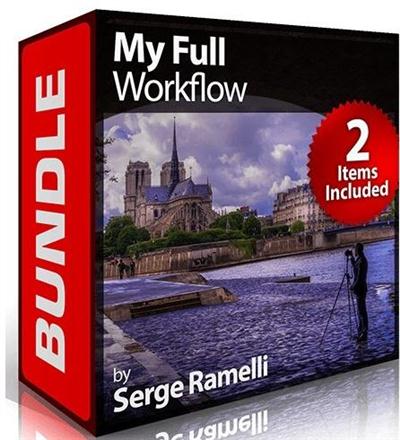
PhotoSerge - My Full Workflow Bundle by Serge Ramelli
MP4 | Video: AVC 1280x720 | Audio: AAC 44KHz 2ch | Duration: 7 Hours | 3.76 GB
Genre: eLearning | Language: English​


This bundle is my complete & updated workflow from shoot to retouch to export for 2014. It contains everything you need for Lightroom 4 up to the latest version of Lightroom 5, Photoshop CS5 up to latest version of Photoshop CC.

You will learn my full workflow for shooting, retouching & exporting, with the settings that I use, how I find my compositions and everything I do to retouch and process for nearly every situation.

This is my complete workflow course bundle and has everything you need included to follow along.

Recommend Download Link Hight Speed | Please Say Thanks Keep Topic Live ​

 
Zurück
Oben Unten