• Regeln für den Video-Bereich:

    In den Börsenbereich gehören nur Angebote die bereits den Allgemeinen Regeln entsprechen.

    Einteilung

    - Folgende Formate gehören in die angegeben Bereiche:
    - Filme: Encodierte Filme von BluRay, DVD, R5, TV, Screener sowie Telesyncs im Format DivX, XviD und x264.
    - DVD: Filme im Format DVD5, DVD9 und HD2DVD.
    - HD: Encodierte Filme mit der Auflösung 720p oder darüber von BluRay, DVD, R5, TV, Screener sowie Telesyncs im Format x264.
    - 3D: Encodierte Filme von BluRay, die in einem 3D Format vorliegen. Dies gilt auch für Dokus, Animation usw.
    - Serien: Cartoon/Zeichentrick, Anime, Tutorials, Dokumentationen, Konzerte/Musik, Sonstiges sind demnach in die entsprechenden Bereiche einzuordnen, auch wenn sie beispielsweise im High Definition-Format oder als DVD5/DVD9/HD2DVD vorliegen. Ausnahme 3D.
    - Bereich Englisch: Englische Releases gehören immer in diesen Bereich.
    - Bereich Talk: Der Bereich, in dem über die Releases diskutiert werden kann, darf, soll und erwünscht ist.


    Angebot/Beitrag erstellen

    - Ein Beitrag darf erst dann erstellt werden, wenn der Upload bei mindestens einem OCH komplett ist. Platzhalter sind untersagt.
    - Bei einem Scenerelease hat der Threadtitel ausschließlich aus dem originalen, unveränderten Releasenamen zu bestehen. Es dürfen keine Veränderungen wie z.B. Sterne, kleine Buchstaben o.ä. vorgenommen werden. Ausnahme Serienbörse:
    - Bei einem Sammelthread für eine Staffel entfällt aus dem Releasename natürlich der Name der Folge. Beispiel: Die Simpsons S21 German DVDRip XviD - ITG
    - Dementsprechend sind also u.a. verboten: Erweiterungen wie "Tipp", "empfehlenswert", "only", "reup", usw. / jegliche andere Zusatzinformation oder Ergänzung, welche nicht in obiger Beschreibung zu finden ist.

    Aufbau des Angebots und Threadtitel

    Der Titel nach folgendem Muster erstellt zu werden. <Name> [3D] [Staffel] [German] <Jahr> <Tonspur> [DL] [Auflösung] <Quelle> <Codec> - <Group>
    Beispiel: The Dark Knight German 2008 AC3 DVDRip XviD - iND
    Beispiel: The Dark Knight 2008 DTS DL BDRip x264 - iND
    Beispiel: The Dark Knight 2008 AC3 DL BDRip XviD - iND
    Beispiel: The Dark Knight German 2008 AC3 720p BluRay x264 iND
    Beispiel: The Dark Knight 2008 DTS DL 1080p BluRay x264 iND
    Beispiel: Die Simpsons S01 German AC3 DVDRip XviD iND
    Beispiel: Die Simpsons S20 German AC3 720p BluRay x264 iND
    Beispiel: Sword Art Online II Ger Sub 2014 AAC 1080p WEBRip x264 - peppermint
    Entsprechend sind also u.a. verboten: Sonderzeichen wie Klammern, Sterne, Ausrufezeichen, Unterstriche, Anführungszeichen / Erweiterungen wie "Tipp", "empfehlenswert", "only", "reup", usw. / jegliche andere Zusatzinformation oder Ergänzung, welche nicht in obiger Beschreibung zu finden ist
    Ausnahmen hiervon können in den Bereichen geregelt sein.

    Die Beiträge sollen wie folgt aufgebaut werden:
    Überschrift entspricht dem Threadtitel
    Cover
    kurze Inhaltsbeschreibung
    Format, Größe, Dauer sind gut lesbar für Downloader außerhalb des Spoilers zu vermerken
    Nfo sind immer Anzugeben und selbige immer im Spoiler in Textform.
    Sind keine Nfo vorhanden z.B. Eigenpublikationen, sind im Spoiler folgende Dateiinformationen zusätzlich anzugeben :
    Quelle
    Video (Auflösung und Bitrate)
    Ton (Sprache, Format und Bitrate der einzelnen Spuren)
    Untertitel (sofern vorhanden)
    Hosterangabe in Textform außerhalb eines Spoiler mit allen enthaltenen Hostern.
    Bei SD kann auf diese zusätzlichen Dateiinformationen verzichtet werden.

    Alle benötigten Passwörter sind, sofern vorhanden, in Textform im Angebot anzugeben.
    Spoiler im Spoiler mit Kommentaren :"Schon Bedankt?" sind unerwünscht.


    Releases

    - Sind Retail-Release verfügbar, sind alle anderen Variationen untersagt. Ausnahmen: Alle deutschen Retail-Release sind CUT, in diesem Fall sind dubbed UNCUT-Release zulässig.
    - Im Serien-Bereich gilt speziell: Wenn ein Retail vor Abschluss einer laufenden Staffel erscheint, darf diese Staffel noch zu Ende gebracht werden.62
    - Gleiche Releases sind unbedingt zusammenzufassen. Das bedeutet, es ist zwingend erforderlich, vor dem Erstellen eines Themas per Suchfunktion zu überprüfen, ob bereits ein Beitrag mit demselben Release besteht. Ist dies der Fall, ist der bereits vorhandene Beitrag zu verwenden.
    - P2P und Scene Releases dürfen nicht verändert oder gar unter einem iND Tag eingestellt werden.


    Support, Diskussionen und Suche

    - Supportanfragen sind entweder per PN oder im Bereich Talk zu stellen.
    - Diskussionen und Bewertungen sind im Talk Bereich zu führen. Fragen an die Uploader haben ausschließlich via PN zu erfolgen, und sind in den Angeboten untersagt.
    - Anfragen zu Upload-Wünschen sind nur im Bereich Suche Video erlaubt. Antworten dürfen nur auf Angebote von MyBoerse.bz verlinkt werden.


    Verbote

    - Untersagt sind mehrere Formate in einem einzigen Angebotsthread, wie beispielsweise das gleichzeitige Anbieten von DivX/XviD, 720p und 1080p in einem Thread. Pro Format, Release und Auflösung ist ein eigener Thread zu eröffnen.
    - Grundsätzlich ebenso verboten sind Dupes. Uploader haben sich an geeigneter Stelle darüber zu informieren, ob es sich bei einem Release um ein Dupe handelt.
    - Gefakte, nur teilweise lauffähige oder unvollständige Angebote sind untersagt. Dies gilt auch für eigene Publikationen, die augenscheinlich nicht selbst von z.B. einer DVD gerippt wurden. Laufende Serien, bei denen noch nicht alle Folgen verfügbar sind, dürfen erstellt und regelmäßig geupdatet werden.
    - Untersagt sind Angebote, welche nur und ausschließlich in einer anderen Sprache als deutsch oder englisch vorliegen. Ausnahmen sind VORHER mit den Moderatoren zu klären.


    Verstoß gegen die Regeln

    - Angebote oder Beiträge, die gegen die Forenregeln verstoßen, sind über den "Melden"-Button im Beitrag zu melden.
  • Bitte registriere dich zunächst um Beiträge zu verfassen und externe Links aufzurufen.


Englische Tutorials


b9d90ffcdadc31609933d267f4d5d26f.jpg

cmiVFX - Cinema 4D Ultimate Learning System 2.0 Volume 3: Rendering
Duration: 2hr 35m | Video: h264, yuv420p, 1280x720 30fps | Audio: aac, 44100 Hz, 2 ch | 1.9 GB
Genre: eLearning | Language: English​


Rendering. 'Nuff Said! This video is dedicated to rendering CG elements and all the little intricacies that hide in animation software packages. You might think you know everything there is to know about C4D Rendering, but you'd be wrong. Learn how to master the look you need every single time you render a project, and while your building them. This rendering video has been moved up in the series sequence so that follows material management. (See, we have a plane for everything!)

Recommend Download Link Hight Speed | Please Say Thanks Keep Topic Live ​
 

be60615b715d480ba6f697ebaf440f87.jpg

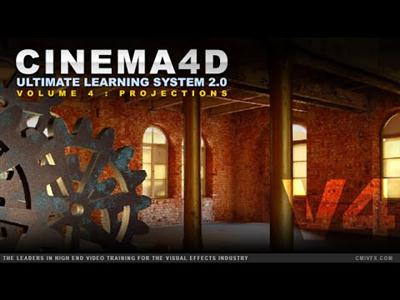
cmiVFX - Cinema 4D Ultimate Learning System 2.0 Volume 4
Duration 3h 29m | MP4 | Video: h264, yuv420p, 1360x720 | Audio: aac, 44100 Hz, 1 ch | 2.9GB
Genre: eLearning | Language: English | Project Files Included​


Definitely one of the more in-depth videos of the series, Volume 4 covers a wide variety of topics in a particular range of Cinema 4D. Similar topics under this umbrella are often tied together when user requests come in to our support team. So we decided to pair them up and push it out. This video will cover Texture Baking, Stereoscopic setups, Camera Mapping and Projection Man. You will be an expert on these topics after watching this video.

Recommend Download Link Hight Speed | Please Say Thanks Keep Topic Live ​
 

2e010225560fc7810ca6b35a2bc9ff05.jpg

cmiVFX - Maya Ultimate Animation Guide
Duration 4h 53m | MP4 | Video: h264, yuv420p, 1440x720 | Audio: aac, 44100 Hz, 1 ch | 1GB
Genre: eLearning | Language: English | Project Files Included​


cmiVFX has released the brand new Animation in Maya video title. Christopher Tedin will take the beginning student through the challenging process of creating a walk cycle. He will explore many of the fundamental principles of animation. The first series will "walk you through" a walk cycle. This complex motion will be broken down into simple major poses, adding mirrored poses, breakdown keys and timing by the end of the sequence. Next, you will create a run cycle using a similar approach. By the end, you will have 2 clips that you can use for game animation. Loop them in Maya's Trax editor with offsets. Finally, you will create a more sophisticated jump sequence from start to finish. Explore how to begin the project, doing the strong poses first, then tweaking the timing for a polished finish. The series is a foundational start and an exploration of the process, so make sure to use these steps to create your own animated sequences.

Recommend Download Link Hight Speed | Please Say Thanks Keep Topic Live ​
 

cb73f742d19b2ee3ec8b651e6a1f1e9e.jpg

Coding with Scratch Junior
MP4 | Video: AVC 1280x720 | Audio: AAC 44KHz 2ch | Duration: 3 Hours | 824 MB
Genre: eLearning | Language: English​


Fast and fun start to you journey in coding: games, apps and much more

This is a Scratch course designed for primary school students and it is different from anything else out there, because it is designed for young children it takes into account their psychology, their attention span and their creative impulse. This IS NOT an outcomes based course, students are shown how various concepts work but they are constantly invited to create and innovate their own programs and solutions. Each tutorial is a catalyst for the student's creative output rather than a blueprint to a pre-defined result. The end goal of this course is not the acquistion of a specific set of skills (though that will happen) but rather a mindset of seeing coding as a new means of expressing oneself.

Module 1: Basics

These tutorials are brief, straightforward and backed with answers. They are designed to quickly build up confidence and a skill base from which to build onwards. Students will learn to create, edit, move and animate sprites in a variety of ways. They will also learn to use variables to do basic mathematical operations.

Module 2: Open Ended Activities

Here we apply multiple concepts we learned in module 1 into an application and a couple of game based scenarios. Students are shown how to create basic game dynamics and scoring and then they are left to improve movement dynamics and create sound effects, animations. What they end up with is their own game and a sense of pride and ownership.

Module 3: Advanced Concepts

In this module students learn some more advanced concepts like: cloning, event messages and even basic recursion. All of this is done through game scenarios where cloning is essential to enabling our hero to shoot arrows, event messages are required to make the baddies disappear and recursion enables baddies to multiply making the game more challenging at higher levels.

Module 4: Complex Problems

In our final module there is no new theory, the challenge here is the greatest challenge facing anyone coding a real badass game: complexity. Getting an ever higher number of sprites with an ever higher number of attributes to work together seamlessly! Once students are comfortable managing more complex code they are ready to take on the world!

Recommend Download Link Hight Speed | Please Say Thanks Keep Topic Live ​
 

3f271813f9d075b6b797d7bac94eb113.jpg

Create your Life Plan and personal Goals tracker
English | 2015 | mp4 | H264 1280x720 | AAC 2 ch | 1 hr | 362 MB
eLearning, Personal Development, Productivity | Skill level: All level​

Create your personal Life Plan and Goal Tracker whilst being guided step by step with world class tools and techniques

Create your personal Life Plan and Goal Tracker whilst being guided step by step with world class tools and techniques

How do you manage your life?

How do you know at the end of the day if you managed to make progress towards your long term goals?

How often do you celebrate your successes?

The Life Compass is a tool that will help you take a holistic approach to your Life Plan. So much more than a simple goal tracking tool, this will ensure that each month you stay on top of what is truly important to you. It will cover all elements of your life such as health, relationships, career, finance, or spirituality.

Through this course, you will be guided step by step to build your personal copy of the Life Compass, complementary as part of this tool!

What are the requirements?
- Just come with an open mind
- Willingness to finish through the course
- Readiness to share and learn

What am I going to get from this course?
- Over 14 lectures and 47 mins of content!
- Create your PERSONAL COPY of the Life Compass tool
- Gain control over your life and ensure you take action where it really matters
- Gain clarity and visibility across all areas of your life
- Review your critical goals on a monthly basis
- Celebrate your successes as you go along

What is the target audience?
- Anyone looking to gain more productivity
- Anyone who lacks of a sense of purpose in his/her life
- Anyone who feels overwhelmed or having too much to do
- Anyone who finds it difficult to stay focused on the goals he/she sets for him/herself
- Anyone who is looking for a turnkey solution for life planning and goal setting

Recommend Download Link Hight Speed | Please Say Thanks Keep Topic Live ​

 

3e2c3fe769e12098a01767290eba19e0.jpg

Creating Optimized Web Graphics
MP4 | Video: AVC 1280x720 | Audio: AAC 48KHz 2ch | Duration: 42 M | 125 MB
Genre: eLearning | Language: English​


Creating graphics is easy. But creating optimized web graphics that download quickly and look great on a variety of devices can be a chore. Learn the best file formats and production techniques to get great looking graphics every time, in this course with Brian Wood. Discover how compression affects image quality; learn the pros and cons of vectors vs. raster images, and JPGs over PNGs and GIFs; and find out how to optimize images for Retina displays.

These tutorials use programs like Photoshop, Illustrator, and Sketch, but the tips apply equally well to any other graphics software.

Recommend Download Link Hight Speed | Please Say Thanks Keep Topic Live ​

 

c8da9e5e464d79ea7e7919881c51857e.jpg

DIY Food Photography: Capturing Food in Your Kitchen
Duration: 58m | Video: h264, yuv420p, 1280x720 30fps | Audio: aac, 44100 Hz, 2 ch | 1.05 GB
Genre: eLearning | Language: English​


Every lesson is hands on, and shows you how to use resources right in your home to create delicious, mouth-watering images. We'll walk you through the entire process, and we're available if you have any questions along the way.

Whether you're a food blogger, self-proclaimed master chef, or just an Instagram foodie, this course will give you the skills needed to take professional food photos.

Steps to great food photography that you'll learn in this course:
Pick the best location for your photos.
Prepare and style your food and setting.
Light your food with inexpensive tools like a white sheet and $1 poster board.
Choose the best camera and settings.
Compose 4 types of shots to get all the best angles.
Edit your photos to make them look even more tantalizing!

Recommend Download Link Hight Speed | Please Say Thanks Keep Topic Live ​

 

5ae3efca4939eda2242d9011ffd41c16.jpg

Dominant Google Ranking Factors: The Most Advance List
MP4 | Video: AVC 1280x720 | Audio: AAC 44KHz 2ch | Duration: 1 Hours | 86 MB
Genre: eLearning | Language: English​


Complete google ranking factors, Factors that will effect your ranking on search engines, Top 41 ranking factors

Hitting on the first page of the Google is not that easy. It needs a lot of practice, hard work and knowledge of Google ranking factors. The person who gives you guarantee that he/she will help you to hit first page in 2 days, then there are only two possibilities either he/she is a magician or he/she is using black hat SEO techniques. Ask yourself why you want your site to hit the first page? Obviously your answer would be "Because I want more sales or I want more visitors". The most important reason why you want your website to hit the first page is that you want your product/service to be seen by everyone. There are a lot of ON-page and Off-page SEO techniques that allow you to improve your ranking, but those techniques can only be useful if you will know how to use them.

If you get first page rankings, congratulations! But don't rest on your laurels yet. That's because you still have lots of work to do. There are a lot of possibilities that you might lose your ranking. I don't want to take the description to long. Let's discuss what you will find in the course.

In this course I have share all the best hidden factors that can affect your ranking to a great extent. I assure you that, the factors you will find here will help you a lot to improve your ranking and day by day you will see your website hitting high ranks on Google.

What are you waiting for? Just hit the up button and purchase the course. If you do not find my course interesting, then 100% money back guaranteed.

Recommend Download Link Hight Speed | Please Say Thanks Keep Topic Live ​

 

ea46e8c2f2efff48857f1b5051fb2171.jpg

Excel with Top Microsoft Excel Hacks
MP4 | Video: AVC 1280x720 | Audio: AAC 44KHz 2ch | Duration: 1 Hours | 141 MB
Genre: eLearning | Language: English​


Learn these Hidden Excel Gems to Become an Excel Master

Unleash the Full Power of Microsoft Excel

Wow! How did you do that? This is something you're going to hear over and over again from your boss and co-workers as you apply the features you'll master as you participate in this course.

Microsoft Excel users use only a small percentage of what the application is really capable of. But, hidden within Excel are loads of lesser known Excel Productivity Hacks that will make your Excel experience more efficient and fun. I've been teaching Microsoft Excel since the '97 version of the Microsoft Office Suite. Join me in this course and I will share with you some of the tips and tricks that I have picked up along the way as I have helped others become Excel Guru's.

I have kept each video lecture short and to the point, about 2-3 minutes each. At the time of creating this course, there will be 10 top Excel Productivity Hacks included. But, keep an eye on this course as I will be adding a couple new Excel Hacks each month. The course is recorded using Excel 2016, but Excel 2007, 2010, 2013 or 2016 will work in order to follow along.

Towards the beginning of the video lectures is an exercise file that you can download and use to practice the concepts taught during each video lecture. Also, jump into the course discussion board and participate by asking questions or commenting on how awesome this course is. I will also be participating in the discussion board offering more Excel resources and answering any questions you may have.

Recommend Download Link Hight Speed | Please Say Thanks Keep Topic Live ​

 

c08f973a5f4afa42bc93eea186fcc576.jpg

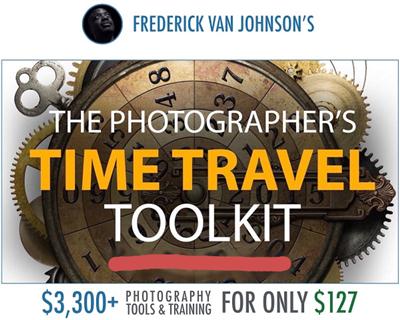
Frederick Van - The Photographers Time Travel Toolkit
Duration: 56m | Video: h264, yuv420p, 1280x720 30fps | Audio: aac, 44100 Hz, 2 ch | 686 MB
Genre: eLearning | Language: English​


With so many new people making photography their hobby, it's hard to differentiate *your* photography from the petabytes of new (and amazing) digital images flooding the Internet each day. This course is designed to equip you with the tools to create truly unique and "like-worthy" imagery, by bending light, space and time to create works of art many people are only just now beginning to experiment with.

In this session, you will not only learn how to stop time (still photography), but to bend, twist, and stretch it to create truly unique works of art. Once you've mastered the techniques in The Photographer's Time Travel Toolkit you'll have the tools necessary to use your camera in an entirely new and unique way. It's time to stop taking photos, and start telling stories.
Presented by Frederick Van Johnson, host of the popular This Week in Photo (TWiP) podcast, and creator of the TWiP Network - you'll find this session entertaining, and educational.
It's time to break away from the same old photography everyone else is doing. Learn to manipulate light, space and time and you'll likely surprise yourself with the results!

Recommend Download Link Hight Speed | Please Say Thanks Keep Topic Live ​

 

1640d7ef5d2946c2547d99e7eb8deac0.jpg

Freelancing with YouTube, WordPress, Upwork, and Fiverr
MP4 | Video: AVC 1280x720 | Audio: AAC 44KHz 2ch | Duration: 6 Hours | 3.56 GB
Genre: eLearning | Language: English​


Learn how to be a freelancer online by making videos, building a WordPress website, and freelancing on Upwork and Fiverr

You can learn to work successfully as a freelancer online using WordPress, YouTube, Upwork, and Fiverr by taking this course! Freelancing online is the best thing that has ever happened to my career because I now have the freedom to work anywhere and anytime using my WordPress website, YouTube channel, Upwork profile, and Fiverr gigs.

You can use this course to build a complete system that works for you today to get started and advance your work as a freelancer online based on what is working for me today. If you want to get an hourly job you can work online that pays more than what you are doing right now, you might find the Upwork section of the course very helpful. If you immediately want to have something to show for your work online, you might enjoy learning how you can make your first $20 fast using Fiverr gigs. If you want a business system where clients find you and all you have to do is show what you do on your website and on YouTube, the WordPress and YouTube sections will powerfully combine for you the way they do for me!

If you are hiring freelancers to grow your business online or you are serving clients now, you can use this course to build a system for quickly hiring freelancers to help you! I have hired hundreds of people on Upwork and spent $5,000+ on Fiverr buying gigs to allow me to spend more time doing the most valuable work. I have managed hundreds of clients and learned the hard way what works and what does not work to scale a freelancing business online.

This is the first course I have produced by myself since July 2015 and have a lot more new lectures planned for it in the future! Be one of the first in the world to get lifetime access when you take this course today! You can count on me to answer every single discussion you post in the course and to do my best to help you to get through the challenges you are facing today in working online when you take this course today!

Recommend Download Link Hight Speed | Please Say Thanks Keep Topic Live ​

 

c361c2dcfdf624731b11a2296d5f1232.jpg

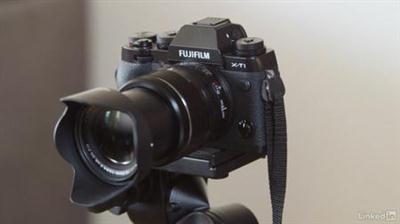
Fuji X-T1 Tips and Techniques
MP4 | Video: AVC 1280x720 | Audio: AAC 48KHz 2ch | Duration: 1H 41M | 871 MB
Genre: eLearning | Language: English​


The Fuji X-T1 is a mirrorless camera with a big viewfinder and compact, retro style. It's also packed with features that allow you to fine-tune everything from focus to exposure. The unique "modeless" design provides remarkable flexibility but also requires you to rethink how to approach some shooting scenarios.

In this course, photographer and educator Ben Long demonstrates a set of customization strategies aimed at making the Fuji X-T1 far more responsive and effective. That way, you can focus on composition and creativity, and let your camera handle the rest.

Recommend Download Link Hight Speed | Please Say Thanks Keep Topic Live ​

 
Zurück
Oben Unten