
• Regeln für den Video-Bereich:

    In den Börsenbereich gehören nur Angebote die bereits den Allgemeinen Regeln entsprechen.

    Einteilung

    - Folgende Formate gehören in die angegeben Bereiche:
    - Filme: Encodierte Filme von BluRay, DVD, R5, TV, Screener sowie Telesyncs im Format DivX, XviD und x264.
    - DVD: Filme im Format DVD5, DVD9 und HD2DVD.
    - HD: Encodierte Filme mit der Auflösung 720p oder darüber von BluRay, DVD, R5, TV, Screener sowie Telesyncs im Format x264.
    - 3D: Encodierte Filme von BluRay, die in einem 3D Format vorliegen. Dies gilt auch für Dokus, Animation usw.
    - Serien: Cartoon/Zeichentrick, Anime, Tutorials, Dokumentationen, Konzerte/Musik, Sonstiges sind demnach in die entsprechenden Bereiche einzuordnen, auch wenn sie beispielsweise im High Definition-Format oder als DVD5/DVD9/HD2DVD vorliegen. Ausnahme 3D.
    - Bereich Englisch: Englische Releases gehören immer in diesen Bereich.
    - Bereich Talk: Der Bereich, in dem über die Releases diskutiert werden kann, darf, soll und erwünscht ist.


    Angebot/Beitrag erstellen

    - Ein Beitrag darf erst dann erstellt werden, wenn der Upload bei mindestens einem OCH komplett ist. Platzhalter sind untersagt.
    - Bei einem Scenerelease hat der Threadtitel ausschließlich aus dem originalen, unveränderten Releasenamen zu bestehen. Es dürfen keine Veränderungen wie z.B. Sterne, kleine Buchstaben o.ä. vorgenommen werden. Ausnahme Serienbörse:
    - Bei einem Sammelthread für eine Staffel entfällt aus dem Releasename natürlich der Name der Folge. Beispiel: Die Simpsons S21 German DVDRip XviD - ITG
    - Dementsprechend sind also u.a. verboten: Erweiterungen wie "Tipp", "empfehlenswert", "only", "reup", usw. / jegliche andere Zusatzinformation oder Ergänzung, welche nicht in obiger Beschreibung zu finden ist.

    Aufbau des Angebots und Threadtitel

    Der Titel nach folgendem Muster erstellt zu werden. <Name> [3D] [Staffel] [German] <Jahr> <Tonspur> [DL] [Auflösung] <Quelle> <Codec> - <Group>
    Beispiel: The Dark Knight German 2008 AC3 DVDRip XviD - iND
    Beispiel: The Dark Knight 2008 DTS DL BDRip x264 - iND
    Beispiel: The Dark Knight 2008 AC3 DL BDRip XviD - iND
    Beispiel: The Dark Knight German 2008 AC3 720p BluRay x264 iND
    Beispiel: The Dark Knight 2008 DTS DL 1080p BluRay x264 iND
    Beispiel: Die Simpsons S01 German AC3 DVDRip XviD iND
    Beispiel: Die Simpsons S20 German AC3 720p BluRay x264 iND
    Beispiel: Sword Art Online II Ger Sub 2014 AAC 1080p WEBRip x264 - peppermint
    Entsprechend sind also u.a. verboten: Sonderzeichen wie Klammern, Sterne, Ausrufezeichen, Unterstriche, Anführungszeichen / Erweiterungen wie "Tipp", "empfehlenswert", "only", "reup", usw. / jegliche andere Zusatzinformation oder Ergänzung, welche nicht in obiger Beschreibung zu finden ist
    Ausnahmen hiervon können in den Bereichen geregelt sein.

    Die Beiträge sollen wie folgt aufgebaut werden:
    Überschrift entspricht dem Threadtitel
    Cover
    kurze Inhaltsbeschreibung
    Format, Größe, Dauer sind gut lesbar für Downloader außerhalb des Spoilers zu vermerken
    Nfo sind immer Anzugeben und selbige immer im Spoiler in Textform.
    Sind keine Nfo vorhanden z.B. Eigenpublikationen, sind im Spoiler folgende Dateiinformationen zusätzlich anzugeben :
    Quelle
    Video (Auflösung und Bitrate)
    Ton (Sprache, Format und Bitrate der einzelnen Spuren)
    Untertitel (sofern vorhanden)
    Hosterangabe in Textform außerhalb eines Spoiler mit allen enthaltenen Hostern.
    Bei SD kann auf diese zusätzlichen Dateiinformationen verzichtet werden.

    Alle benötigten Passwörter sind, sofern vorhanden, in Textform im Angebot anzugeben.
    Spoiler im Spoiler mit Kommentaren :"Schon Bedankt?" sind unerwünscht.


    Releases

    - Sind Retail-Release verfügbar, sind alle anderen Variationen untersagt. Ausnahmen: Alle deutschen Retail-Release sind CUT, in diesem Fall sind dubbed UNCUT-Release zulässig.
    - Im Serien-Bereich gilt speziell: Wenn ein Retail vor Abschluss einer laufenden Staffel erscheint, darf diese Staffel noch zu Ende gebracht werden.62
    - Gleiche Releases sind unbedingt zusammenzufassen. Das bedeutet, es ist zwingend erforderlich, vor dem Erstellen eines Themas per Suchfunktion zu überprüfen, ob bereits ein Beitrag mit demselben Release besteht. Ist dies der Fall, ist der bereits vorhandene Beitrag zu verwenden.
    - P2P und Scene Releases dürfen nicht verändert oder gar unter einem iND Tag eingestellt werden.


    Support, Diskussionen und Suche

    - Supportanfragen sind entweder per PN oder im Bereich Talk zu stellen.
    - Diskussionen und Bewertungen sind im Talk Bereich zu führen. Fragen an die Uploader haben ausschließlich via PN zu erfolgen, und sind in den Angeboten untersagt.
    - Anfragen zu Upload-Wünschen sind nur im Bereich Suche Video erlaubt. Antworten dürfen nur auf Angebote von MyBoerse.bz verlinkt werden.


    Verbote

    - Untersagt sind mehrere Formate in einem einzigen Angebotsthread, wie beispielsweise das gleichzeitige Anbieten von DivX/XviD, 720p und 1080p in einem Thread. Pro Format, Release und Auflösung ist ein eigener Thread zu eröffnen.
    - Grundsätzlich ebenso verboten sind Dupes. Uploader haben sich an geeigneter Stelle darüber zu informieren, ob es sich bei einem Release um ein Dupe handelt.
    - Gefakte, nur teilweise lauffähige oder unvollständige Angebote sind untersagt. Dies gilt auch für eigene Publikationen, die augenscheinlich nicht selbst von z.B. einer DVD gerippt wurden. Laufende Serien, bei denen noch nicht alle Folgen verfügbar sind, dürfen erstellt und regelmäßig geupdatet werden.
    - Untersagt sind Angebote, welche nur und ausschließlich in einer anderen Sprache als deutsch oder englisch vorliegen. Ausnahmen sind VORHER mit den Moderatoren zu klären.


    Verstoß gegen die Regeln

    - Angebote oder Beiträge, die gegen die Forenregeln verstoßen, sind über den "Melden"-Button im Beitrag zu melden.
  • Bitte registriere dich zunächst um Beiträge zu verfassen und externe Links aufzurufen.


Englische Tutorials


15eea1dbd560a75c6ec5a45d43ee3af6.jpg

Learn How To Code: Google's Go (golang) Programming Language pdated
MP4 | Video: AVC 1280x720 | Audio: AAC 44KHz 2ch | Duration: 21 Hours | 10.2 GB
Genre: eLearning | Language: English​


Learn programming from a University Professor in Computer Science with over 15 years of teaching experience.

Go is an open source programming language that makes it easy to build simple, reliable, and efficient software.

Go is an amazing choice for a language as it was developed by some of the same individuals who created the C programming language, Unix, and UTF-8 - some of the most influential contributions to computer science. Robert Griesemer, Rob Pike, and Ken Thompson created Go to be a modern language that easily uses multiple cores, easily implements concurrency, easily works in distributed environments, and easily allows the programmer to write programs - it has a very lean and user-friendly syntax.

Go was created by luminaries in computer science at one of the best, if not the very best, software engineering firm to have ever existed - Google.

The credentials of Go are unsurpassed.

But why did Google create a new language?

In Google's words, "Go was born out of frustration with existing languages and environments for systems programming. Programming had become too difficult and the choice of languages was partly to blame. One had to choose either efficient compilation, efficient execution, or ease of programming; all three were not available in the same mainstream language. Programmers who could were choosing ease over safety and efficiency by moving to dynamically typed languages such as Python and JavaScript rather than C++ or, to a lesser extent, Java. Go is an attempt to combine the ease of programming of an interpreted, dynamically typed language with the efficiency and safety of a statically typed, compiled language. It also aims to be modern, with support for networked and multicore computing. Finally, working with Go is intended to be fast: it should take at most a few seconds to build a large executable on a single computer. To meet these goals required addressing a number of linguistic issues: an expressive but lightweight type system; concurrency and garbage collection; rigid dependency specification; and so on. These cannot be addressed well by libraries or tools; a new language was called for."

In my opinion, Go is the best programming language that you can be learning today. I began programming in 1982 with BASIC, I have worked with many languages, and Go is the best language which I have ever used.

Come learn about one of the greatest languages ever created. You will leave with resources and code samples to start making all of your software and apps really go.


Learn How To Code: Google's Go (golang) Programming Language pdated

Recommend Download Link Hight Speed | Please Say Thanks Keep Topic Live ​

 

bfb1a566df13fadca61dd7890ef66dd9.jpg

LFCS: Linux Networking
MP4 | Video: AVC 1280x720 | Audio: AAC 44KHz 2ch | Duration: 4 Hours 16M | 513 MB
Genre: eLearning | Language: English​


Linux administration requires you to manage multiple systems at once-no easy task. In this course, you'll learn all about networking with CentOS 7 Linux, from configuring IP addresses to implementing Virtual Private Networks.

There is more to Linux administration than managing a single system-you have to network many systems and protect these systems from the Internet. In this course, , new system administrators like you will be equipped with the skills needed to integrate CentOS 7 into a networked environment. First, you will learn how to implement persistent configuration of the IP address, gateway, and DNS settings of your system. Next, you'll learn the skills required to implement firewalls on your CentOS 7 system. Finally, you'll learn how to implement secure tunneling to create Virtual Private Networks. By the end of this course, you'll have the expertise you need to be able to network and secure multiple systems.


LFCS: Linux Networking

Recommend Download Link Hight Speed | Please Say Thanks Keep Topic Live ​

 

caec4a0cd6feefaaa9213832ab448f86.jpg

LiveLessons - C# 2010 Fundamentals Part 1
MP4 | Video: AVC 1024x768 | Audio: AAC 44KHz 2ch | Duration: 2 Hours | 1.04 GB
Genre: eLearning | Language: English​


The professional programmer's guide to C# 2010 and the powerful Microsoft® .NET 4 Framework. Developed for programmers with a background in C++, Java or other high-level, object-oriented languages, this video LiveLesson applies the Deitels signature live-code approach to teaching programming and explores Microsoft's C# 2010 language and .NET 4 in depth. The video features over 200 C# applications with over 17,000 lines of proven C# code.


LiveLessons - C# 2010 Fundamentals Part 1

Recommend Download Link Hight Speed | Please Say Thanks Keep Topic Live ​
 

a10f7e0829951d3d22301a7466f5ac5c.jpg

Logo Design In PowerPoint: How To Create 5 Types Of Logos
MP4 | Video: AVC 1280x720 | Audio: AAC 44KHz 2ch | Duration: 1 Hours | 224 MB
Genre: eLearning | Language: English​


Learn how to design memorable logos in PowerPoint, save logos as vectors and sell them online!

LOGO DESIGN MADE EASY WITH POWERPOINT - FOR PC USERS

DID YOU KNOW?
You can create beautiful logo designs in Microsoft PowerPoint and not just boring slideshows! You don't need to be an artist or a designer to create excellent logos. The best ones are simple - often just a word or a shape. And if you have creativity by your side, you can use PowerPoint as your canvas to design logos that get the message across with almost zero fuss!

NO EXPENSIVE SOFTWARE!

NO PRIOR EXPERIENCE NEEDED!

WHY TAKE THIS COURSE?
In this course, we'll provide a step-by-step process to create 5 different types of logos using various fonts and shapes in Microsoft PowerPoint (for PC users). Right from choosing color themes and fonts, to merging shapes and exporting vector logos. we'll cover it all! This is a complete 'hands-on' course with various exercises and we promise you it's going to be a lot of fun!

Click Here to get more tutorials in my Blog


Logo Design In PowerPoint: How To Create 5 Types Of Logos

Recommend Download Link Hight Speed | Please Say Thanks Keep Topic Live ​
 

905293bca655a0031d8783f91349cecf.jpg

Long Exposure Photography: Shoot Your Own Stunning Photos
MP4 | Video: AVC 1280x720 | Audio: AAC 44KHz 2ch | Duration: 1 Hours | 1.66 GB
Genre: eLearning | Language: English​


A quick start long exposure tutorial that will get you shooting beautiful photographs with your DSLR and iPhone cameras.

You're a photographer and you want to learn how to shoot with the long exposure shots. But you don't know where to start. You don't know what equipment you need. You don't know what settings to use. You don't know what type of shots you should get.

This course teaches you how to shoot long exposure photos with a typical digital camera. You'll learn the gear, settings, and tips needed to shoot beautiful long exposure photographs. We'll even do a live demonstration out in the field while we shoot long exposure photographs. Lastly, we'll edit our long exposure photos in Adobe Lightroom.

We use a DSLR for most of this course, but you'll even learn about an app that allows you to shoot long exposure photos with an iPhone.


Long Exposure Photography: Shoot Your Own Stunning Photos

Recommend Download Link Hight Speed | Please Say Thanks Keep Topic Live ​
 

9c1d754e3b063d837e8257f1a72bde97.jpg

Microsoft Office Time-Saving Techniques
MP4 | Video: AVC 1280x720 | Audio: AAC 44KHz 2ch | Duration: 3 Hours | 392 MB
Genre: eLearning | Language: English​


Become More Productive in Microsoft Office Excel, Word, PowerPoint and Outlook

We've all wished for more time to accomplish more during our busy days. What we really need is to learn how to cutback on the time we spend doing routine tasks. For example, the average office worker spends 25% of their work week managing their Outlook inbox.

Use the Microsoft Office Applications to their full potential

Microsoft Word Styles to create consistent formatting and automate a Table of Contents
Create Excel Macros to automate your work
Use PowerPoint Master Slides to create eye catching presentations
Organize your Outlook inbox with Categories
Spend less time doing routine tasks

If you've ever thought there must be an easier more efficient way of doing something in Microsoft Office, then this course is for you.

During this course I will introduce you to some of the time-saving techniques and tools that each of the Office applications provide. By implementing the tools that I'll walk you through, you will cutback on the time it takes to complete a task, getting back that 25%, and create more dynamic and efficient documents.

Lecture Topics

You will gain an understanding of how to work with and become more efficient with large sets of data in Excel (Excel Lists/Tables).

Create dynamic reports with Excel PivotTables
Get Excel to work for you by automating tasks with Macros
Take a quiz at the end of the section to test what you've learned
You will learn to streamline your efforts in creating and maintaining Microsoft Word documents.

Use Word styles to create consistency throughout the formatting of your documents
Take advantage of Microsoft Words built in Tables of Contents tool
Take a quiz at the end of the section to test what you've learned
You will be immersed into the time-saving techniques of creating efficient PowerPoint presentations.

Use Master Slides to eliminate slide by slide formatting
Use Custom Shows within the same presentation file
Take a quiz at the end of the section to test what you've learned
You will break the shackles that tie you to Microsoft Outlook, ultimately getting that time back to be more productive with your day.

Use Outlook categories, making searching an organizing a breeze
Automate routine Outlook tasks by using "Quick Steps"
Take a quiz at the end of the section to test what you've learned
Each section has a quiz where you can test your knowledge on the topics discussed throughout the videos.

At completion of this course you will be amazed at all the extra time you have during your workday.


Microsoft Office Time-Saving Techniques

Recommend Download Link Hight Speed | Please Say Thanks Keep Topic Live ​
 

e1e0dbbde43deeacf0aec543e22b6d6f.jpg

New GCSE/iGCSE Maths Complete Revision - Number
MP4 | Video: AVC 1280x720 | Audio: AAC 44KHz 2ch | Duration: 2 Hours | 411 MB
Genre: eLearning | Language: English​


A comprehensive revision guide for number questions of the new curriculum of GCSE Maths

This new GCSE Maths revision course is a guide to get you up to speed on all Number topics of the BRAND NEW Maths GCSE, to be sat for the first time in the spring of 2017.

The course is structured to improve your confidence step-by-step, broken down into 5 modules that contain a number of lectures. Each lecture will focus on the correct method and specific examples of each topic, allowing you to digest the content in small chunks at a time.

Included in the course are the following topics:

Number Operations
Fractions, Decimals & Percentages
Indices & Surds
Approximation & Estimation
Ratio, Proportion & Rates of Change
There is a worksheet that accompanies each lecture to give you more practice at the concepts taught.

At the end of each module a quiz will test your understanding on the concepts taught.

Each video lecture can also be used as a stand alone help video, so you can cherry pick topics that you are struggling with once you have completed the course to give you further confidence.

It is complimented by three other courses that focus on Algebra, Shape and Data respectively (available on Udemy soon)!


New GCSE/iGCSE Maths Complete Revision - Number

Recommend Download Link Hight Speed | Please Say Thanks Keep Topic Live ​
 

26911529f36b24d486bb3f8361c5ee93.jpg

Periscope Marketing 2016
MP4 | Video: AVC 1280x720 | Audio: AAC 44KHz 2ch | Duration: 3.5 Hours | 2.50 GB
Genre: eLearning | Language: English​


A-Z guide to Create your Social Media Marketing Funnel using Periscope! Grow your Social Media Community, sell more!

Social Media Marketing Funnel from Scratch with Periscope!

The Complete Guide to help you create your Social Media Marketing Funnel from Scratch!
People only buy products from companies or people that they know, if your prospects does not know you, they wont buy from you. That's how the human mind works.

That's why is so important to create a relationship with your prospects before they became customers. Most people (and companies) do not use all the tools they have today available for FREE, most of the Social Media platforms are totally free today, and you can use that to your advantage.

In this course you will learn how to create a complete Social Media Marketing Funnel step by step, and how to use that to create that important relationship with your prospects.

This course have 2 main Sections:

Section 1: Is about Periscope, how to became a Periscope Pro!
Section 2: is about Creating your Social Media Marketing Funnel step by step.

You will watch over my shoulder as we start building an amazing Social Media Marketing strategy for your company or your product. We'll forward your Periscope viewers to your Opt-in Page,

Yes! You will learn how to create high converting Landing page and Opt-in page where your customers and prospects will enter their name and email, this information will be stored in the Autoresponder server,

Yes! we'll sign for an autoresponder service for free that will store all your customer's information. So you will have a huge database of all your customers and prospects that you can use to communicate and keep constant contact with them.

Remember, your Email List is the most important thing in this Online Marketing Funnel, and the better is your relationship with this list, the more they will like to buy your product or service! That means more sales, more money, more exposure!

You will Create an Insanely Awesome Website to promote your Scopes and promote your Company, your products and yourself.

I get asked this question all the time: How do I get started online?

And this is my answer: Build your own website and immediately publish valuable content. Do you know what's amazing? You can do that - get hosting, set up WordPress on your own domain and start a business in just Minutes! You will learn all that in the course.

If you want to sell more, have more clients, promote your company, your product, your brand or your website, this is an Amazing course that will teach you step by step how to create your Complete Social Media Marketing Funnel.

You can use these techniques for any Social Media site, Youtube, Facebook, Twitter, and specially on Periscope!

No prior knowledge is require in order to follow the course. All you need is the desire to learn and have fun, with that, and the strategies I'll teach you in the course, we'll see your online Success!


Periscope Marketing 2016

Recommend Download Link Hight Speed | Please Say Thanks Keep Topic Live ​

 

2787a1750c3f9c17a551e9f1386d3eb9.jpg

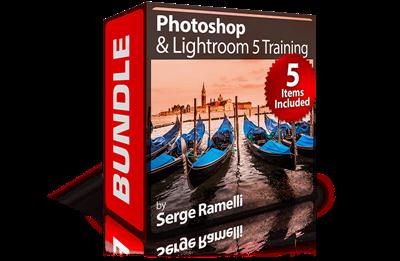
PhotoSerge - Photoshop & Lightroom 5 Training Bundle
Duration: 11hr 31m | Video: h264, yuv420p, 1280x720 30fps | Audio: aac, 44100 Hz, 2 ch | 3.92 GB
Genre: eLearning | Language: English | Raw Files Included​


All my Lightroom 5 training plus the essential Photoshop for Photographers course covering nearly everything a photographer needs to know in Photosho.

All compatible with Lightroom 5 and Photoshop CC.
A great way to get started with any aspect of photography using Photoshop or Lightroom.

Includes:
Lightroom 5: Import, Organize & Export
Lightroom 5: Retouching
Lightroom 5: Map, Book & Print
Lightroom 5: Slideshows & Web Galleries
Photoshop for Photographers

Recommend Download Link Hight Speed | Please Say Thanks Keep Topic Live ​

 

d9f9460a3081979ac83f25bf21ee7f4a.jpg

Photoshop Composition Tutorial - Flying Boat
Duration: 42m | Video: h264, yuv420p, 1280x720 30fps | Audio: aac, 44100 Hz, 2 ch | 359 MB
Genre: eLearning | Language: English​


Welcome to this Photoshop composition tutorial. In this short course I am going to explain you whole process of creating photoshop manipulation. If You want to learn how to create fantastic levitation/flying composition, this course is for you!

After this course you will know:
1. How to create simple backgroung for your manipulations.
2. How To choose right stock images.
3. How to create realistic drop shadow.
4. How to add and edit clouds in your project.
5. How to add a final photo effects.


Photoshop Composition Tutorial - Flying Boat

Recommend Download Link Hight Speed | Please Say Thanks Keep Topic Live ​
 

8e5833bfd8b0c716c20d12ef284e1ba9.jpg

Photoshop for Beginners: Easy Double Exposure Effect
Duration: 38m | Video: h264, yuv420p, 1280x720 30fps | Audio: aac, 44100 Hz, 2 ch | 655 MB
Genre: eLearning | Language: English | Project files Included​


I have designed this course to teach you how to use Photoshop to create your own unique digital artwork. If you want to learn how to create digital illustrations that you can sell with great profit on image stocks like Shutterstock, Istock or Alamy - take this course!

I will show you most effective Photoshop tricks to achieve great results in a short time.
By the end of the course you will learn great non-destructive Photoshop techniques: you will be able to remove your subject from the background, artisticly combine multiple layers in one image and apply layer adjustments.
I strongly encourage you to experiment with your own ideas and to modify techniques that you are going to learn to create workflow that suits best your artistic needs.

What am I going to get from this course?
Over 9 lectures and 38 mins of content!
create artwork that will meet high quality standards set by the biggest online image stocks like Shutterstock, iStock, Alamy and many others
use Photoshop to create an unique digital artwork based on photography manipulation techniques
freely explore artistic ideas and experiment in Photoshop

Recommend Download Link Hight Speed | Please Say Thanks Keep Topic Live ​

 

eb35a4ece3d64996345fa024a25c4829.jpg

Practical CSS Website Development: Crash Course [Projected file included]
MP4 | Video: AVC 1280x720 | Audio: AAC 44KHz 2ch | Duration: 2.5 Hours | 659 MB
Genre: eLearning | Language: English​


Learn modern web design and techniques using CSS step-by-step from scratch including HTML5

Looks Are Everything!

Learn the basic concepts, tools, and functions that you will need to build fully functional Website using CSS and HTML.

Build a strong foundation in CSS with this hand on-tutorial crash course.

Fundamental difference between CSS and HTML
CSS Editing techniques
Inspect Element Tool for outstanding Website design consideration
CSS coding techniques
You surf the internet every single day and come across several Websites with varying designs and layouts. The fact of the matter is that - the difference between an outstanding site and a terrible site is the quality of its CSS development.

So, Are you looking for the easiest and fastest way to learn how to build your own beautiful websites with CSS? And how to even make them into a responsive Website?

With little innovation and few techniques, you can build outstanding Website design using CSS coding skills - This course teaches you how to identify CSS on a Website, understand what goes behind the scene, and then be able to design and code like an expert!

At the end of the course, you will have a complete, ready-to-launch outstanding website that looks great on any desktop computer, tablet and smartphone. You get the entire code and all the images and graphical assets that I designed especially for the course as a free .


]Practical CSS Website Development: Crash Course [Projected file included]

Recommend Download Link Hight Speed | Please Say Thanks Keep Topic Live ​

 
Zurück
Oben Unten