• Regeln für den Video-Bereich:

    In den Börsenbereich gehören nur Angebote die bereits den Allgemeinen Regeln entsprechen.

    Einteilung

    - Folgende Formate gehören in die angegeben Bereiche:
    - Filme: Encodierte Filme von BluRay, DVD, R5, TV, Screener sowie Telesyncs im Format DivX, XviD und x264.
    - DVD: Filme im Format DVD5, DVD9 und HD2DVD.
    - HD: Encodierte Filme mit der Auflösung 720p oder darüber von BluRay, DVD, R5, TV, Screener sowie Telesyncs im Format x264.
    - 3D: Encodierte Filme von BluRay, die in einem 3D Format vorliegen. Dies gilt auch für Dokus, Animation usw.
    - Serien: Cartoon/Zeichentrick, Anime, Tutorials, Dokumentationen, Konzerte/Musik, Sonstiges sind demnach in die entsprechenden Bereiche einzuordnen, auch wenn sie beispielsweise im High Definition-Format oder als DVD5/DVD9/HD2DVD vorliegen. Ausnahme 3D.
    - Bereich Englisch: Englische Releases gehören immer in diesen Bereich.
    - Bereich Talk: Der Bereich, in dem über die Releases diskutiert werden kann, darf, soll und erwünscht ist.


    Angebot/Beitrag erstellen

    - Ein Beitrag darf erst dann erstellt werden, wenn der Upload bei mindestens einem OCH komplett ist. Platzhalter sind untersagt.
    - Bei einem Scenerelease hat der Threadtitel ausschließlich aus dem originalen, unveränderten Releasenamen zu bestehen. Es dürfen keine Veränderungen wie z.B. Sterne, kleine Buchstaben o.ä. vorgenommen werden. Ausnahme Serienbörse:
    - Bei einem Sammelthread für eine Staffel entfällt aus dem Releasename natürlich der Name der Folge. Beispiel: Die Simpsons S21 German DVDRip XviD - ITG
    - Dementsprechend sind also u.a. verboten: Erweiterungen wie "Tipp", "empfehlenswert", "only", "reup", usw. / jegliche andere Zusatzinformation oder Ergänzung, welche nicht in obiger Beschreibung zu finden ist.

    Aufbau des Angebots und Threadtitel

    Der Titel nach folgendem Muster erstellt zu werden. <Name> [3D] [Staffel] [German] <Jahr> <Tonspur> [DL] [Auflösung] <Quelle> <Codec> - <Group>
    Beispiel: The Dark Knight German 2008 AC3 DVDRip XviD - iND
    Beispiel: The Dark Knight 2008 DTS DL BDRip x264 - iND
    Beispiel: The Dark Knight 2008 AC3 DL BDRip XviD - iND
    Beispiel: The Dark Knight German 2008 AC3 720p BluRay x264 iND
    Beispiel: The Dark Knight 2008 DTS DL 1080p BluRay x264 iND
    Beispiel: Die Simpsons S01 German AC3 DVDRip XviD iND
    Beispiel: Die Simpsons S20 German AC3 720p BluRay x264 iND
    Beispiel: Sword Art Online II Ger Sub 2014 AAC 1080p WEBRip x264 - peppermint
    Entsprechend sind also u.a. verboten: Sonderzeichen wie Klammern, Sterne, Ausrufezeichen, Unterstriche, Anführungszeichen / Erweiterungen wie "Tipp", "empfehlenswert", "only", "reup", usw. / jegliche andere Zusatzinformation oder Ergänzung, welche nicht in obiger Beschreibung zu finden ist
    Ausnahmen hiervon können in den Bereichen geregelt sein.

    Die Beiträge sollen wie folgt aufgebaut werden:
    Überschrift entspricht dem Threadtitel
    Cover
    kurze Inhaltsbeschreibung
    Format, Größe, Dauer sind gut lesbar für Downloader außerhalb des Spoilers zu vermerken
    Nfo sind immer Anzugeben und selbige immer im Spoiler in Textform.
    Sind keine Nfo vorhanden z.B. Eigenpublikationen, sind im Spoiler folgende Dateiinformationen zusätzlich anzugeben :
    Quelle
    Video (Auflösung und Bitrate)
    Ton (Sprache, Format und Bitrate der einzelnen Spuren)
    Untertitel (sofern vorhanden)
    Hosterangabe in Textform außerhalb eines Spoiler mit allen enthaltenen Hostern.
    Bei SD kann auf diese zusätzlichen Dateiinformationen verzichtet werden.

    Alle benötigten Passwörter sind, sofern vorhanden, in Textform im Angebot anzugeben.
    Spoiler im Spoiler mit Kommentaren :"Schon Bedankt?" sind unerwünscht.


    Releases

    - Sind Retail-Release verfügbar, sind alle anderen Variationen untersagt. Ausnahmen: Alle deutschen Retail-Release sind CUT, in diesem Fall sind dubbed UNCUT-Release zulässig.
    - Im Serien-Bereich gilt speziell: Wenn ein Retail vor Abschluss einer laufenden Staffel erscheint, darf diese Staffel noch zu Ende gebracht werden.62
    - Gleiche Releases sind unbedingt zusammenzufassen. Das bedeutet, es ist zwingend erforderlich, vor dem Erstellen eines Themas per Suchfunktion zu überprüfen, ob bereits ein Beitrag mit demselben Release besteht. Ist dies der Fall, ist der bereits vorhandene Beitrag zu verwenden.
    - P2P und Scene Releases dürfen nicht verändert oder gar unter einem iND Tag eingestellt werden.


    Support, Diskussionen und Suche

    - Supportanfragen sind entweder per PN oder im Bereich Talk zu stellen.
    - Diskussionen und Bewertungen sind im Talk Bereich zu führen. Fragen an die Uploader haben ausschließlich via PN zu erfolgen, und sind in den Angeboten untersagt.
    - Anfragen zu Upload-Wünschen sind nur im Bereich Suche Video erlaubt. Antworten dürfen nur auf Angebote von MyBoerse.bz verlinkt werden.


    Verbote

    - Untersagt sind mehrere Formate in einem einzigen Angebotsthread, wie beispielsweise das gleichzeitige Anbieten von DivX/XviD, 720p und 1080p in einem Thread. Pro Format, Release und Auflösung ist ein eigener Thread zu eröffnen.
    - Grundsätzlich ebenso verboten sind Dupes. Uploader haben sich an geeigneter Stelle darüber zu informieren, ob es sich bei einem Release um ein Dupe handelt.
    - Gefakte, nur teilweise lauffähige oder unvollständige Angebote sind untersagt. Dies gilt auch für eigene Publikationen, die augenscheinlich nicht selbst von z.B. einer DVD gerippt wurden. Laufende Serien, bei denen noch nicht alle Folgen verfügbar sind, dürfen erstellt und regelmäßig geupdatet werden.
    - Untersagt sind Angebote, welche nur und ausschließlich in einer anderen Sprache als deutsch oder englisch vorliegen. Ausnahmen sind VORHER mit den Moderatoren zu klären.


    Verstoß gegen die Regeln

    - Angebote oder Beiträge, die gegen die Forenregeln verstoßen, sind über den "Melden"-Button im Beitrag zu melden.
  • Bitte registriere dich zunächst um Beiträge zu verfassen und externe Links aufzurufen.


Englische Tutorials


6a2b6d1d8a9c347f64032908ec56ceef.jpg

Udemy Profits: How We Made $200,000 on the Udemy Platform!
MP4 | Video: AVC 1280x720 | Audio: AAC 44KHz 2ch | Duration: 2 Hours | 495 MB
Genre: eLearning | Language: English​


Udemy Insights: The Top 10 Most Effective Udemy Marketing Tactics We Learned Making Over $200,000 on Udemy.

Have you thought that your Udemy Revenue should be higher?...

Do you want to increase the amount that Udemy pay you every month?...

Are you interested in knowing the 10 most powerful (and surprisingly simple) tactics we used to earn over $200,000 in course revenue?

Awesome! Because you are in the perfect spot! Join our awesome community of Udemy Course Instructors and you too can earn over 6 figures a year from your Udemy courses.

IN THIS COURSE WE WILL REVEAL HOW TO:

Make $3000 BEFORE you start creating your course!
Choose the RIGHT Title, and Subtitle to SELL more courses!
Make an additional $1000 EVERY month!
Understand and optimize your page for the buyers mindset
Stand out from the competition and be the #1 choice for your niche!
I want to share the secrets, and simple strategies that I learned in order to save you the countless amount of hours, effort and mistakes that I repetitively made. So I have compiled them this unique step-by-step guide so that you can see the same results with your Udemy course too!

"Knowledge is power only if a man knows what facts not to bother with" - Robert Lynd

The Video presentation is unique. It is a very direct and clear presentation that most efficiently gets the knowledge from our brains to yours. It's broken into easy to learn modules that both explain the theory behind the techniques, and show LIVE demonstrations of my testing and experiments!

If you have, or are planning on creating a Udemy course, I GUARANTEE you that this investment will be the best you can make! It will pay you back every single day for the entirety of your courses life!!

I will also personally respond to all questions and queries (and even provide my personal email address!) so that you can implement these simple strategies in a fool-proof way.

I know the power of having these Udemy strategies, and I can't wait to help you get there!

See you on the inside :)

- Benji & Scott

PS: This decision is an absolute no brainer. I have the best refund policy in the world!!If you do not increase your Udemy sales - I will refund all of your money!! There is nothing to lose and everything to gain! Make this investment in the future of your course today...


Udemy Profits: How We Made $200,000 on the Udemy Platform!

Recommend Download Link Hight Speed | Please Say Thanks Keep Topic Live

 

10e16e533677261422c8be15c5b87dd2.jpg

Up and Running with Apple TV
MP4 | Video: AVC 1280x720 | Audio: AAC 48KHz 2ch | Duration: 2 Hours 49M | 1.14 GB
Genre: eLearning | Language: English | Skill Level: Beginner​


Learn how to get started with Apple TV, the powerful little box that lets you play games and stream movies, TV shows, and music. Nick Brazzi covers connecting the device to Wi-Fi, setting up an Apple ID or iCloud account, using the remote and Siri-enabled search features, and configuring options for the home screen, storage, and parental controls. He also reviews buying and watching content from iTunes, installing third-party apps and games from the App Store, and using an Apple TV with Netflix and Hulu.

Topics include:
Setting up an Apple ID or iCloud account on an Apple TV
Setting up Home Sharing
Using the remote and searching with Siri
Buying and ing apps, movies, and music
Managing storage space on an Apple TV
Setting up parental controls

Recommend Download Link Hight Speed | Please Say Thanks Keep Topic Live

 

f8316f9859971a27e4aacddb2944ef33.jpg

Using Office PowerPoint (2016)
Size: 943 MB | Duration: 3h 56m | Video: AVC (.mp4) 1280x720 15fps | Audio: AAC 44.1KHz 2ch
Genre: eLearning | Level: Beginner | Language: English​


PowerPoint is one of the best and most popular tools today for creating great presentations. Whether you are an IT Pro or just casual Office PowerPoint user, this course, Using Office PowerPoint 2016, will teach you the latest additions and features of PowerPoint 2016. First, you will learn how to set up your PowerPoint presentation. Next, you'll learn all about features and functions you can integrate into the presentation for a rich and dynamic experience. Finally, you'll learn about the different ways to present, publish, and share a finished PowerPoint presentation. By the end of this course, you'll be able to use PowerPoint like a pro and give fantastic presentations every time.


Using Office PowerPoint (2016)

Recommend Download Link Hight Speed | Please Say Thanks Keep Topic Live

 

8bc02b6276eaf6f9fd3aeea11b98bdea.jpg

Video Pre-production for Low-Budget Films
MP4 | Video: AVC 1280x720 | Audio: AAC 48KHz 2ch | Duration: 1 Hours | 1.05 GB
Genre: eLearning | Language: English​


The excitement of filmmaking can entice anyone to rush through, or completely skip, pre-production steps to jump behind the camera and start filming. Giving in to this temptation can result in mistakes and costly delays, which you can't afford when shooting a low-budget or ultra-low-budget film.

Emmy-winning director Eduardo Angel knows the importance of spending adequate time and resources in pre-production. In this course, Eduardo takes you behind the scenes, through the actual pre-production process of an ultra-low-budget film, sharing real-life insights from concept to distribution, while exploring the apps, tools, and challenges that go into each and every decision. He also looks at the most essential pre-production tasks, so you'll know what you need before you step foot on a set or arrive at your location. Eduardo shows you how to work on a shoestring budget, without compromising the integrity of your story, and even how to pre-shoot the entire film.


Video Pre-production for Low-Budget Films

Recommend Download Link Hight Speed | Please Say Thanks Keep Topic Live

 

18a0405f5790f762ed7f78419e874e7c.jpg

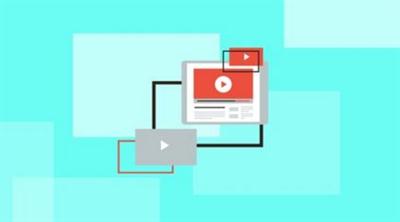
YouTube Ads: Step By Step Guide To YouTube Ads That Convert
MP4 | Video: AVC 1280x720 | Audio: AAC 44KHz 2ch | Duration: 1.5 Hours | 714 MB
Genre: eLearning | Language: English​


Learn To Do Effective YouTube Marketing Using Videos Ads To Reach New Customers

YouTube is the 2nd biggest search engine right behind google and small to large businesses to brands need to start using the platform to maximize there visibility and grow their audience.

YouTube is still the wild, wild west and there is HUGE opportunity to market your business, brand or product for pennies compared to radio & print ads.

This course will guide you step by step how to setup a YouTube ad to get the most clicks or views to your video.

Out of all the social media platforms including Instagram, Twitter, Facebook & Pinterest I believe the number one social media platform every business should be focusing on is YouTube.

I have put this course together for you - to which you have full lifetime access, including all the updates, for free. (I update my courses every other month with the latest techniques)

I "take you by the hand" and "behind the scenes" and show you everything, explaining it in simple detail with videos and written support lectures.

See exactly why I'm so successful with YouTube - see the stats in the free preview videos, below).

How to setup an add and set the appropriate budget
See my YouTube account
1 Cent YouTube Ads Strategy
How To Get Earned Views
Nothing is left out - you see everything
... and my help and assistance to Udemy students is legendary


YouTube Ads: Step By Step Guide To YouTube Ads That Convert

Recommend Download Link Hight Speed | Please Say Thanks Keep Topic Live
 

a6a7f0ab1eeb242cbf9434100d2b972a.jpg

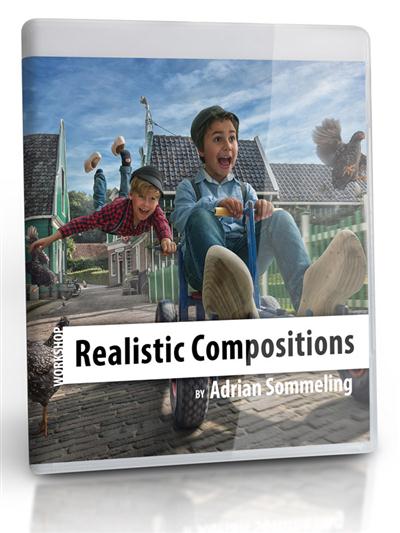
Adrian Sommeling Photography - Realistic Compositions Workshop
Duration: 5 Hours | Video: h264, yuv420p, 1920x1080, 30fps | Audio: aac, 48000 Hz, 2 ch | 1.2 GB
Genre: eLearning | Language: English | Project Materials Included​


In this video workshop of almost 5 hours I tell and teach you everything about what I am always doing. It's the same workshop that I'm already teaching for many years all around the world.

I have no secrets and after following this workshop, your imagination will be the limit for creating great composites ;)

Recommend Download Link Hight Speed | Please Say Thanks Keep Topic Live
 

3696465bb841f91b869473a47c9b1264.jpg

Affiliate Marketing For Beginners
MP4 | Video: AVC 1280x720 | Audio: AAC 44KHz 2ch | Duration: 36Min | 76 MB
Genre: eLearning | Language: English

Affiliate Marketing For Beginners With Step By Step Blueprint


Do you want to start your journey as an affiliate marketer?

Well, i am here to provide my exact blueprint with FREE traffic generation and online marketing research software 100% FREE with the course.

Commission Money Maker Software (Worth $117)

+

My Step By Step Blueprint To Make Money Online

Here are some of the important techniques you will learn from the course:

1. Adsense Money Making Technique Using Commission Money Maker Software.

2. How to find CPA offers that can bring you easy profit when you promote them.

3. Finding Amazon Affiliate products that have no competition but has high potential.

4. Instant Social Media Traffic.

You also get the Commission Money Maker Software 100% Free with the course - No Hidden Marketing - Its completely free with the course.

You can get started with the system with just a website and there is no specific requirements or investment required to start this online money making system.

So get started to affiliate marketing today using this simple system.

Recommend Download Link Hight Speed | Please Say Thanks Keep Topic Live
 

569f88c17437520fac1fa920940d9df7.jpg

Animate CC Fundamentals
MP4 | Video: AVC 1280x720 | Audio: AAC 44KHz 2ch | Duration: 5 Hours | 660 MB
Genre: eLearning | Language: English​


Brush up on your animation skills and create compelling Flash content. In this course, you will learn to create artwork and understand the symbols structure of Animate. Software required: Adobe Animate CC.

Flash can be used for a wide variety of projects, from interactive web content and video players, full-blown desktop and mobile applications, to high-impact, console-quality video games. Regardless of what you plan to use Flash for, you have to master the fundamentals. This course will help you do just that. will provide the required skills you need to create compelling interactive Flash content. You'll start by learning the basics of the program. Next, you'll master the working environment as you learn how to create artwork. You'll also become more familiar with the symbols structure of Animate, and of course - animate. By the end of this course, you'll be able to create awesome Flash animations for any kind of project. Software required: Adobe Animate CC.


Animate CC Fundamentals

Recommend Download Link Hight Speed | Please Say Thanks Keep Topic Live

 

8277bba0c6cd06b64ac07b9bf09987e9.jpg

Automatic Color Correction With DaVinci Resolve
Duration: 1.2 Hours | Video: h264, yuv420p, 1280x720 30fps | Audio: aac, 44100 Hz, 2 ch | 650 MB
Genre: eLearning | Language: English​


Have you ever had to color correct footage that was improperly white balanced? How about trying to balance the color of clips that were shot with low-quality lighting? It can be a nightmare!

What if you could automate this tedious process with quick and affordable tools? You can! In this course you will learn how to color correct your video using an inexpensive color reference target and free software. You will get a brief overview of Blackmagic Design's DaVinci Resolve, learn how to color correct with a reference target, and discover how to export your clips back to your editor. With this method, you can use one of your clips as a reference and then apply the correction to all the other clips that were shot under the same lighting conditions. This method takes a lot of the hassle out of color correction and gets you back to editing your project!

Recommend Download Link Hight Speed | Please Say Thanks Keep Topic Live

 

430b73390a14f89c4aa9ecf37075a8c9.jpg

Beginner-friendly Travel Aerial Photography
Duration: 2 Hours | Video: h264, yuv420p, 1920x1080 30fps | Audio: aac, 44100 Hz, 2 ch | 3.18 GB
Genre: eLearning | Language: English​


A great course for beginner pilots looking to improve their aerial photography & piloting

This course will cover the fundamentals to get your started flying, filming, and creating your first aerial video. From setting up the drone, learning the app, camera techniques, live flights, and video editing and more.

This course is taught by an experienced travel aerial videographer teacher. but is catered towards beginners. It's filmed in different locations from Vancouver to Thailand. The course is taught with the DJI Phantom Pro 3, and is applicable to all Phantom 3's and most content is applicable to Phantom 4
What am I going to get from this course?
Over 15 lectures and 2 hours of content!
Learn top tips for great Aerial photos
Learn how to make your first aerial video on the DJI app
Learn fundamentals and a checklist before your first flight
Learn specific camera filming techniques
Learn the essental of the DJI app including the flight simulator
Learn how to make your first video on the DJI App
Learn from my live flights with commentary

Recommend Download Link Hight Speed | Please Say Thanks Keep Topic Live
 

e546142aa48477d9439a9da221410d75.jpg

Build a Monthly Membership Website for Recurring Income
MP4 | Video: AVC 1280x720 | Audio: AAC 44KHz 2ch | Duration: 1 Hours | 105 MB
Genre: eLearning | Language: English

Discover the amazing potential a monthly membership site can offer your growing business.


Nowadays, there are so many avenues for entrepreneurs to explore and grow a business.

People are fully utilizing the power of the web to build online businesses because theyre easy to manage and easy to market.

There are countless options for entrepreneurs out there so why should you choose to invest your time into building something as simple as a membership site?

It offers a recurring income for your business.

Therefore, monthly membership sites are an effective use of your time and energy.

This is the best way if you're figuring out how to make money from a website or blog.

The course will teach you how to...

Find content for the site.
Choose hot topics.
Price the membership.
Get traffic to the site.
Generate extra income.

Recommend Download Link Hight Speed | Please Say Thanks Keep Topic Live

 

c49fee83be8f24a2602e80a3d95c218d.jpg

Camtasia 8 Masterclass: Video Editing - Beginner To Advanced
MP4 | Video: AVC 1280x720 | Audio: AAC 44KHz 2ch | Duration: 3 Hours | 847 MB
Genre: eLearning | Language: English​


Gain conversions, sales, & students by becoming an expert at Camtasia Studio 8 through professional media that attracts!

Do you struggle to record, edit, and produce video that attracts your audience?

The big problem is that most people do not understand how to harness software to their advantage! I know how you feel, it took me some time to figure out what software works best for my needs. That is why I created this course! In this course you'll learn how to harness all the features in Camtasia to produce the best media on the market! Imagine how great you'll feel when you can load Camtasia and start producing quickly with no hesitation.

You will learn:

The basic tools to start!
Advanced techniques!
My tips and advice!
And so much more!
I'm Serving over 9,000 students daily! Across more than 130 countries! With more than 150 five star reviews! This course is updated frequently! I will answer all of your questions! There is even a no questions asked 30 day money back guarantee! When you enroll in this course you have instant lifetime access which includes every update and the ability to reach out to me for help! It is time for you to position yourself for success! Just click the "Take This Course" button now and I will see you on the inside my friend!


Camtasia 8 Masterclass: Video Editing - Beginner To Advanced

Recommend Download Link Hight Speed | Please Say Thanks Keep Topic Live
 
Zurück
Oben Unten