• Regeln für den Video-Bereich:

    In den Börsenbereich gehören nur Angebote die bereits den Allgemeinen Regeln entsprechen.

    Einteilung

    - Folgende Formate gehören in die angegeben Bereiche:
    - Filme: Encodierte Filme von BluRay, DVD, R5, TV, Screener sowie Telesyncs im Format DivX, XviD und x264.
    - DVD: Filme im Format DVD5, DVD9 und HD2DVD.
    - HD: Encodierte Filme mit der Auflösung 720p oder darüber von BluRay, DVD, R5, TV, Screener sowie Telesyncs im Format x264.
    - 3D: Encodierte Filme von BluRay, die in einem 3D Format vorliegen. Dies gilt auch für Dokus, Animation usw.
    - Serien: Cartoon/Zeichentrick, Anime, Tutorials, Dokumentationen, Konzerte/Musik, Sonstiges sind demnach in die entsprechenden Bereiche einzuordnen, auch wenn sie beispielsweise im High Definition-Format oder als DVD5/DVD9/HD2DVD vorliegen. Ausnahme 3D.
    - Bereich Englisch: Englische Releases gehören immer in diesen Bereich.
    - Bereich Talk: Der Bereich, in dem über die Releases diskutiert werden kann, darf, soll und erwünscht ist.


    Angebot/Beitrag erstellen

    - Ein Beitrag darf erst dann erstellt werden, wenn der Upload bei mindestens einem OCH komplett ist. Platzhalter sind untersagt.
    - Bei einem Scenerelease hat der Threadtitel ausschließlich aus dem originalen, unveränderten Releasenamen zu bestehen. Es dürfen keine Veränderungen wie z.B. Sterne, kleine Buchstaben o.ä. vorgenommen werden. Ausnahme Serienbörse:
    - Bei einem Sammelthread für eine Staffel entfällt aus dem Releasename natürlich der Name der Folge. Beispiel: Die Simpsons S21 German DVDRip XviD - ITG
    - Dementsprechend sind also u.a. verboten: Erweiterungen wie "Tipp", "empfehlenswert", "only", "reup", usw. / jegliche andere Zusatzinformation oder Ergänzung, welche nicht in obiger Beschreibung zu finden ist.

    Aufbau des Angebots und Threadtitel

    Der Titel nach folgendem Muster erstellt zu werden. <Name> [3D] [Staffel] [German] <Jahr> <Tonspur> [DL] [Auflösung] <Quelle> <Codec> - <Group>
    Beispiel: The Dark Knight German 2008 AC3 DVDRip XviD - iND
    Beispiel: The Dark Knight 2008 DTS DL BDRip x264 - iND
    Beispiel: The Dark Knight 2008 AC3 DL BDRip XviD - iND
    Beispiel: The Dark Knight German 2008 AC3 720p BluRay x264 iND
    Beispiel: The Dark Knight 2008 DTS DL 1080p BluRay x264 iND
    Beispiel: Die Simpsons S01 German AC3 DVDRip XviD iND
    Beispiel: Die Simpsons S20 German AC3 720p BluRay x264 iND
    Beispiel: Sword Art Online II Ger Sub 2014 AAC 1080p WEBRip x264 - peppermint
    Entsprechend sind also u.a. verboten: Sonderzeichen wie Klammern, Sterne, Ausrufezeichen, Unterstriche, Anführungszeichen / Erweiterungen wie "Tipp", "empfehlenswert", "only", "reup", usw. / jegliche andere Zusatzinformation oder Ergänzung, welche nicht in obiger Beschreibung zu finden ist
    Ausnahmen hiervon können in den Bereichen geregelt sein.

    Die Beiträge sollen wie folgt aufgebaut werden:
    Überschrift entspricht dem Threadtitel
    Cover
    kurze Inhaltsbeschreibung
    Format, Größe, Dauer sind gut lesbar für Downloader außerhalb des Spoilers zu vermerken
    Nfo sind immer Anzugeben und selbige immer im Spoiler in Textform.
    Sind keine Nfo vorhanden z.B. Eigenpublikationen, sind im Spoiler folgende Dateiinformationen zusätzlich anzugeben :
    Quelle
    Video (Auflösung und Bitrate)
    Ton (Sprache, Format und Bitrate der einzelnen Spuren)
    Untertitel (sofern vorhanden)
    Hosterangabe in Textform außerhalb eines Spoiler mit allen enthaltenen Hostern.
    Bei SD kann auf diese zusätzlichen Dateiinformationen verzichtet werden.

    Alle benötigten Passwörter sind, sofern vorhanden, in Textform im Angebot anzugeben.
    Spoiler im Spoiler mit Kommentaren :"Schon Bedankt?" sind unerwünscht.


    Releases

    - Sind Retail-Release verfügbar, sind alle anderen Variationen untersagt. Ausnahmen: Alle deutschen Retail-Release sind CUT, in diesem Fall sind dubbed UNCUT-Release zulässig.
    - Im Serien-Bereich gilt speziell: Wenn ein Retail vor Abschluss einer laufenden Staffel erscheint, darf diese Staffel noch zu Ende gebracht werden.62
    - Gleiche Releases sind unbedingt zusammenzufassen. Das bedeutet, es ist zwingend erforderlich, vor dem Erstellen eines Themas per Suchfunktion zu überprüfen, ob bereits ein Beitrag mit demselben Release besteht. Ist dies der Fall, ist der bereits vorhandene Beitrag zu verwenden.
    - P2P und Scene Releases dürfen nicht verändert oder gar unter einem iND Tag eingestellt werden.


    Support, Diskussionen und Suche

    - Supportanfragen sind entweder per PN oder im Bereich Talk zu stellen.
    - Diskussionen und Bewertungen sind im Talk Bereich zu führen. Fragen an die Uploader haben ausschließlich via PN zu erfolgen, und sind in den Angeboten untersagt.
    - Anfragen zu Upload-Wünschen sind nur im Bereich Suche Video erlaubt. Antworten dürfen nur auf Angebote von MyBoerse.bz verlinkt werden.


    Verbote

    - Untersagt sind mehrere Formate in einem einzigen Angebotsthread, wie beispielsweise das gleichzeitige Anbieten von DivX/XviD, 720p und 1080p in einem Thread. Pro Format, Release und Auflösung ist ein eigener Thread zu eröffnen.
    - Grundsätzlich ebenso verboten sind Dupes. Uploader haben sich an geeigneter Stelle darüber zu informieren, ob es sich bei einem Release um ein Dupe handelt.
    - Gefakte, nur teilweise lauffähige oder unvollständige Angebote sind untersagt. Dies gilt auch für eigene Publikationen, die augenscheinlich nicht selbst von z.B. einer DVD gerippt wurden. Laufende Serien, bei denen noch nicht alle Folgen verfügbar sind, dürfen erstellt und regelmäßig geupdatet werden.
    - Untersagt sind Angebote, welche nur und ausschließlich in einer anderen Sprache als deutsch oder englisch vorliegen. Ausnahmen sind VORHER mit den Moderatoren zu klären.


    Verstoß gegen die Regeln

    - Angebote oder Beiträge, die gegen die Forenregeln verstoßen, sind über den "Melden"-Button im Beitrag zu melden.
  • Bitte registriere dich zunächst um Beiträge zu verfassen und externe Links aufzurufen.


Englische Tutorials


31c54a35aae1f7b21ba9122dd187dc60.jpg

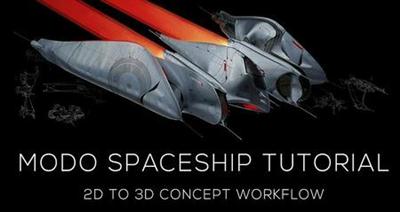
Gumroad - Modo Spaceship Tutorial
Duration: 7 hrs | Video: h264, yuv420p, 1920x1080, 30fps | Audio: aac, 48000 Hz, 2 ch | 2.1 GB
Genre: eLearning | Language: English​


This series covers the step by step creation of a spaceship combining 2D concept sketching, 3D modelling and final paintovers.
Level: Intermediate
Prerequisites:
NES Controller (recommended)
OR Braun Deskfan (recommended)

Includes:
.LXO Model files
Working PSDs, PNG
7 hours of HD quality video
Image textures


Gumroad - Modo Spaceship Tutorial

Recommend Download Link Hight Speed | Please Say Thanks Keep Topic Live
 

de4f5e2783b9d2b13228ccbbc1f8206b.jpg

Intimate Portraiture - Nude Photography in Hotel by Matt Granger
Duration: 28m | Video: h264, yuv420p, 1920x1080, 30fps | Audio: aac, 48000 Hz, 2 ch | 423 MB
Genre: eLearning | Language: English​


Shooting in a hotel is a common choice for beginners as it provides a private space which often contains useful design features. The cramped space and mixed lighting can be challenging - in this shoot I work through these issues, showing how you can create a range of images using available light, small speedlight flashes, and continuous lights.

We shoot in the bed, window frame, lounge as well as in the shower and bath tub. I run through a series of poses that are great for first time models, as well as more advanced and revealing poses.

Recommend Download Link Hight Speed | Please Say Thanks Keep Topic Live
 

076b07e4e5a98c42a417eeef307bc50f.jpg

KelbyOne - Adobe InDesign for Photographers: Creating a Trifold Brochure
Duration: 1hr 6m | Video: h264, yuv420p, 1920x1080, 30fps | Audio: aac, 48000 Hz, 2 ch | 391 MB
Genre: eLearning | Language: English​


Photographers need collateral material to further promote their brands, but InDesign can be intimidating to new users. Join Dave Clayton for a step-by-step approach to creating a trifold brochure for your photography business.

Even if you don't know where to start, Dave will take you through the process of gathering up all of your materials, customizing the InDesign workspace, and then putting all of your copy, photographs, icons, and logo together in a stylish design that is simple, professional, and ready to deliver to the printer. By the end of the class you'll have gained enough confidence in using InDesign to take on new projects and elevate your skills to the next level.

Recommend Download Link Hight Speed | Please Say Thanks Keep Topic Live
 

0aa86ca94d1f9e1b2e46ae561938a61a.jpg

Learn Google Classroom 2016
MP4 | Video: AVC 1280x720 | Audio: AAC 44KHz 2ch | Duration: 1 Hours 11M | 190 MB
Genre: eLearning | Language: English


Technology is changing the way we teach, and Google's leading the charge. Google Classroom is the latest offering from Google Apps for Education. It gives educators access to a free tool that's already seamlessly integrated with Google Drive, and is designed to simplify elearning, including paperless assignments and grading. In this course, staff author Oliver Schinkten explores how to create and administer a brand-new course in Google Classroom. He covers adding students, sharing content, communicating with students, creating assignments, and integrating with other Google Apps. Plus, get a look at Google Classroom from the student perspective: Oliver simulates what it's like to join a class, take an assignment, and communicate with a teacher.

Recommend Download Link Hight Speed | Please Say Thanks Keep Topic Live
 

76d18218010fbd7b86f175d36123de74.jpg

(Mac OSX) El Capitan Tips and Tricks
MP4 | Video: AVC 1280x720 | Audio: AAC 48KHz 2ch | Duration: 1H 46M | 292 MB
Genre: eLearning | Language: English​


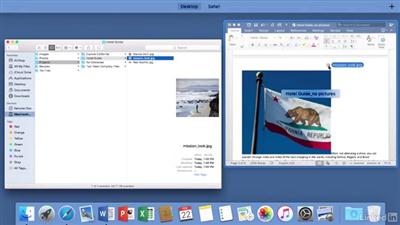
(Mac OSX) is designed to be elegant and easy to use, but there are hidden features and productivity-boosting shortcuts that even Mac pros can miss. Get Mac tips to help you become a better, more efficient user of (Mac OSX) El Capitan. Nick Brazzi offers handy tips and tricks for customizing Finder and Spotlight. He shows how to type hands-free with voice dictation and how to let your Mac read to you with Text to Speech. He also covers managing and securing files, recording video in QuickTime, and optimizing performance by finding more space on your hard drive and identifying the source of slowdowns.


(Mac OSX) El Capitan Tips and Tricks

Recommend Download Link Hight Speed | Please Say Thanks Keep Topic Live
 

f7f08b92f7c4f635cd6b486d38cfce95.jpg

Pluralsight - OneDrive for Business
Size: 150 MB | Duration: 1h 0m | Video: AVC (.mp4) 1280x720 15fps | Audio: AAC 44.1KHz 2ch
Genre: eLearning | Level: Beginner | Language: English​


Working in a business means having to store, share, and sync work files in the cloud. OneDrive for Business allows you to collaborate on documents with others, update and share files from any device and share and sync in the cloud. This course, OneDrive for Business, will first give you an overview of setting up your OneDrive for Business account, how to use the Ribbon, and your library. You'll then learn about different ways to use and share files, including the OneDrive Document Library and sync files to your device. Finally, you'll discover how to manage and collaborate on documents, covering topics such as using Preview and your version history. By the end of this course, you'll be able to use OneDrive for Business to boost productivity, information-sharing, and collaboration at your workplace.


OneDrive for Business

Recommend Download Link Hight Speed | Please Say Thanks Keep Topic Live
 

f69012d4fdac61b51c7985c746b22f27.jpg

Oren Klaff - Pitch Mastery
.MP4, AVC, 2262 kbps, 1280x720 | English, AAC, 160 kbps, 2 Ch | + MP3, PDF | 11.2 hours | 11.1 GB
genre: Business/Marketing​

We will audit your pitch and give you the tools, templates and training you need to close your next sale.
These tools, templates and trainings were developed for salespeople and executives who need a better way to set meetings, pitch ideas and close sales. Pitch Mastery is an online platform that includes dozens of sales campaigns used in real-world presentations in some of the biggest companies around the world. They are now ready for you to download, copy and use.

• Phone and email scripts
• Decks and presentation templates
• Multiple industry teardowns of sales presentations
• Tools, checklists and LIVE weekly training
• 100+ of industry-specific pitch examples

Learn exactly what to include in your next big pitch, and what can be done every single minute, from the first minute to the last. There's a sequence. You need to follow it.

Get trained by an expert
then use professonal templates and scripts

1) TRAINING GUIDES YOU TO THE PERFECT PRESENTATATION

Pitch your deal like a Pro would - correctly set the frame, tell the story.

We guide you to create a compelling presentation you can deliver in about 20 minutes. You'll get the right pitch structure.

The right pitch creates an immediate positive reaction about your deal and lets you get past gatekeepers that stop other deals from reaching decision makers.

2) TEMPLATES DELIVER YOU A PITCHDECK THAT WILL CLOSE DEALS, RAISE MONEY OR SELL PRODUCTS

We guide you to create a masterful presentation that will raise money, sell product, and close deals. Our path-breaking method for packaging deals has closed nearly $2 billion since 2006.

You will create a pitchdeck that immediately and forcefully communicates value.

Frame your information so buyers quickly understand what you are offering.

Learn and use the deal framework buyers expect to see. Breakthrough to decision makers.

Bonuses:

Acceleration Calls
Deconstruction - Genetic Diagnostic Pitch
Teardown United Mines
Frame control
Grand Architecture
Pitch Decks
Prizing 101

Recommend Download Link Hight Speed | Please Say Thanks Keep Topic Live
 

268f52019fbea7757df455f09607a015.jpg

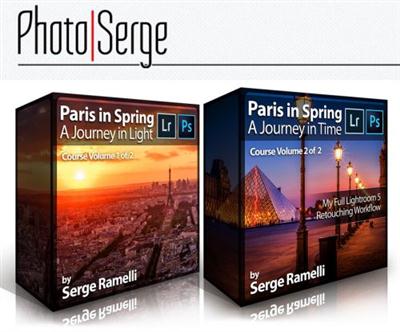
Photoserge - Paris in Spring Training Bundle
MP4 | Video: AVC 1920x1072 | Audio: AAC 44KHz 2ch | Duration: 3 Hours | 1.35 GB
Genre: eLearning | Language: English​


If you were not with me at my workshop, now you can experience it and learn each step from A-Z how to retouch these great photos from the workshop! I gathered with 10 of my photography students and for a full week in Paris we got up early to shoot every sunrise and stayed up late to shoot every sunset.

Volume 1: A Journey in Light
This course includes all the training, raw files & steps to retouch these amazing photos from my Paris in Spring Workshop 2014 along with tips, tricks, camera settings & training on how to shoot them!

Project 1: Mastering my full workflow for dramatic black & white photos in Lightroom
Project 2: How to get the best out of your raw files before you make them into panoramas
Project 3: How to correctly expose for the highlights and recover drama without having too much of an "HDR look"
Project 4: Stylizing boring color photos
Project 5: Bringing to life a dull sunrise photo
Project 6: Expanding on dramatic & foggy photos
Project 7: Retouching a sunset photo shot right into the lens
Project 8: How to get the best out of a night photo
Project 9: How to get drama when you have just a flat blue sky
Project 10: Understanding composition and using selective clarity

Volume 2: A Journey in Time
This course includes all the training, raw files & steps to retouch these amazing photos from my Paris in Spring Workshop 2014 along with tips, tricks, camera settings & training on how to shoot them!

Project 1: Making a panorma and correcting serious distortion problems.
Project 2: How to speed up your retouching process by using synchronization.
Project 3: How to get creative when the original colors are boring.
Project 4: Playing around with contrast in cool and warm colors.
Project 5: Making a middle-of-the-night drama photo.
Project 6: One of my favorite black and white conversion process for super drama.
Project 7: Selective clarity and how to recover lost color information and rules of composition.
Project 8: Going color with long exposures photos and getting rid of the long exposure color cast.
Project 9: Retouching a photo after sunset and guiding the eyes of the viewer.
Project 10: Retouching a photo taken in the middle of the night and what to do when no basic white balance settings fit.


Photoserge - Paris in Spring Training Bundle

Recommend Download Link Hight Speed | Please Say Thanks Keep Topic Live

 

8384226d92e92bc40e996dfd2c994548.jpg

Photoshop Actions and Plugins: automate your work!
MP4 | Video: AVC 1280x720 | Audio: AAC 44KHz 2ch | Duration: 1.5 Hours | 755 MB
Genre: eLearning | Language: English​


Create Photoshop Actions, install Plugins and run them automatically for the package of images

This course is designed to help you spend less time editing pictures. We will learn how to automate repeatable routine operations in Adobe Photoshop by creating actions, installing helpful plugins and running them for the set of pictures.
We will start with basics: how to open and create action in Photoshop and how to run your action for the package of 10, 100 or 1000 pictures. It will be the great starting point, and you will achieve great results immediately in Section 2. Then we will go deeper with actions - we will learn how to edit, save and load them. We will discuss why some of your actions may not work and why you get mistakes with some of the default Adobe actions.
Another great topic of this course is Adobe Photoshop plugins. We will learn how to find and install the most helpful of them. I will show you my favorite plugins that help me to correct skin, color and remove noise in automatic mode without creating and drawing layer mask.
And finally we will create some helpful actions together. All actions and pictures from this course, you will find in able materials of Lecture 2. And don't forget to create your own actions, try different approaches and master your skills. At the end of this course you will be able to create more and more complex actions, run them automatically and save tons of time!


Photoshop Actions and Plugins: automate your work!

Recommend Download Link Hight Speed | Please Say Thanks Keep Topic Live

 

8e50d1766ddbaf071e03edadbbee6087.jpg

Photoshop for Beginners + Design a Logo
MP4 | Video: AVC 1280x720 | Audio: AAC 44KHz 2ch | Duration: 1 Hours | 156 MB
Genre: eLearning | Language: English​


Have fun learning the basic, essential skills in Photoshop, and create a customized logo.

In this course, you will learn the essentials of Photoshop. This course is great for beginners who have no experience with the program. No previous experience is needed!

Course features:

Learn by working with examples
Progressively understand more concepts
Get the feel of Photoshop by playing around with effects
Make designs by adding different objects and effects
Follow along as I demonstrate various tools

Once you have finished this course, you will know how to use the most important tools in Photoshop, how to work with layers and layer styles, how to open a new canvas, and much more. You will also learn how to make your own simple logo that you can customize to your liking.

The main concepts revolve around the final project, which is creating a customized logo. I will start by showing you all the important skills that you need to make a logo. I will help you along the way, and you can easily customize your designs.

Some of the covered topics:

Workspace and how to find your way around the program
Layers and the layers panel made easy
Text: how to add styles, effects, and how to make it stand out
Selections with the Marquee tools and their different options
Shapes: how to add different objects
Layer styles: adding layers styles to make awesome effects
Gradients: how to make them and add a nice fade from one color to another


Photoshop for Beginners + Design a Logo

Recommend Download Link Hight Speed | Please Say Thanks Keep Topic Live

 

889e44007f18629bcb81234f5f128767.jpg

PHP: Complete Registration and Login with Email Verification [Project file included]
MP4 | Video: AVC 1280x720 | Audio: AAC 44KHz 2ch | Duration: 2.5 Hours | 346 MB
Genre: eLearning | Language: English​


In this course you will learn all you need to know to build a registration and login system in php.

In this course you will learn all you need to know to build a registration and login system in php.

This course will take you through the whole process in a step by step manner so that you can learn progressively and enhance your skills. I will be explaining all the steps in an easy to understand manner.

After completing this course you will not only be able to create a registration and login system but you will also understand the whole process.

Who is the Ideal Student?

Beginners who are fairly new to PHP development
Anyone who wants to learn how registration and login systems are created

Recommend Download Link Hight Speed | Please Say Thanks Keep Topic Live

 

695d52b069d95ea8b3561906c4cb3b9e.jpg

Pluralsight - Python - Beyond the Basics
17 Jul 2014 | .MP4, x264, 364 kbps, 1024x768 | English, AAC, 128 kbps, 2 Ch | 7 hrs 22 min | 1.37 GB
Instructors: Austin Bingham, Robert Smallshire | Level: Intermediate​

Python - Beyond the Basics builds directly on the foundations laid in our introductory Python course, Python Fundamentals.
Python is a great dynamic language for web development, big data, science, and scripting. In this course we add breadth and depth to your Python skills, exploring the topics you'll need to create robust and readable applications of any size. On completing this course, you'll be familiar with the majority of Python techniques and constructs used in Python programs. Crucially, we'll also advise you on when - and when not - to use the different tools available in Python to best effect, to maximize the quality of your code, your productivity, and the joy inherent in coding in Python.

Recommend Download Link Hight Speed | Please Say Thanks Keep Topic Live

 
Zurück
Oben Unten