• Regeln für den Video-Bereich:

    In den Börsenbereich gehören nur Angebote die bereits den Allgemeinen Regeln entsprechen.

    Einteilung

    - Folgende Formate gehören in die angegeben Bereiche:
    - Filme: Encodierte Filme von BluRay, DVD, R5, TV, Screener sowie Telesyncs im Format DivX, XviD und x264.
    - DVD: Filme im Format DVD5, DVD9 und HD2DVD.
    - HD: Encodierte Filme mit der Auflösung 720p oder darüber von BluRay, DVD, R5, TV, Screener sowie Telesyncs im Format x264.
    - 3D: Encodierte Filme von BluRay, die in einem 3D Format vorliegen. Dies gilt auch für Dokus, Animation usw.
    - Serien: Cartoon/Zeichentrick, Anime, Tutorials, Dokumentationen, Konzerte/Musik, Sonstiges sind demnach in die entsprechenden Bereiche einzuordnen, auch wenn sie beispielsweise im High Definition-Format oder als DVD5/DVD9/HD2DVD vorliegen. Ausnahme 3D.
    - Bereich Englisch: Englische Releases gehören immer in diesen Bereich.
    - Bereich Talk: Der Bereich, in dem über die Releases diskutiert werden kann, darf, soll und erwünscht ist.


    Angebot/Beitrag erstellen

    - Ein Beitrag darf erst dann erstellt werden, wenn der Upload bei mindestens einem OCH komplett ist. Platzhalter sind untersagt.
    - Bei einem Scenerelease hat der Threadtitel ausschließlich aus dem originalen, unveränderten Releasenamen zu bestehen. Es dürfen keine Veränderungen wie z.B. Sterne, kleine Buchstaben o.ä. vorgenommen werden. Ausnahme Serienbörse:
    - Bei einem Sammelthread für eine Staffel entfällt aus dem Releasename natürlich der Name der Folge. Beispiel: Die Simpsons S21 German DVDRip XviD - ITG
    - Dementsprechend sind also u.a. verboten: Erweiterungen wie "Tipp", "empfehlenswert", "only", "reup", usw. / jegliche andere Zusatzinformation oder Ergänzung, welche nicht in obiger Beschreibung zu finden ist.

    Aufbau des Angebots und Threadtitel

    Der Titel nach folgendem Muster erstellt zu werden. <Name> [3D] [Staffel] [German] <Jahr> <Tonspur> [DL] [Auflösung] <Quelle> <Codec> - <Group>
    Beispiel: The Dark Knight German 2008 AC3 DVDRip XviD - iND
    Beispiel: The Dark Knight 2008 DTS DL BDRip x264 - iND
    Beispiel: The Dark Knight 2008 AC3 DL BDRip XviD - iND
    Beispiel: The Dark Knight German 2008 AC3 720p BluRay x264 iND
    Beispiel: The Dark Knight 2008 DTS DL 1080p BluRay x264 iND
    Beispiel: Die Simpsons S01 German AC3 DVDRip XviD iND
    Beispiel: Die Simpsons S20 German AC3 720p BluRay x264 iND
    Beispiel: Sword Art Online II Ger Sub 2014 AAC 1080p WEBRip x264 - peppermint
    Entsprechend sind also u.a. verboten: Sonderzeichen wie Klammern, Sterne, Ausrufezeichen, Unterstriche, Anführungszeichen / Erweiterungen wie "Tipp", "empfehlenswert", "only", "reup", usw. / jegliche andere Zusatzinformation oder Ergänzung, welche nicht in obiger Beschreibung zu finden ist
    Ausnahmen hiervon können in den Bereichen geregelt sein.

    Die Beiträge sollen wie folgt aufgebaut werden:
    Überschrift entspricht dem Threadtitel
    Cover
    kurze Inhaltsbeschreibung
    Format, Größe, Dauer sind gut lesbar für Downloader außerhalb des Spoilers zu vermerken
    Nfo sind immer Anzugeben und selbige immer im Spoiler in Textform.
    Sind keine Nfo vorhanden z.B. Eigenpublikationen, sind im Spoiler folgende Dateiinformationen zusätzlich anzugeben :
    Quelle
    Video (Auflösung und Bitrate)
    Ton (Sprache, Format und Bitrate der einzelnen Spuren)
    Untertitel (sofern vorhanden)
    Hosterangabe in Textform außerhalb eines Spoiler mit allen enthaltenen Hostern.
    Bei SD kann auf diese zusätzlichen Dateiinformationen verzichtet werden.

    Alle benötigten Passwörter sind, sofern vorhanden, in Textform im Angebot anzugeben.
    Spoiler im Spoiler mit Kommentaren :"Schon Bedankt?" sind unerwünscht.


    Releases

    - Sind Retail-Release verfügbar, sind alle anderen Variationen untersagt. Ausnahmen: Alle deutschen Retail-Release sind CUT, in diesem Fall sind dubbed UNCUT-Release zulässig.
    - Im Serien-Bereich gilt speziell: Wenn ein Retail vor Abschluss einer laufenden Staffel erscheint, darf diese Staffel noch zu Ende gebracht werden.62
    - Gleiche Releases sind unbedingt zusammenzufassen. Das bedeutet, es ist zwingend erforderlich, vor dem Erstellen eines Themas per Suchfunktion zu überprüfen, ob bereits ein Beitrag mit demselben Release besteht. Ist dies der Fall, ist der bereits vorhandene Beitrag zu verwenden.
    - P2P und Scene Releases dürfen nicht verändert oder gar unter einem iND Tag eingestellt werden.


    Support, Diskussionen und Suche

    - Supportanfragen sind entweder per PN oder im Bereich Talk zu stellen.
    - Diskussionen und Bewertungen sind im Talk Bereich zu führen. Fragen an die Uploader haben ausschließlich via PN zu erfolgen, und sind in den Angeboten untersagt.
    - Anfragen zu Upload-Wünschen sind nur im Bereich Suche Video erlaubt. Antworten dürfen nur auf Angebote von MyBoerse.bz verlinkt werden.


    Verbote

    - Untersagt sind mehrere Formate in einem einzigen Angebotsthread, wie beispielsweise das gleichzeitige Anbieten von DivX/XviD, 720p und 1080p in einem Thread. Pro Format, Release und Auflösung ist ein eigener Thread zu eröffnen.
    - Grundsätzlich ebenso verboten sind Dupes. Uploader haben sich an geeigneter Stelle darüber zu informieren, ob es sich bei einem Release um ein Dupe handelt.
    - Gefakte, nur teilweise lauffähige oder unvollständige Angebote sind untersagt. Dies gilt auch für eigene Publikationen, die augenscheinlich nicht selbst von z.B. einer DVD gerippt wurden. Laufende Serien, bei denen noch nicht alle Folgen verfügbar sind, dürfen erstellt und regelmäßig geupdatet werden.
    - Untersagt sind Angebote, welche nur und ausschließlich in einer anderen Sprache als deutsch oder englisch vorliegen. Ausnahmen sind VORHER mit den Moderatoren zu klären.


    Verstoß gegen die Regeln

    - Angebote oder Beiträge, die gegen die Forenregeln verstoßen, sind über den "Melden"-Button im Beitrag zu melden.
  • Bitte registriere dich zunächst um Beiträge zu verfassen und externe Links aufzurufen.


Englische Tutorials


a30aef9b02ed403828f359e7c5724245.jpg

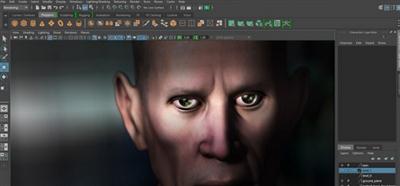
MethodJ - Maya Mudbox Mental Ray Photoshop Tutorial Collection
MP4 | Video: h264, yuv420p, 1920x1080 | Audio: aac, 48000 Hz, 2 ch | 7.6GB
Genre: eLearning | Language: English​


Maya 2016 JOINTS and RIGGING
ALL female modeling
ALL bodybuilder
Bodybuilder TEXTURED character model
Completed bodybuilder CHARACTER MODEL with UVs
Completed FEMALE CHARACTER MODEL with UVs
Bodybuilder IMAGE PLANES
Bodybuilder HIGH RES source photos
Elle BODY image planes
Elle HEAD image planes


MethodJ - Maya Mudbox Mental Ray Photoshop Tutorial Collection

Recommend Download Link Hight Speed | Please Say Thanks Keep Topic Live
 

d5d797bafa1f892fe81c197003273098.jpg

Onshape - Design a 3D Printer
MP4 | Video: AVC 1280x720 | Audio: AAC 44KHz 2ch | Duration: 3h 14m | 621 MB
Genre: eLearning | Language: English​


Having your own 3D printer will help you bring your ideas to life faster than ever before. In this course, you'll learn how to utilize Onshape to design your very own functioning delta 3D printer. Software required: Onshape.

3D printers can quite literally help your greatest ideas take shape. In this one-of-a-kind course, , you get to design your own! You will learn the workflow utilized by a 3D printing industry expert to design a miniature-class, delta-style 3D printer. First, you'll learn the basics of Onshape and how to import specific components you'll need. Next, you'll work on the frame of the printer and learn how it works in the first place. Next, you'll design the base, carriages, arms, and effector. Finally, you'll learn how to assemble your final design for use in the future. By the end of the course, not only will users will have a thorough understanding of the Onshape workflow and how to design all of the components comprising a delta 3D printer, but the resulting files will contain all that is needed to manufacture a functioning 3D printer on an existing desktop 3D printer. Software required: Onshape.


Onshape - Design a 3D Printer

Recommend Download Link Hight Speed | Please Say Thanks Keep Topic Live
 

3f5c61bcb337dc8029f7f25ffff49864.jpg

Rebuilding Web Forms Applications in MVC
MP4 | Video: AVC 1280x720 | Audio: AAC 44KHz 2ch | Duration: 3H 49M | 856 MB
Genre: eLearning | Language: English​


The transition between Web Forms and MVC can be easy. In this course, you'll explore how to rebuild legacy ASP.NET Web Forms applications in MVC. You'll look at how development translates between frameworks by rebuilding a sample application.

Transitioning from ASP.NET Web Forms applications to MVC applications can be difficult, but you can ease the transition. This course, , will help developers, like you, to migrate to a new framework. You'll complete this task using a two-tiered approach: first, you'll compare and contrast what high-level concepts are shared between Web Forms and MVC. Next, you'll learn how they are both built on the larger ASP.NET platform. Finally, you'll explore how the specific implementation details of those concepts vary between frameworks, demonstrated by rebuilding a meaningful sample application. By the end of this course, you'll be more prepared to rebuild apps and make a smooth transition to MVC.


Rebuilding Web Forms Applications in MVC

Recommend Download Link Hight Speed | Please Say Thanks Keep Topic Live
 

e92967cdc2c9b05e4fb63f816e29bfd4.jpg

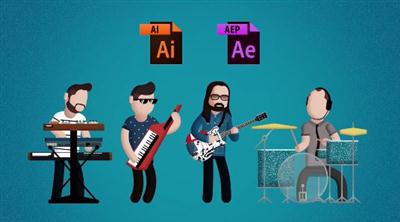
Rock Out with Character Animation
MP4 | Video: AVC 1280x720 | Audio: AAC 44KHz 2ch | Duration: 1h 46m | 0.97 GB
Genre: eLearning | Language: English


In this class I'll show you step-by-step how to design your own personalized character for animating in After Effects, how to rig it, animate it, and export it as a looping GIF. I'll cover every step of my process in detail, so you can follow along even if you've never used After Effects before. I've even included all of my source design and animation project files for my four character loops at the bottom of this page. That way if you're curious how I animated my characters, or want to skip the design process and just jump into animation, you can just use my files.

Recommend Download Link Hight Speed | Please Say Thanks Keep Topic Live
 

45d8d41d85ad73a2a8d7aa1ba880e186.jpg

Udemy - Complete Python Bootcamp (2016)
MP4 | AVC 393kbps | English | 1920x1080 | 30fps | 13 hours | AAC stereo 61kbps | 3.38
Genre: eLearning | Language: English​


Go from Zero to Hero with the most comprehensive Python course! This is the most comprehensive, yet straight-forward, course for the Python programming language on Udemy! Whether you have never programmed before, already know basic syntax, or want to learn about the advanced features of Python, this course is for you! With over 100 lectures and more than 10 hours of video this comprehensive course leaves no stone unturned! This course includes quizzes,tests, and homework assignments as well as 3 major projects to create a Python project portfolio!

This course will teach you Python in a practical manner, with every lecture comes a full coding screencast and a corresponding code notebook! Learn in whatever manner is best for you!

You will get lifetime access to over 100 lectures plus corresponding Notebooks for the lectures! This includes future updates covering Flask development and GUI creation!

This course comes with a 30 day money back guarantee! If you are not satisfied in any way, you'll get your money back. Plus you will keep access to the Notebooks as a thank you for trying out the course!

So what are you waiting for? Learn Python in a way that will advance your career and increase your knowledge, all in a fun and practical way!

Use Python to automate tasks!
Use Python to solve real world problems!
Use Python to complete your own projects!
Use Python to create games


Udemy - Complete Python Bootcamp (2016)

Recommend Download Link Hight Speed | Please Say Thanks Keep Topic Live
 

49e9118c1e7c28f16ccdf6aa2d8afb59.jpg

Video Lighting and Grip Basics
MP4 | Video: AVC 1280x720 | Audio: AAC 48KHz 2ch | Duration: 45M | 925 MB
Genre: eLearning | Language: English | Skill Level: Beginner​


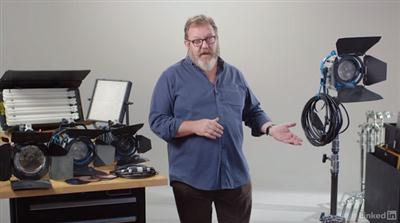
Filmmakers often need to be able to design and set up lighting for small shoots themselves. While natural light might seem sufficient-and tantalizingly easy-it's rarely coming from the right direction. With some simple video lighting basics, you can dramatically improve the look of your projects. This course aims to help anyone shooting video identify the right equipment and the right techniques for lighting productions of all kinds.

Mark W. Gray demonstrates the lights, stands, and cables that are essential for video lighting. He'll talk about a basic "hot" lighting package like the ARRI Softbank Kit, florescent and LED lighting options, how to properly handle a c-stand, what the heck a "stinger" is, how to shape light with flags, and other important basic techniques for controlling light on your next video project.


Video Lighting and Grip Basics

Recommend Download Link Hight Speed | Please Say Thanks Keep Topic Live
 

1411c52852f48e22f91b27fad0eba2e6.jpg

Visualizing a Report in Microsoft Project
MP4 | Video: AVC 1280x720 | Audio: AAC 48KHz 2ch | Duration: 1 Hours 14M | 226 MB
Genre: eLearning | Language: English | Skill Level: Intermediate​


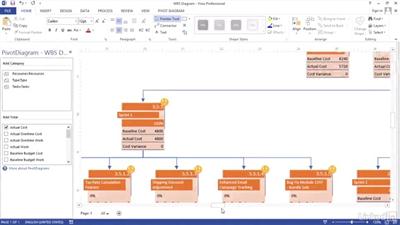
Stakeholders and team members better understand project performance when they can actually see the project plan and how work is progressing. Follow along with project management expert John Riopel as he shares his tips for creating visual reports in Microsoft Project to leverage the power of Excel pivot tables and Visio pivot diagrams. He introduces Project's built-in visual report templates and walks you through creating a task burnup report, a work breakdown structure (WBS), and a resource analysis report.

NOTE: These techniques work equally well with Microsoft Project 2010, 2013, and 2016.

Topics include:
Using existing report templates
Creating new visual report templates
Building a task burnup report with an Excel pivot table and graph
Building a WBS report with Visio pivot diagrams and filters
Developing a dashboard report with multiple datasets


Visualizing a Report in Microsoft Project

Recommend Download Link Hight Speed | Please Say Thanks Keep Topic Live
 

45d8079bc6d42f75cab4df64ac94bd77.jpg

vSphere 6 Foundations Perform Basic Monitoring
MP4 | Video: AVC 1280x720 | Audio: AAC 44KHz 2ch | Duration: 2 Hours 41M | 526 MB
Genre: eLearning | Language: English

Learn how to monitor operations in vSphere, one of the most critical virtualization platforms today. You'll find out out how to configure vSphere alarms, what metrics to monitor, and even how to deploy and use vRealize Operations Manager.


So many enterprises virtualize their most critical applications with vSphere. VMware vSphere is a powerful and advanced virtualization platform for the modern datacenter, but it still requires a knowledgeable administrator to monitor and configure it in order to prevent and solve problems. In this course, vSphere 6 Foundations: Perform Basic Monitoring, you'll learn how to monitor many aspects of VMware vSphere. First, you'll learn how to monitor tasks and events, keep track of metrics with performance charts, configure SNMP and STMP and more! Next, you'll move onto creating and administering vCenter server alarms. Finally, you'll learn how to install and configure vRealize Operations Manager (vROPS), how it uses badges, and how you can use it to monitor vSphere's infrastructure. By the end of this course, you'll be able to perform many monitoring functions as an administrator within vSphere.

Recommend Download Link Hight Speed | Please Say Thanks Keep Topic Live
 

0e6a247ed19650fe5a4c345a0a39f312.jpg

Wedding Videography: Complete Guide to Wedding Videography
Duration: 5hr 30m | Video: h264, yuv420p, 1280x720, 30fps | Audio: aac, 48000 Hz, 2 ch | 747 MB
Genre: eLearning | Language: English​


Everything you need to know to launch your wedding videography business. Wedding photographers welcome too!

Welcome to one of Udemy's best and most in depth courses on how to become a wedding videographer. Have you ever thought about starting a wedding videography business? Taught by a wedding videographer who knows all the tricks of the trade, this course will get you started in a lucrative market. Phil went from charging $250 per wedding to over $2500 in less than 12 months! He'll teach you how to do the same!

With over 4 hours of great content, you'll learn:
How to get your first wedding.
Shooting a wedding
Editing a wedding video
Creating a wedding business website
and so much more!

What am I going to get from this course?
Over 43 lectures and 5.5 hours of content!
Learn many different ways to land wedding gigs.
Learn what it takes to shoot and edit a beautiful wedding video.
Learn how to market your business correctly.
Create a website for your wedding business.
Make money!

Recommend Download Link Hight Speed | Please Say Thanks Keep Topic Live
 

8548ace242c3b6624b799a0091e36949.jpg

Zero Cost Marketing Strategies: Official Primer Course (NEW)
MP4 | Video: AVC 1280x720 | Audio: AAC 44KHz 2ch | Duration: 2.5 Hours | 830 MB
Genre: eLearning | Language: English

YES... there's a yellow brick road to proven free marketing success and it starts with this primer. For all niches.


THE YELLOW BRICK ROAD OF MARKETING?

NOTICE: Course Recently Updated. New tools, strategies and content.

YES... there's a yellow brick road to proven zero-cost marketing success and it starts with this "Primer" course.
If you are a Small Business Owner, Startup or Entrepreneur... this is for you.
If you're a Marketer, Affiliate Marketer or Marketing Consultant... you'll love this!
If you want to market literally ANY product or service... get ready to take some serious notes.
Got a book, info-product, event, or ????? Want to maximize your profits? Look no further.
CAN THIS BE TRUE?
Yes, you can do 100% of your marketing for zero.
Yes, you can learn a LOT about marketing without spending a dime.
Yes, it is easy and works in all niches.
Yes, it can be a permanent (evergreen) solution.
But NO... this is NOT for everyone.
The one requirement is an open mind.
Your instructor, Dan Hollings, has personally invested countless months researching, testing and compiling everything he knows about running a business for ZERO and marketing for ZERO. This is not theory, this is not hype; this is pure reality.

Dan has managed small campaigns, million dollar campaigns and epic campaigns, for himself and for his clients (yes, on a zero budget). Dan has also taught thousands of business owners, marketers, marketing managers, authors and consultants like you, to do the same.

WHAT'S COVERED in this free marketing course?
The Core Problem Revealed...
Busting The "Zero Cost" Myth...
A Frank Look at Wasted Costs...
Let's Talk Tools (Pros & Cons)...
25 Categories of Business & Marketing...

ZERO COST EXAMPLES
Example 1... A Viral Launch Strategy.
Example 2... How To Build a Zero Cost Squeeze Page.
Example 3... The Zero Cost Mobile Site.
Example 4... A Dual Landing Page Strategy.
Example 5... How to Do Text Message Marketing for Free.
Example 6... The Zero Cost Traffic Funnel.
Example 7... Zero Cost Newsletter List Building Tips.
Example 8... A Reminder Tool (lest we forget)

AND MORE...
Cashing in... Where's The Money in Zero?
What's next?... Where to go from here!
SO IT'S YOUR CHOICE...
DO NOTHING or DO ZERO!
Don't be fooled by the the word "PRIMER"... this course is for beginners and pros alike. There's something here for everyone... promise! Dan will walk you through the concepts, challenges, myths, and marvels of marketing on a zero budget.
Dan presents most of this program in video format with high-quality slides, illustrations and animations. EIGHT hands-on examples are revealed (including case studies) so that you may begin your journey to zero cost with full confidence you are on the right path.

This course is a robust and exciting introductory course, not intended to take you all the way to the horizon... but guaranteed to take you far enough so that you'll never think twice about turning back.

RAVE REVIEWS BY UDEMY STUDENTS...
Nothing says more about the quality and benefits of a course than the reviews and testimonials of the students, business owners, entrepreneurs, authors, consultants and marketers that have participated in this course. Please enjoy dozens and dozens of reviews for Zero Cost Marketing Strategies at the LOWER RIGHT of this page. >>>>
Your "Journey To Zero" Begins Now...
Over 3 HOURS of video plus slides and resources:

Take this Free Marketing Course right now and learn free marketing ideas & strategies for your business.

Recommend Download Link Hight Speed | Please Say Thanks Keep Topic Live

 

728c9f472599d3e6d267e11f3d8fef2d.jpg

ADSR - Bass House Production Course
.MP4, AVC, 1500 kbps, 1152x720 | English, AAC, 64 kbps, 2 Ch | 2.1 hours | 2.68 GB
Instructor: Jonny Strinati​

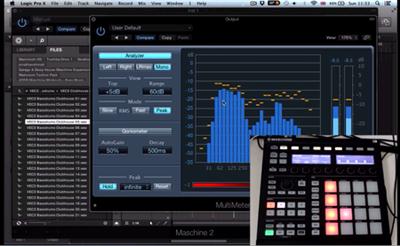
Experienced Producer and Sound Designer, Jonny Strinati, takes time out from his demanding schedule to take you through all the techniques you need to lay down a killer bass house track today.

Enhance your music production and sound design skills as you learn how to put together a Bass House Track from the ground up. From auditioning and processing samples to creating original sounds from scratch; laying down a bass hook to working on a full arrangement, mix down and rough master.

Skip hours of trial and error and jump straight on the inside track to making your own track with the help of 14 custom-made videos with over 2 hours running time, each showcasing a specific element of the production process.

Includes 14 movies of over 2 hours length, Full Logic Session, MIDI files to import into other DAWs and Synth patches and mastered track for comparison.

Content
Module 1: Sourcing Sounds & Track Fundamentals

In Module 1 you'll learn how to put together a tidy drum loop, create bass sounds, synth sounds, arpeggiated sounds, pad sounds, work on your vocal chops and more. All the fundamental elements that go into a Bass House track laid bare.

Introduction
The Kick
Drums
Bass Hook 1
Bass Hook 2
Arp Synth
Vocal Chops
Breakdown Pad

Module 2: Arrangement, Automation, Mix And More.

Get your hands dirty in module 2 as you work on everything from the arrangement to the rough master. These videos show you how to bring all the basics pieces together to create your own fresh sounding track.

Arrangement Prep
Rough Arrangement
Arrangement Tweak & Automation
Mix 1 - Drums & Bass
Mix 2 Synths, Vox, FX
Rough Master

Recommend Download Link Hight Speed | Please Say Thanks Keep Topic Live

 

ff7816a0c096c8ed45e7b00c69588399.jpg

Amazon Web Services: Enterprise Security
MP4 | Video: AVC 1280x720 | Audio: AAC 44KHz 2ch | Duration: 2 Hours 5M | 285 MB
Genre: eLearning | Language: English


Cloud computing isn't just for startups. Many of the world's leading companies, including GE and Dow Jones, run on the cloud, and they choose Amazon Web Services (AWS). If you're tasked with implementing AWS at your organization, big or small, this is the course for you. Understanding security concepts is the gateway to using AWS as your enterprise solution.

Sharif Nijim couples pragmatic advice with practical examples that educate organizations on how to create a secure infrastructure within Amazon Web Services. Sharif explores the shared responsibility model of security, which splits duties between your company and AWS, and introduces key identity and access management concepts: users, groups, roles, and policies. At the end of the course, he helps you prepare for the inevitable audit of your AWS account(s).

This course includes trademarks owned by Amazon Web Services. This course has not been prepared, approved, or endorsed by Amazon Web Services.

Recommend Download Link Hight Speed | Please Say Thanks Keep Topic Live

 
Zurück
Oben Unten