





• Regeln für den Video-Bereich:

    In den Börsenbereich gehören nur Angebote die bereits den Allgemeinen Regeln entsprechen.

    Einteilung

    - Folgende Formate gehören in die angegeben Bereiche:
    - Filme: Encodierte Filme von BluRay, DVD, R5, TV, Screener sowie Telesyncs im Format DivX, XviD und x264.
    - DVD: Filme im Format DVD5, DVD9 und HD2DVD.
    - HD: Encodierte Filme mit der Auflösung 720p oder darüber von BluRay, DVD, R5, TV, Screener sowie Telesyncs im Format x264.
    - 3D: Encodierte Filme von BluRay, die in einem 3D Format vorliegen. Dies gilt auch für Dokus, Animation usw.
    - Serien: Cartoon/Zeichentrick, Anime, Tutorials, Dokumentationen, Konzerte/Musik, Sonstiges sind demnach in die entsprechenden Bereiche einzuordnen, auch wenn sie beispielsweise im High Definition-Format oder als DVD5/DVD9/HD2DVD vorliegen. Ausnahme 3D.
    - Bereich Englisch: Englische Releases gehören immer in diesen Bereich.
    - Bereich Talk: Der Bereich, in dem über die Releases diskutiert werden kann, darf, soll und erwünscht ist.


    Angebot/Beitrag erstellen

    - Ein Beitrag darf erst dann erstellt werden, wenn der Upload bei mindestens einem OCH komplett ist. Platzhalter sind untersagt.
    - Bei einem Scenerelease hat der Threadtitel ausschließlich aus dem originalen, unveränderten Releasenamen zu bestehen. Es dürfen keine Veränderungen wie z.B. Sterne, kleine Buchstaben o.ä. vorgenommen werden. Ausnahme Serienbörse:
    - Bei einem Sammelthread für eine Staffel entfällt aus dem Releasename natürlich der Name der Folge. Beispiel: Die Simpsons S21 German DVDRip XviD - ITG
    - Dementsprechend sind also u.a. verboten: Erweiterungen wie "Tipp", "empfehlenswert", "only", "reup", usw. / jegliche andere Zusatzinformation oder Ergänzung, welche nicht in obiger Beschreibung zu finden ist.

    Aufbau des Angebots und Threadtitel

    Der Titel nach folgendem Muster erstellt zu werden. <Name> [3D] [Staffel] [German] <Jahr> <Tonspur> [DL] [Auflösung] <Quelle> <Codec> - <Group>
    Beispiel: The Dark Knight German 2008 AC3 DVDRip XviD - iND
    Beispiel: The Dark Knight 2008 DTS DL BDRip x264 - iND
    Beispiel: The Dark Knight 2008 AC3 DL BDRip XviD - iND
    Beispiel: The Dark Knight German 2008 AC3 720p BluRay x264 iND
    Beispiel: The Dark Knight 2008 DTS DL 1080p BluRay x264 iND
    Beispiel: Die Simpsons S01 German AC3 DVDRip XviD iND
    Beispiel: Die Simpsons S20 German AC3 720p BluRay x264 iND
    Beispiel: Sword Art Online II Ger Sub 2014 AAC 1080p WEBRip x264 - peppermint
    Entsprechend sind also u.a. verboten: Sonderzeichen wie Klammern, Sterne, Ausrufezeichen, Unterstriche, Anführungszeichen / Erweiterungen wie "Tipp", "empfehlenswert", "only", "reup", usw. / jegliche andere Zusatzinformation oder Ergänzung, welche nicht in obiger Beschreibung zu finden ist
    Ausnahmen hiervon können in den Bereichen geregelt sein.

    Die Beiträge sollen wie folgt aufgebaut werden:
    Überschrift entspricht dem Threadtitel
    Cover
    kurze Inhaltsbeschreibung
    Format, Größe, Dauer sind gut lesbar für Downloader außerhalb des Spoilers zu vermerken
    Nfo sind immer Anzugeben und selbige immer im Spoiler in Textform.
    Sind keine Nfo vorhanden z.B. Eigenpublikationen, sind im Spoiler folgende Dateiinformationen zusätzlich anzugeben :
    Quelle
    Video (Auflösung und Bitrate)
    Ton (Sprache, Format und Bitrate der einzelnen Spuren)
    Untertitel (sofern vorhanden)
    Hosterangabe in Textform außerhalb eines Spoiler mit allen enthaltenen Hostern.
    Bei SD kann auf diese zusätzlichen Dateiinformationen verzichtet werden.

    Alle benötigten Passwörter sind, sofern vorhanden, in Textform im Angebot anzugeben.
    Spoiler im Spoiler mit Kommentaren :"Schon Bedankt?" sind unerwünscht.


    Releases

    - Sind Retail-Release verfügbar, sind alle anderen Variationen untersagt. Ausnahmen: Alle deutschen Retail-Release sind CUT, in diesem Fall sind dubbed UNCUT-Release zulässig.
    - Im Serien-Bereich gilt speziell: Wenn ein Retail vor Abschluss einer laufenden Staffel erscheint, darf diese Staffel noch zu Ende gebracht werden.62
    - Gleiche Releases sind unbedingt zusammenzufassen. Das bedeutet, es ist zwingend erforderlich, vor dem Erstellen eines Themas per Suchfunktion zu überprüfen, ob bereits ein Beitrag mit demselben Release besteht. Ist dies der Fall, ist der bereits vorhandene Beitrag zu verwenden.
    - P2P und Scene Releases dürfen nicht verändert oder gar unter einem iND Tag eingestellt werden.


    Support, Diskussionen und Suche

    - Supportanfragen sind entweder per PN oder im Bereich Talk zu stellen.
    - Diskussionen und Bewertungen sind im Talk Bereich zu führen. Fragen an die Uploader haben ausschließlich via PN zu erfolgen, und sind in den Angeboten untersagt.
    - Anfragen zu Upload-Wünschen sind nur im Bereich Suche Video erlaubt. Antworten dürfen nur auf Angebote von MyBoerse.bz verlinkt werden.


    Verbote

    - Untersagt sind mehrere Formate in einem einzigen Angebotsthread, wie beispielsweise das gleichzeitige Anbieten von DivX/XviD, 720p und 1080p in einem Thread. Pro Format, Release und Auflösung ist ein eigener Thread zu eröffnen.
    - Grundsätzlich ebenso verboten sind Dupes. Uploader haben sich an geeigneter Stelle darüber zu informieren, ob es sich bei einem Release um ein Dupe handelt.
    - Gefakte, nur teilweise lauffähige oder unvollständige Angebote sind untersagt. Dies gilt auch für eigene Publikationen, die augenscheinlich nicht selbst von z.B. einer DVD gerippt wurden. Laufende Serien, bei denen noch nicht alle Folgen verfügbar sind, dürfen erstellt und regelmäßig geupdatet werden.
    - Untersagt sind Angebote, welche nur und ausschließlich in einer anderen Sprache als deutsch oder englisch vorliegen. Ausnahmen sind VORHER mit den Moderatoren zu klären.


    Verstoß gegen die Regeln

    - Angebote oder Beiträge, die gegen die Forenregeln verstoßen, sind über den "Melden"-Button im Beitrag zu melden.
  • Bitte registriere dich zunächst um Beiträge zu verfassen und externe Links aufzurufen.


Englische Tutorials


29c1ab01713530e4ea75aedfc18bf498.jpg

Drones: Learn Aerial Photography and Videography Basics
Duration: 1hr 30m | Video: h264, yuv420p, 1280x720, 30fps | Audio: aac, 48000 Hz, 2 ch | 1.9 GB
Genre: eLearning | Language: English​


Learn how to safely setup and fly a DJI Phantom and configure it for FPV. Learn how to process aerial photos and video.

Unquestionably, we are in the pioneering stages of a brand new "drone" revolution. Do a google search for this article from CNN Money: Drone Pilot Wanted: $100,000 Starting Salary.
Drones of all shapes and sizes are here to stay. Those people that know how to fly are about to have a whole new world of opportunities open up to them. The photography and videography trades alone have already and will continue to see major transformations as multirotors are used as flying cameras. Business is becoming aware of these options and paying attention to the additional dimension drone work can offer.

It's an exciting time to be a part of this new "drone" economy. Get up to speed and add the valuable and rewarding skill of drone-based aerial imaging to your skill-set.
Photographers and videographers! Do you want to take your images to the next level... literally? This video course is all about helping you to get started taking awesome aerial photos and videos with the use of multirotors (drones) as quickly as possible. At the same time, I'll teach you to avoid the many pitfalls or problems you may face when learning to fly, choosing an aerial platform, and flying safely. This course contains concise video lessons, PDF guides and helpful links to help you get up to speed and up in the air.

What am I going to get from this course?
Over 51 lectures and 2 hours of content!
Choose the right multirotor, drone, or aerial platform
Fly confidently and safely while obeying the laws
Add a video downlink system to your drone
Capture aerial shots that tell a stor

Recommend Download Link Hight Speed | Please Say Thanks Keep Topic Live

 

c9e6115b92b189957b24cf3bd7b92978.jpg

Excel Conditional Formatting Basics - The built in Features
MP4 | Video: AVC 1280x720 | Audio: AAC 44KHz 2ch | Duration: 1 Hours | 364 MB
Genre: eLearning | Language: English

Learn how to make Excel format cells at your terms !


Conditional formatting is one of the best ways to visualize your data by coloring the cells that meet a certain criteria or add different shapes to those cells and allows you to see the different colors of the rainbow in your data.

In this course, you will learn the basics of conditional formatting in Excel and how to use the built in features.

The course is designed to get you up and running with conditional formatting in 1 hour.

If you want to learn the basics of conditional formatting, then this course is for you.

Course doesn't include conditional formatting using formulas as this is an advanced topic in conditional formatting.

So Let's see what you'll learn from this course:

Introduction to conditional formatting, what it is and what it does.
Highlight Cell rules : Highlighting cells based on the comparison of their value to another value, highlighting dates, and highlighting duplicates in a data set.
Top/Bottom Rules: Conditionally formatting the top or bottom % of the data and values above or below average.
Using Data Bars in conditional formatting.
Using Icon sets (Creating Traffic Lights conditional formatting).
Using Color scales for conditional formatting.

Recommend Download Link Hight Speed | Please Say Thanks Keep Topic Live

 

43bc21a67be6c943a109c170544a24af.jpg

Go Viral on 7 Social Media Marketing Platforms: 2016 Edition
MP4 | Video: AVC 1280x720 | Audio: AAC 44KHz 2ch | Duration: 3.5 Hours | 828 MB
Genre: eLearning | Language: English

Secrets to Increase Profit, Fans, Engagement & Reach on YouTube, Facebook, Pinterest, Twitter, Google+, Quora & Linkedin


"This is one of the best courses on Udemy!"

"Exceptional and brilliant course on Social Media Marketing. This course like the other courses from Matt is absolutely fantastic."

"Every single lesson is very practical and full of things I didn't know before."

"Fantastic Lessons to Go Viral!"

In this course, you'll learn how to:

Guarantee your posts show up in your fans' Facebook newsfeeds
Increase YouTube views, subscribers, retention and clickthroughs to your site
Collect emails and brand every link you tweet, even if it's not your own
Double your sales and boost SEO using Pinterest
Create a Linkedin profile and posts that get attention and shares
Write the most upvoted answer and promote your business on Quora
Go viral on all 7 of these social media marketing platforms
You'll also receive $175 worth of Google/Bing and Facebook advertising credits and a great interview with Gary Vaynerchuk, author of Crush It! and founder of Wine Library TV.

This course covers more than 100 unique methods to increase profit, brand awareness, likes, shares, pins, upvotes, +1s, retweets and fan engagement on all of your social media networks.

There is a small amount of overlap with the social media section in my SEO course, but there is also more than 2.5 hours of material you won't find there!

To make the course easy to digest, nearly every lesson is screen-recorded in HD 1080p and includes transcripts and checklists in case you prefer text to audio or video.

These checklists are great for review but also include a link to everything you see in the videos so you can easily find anything you need.

I'll personally be answering any questions you have and I'll be happy to provide links, resources and any help I can offer you in marketing your business on social media.

I'll also be updating the course every month with new tactics and approaches to social media marketing so that you're always up-to-date.

If you want more than 100 strategies and techniques you can easily implement today, Click Take This Course at the top right and let's take your blog or business viral.

Every second you wait is just lost shares, likes and sales!

Recommend Download Link Hight Speed | Please Say Thanks Keep Topic Live

 

b881908cea97d9eba9afa73ff8c3d188.jpg

Google Apps Script for Developers Training Video
Duration: 8 hours | Video: h264, yuv420p, 1280x720, 30fps | Audio: aac, 48000 Hz, 2 ch | 2.06 GB
Genre: eLearning | Language: English​


In this Google Apps Script for Developers training course, expert author Bruce Mcpherson will teach you how to customize, enhance, and automate your Google Docs, Sheets, and Gmail with Google Apps Script. This course is designed for the absolute beginner, meaning no previous experience with Google Apps Script is required.

You will start by learning the basics of javascript, including variables and types, functions, and loops and conditions. From there, Bruce will teach you about Google Apps Script, Spreadsheet service, and Document service. This video tutorial also covers properties and cache services, Gmail service, Contact service, and Calendar service. Other topics that are covered include UrlFetch service, DriveApp service, advanced services, and Google APIs. Finally, you will learn about HTML service and add-ons, including controlling the server and using APIs with add-ons.

Once you have completed this computer based training course, you will have learned how to customize, enhance, and automate your Docs, Sheets, and Gmail with Google Apps Script.


Google Apps Script for Developers Training Video

Recommend Download Link Hight Speed | Please Say Thanks Keep Topic Live
 

ba83ef6c5658fd933c1b18a79d12316e.jpg

Gumroad - Crash Course - Editing in Resolve 12
1 Hour | Video: h264, yuv420p, 1920x1080 | Audio: pcm_s16le, 48000 Hz, 2 ch | 1.02GB
Genre: eLearning | Language: English​


With an emphasis on editing, we go over some of the important tools and optimization techniques need to get up and running in Resolve 12.

This class if for anyone interested in knowing the fundamentals of the DaVinci Resolve platform.
I will help you transition into this great platform in a friendly and easy to follow manner.
Lets get started !

Includes:

- Intro to Resolve user interface and Project Manager
- Importing and managing footage in the Media Page
- Edit page tools and Resolve editing fundamentals
- Performance optimization walk-through

- Overview of how resolve audio functionality

- The Color page and basic correction tools brief and practical overview
- Deliver Page and Timeline Exporting

-PDF with links to Course Content References


Gumroad - Crash Course - Editing in Resolve 12

Recommend Download Link Hight Speed | Please Say Thanks Keep Topic Live
 

018e8f127f64c7046ba02b2b495d34f0.jpg

How to create a video blog with WordPress
MP4 | Video: AVC 1280x720 | Audio: AAC 44KHz 2ch | Duration: 4.5 Hours | 2.50 GB
Genre: eLearning | Language: English

Creating a simple Video intensive blog where you can embed videos from YouTube or Vimeo


Thanks for your interest in taking this course on how to create a simple WordPress video blog. All video files have been added to Udemy.

In this course you will learn how to build a simple WordPress Video Blog. Where you will be able to embed videos from your Channel on YouTube or Vimeo.

You will learn step by step and build your video intensive blog using one responsive WordPress theme.

If you do not have hosting I will show you where to get hosting. You will learn how to maneuver through your Web Hosting area / Cpanel. Learn how to upload and Install CMSes such as WordPress . We will install WordPress.

For coupons for the course and the related WordPress course for beginners be sure to check the website at bizanosa. The WordPress course for beginners is not a must, but I highly encourage you to take it, since it will put you at a better state than someone who has never used WordPress.

Sign Up for this course. I will help you build your site step by step.

Recommend Download Link Hight Speed | Please Say Thanks Keep Topic Live

 

6e6ca87c44b8add9cb1857892807ada4.jpg

How To Create a Website With HTML and CSS
MP4 | Video: AVC 1280x720 | Audio: AAC 44KHz 2ch | Duration: 2 Hours | 700 MB
Genre: eLearning | Language: English

Learn How To Create Your Very First Website For a Client In This Course Using HTML and CSS From Scratch!


If you have always wanted to learn how to code and build websites online then this course is exactly what you need. You will learn how to create your very first website with only HTML and CSS from complete scratch. You will then upload your website online and will be able to showcase your work to everyone in the world.

This course is perfect for beginners and anyone who knows absolutely nothing about HTML and CSS or web developing in general. This course is also a great review and refresher for those who need a little bit of helping just piecing everything together to design a website from start to finish.

In this course we will pretend that a client hired you to build an online portfolio for her hair styling business. You as a web developer have been hired and you have a job to do. You have to build a website that is mobile responsive and looks great. Don't worry, I know you will do a good job.

Let's get started.

Recommend Download Link Hight Speed | Please Say Thanks Keep Topic Live
 

a9871122b26d1731652948c605f7db2e.jpg

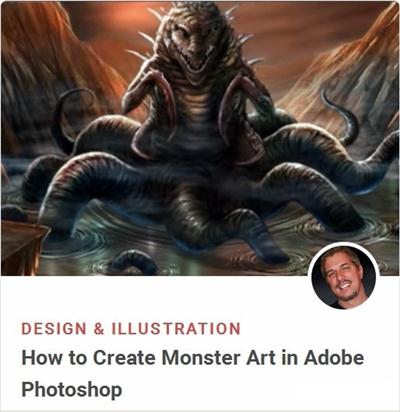
How to Create Monster Art in Adobe Photoshop
Duration: 38m | Video: h264, yuv420p, 1280x720, 30fps | Audio: aac, 48000 Hz, 2 ch | 382 MB
Genre: eLearning | Language: English​


In this course you will be shown a variety of techniques for creating monster art in Adobe Photoshop. Digital artist Robert Marzullo will explain the proper use of photo reference to give your illustrations a dynamic and appealing look. You will learn ways to build up your painting and edit it with a non-destructive approach.

The course will cover lots of the powerful tools in Photoshop that allow you to manipulate your work to create a variety of effects. By the end of this course you will have a much greater knowledge of Photoshop's many features for creating dynamic digital monster art.


How to Create Monster Art in Adobe Photoshop

Recommend Download Link Hight Speed | Please Say Thanks Keep Topic Live

 

934b6ac00b07d4a025ab61504ca5d24d.jpg

Intermediate System to Intermediate System (IS-IS) Routing Protocol LiveLessons
7 hours | ISBN: 0134465326 | .MP4, AVC, 1000 kbps, 1280x720 | English, AAC, 64 kbps, 2 Ch | 5.87 GB
Genre: eLearning | Language: English​


Intermediate System to Intermediate System (IS-IS) Routing Protocol LiveLesson provides networking engineers with a full and complete knowledge of the operation and deployment of IS-IS in a variety of network environments.

In this video training, networking expert Russ White provides you with a detailed introduction to the IS-IS routing protocol. IS-IS is a widely deployed protocol used to provide routing information for IPv4 and IPv6 networks as well as MPLS label switching and many advanced functions. This video provides you with everything you need to know to get up and running with IS-IS, from the underlying history to configuration and troubleshooting a wide variety of features.

What You Will Learn

How IS-IS finds the shortest path
OSI address structure and packet formats
Database synchronization
Configuring IS-IS routing
Optimizing IS-IS operation
Connecting flooding domains
Deploying IS-IS metrics
Security vulnerabilities and solutions
Multitopology IS-IS
Fast convergence
Redistribution


Intermediate System to Intermediate System (IS-IS) Routing Protocol LiveLessons

Recommend Download Link Hight Speed | Please Say Thanks Keep Topic Live
 

46d9eedde80528f5dcc0da48e326a73f.jpg

Landscape Concept Art for Film and Games
Duration: 38m | Video: h264, yuv420p, 1280x720, 30fps | Audio: aac, 48000 Hz, 2 ch | 382 MB
Genre: eLearning | Language: English​


In this short course, Brain Lee will dive into the amazing world of landscape concepts for film and games. He will walk you through his process of developing several designs as he would in a real production environment. This course is an advanced course and moves very quickly from one concept to the next, covering advanced concepts such as color, atmosphere, and composition.

Recommend Download Link Hight Speed | Please Say Thanks Keep Topic Live
 

490c43e3256ac4249f926e0d240b1125.jpg

Learn Basic concepts of Probability Step by Step Complete
MP4 | Video: AVC 1280x720 | Audio: AAC 44KHz 2ch | Duration: 1 Hours | 131 MB
Genre: eLearning | Language: English

Easy to Understand Probability and Statistics for Quality and Business Management.


This workshop is designed to help you make sense of basic probability and statistics with easy-to-understand explanations of all the subject's most important concepts. Whether you are starting from scratch or if you are in a statistics class and struggling with your assigned textbook or lecture material, this workshop was built with you in mind.Basic concepts of Probability like definitions and basic understanding with Example .

Recommend Download Link Hight Speed | Please Say Thanks Keep Topic Live
 

be805c3f2dcb227460a568246ac59ae7.jpg

Lightweight Location Lighting with Kevin Kubota
14:35:23 | Video: wmv3, yuv420p, 952x536 | Audio: wmav2, 44100 Hz, 2 ch | 4.88 GB
Genre: eLearning | Language: English | Photographing​


Learn to create studio quality lighting under almost any condition! With lightweight, affordable, and portable lighting tools, Kevin Kubota will teach you to create beautiful portrait lighting in a variety of environments from typical urban locations to more challenging situations.

He'll teach you how to do it using speedlights and smaller, battery-powered lights with simple and affordable accessories to modify and control the light. And after every shoot, Kevin will and show how he quickly processes and enhances his images in Lightroom and Photoshop before even leaving the scene!

For $129 you get:
35 Video lessons in HD
Exclusive bonus content
Lifetime access, anywhere, anytime
Streaming and able files
Available on desktop, mobile and tablet
100% satisfaction guarantee

Instructor: Kevin Kubota
School: Photography
Date: 3 Day Workshop
Kevin Kubota

American Photo Magazine named Kevin Kubota one of the "Top 10 Wedding Photographers in the World". His photos have been featured on the covers and within the pages of countless popular magazines and photography books. Kevin has been a featured presenter for Nikon and Adobe, and his work with the Nikon digital camera earned him a spot as a Nikon "Legend Behind the Lens".
Kubota is an internationally recognized speaker, having presented for every major photographic convention in the USA. He created the popular "Digital Photography Bootcamp®" workshop which has been running successfully since 2002. He authored the book under the same name, now in it's second edition, published by Amherst Media. Kevin shares over 2 decades of commercial and portrait lighting experience in his latest book, The Lighting Notebook, published by Wiley. The companion iApp, is available in the iTunes store.

Kubota Image Tools products have won multiple Hot One Awards as well as the Readers Choice Award. Kevin was personally awarded the 2009 Monte Zucker Memorial Humanitarian Award for social service through photography.


Lightweight Location Lighting with Kevin Kubota

Recommend Download Link Hight Speed | Please Say Thanks Keep Topic Live

 
Zurück
Oben Unten